
Native Instruments EVOLVE is a cinematic sound library for music, film, television and games. Its categories include Rhythmic Suites, Percussive Kits, Stings and Transitions, and Tonality and FX, with sounds ranging from rhythmic loops to piano, guitar and effects. Five master effects—Skreamer, Lo-Fi, Cabinet, Delay and Reverb—and a SEQUENCE editor provide further ways to shape sounds and patterns.
EVOLVE: A Collection of Cinematic Sounds
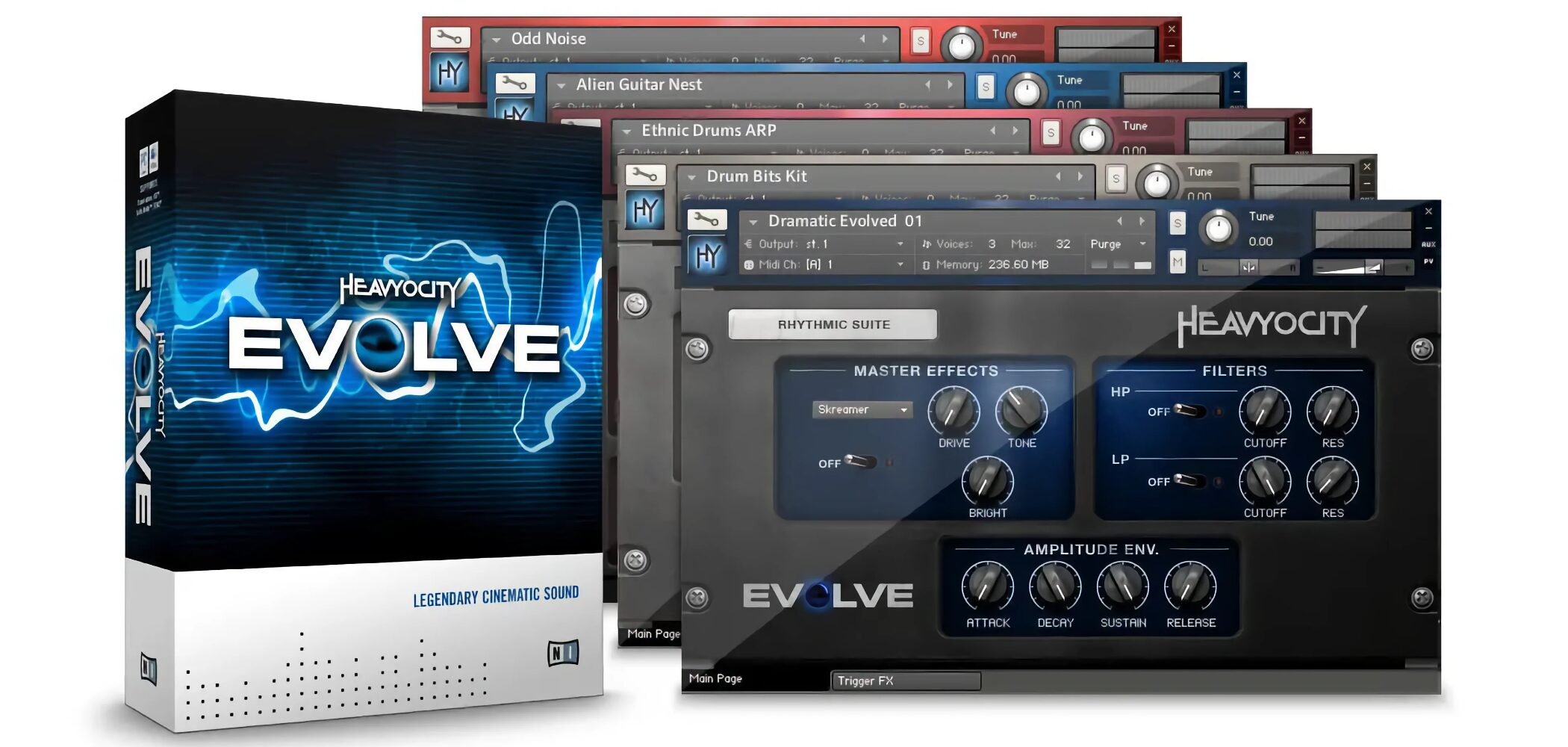
EVOLVE is a comprehensive sound library that makes it easy to use sounds familiar from films, television and games.
Alongside rhythmic loops, it includes piano, guitar and effects sounds that can broaden music production beyond film scoring.
Video: Overview and Choosing Sounds
Selected Questions and Answers from the YouTube Video

I want to make music with a wide range of sounds. Should I choose a software synth or buy a hardware synthesizer? Do software synths have more sounds?

The number of presets depends on the software product, so there is no single answer. Hardware can have its own sound, but I personally favor software for its smaller footprint, integration with a DAW, sound quality and lack of hardware failure concerns. Ultimately, the right choice is what produces the sound you want: choose based on whether you like its sounds rather than the number of presets.
Thank you for the tutorials. When playing loops from the keyboard, can this software play them at double speed or half tempo?
At the time of the original answer, EVOLVE appeared not to have a dedicated double-speed or half-tempo function. The suggested alternative was to export the audio and edit it.
I always learn a lot from these videos. What minimum computer specifications are needed to use this software?
The original answer suggested at least 8 GB of RAM and linked to the equipment guide below. Check the current product requirements for your system before purchasing. https://sleepfreaks-dtm.com/start_dtm/
Rhythmic Suites
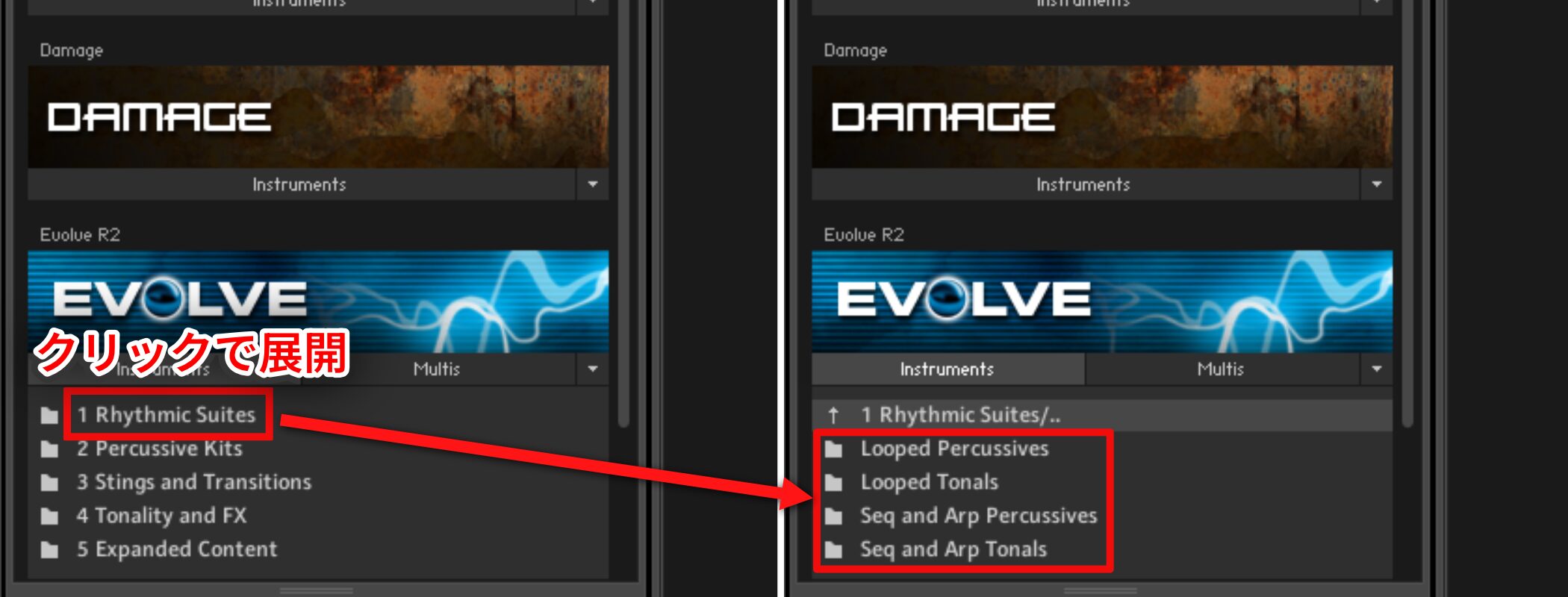
- Looped Percussives
A selection of rhythmic loops is organized by category.
- Looped Tonals
Unlike Percussives, this section contains phrase loops played by pitched instruments.
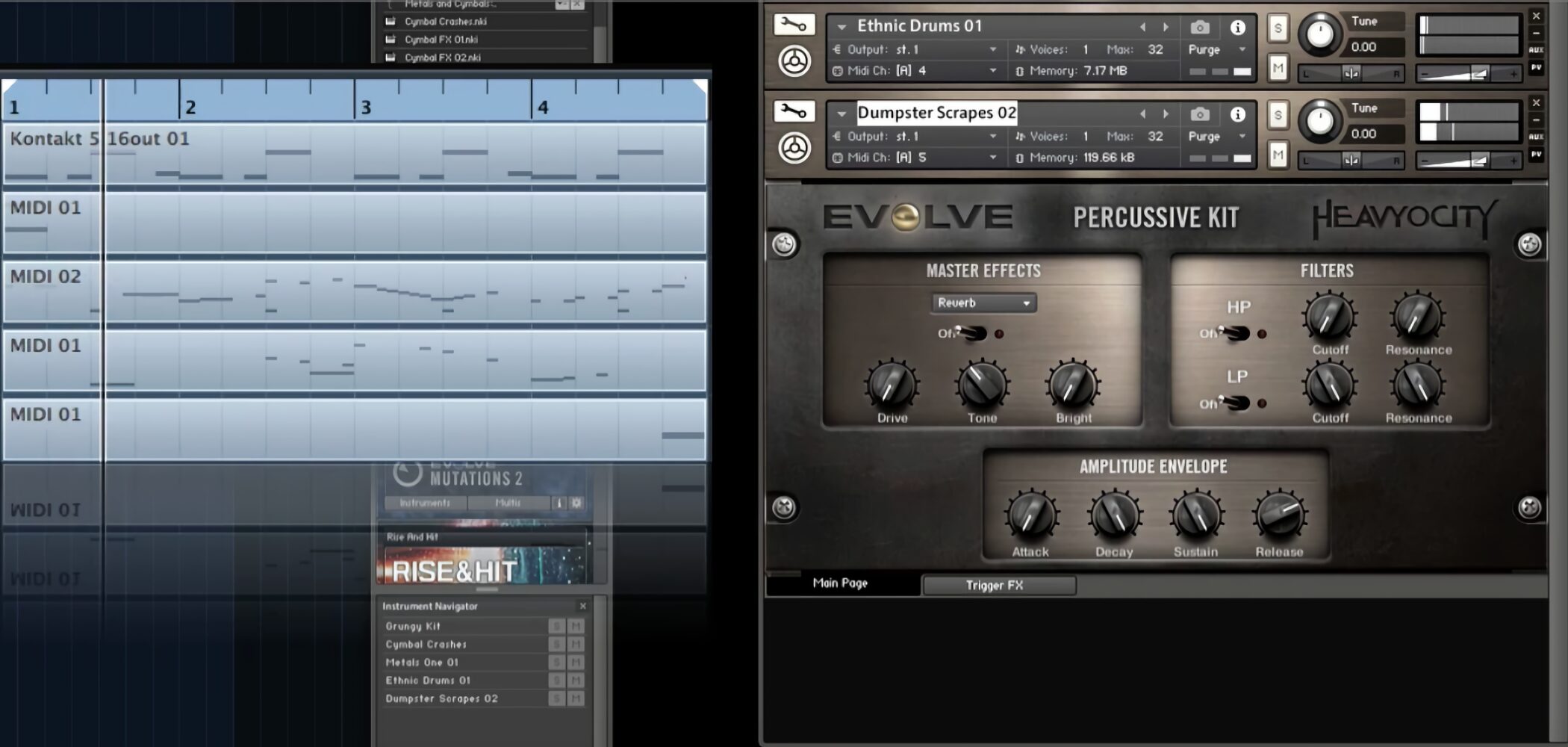
Loops are assigned to individual notes; program a note for the desired length to play one.
The loop tempo synchronizes with the DAW.
- Seq and Arp Tonals
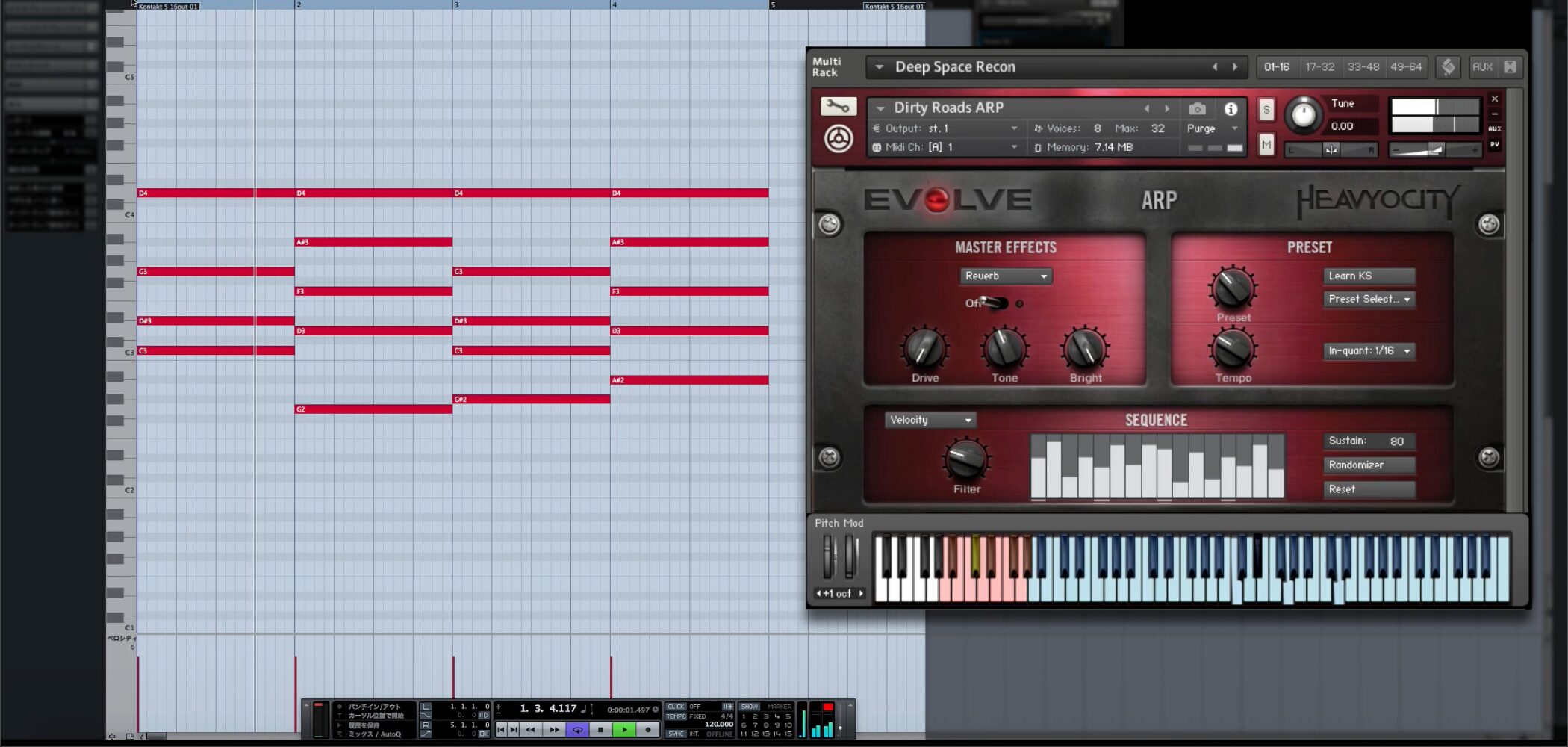
Choose from a variety of arpeggiated phrases and enter chords to fit them to your music.
Percussive Kits
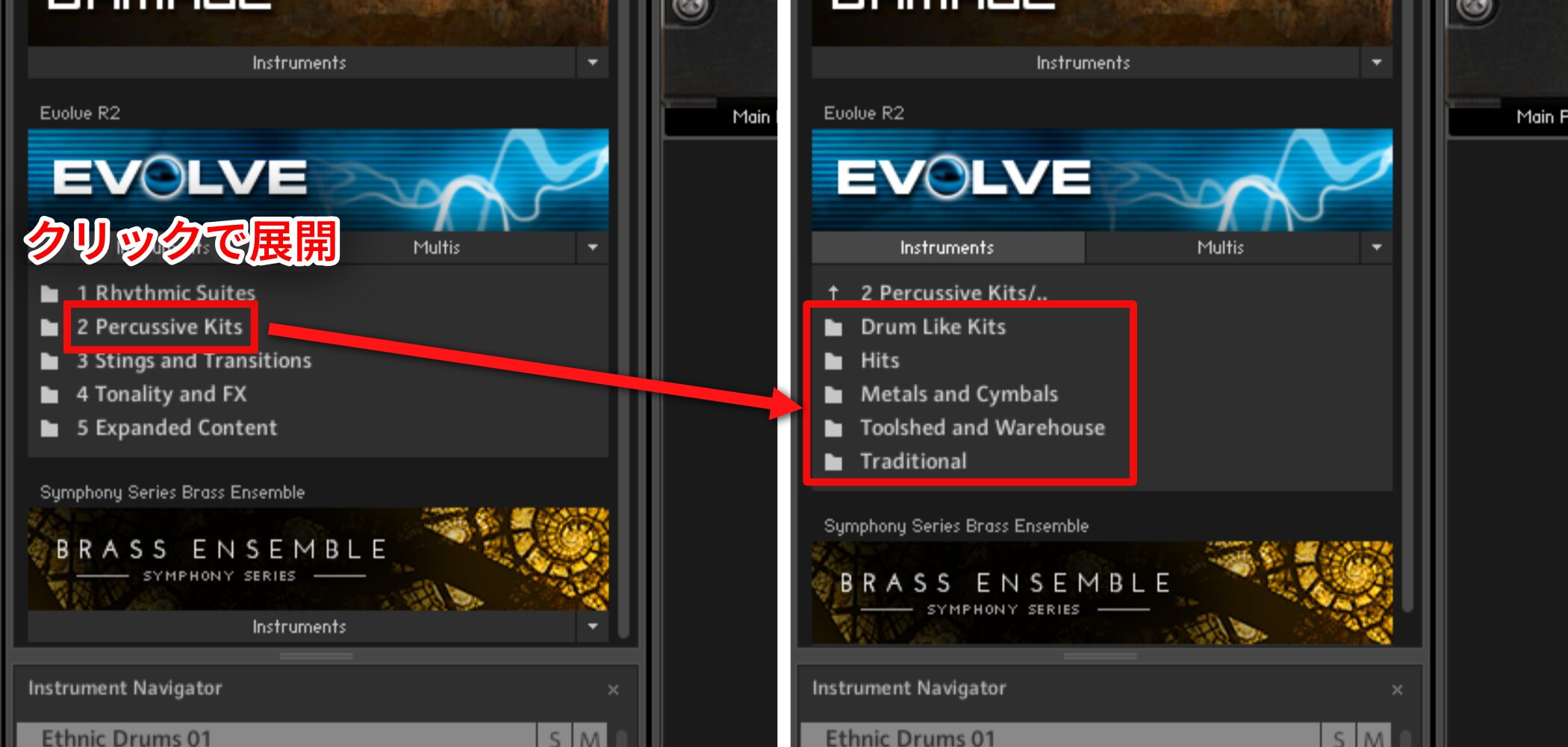
Rather than loops, this library lets you select individual kit sounds like a rhythm machine.
It includes a broad range, from industrial to comical sounds.
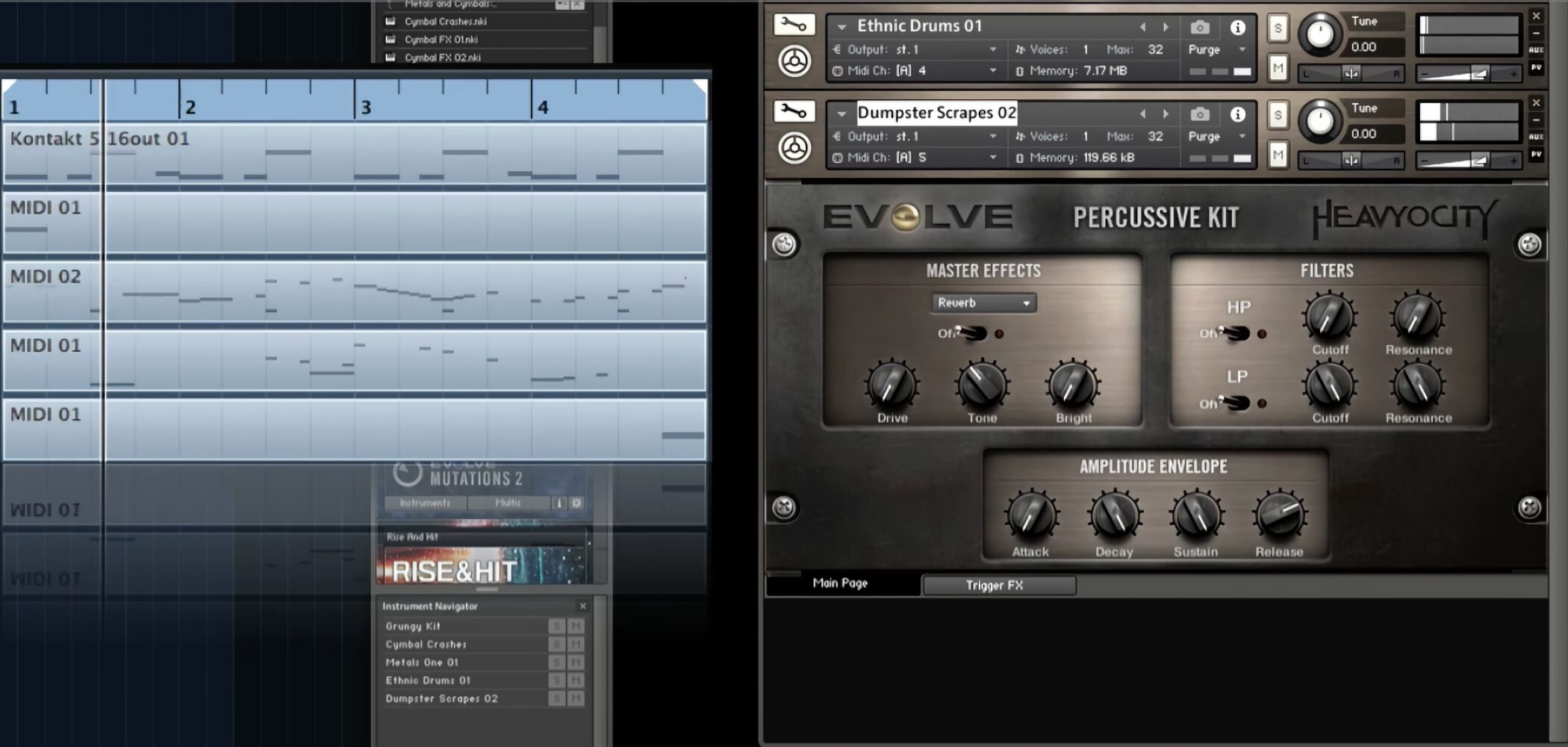
Program the sounds assigned to the notes to create your own rhythms.
Stings and Transitions
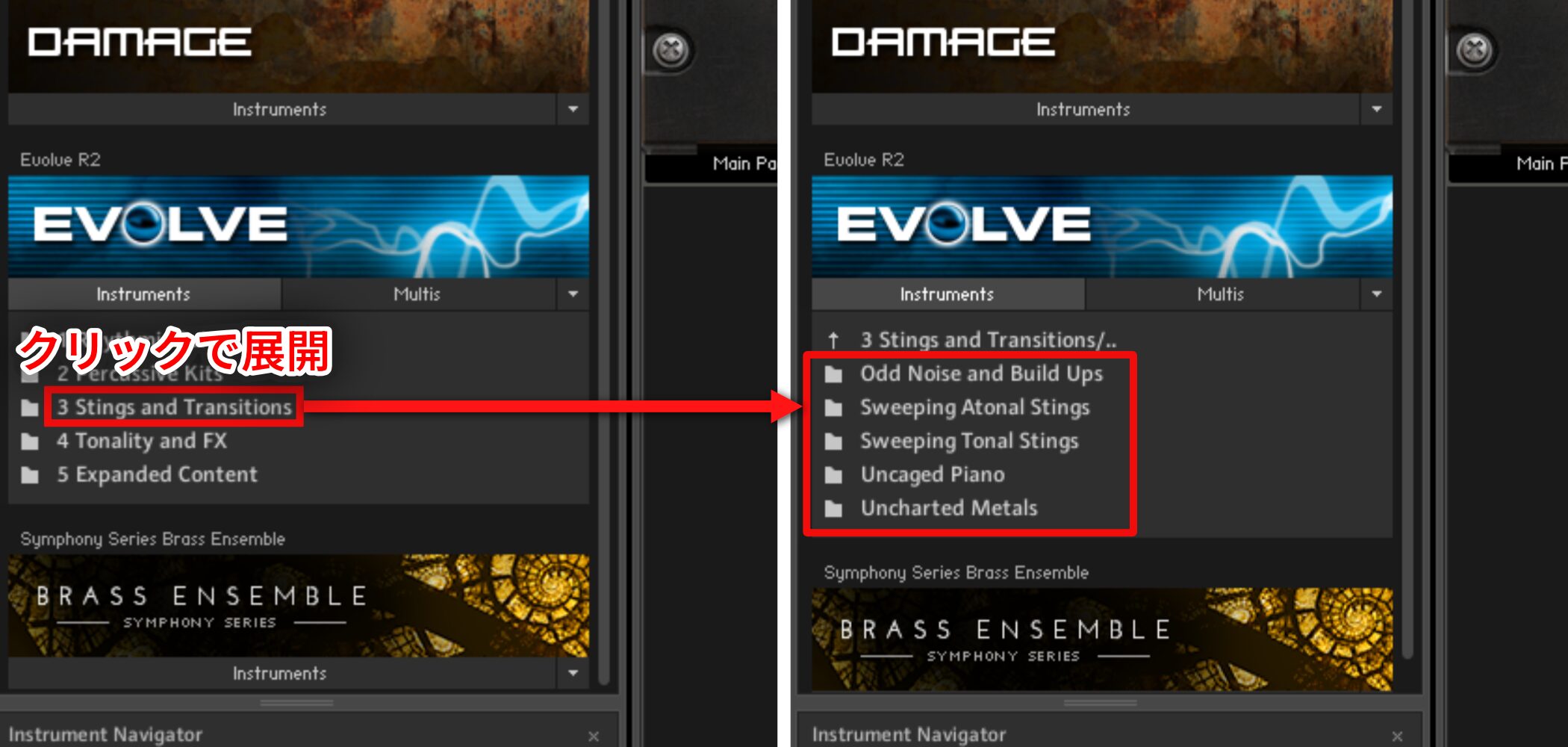
This category contains many tense, tonally unstable sounds and creative sound effects.
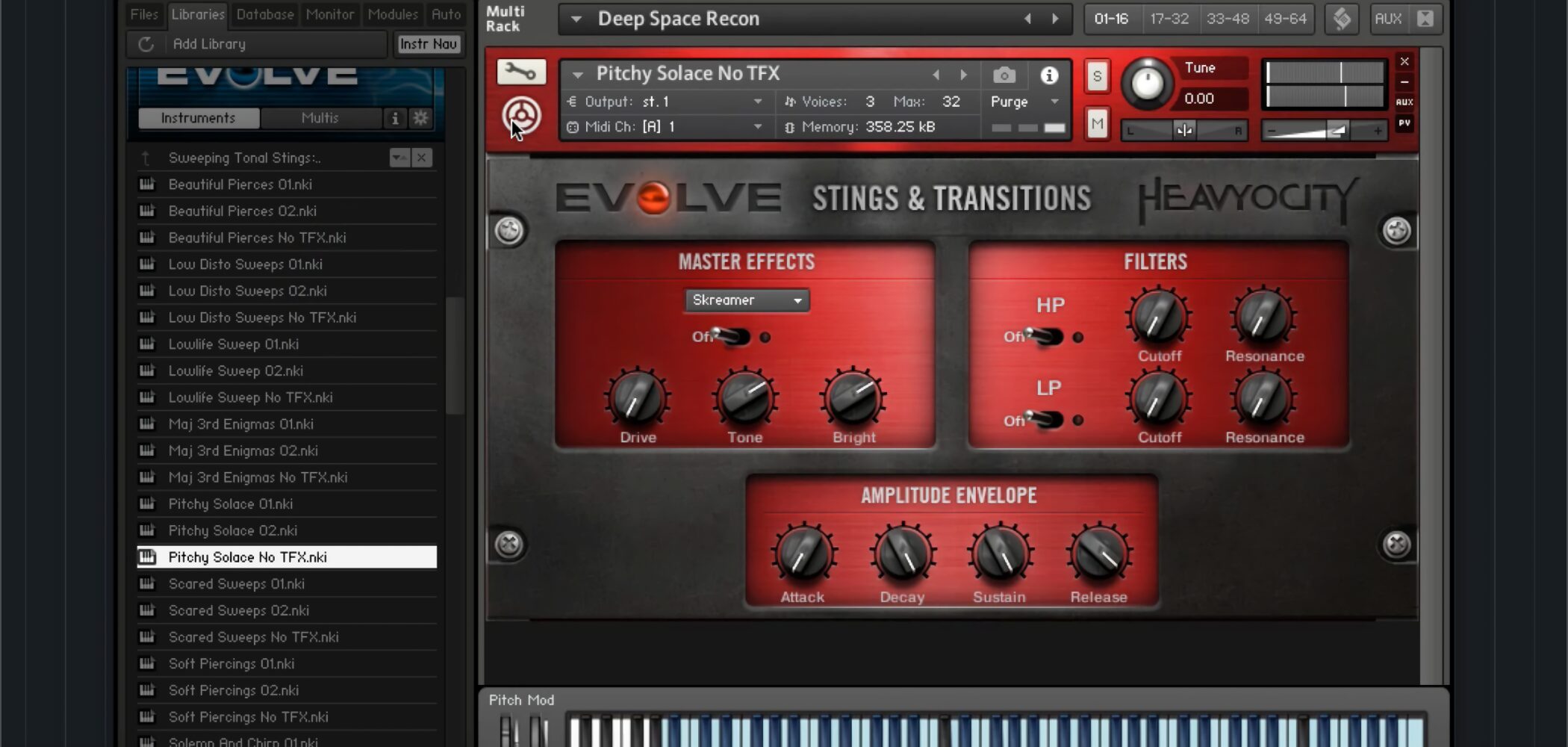
Some horror-film-style sounds may be immediately familiar.
Tonality and FX
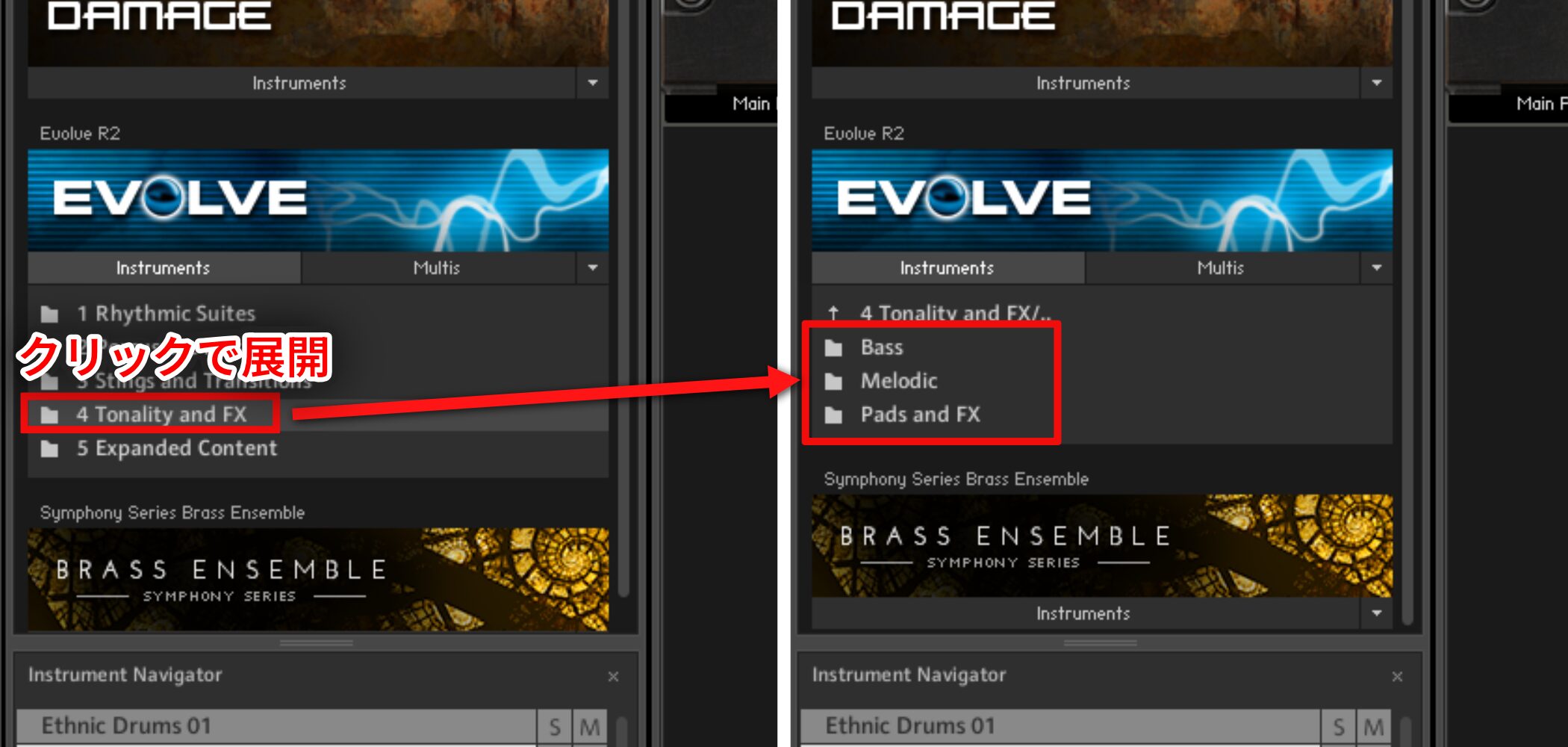
Select and play or program sounds as you would with a conventional software instrument or synth.
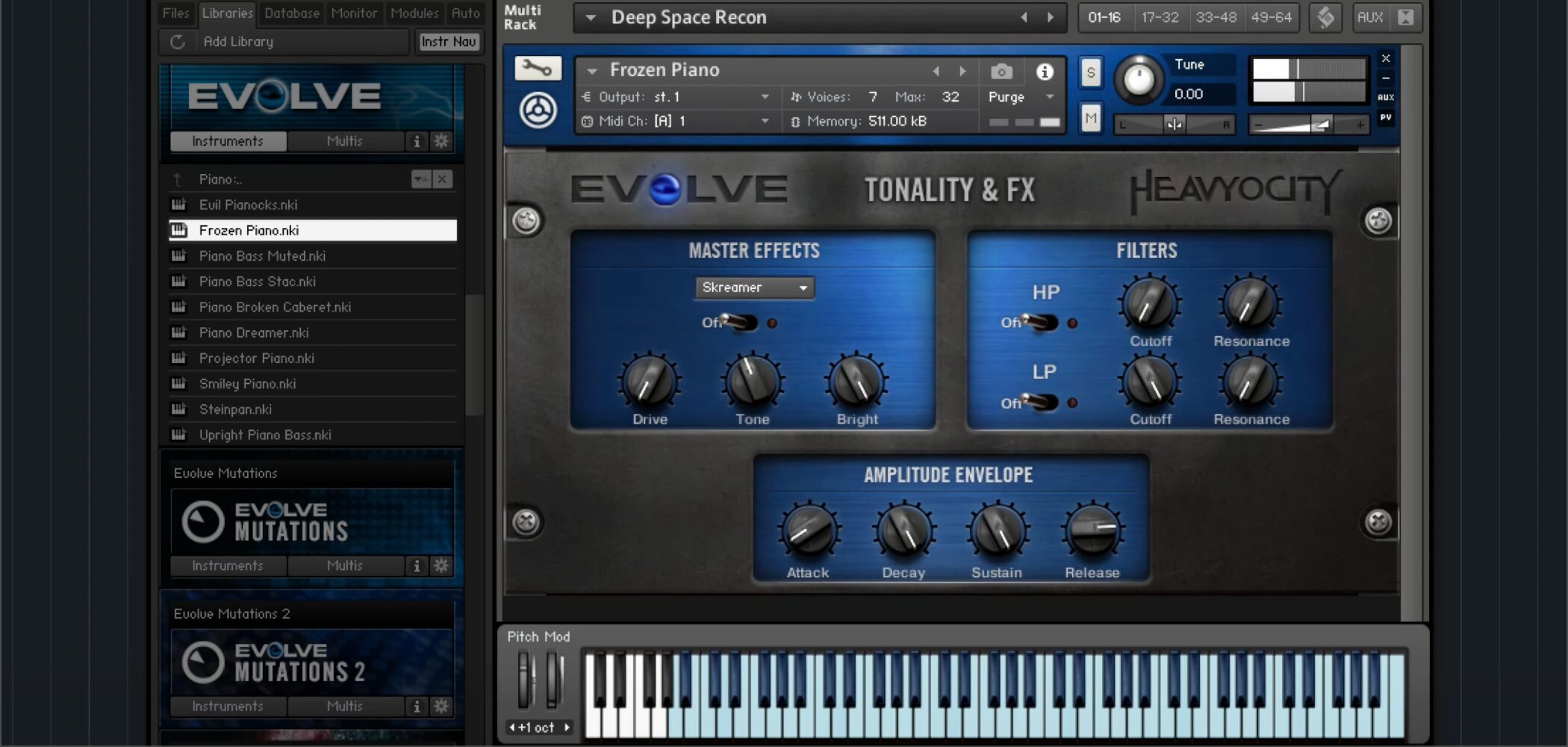
The library includes rich cinematic sounds such as dramatic piano and guitar, roaring voices and choirs.
These can also add depth to ordinary music productions.
Applying Effects to Sounds
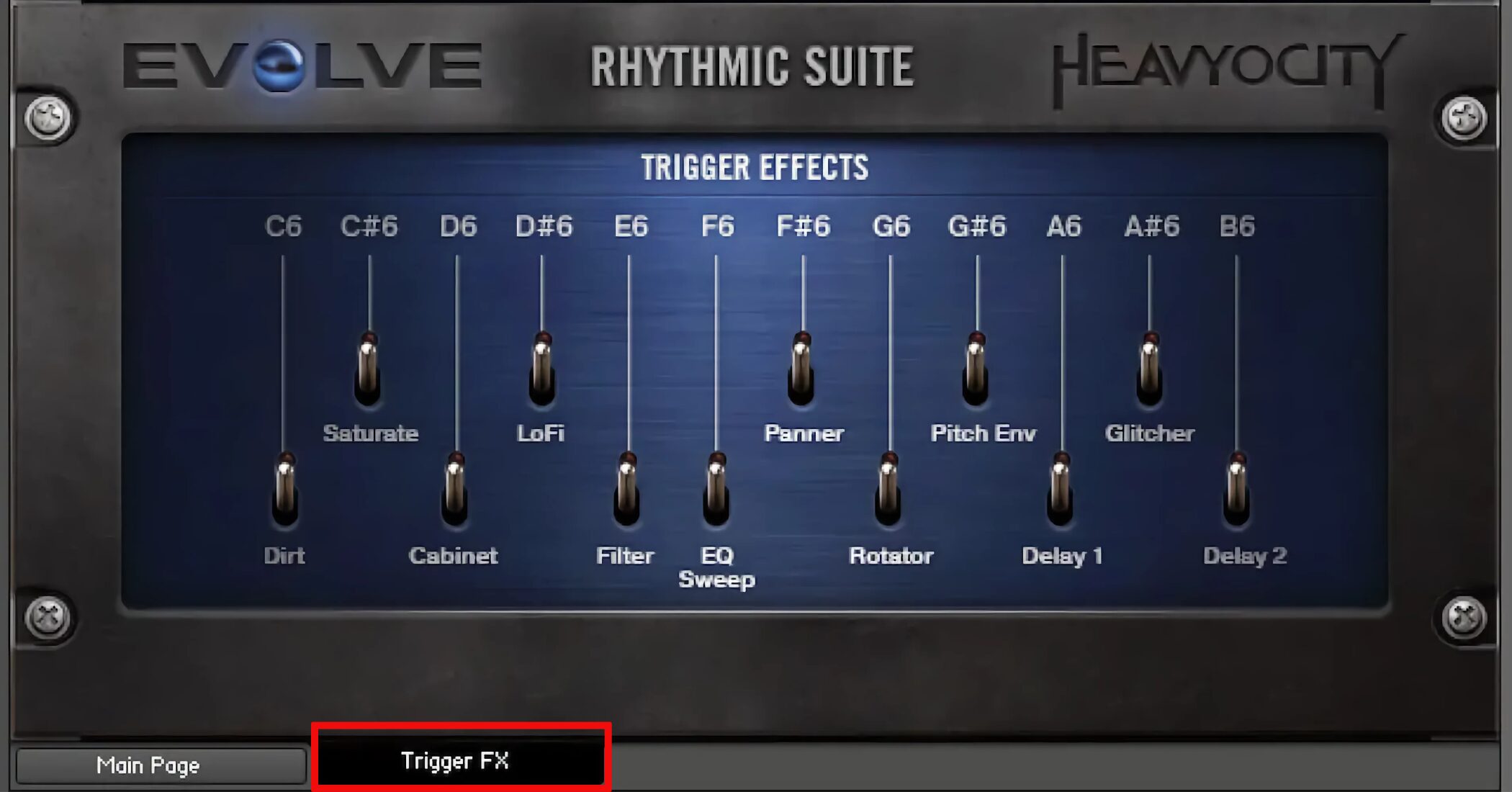
Next we look at effects that can change a sound’s character, and Trigger FX, which lets you control effects using keyswitches.
Video: Master Effects and Trigger FX
Master Effects
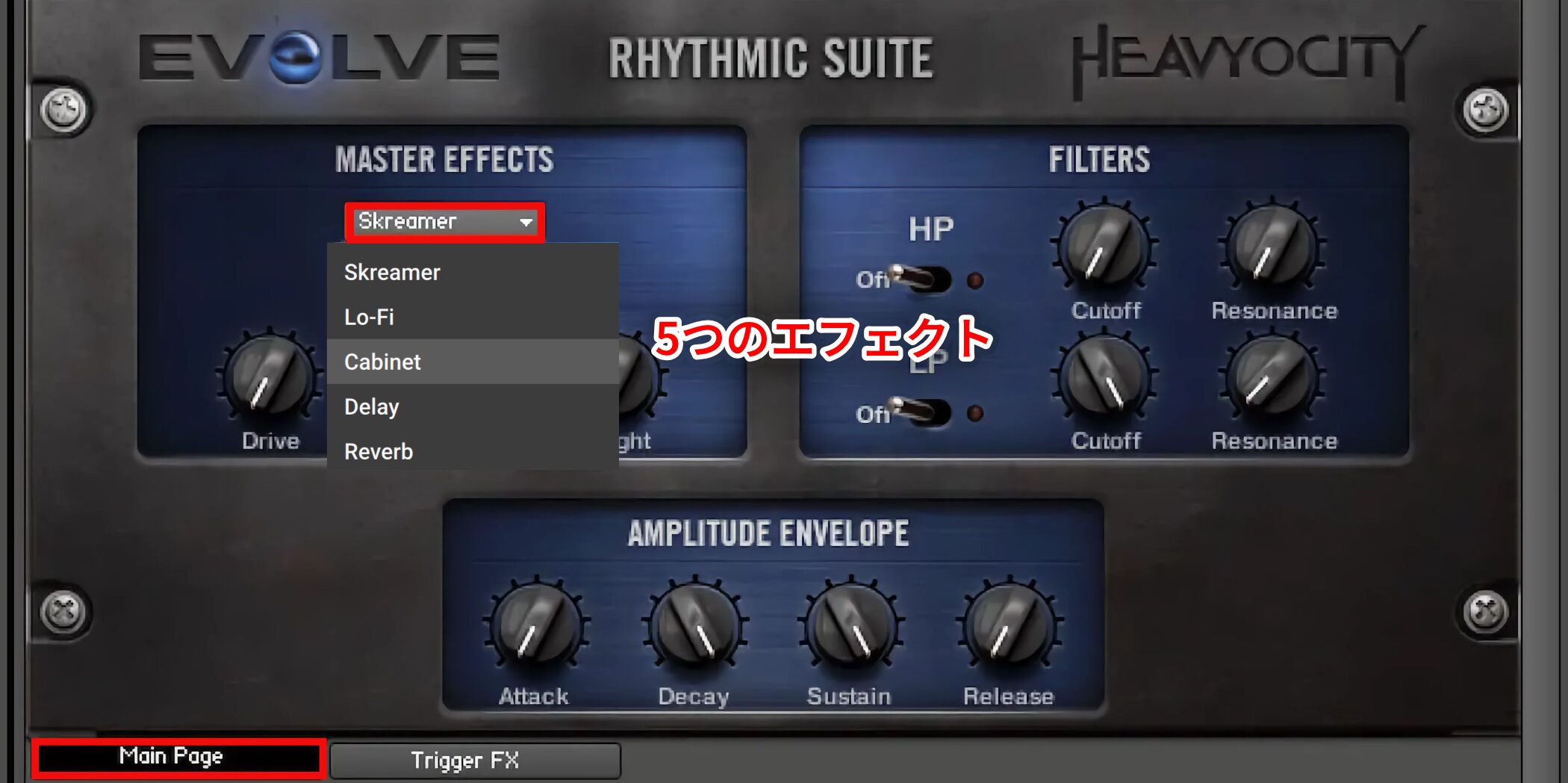
The Master Effects section provides five effects:
- Skreamer
- Lo-Fi
- Cabinet
- Delay
- Reverb
Skreamer
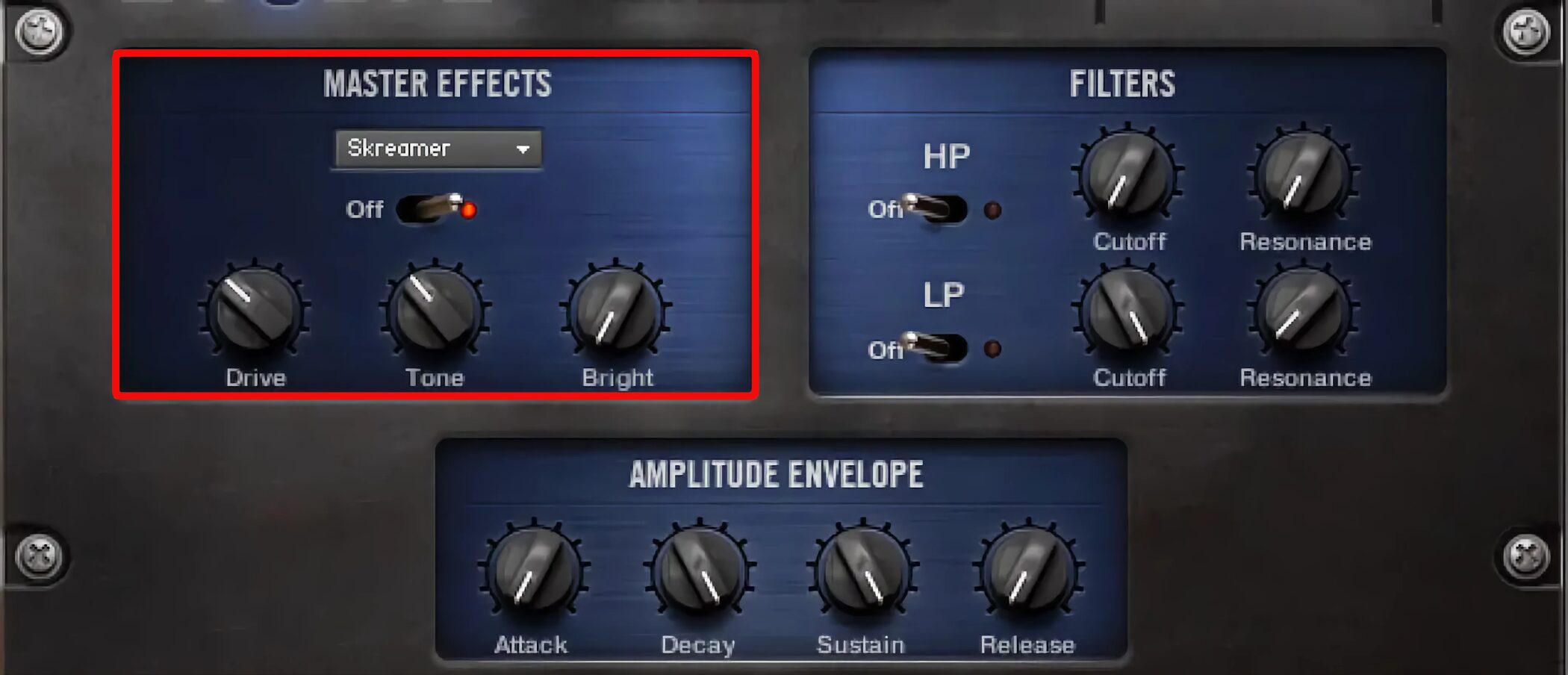
Skreamer is a distortion effect.
As the name suggests, it can create a rough, powerful, screaming sound.
Its controls are:
- Drive: Adjusts the amount of distortion.
- Tone: Adjusts tonal brightness.
- Bright: Adjusts high-frequency brightness.
Lo-Fi
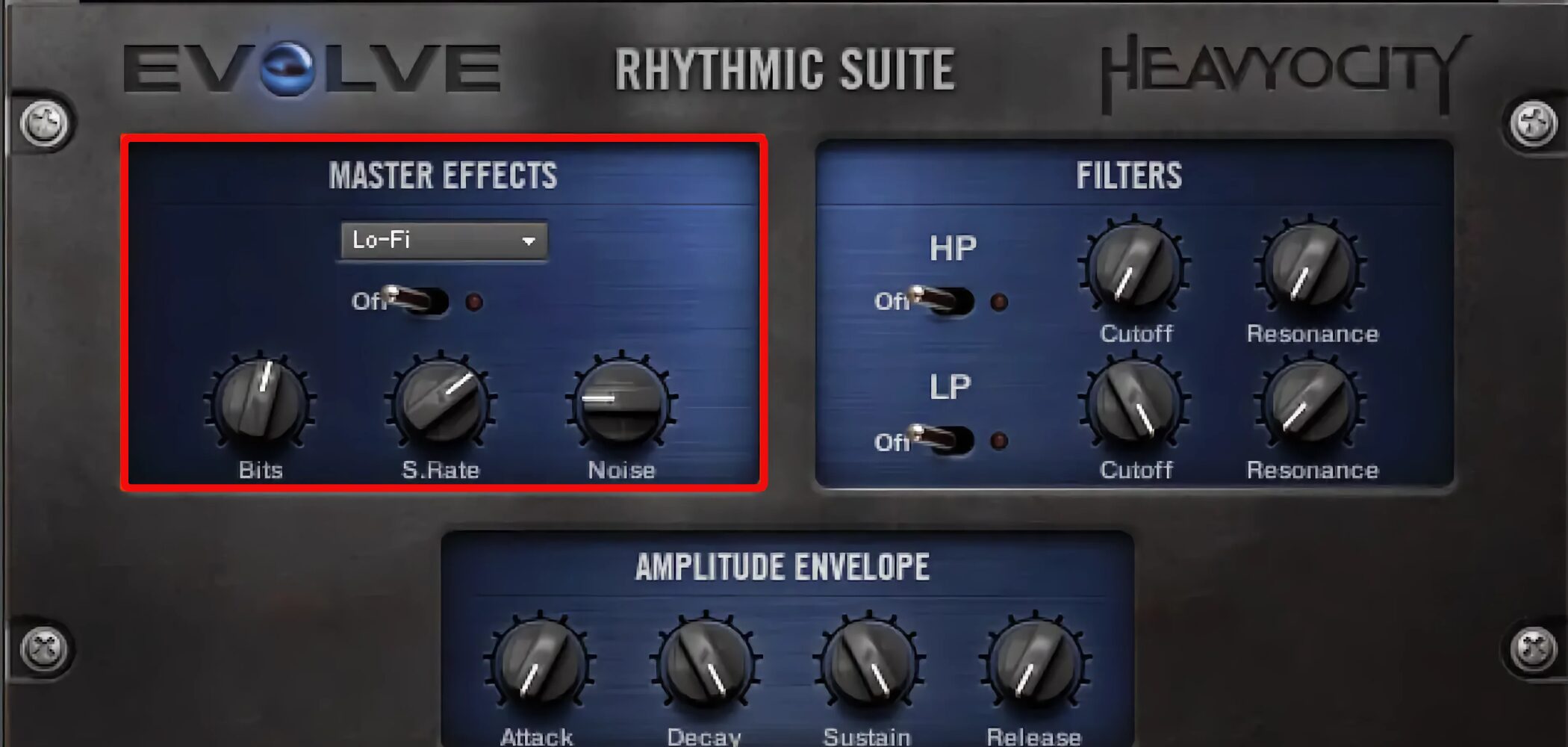
Lo-Fi deliberately degrades the sound digitally.
It adds a distinctive character and harmonics different from analog-style effects.
Its controls are:
- Bits: Reduces bit resolution for digital distortion.
- S.Rate: Reduces the sample rate to add aliasing.
- Noiset: Adds noise.
Cabinet
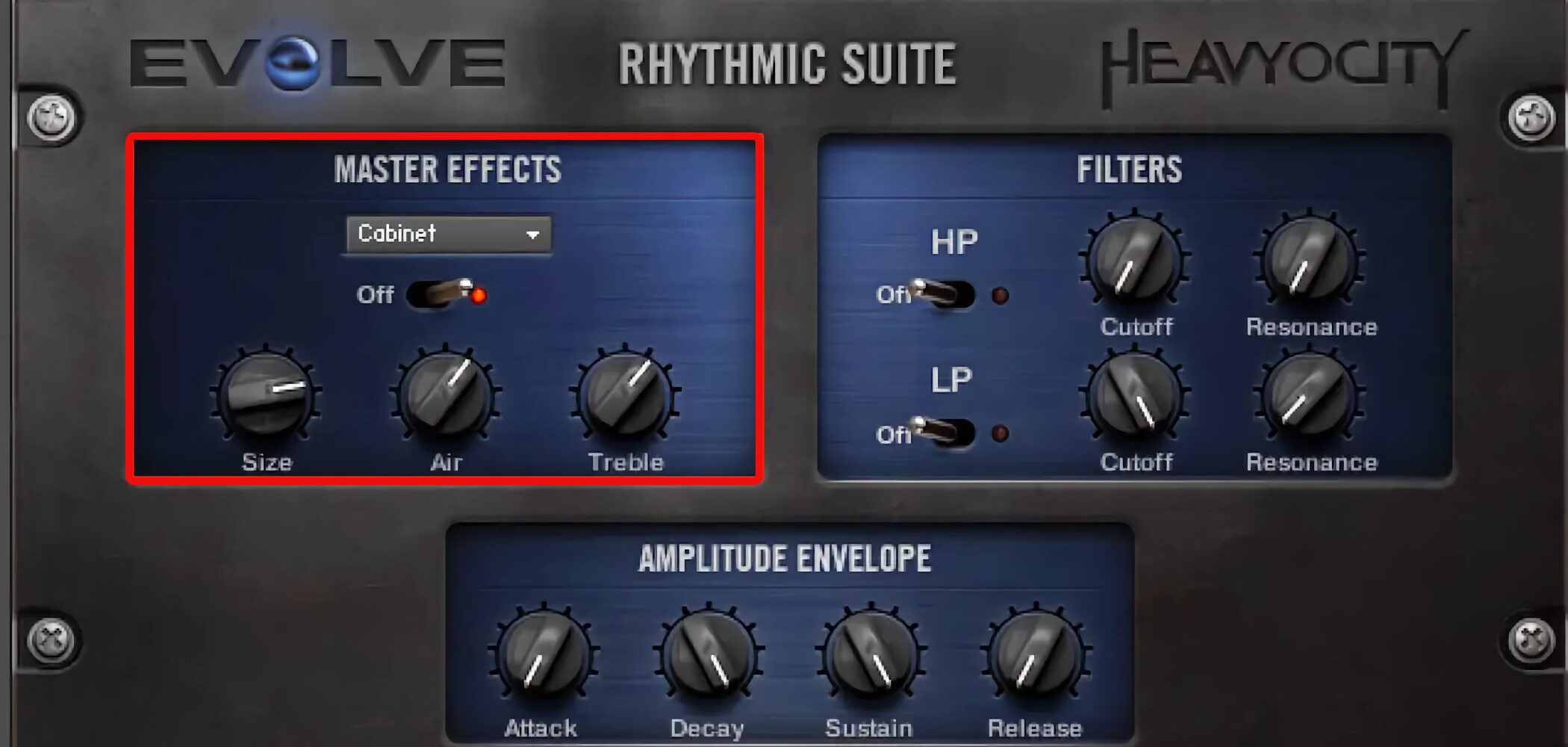
Cabinet emulates the effect of playing through a speaker cabinet.
It can significantly change the sound’s character, making it useful for creating a mood.
Its controls are:
- Size: Adjusts speaker size.
- Air: Adjusts the room ambience around the speaker.
- Treble: Adjusts the high-frequency level.
Delay
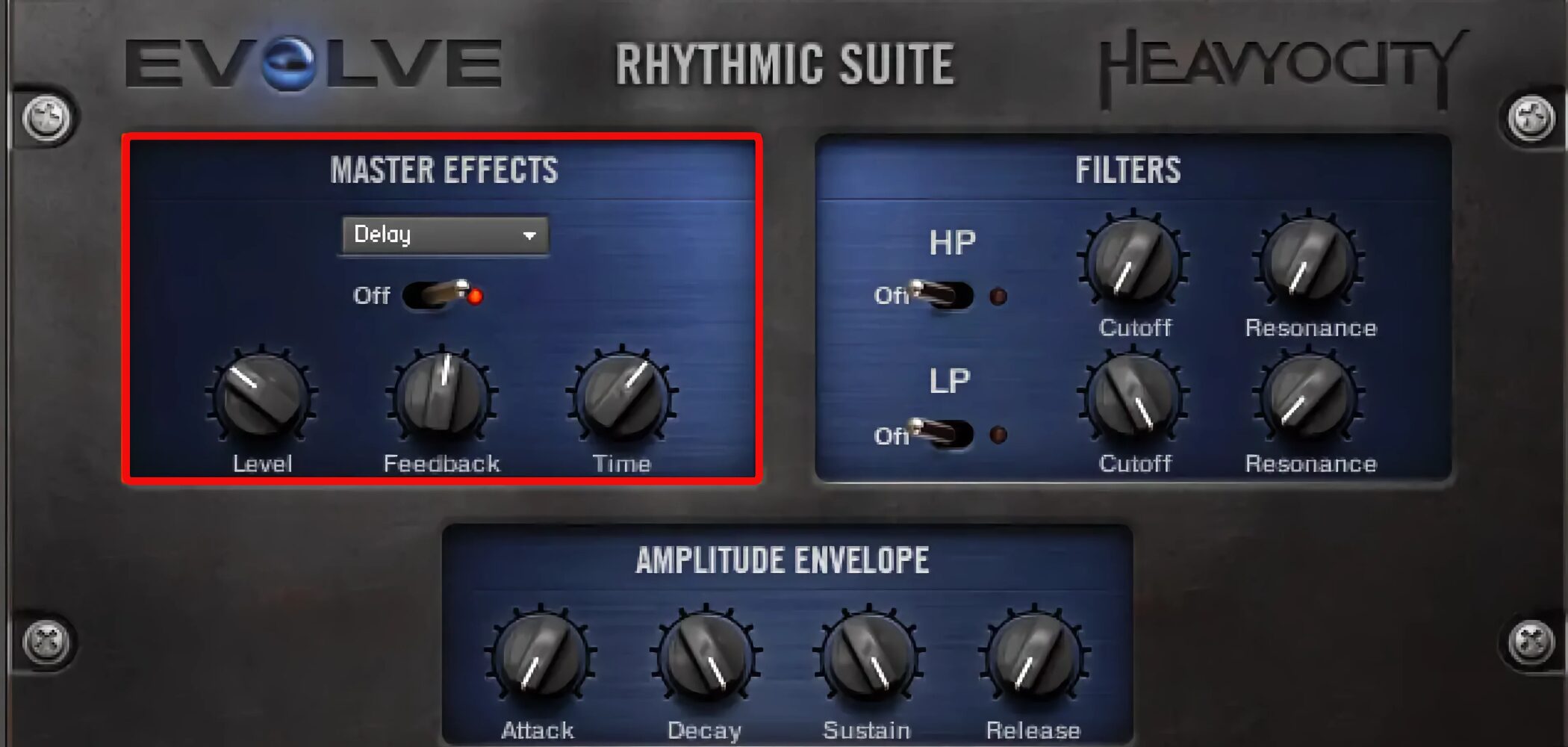
Delay creates echoes.
It is a familiar effect to many DAW users.
Its controls are:
- Level: Adjusts the echo level.
- Feedback: Controls decay and the number of repeats.
- Time: Sets the interval between echoes in sixteenth-note units.
Reverb
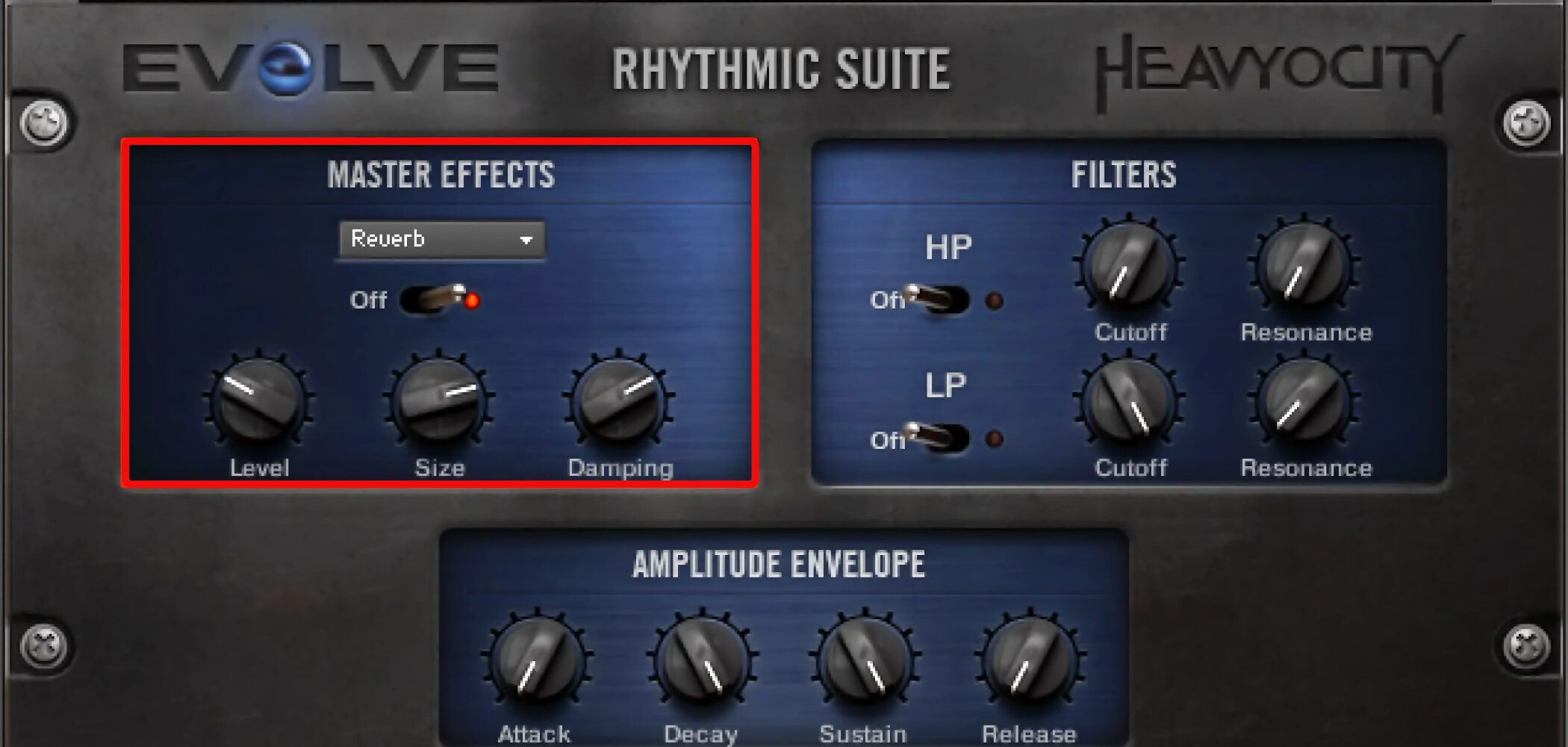
Reverb is another familiar effect.
It adds spatial reflections and is a quick, effective way to change the atmosphere.
Its controls are:
- Level: Adjusts the amount of reverb.
- Size: Changes the room size and character of the reverb.
- Damping: Adjusts absorption, or how the reverb decays.
Trigger Effects
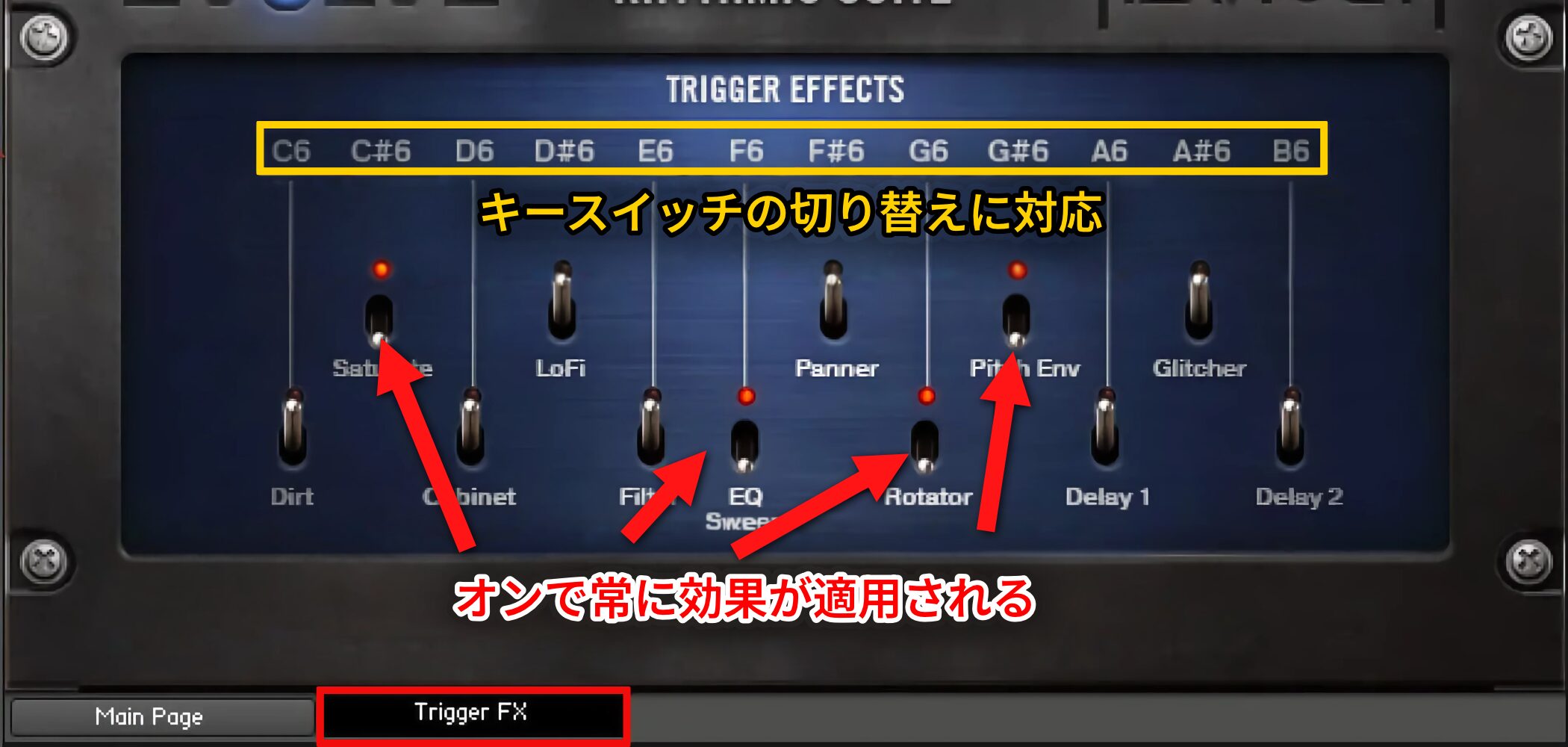
Trigger Effects lets you dynamically switch multiple effects on and off using keyswitches.
Individual effects cannot be finely adjusted here, but the feature is useful for quick changes in a live performance or production.
Customize Patterns with SEQUENCE
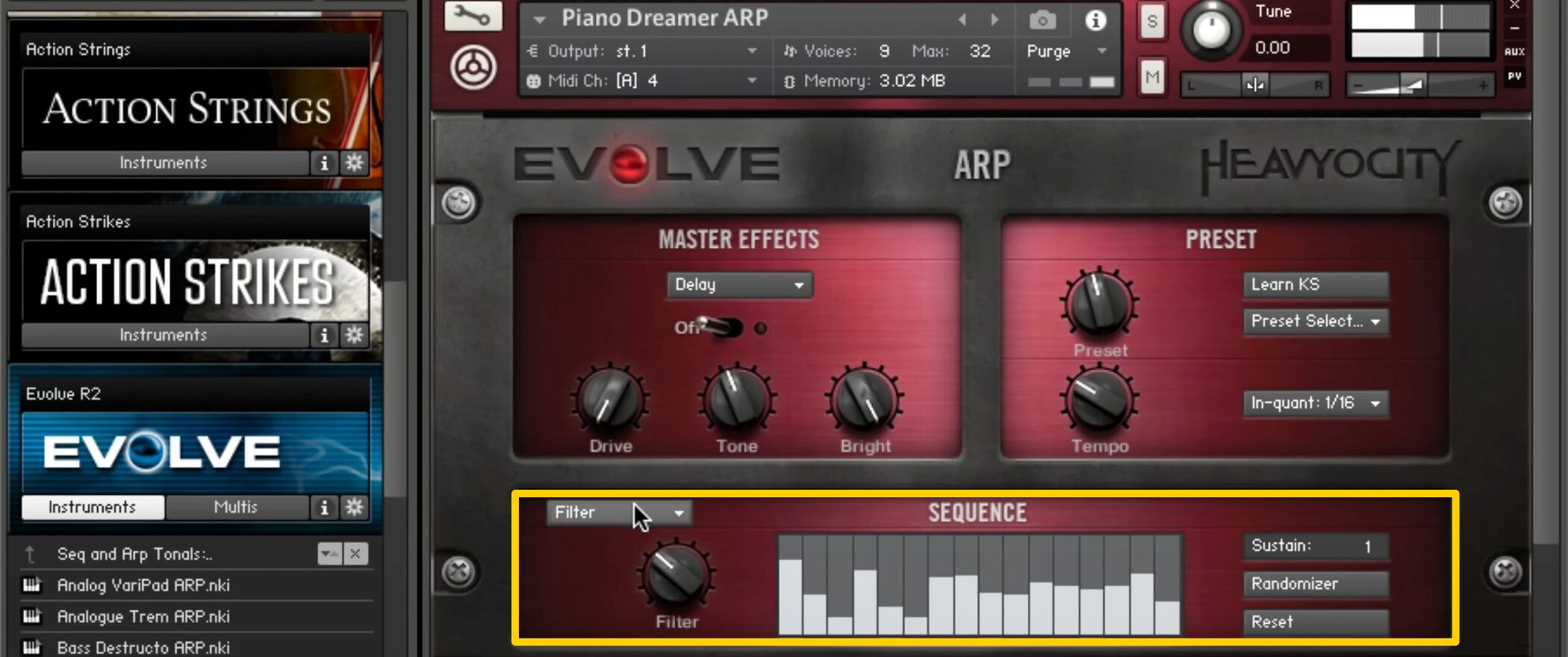
Next, we examine the SEQUENCE feature in Seq and Arp Percussions and Seq and Arp Tonals.
With SEQUENCE, you can customize preset patterns to fit your music.
Video: The SEQUENCE Feature
SEQUENCE Overview
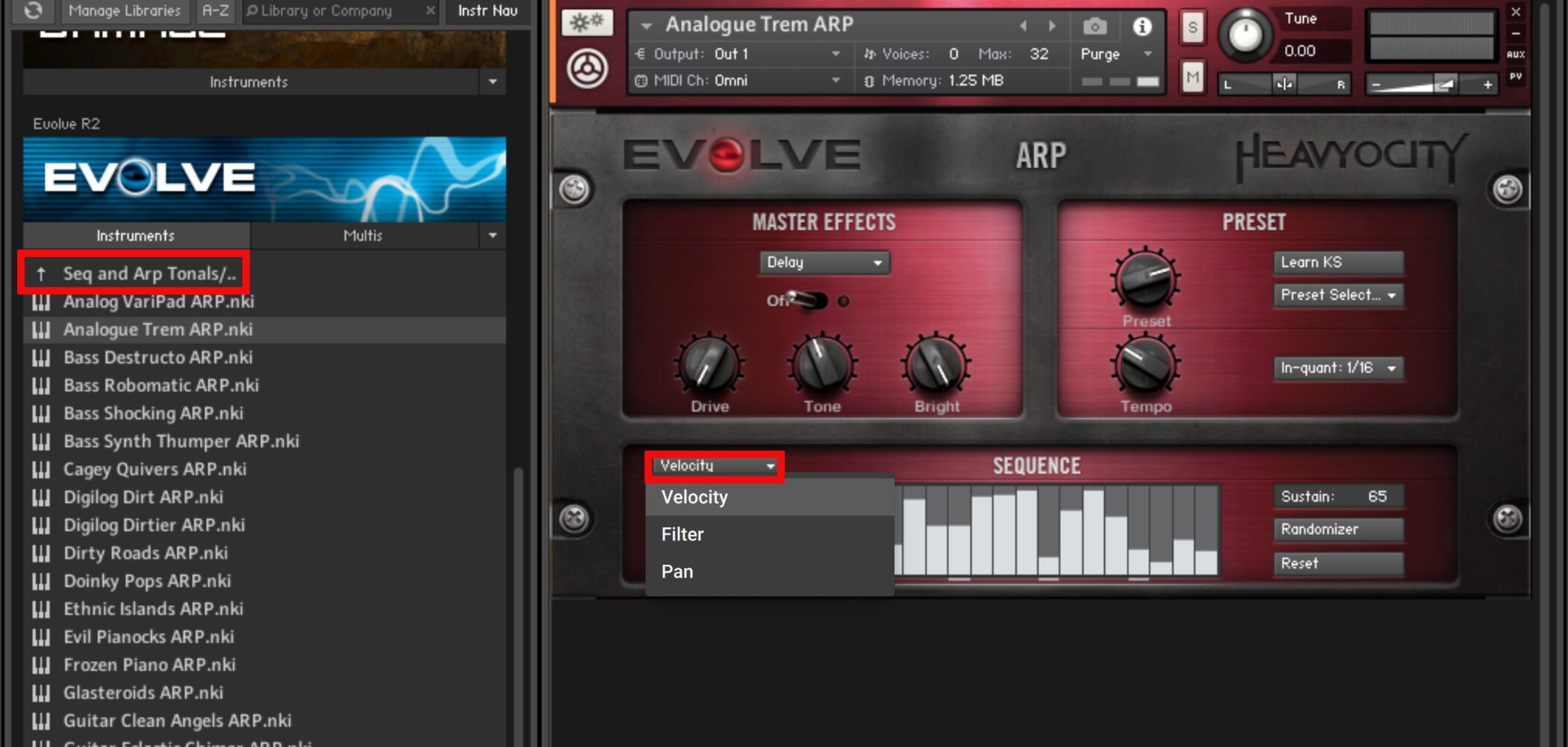
When you load a preset from a category named Seq and Arp, SEQUENCE appears at the bottom of the screen.
The upper-left menu lets you select Velocity, Filter or Pan.
Basic Operation and Velocity
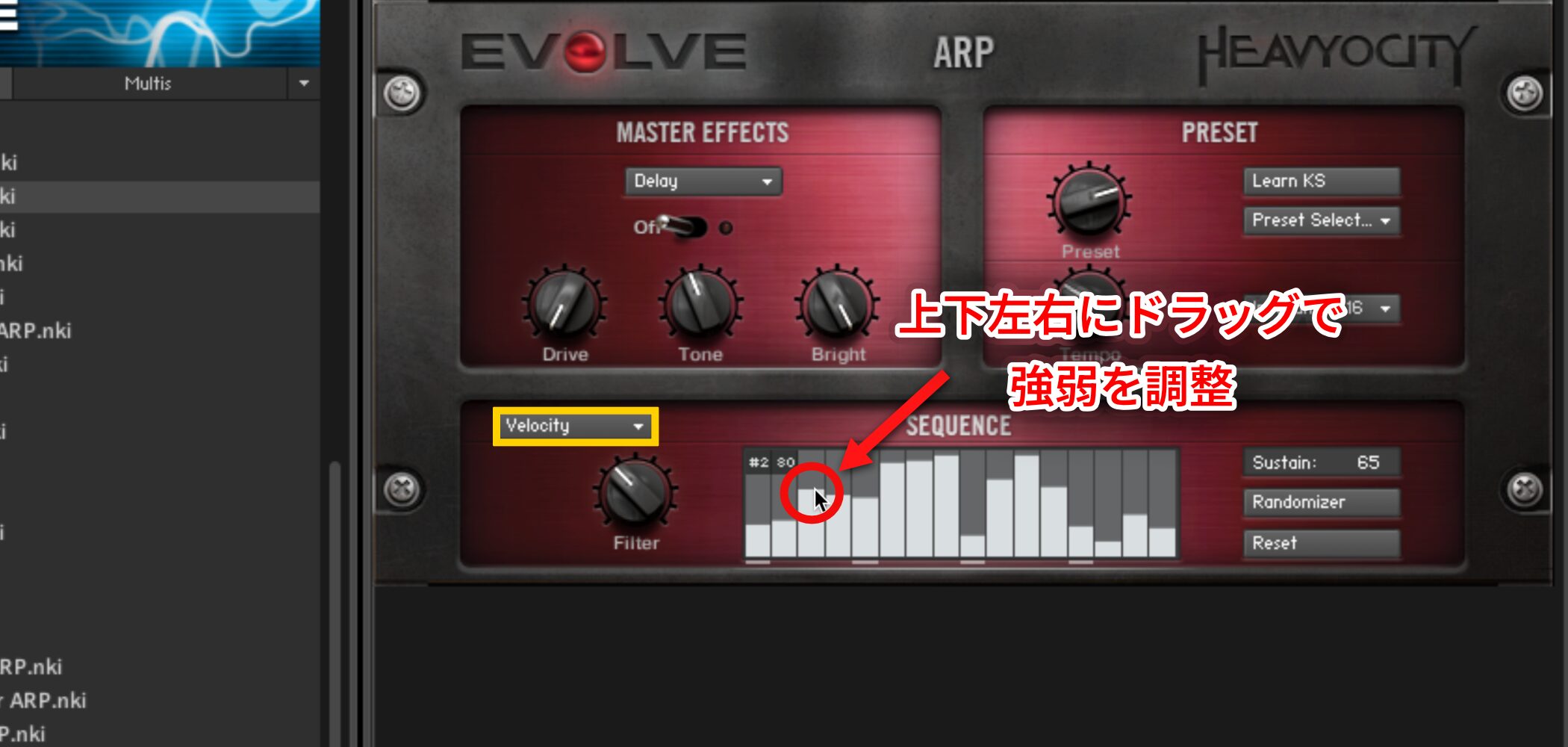
We will use Velocity as an example.
With Velocity selected, the sliders in the center SEQUENCE area represent velocity levels.
Drag each slider up or down to adjust its value.
You can also drag horizontally to draw a continuous dynamic shape.
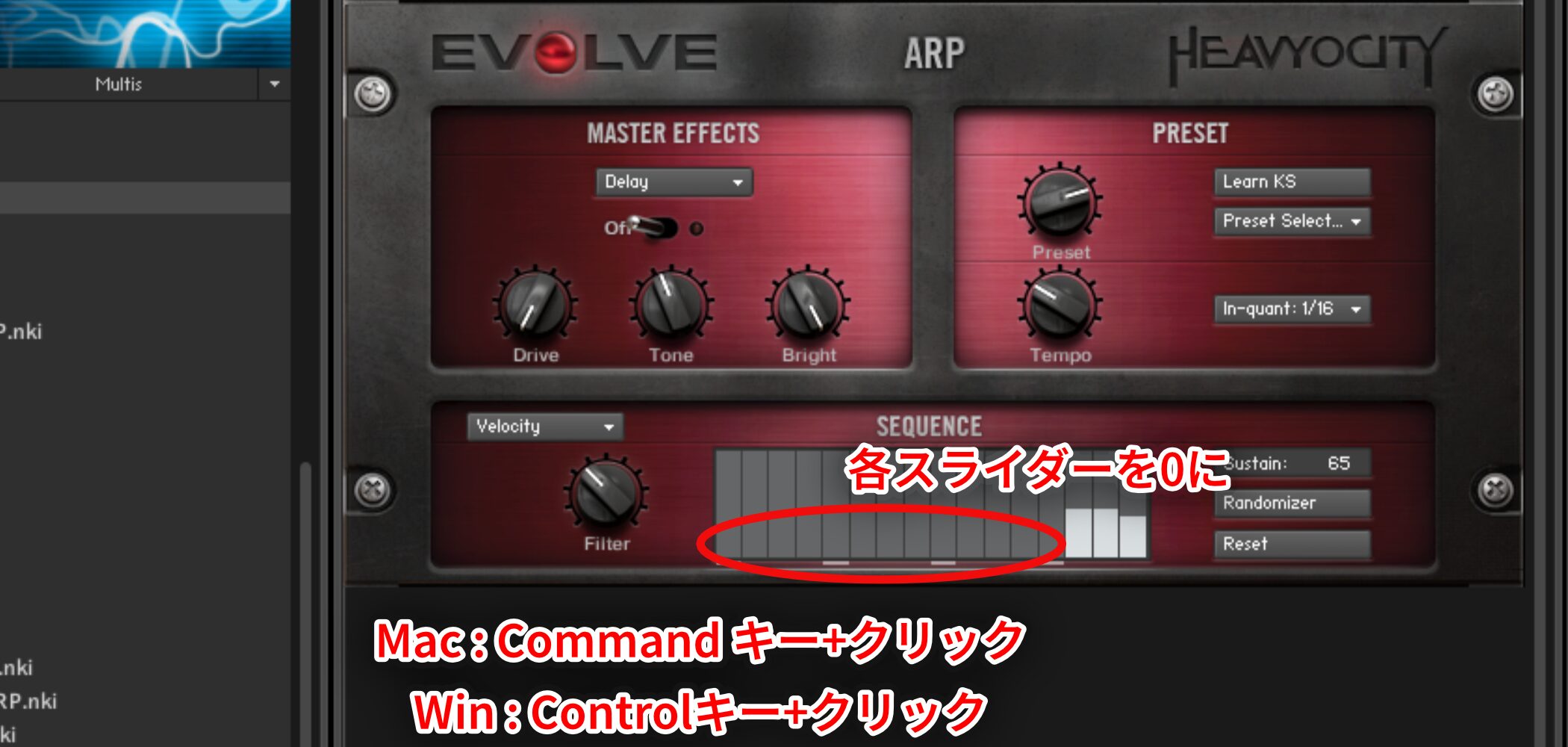
Command-click on Mac or Control-click on Windows to set individual sliders to zero.
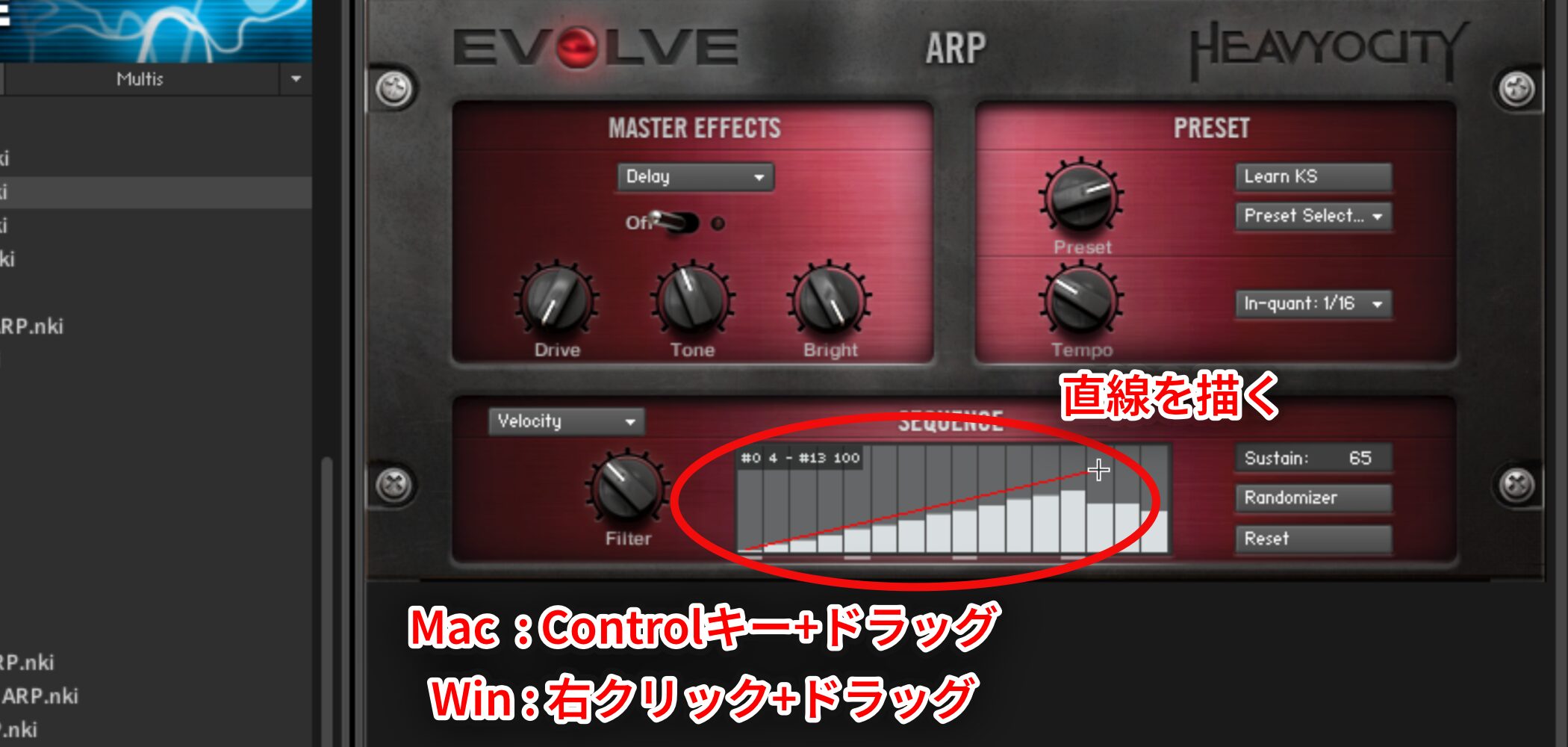
Control-drag on Mac or right-click and drag on Windows to draw a straight line.
Changing Step Duration with Tempo
Let us add some accents.
One important point in the SEQUENCE display is that the duration represented by each slider can change.
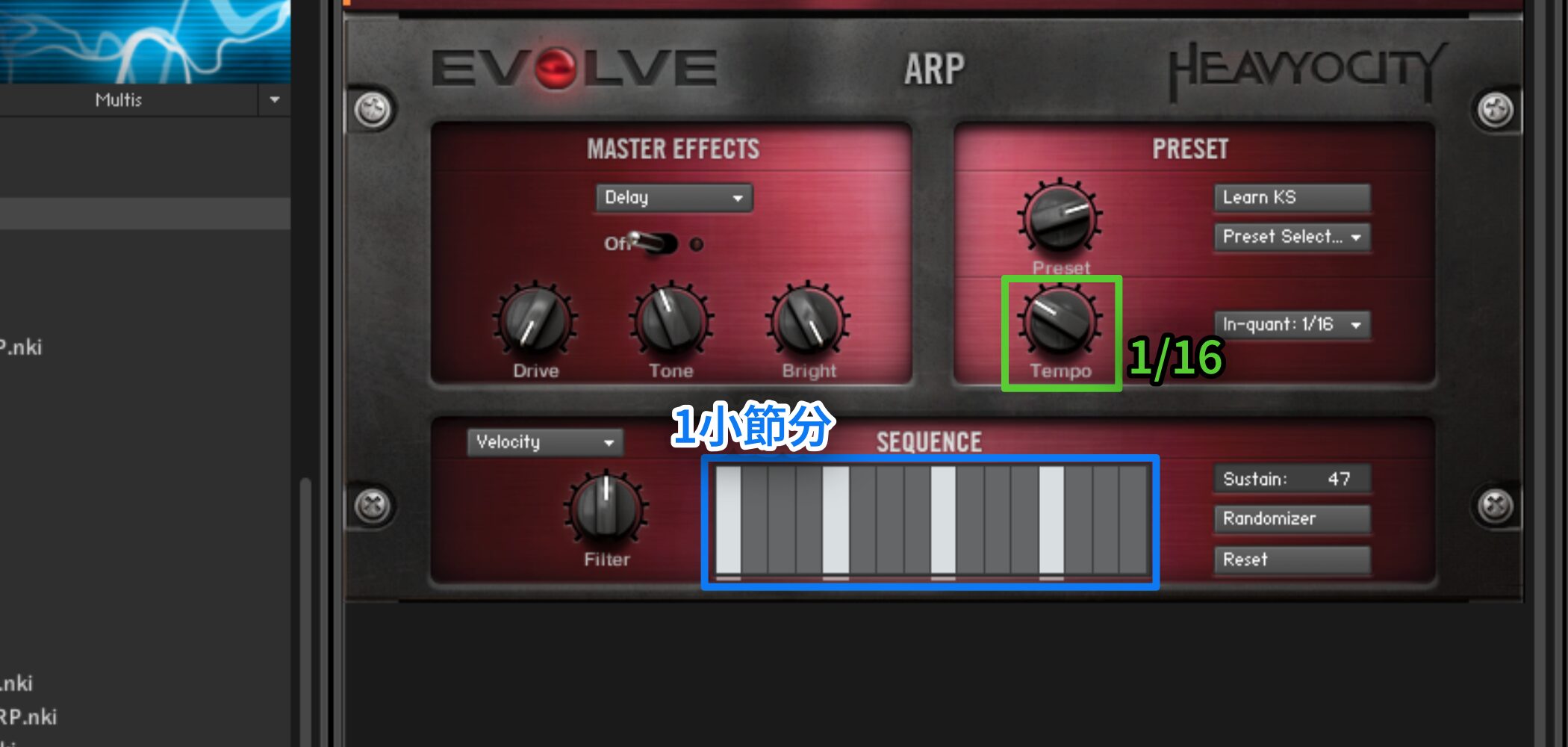
Turn the Tempo knob in the upper-right PRESET section to change the step duration.
In the example above, each slider represents 1/16 and the sequence spans one bar.
Similarly, 1/8 spans two bars and 1/4 spans four bars.
Sustain, Randomizer and Reset
The controls and switches on the right work as follows:
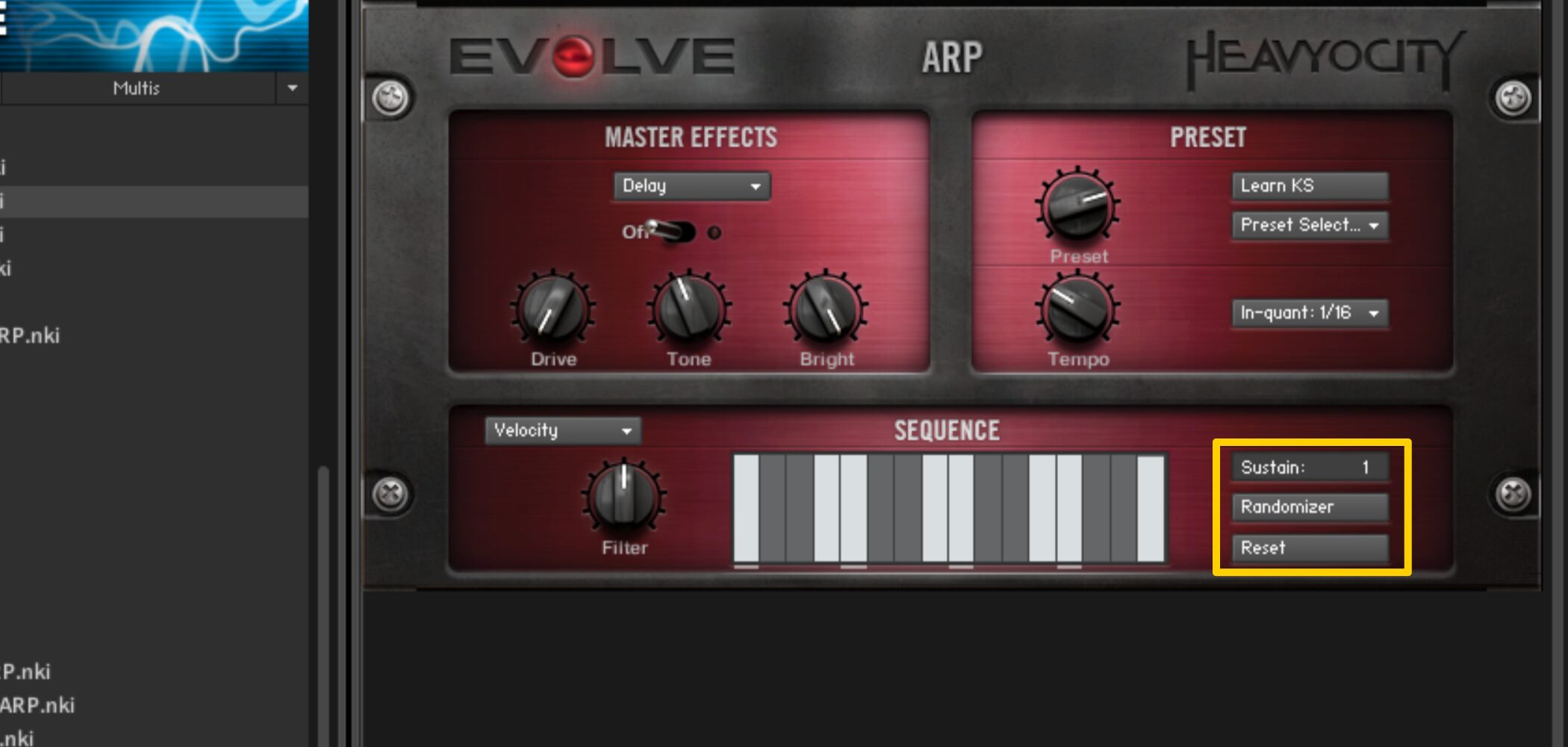
- Sustain: Drag up or down to adjust how short or sustained the notes are.
- Randomizer: Click to generate a random pattern.
- Reset: Returns the sliders to their initial values.
Adjusting Filter and Pan
Switching to Filter or Pan changes the displayed sliders, but your Velocity settings remain.
EVOLVE lets you set all the SEQUENCE lanes together.
The Filter controls are:
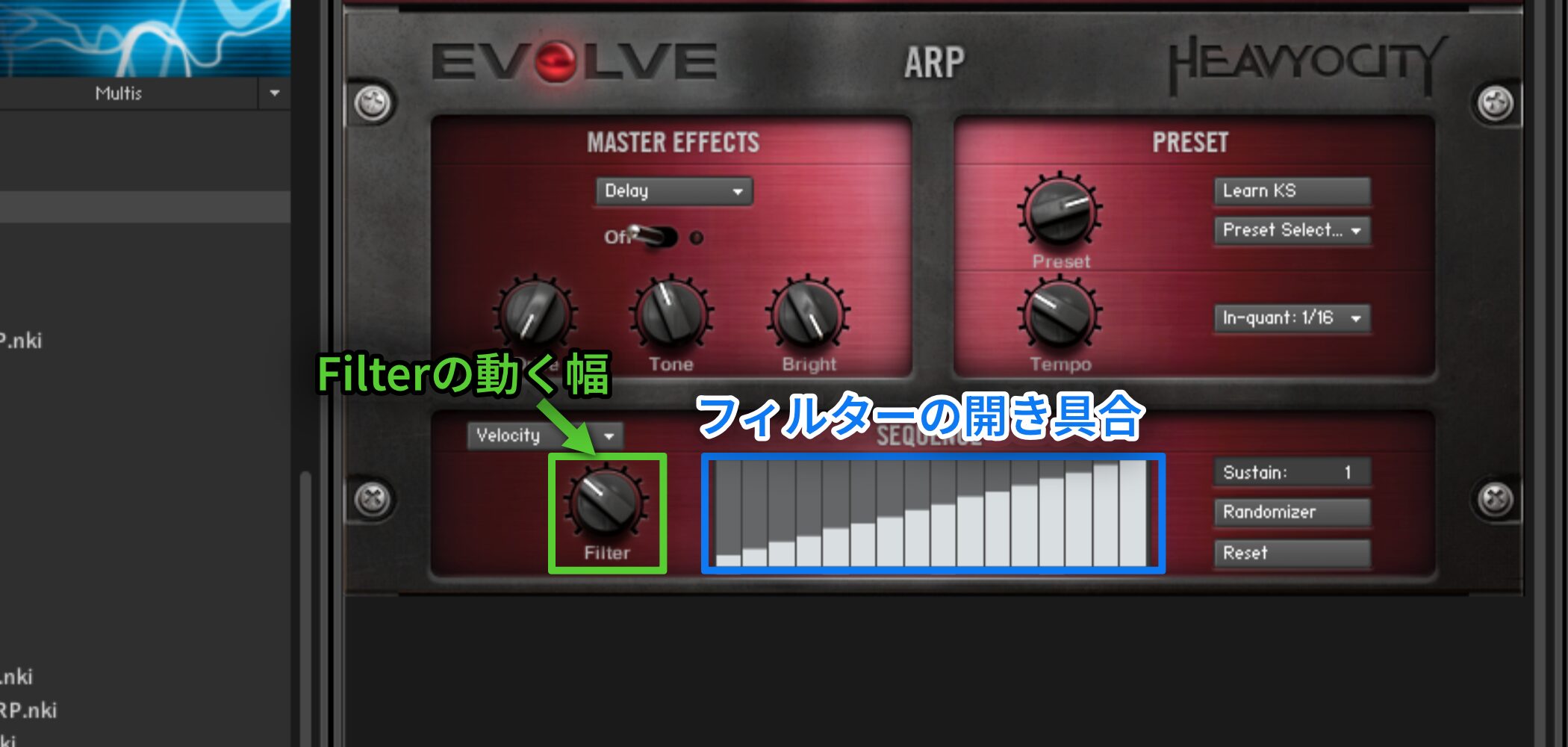
- Filter knob: Sets the frequency range over which the filter moves.
- Sliders: Set the filter opening within that range for each step.
Selecting Pan changes the slider display slightly.
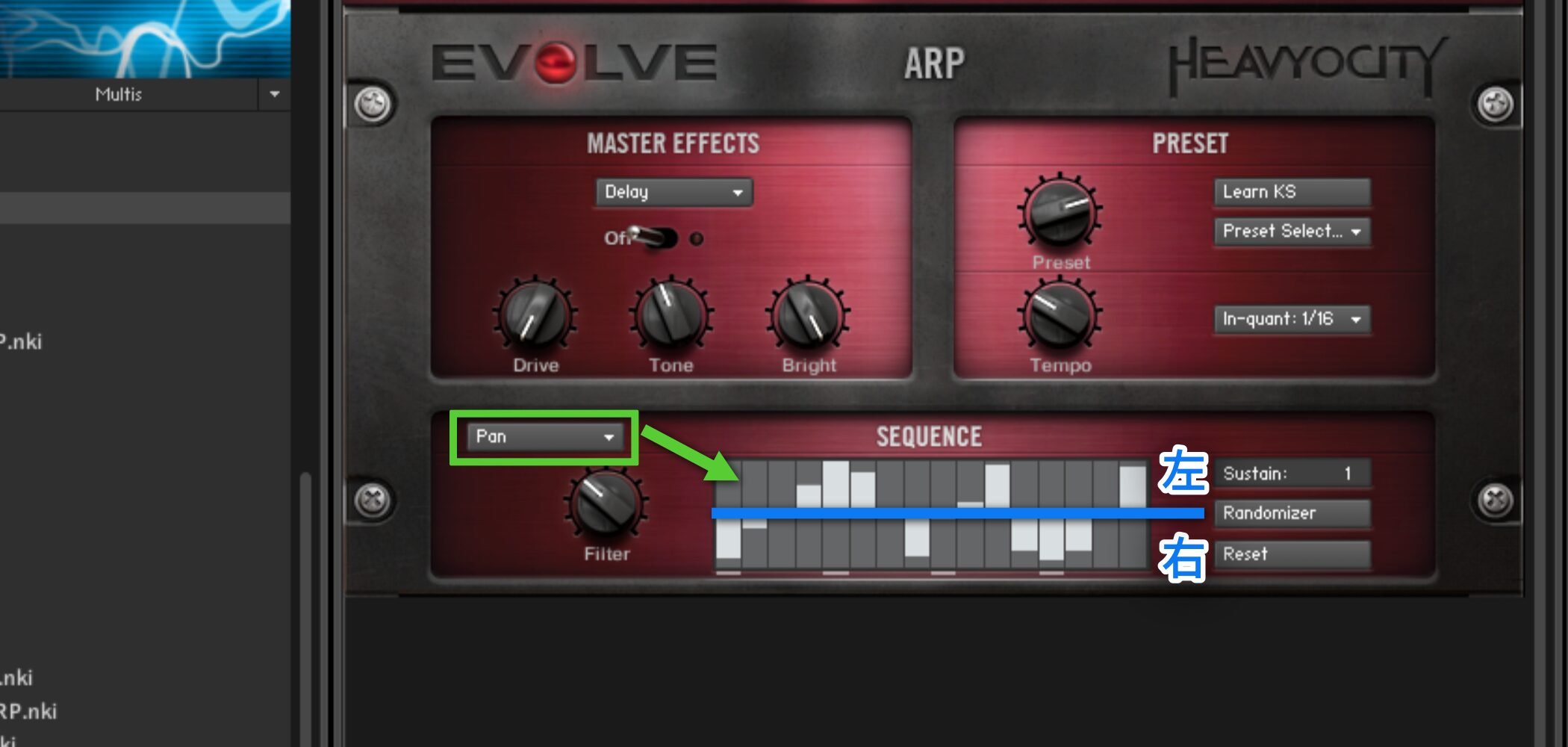
The sliders are divided vertically: up is left and down is right.
Using Presets
Press Preset Select in the upper-right PRESET section to choose a preset pattern.
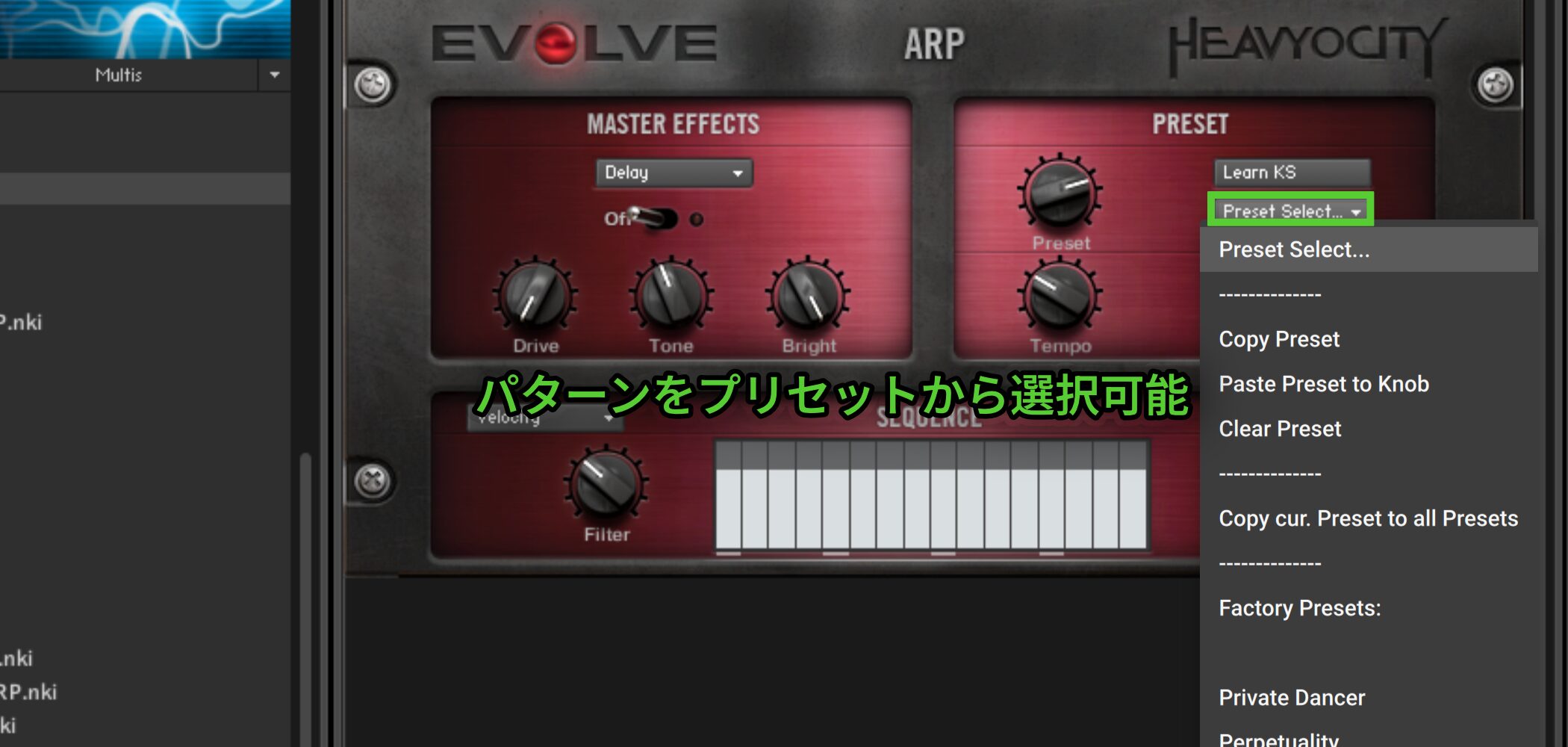
You can choose one close to your idea and customize it to fit the track.
The Preset knob can have multiple presets assigned so that you can switch them with keyswitches.
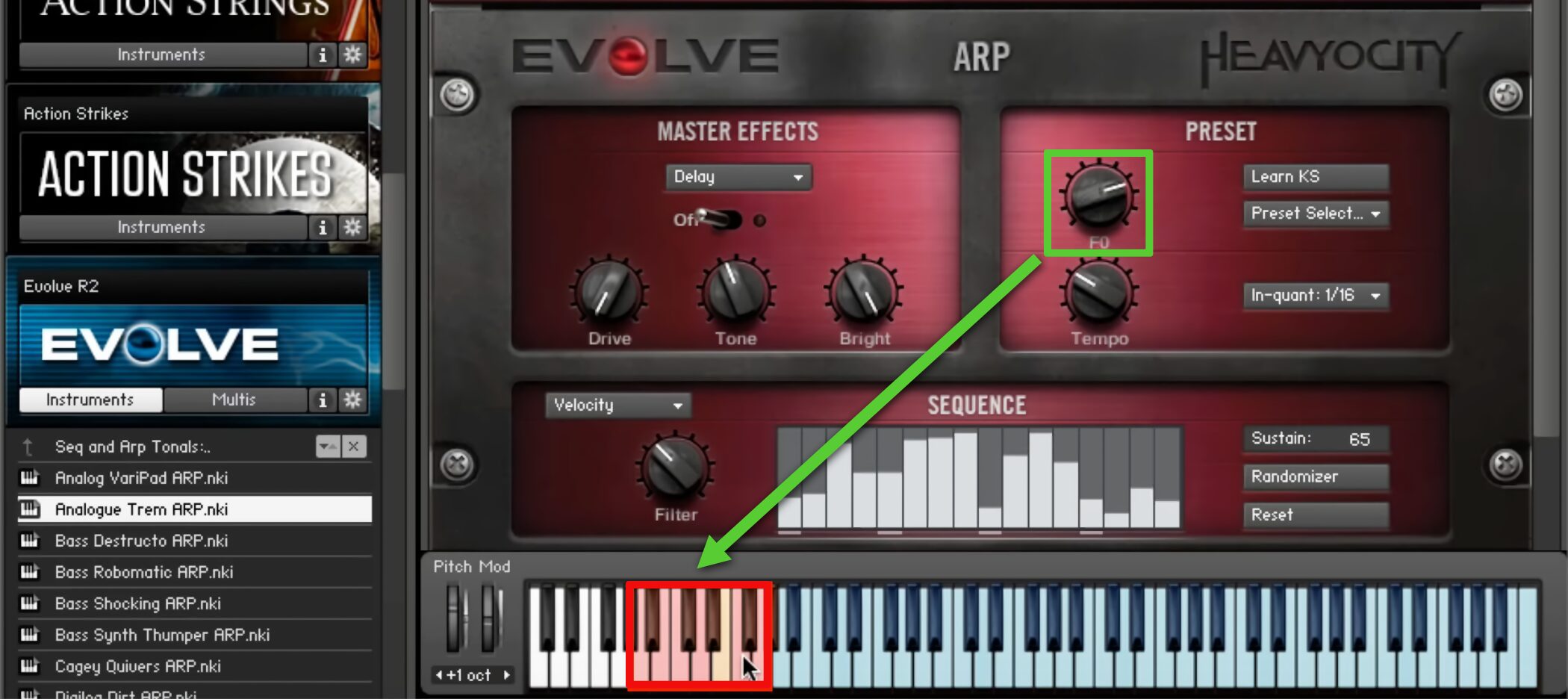
Press Learn KS and play a key to change the keyswitch location.
The Preset Select menu also lets you copy and paste patterns assigned to the Preset knob, allowing flexible real-time performance setups.
The In Quant menu sets when a pattern changes after a keyswitch is pressed.
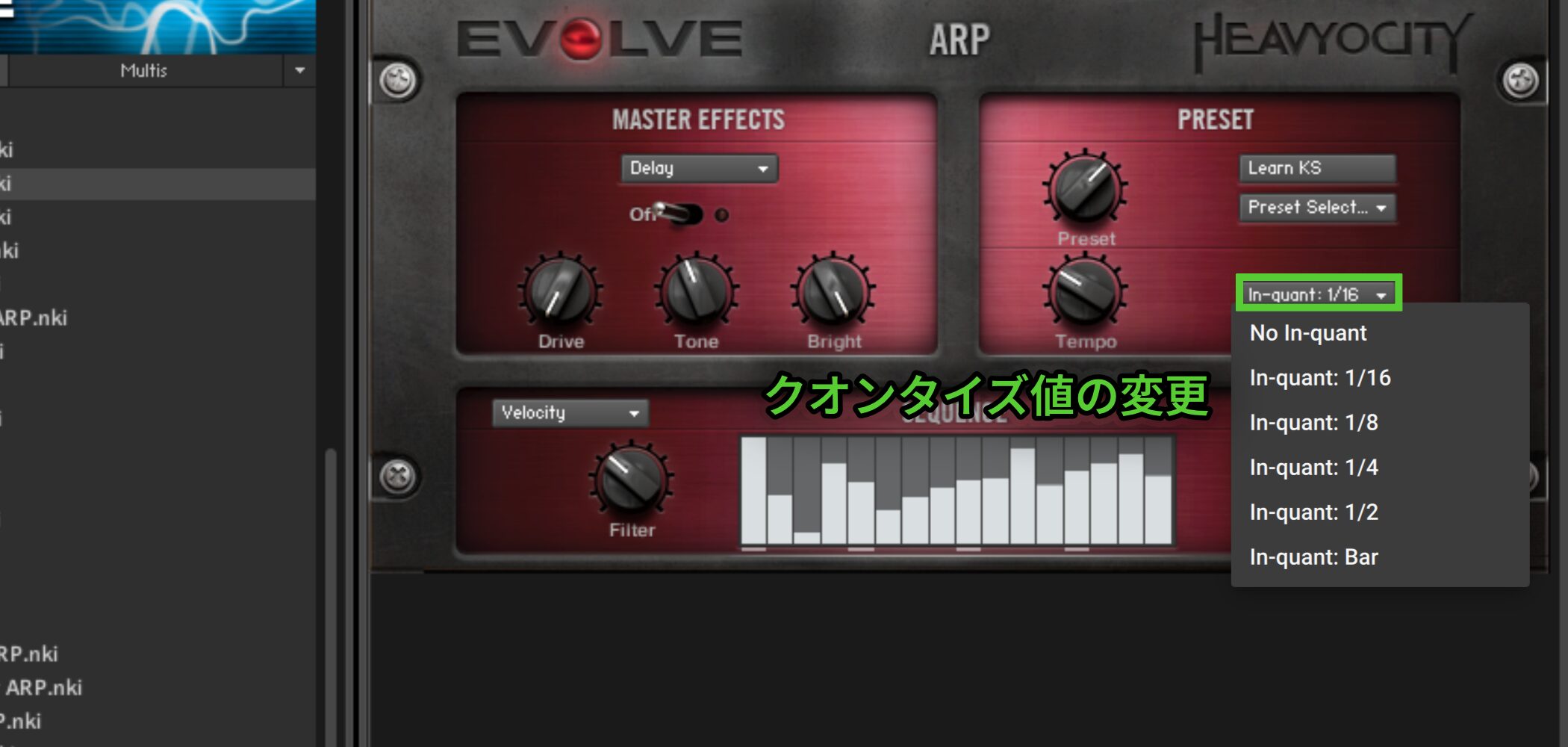
For example, at 1/16 the pattern changes at the next sixteenth-note position after the keyswitch.
This keeps pattern changes aligned with the rhythm.
With No Inquant, the pattern changes immediately when pressed and may fall out of time, so take care.
Frequently Asked Questions
Q1. What is EVOLVE best suited for?
Its cinematic sounds are well suited to film, television and game music. They can also enrich pop, rock and other productions.
Q2. How do Rhythmic Suites and Percussive Kits differ?
Rhythmic Suites contains loops that synchronize to the DAW tempo and can be triggered for the desired duration. Percussive Kits provides individual sounds for building original rhythms, like a rhythm machine.
Q3. Can effects be switched in real time?
Yes. Trigger Effects uses keyswitches to turn effects on and off dynamically, making quick changes possible in performance or production.
Q4. What can SEQUENCE do?
It lets you customize preset arpeggio and sequence patterns for your music. Enter chords to adapt supported phrases and use the available lanes to shape the pattern.
NEW ARTICLES
Latest English Articles



















































































































































































































































































































































































































































































