
Cubase's AudioWarp feature can make audio events automatically follow the project tempo. With Musical Mode enabled, audio is time-stretched when the tempo changes, much like MIDI data. Changing the algorithm to Tape also recreates a tape recorder effect, where pitch changes with tempo, offering expressive possibilities for hip-hop, EDM, and other music.
Make Audio Follow the Project Tempo
With Cubase's AudioWarp feature,
you can make audio events follow the song's tempo.
Even if the tempo changes partway through,
the audio can behave like a MIDI event that automatically follows the tempo.
Cubase: Following Tempo and Changing Pitch in Audio
Linear Mode and Musical Mode
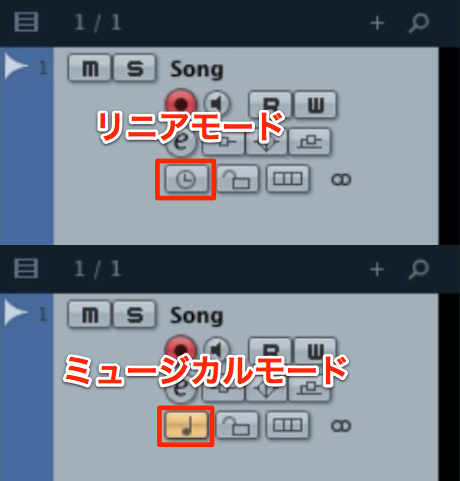
To make audio events follow the project tempo, use Musical Mode.
When Musical Mode is on and the project tempo changes,
audio events follow the tempo like MIDI events.
- Linear mode: absolute time. Events do not follow changes to the DAW tempo.
(This is often the default for audio tracks.) - Musical mode: relative time. Events follow changes to the DAW tempo.
(This is often the default for MIDI tracks.)
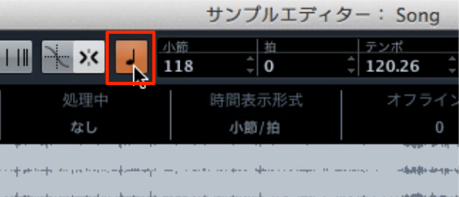
When using Musical Mode, also turn on the ♩ button in the Sample Editor.
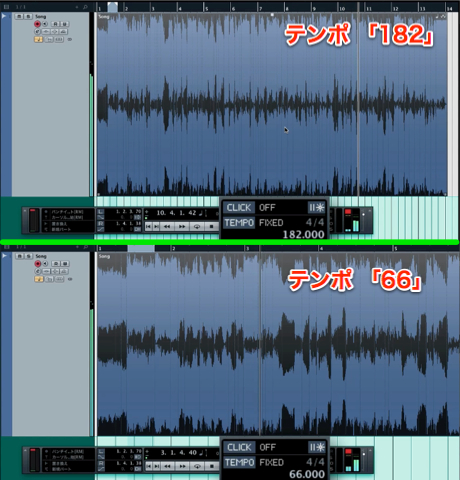
When you change the DAW tempo, the audio event is time-stretched as well.
Tape Recorder Effect
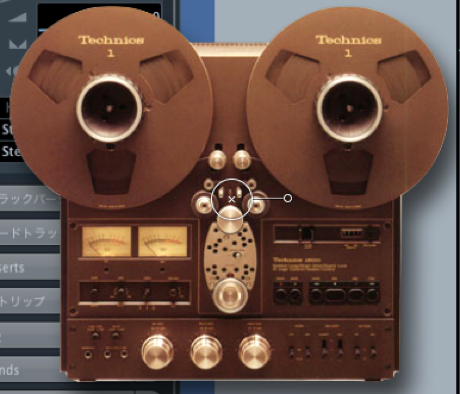
Tape recorder effect: pitch rises as the tempo speeds up and falls as it slows down.
This can also be recreated.
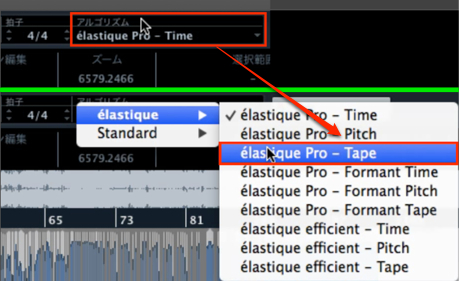
Change the Sample Editor's algorithm from Time to Tape.
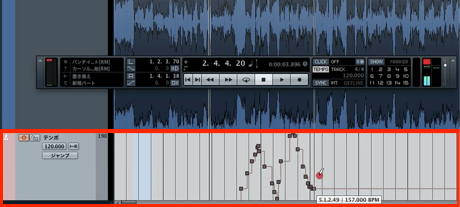
You can then create a tempo track and enter tempo changes.
Frequently Asked Questions
Q1. How can I make audio follow the tempo like MIDI in Cubase?
Use AudioWarp and enable Musical Mode for the audio track. Also turn on the ♩ button in the Sample Editor so that the audio is automatically time-stretched when the project tempo changes.
Q2. What is the difference between linear and musical modes?
Linear mode uses absolute time and does not follow tempo changes. Musical mode uses relative time and follows tempo changes. MIDI tracks default to musical mode, while audio tracks default to linear mode.
Q3. How can I create a tape effect where pitch changes with tempo?
Change the Sample Editor's algorithm from Time to Tape. This recreates an analog tape recorder effect: pitch rises as the tempo increases and falls as it decreases.
NEW ARTICLES
Latest English Articles





















































































































































































































































































































































































































































































































































































