
The Yamaha URX series is a range of audio interfaces with 4.3-inch touchscreens that let you handle mixing and effects settings on the units themselves. Alongside 32-bit/192 kHz support, their low noise, low distortion, and flat frequency response enable faithful recording and playback. Built-in DSP effects do not burden your computer, while beginner-friendly aids include Auto Gain and Clip Safe. Simple Mode and Standard Mode serve everyone from beginners to advanced users. From music production to livestreaming and podcasting, the series offers an efficient workflow without needing to operate software on a computer.
High-quality audio interfaces with touchscreens and DSP effects
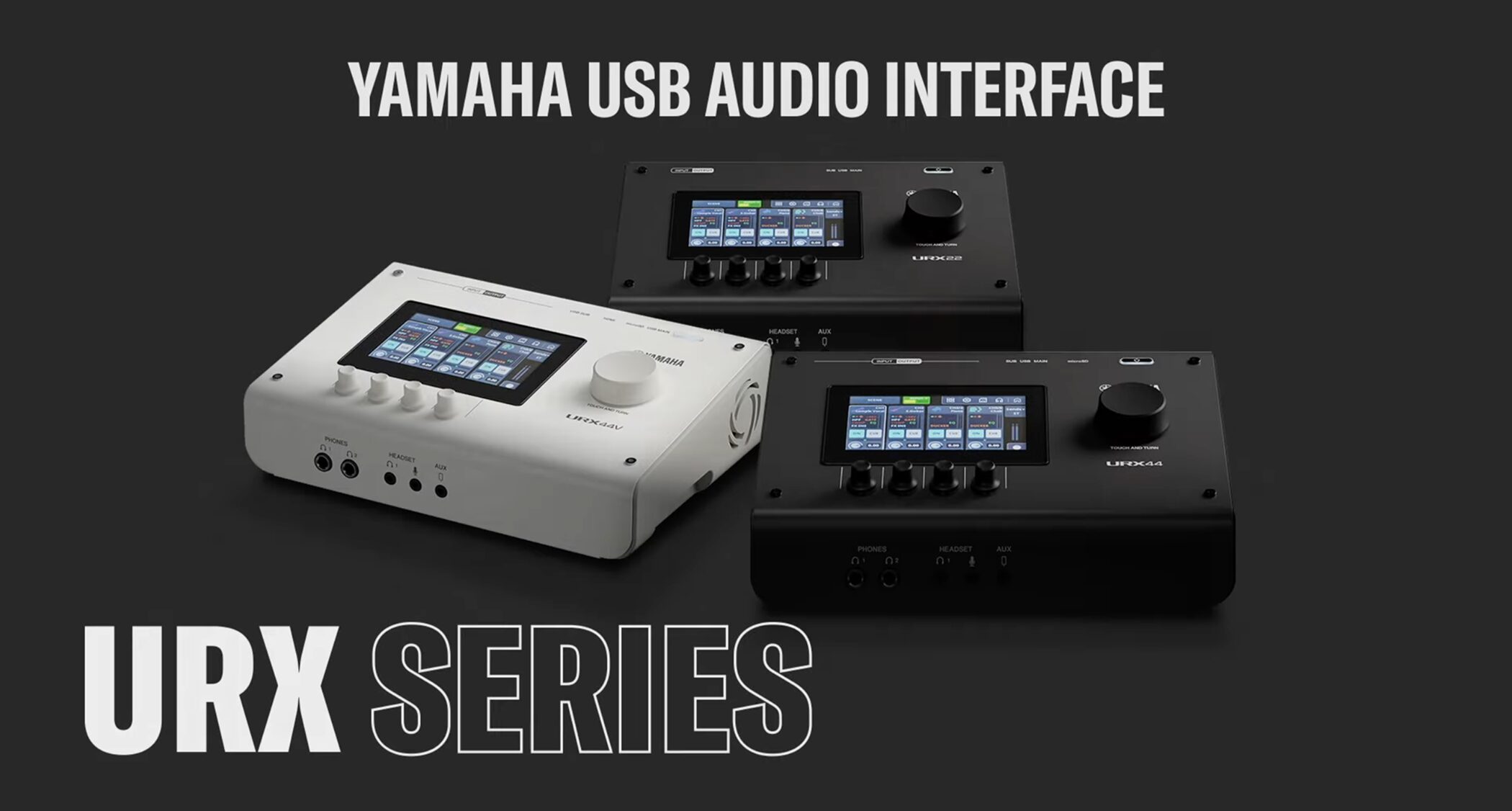
Have you ever found it a hassle to launch computer software just to set up your audio interface or shape your sound?
The URX series is a new generation of audio interfaces from Yamaha.
Equipped with a 4.3-inch touchscreen, each unit lets you handle mixing and effects settings directly on the hardware.
Alongside high-quality 32-bit/192 kHz audio, built-in DSP effects let you use compressors, reverb, and more without burdening your computer.
The series covers a wide range of uses, from music production to livestreaming and podcasting.
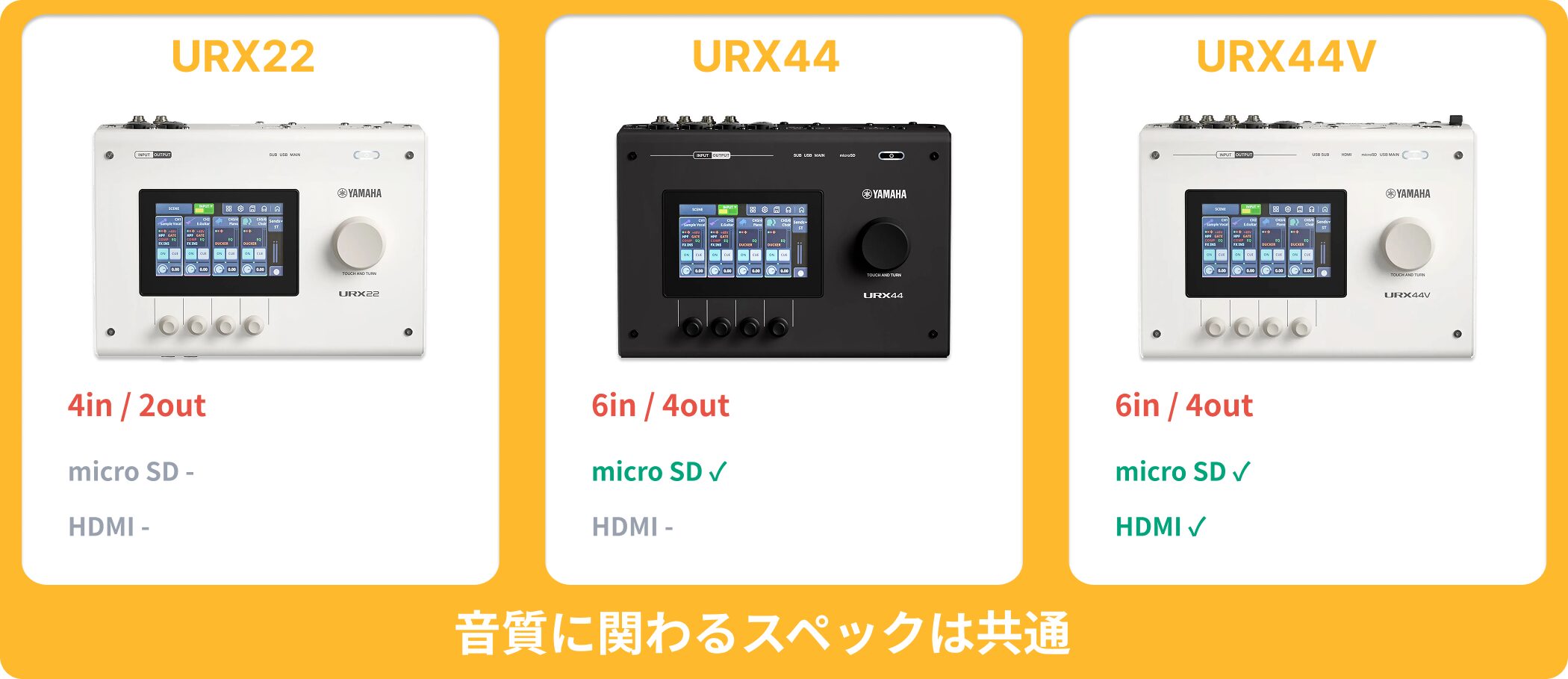
The lineup comprises three models: URX22, URX44, and URX44V.
You can choose according to the number of inputs and outputs you need and whether you need HDMI, but all three models share the same audio quality.
Even the entry-level model uses the same high-quality audio design as the higher-end models.
Yamaha URX Series Review Video
Selected Questions and Answers From the YouTube Video

For streaming, I'd like to know how good the built-in effects are without using a DAW. If you're using a DAW, a MIDI controller could do the same or more, assuming CPU load isn't a concern.

The built-in effects are the same as those supplied with the UR series: basic EQ, compression, multiband compression, gate, reverb, and guitar amp effects.
Sorry for the unusual, non-music-production questions. First, can I add reverb to my own voice in my headphones without latency? I'd like to use it a little like karaoke, hearing my own voice in the headphones. Second, are there two sets of active-speaker outputs, for four cables total? I want to route stereo audio through Cubase, add reverb only to the rear channels, and create a kind of simulated surround sound. Sorry if I'm not explaining it well.
1. Yes. You can choose whether the reverb on your voice is included in the recording. 2. This is possible with the URX44 rather than the URX22. OK!
Sound Quality
The URX series' sound quality has three key characteristics: low noise, low distortion, and minimal coloration.
Low-noise design

The newly designed URX microphone preamp achieves an EIN (equivalent input noise) of -128 dBu.
This keeps the hiss that can appear when you raise the gain low, enabling clear recordings.
It also has a wide 78 dB gain range, so even a low-sensitivity dynamic microphone can be recorded at a sufficient level.
You do not need to raise the gain after recording, which helps avoid adding noise.
Low-distortion design
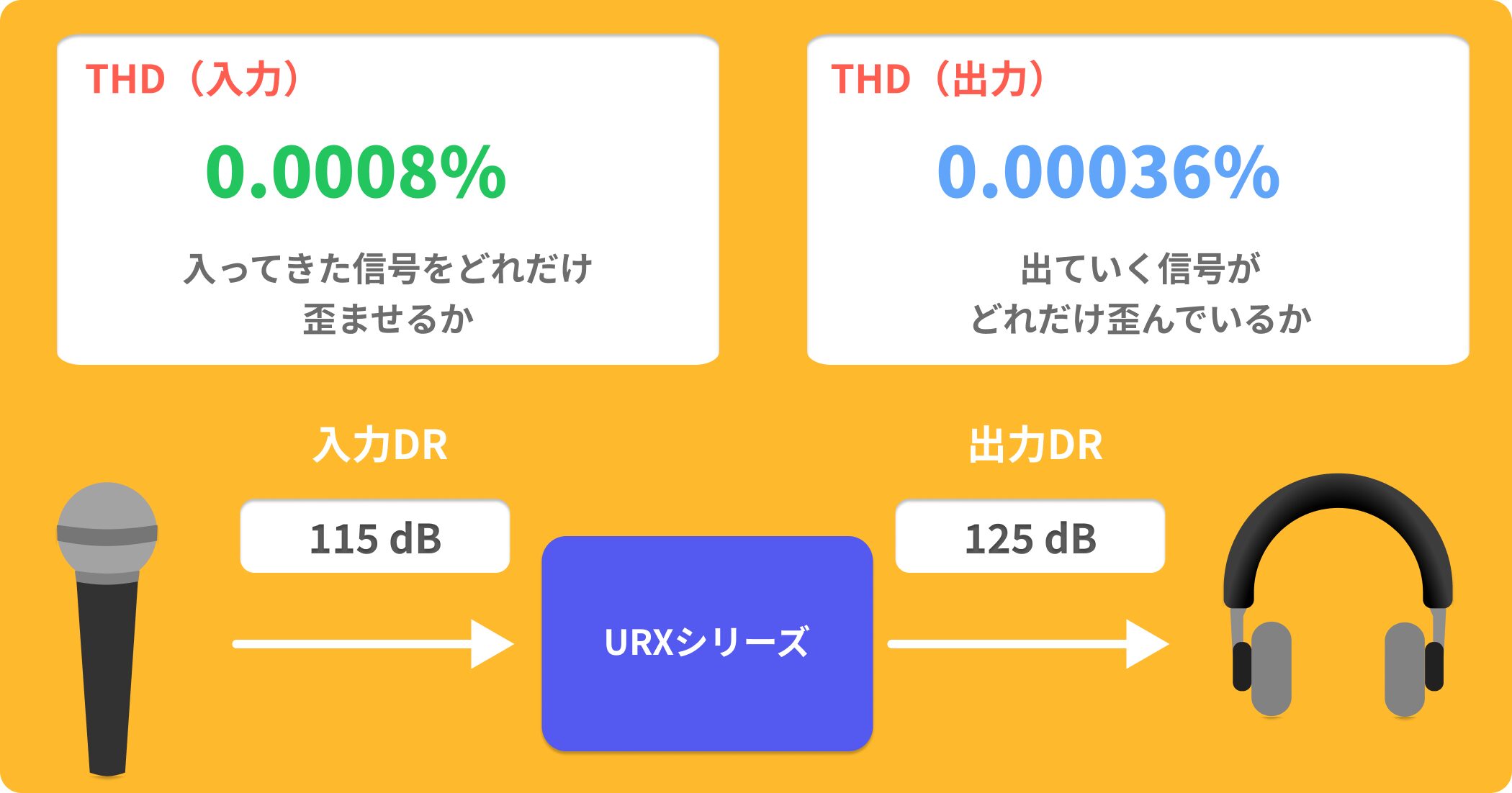
Total harmonic distortion (THD), a measure of signal accuracy, is 0.0008% at the input and 0.00036% at the output—excellent figures.
With little distortion in both the incoming and outgoing sound, the interface records and plays back audio faithfully.
A 125 dB dynamic range at the main outputs provides clean playback with little noise.
Flat response with minimal coloration
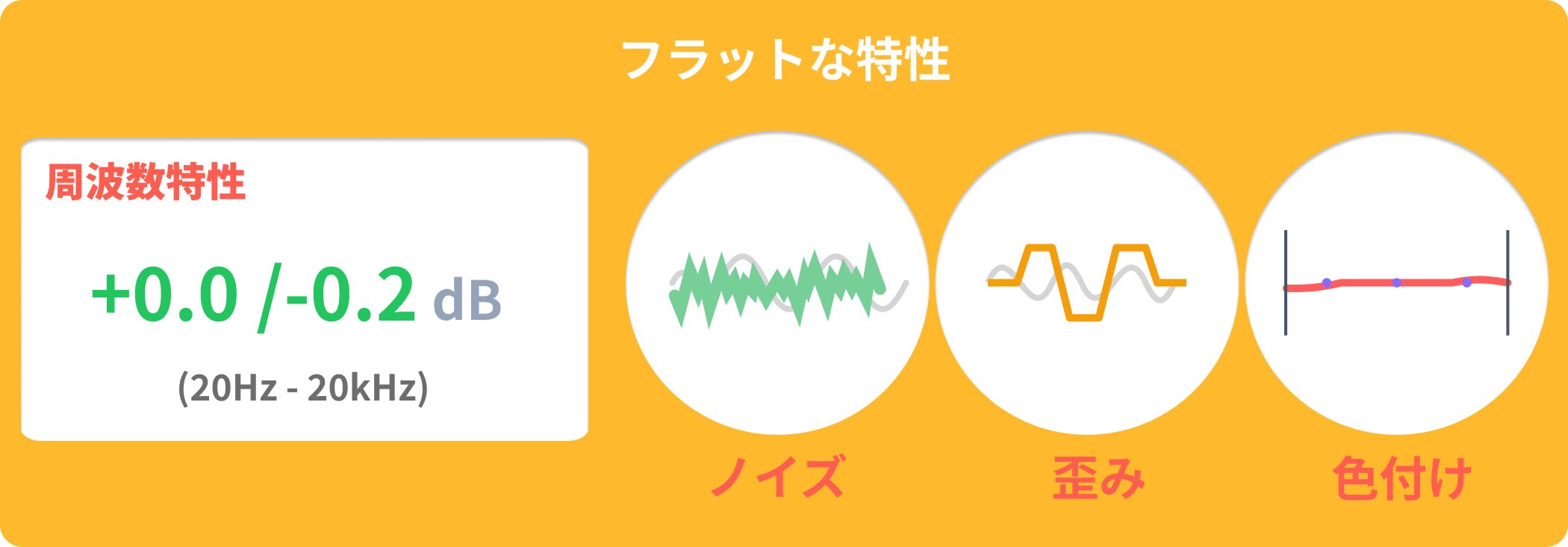
Across the 20 Hz–20 kHz range, its frequency response is flat to within -0.2 dB.
Recording and playback reproduce the original sound faithfully without unnecessary coloration.
This characteristically flat Yamaha response makes it a dependable reference for sound design.
Operation and Features
Intuitive, self-contained operation is another major strength of the URX series.
Operate everything from the touchscreen
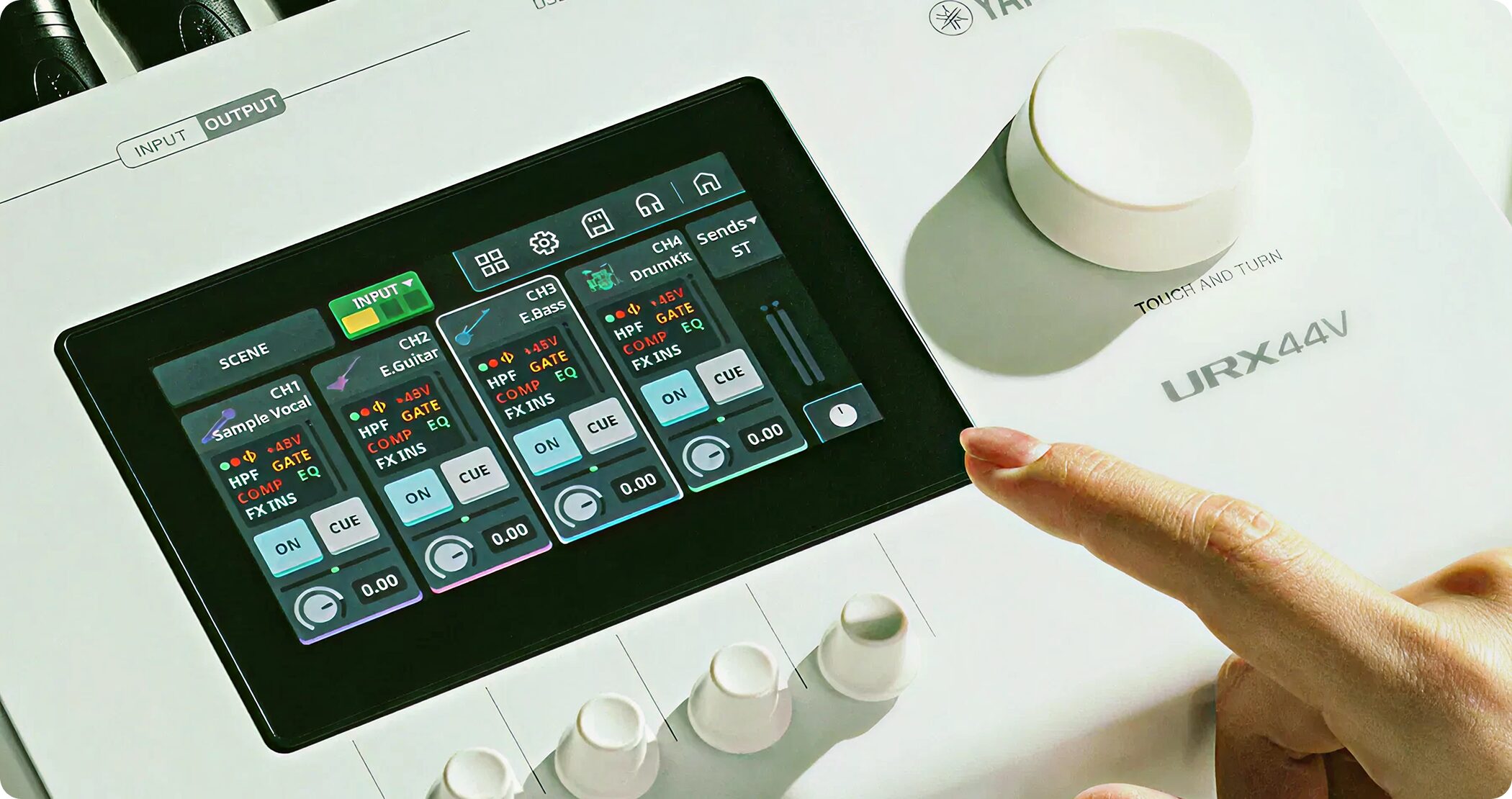
A 4.3-inch color touchscreen lets you adjust input levels, configure effects, change routing, and complete other operations on the unit itself.
Four screen knobs sit below the display, with a TOUCH AND TURN knob on the right.
Touch an on-screen parameter, then turn the knob for intuitive fine adjustment.
DSP effects without computer load
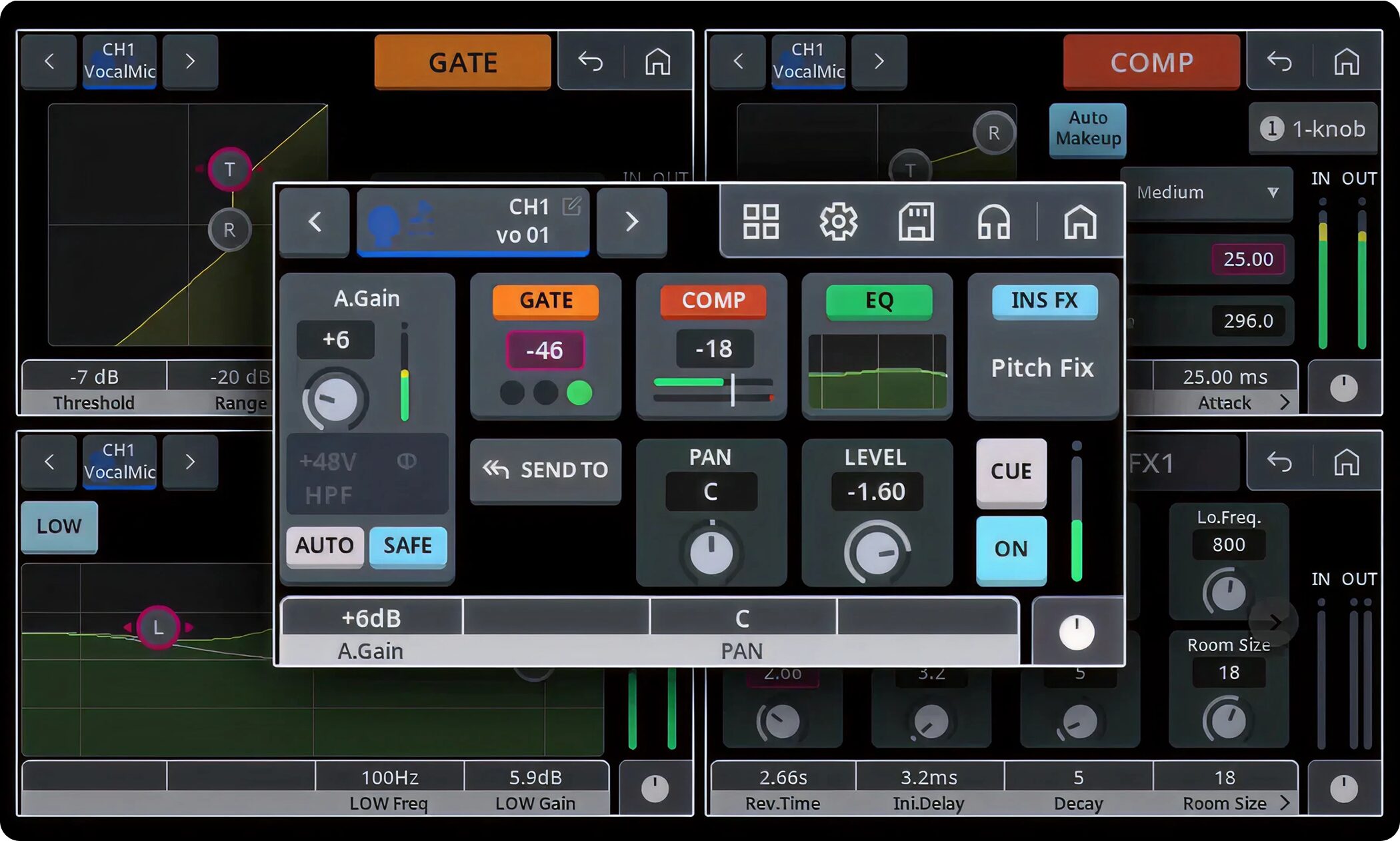
The built-in DSP processes effects without burdening your computer.
You can shape sound in real time while monitoring without latency.
The main effects are:
- Gate: cuts unwanted noise
- Compressor / multiband compressor: evens out levels
- EQ: adjusts tone
- Reverb: adds a sense of space
- Amp simulator: shapes guitar and bass tones
- Pitch Fix (voice changer): corrects pitch
- Ducker: automatically lowers background music when you start speaking
Dual USB function
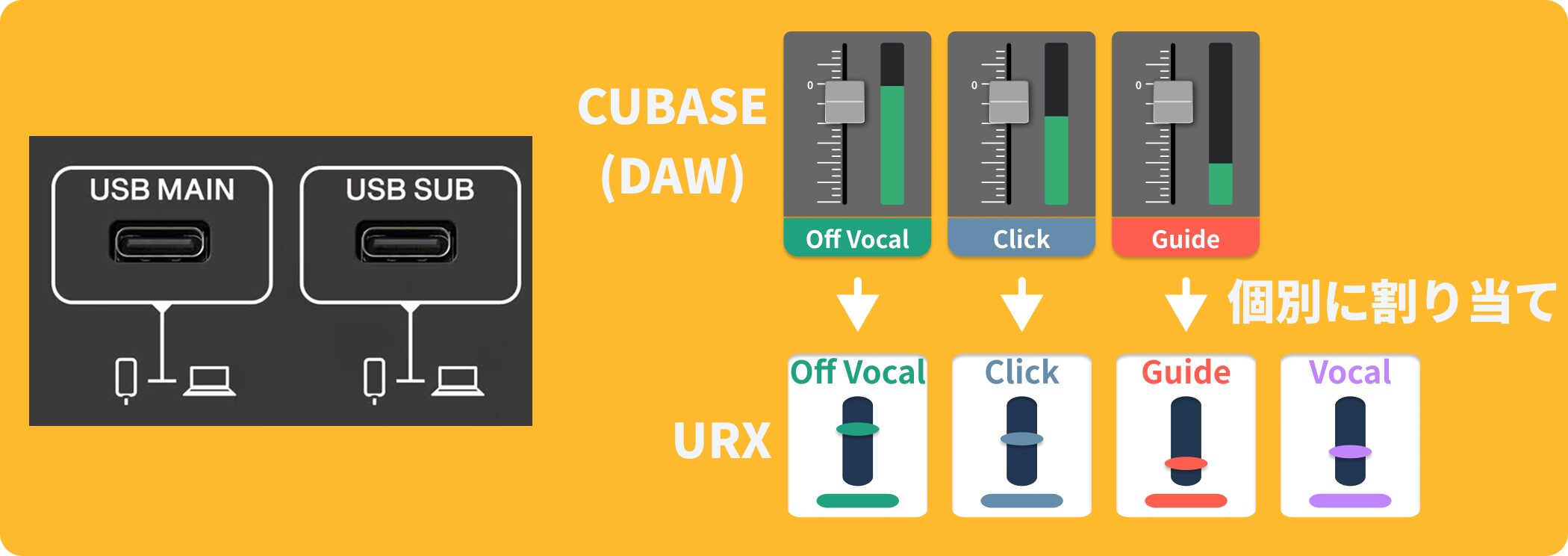
The URX series has two USB connections (MAIN and SUB).
USB MAIN supports high-resolution multitrack recording, while USB SUB provides simple two-track input and output.
You can use them flexibly according to your needs.
With USB MAIN's multitrack function, you can send individual DAW tracks—such as an instrumental backing track, click, or guide melody—to the URX and adjust their monitor balance with the onboard mixer.
Assistance features make setup easier
The series includes aids that make it approachable for beginners.
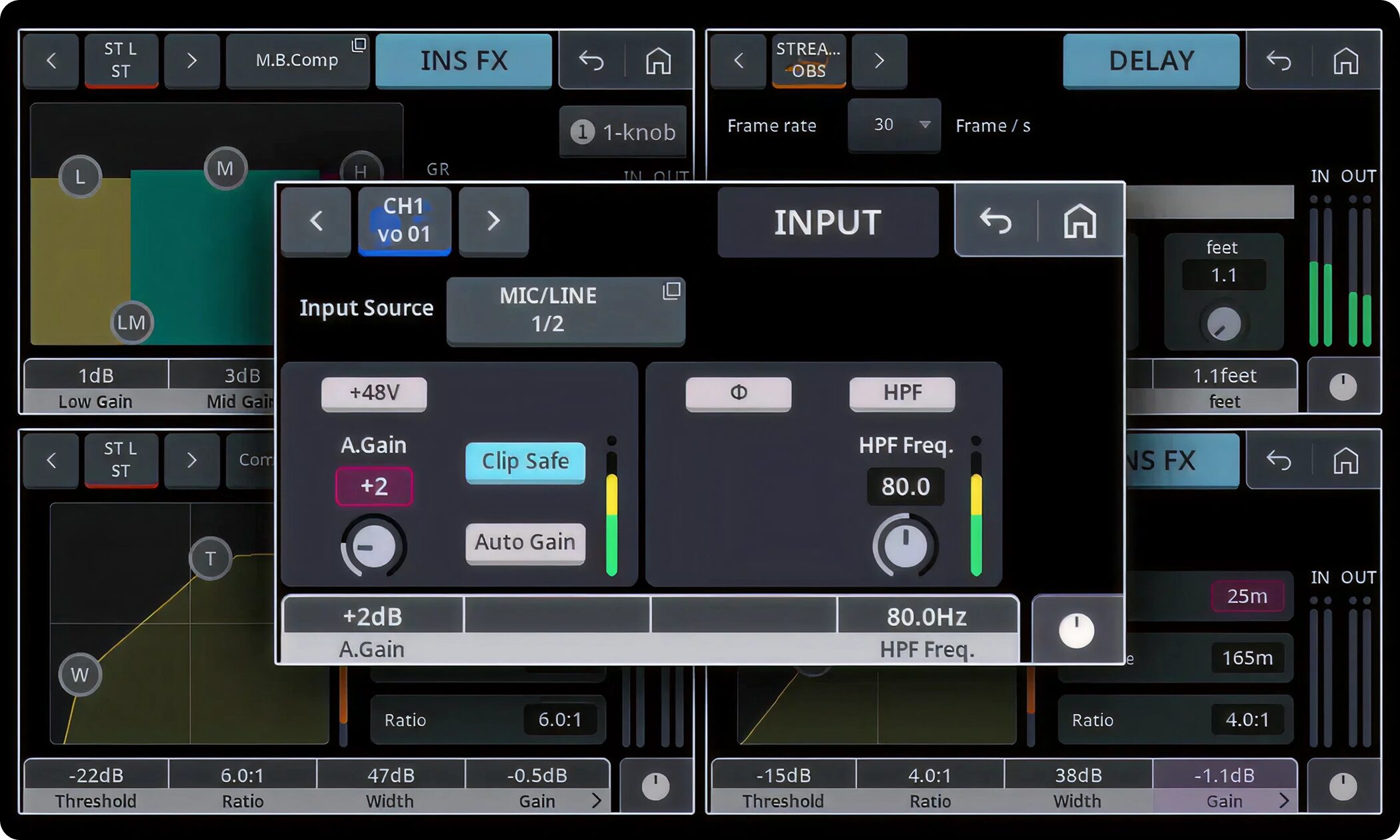
With Auto Gain, simply speak into the microphone to automatically set an appropriate input level.
Even if you are unfamiliar with level adjustment, you can easily set up a suitable recording environment.
Clip Safe automatically lowers the gain when it detects a sudden loud sound, helping prevent clipping.
It can protect the sound quality even if your voice suddenly gets louder during a stream.
Two operating modes
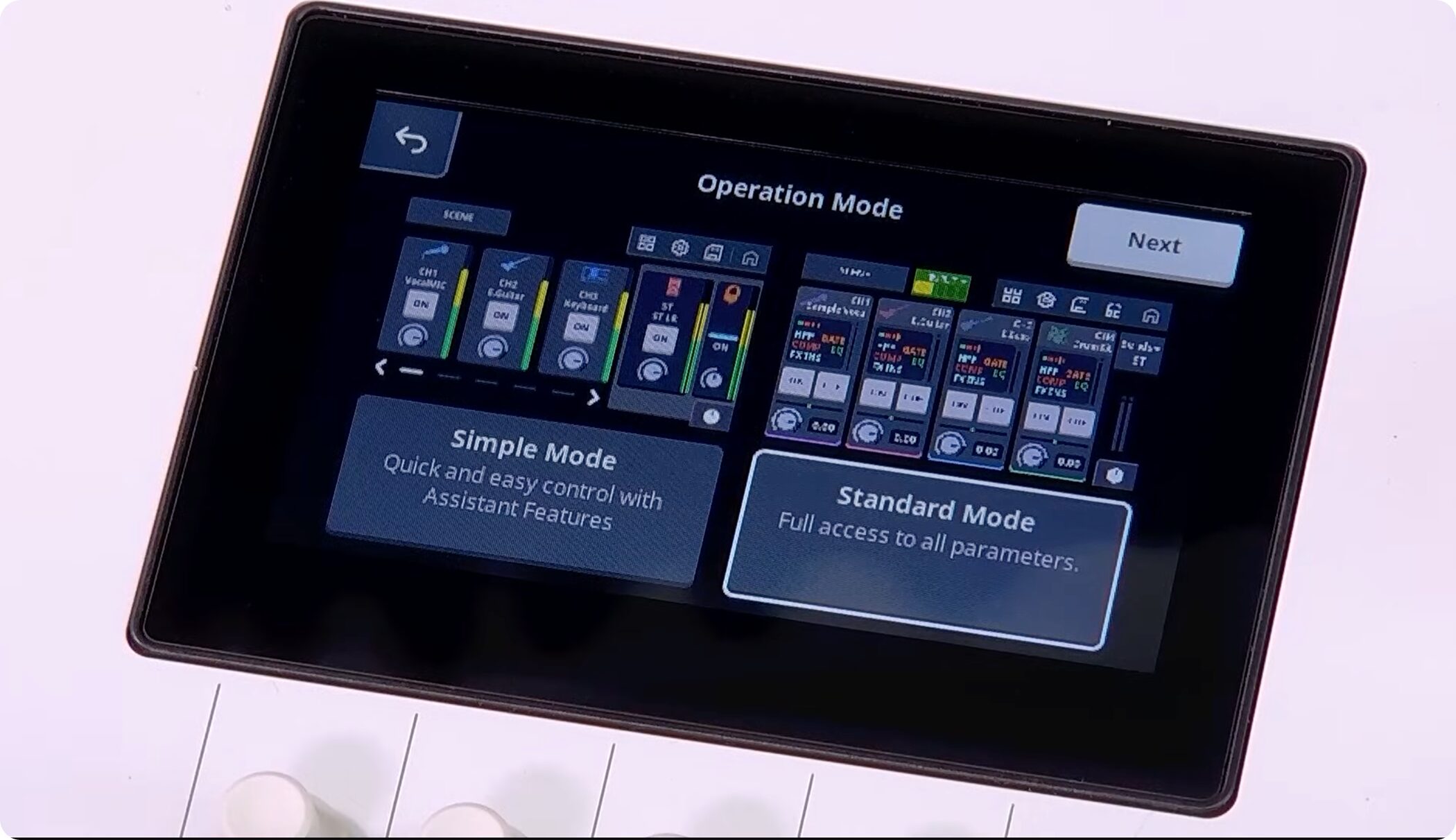
The URX series offers two operating modes: Simple Mode and Standard Mode.
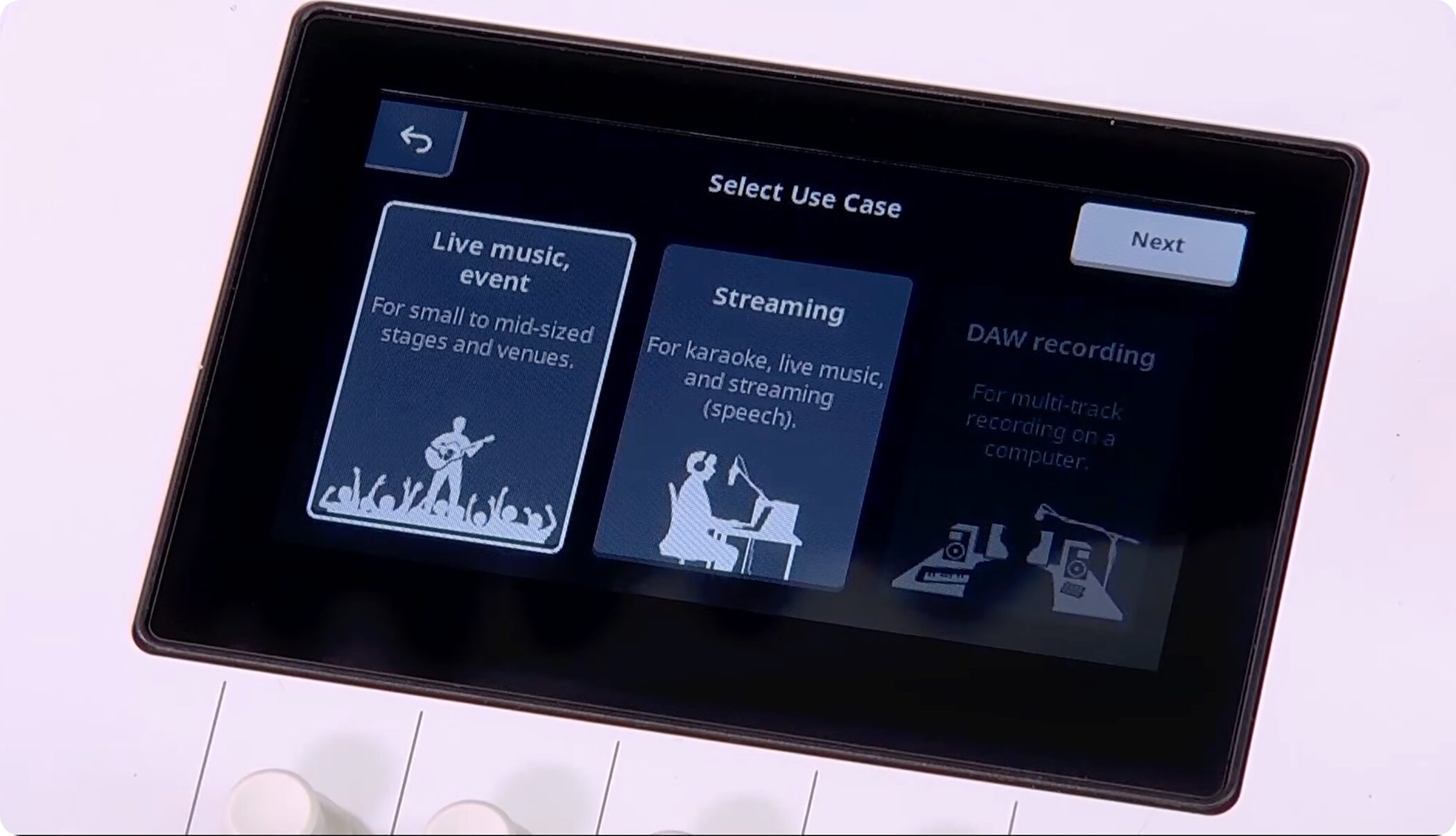
Simple Mode is a beginner-friendly option that sets up suitable settings when you select your intended use.
Choose a use case such as DAW recording or Streaming and follow the illustrated guide.
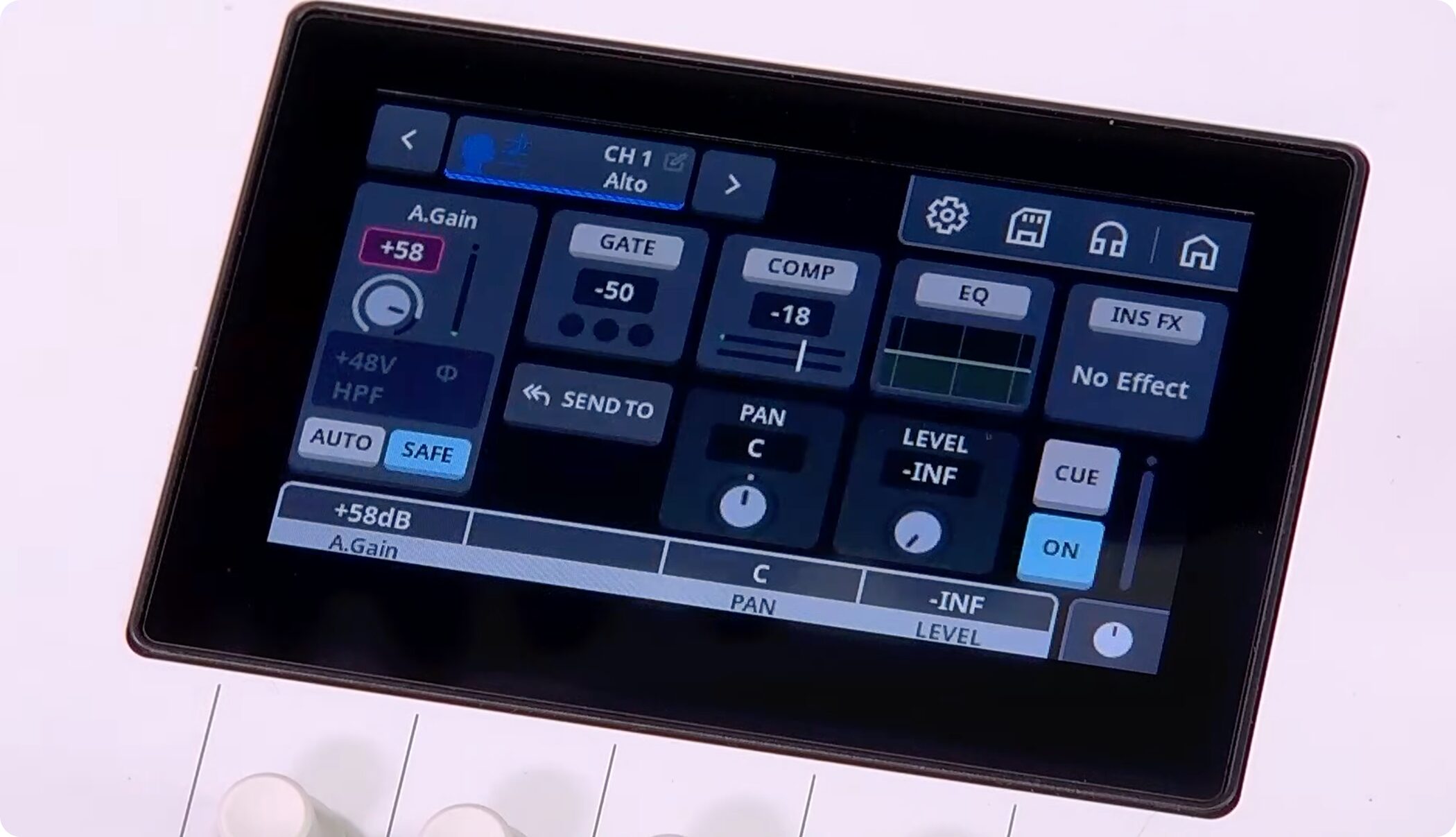
Standard Mode gives advanced users access to every parameter.
It enables detailed routing and effects setup, much like a digital mixer.
Scene Recall
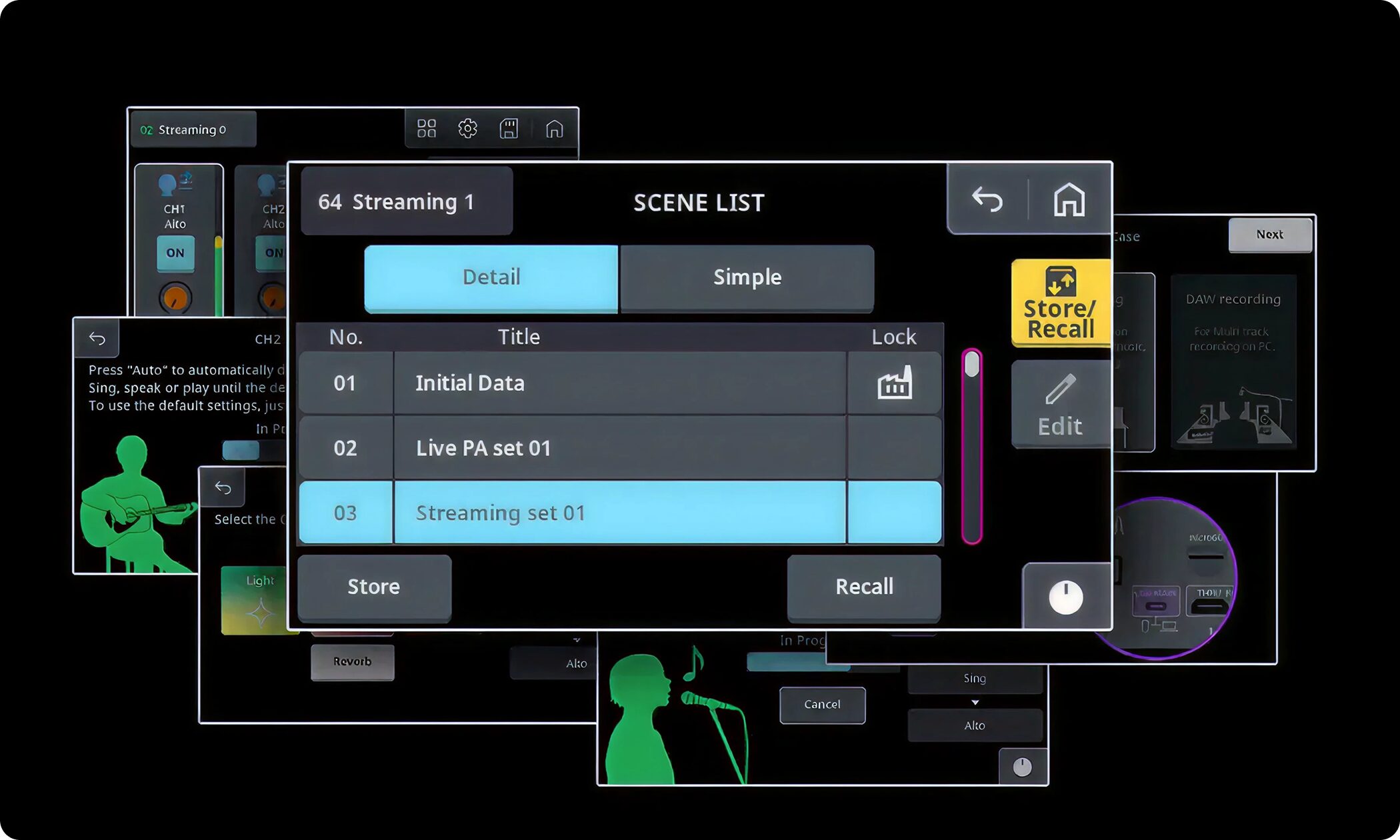
Scene Recall lets you bring back a saved setup instantly with a single touch.
It is useful when switching between setups for vocal recording, guitar recording, or streaming.
The Three Models Compared
The URX series offers three models for different uses.
Their basic audio quality, DSP functions, and touchscreen controls are shared; the differences lie in their input and output counts and specialized features.
URX22 | Entry-Level Model With 4 Inputs / 2 Outputs
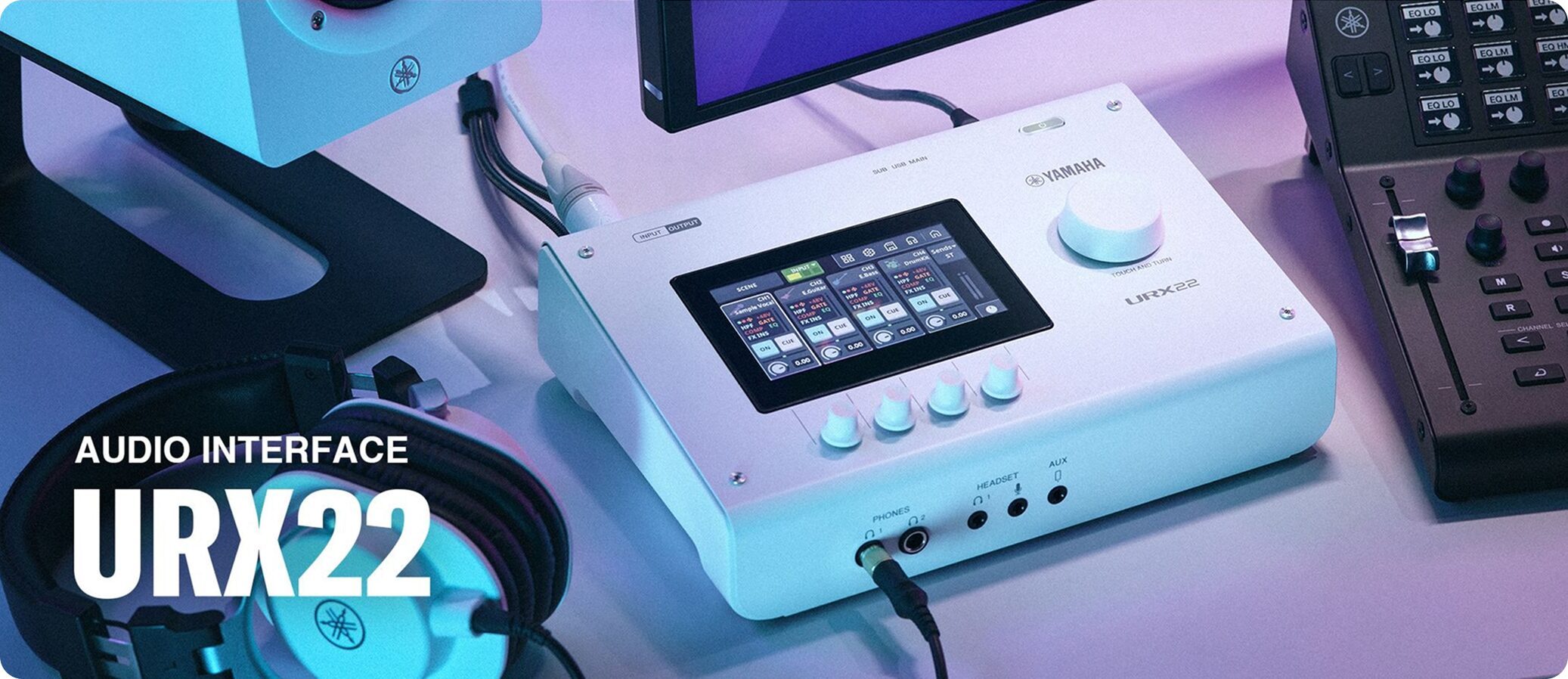
The URX22 is the entry-level model, with two combo inputs and an AUX input.
It suits solo vocal recording or singing-and-playing streams that require only a few inputs.
One input supports microphone, line, and headset sources; the other supports microphone, line, and Hi-Z sources.
There is one Hi-Z input for connecting a guitar or bass directly.
USB MAIN supports recording and playback of up to 16 tracks.
The unit runs on USB bus power, so you can use it without a power adapter.
URX44 | Midrange Model With 6 Inputs / 4 Outputs
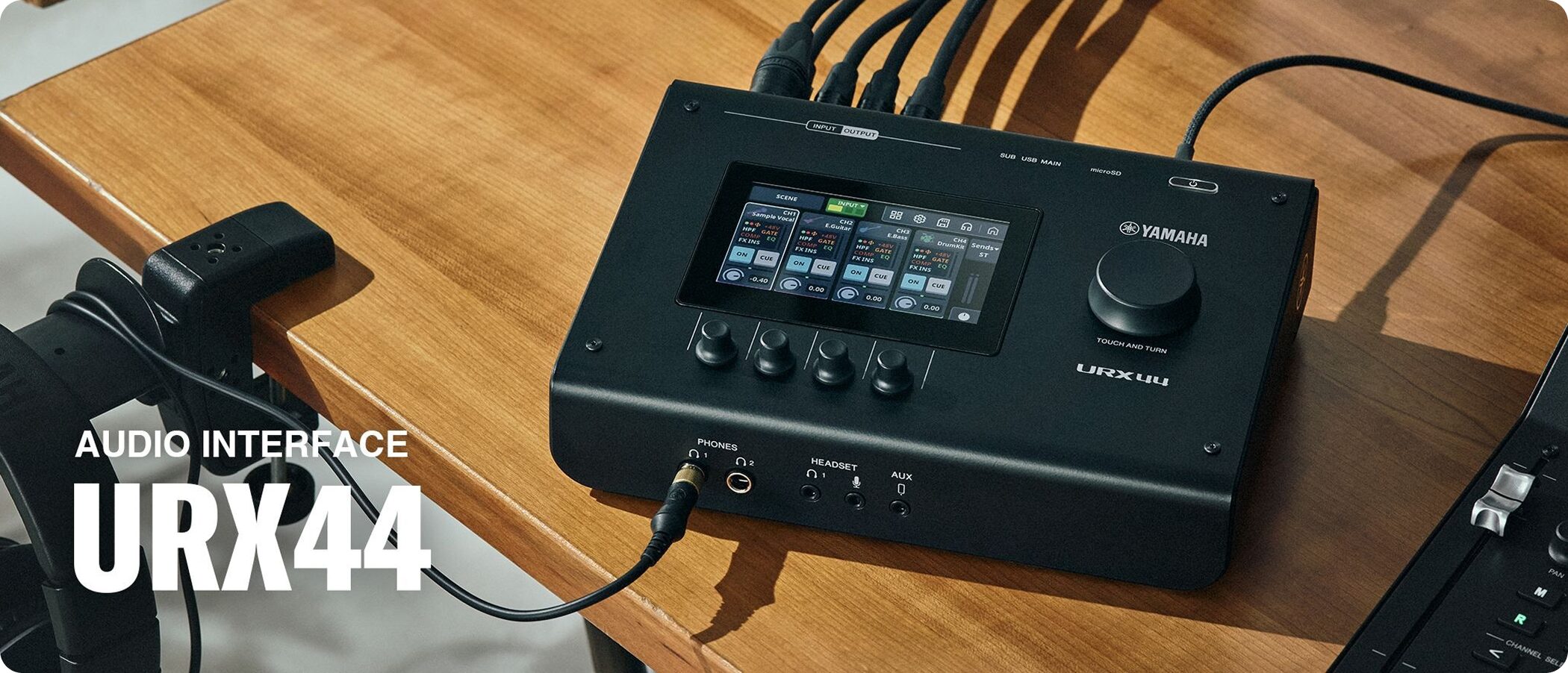
The URX44 is a midrange model with four combo inputs, an AUX input, and microSD recording.
It supports uses that require more inputs, including multi-person podcasts and band recording.
It has two Hi-Z inputs, allowing you to connect a guitar and bass at the same time.
USB MAIN supports recording and playback of up to 18 tracks.
Direct recording to a microSD card is also supported, with up to 16 tracks.
You can make multitrack recordings on the unit without a computer and create a backup on microSD.
This helps protect recordings if something goes wrong.
Like the URX22, it operates on USB bus power.
URX44V | Flagship Model With HDMI
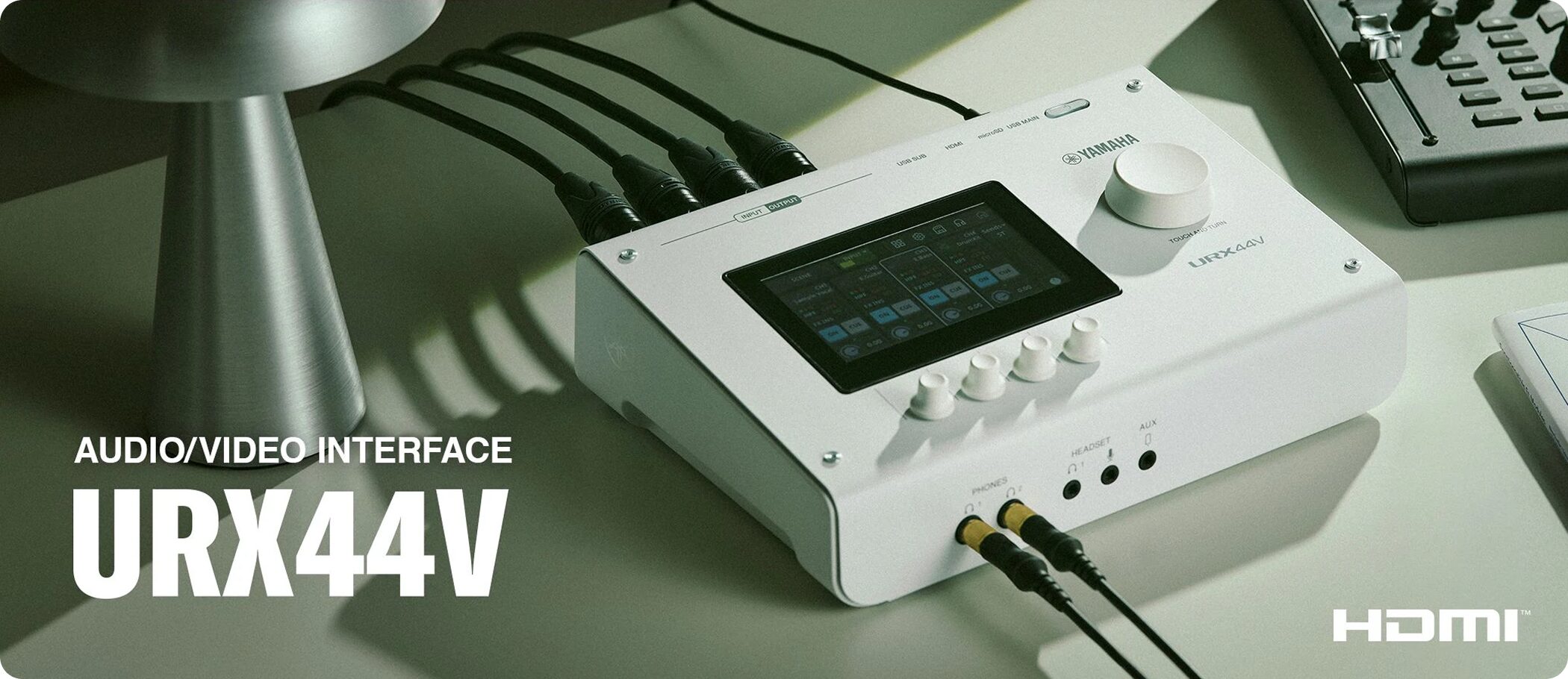
The URX44V is the flagship model in the series, with HDMI input and pass-through.
It is ideal for uses that involve video and audio together, such as game streaming or video content production.
An HDMI-to-USB video interface is built in, and the HDMI input supports 4K/60 fps and 1080p/240 fps.
You can capture video from a game console or camera and send it over USB to streaming or recording software on your computer.
Audio can be captured separately as USB audio. HDMI audio also enters the URX's onboard mixer, where you can adjust its level and apply effects.
HDMI pass-through lets you capture video while sending it to a monitor without delay.
You can stream or record without affecting gameplay.
Its input/output count and microSD recording features match the URX44 (6 inputs / 4 outputs).
However, because it consumes more power, it runs from an AC adapter.
Product Specifications Comparison
Here is a comparison of the three models' main specifications.
| Item | URX22 | URX44 | URX44V |
|---|---|---|---|
| Combo inputs | 2 | 4 | 4 |
| Hi-Z inputs | 1 | 2 | 2 |
| Line outputs | 2 (TRS) | 4 (TRS) | 4 (TRS) |
| USB MAIN recording/playback | 16 tracks | 18 tracks | 18 tracks |
| microSD recording | — | Up to 16 tracks | Up to 16 tracks |
| HDMI input/pass-through | — | — | Supports 4K/60 fps |
| Power | USB bus power | USB bus power | AC adapter (included) |
| Dimensions (W × H × D) | 245 × 78 × 182 mm (all models) | ||
| Weight | 1.9 kg | 1.9 kg | 2.0 kg |
Shared Audio Specifications
All models share the following audio specifications:
- Sample rate: 44.1–192 kHz
- Bit depth: 32-bit (USB MAIN) / fixed 16-bit, 48 kHz (USB SUB)
- Dynamic range (MAIN output): 125 dB
- Gain range: 78 dB
- Headphone output: 100 mW + 100 mW (at 40 Ω)
Price
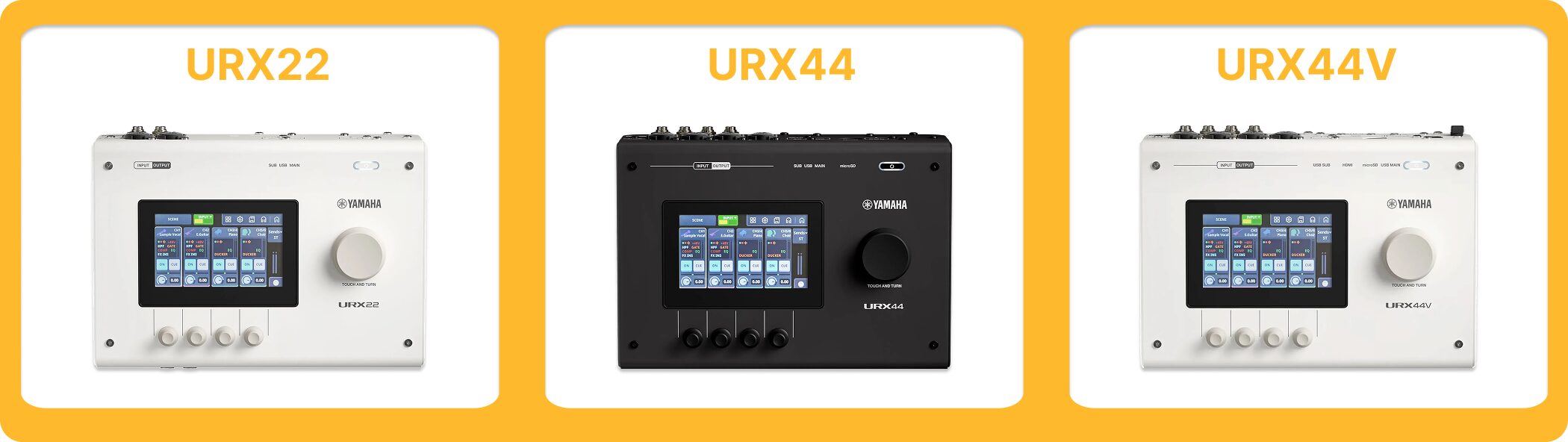
The URX series' suggested retail prices were:
• URX22: ¥63,800 (tax included)
• URX44: ¥79,200 (tax included)
• URX44V: ¥126,500 (tax included)
Each model comes in two colors.
* Prices are as of February 2026.
Check the retailer's website for current prices.
In actual use, it was convenient to manage even monitor balance and talkback on the unit itself.
The audio quality also compared well with high-end interfaces. I would recommend the URX22 primarily for music production, or the URX44/URX44V if you need backup recording.
These models should also be available at music stores, so try one in person if you can.
Frequently Asked Questions
Q1. What makes the Yamaha URX series different from other audio interfaces?
Its biggest distinguishing feature is that you can operate it entirely from its touchscreen without opening computer software. The 4.3-inch color touchscreen handles input levels, effects settings, and routing changes. Built-in DSP effects do not burden the computer and let you shape sound in real time without latency.
Q2. How should I choose between the URX22, URX44, and URX44V?
The three models share their audio quality and DSP functions, so choose based on the inputs and outputs you need. The URX22's two combo inputs suit solo recording. The URX44 adds four combo inputs and microSD recording for multi-person podcasts or band sessions. Choose according to the scale of your work.
Q3. Are these interfaces easy for beginners to use?
Yes. In Simple Mode, selecting a use such as DAW recording or Streaming sets up suitable settings. Auto Gain adjusts the level automatically, and Clip Safe helps prevent clipping, making the interfaces approachable for beginners.
Q4. Can they really reduce the load on my computer?
Yes. The URX series uses its built-in DSP to process effects such as compression, EQ, reverb, and pitch correction on the hardware instead of the computer. This reduces CPU load and helps provide a stable production setup.
Q5. Can I use them for both livestreaming and DAW recording?
Yes. Dual USB provides multitrack recording through USB MAIN and simple two-track input and output through USB SUB, so you can use each according to the task. Scene Recall saves settings and brings them back instantly, making it easy to switch between streaming and recording setups.
NEW ARTICLES
Latest English Articles















