
This fourth Stutter Edit tutorial explores how combining the plug-in’s parameters creates a wide range of sounds. Change the sampling interval with Buffer Position, shape the groove with Gate Width, and add left–right movement with Jump Pan. Combine these with delay, filters, bit reduction and other effects to create expressive electronic and glitch sounds.
Combine Parameters to Shape Your Sound
In the previous articles, we covered the basics of Stutter Edit.
Now that we have learned the essential concepts,
How does each parameter affect the sound?
Let’s find out.
You can combine these effects in many ways to create a variety of sounds.
Stutter Edit Video Tutorials
- 1Applying and Controlling the Effect
- 2Understanding Gestures
- 3Pitch Control Gestures
- 4Controlling the Parameters
Purchase the product

BUFFER POSITION
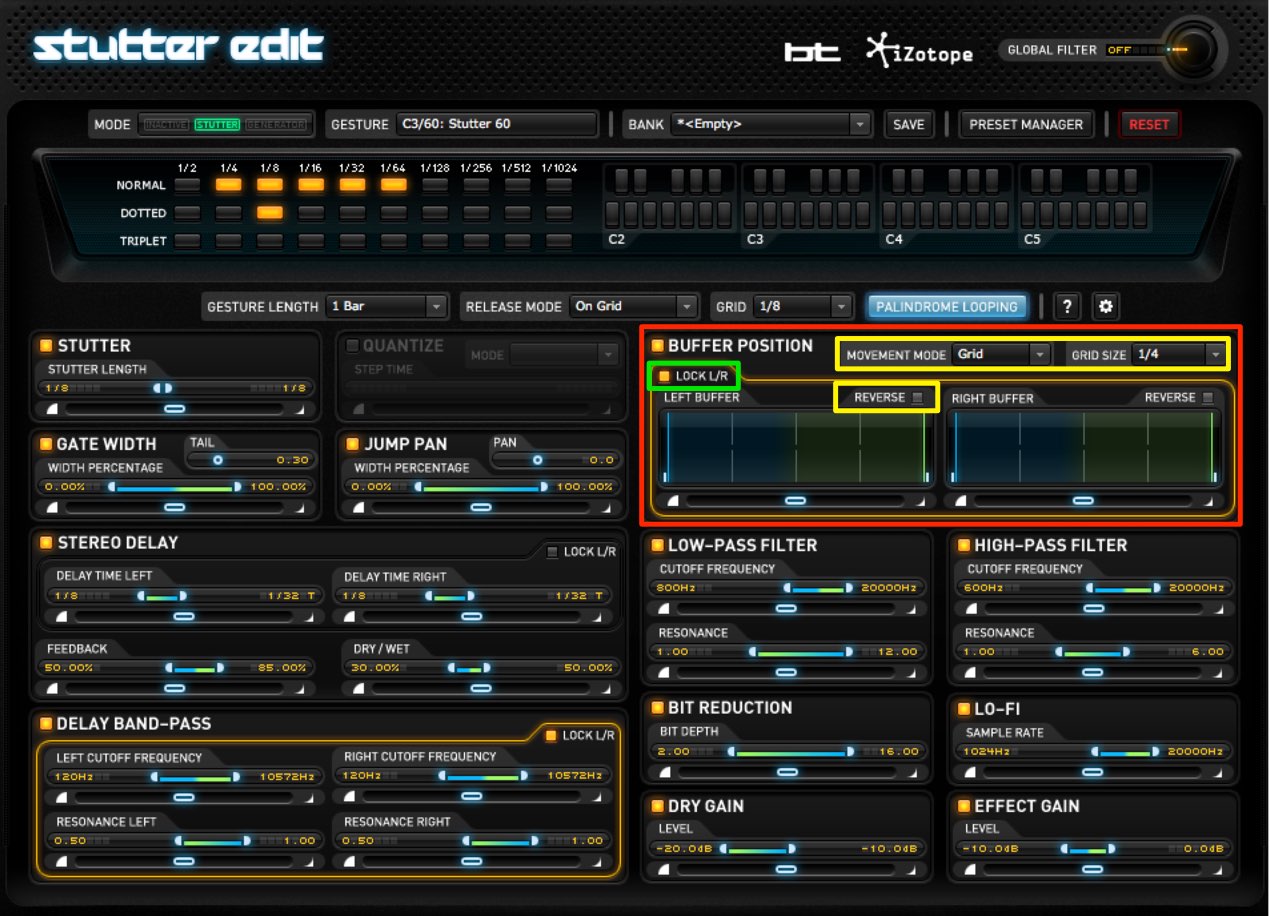
This effect samples a portion of the source to change its character.
- Grid Size: changes the sampling interval.
- LOCK L/R: turn this off to set the left and right channels separately.
- Reverse: plays the sampled sound backwards.
This can create an ethereal effect.
GATE WIDTH
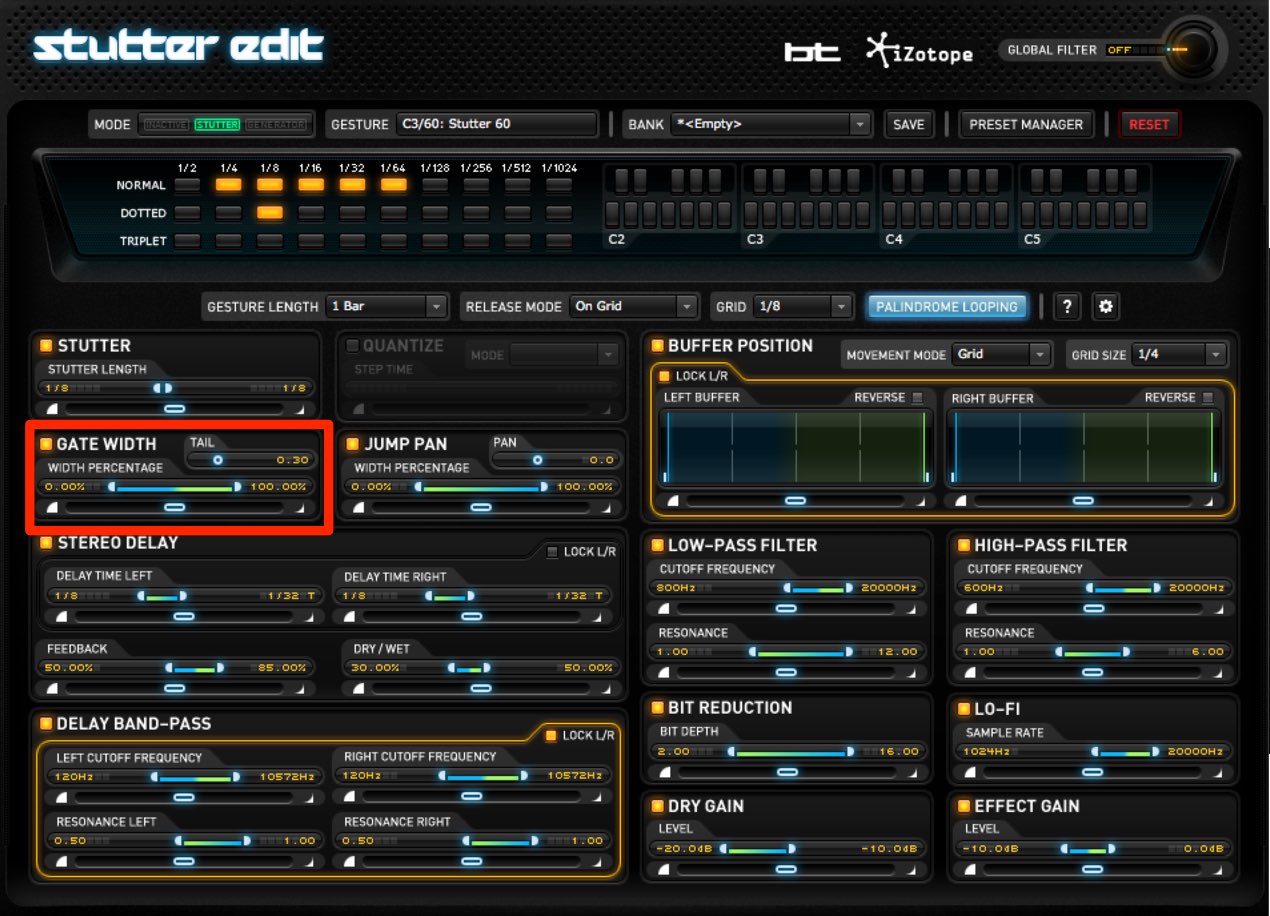
Change the sound’s length to shape the groove.
Set the length from 0–100%; higher values produce a longer sound.
TAIL controls the sound’s decay.
Set it extremely short to create a sharply chopped sound.
JUMP PAN
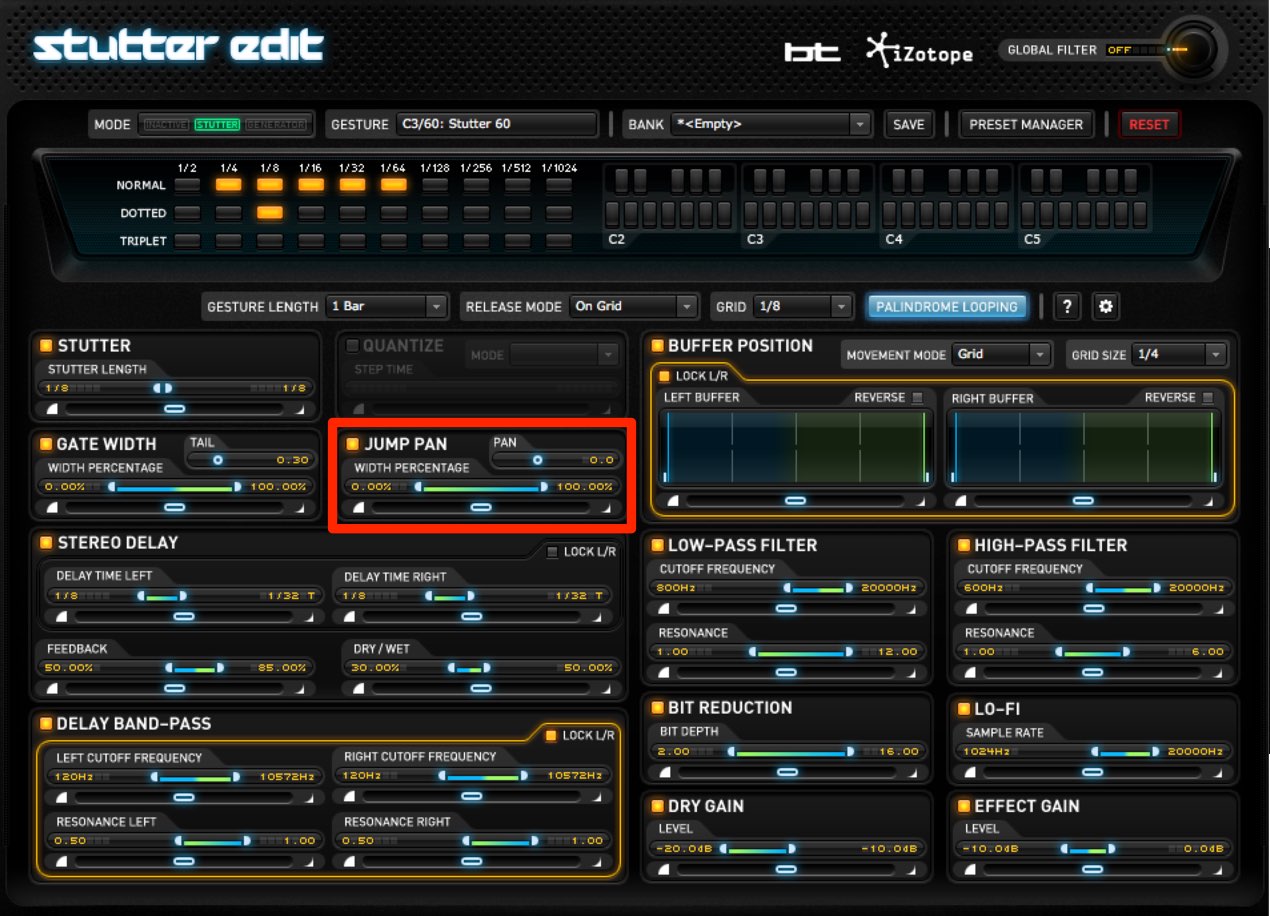
Move the sound between left and right to add motion.
The PAN knob at the upper right sets the starting position for that movement.
STEREO DELAY

Set up an echo-like delay.
- LOCK L/R: turn this off to set left and right separately.
- DELAY TIME: sets the echo interval in note values.
- FEEDBACK: controls the decay of the echoes and thus the number of repeats.
- DRY / WET: sets the balance between the original sound and the delay.
DELAY BAND-PASS
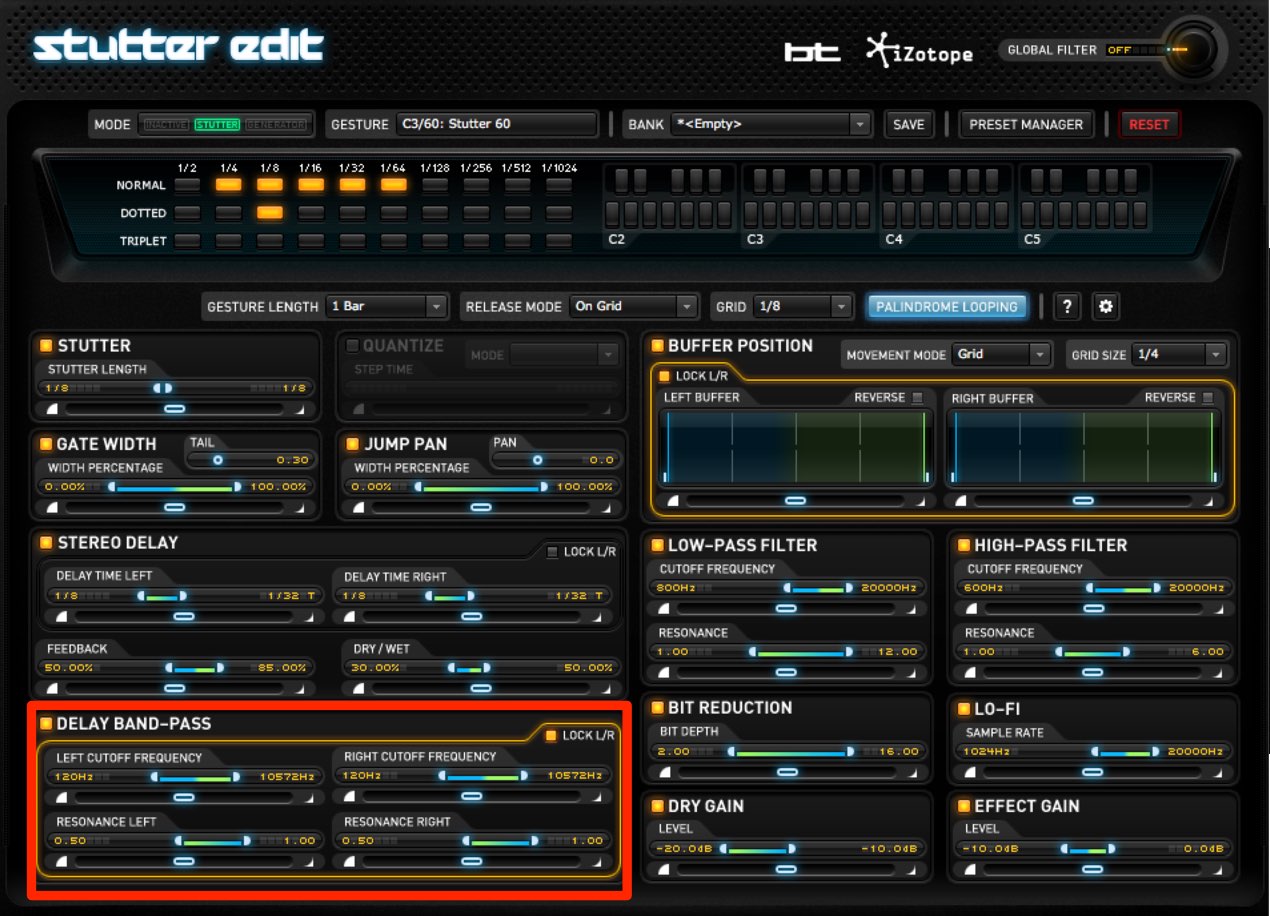
Apply a band-pass filter to the delay sound.
This cuts low and high frequencies.
- LOCK L/R: turn this off to set left and right separately.
- CUTOFF FREQUENCY: sets the filter’s cutoff frequency.
- RESONANCE: boosts the area around the cutoff to emphasize movement.
Adjust the amount to taste.
LOW/HIGH PASS FILTER
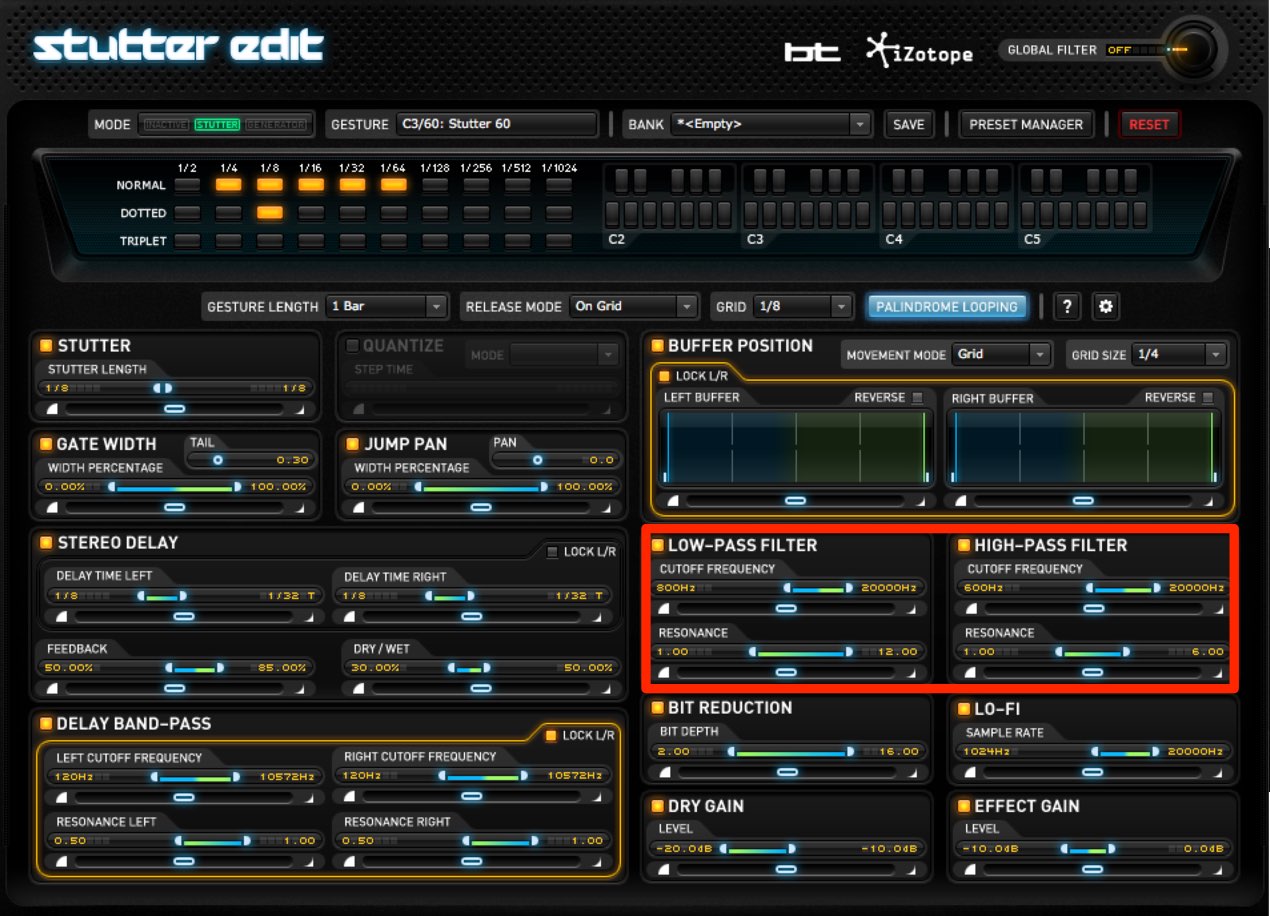
Apply a filter to the overall sound.
Low-pass cuts high frequencies, while high-pass cuts low frequencies.
- CUTOFF FREQUENCY: sets the cutoff frequency.
- RESONANCE: boosts the area around the cutoff to emphasize movement.
Adjust the amount to taste.
BIT REDUCTION
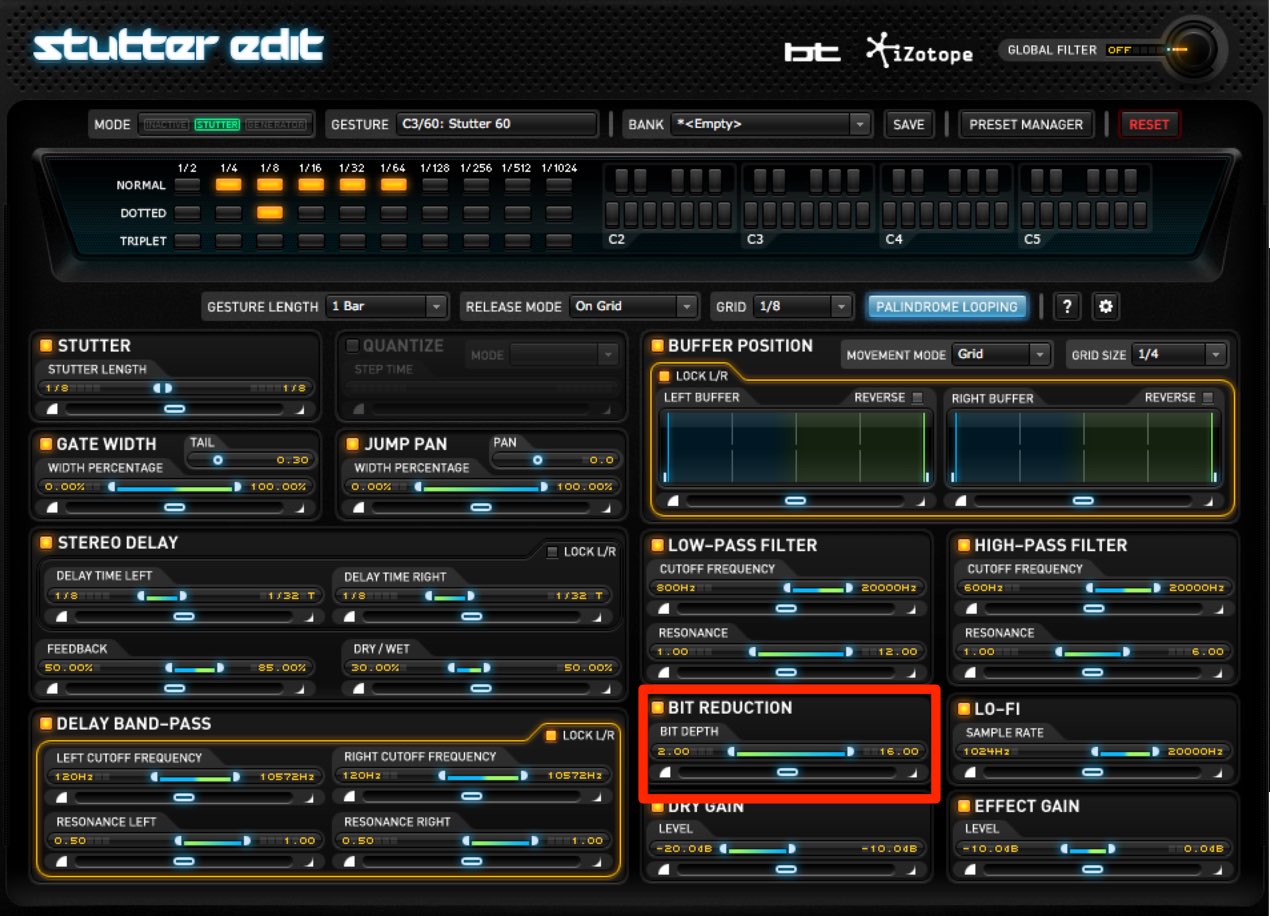
Intentionally reduce amplitude resolution
to create a distinctive sound.
- BIT DEPTH: sets how far the resolution is reduced.
Lower values produce a stronger effect.
LO-FI
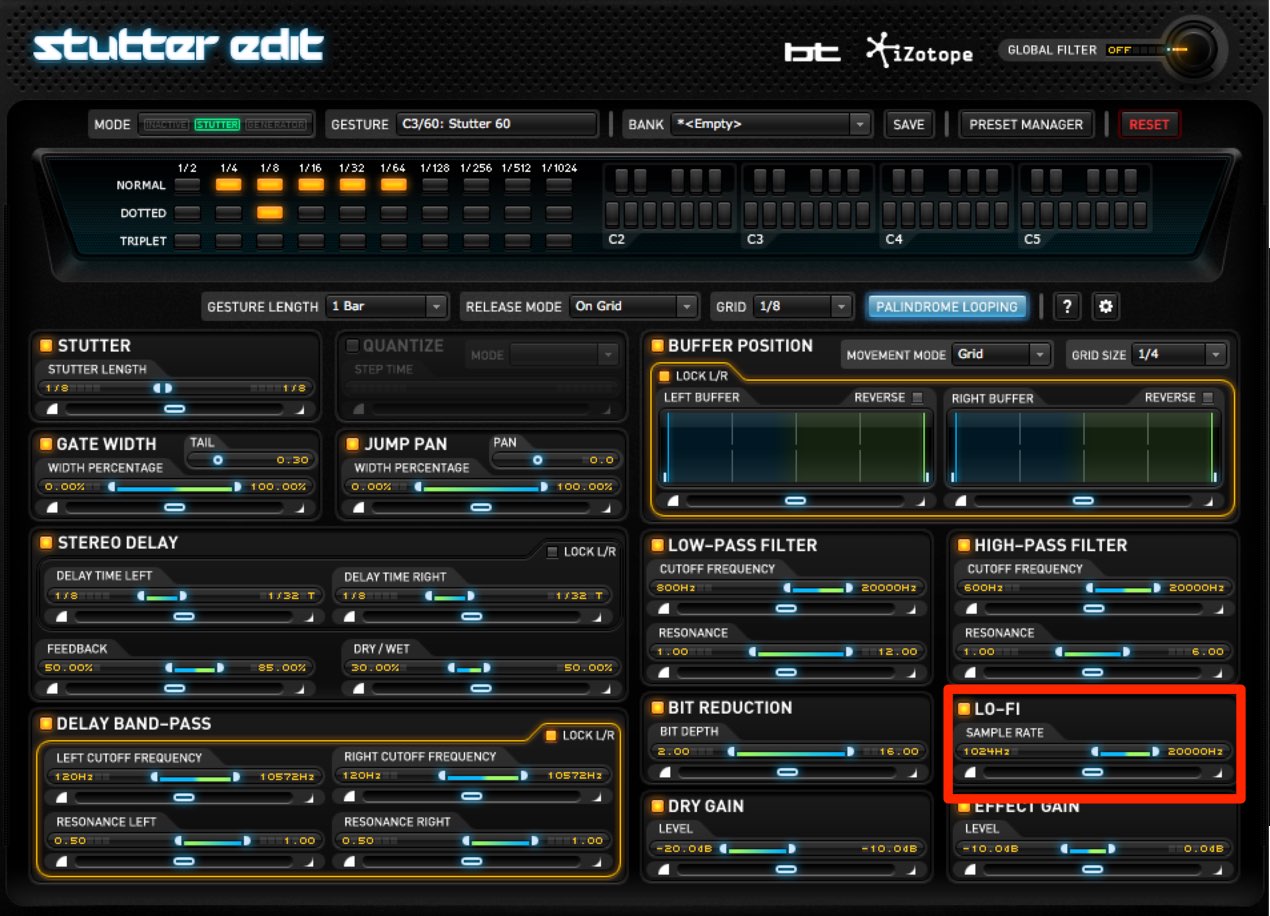
Reduce the amount of audio information to deliberately degrade the sound.
This can create a texture often used in electronica.
Lower values produce a more degraded sound and a stronger effect.
DRY/EFFECT GAIN
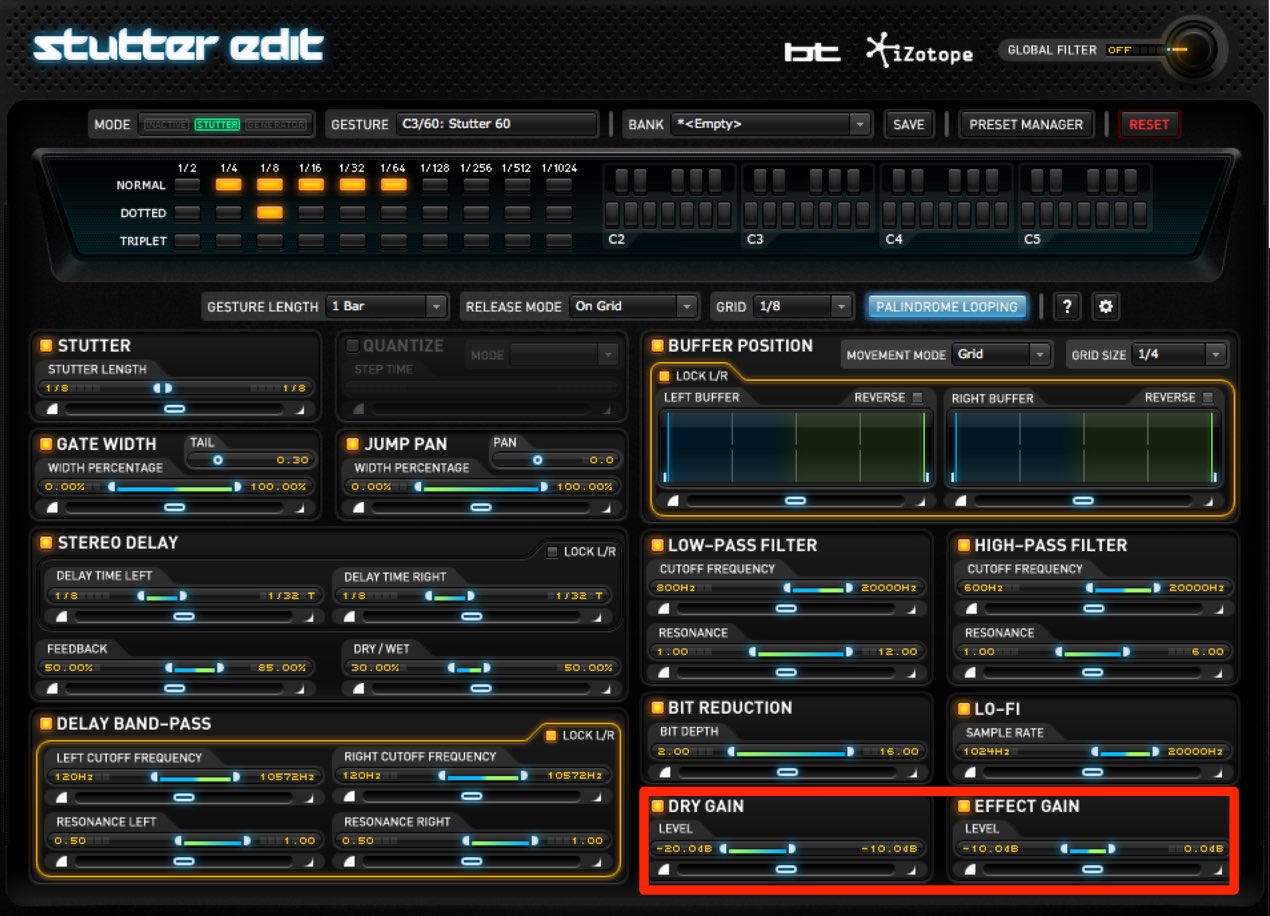
- DRY GAIN: sets how much of the original sound is mixed in.
Turn it fully left if you do not want to hear the dry signal. - EFFECT GAIN: sets the level of the sound generated by Stutter Edit.
Move the slider right to increase the effect level.
Purchase the product
Frequently Asked Questions
Q1. What happens when I change the sampling interval in Buffer Position?
Grid Size adjusts the sampling interval, allowing different portions of the source to be captured and changing the sound. Reverse plays the sampled audio backwards for an ethereal effect.
Q2. How do I make a chopped sound with Gate Width?
Set TAIL extremely short to reduce the decay and create a sharply chopped, rhythmic sound.
Q3. What is the Lo-Fi effect used for?
Lowering SAMPLE RATE reduces audio information and intentionally degrades the sound. It can produce a retro character suited to styles such as electronica and vaporwave.
NEW ARTICLES
Latest English Articles






































































































































































































































































































































































































































































