
For Mac-based music production, system load inevitably grows as you add plug-ins and sample libraries. This article explains how to optimize a music-production setup with CleanMyMac, a maintenance tool described in the source as officially certified by Apple. It covers real-time monitoring, storage and memory management, reducing CPU load, and security, with practical tips for keeping DAWs such as Logic Pro running smoothly. Regular maintenance can help address audio dropouts and lag and support stable DAW performance, improving your production workflow.
Clean Up Your Mac for Music Production with CleanMyMac
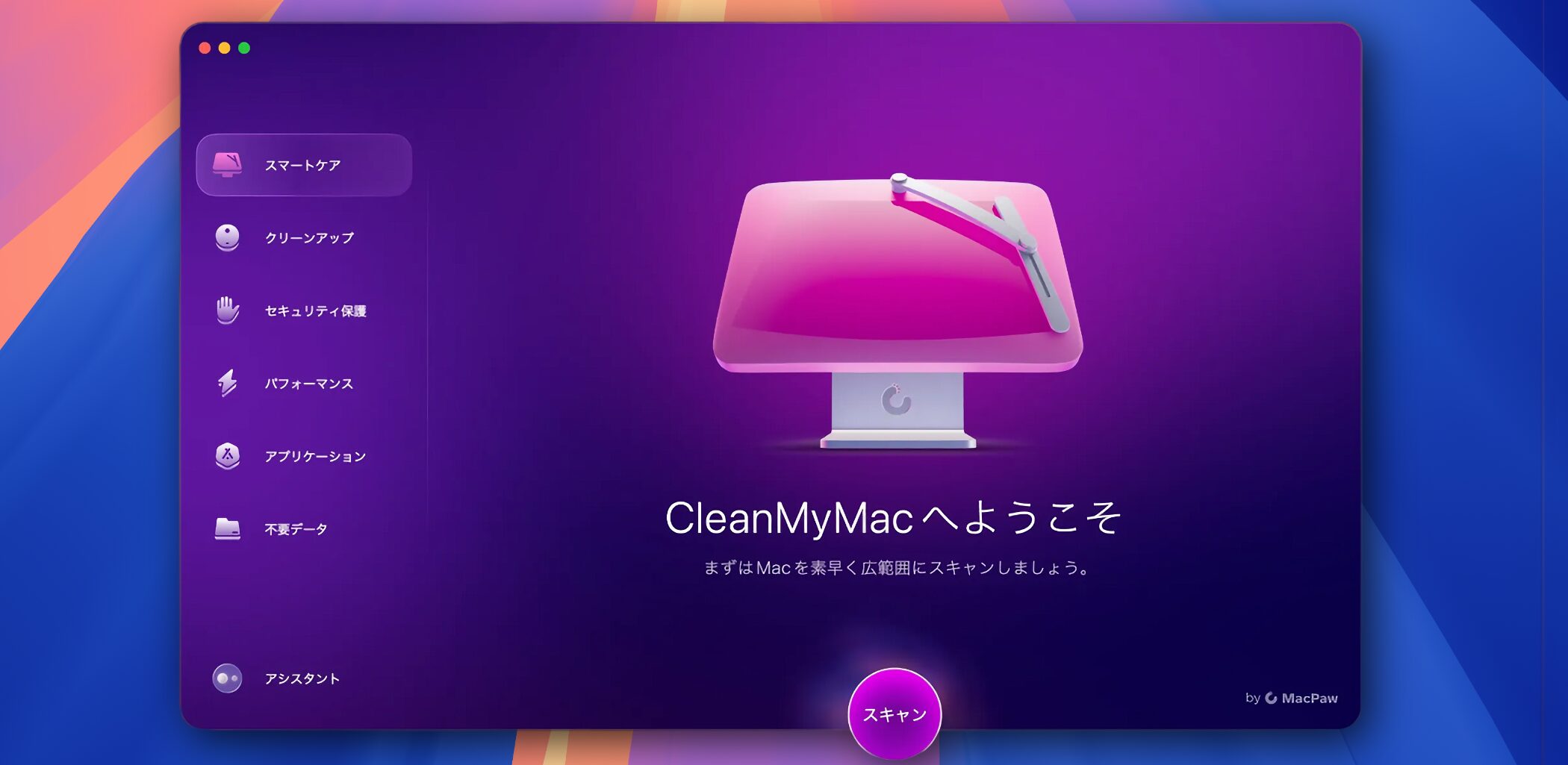
A Mac's operating condition has a direct impact on efficiency when making music or working in a DAW.
As you add plug-ins and sample libraries or use your Mac over a long period, the system can become sluggish. You may have experienced a slow-running DAW or audio dropouts.
In this article, we'll use CleanMyMac, a maintenance tool developed by MacPaw, to show you how to optimize a Mac for music production.
We compared Logic Pro project playback before and after maintenance.
The MacBook Air used for this test has the following specifications:
- Model: 2021, Apple M1 chip
- Memory: 16 GB
- Storage: 1 TB
Let's get started.
Comparing CleanMyMac Maintenance Results (Video)
Selected Questions and Answers from the YouTube Video

What advantages does it offer over using Activity Monitor or the purge command?

CleanMyMac brings several maintenance functions together in one app and offers an easy-to-understand interface for quick operation. It can also find and remove unnecessary files that take up storage automatically, making it a useful option if you want a more comprehensive cleanup tool.
What Is CleanMyMac?

CleanMyMac is an app for maintaining a Mac. The source article reports more than 29 million downloads and over 35 million GB of junk files removed per month, and describes it as having received official Apple certification. It is a highly trusted tool.
It includes optimization features designed with safety in mind, and regular updates help it maintain compatibility with the latest versions of macOS.
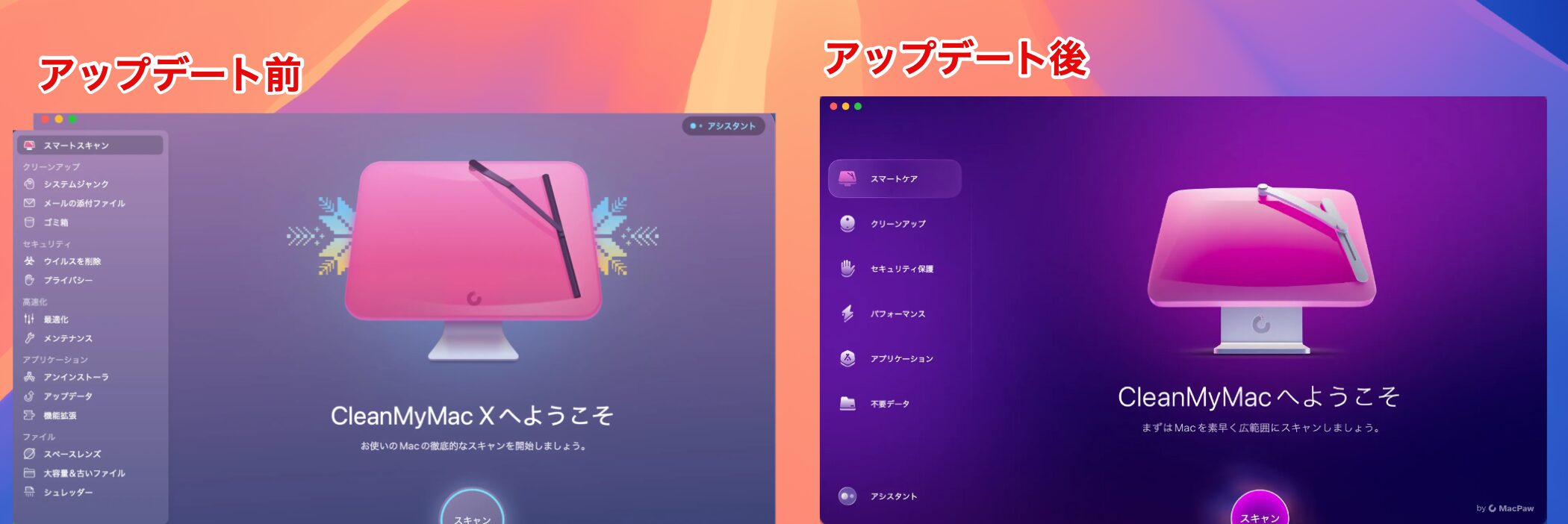
In an update from the previous version, CleanMyMac X, to CleanMyMac, the interface was redesigned to be simpler and more intuitive, making the app easier to use.
Check Your Mac with the Performance Monitor

After installing CleanMyMac, a dedicated icon appears in the menu bar. With one click, you can access a Performance Monitor that lets you check your Mac's condition.
It helps you keep track of your Mac and quickly identify and quit resource-intensive apps, making it easier to create an environment where your DAW runs smoothly.
Storage
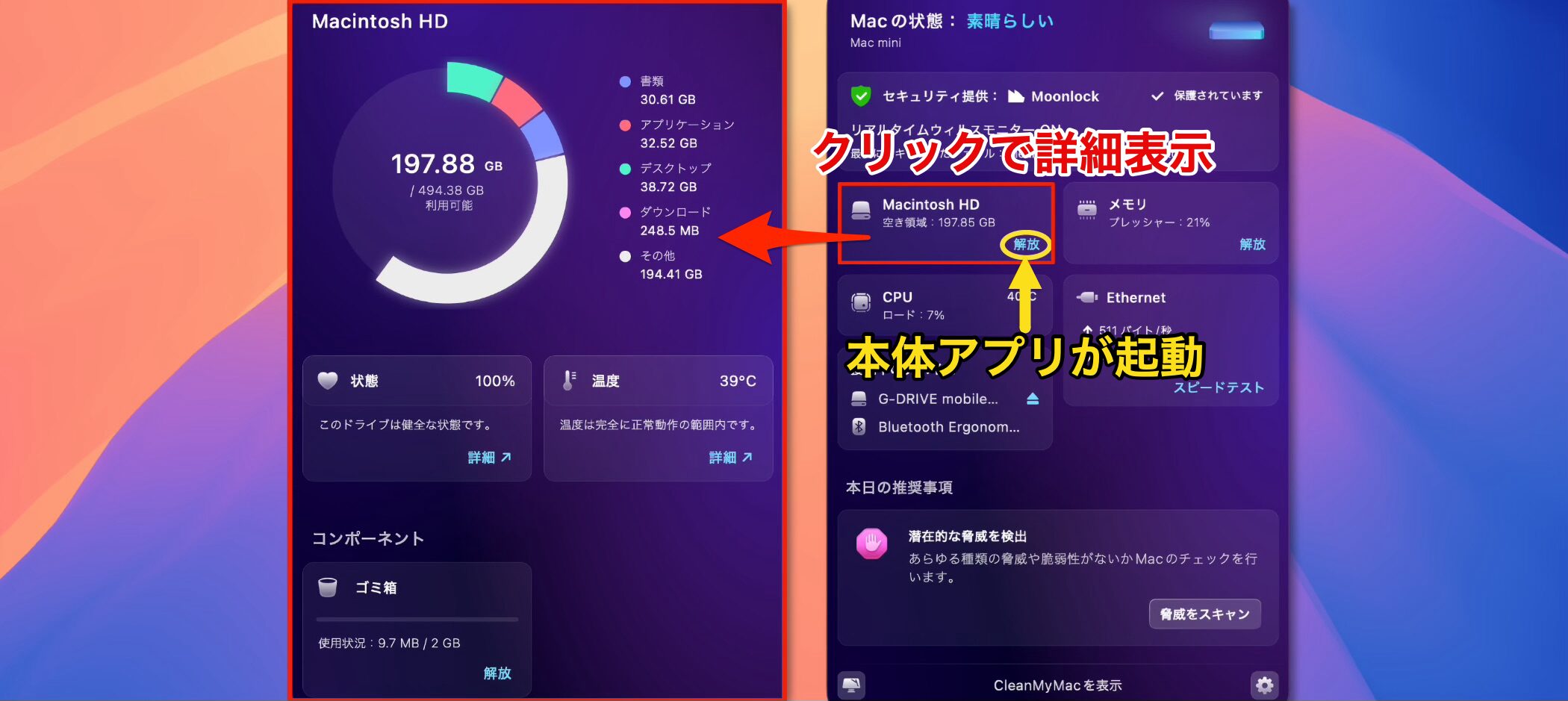
The section labeled “Macintosh HD” shows your storage. It lets you check how much space is available for saving data.
When storage space runs low, it can cause your DAW and Mac to slow down.
Clicking “Free Up” opens the CleanMyMac app, which we'll cover later, so you can remove unnecessary files and reclaim storage space.
Memory
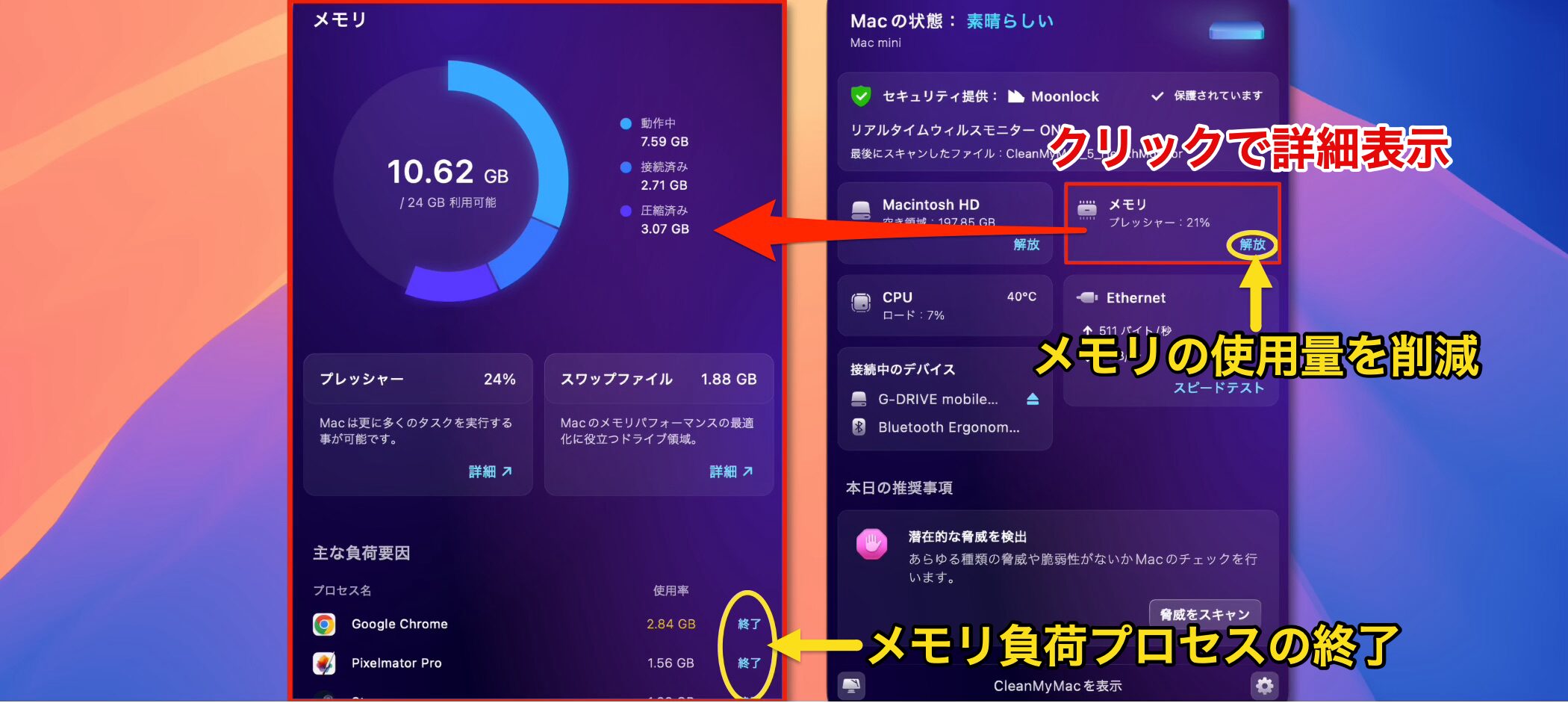
Memory is temporary workspace a computer uses while performing tasks. If there isn't enough, it can cause audio dropouts in your DAW.
In particular, instrument libraries such as drums and pianos can use a lot of memory, so memory can run short when producing band or orchestral music.
Clicking “Free Up” starts a process to reduce memory use that is no longer needed on your Mac.
The monitor also shows processes using a lot of memory. Quitting them can free up memory and help your DAW and Mac run more smoothly.
CPU
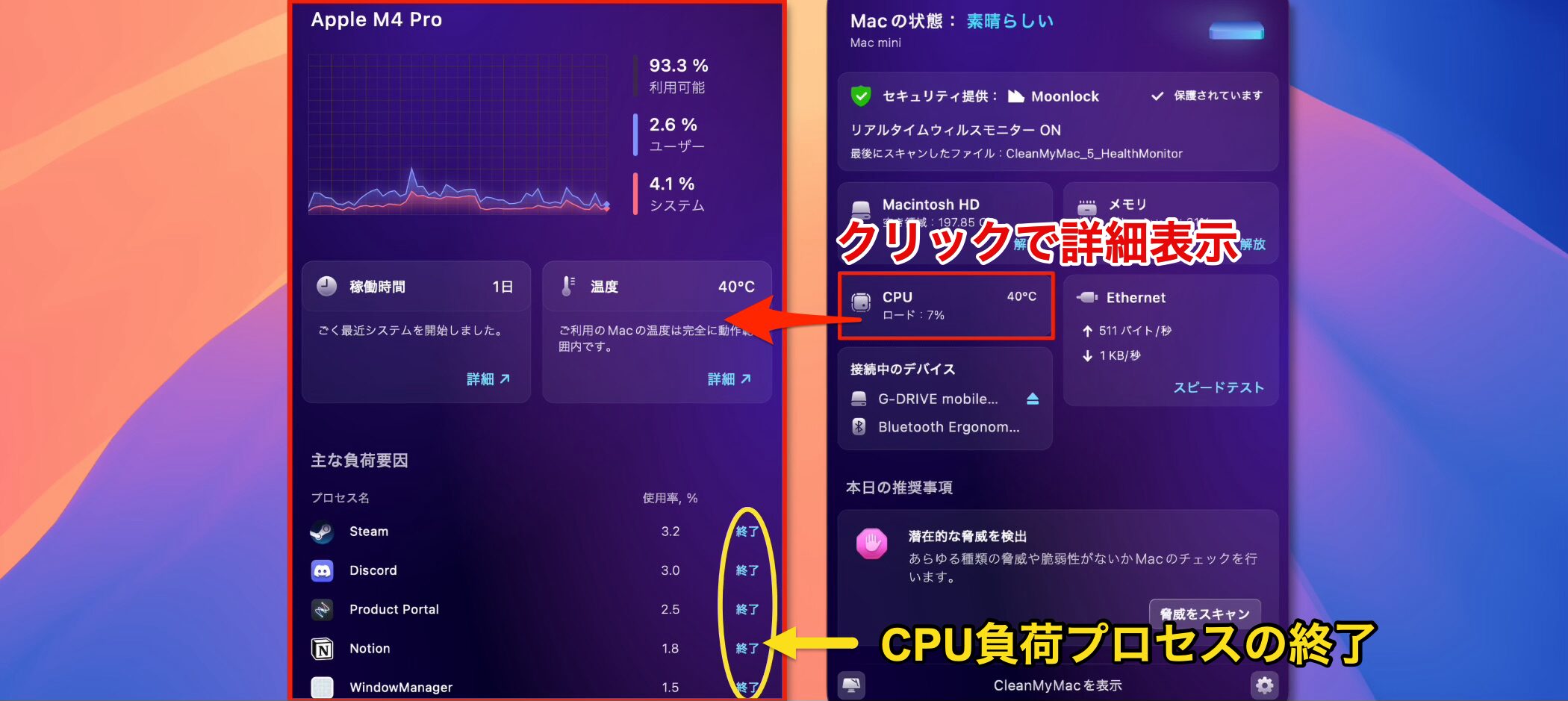
The CPU is at the heart of your Mac. High CPU load can slow down your system and affect DAW performance.
As with memory, the detailed view shows processes putting a heavy load on the CPU.
As a general rule, we recommend quitting apps you don't need while working in a DAW.
Also, a typical CPU's processing performance can drop significantly as its temperature approaches 100°C. This is especially relevant in hot weather or if the temperature remains high for a long time; lowering the room temperature can help.
Virus and Malware Protection
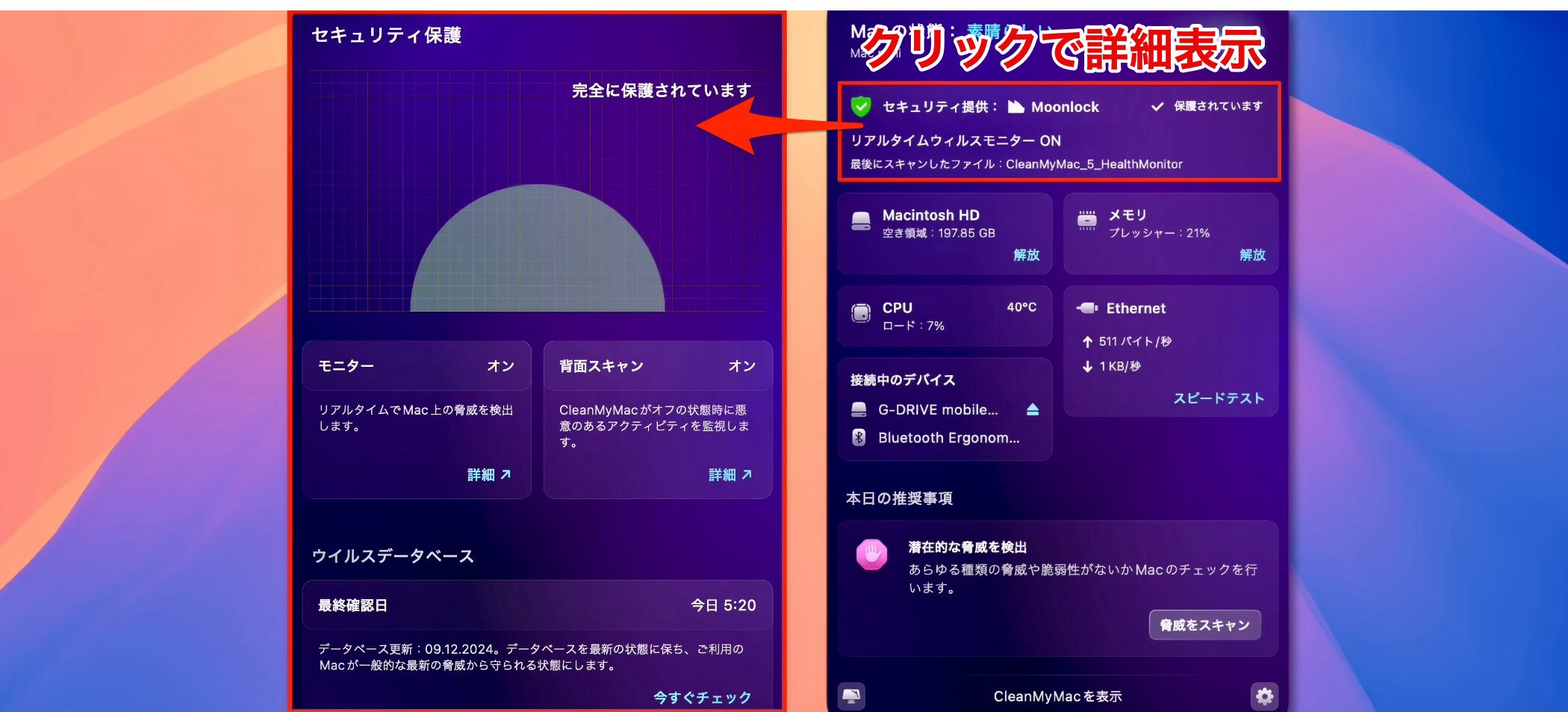
CleanMyMac includes a feature that monitors for viruses and malware in real time.
Although Macs are often considered less likely to be infected by malware than Windows PCs, this feature can provide added peace of mind when downloading plug-ins or sample libraries and can help improve the security of your music-production environment.
Optimize Your System Easily with Smart Care
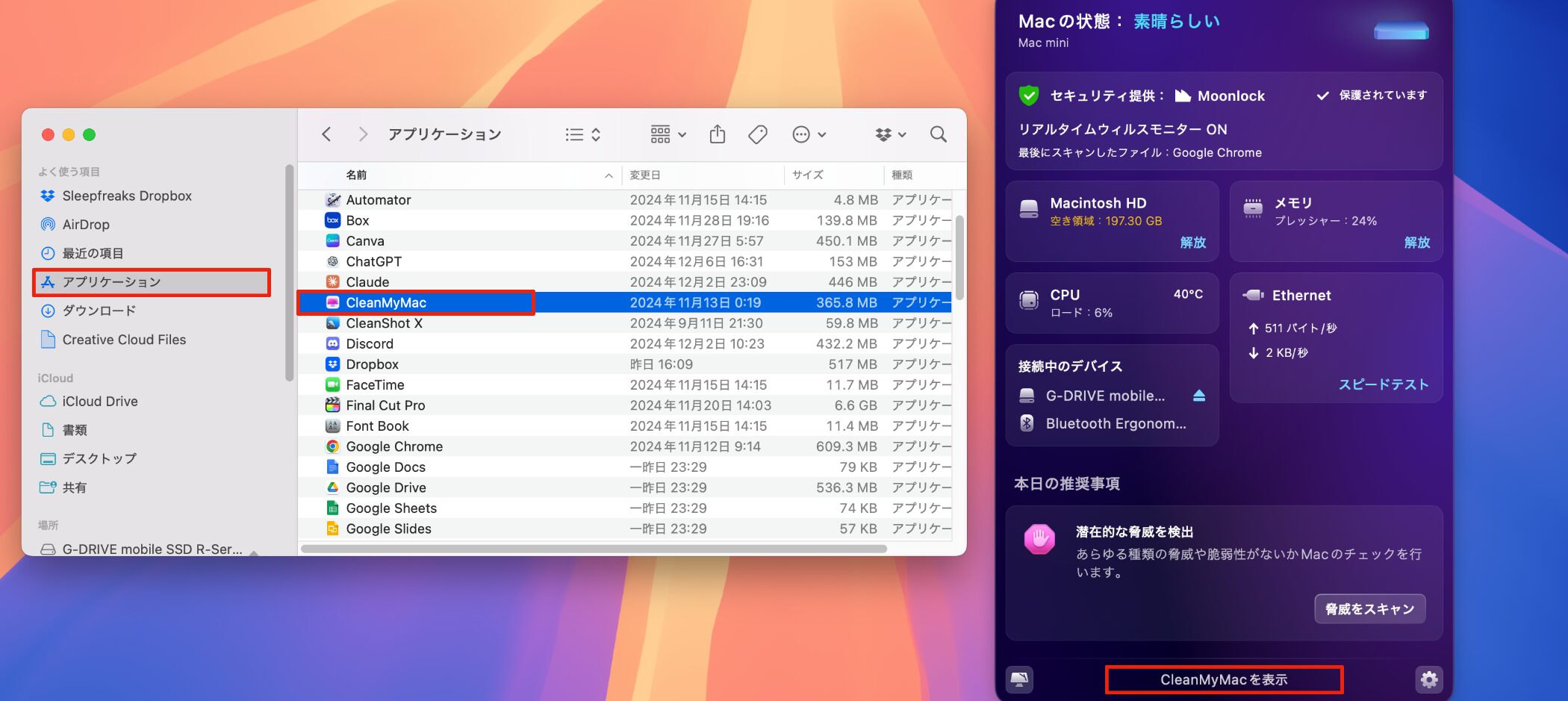
The CleanMyMac app makes it easy to perform more thorough maintenance.
You can open the app from the application list or at the bottom of the Performance Monitor.
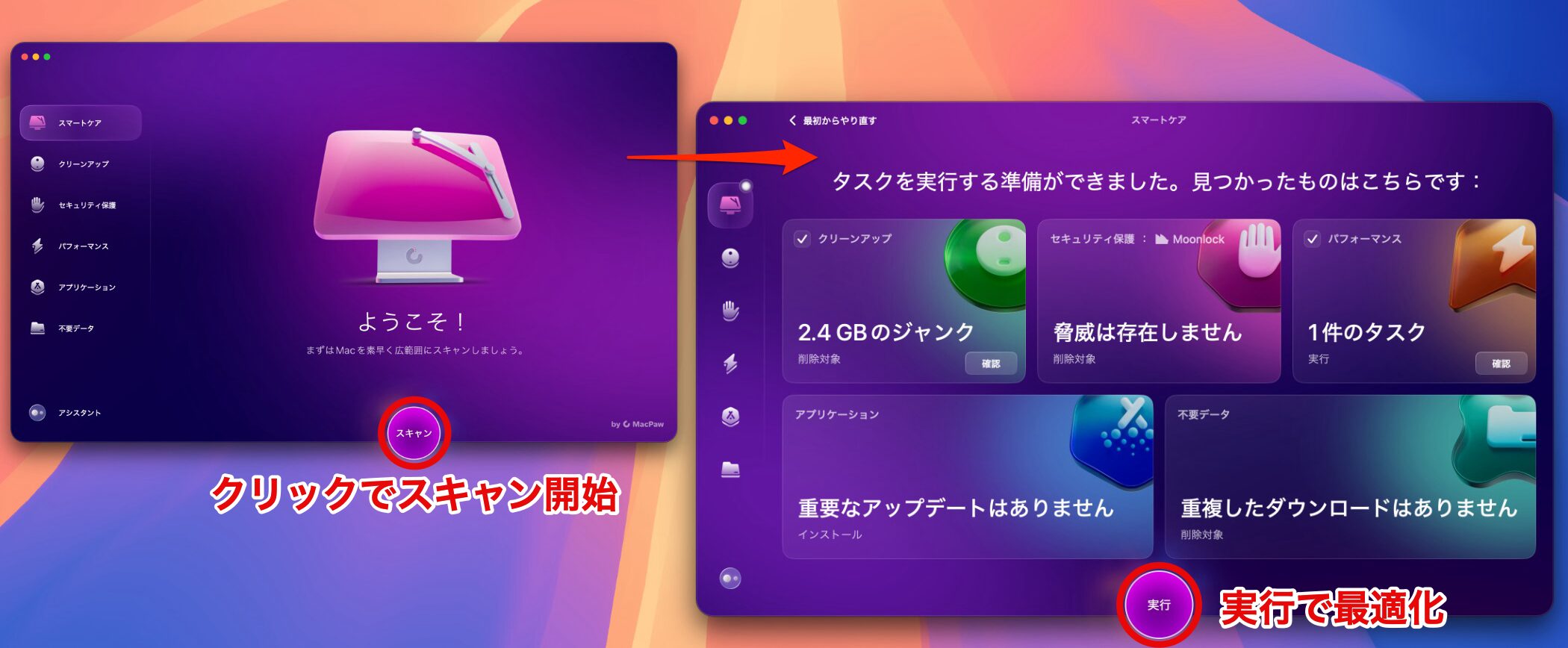
Smart Care is selected when the app opens. It runs system cleanup, a security scan, performance optimization, software management, and storage optimization—in other words, it runs the five maintenance tools in the sidebar all at once.
Because it focuses on routine maintenance, regular useis recommended.
You can also run each of the five maintenance tools individually, depending on what you need.
- If you want to free up storage space: “Cleanup,” “Unneeded Data,” and “Applications” are useful.
- If you want to reduce memory or CPU usage: “Performance” is useful.
Cleanup
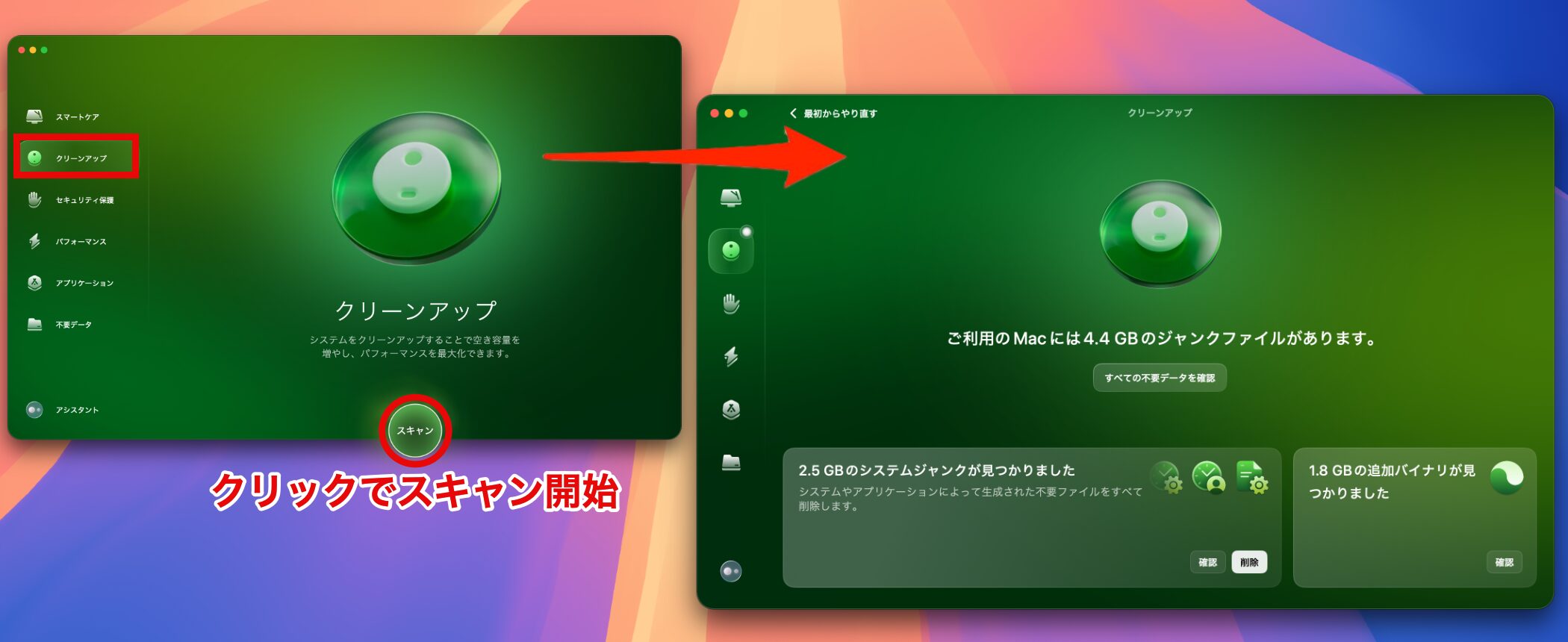
The Cleanup feature scans for unnecessary files created by the systemand lets you remove them safely.
This is a basic way to quickly free up storage. It can organize items such as Trash, cache files, and system logs in one place.
However, take care if you often restore files from the Trash.
Unneeded Data
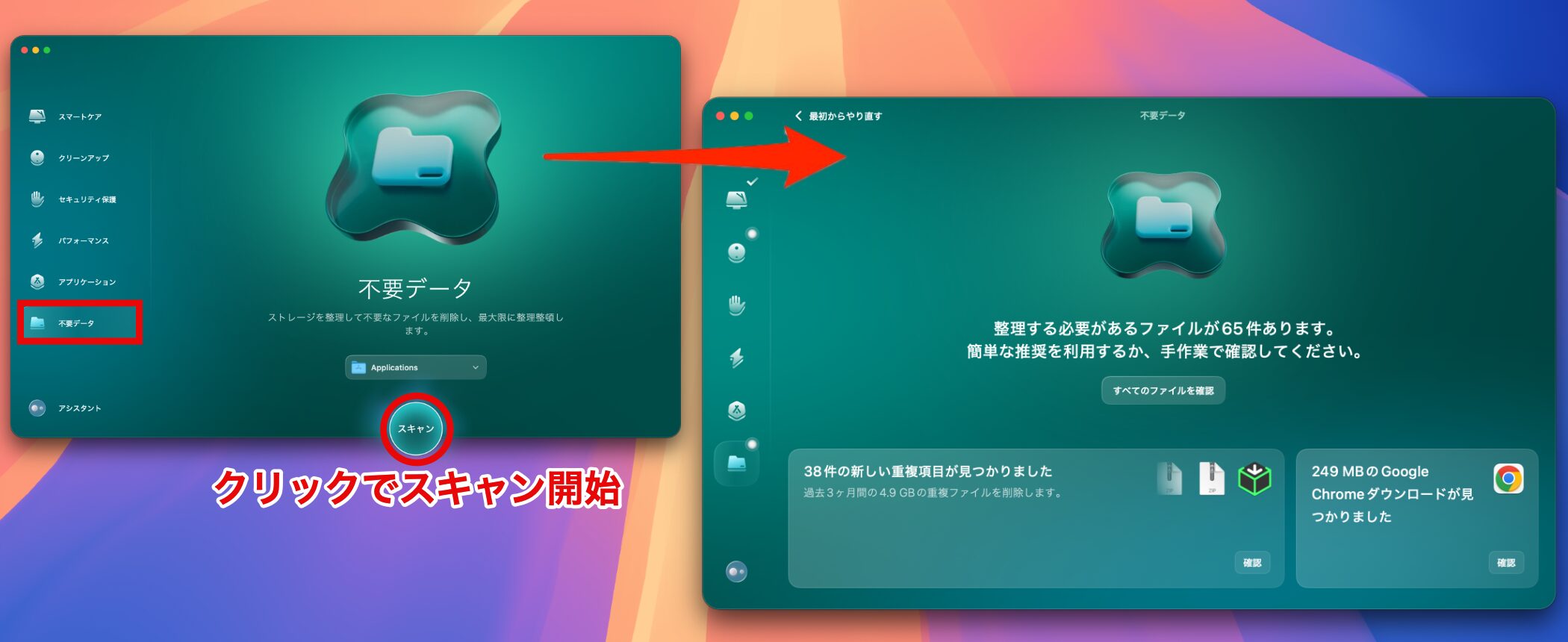
The Unneeded Data feature finds duplicate files and similar photosamong files you've created, helping you organize them more efficiently.
You need to delete items manually, but the feature displays unnecessary files visually, making storage organization more efficient.
This feature is especially useful when storage space is running low.
Applications
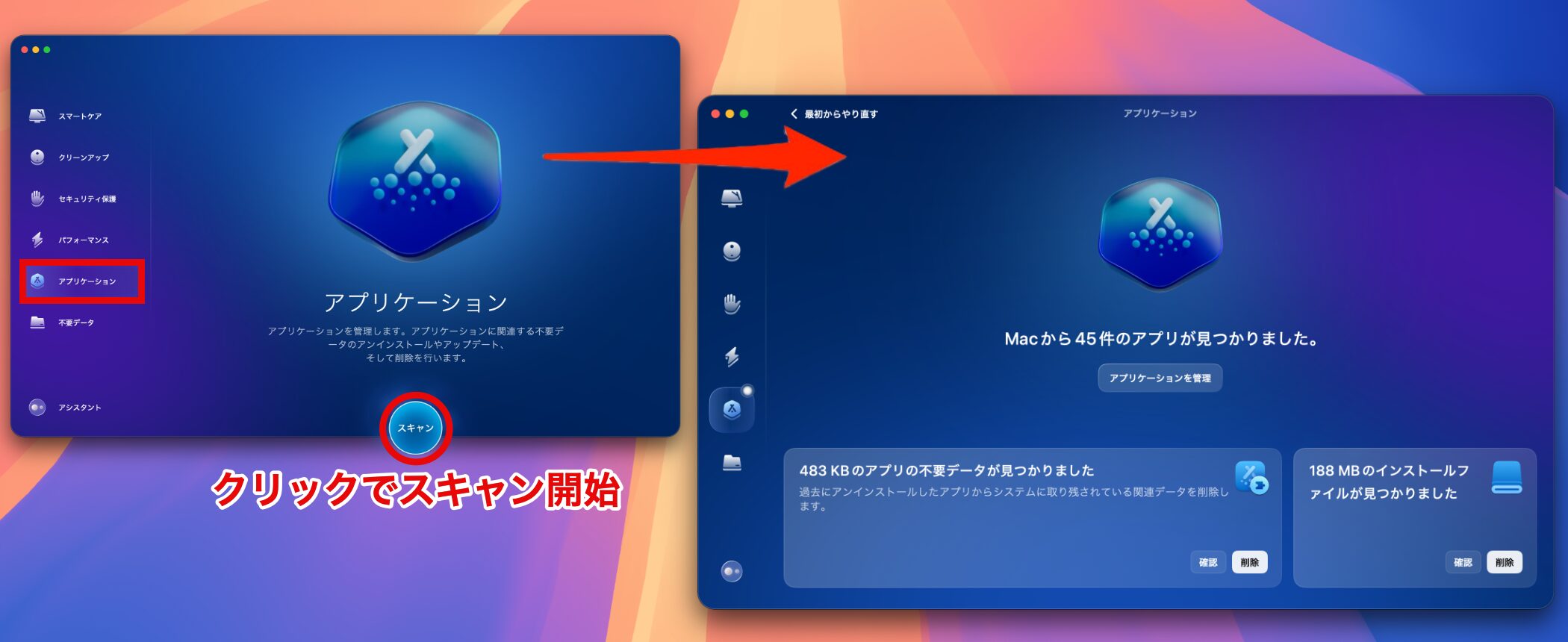
The Applications feature frees up storage by removing apps you no longer use, unnecessary installation files, and caches created by apps.
Please note that deleting files related to plug-ins or license managementmay affect how the software worksso make your selections carefully.
Performance

The Performance feature helps manage memory and CPU usage to optimize your Mac's overall performance.
The following items are particularly important to manage:
- Login Items: Manage apps that open automatically when your Mac starts. Removing items you don't need can improve startup time.
- Background Items: Manage processes running in the background. Removing items you rarely use can reduce unnecessary resource consumption.
This can help create an environment where demanding apps such as a DAW run smoothly.
Security Protection
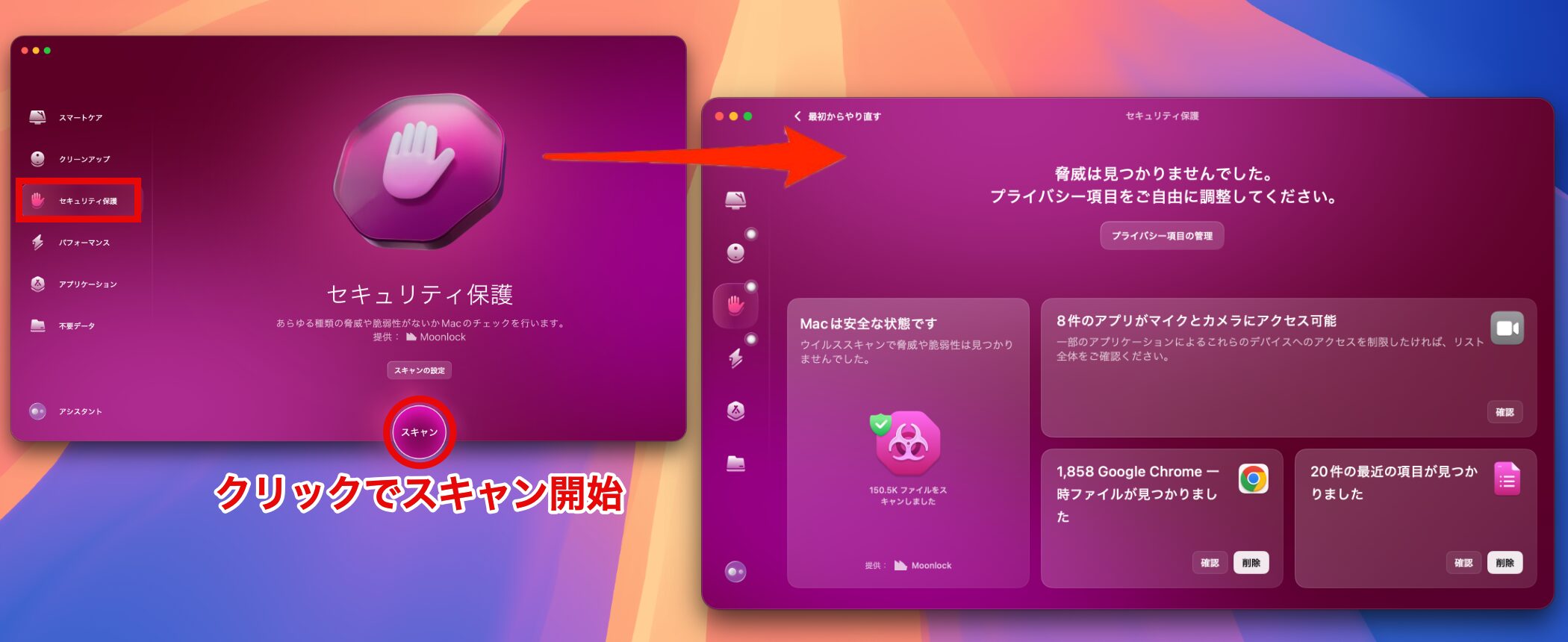
Security Protection is a feature that protects your Mac from viruses and malware.
It's included in Smart Care and runs regularly. If your system becomes unusually slow or behaves suspiciously, however, we recommend running it manually to check your Mac's security.
Pricing Plans

CleanMyMac offers flexible plans to suit different needs.
In addition to one-year plans and a lifetime license for individual users, you can choose multi-device licenses for two or five Macs.
It's useful to be able to choose a plan based on the number of devices you use.
One-Year Plan
- 1 Mac: ¥4,440
- 2 Macs: ¥7,108
- 5 Macs: ¥14,225
Lifetime License
- 1 Mac: ¥11,853
- 2 Macs: ¥18,969
- 5 Macs: ¥37,946
*Prices may vary due to exchange-rate fluctuations.
CleanMyMac also offers a 7-day free trial.
You can find the free trialhere.
What did you think?
With its updates, CleanMyMac has evolved beyond a simple cleaning tool into an integrated system-optimization app that supports the efficiency and creativity of music producers.
Try regular maintenance to create a comfortable environment where you can focus on making music!
Frequently Asked Questions
Q1. Can I use CleanMyMac on operating systems other than Mac?
No. CleanMyMac is a maintenance tool for Mac only; it isn't available for Windows or Linux. The source article says it has received official Apple certification and is kept compatible with the latest macOS.
Q2. Can using CleanMyMac while working in a DAW negatively affect my project?
In general, we recommend avoiding maintenance while working in a DAW. For safety, run maintenance after quitting your DAW. The Performance Monitor, however, can remain active at all times.
Q3. If I don't have enough memory or CPU capacity, can CleanMyMac alone solve the problem?
CleanMyMac can optimize your operating environment, but a lasting solution may require upgrading your computer's specifications. If you work with large orchestral libraries in particular, consider adding memory or expanding storage.
Q4. Is CleanMyMac's security feature enough to protect against malware?
CleanMyMac monitors for viruses and malware in real time. While Macs are considered less at risk from malware than Windows PCs, the feature can serve as a basic security measure. We recommend backing up important data.
NEW ARTICLES
Latest English Articles






















































