
SoundCloud introduced automatic mastering as a way to finish tracks with a simple workflow, even without specialist mastering knowledge. This 2020 guide demonstrates the service, then priced at US$4.99 per track, with three monthly masters included for Pro Unlimited subscribers and a free 30-second preview. It explains how to compare the original and processed audio and adjust the mastering character. Prices, plan names and screens below describe the service at the time of the original article; check SoundCloud’s current terms before purchasing. Automatic processing can be convenient, but the result still needs to be judged by listening.
Automatically Master and Optimize an Uploaded Track

SoundCloud URL: https://soundcloud.com
This article explains SoundCloud’s automatic mastering feature, which was new when this guide was published in 2020.
Mastering is the final stage of music production. Much of the music we hear has gone through this process before release.
It is an important step in shaping the finished track, but the specialist knowledge and skills involved can make it feel difficult to approach.
This service carries out that processing automatically.
Here are the sounds before and after mastering.
- Before Mastering
Before mastering
- After Mastering (Warning: This Version Is Louder)
After mastering — louder playback
What do you think? At the time of this review, the service offered results like this for US$4.99 per track. Reduce your playback level before switching to the louder example; matching listening levels also makes tonal comparisons easier.
Let’s walk through the mastering process.
Video Tutorial
The Automatic Mastering Workflow
First, log in to SoundCloud and upload your track.
We previously covered SoundCloud registration and uploading, so see that article as well.

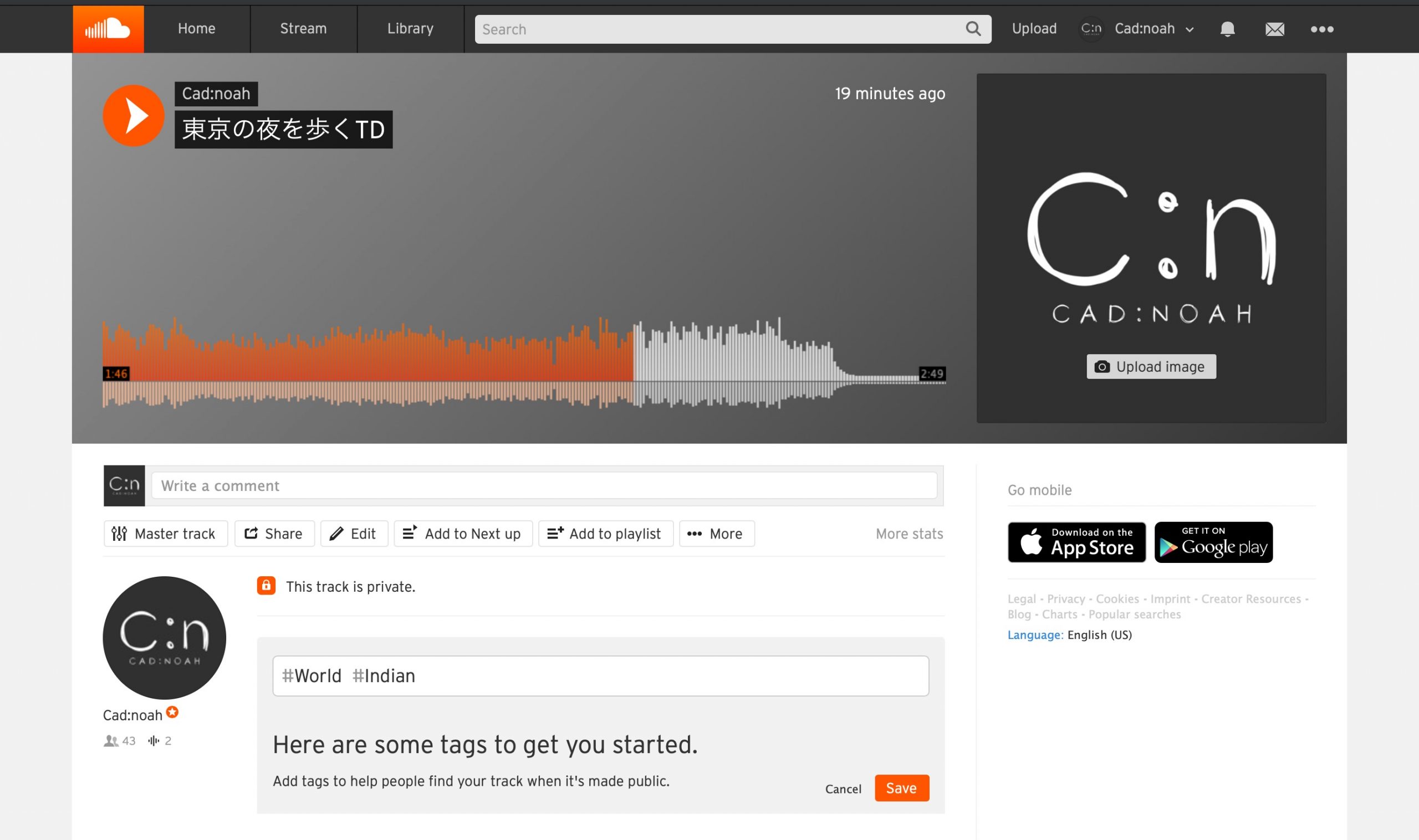
Upload your completed mix without applying mastering to it first.
SoundCloud is a music-sharing platform designed to let you publish tracks.
If you only want to use its mastering feature, set the Privacy option to Private so you can master the track without making it public. If you later want to publish it, change the setting to Public.
After clicking Save and confirming the upload is complete, click Master track to begin mastering.
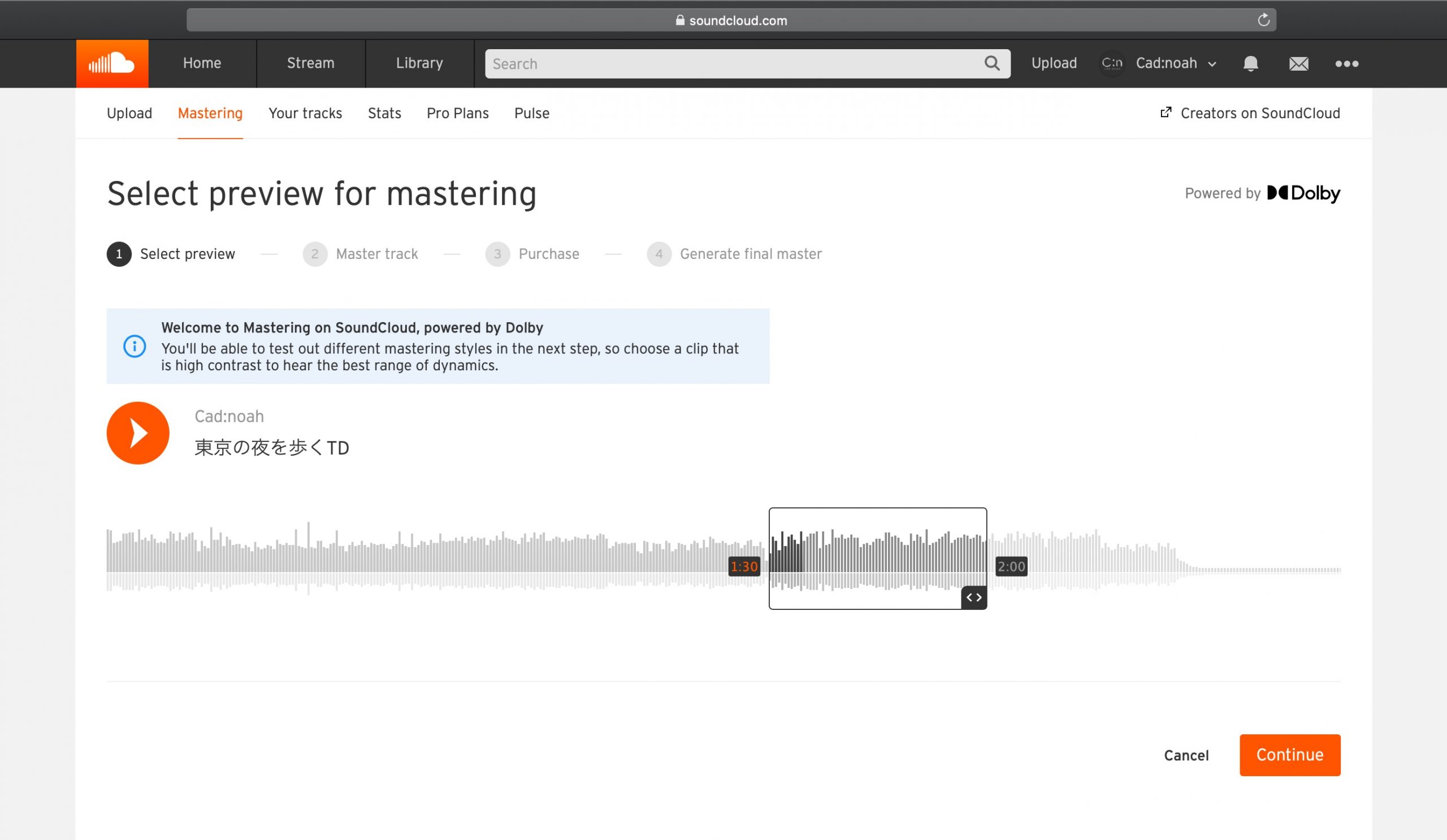
Choose the section of the track you want to use to preview the mastering.
Drag the selection box to the passage you want.
Once you have selected the preview section, click Continue at the lower right to start the analysis.
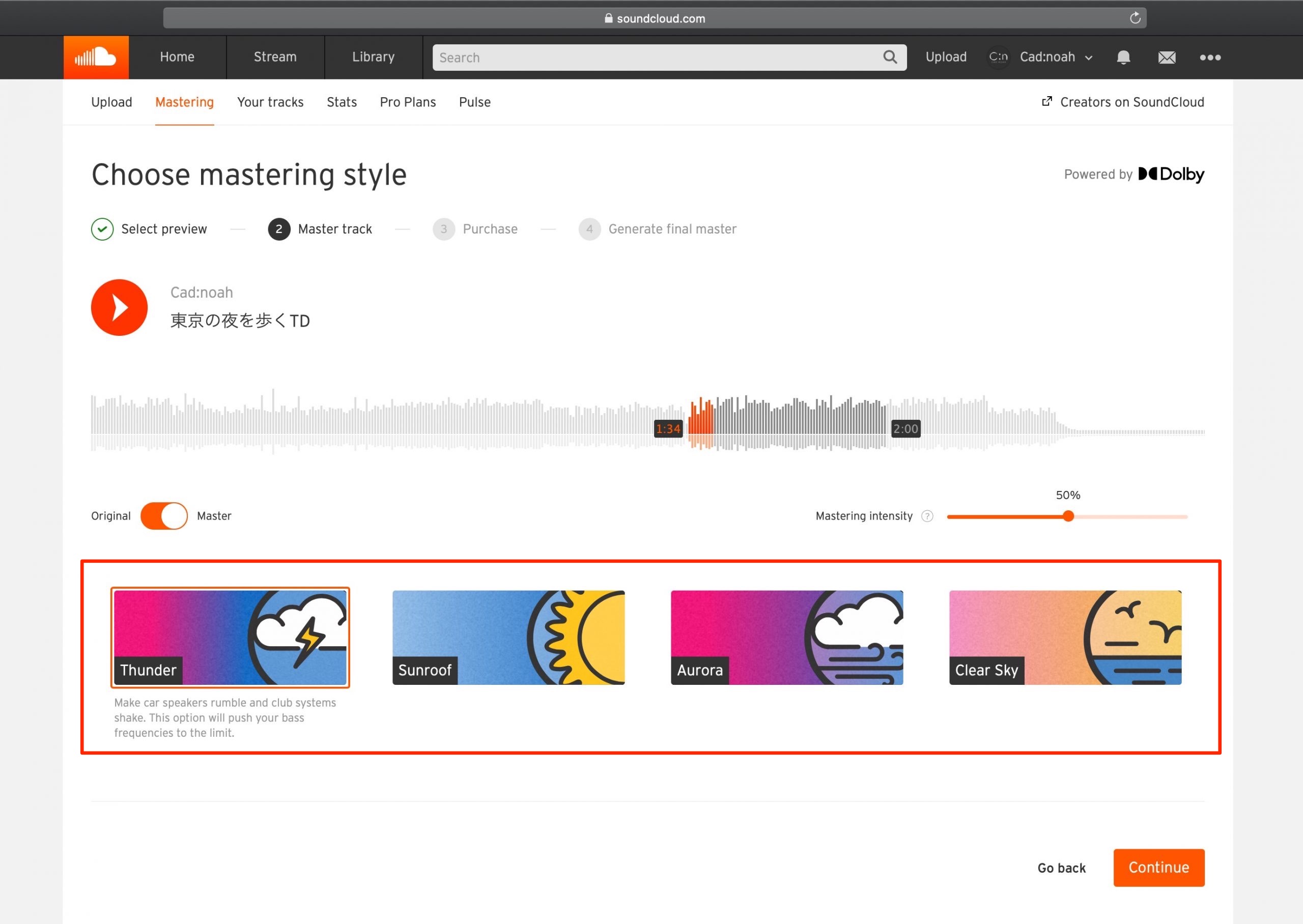
When the analysis finishes, the next page lets you choose the kind of finish you want and adjust the mastering character.
Use the four icons to select a mastering style.
Click a style to hear a preview of the processed audio immediately.
Click Master/Original to switch between the original audio and the mastered version.
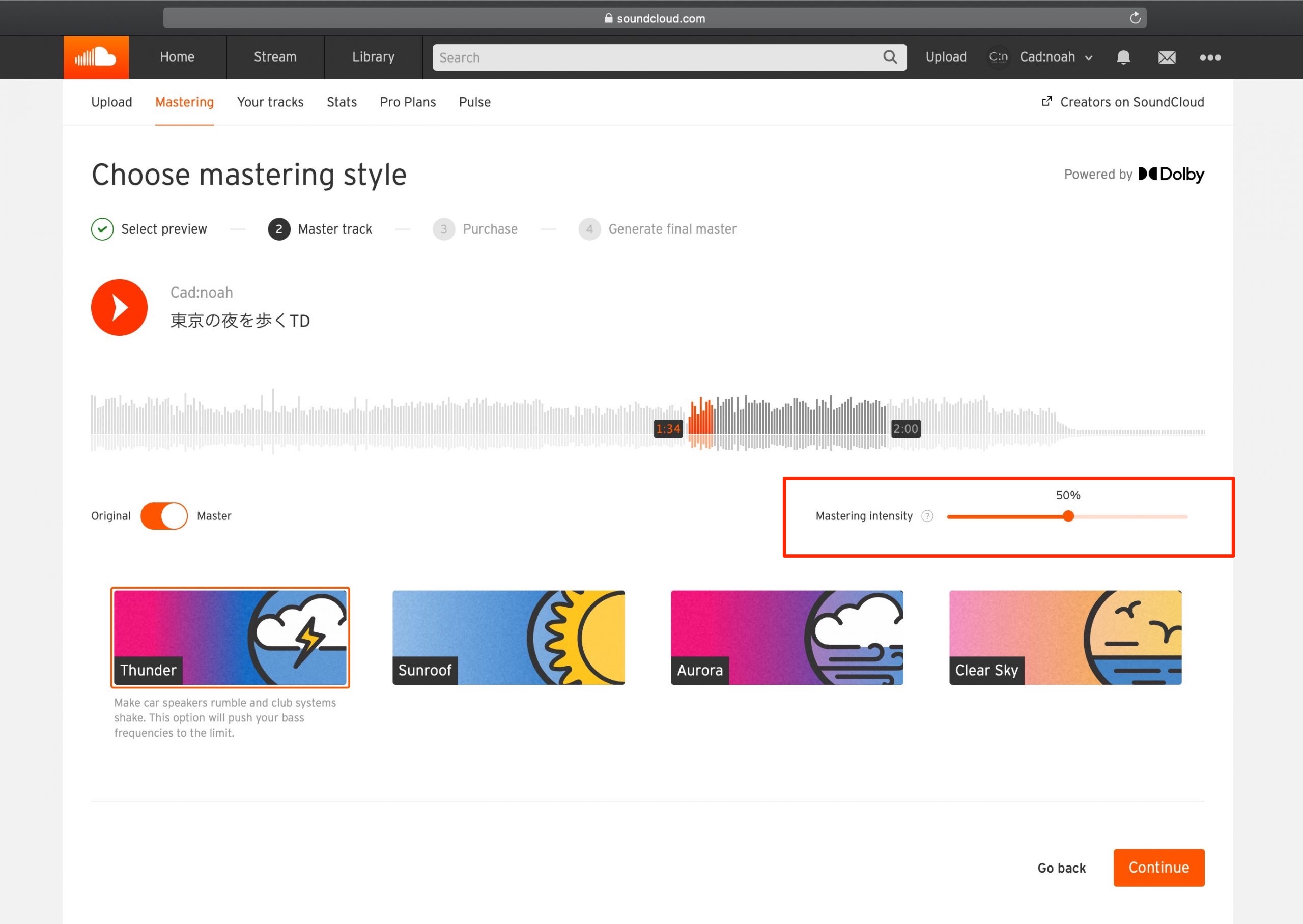
Mastering Intensity controls how strongly the selected mastering style changes the track’s character.
At 100, the change in tonal character is strongest.
At the other end, 0 leaves the character unchanged while optimizing the level, as described in the original demonstration.
When you are happy with the settings, click Continue to proceed to the payment page.
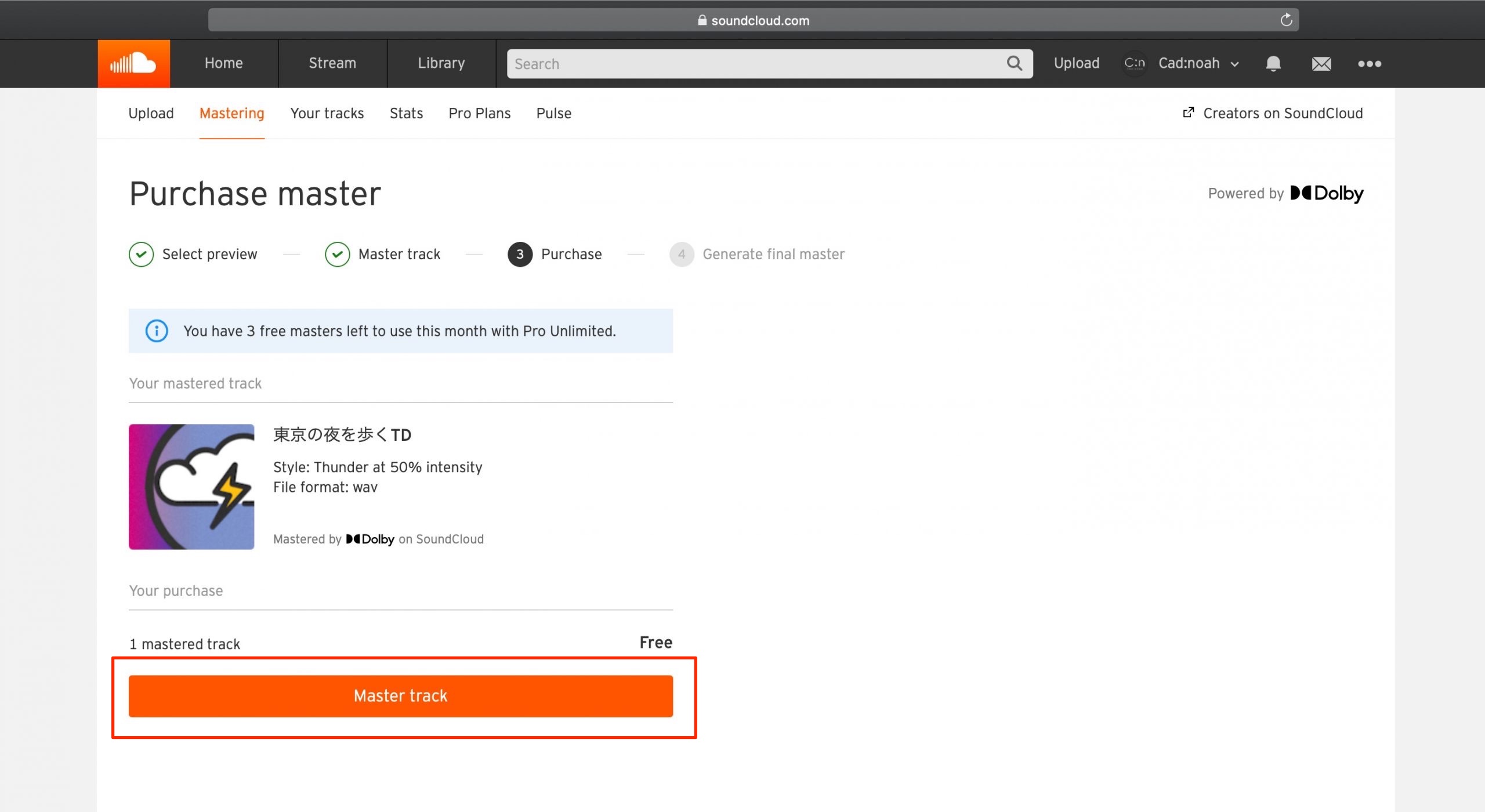
At the time of the original article, SoundCloud Pro Unlimited was listed at US$16 per month and included three masters per month at no additional charge. The original does not specify an annual price, so none is quoted here.
With an included mastering credit, the workflow shown skips payment details; clicking Master track processes the entire track.
For a Basic account, the price shown was US$4.99 per track. Clicking Master track takes you to the payment-details step.
You can download the mastered track using Download file.
The mastered file is delivered in the same format as the uploaded source, so we recommend uploading a lossless WAV file to avoid the losses of an MP3 source. Mastering a lossy upload does not restore information already discarded by compression.
How did you find that?
In the workflow demonstrated here, you cannot set a separate target loudness level, but you can adjust the tonal character. Above all, its appeal is how easy it is to carry out mastering.
The 30-second preview can be auditioned for free, so you can listen to the result before deciding whether to buy a full master.
SoundCloud URL: https://soundcloud.com
We explain SoundCloud’s newly introduced automatic mastering feature in this 2020 demonstration.
Although the workflow does not offer a separate target-loudness control, its main appeal is simple, automatic mastering.
You can audition a 30-second preview for free.Read more: https://t.co/3hpFtdBTYg pic.twitter.com/o9Ky4Z4YFW
— SLEEP FREAKS (@SLEEPFREAKS_DTM) August 10, 2020
Frequently Asked Questions
Q1. How much did SoundCloud’s automatic mastering cost?
At the time of this 2020 guide, Basic users paid US$4.99 per track. Pro Unlimited, listed in the article at US$16 per month, included three masters each month. These are the historical plan details shown here; check the current SoundCloud plans and checkout before purchasing.
Q2. Can I listen to the result before purchasing?
Yes. A 30-second preview lets you compare the original and processed sound before deciding on the mastering settings and purchasing the full track.
Q3. What format is the mastered file delivered in?
It is delivered in the same format as the source you uploaded. A lossless WAV source is recommended to avoid the additional losses associated with using a compressed MP3 as the input.
Q4. What adjustments does the automatic mastering feature offer?
The workflow shown offers four mastering styles and a Mastering Intensity control from 0 to 100. This changes how strongly the style affects the sound; it does not provide a separate target-loudness setting.
NEW ARTICLES
Latest English Articles

























































































































































































