
Released in 2025, Dorico 6 adds a range of innovative notation features for professional music work. Its automatic Proofreading panel identifies potential performance problems so you can fix them in advance and work more efficiently. Cutaway notation for contemporary music, expanded chord-symbol tools, cycle playback, and a new view mode further improve the workflow for composers and arrangers, making this a valuable update.
Introducing Dorico 6's New Features
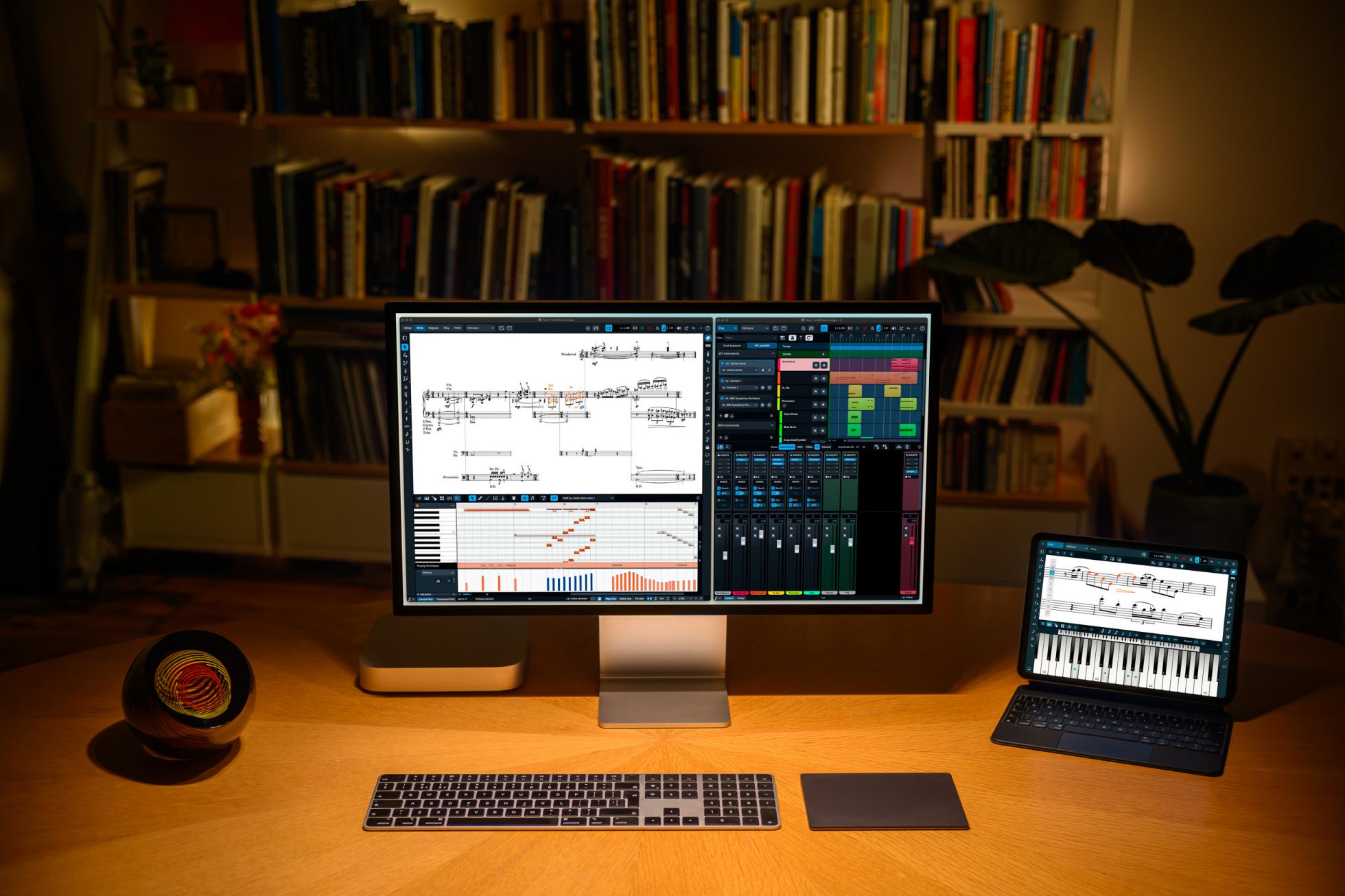
Dorico first appeared in 2016. Nine years later, in 2025, it has evolved into version 6.
Here are our selected highlights from the new features.
This guide mainly covers the Pro edition.
The New Proofreading Panel
The standout addition automatically checks full scores and parts to identify passages that could cause problems or questions during performance.
Open the Proofreading panel on the right to see the issues as a list.
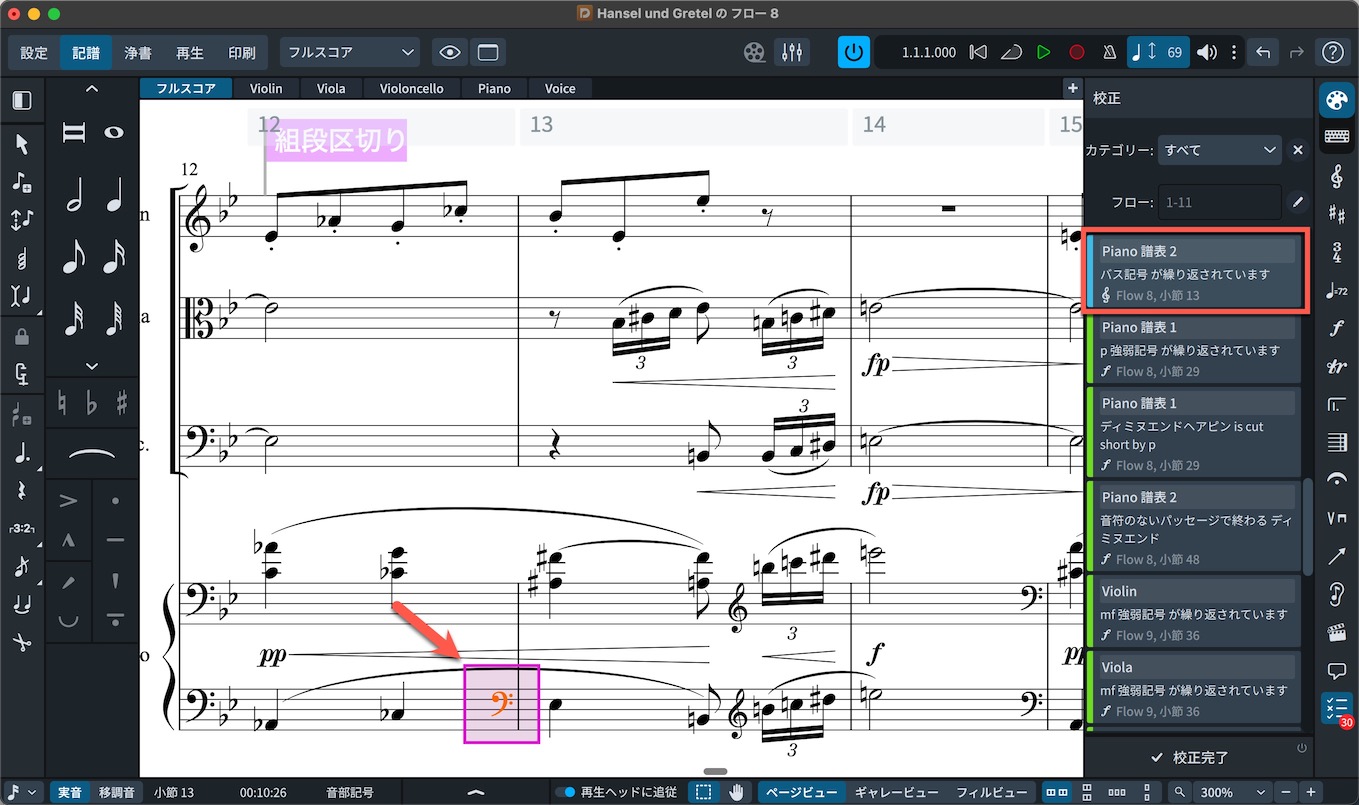
For example, this entry flags an unnecessary duplicate clef.
Clicking the entry highlights the relevant passage.
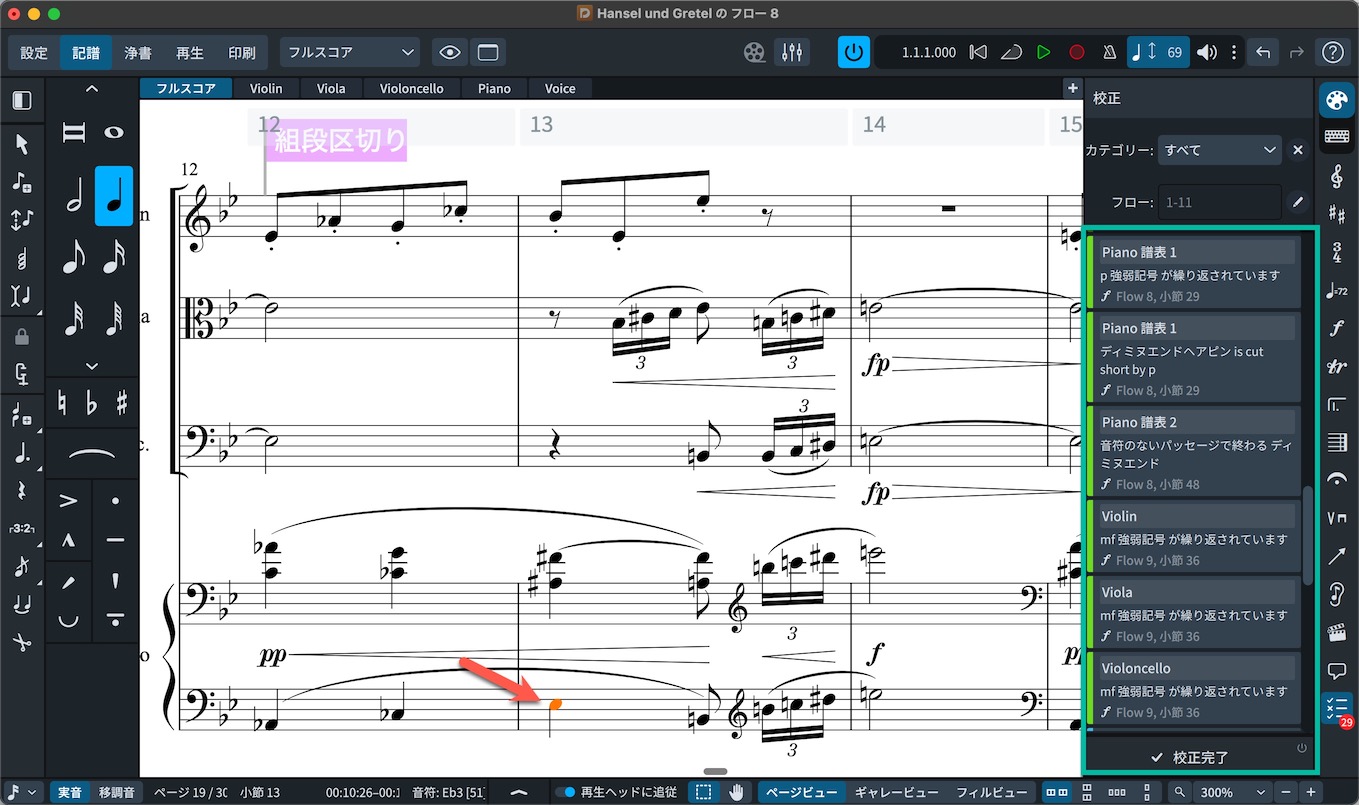
Once you fix the issue, it disappears from the proofreading list.
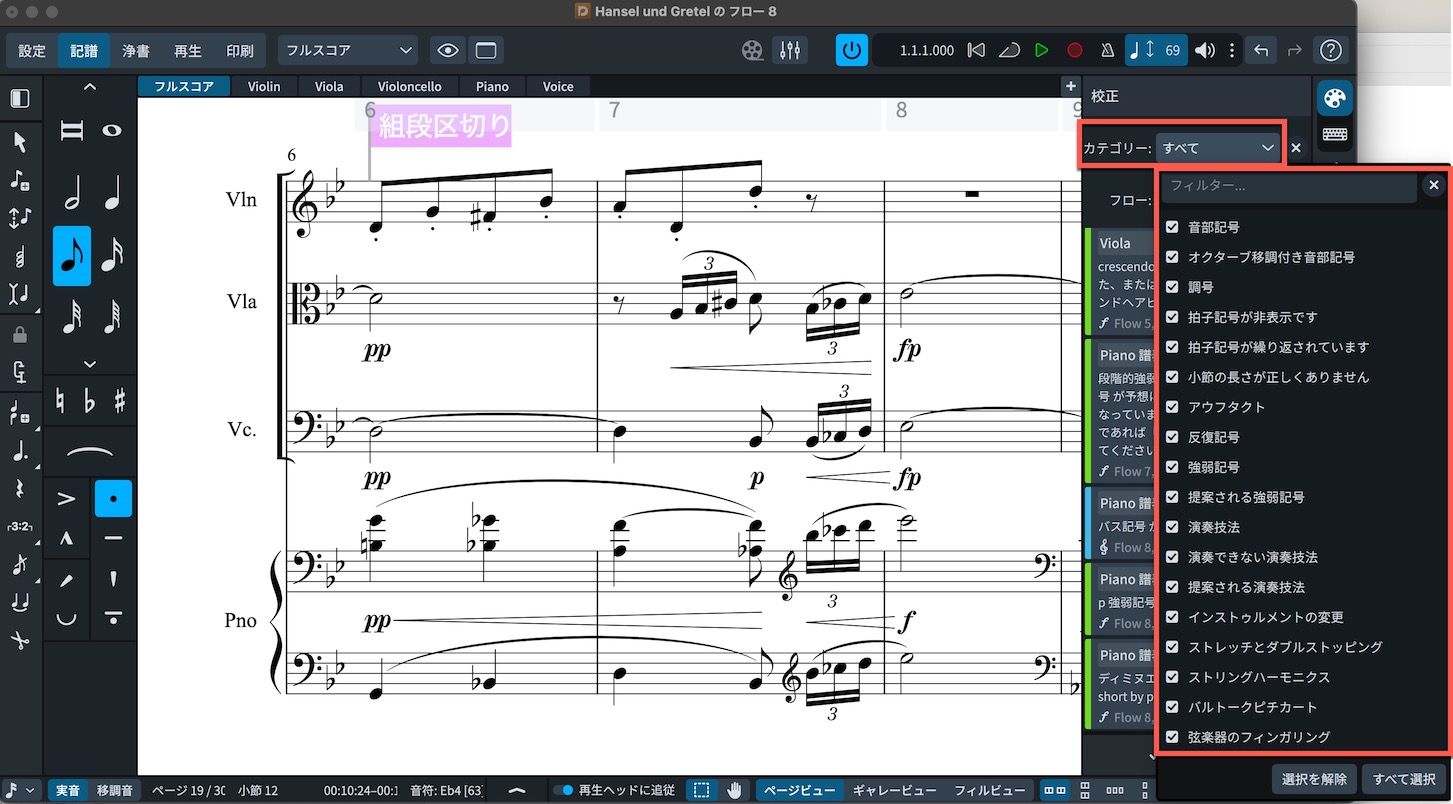
As the category selector shows, it can also flag a mismatch between beat counts and time signatures, duplicate key signatures, clefs, or playing techniques, suggested dynamics after long rests, instrument changes, and technical problems with double stops.
You can filter the list by category.
Support for Cutaway Scores
Dorico now supports cutaway notation, often used in modern and contemporary music, which hides the staff itself in bars containing rests.
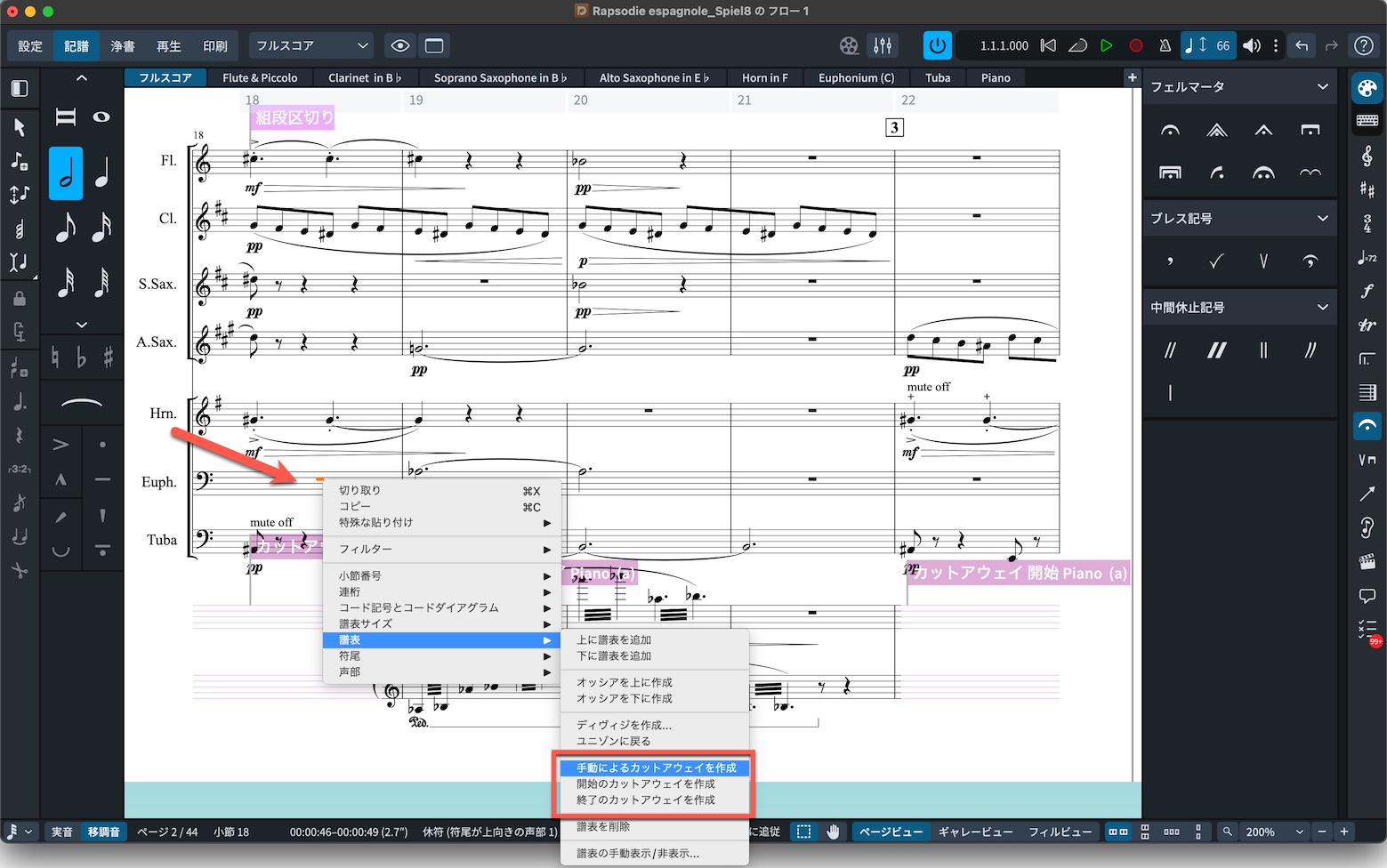
To create cutaways manually, open the context menu, go to Staff, and choose the appropriate cutaway creation option.
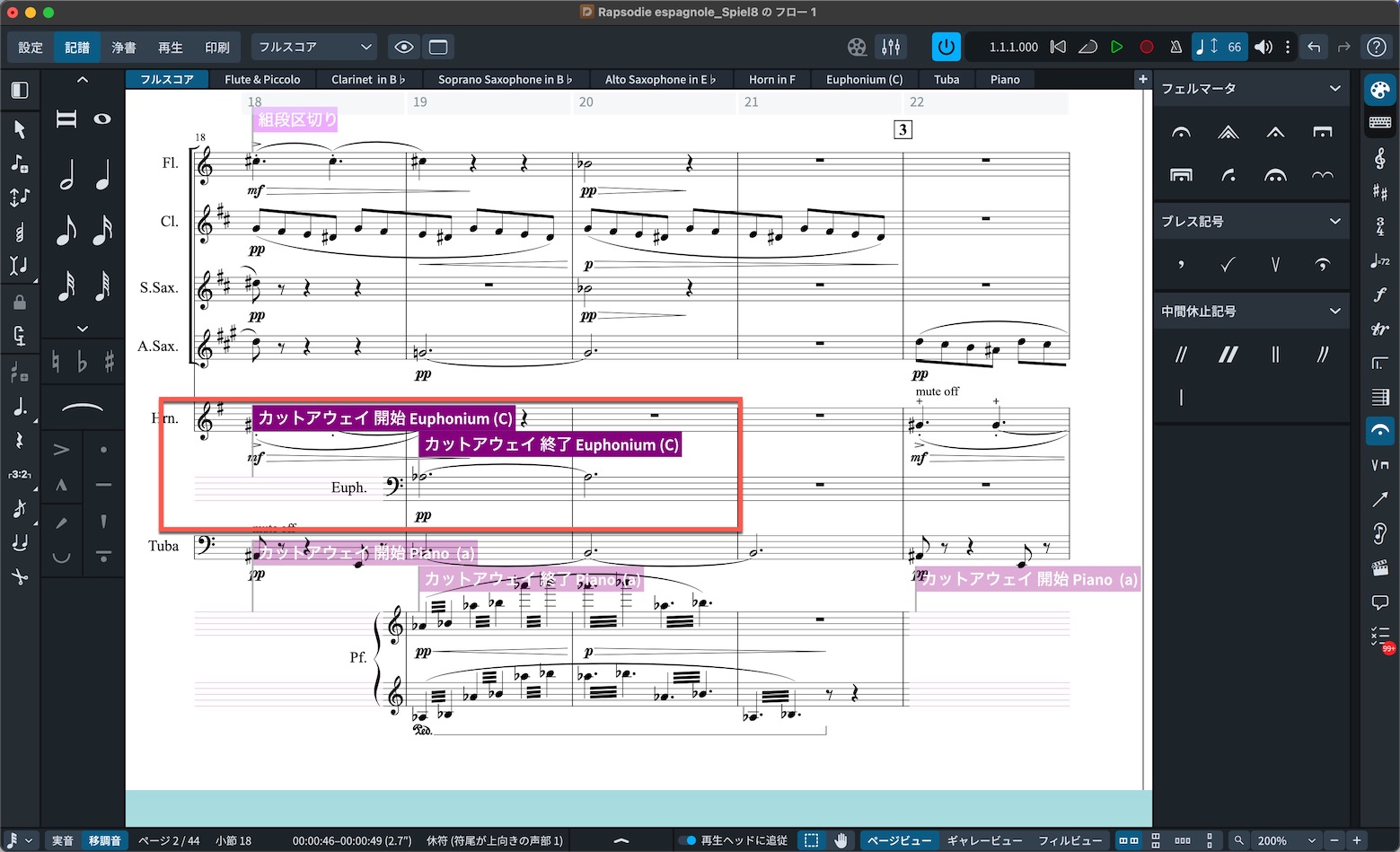
You can also create this appearance, with the necessary clef shown at the start of the system, in a single click.
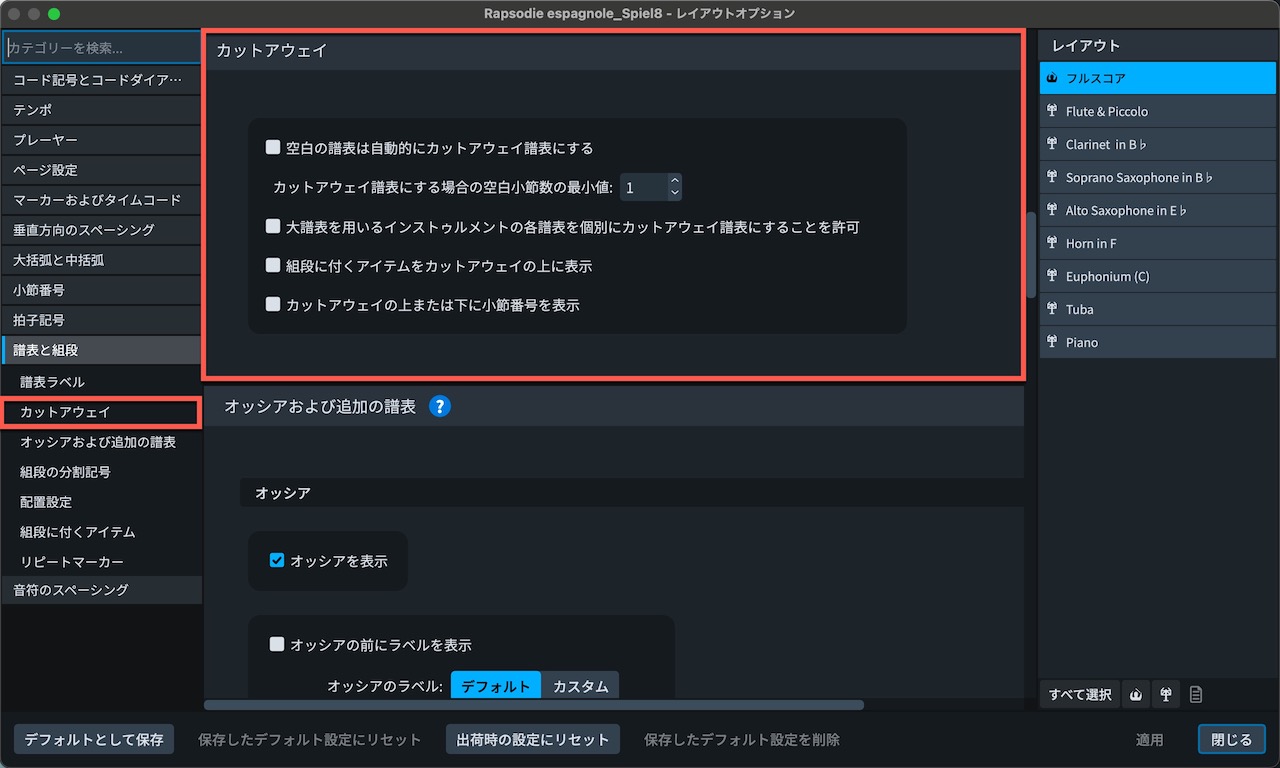
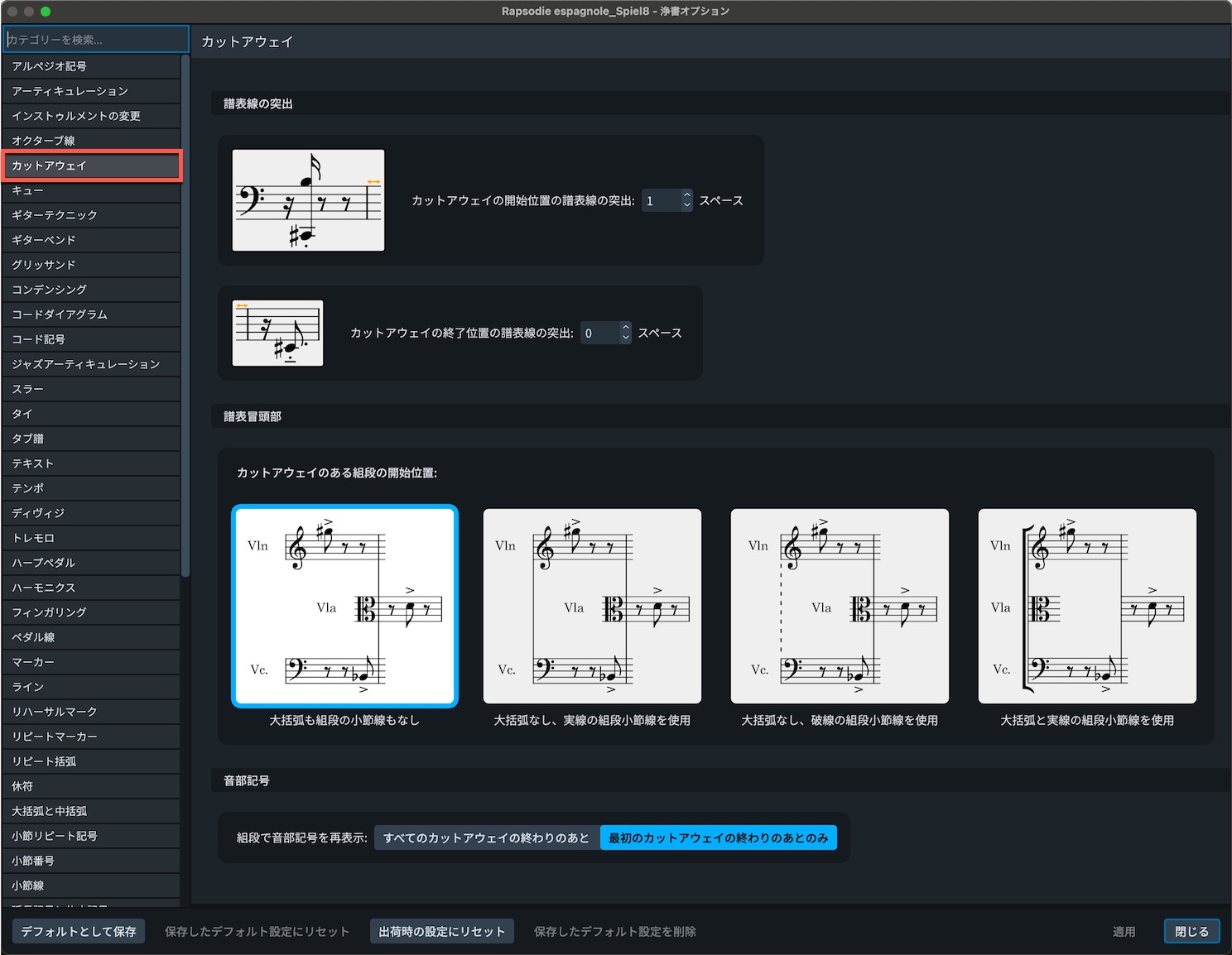
The Cutaways section under Staves and Systems in Layout Options, along with Engraving Options, lets you adjust global behavior and finer display settings.
Improved Chord Symbols
Two main improvements have been made to chord-symbol functionality.
The first is support for multiple lines of chord symbols.
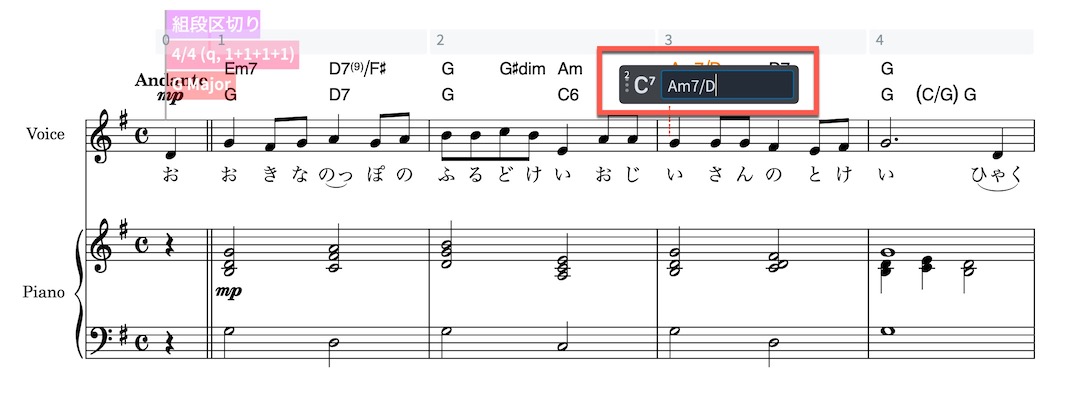
Use the Up and Down Arrow keys in the popover to select the second and subsequent lines.
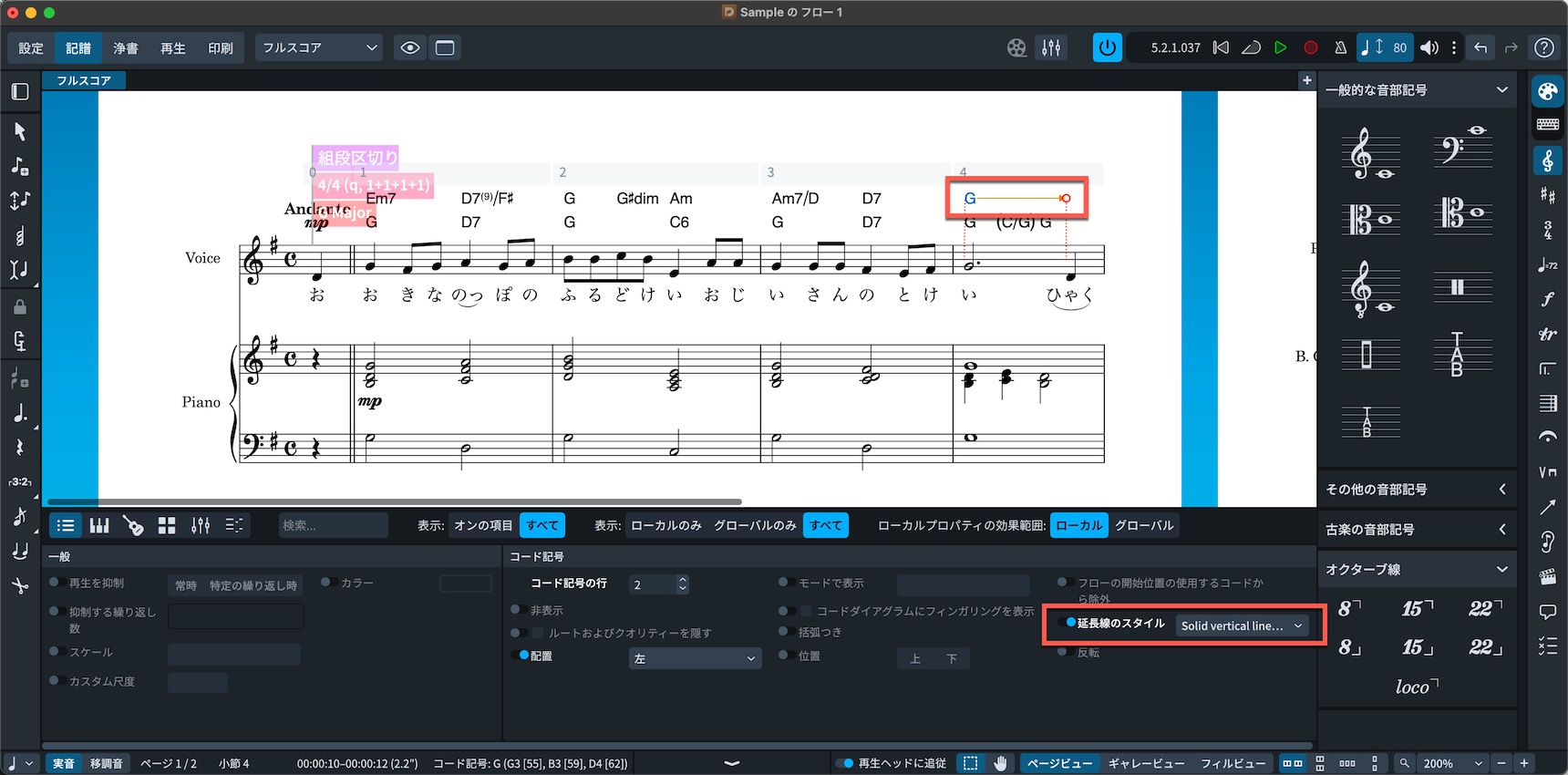
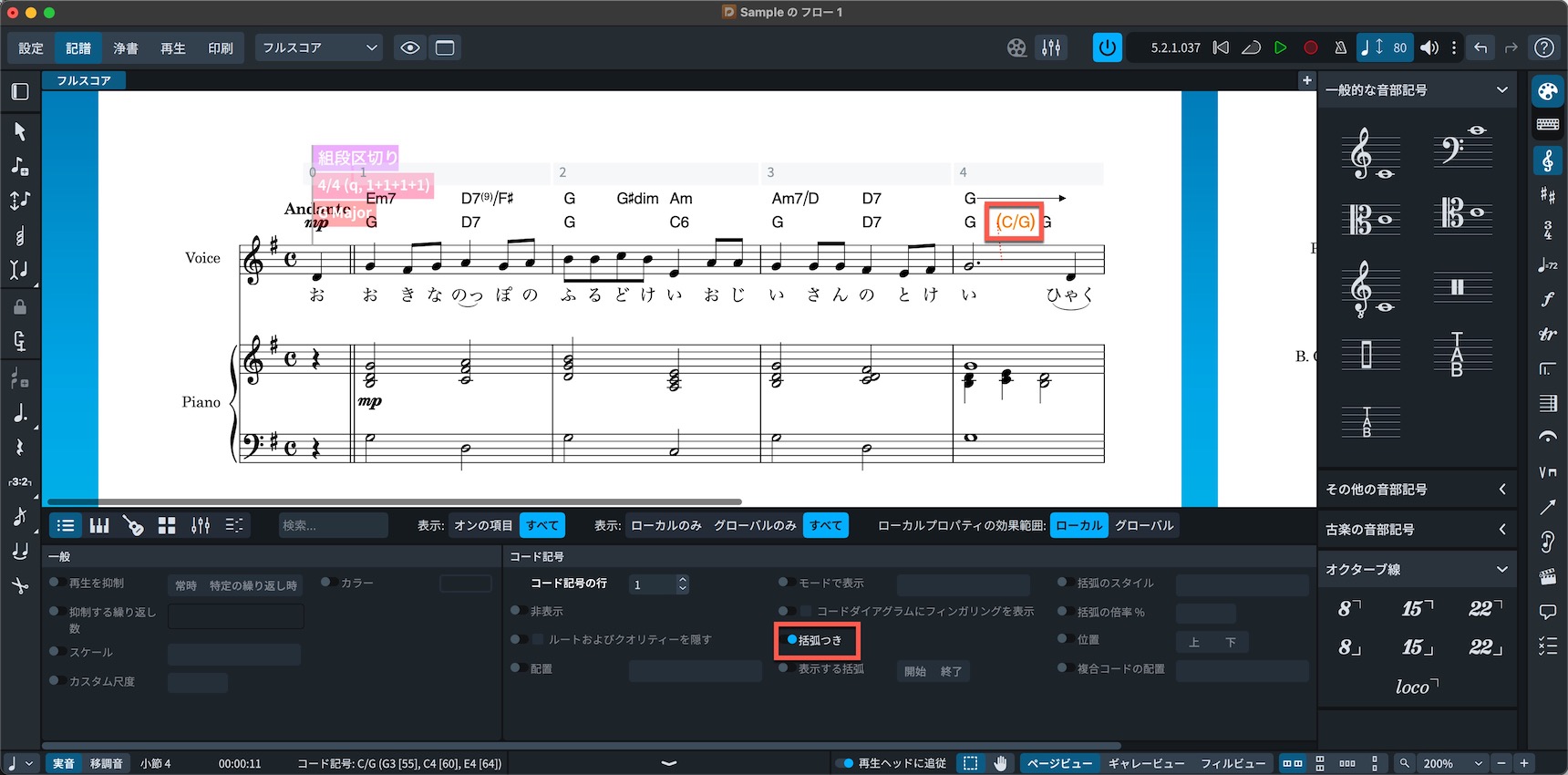
Use Shift+Alt (Option on Mac) for continuation lines. In the Properties panel below, you can change the line style or enclose the chord symbol itself in parentheses.
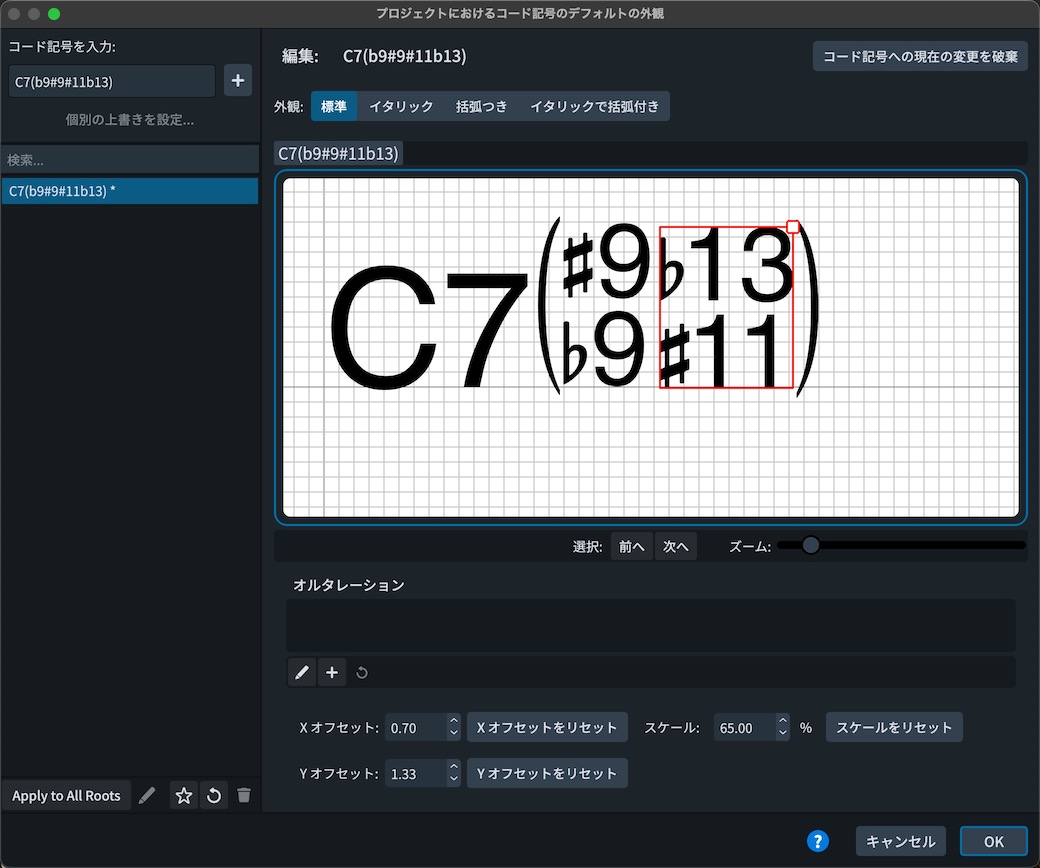
The other improvement expands custom chord-symbol creation, giving you more control over their appearance.
Cycle Playback
You can now define a passage and play it repeatedly in a loop.
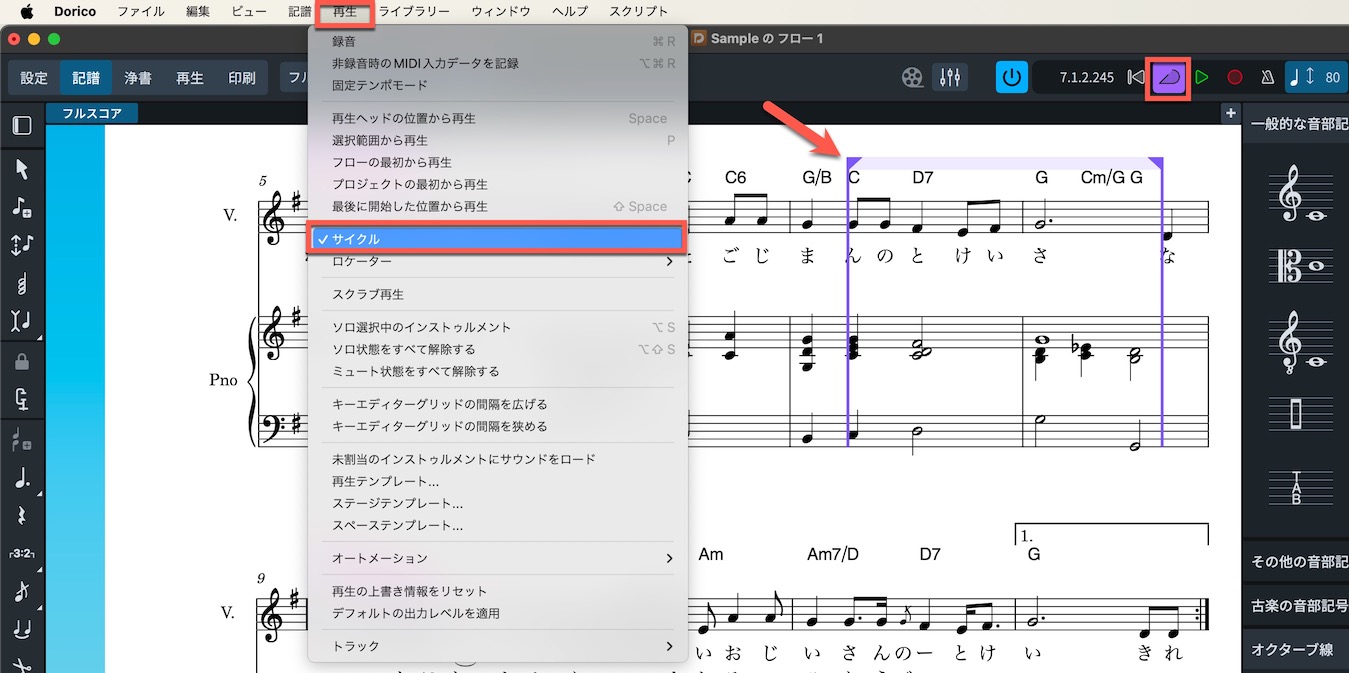
Enable it through Play > Cycle, or with the cycle button immediately to the left of the play button.
Fill View and Rulers
Fill View has been added alongside the existing Page View and Galley View.
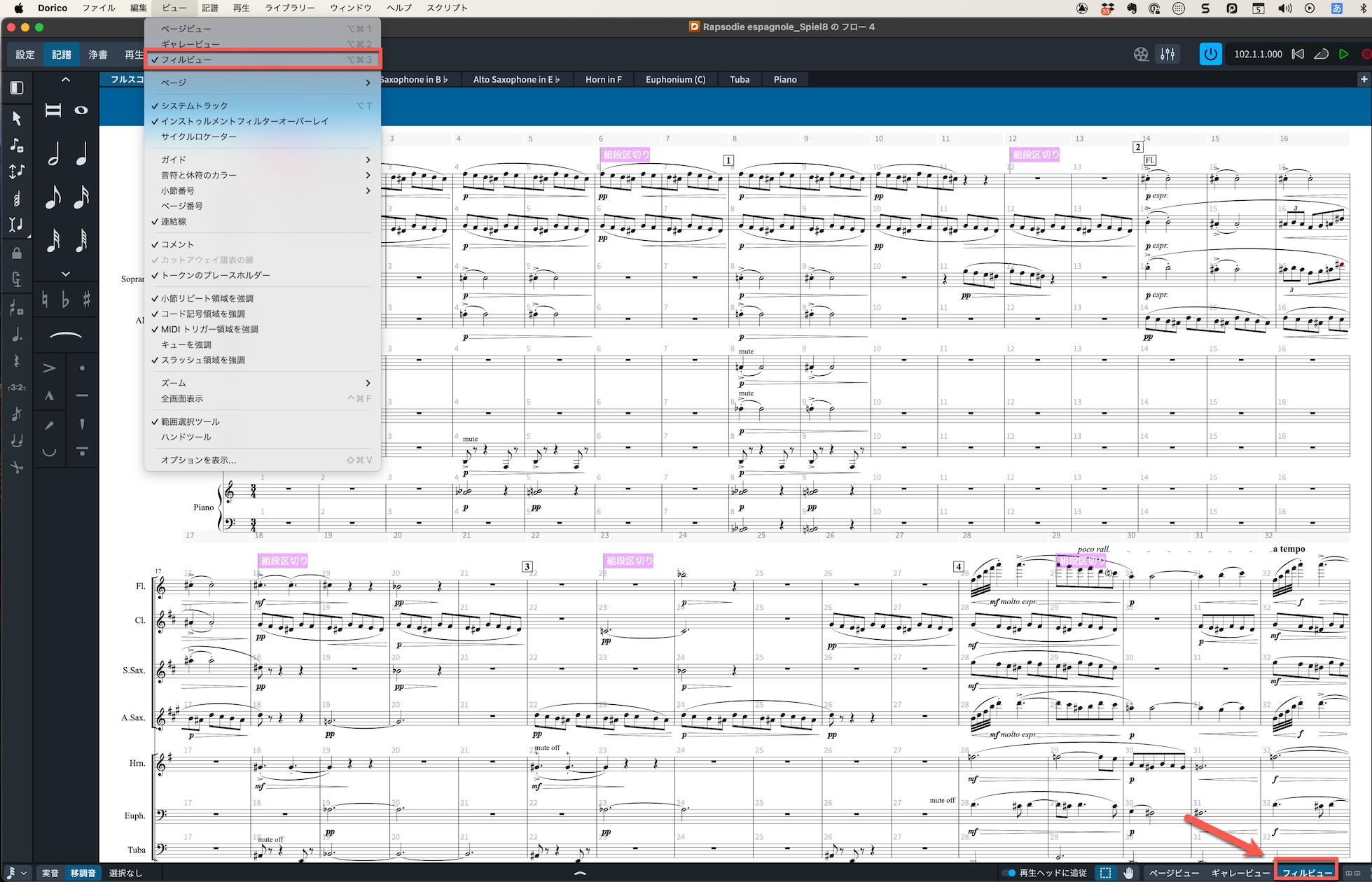
Switch to it through View > Fill View or the Fill View control at the bottom right.
It fills the available window area with notation, independently of pages or page layout.
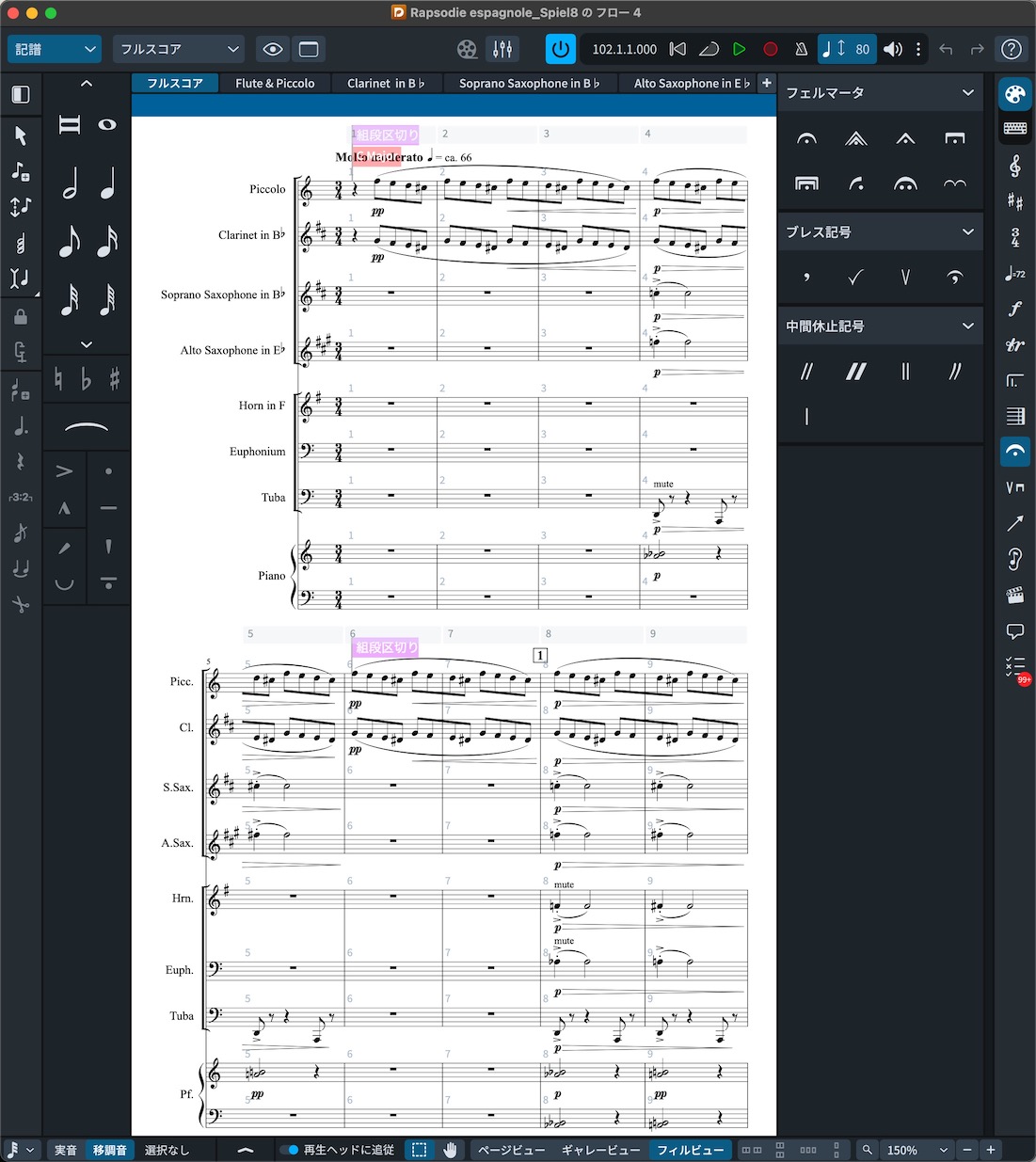
When you make the window smaller, the music reflows to fit its new size.
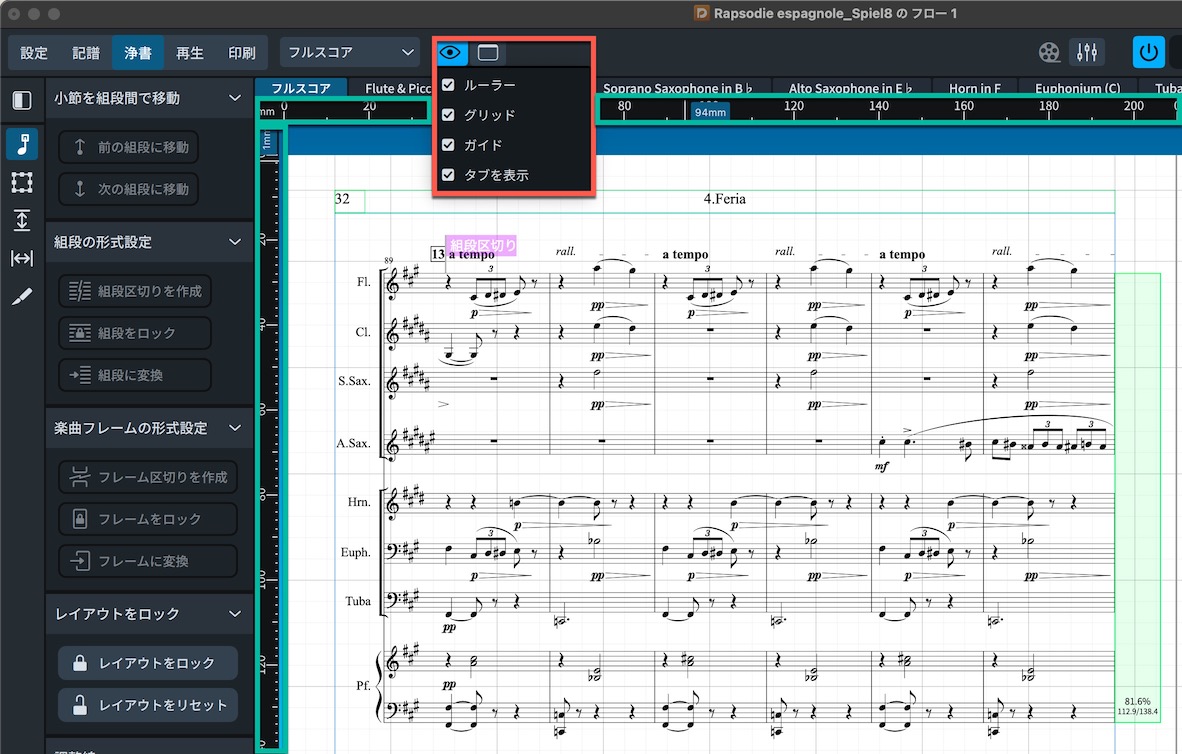
Engrave mode can now display rulers and grids, making precise positioning of notation easier.
What did you think?
These appealing additions make score creation more convenient and comfortable.
If one of these features caught your attention, consider updating!
Learn Dorico 5 in One Complete Video
Frequently Asked Questions
Q1. What is the biggest new feature in Dorico 6?
The main addition is the Proofreading panel. It automatically checks scores and parts for potential performance problems, such as duplicate clefs, mismatched beat counts and time signatures, or instrument changes. This helps improve notation quality and reduce production time.
Q2. When would I use cutaway notation?
Cutaway notation is used in modern and contemporary music to hide the staff in bars containing rests. It is easy to set up from the context menu and can help organize a score more compactly.
Q3. What has changed in Dorico 6's chord-symbol features?
There are two main improvements: multiple chord-symbol lines, selected with the Up and Down Arrow keys, and expanded custom chord-symbol creation so you can tailor their appearance to your preferences.
Q4. When is Fill View useful?
Fill View displays notation across the available window area independently of page layout. It automatically reflows when the window size changes, making work more efficient across different screen sizes.
NEW ARTICLES
Latest English Articles










































