
Native Instruments' "KOMPLETE 10," a bundle of instruments, effects, and sampler plug-ins released in October 2014, is an essential software bundle for music production. It includes many excellent products, from powerful synthesizers to recorded acoustic instruments, needed for professional music production, such as Massive, FM8, Reaktor, Kontakt 5, Guitar Rig, and Battery 4. By providing detailed explanations and setup guides for each plug-in, this article helps users master complex features and greatly improve the quality of their productions.
KOMPLETE 10 has been released
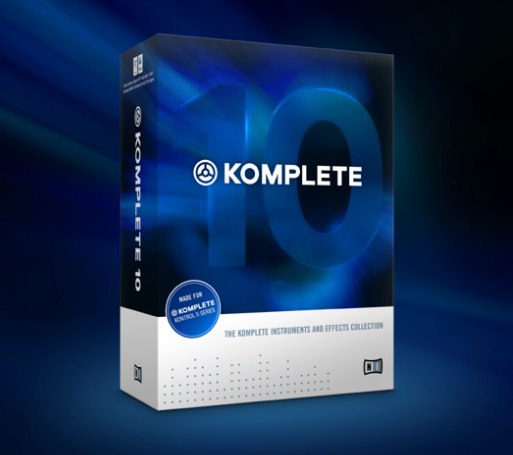
October 1, 2014.
"KOMPLETE 10" has finally been released.
"Website"
https://www.native-instruments.com/jp/products/komplete/bundles/komplete-11-ultimate/

Many new "instruments and effects" have been added.

Massive
- Article list
1. Oscillators
2. Glide and FM
3. Filters
4. Envelopes
5. Macro controls
6. STEPPER
7. Adding presets
Recommended! Synthesizer recipes using Massive
Excerpts of questions and answers from the YouTube video

Does MASSIVE have an "undo" function? Is there a shortcut for going back one or two steps when I accidentally click another sound while designing a sound? Something like Ctrl+Z in CUBASE.

Unfortunately, no such function was available. We recommend saving the sound as a preset once it sounds good.
Hello. Doesn't Massive have an undo/redo function?
Yes, unfortunately Massive doesn't have Undo/Redo. Massive X is due out next year, so we're hoping for this too.
Can it be used in Logic Pro X too?
Yes. If you purchase and install Native Instruments' Massive, Logic will recognize it and you can use it.
Is there a synth included with Cubase that can achieve effects similar to Massive?
Among the synths included with Cubase, Retrologue is relatively close in sound and features. We use it in our synth basics series, so please take a look: https://sleepfreaks-dtm.com/category/synth-basic/
I'm a junior high school student and I'm really into EDM, and I've wanted to make it for a while. Do you think someone this young can do it? If it's okay, I'll buy a MacBook or something, but please tell me what else I should buy. I'll use your advice as a reference.
Of course you can do it if you love it! It helps to have a DAW such as Cubase and soft synths such as MASSIVE, introduced in this video. With those, you can create the same sounds while watching the videos. Good luck!
Can I do this with just the Massive software and a computer?
Thank you very much for your comment. In addition to Massive and a computer, you need DAW software. This video uses Cubase, and the Massive sounds are recorded in the DAW software (Cubase). There are various DAWs, such as Logic, Pro Tools, and Studio One, but some don't support Mac or Windows depending on your computer. We also explain this in detail at the URL below, so please make use of it. https://sleepfreaks-dtm.com/start_dtm/

FM8
- Article list
1. The concept of oscillators
2. Pitch and Master tabs
3. Filter / noise oscillator and envelope concepts
4. Effects and arpeggiator
5. Modulation and MIDI control

Reaktor
- Article list
Reaktor: Downloading and Managing Free Instruments
Reaktor: The Finger: Setup for Each DAW
Reaktor: The Finger: Parameter Control 1
Reaktor: The Finger: Parameter Control 2
Reaktor MONARK 1: Oscillators & Mixer
Reaktor MONARK 2: Filter / Amp / Glide
Reaktor Polyplex 1: Basic Concepts and Global Editing
Polyplex 1: Basic Concepts and Global Editing New!!
Polyplex 2: Controlling Each Kit New!!
Polyplex 3: Layering Kits New!!

Battery 4
- Article list
1. Managing the sound library / saving kits
2. Editing cells
3. Multi-output
4. Various cell techniques

Kontakt 5
- Article list
1. About Kontakt
2. Kontakt: loading presets
3. Kontakt: MIDI assignment
4. Kontakt: multi-output
5. Kontakt: main windows
6. Loading and adjusting samples
7. Effects
8. Modulation
9. In practice! Making a jingle

Guitar Rig
- Article list
1. Guitar Rig: preamps & cabinets
2. Guitar Rig: applying effects / saving presets
3. Guitar Rig: pitch and special effects
4. Guitar Rig: automation control

Polyplex
- Article list
Polyplex 1: Basic Concepts and Global Editing
Polyplex 2: Controlling Each Kit
Polyplex 3: Layering Kits

Rounds
- Article list

Session Horns
- Article list
Session Horns 1: Basic Features and Sound Design
Session Horns 2: Programming Techniques
Session Horns Pro 1: Added Features and Concepts (Ultimate only)
Frequently asked questions
Q1. What instruments and effects are included in KOMPLETE 10?
It includes a wide variety of plug-ins: the synthesizers Massive and FM8, the sampler Kontakt 5, the drum machine Battery 4, the guitar amp simulator Guitar Rig, and others such as Reaktor, Polyplex, and Session Horns.
Q2. Where should beginners start to master KOMPLETE 10?
The articles explain each plug-in step by step, from basic concepts to practical techniques. We recommend starting with the basic tutorials for Massive and Kontakt 5.
Q3. Which DAWs can KOMPLETE 10 be used with?
It can be used with major DAWs (Logic Pro, Cubase, Ableton Live, Studio One, and others). The articles also explain how to set it up in each DAW.
NEW ARTICLES
Latest English Articles











