Cubase 16: New Features and Edition Differences
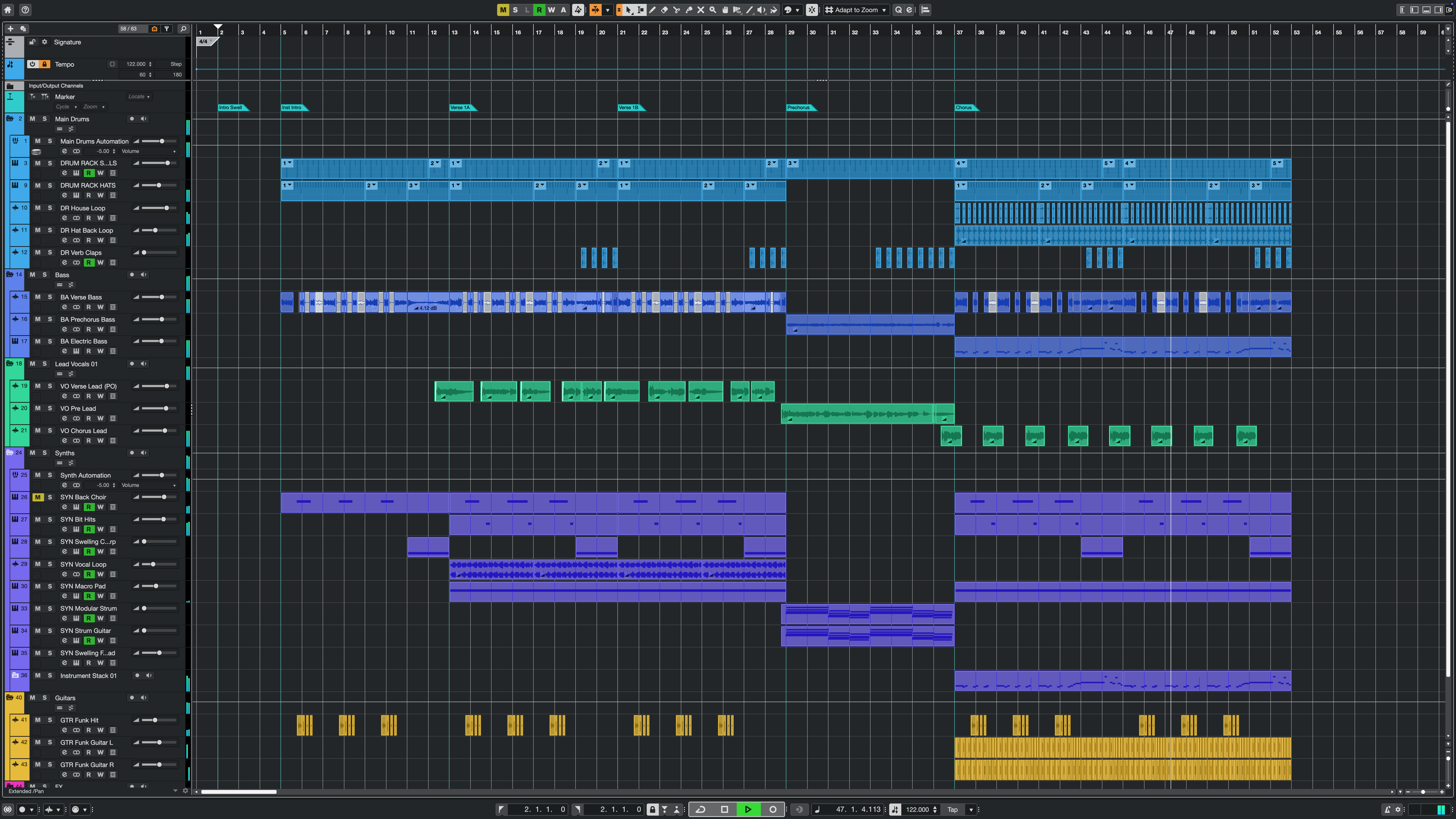
Cubase 16, the latest version of Steinberg’s music production software, adds Instrument Stacks for combining multiple instruments, new plugins for quickly processing vocals and drums, and new MIDI editing features.
There are improvements at every stage of production, from the first idea to the final mix.
Four highlights of Cubase 16 are:
- Instrument Stacks: combine and layer multiple instruments in a single folder
- Stem separation: piano and guitar have been added, for six stem types
- Key Editor: strum chords, stretch phrases, and enter lyrics
- VocalTouch and DrumChain: new plugins for quickly processing vocals and drums
Video
A unified Settings window (Pro / Artist / Elements)
One change existing users should know about is the unified Settings window.
Device settings for audio interfaces and other hardware, keyboard shortcuts, and preferences, previously in separate windows, are now combined in a single Settings window.
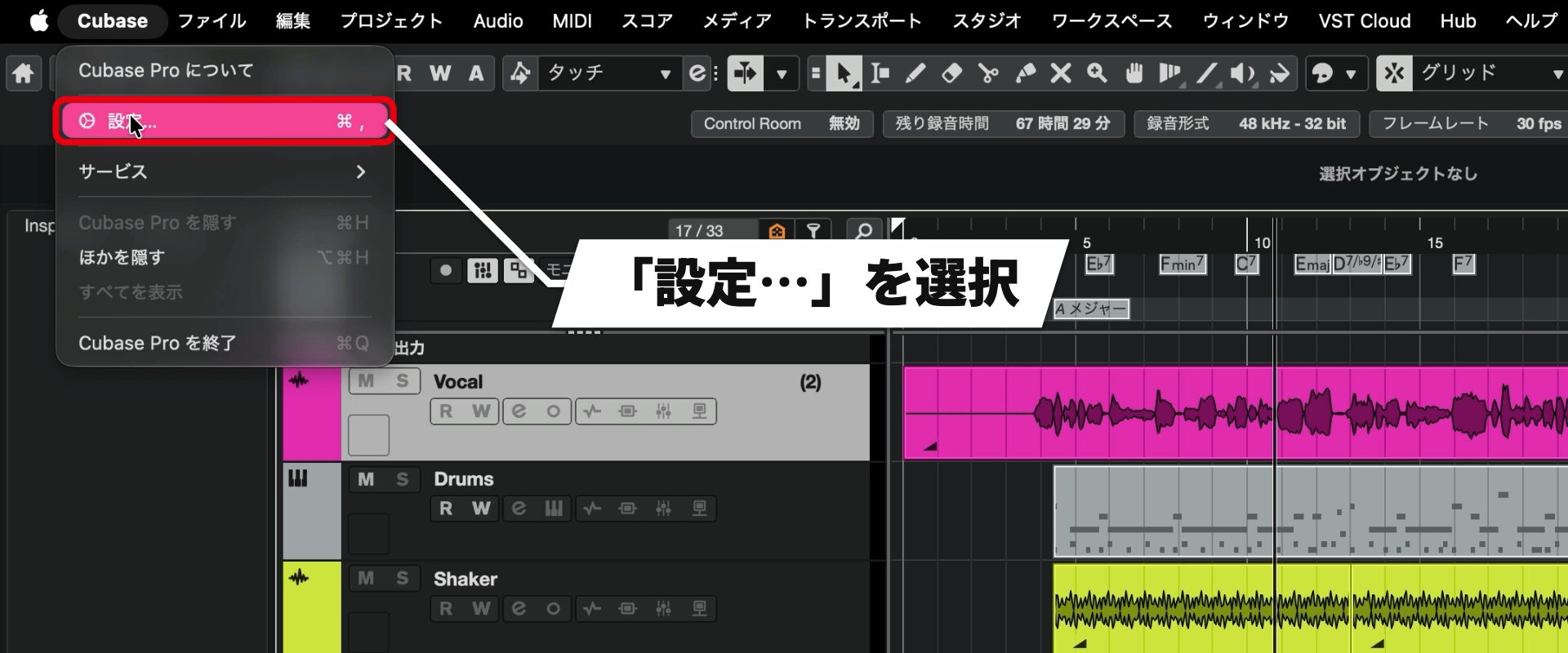
Pay particular attention to the frequently used audio device settings.
They are no longer opened from the Studio menu; instead, use the Settings window.
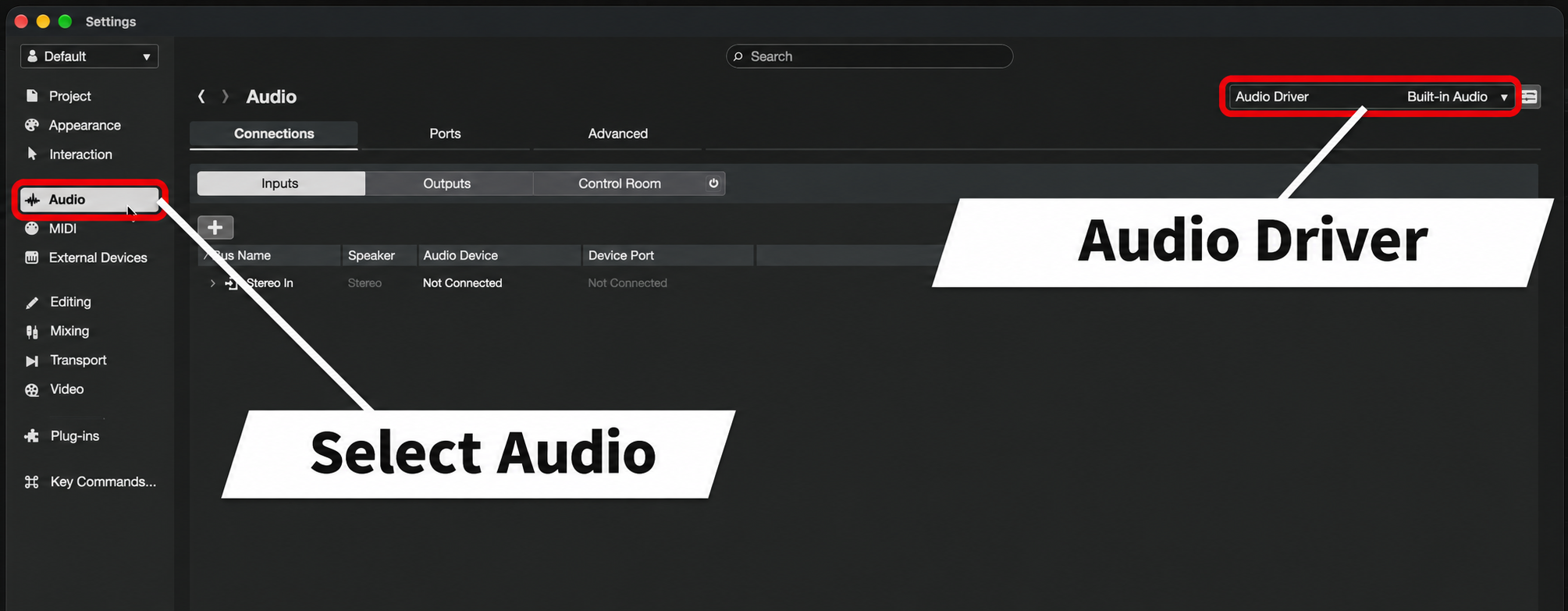
Project settings, MIDI, and plugin management can also be accessed from the list on the left.
You can also use the search field at the top to find a setting.
Six-part stem separation (Pro only)
Stem separation, which divides a song into individual parts, has improved in accuracy.
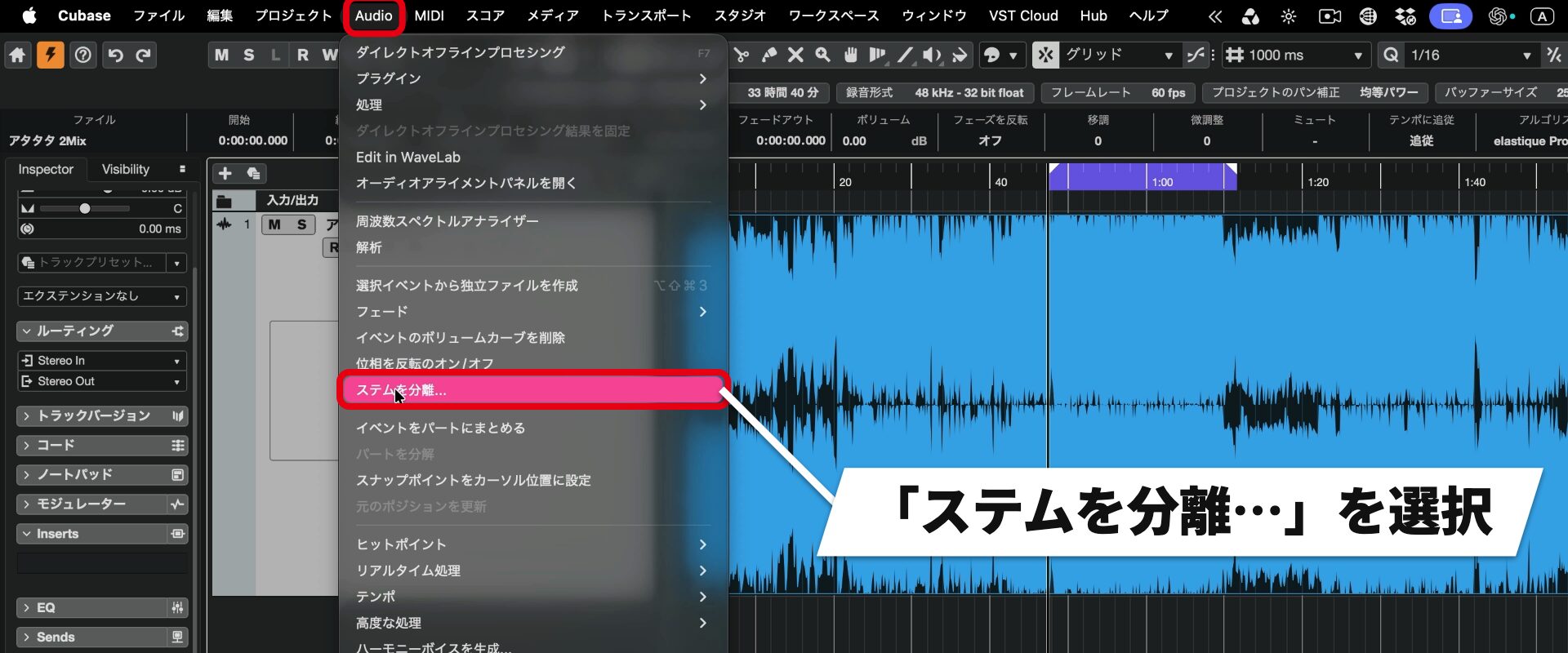
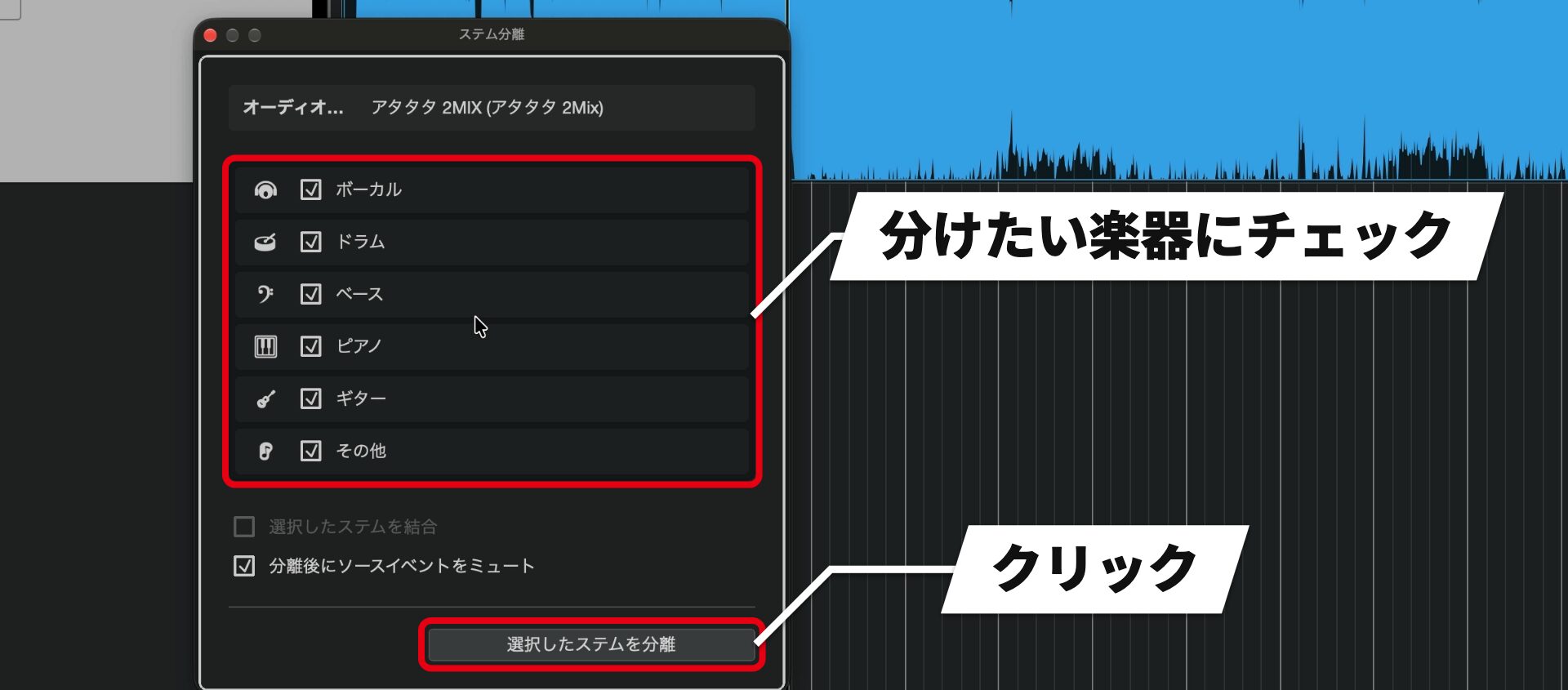
Previously there were four categories—vocals, drums, bass, and other—but piano and guitar have been added, making six in total.
Separation takes longer than before, but the audio quality of the separated stems has improved.
For reference, separating a song of about 2 minutes 50 seconds took about 10 seconds in Cubase 15 and about 2 minutes 20 seconds in Cubase 16. Processing time varies with the computer.
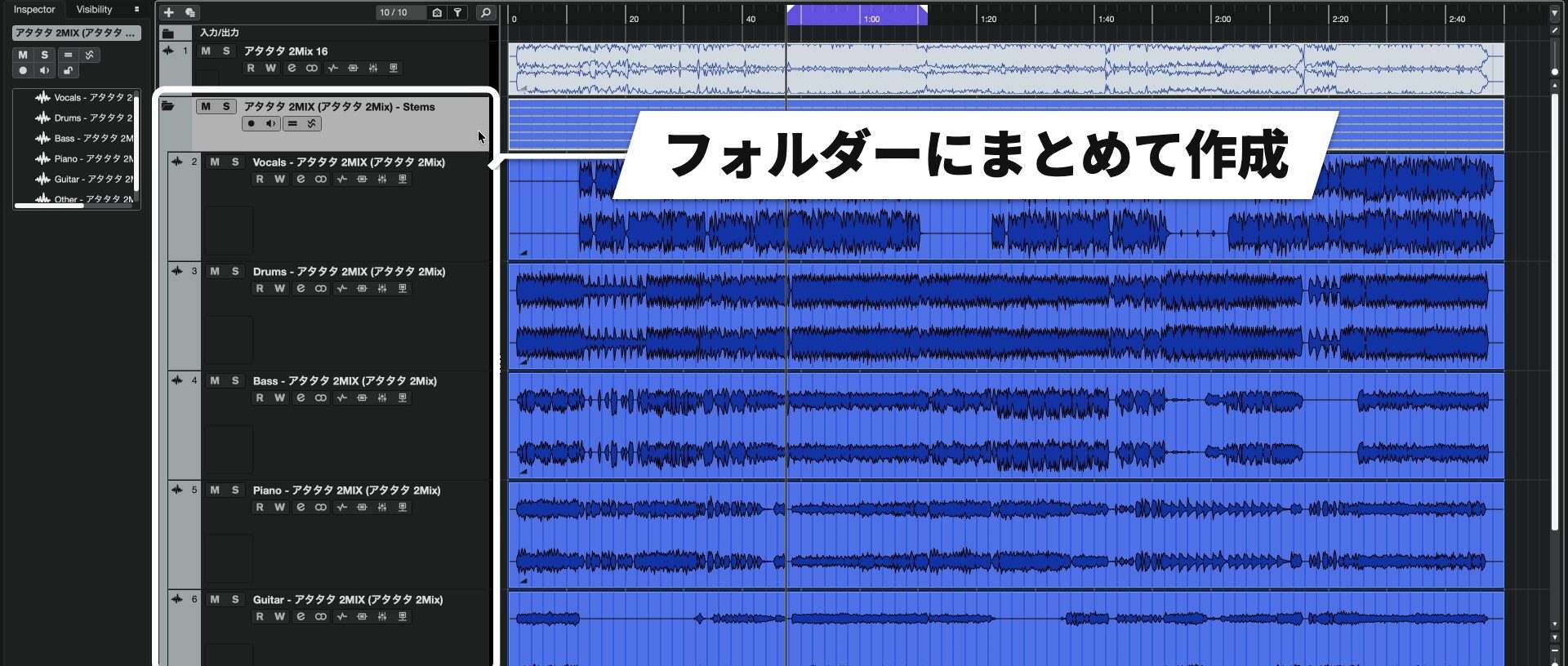
In our tests, rhythmic transients remained clear even in dense arrangements, and piano and guitar were separated to a usable level.
Layer instruments with Instrument Stacks (Pro / Artist)
Instrument Stacks makes it convenient to layer instruments.
It is useful when combining different sounds, for example to add weight or sparkle to a bass.
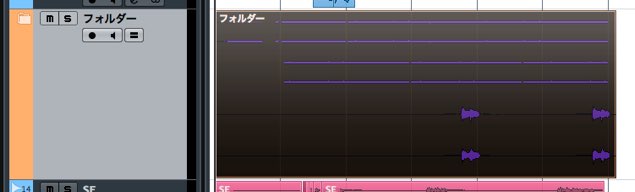
In addition to VST instruments, Sampler Tracks and Drum Tracks can be grouped.
Create new instruments to layer
You can specify the instruments to layer together in the Add Track window.
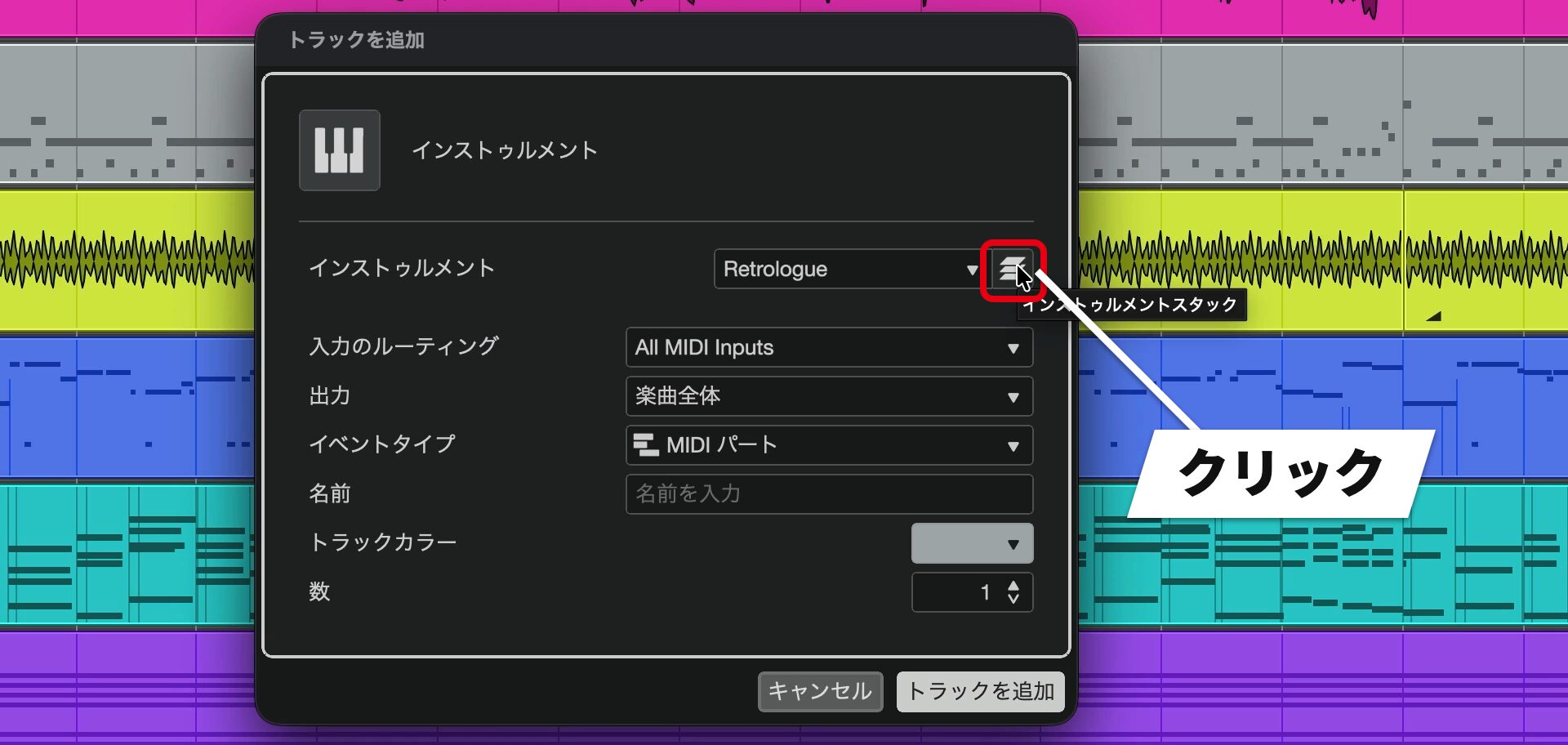
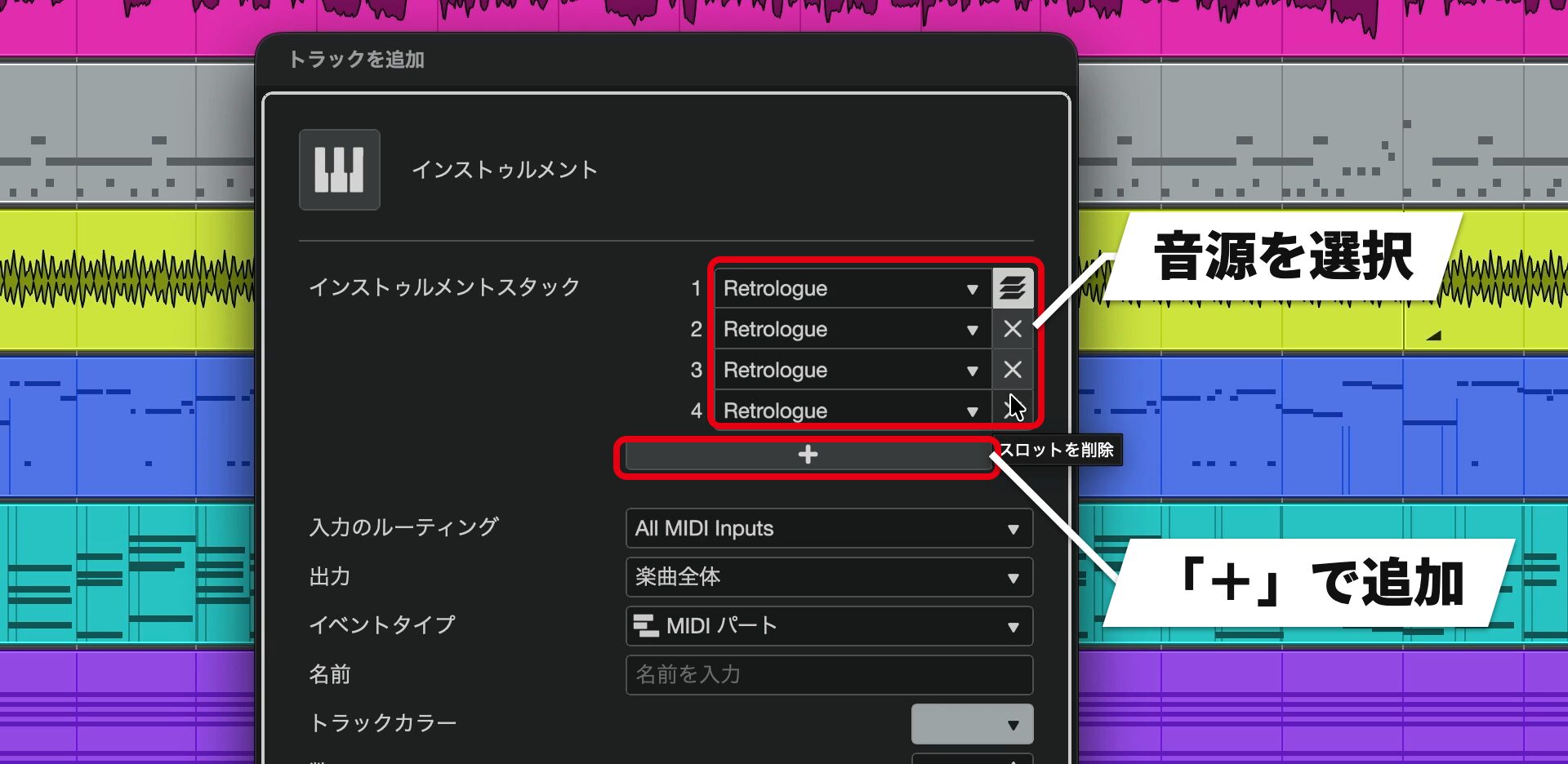
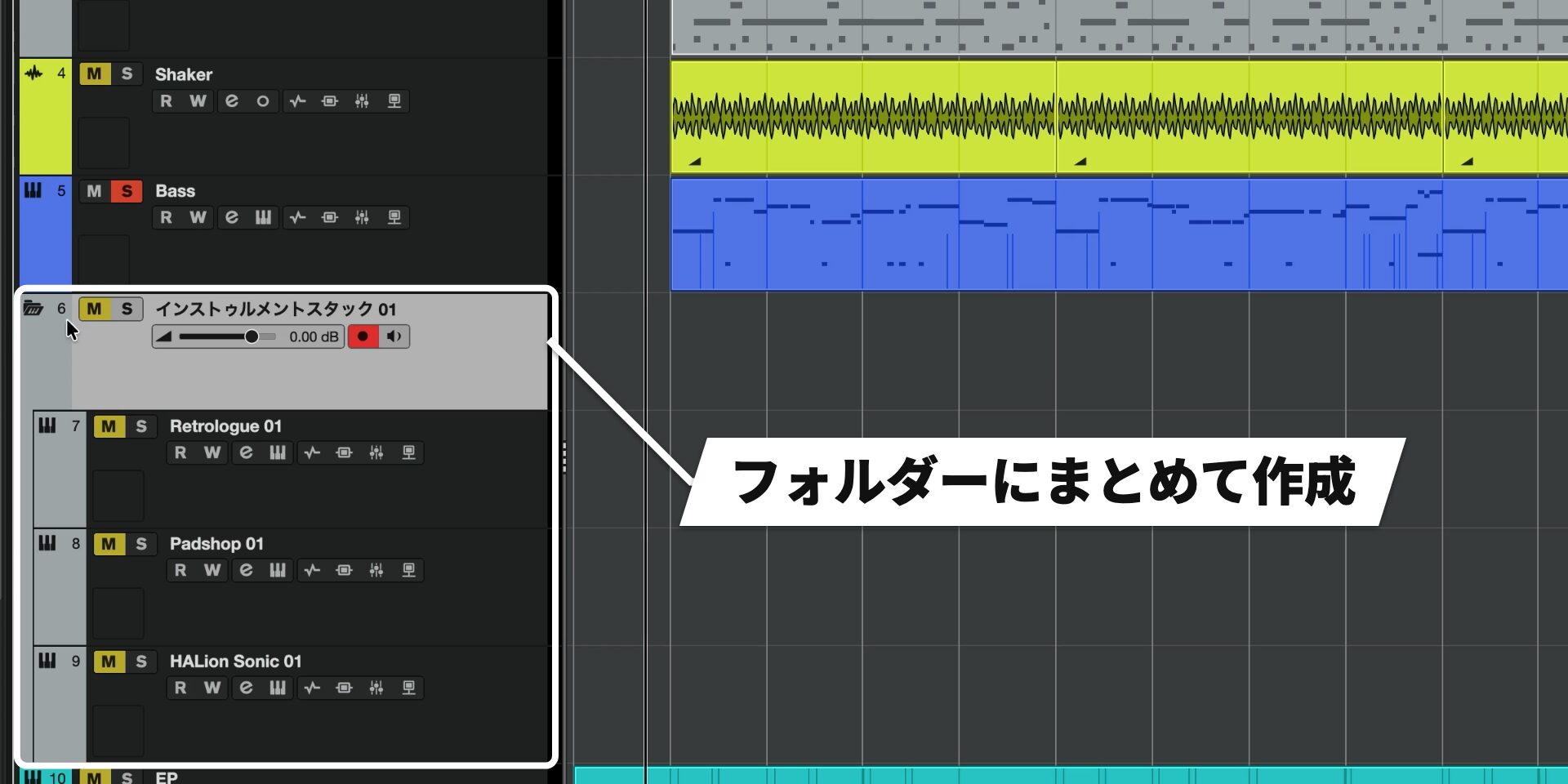
Then enter MIDI on the folder timeline.
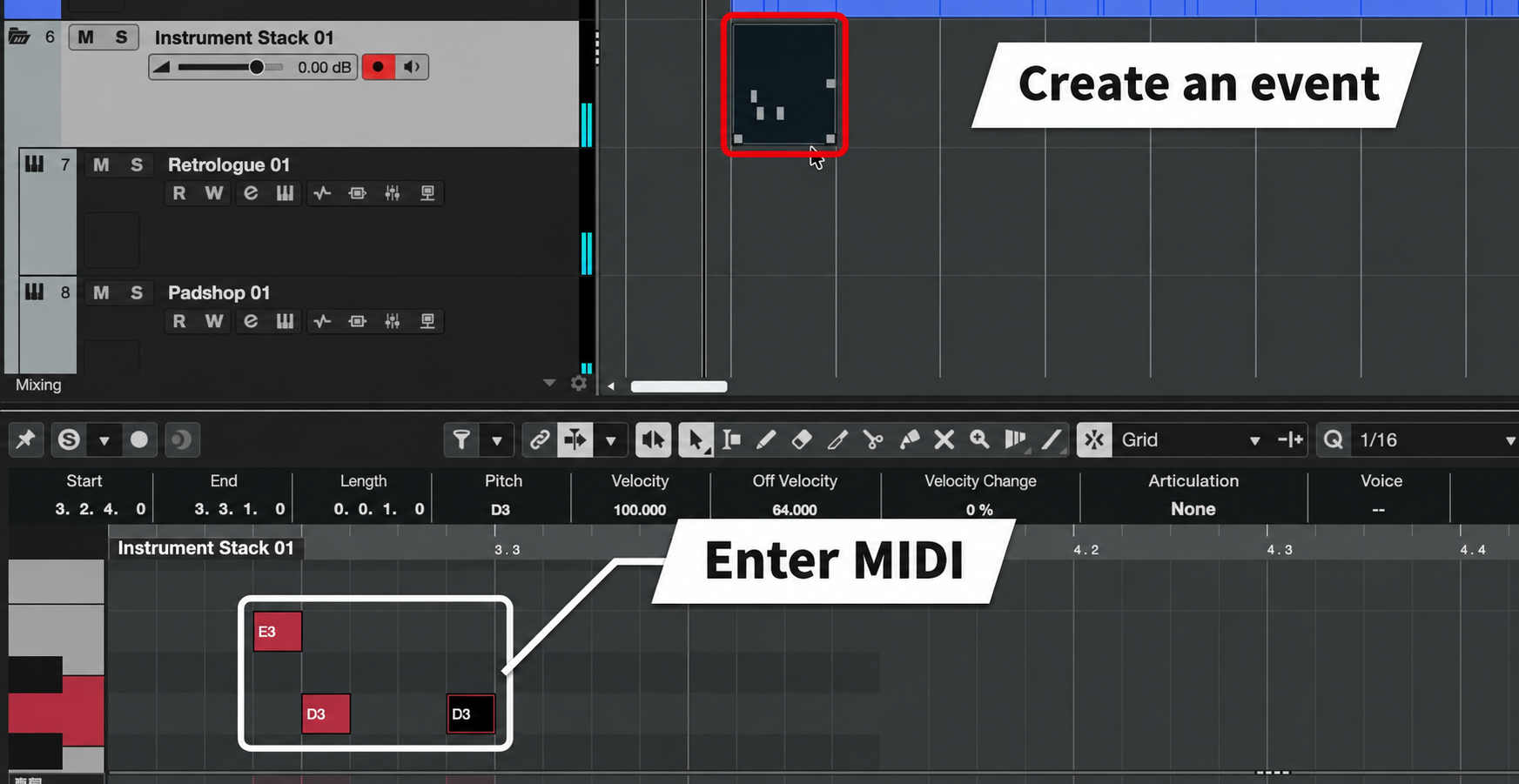
MIDI entered in the folder plays all of the instruments inside together.
Layer onto existing tracks
You can use the same window when you want to layer a sound onto an existing track during production.
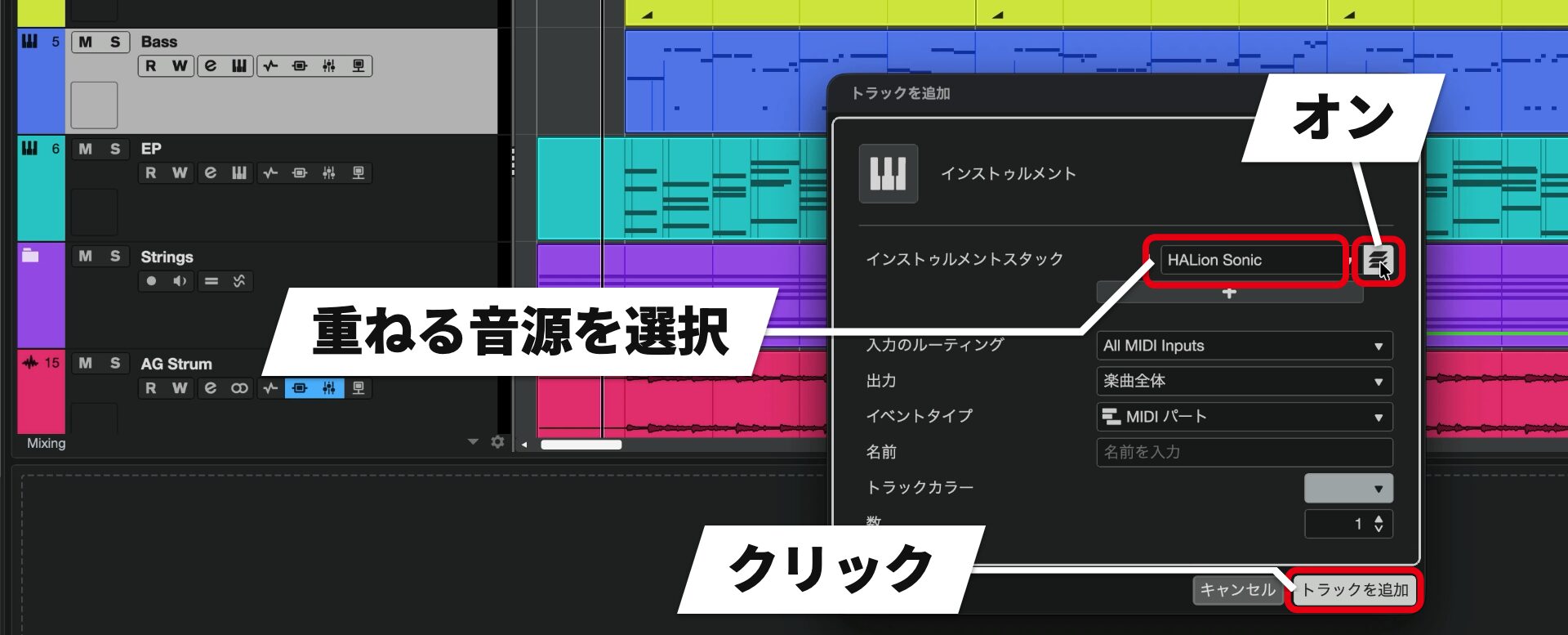
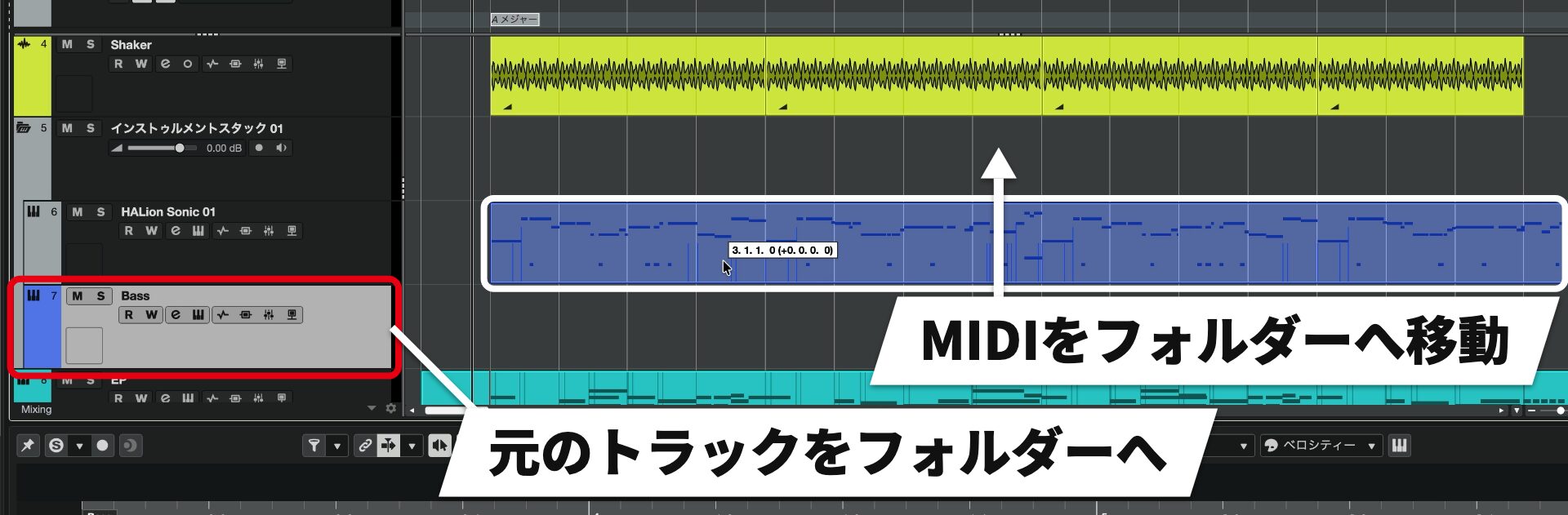
The original track and the new instrument now play the same MIDI.
Module: a new FM library
The new Module FM synth library added to HALion Sonic can also be used for layering.
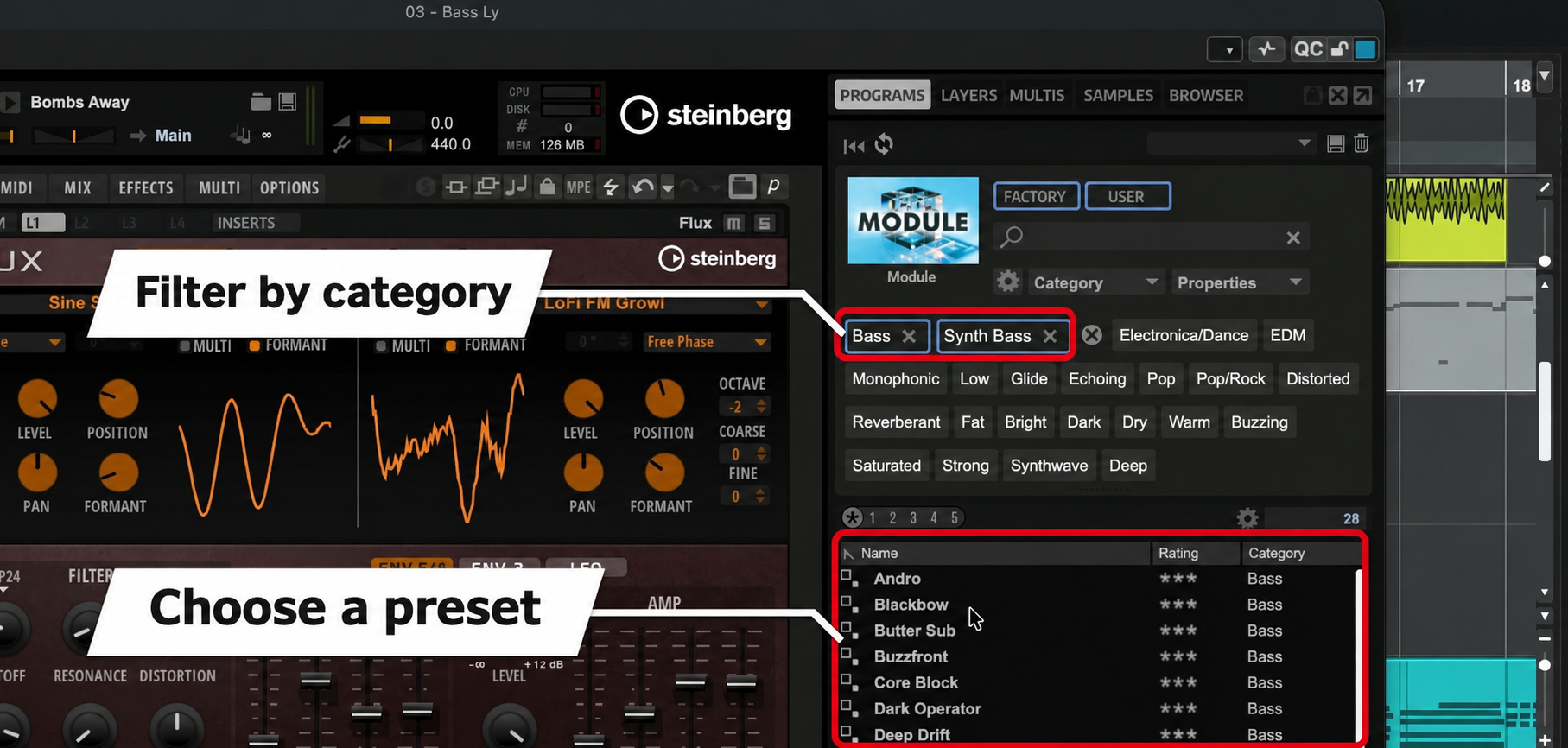
It includes more than 200 presets, making it easy to find a sound you like by browsing them.
In our tests, the selection sounded better than we had expected.
Adjust volume and effects
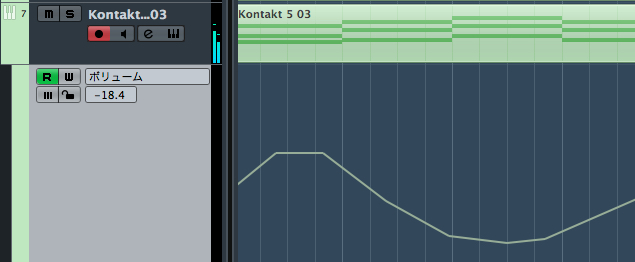
Adjust the volume of each layered instrument individually to shape the sound.
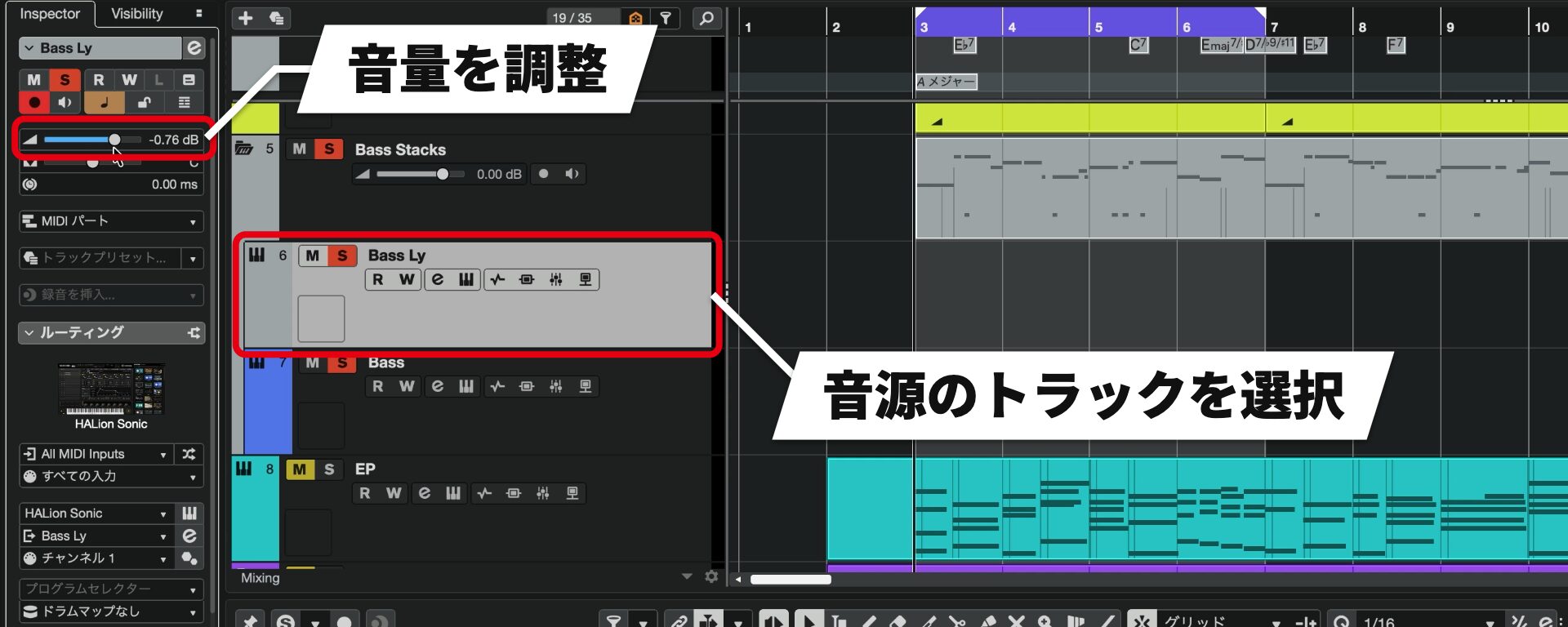
Adjust the overall level on the folder.
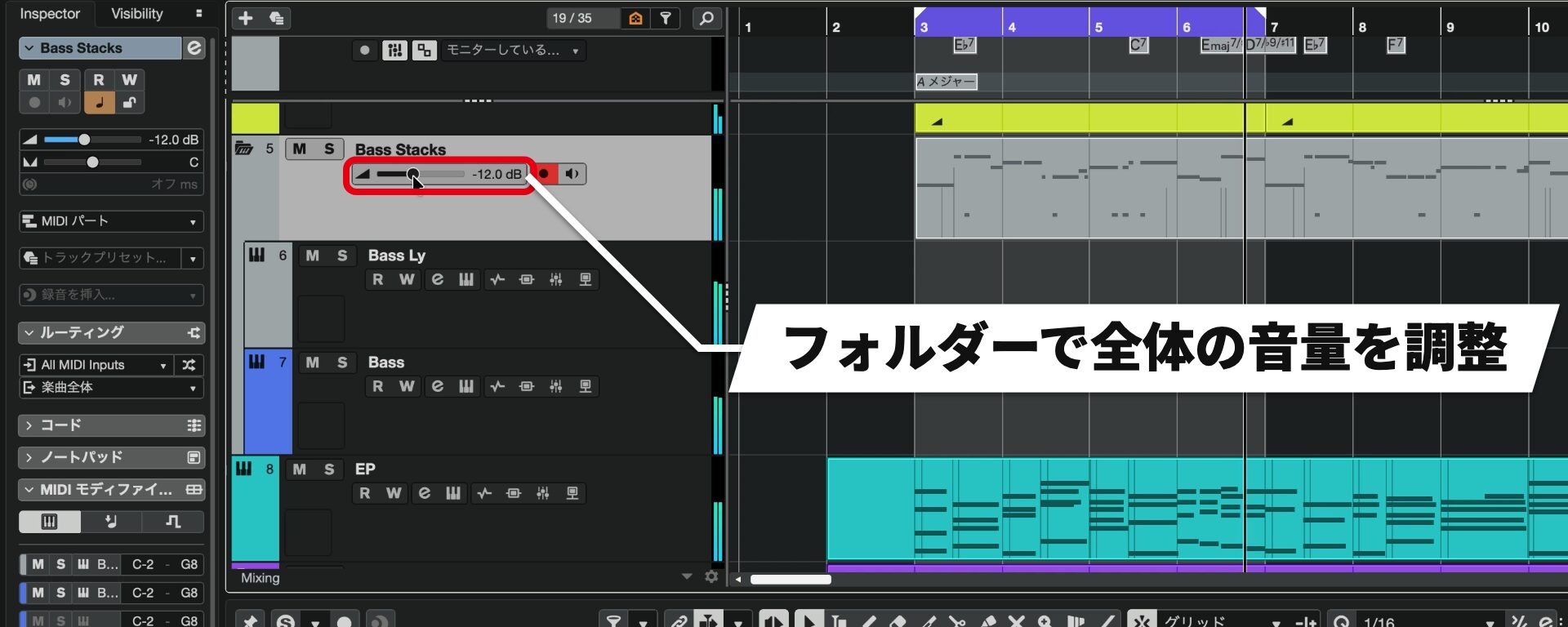
This lets you raise or lower the overall level while maintaining the balance between the instruments.
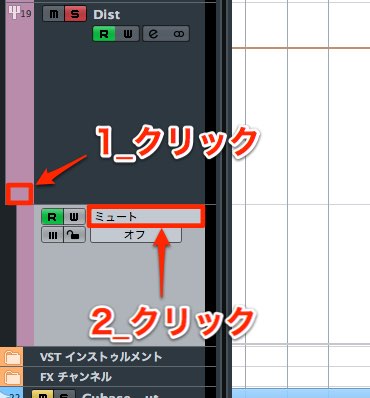
To apply an effect to the whole stack, insert it on the folder.
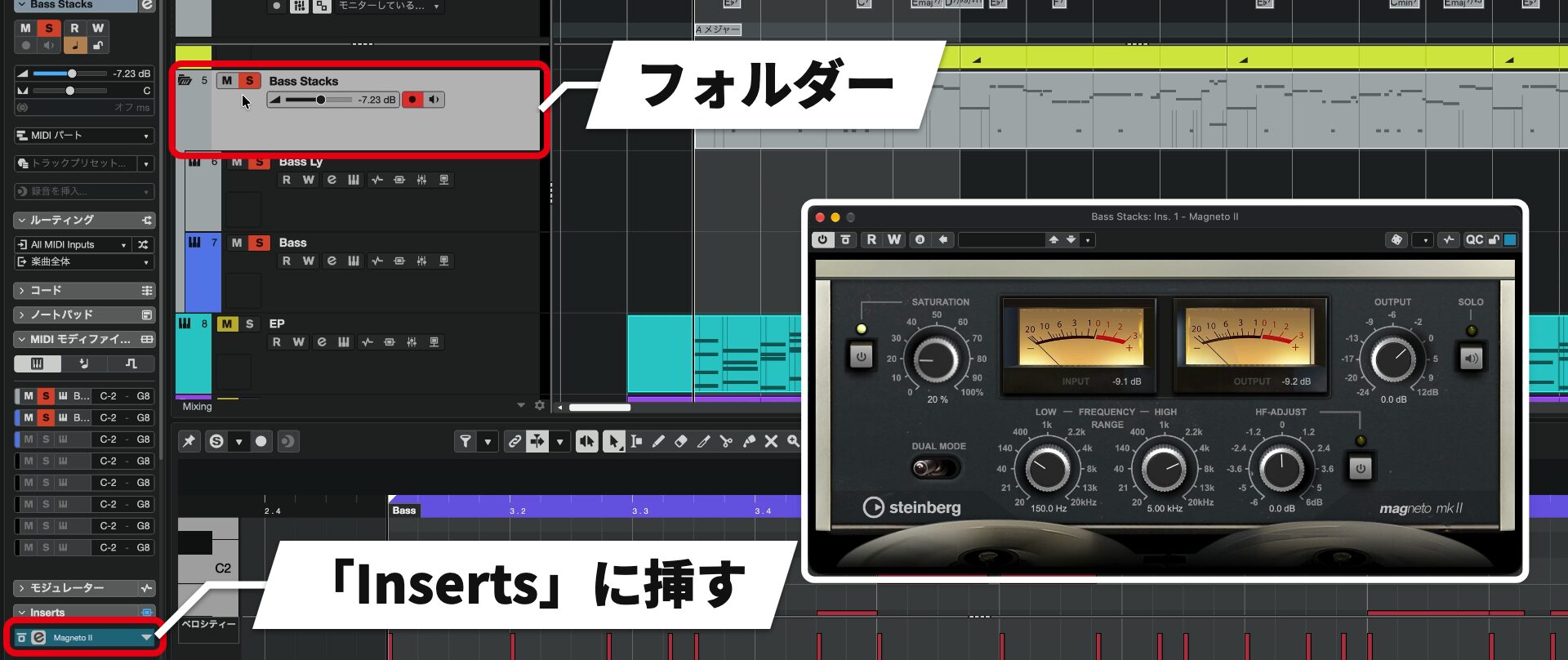
Key Editor features that add expression to MIDI (Pro / Artist / Elements)
The Key Editor gains tools for adding expression to programmed MIDI and changing phrase lengths.
Strum
Strum adds expression by offsetting the timing of notes in a chord.
It is useful when a chord starts too precisely together and feels uninteresting.
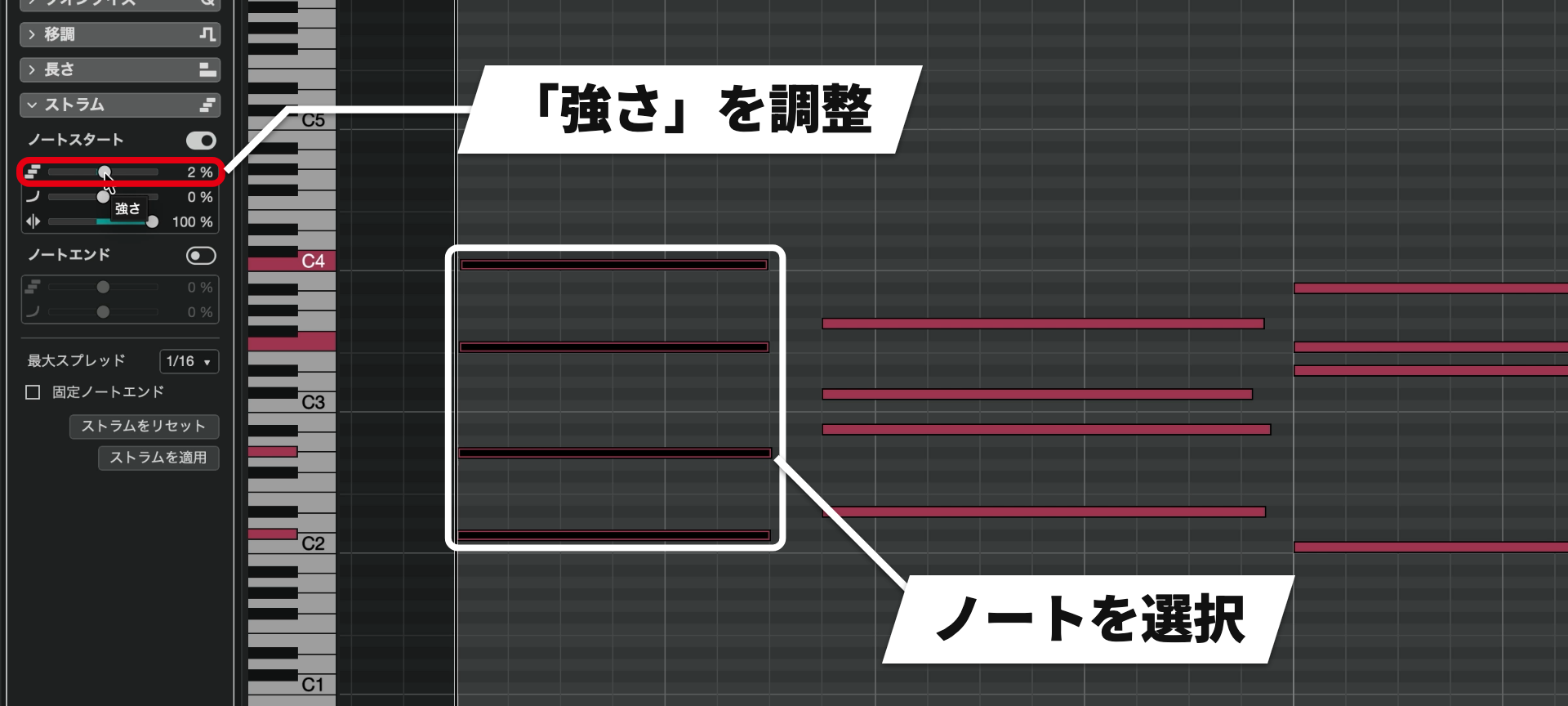
Move Amount in the opposite direction to offset the notes from high to low.
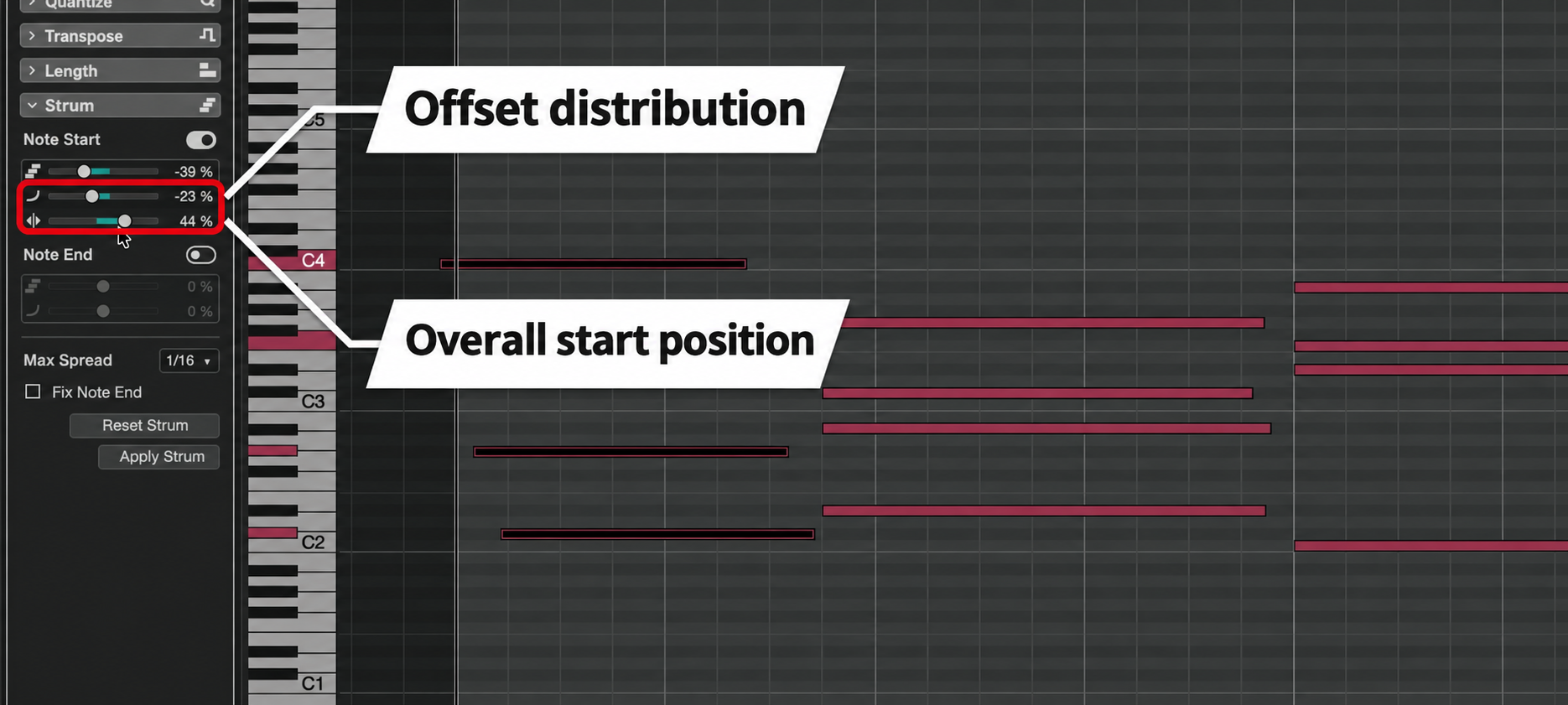
It lets you add rich expression with a small adjustment.
It works well on electric piano, guitar, and synth plucks.
Stretch selection
You can now lengthen or shorten phrases inside the Key Editor.
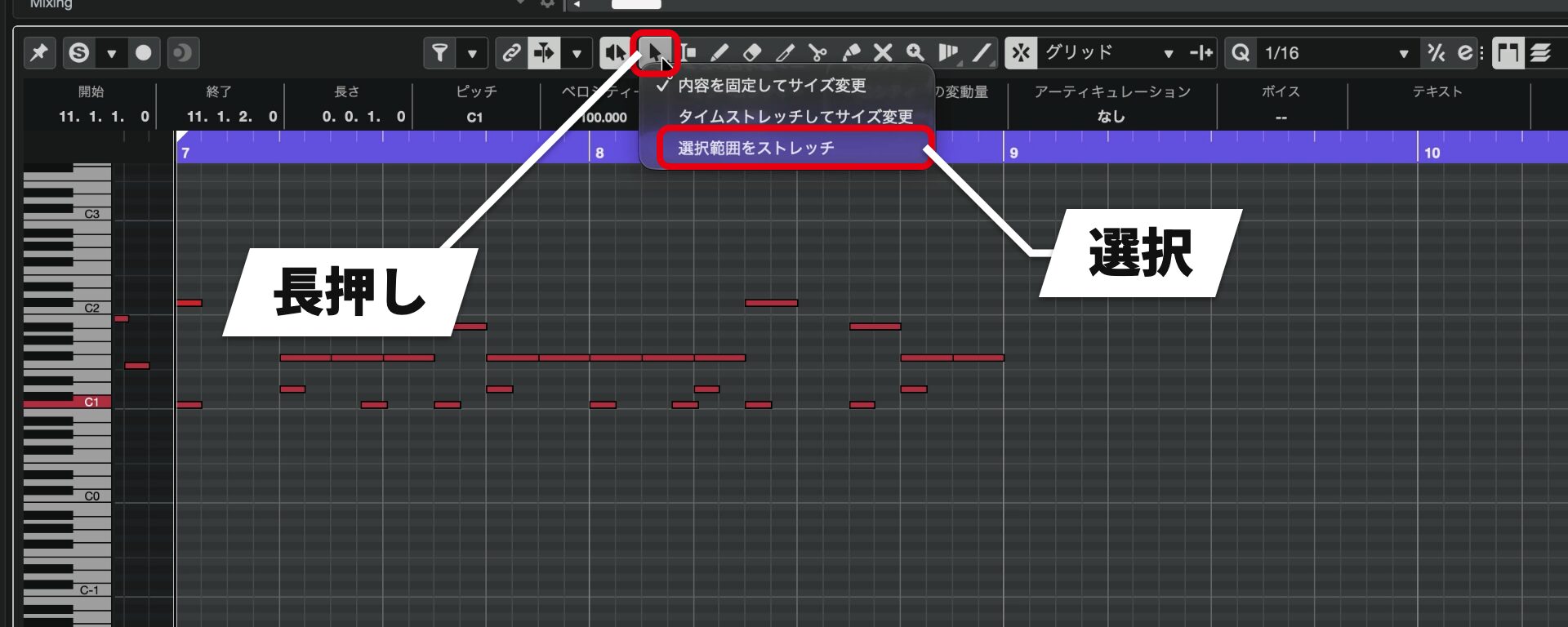
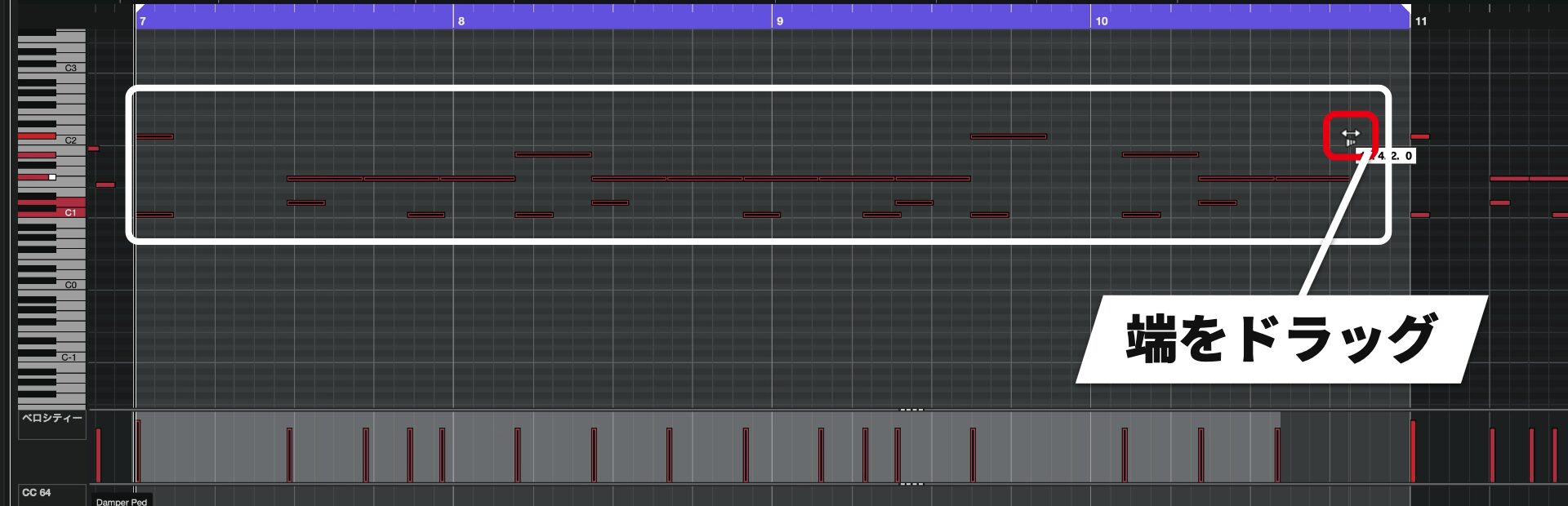
For example, stretching a drum phrase to twice its length creates a half-tempo pattern.
Conversely, shortening it can double the tempo.
What previously required cutting out and time-stretching an event can now be done inside the Key Editor.
Omnivocal: create vocals from MIDI and enter lyrics (Pro / Artist / Elements)
Yamaha’s Omnivocal singing voice software, introduced in beta with Cubase 15, is now included as a full release in Cubase 16.
You can create a vocal track simply by preparing MIDI notes.
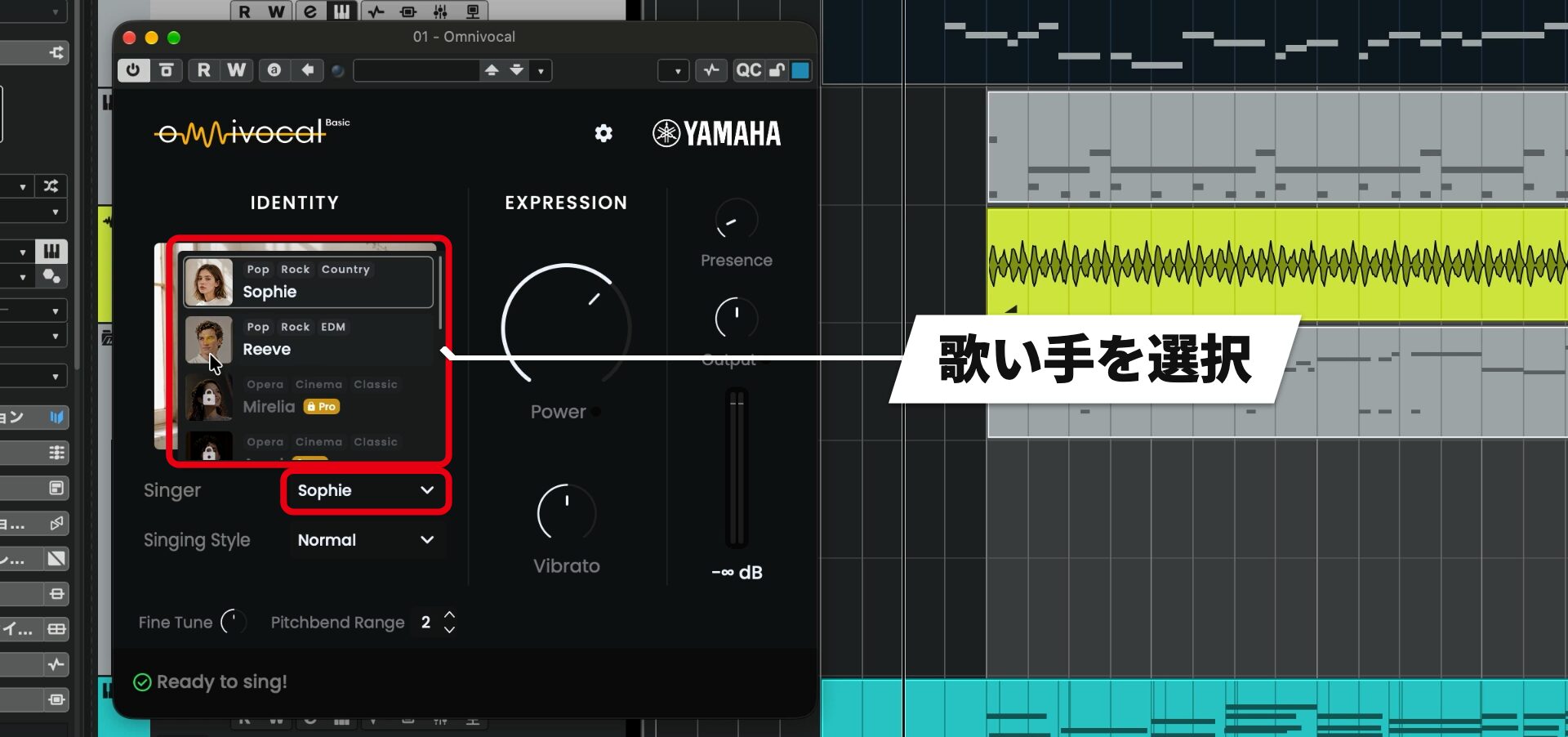
The included Omnivocal Basic provides one female and one male singer. Singers marked Pro require purchase of the Pro version of Omnivocal.
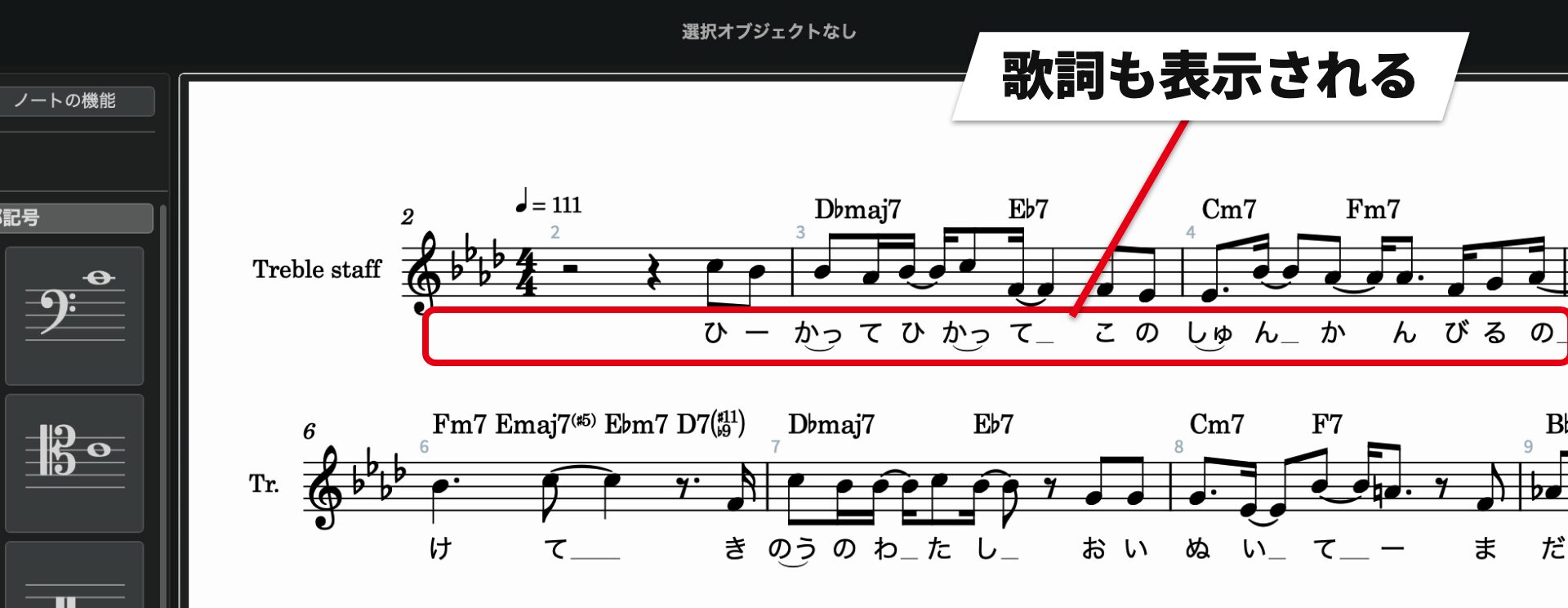
Enter lyrics
Another Omnivocal feature is the ability to assign lyrics to MIDI notes for the voice to sing.
Enter lyrics in the Key Editor.
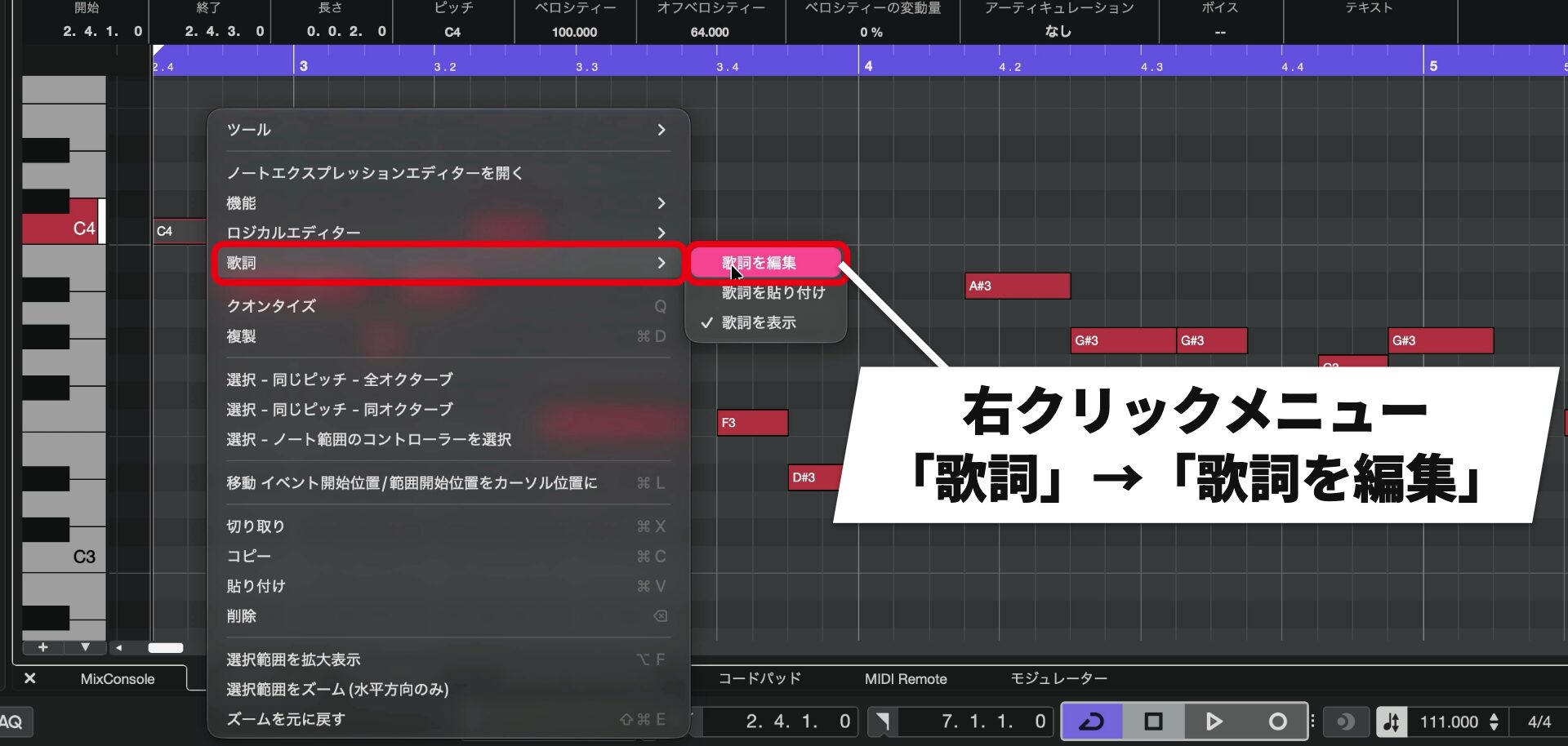
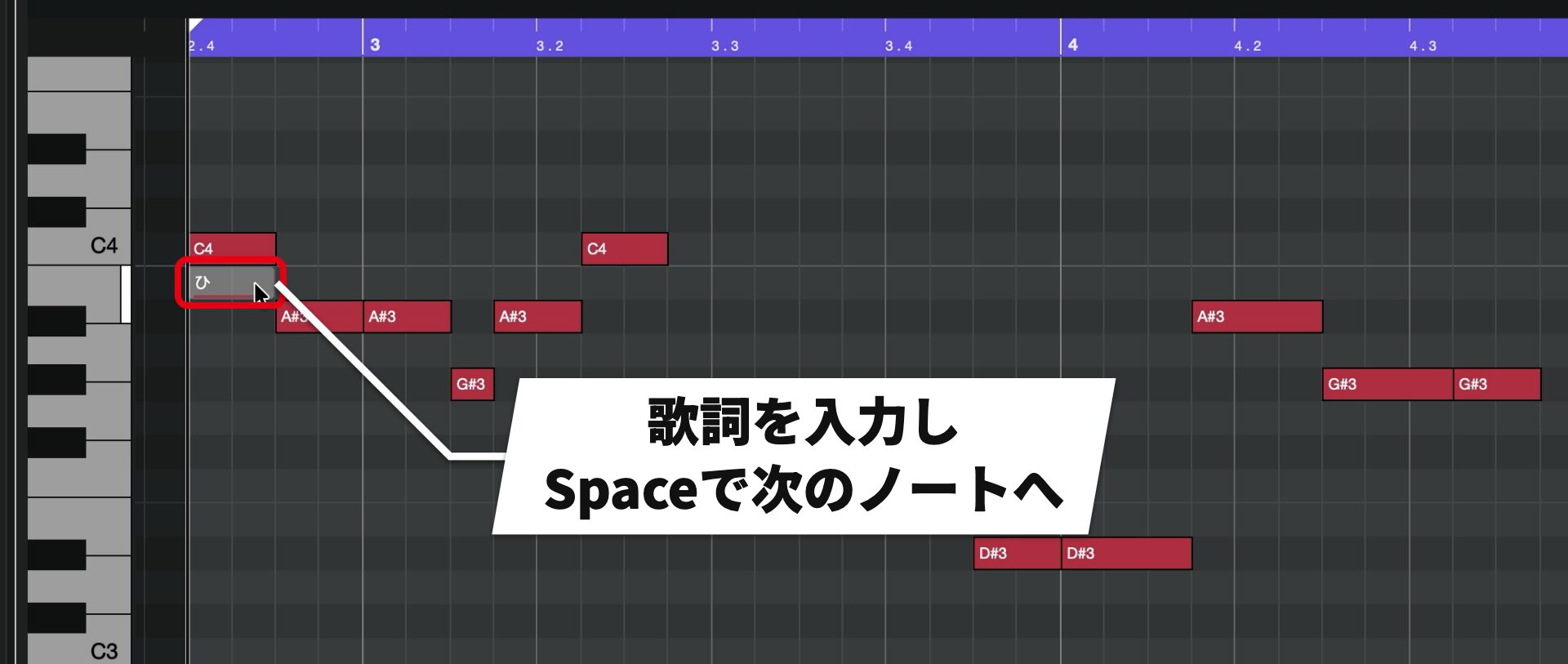
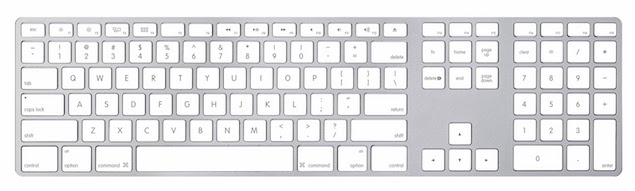
Pressing Enter finishes editing, so you would need to reopen the menu on the next note. We recommend using Space to move forward.
You can assign multiple Japanese characters, such as ka followed by a small tsu, to a single note, and use the full-width Japanese long vowel mark to extend a sound.
Lyrics can also be viewed and entered in a controller lane.
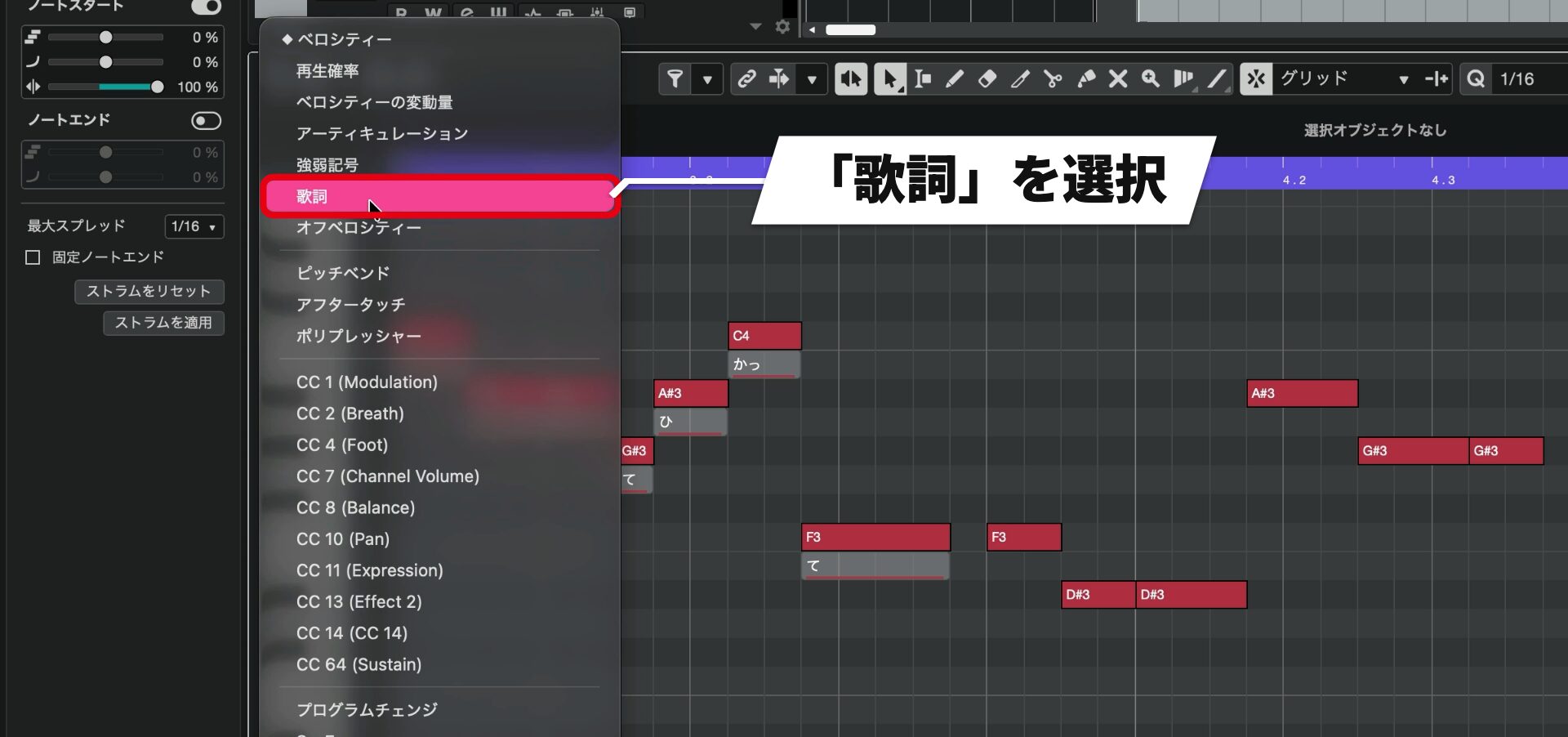
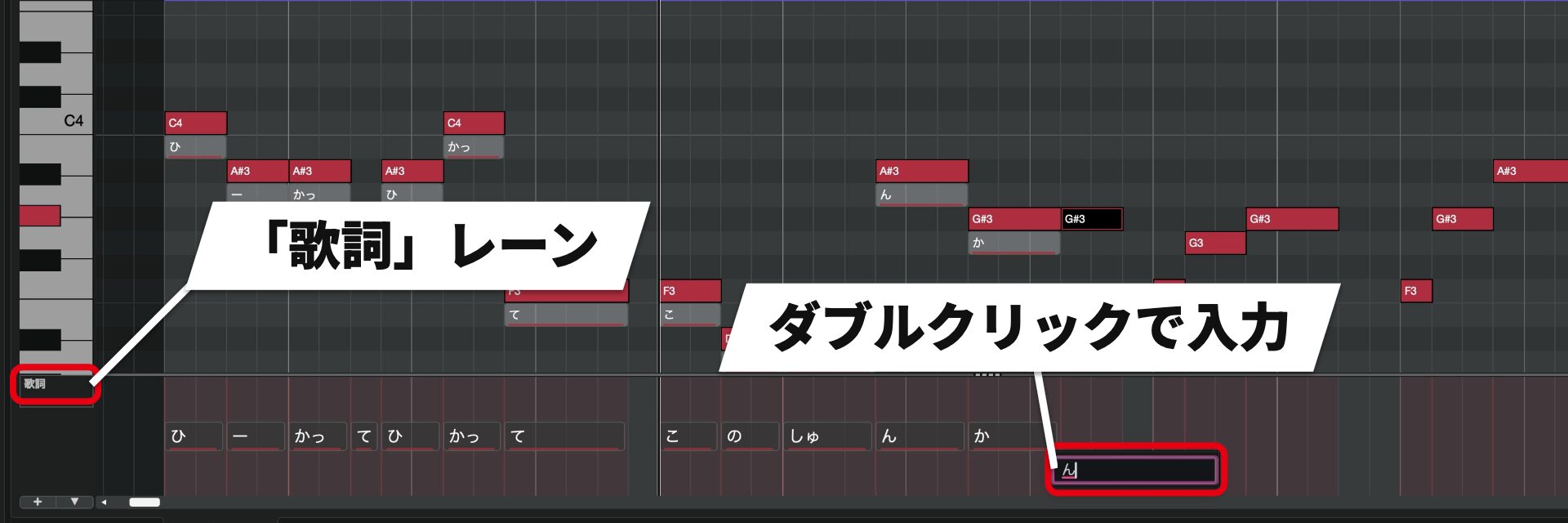
Copy lyrics selected in the lane with ⌘ + C on Mac or Ctrl + C on Windows, and paste with ⌘ + V on Mac or Ctrl + V on Windows.
This is useful when repeating the same lyrics, such as in a chorus.
New plugins for quickly processing vocals and drums
There are dedicated new plugins for vocals and drums.
VocalTouch (Pro / Artist / Elements)
VocalTouch brings vocal processing effects together in a single plugin.
It provides easy control of compression to even out volume, EQ, reverb, delay, and saturation to add grit and help the vocal sit in the mix.
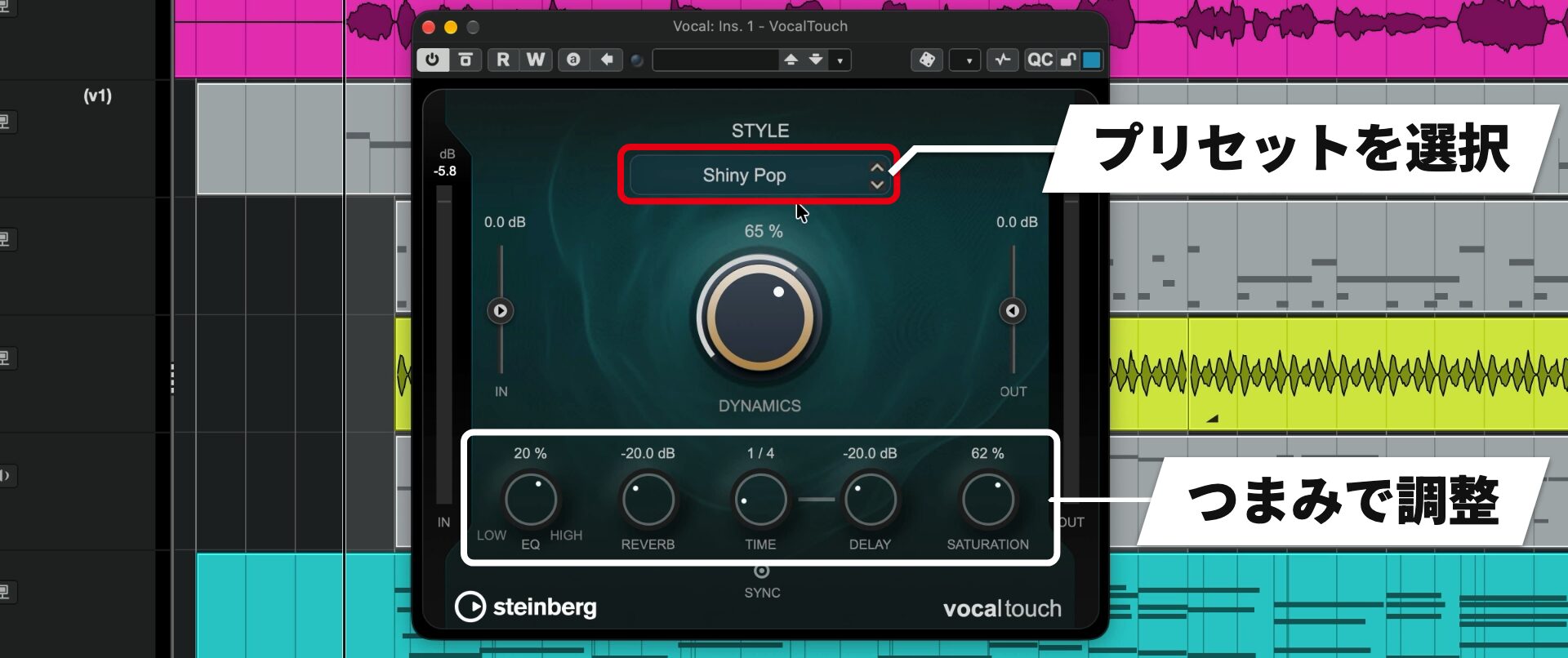
In our tests, simply inserting it produced a noticeably polished sound.
If distortion or reverb feels too strong, you can adjust each independently.
VocalTouch is also included in Cubase LE 16.
DrumChain (Pro / Artist)
DrumChain is a multi-effect dedicated to drums.
Combine and apply compression, saturation, EQ, spatial effects, and more.
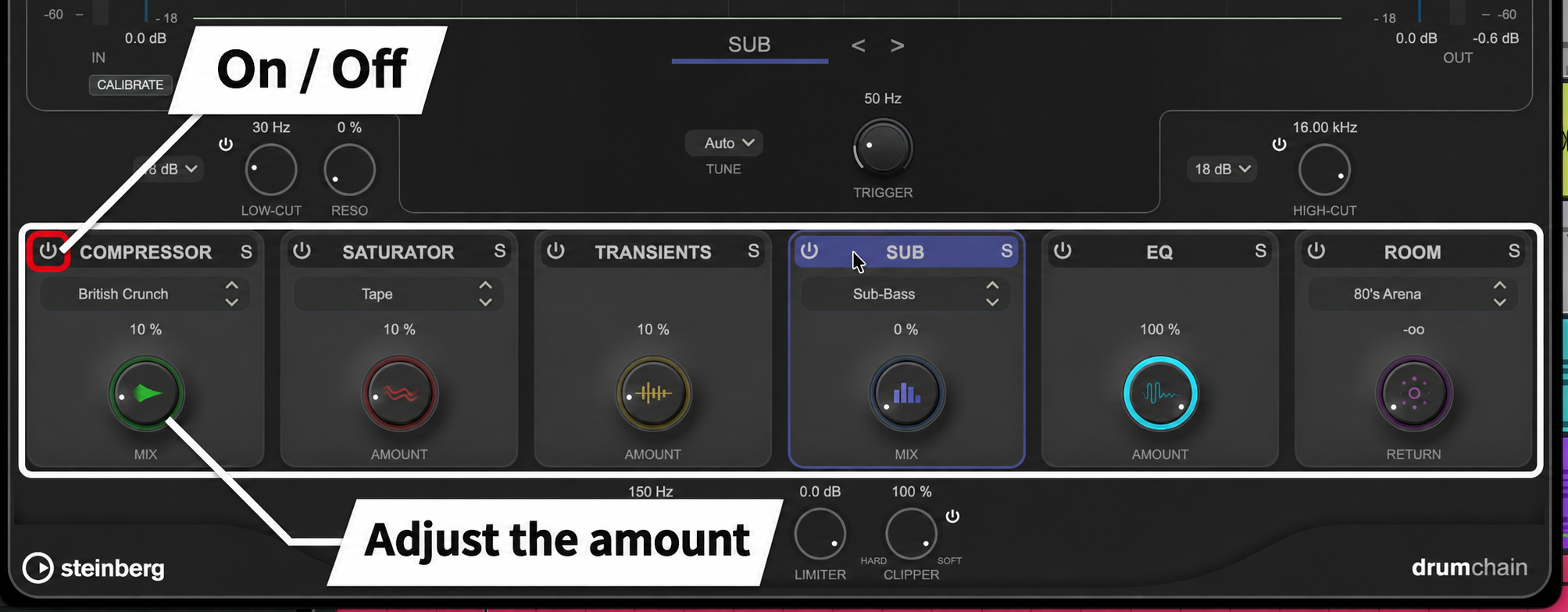
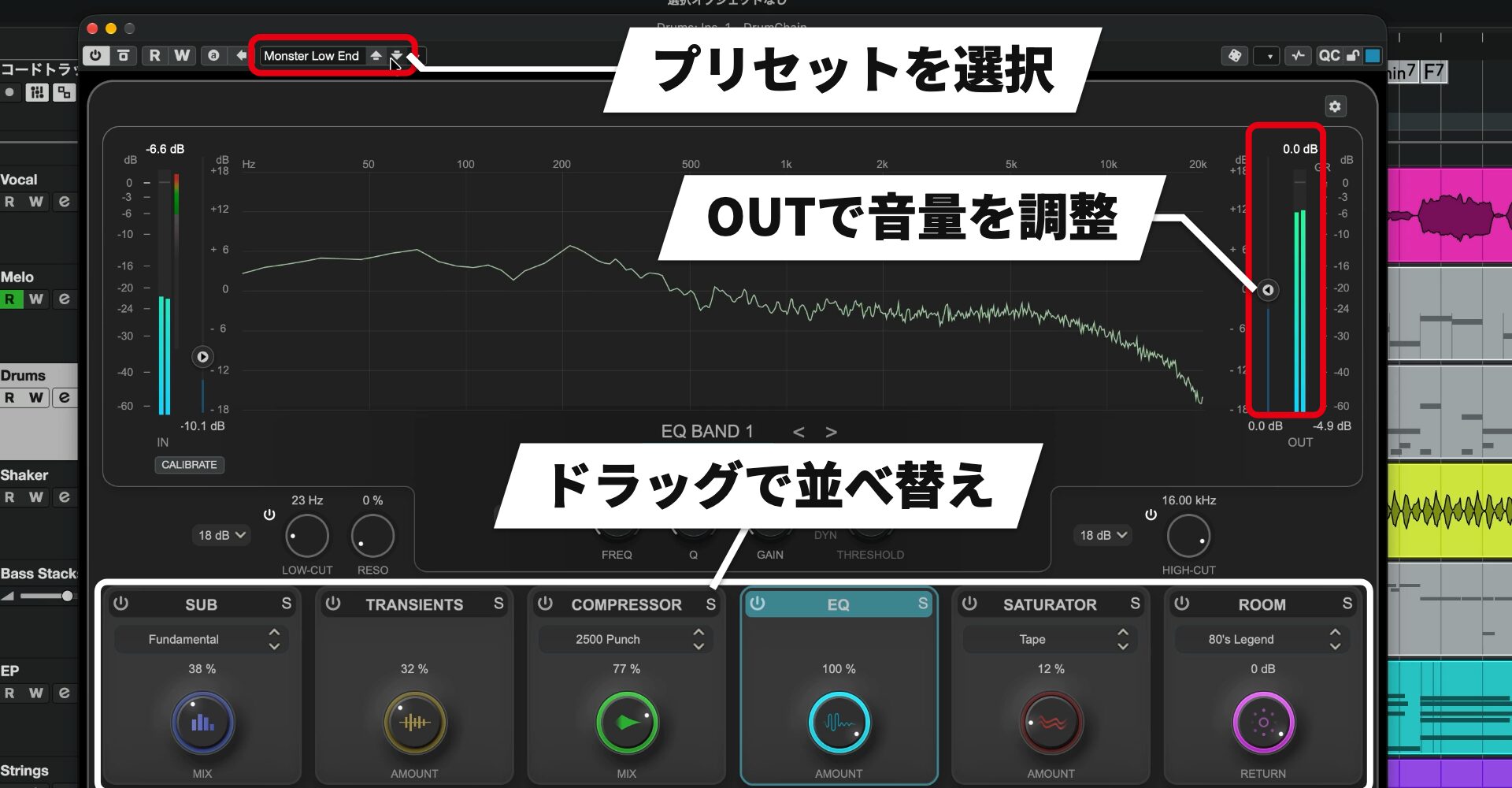
As with VocalTouch, there are many presets.
Presets have very different characters, so compare them by ear and choose one that suits the song.
Other new features
There are also improvements for everyday production.
The main additions are:
- Spectral AudioWarp: improved audio quality when stretching audio or changing pitch (Pro)
- Tempo detection: redesigned for better results in less time
- Windows MIDI and MIDI 2.0: support for the latest Windows 11 MIDI platform and MIDI 2.0 extensions
- Ableton Link: smoother synchronization with compatible apps and devices
- Quick Help and Guided Tours: contextual explanations and on-screen guidance
- Waves Illugen integration: connects with Waves’ Illugen sample generation tool
Cubase 16 users are provided with a two-month Waves Illugen subscription voucher in their Steinberg account.
Edition differences
Cubase 16 is available in three editions: Pro, Artist, and Elements.
All offer the same sound quality and ease of use; choose according to the scale of your work and the features you need.
| Feature | Pro 16 | Artist 16 | Elements 16 |
|---|---|---|---|
| Track count | Unlimited | Unlimited | Limited |
| Instruments and libraries | 11 | 11 | 7 |
| Effects | 96 | 73 | 45 |
| Samples and loops | 20 GB or more | 20 GB or more | 20 GB or more |
| Sidechain | Yes | Yes | Yes |
| Drum Machine & Pattern Sequencer | Yes | Yes | No |
| VariAudio pitch correction | Yes | Yes | No |
| Control Room | Yes | No | No |
| Modulators | Yes | No | No |
| Stem separation | Yes | No | No |
The main new features covered in this article are available in the following editions:
| New feature | Pro 16 | Artist 16 | Elements 16 |
|---|---|---|---|
| Unified Settings window | Yes | Yes | Yes |
| Stem separation (six types) | Yes | No | No |
| Instrument Stacks | Yes | Yes | No |
| Module (FM library) | Yes | Yes | No |
| Key Editor (strum, stretch, lyrics) | Yes | Yes | Yes |
| Omnivocal Basic | Yes | Yes | Yes |
| VocalTouch | Yes | Yes | Yes |
| DrumChain | Yes | Yes | No |
| Spectral AudioWarp | Yes | No | No |
| Redesigned tempo detection | Yes | Yes | Yes |
| Waves Illugen integration | Yes | Yes | Yes |
Cubase LE 15 licenses are automatically updated to Cubase LE 16.
System requirements

Windows
OS: 64-bit Windows 11 (25H2 or later), Windows 10 (22H2 or later)
CPU: Intel Core i5 (8th generation), AMD Ryzen 3000 series, or Windows on Arm
Graphics: Windows 10 native-compatible card (Microsoft Basic Display Driver is not recommended)
Recommended graphics: AMD R/RX series or later, or NVIDIA 700 series or later
Mac
OS: macOS Golden Gate (27), Tahoe (26), or Sequoia (15)
CPU: Intel Core i5 (2018 or later) or Apple silicon
Apple silicon Macs: native application or Rosetta 2 application
Graphics: Metal-compatible graphics card
Common requirements
CPU: at least 4 cores
Memory: at least 16 GB
Storage: 89 GB free (full installation) / 15 GB free (core)
Display resolution: at least 1440 × 900 at 100% UI scaling
GPU memory: at least 4 GB for 4K displays
Audio hardware: an OS-compatible device is required; ASIO-compatible hardware is recommended for low-latency operation
Other: internet connection required for activation, account setup, and user/product registration; installation requires a download
VST 2: not officially supported; plugins may load if the VST 2 scanner is enabled in VST Plug-in Manager, except on native Apple silicon
Updates and trial
If you activated an eligible Cubase 15 or earlier product on or after October 7, 2026, you can update to Cubase 16 free of charge.
Upgrades from Cubase LE and crossgrades from other DAWs are also available.
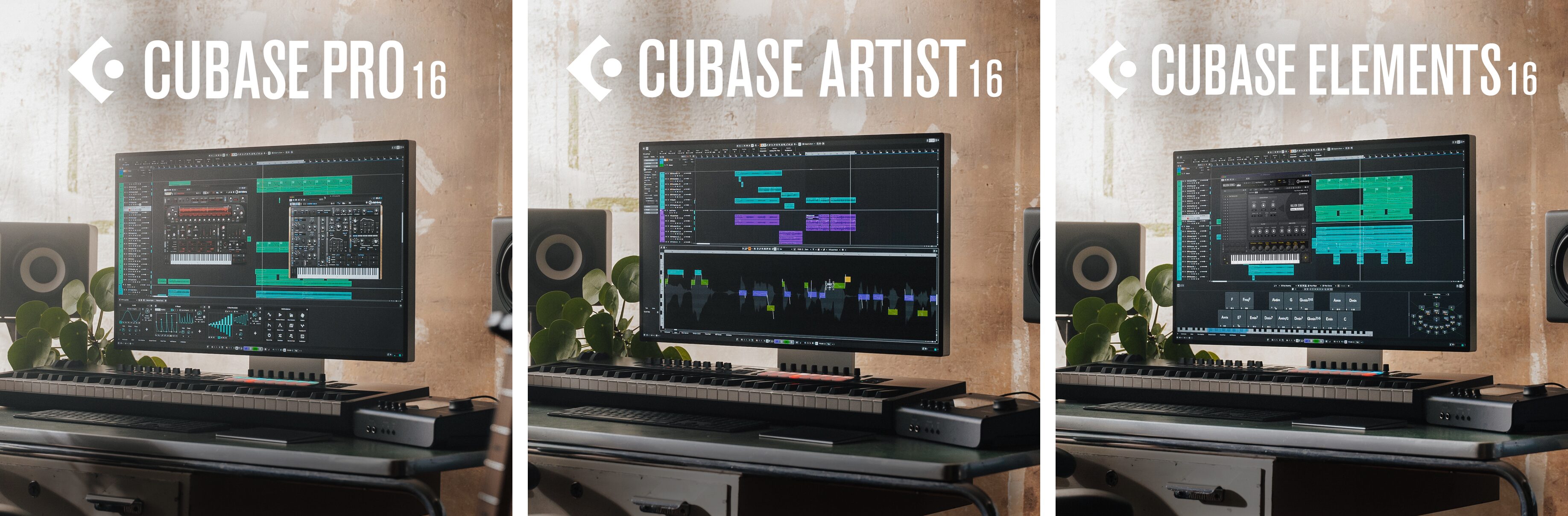
Elements 16 includes many new features such as VocalTouch and the Key Editor additions.
Instrument Stacks and DrumChain are available in Pro 16 and Artist 16.
A trial is also available, so you can try the features yourself.
NEW ARTICLES
Latest English Articles