
Testing It with Orchestral Instruments, from Raw Input to Final Polish
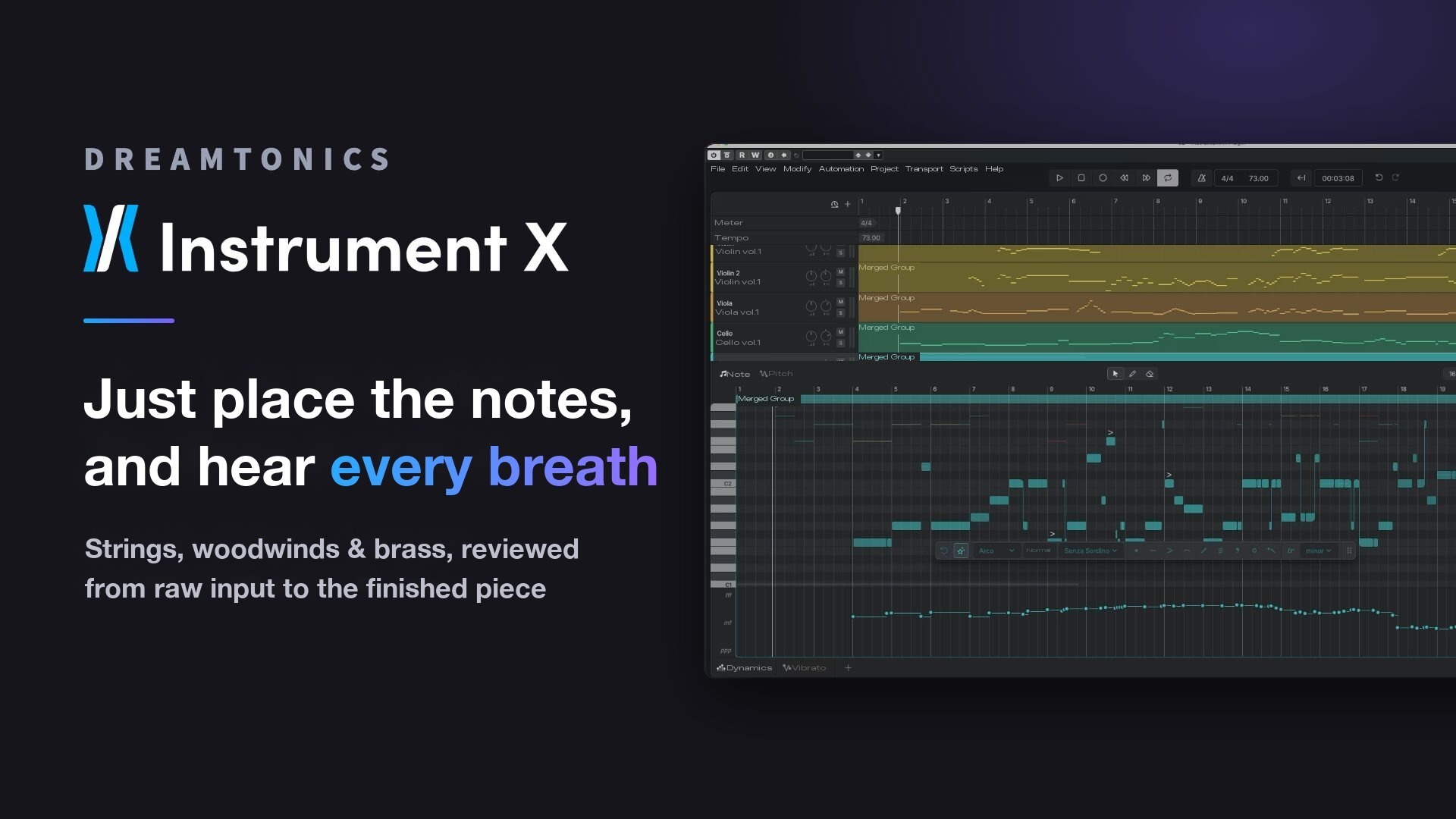
"Instrument X", the instrument library from Dreamtonics, reads the flow of a phrase from the notes you place and generates a performance.
Here we look at everything from the raw step-input stage to the finished result, using a full orchestra of strings, woodwinds and brass.
The basic use of Instrument X and an example with pop strings are covered in this article.
When used with an orchestra, these are the three main points.
- Just placing notes gives you human-like variations in timing and volume
- Instrument-specific expression, such as wind instrument breaths and clarinet key clicks, is added automatically
- Smart Articulation lets you apply playing styles and dynamics to the whole ensemble at once
Video
Just Place Notes and It Plays Like a Performance
First, let's look at the state where notes have simply been placed.
We haven't even used "Smart Articulation", which adds playing styles and dynamics automatically; this is exactly as it was programmed.
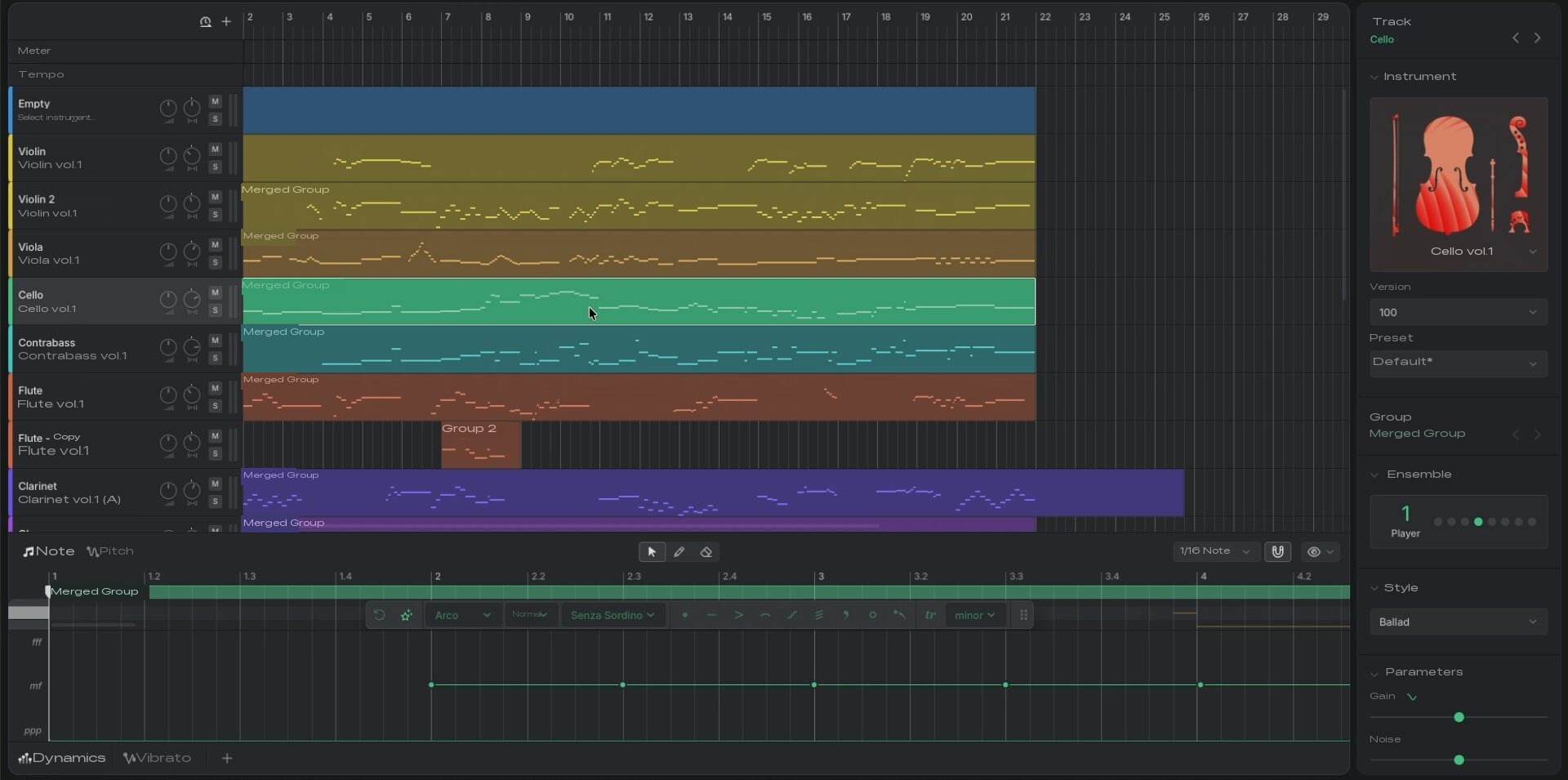
Instrument X creates its sound with a technology called neural acoustic modeling.
Its key feature is that when you enter notes, it reads the context of the phrase and assigns a matching performance.
That is why, even before you do anything to it, it plays as an expressive performance.
From Small Ensembles to Large Sections
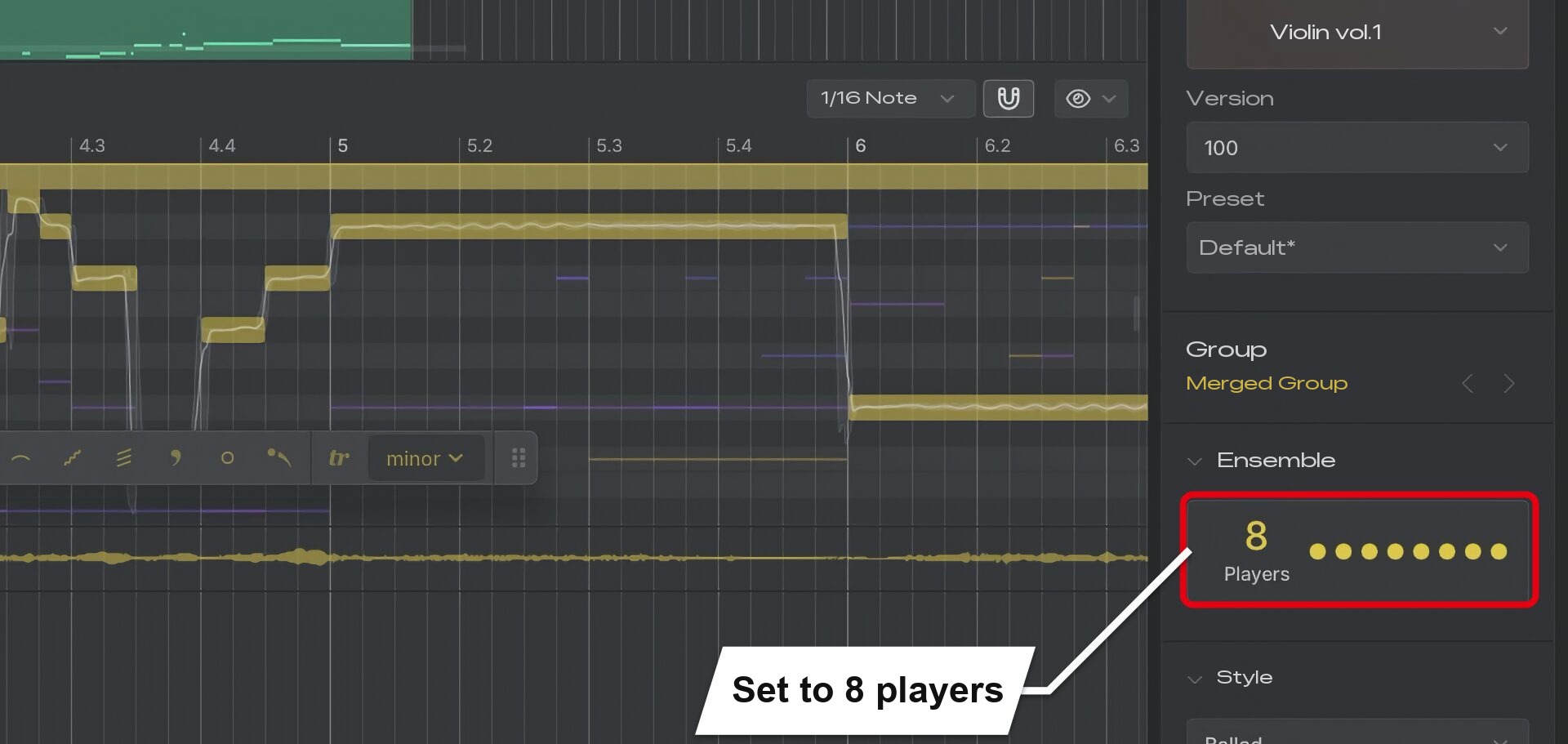
A small ensemble, with each part played by one player, lets you clearly hear the fine nuances and breathing of each instrument.
You can also easily set up a large ensemble with more players.
Even a Steady Rhythm Gets Natural Variation
What's interesting is that even a horn phrase made of notes of the same length placed at regular intervals produces sound with variation.
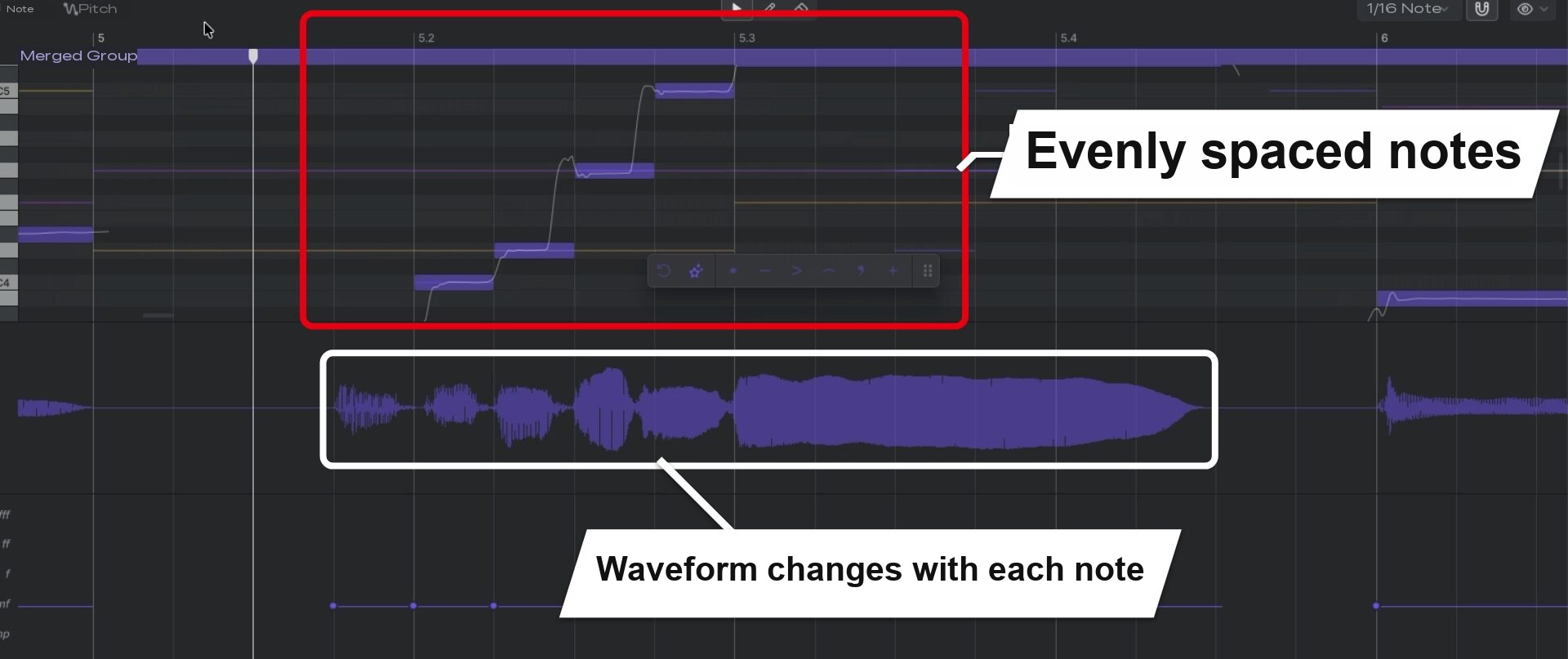
In MIDI programming, it's standard practice to deliberately shift timing or vary the volume to make it sound human.
With Instrument X, variations in timing and volume are added automatically, so you can reduce that kind of work.
Wind Instrument Breathing Is Reproduced Automatically
A tricky point when programming wind instruments is where to place the breaths.
Instrument X even creates the pauses for breathing to match the phrase.
Note Lengths Are Adjusted Automatically
Even if you extend notes with no gaps or line up eighth notes, the sound gets shorter and leaves a gap where a breath is needed.
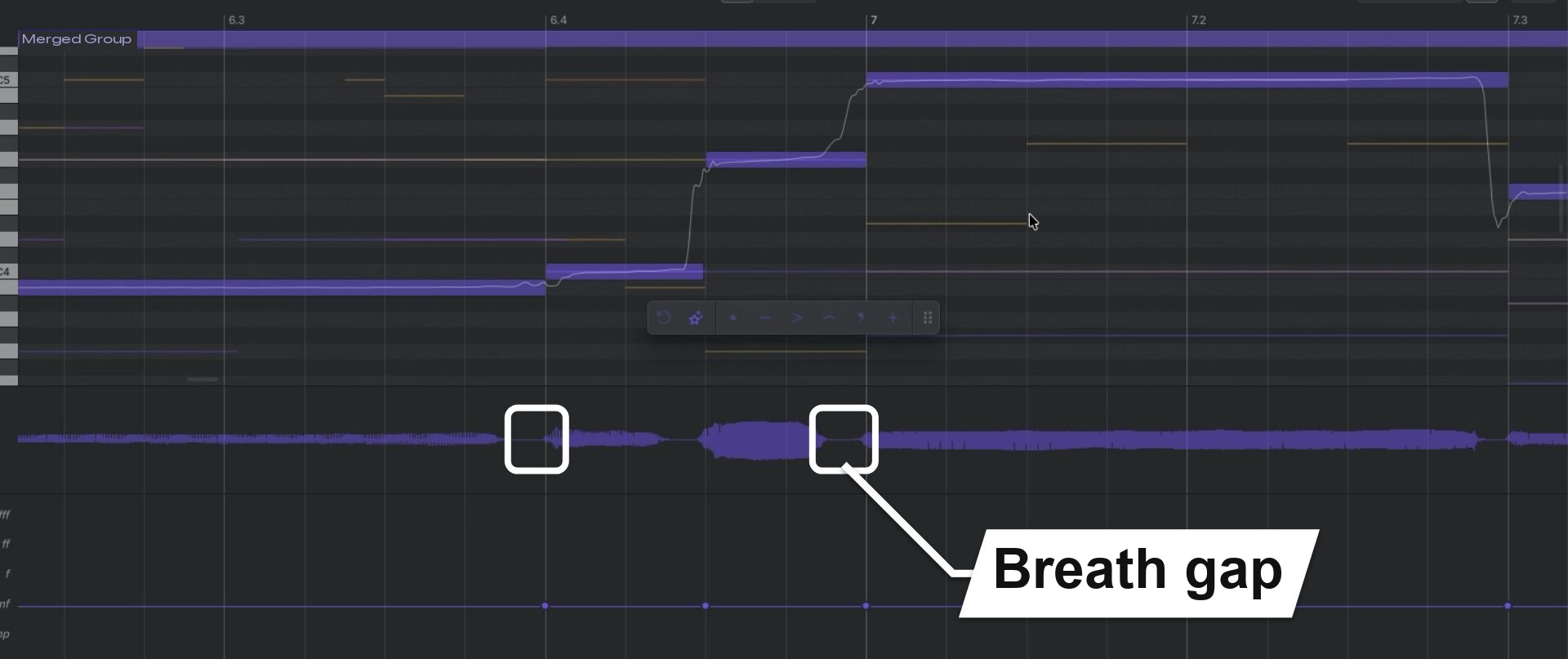
Fixing note lengths one by one while thinking about where to breathe is one of the time-consuming parts of programming wind instruments.
It's very reassuring that the instrument handles that adjustment automatically.
Woodwinds Even Include the Sound of Inhaling
With woodwinds, the key point is that you don't just get a gap: even the sound of inhaling is included.
For example, on the flute, a breath sound plays at the break in the phrase even without specifying anything.
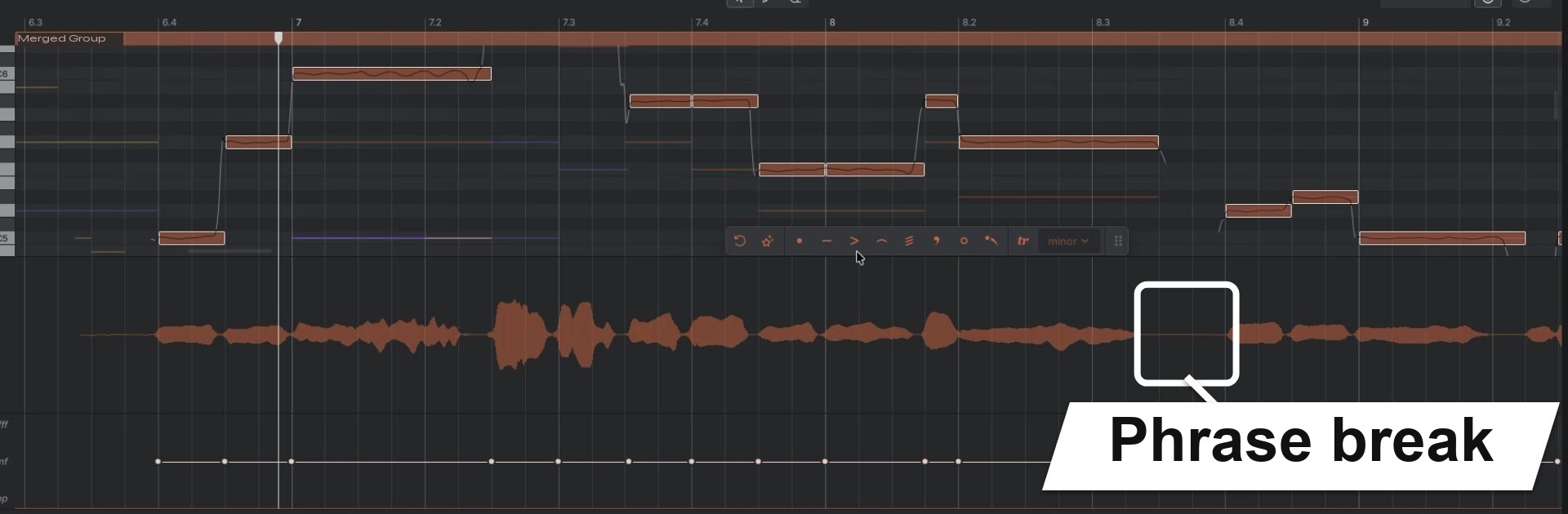
Where you definitely want a breath, you can also specify it yourself.
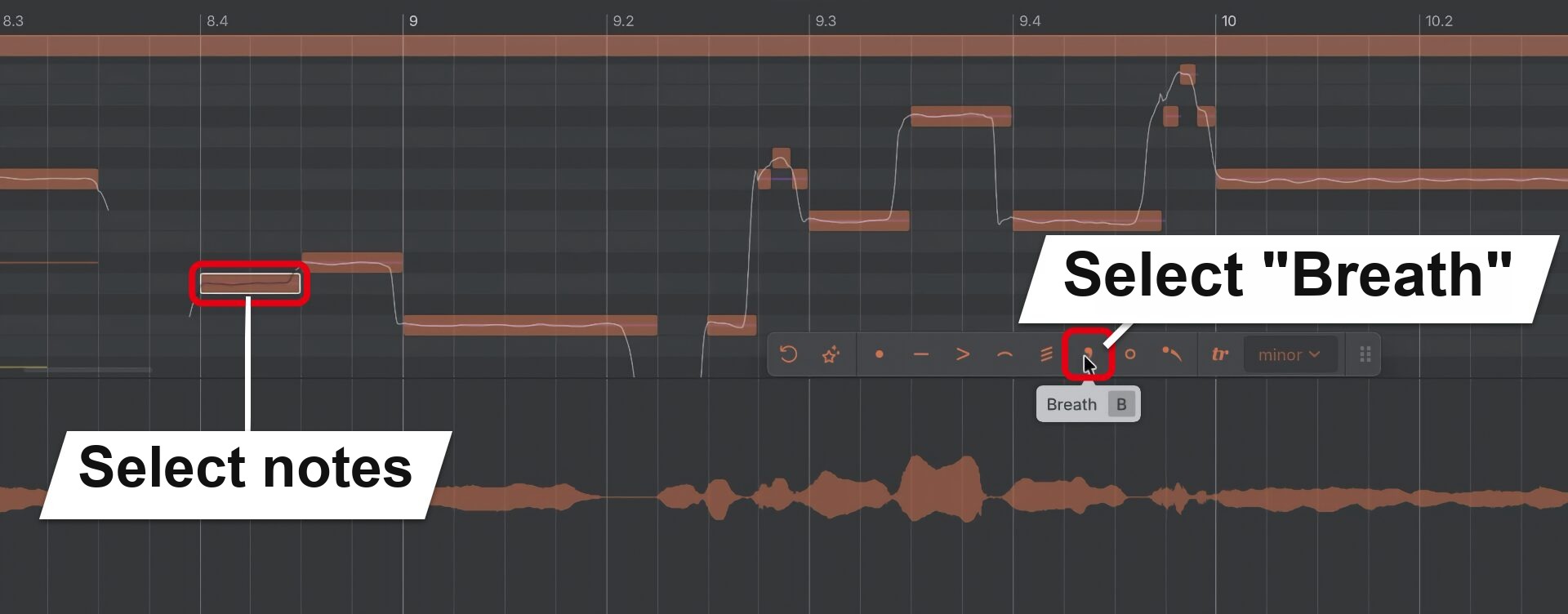
When you specify "Breath", the preceding note gets shorter and a breath is added.
Even the Sounds of Playing the Instrument
How faithfully it reproduces sounds that come from the structure of the instrument is another highlight.
For example, on the clarinet, the clicking sound of the keys being pressed is naturally included in the performance.
It's a realistic result that conveys even the feeling of someone playing the instrument.
Fast Phrases and AI Retake
Another strength is that even fast, busy phrases connect naturally from note to note.
The pitch curve is also displayed, so you can check the movement of the sound visually.
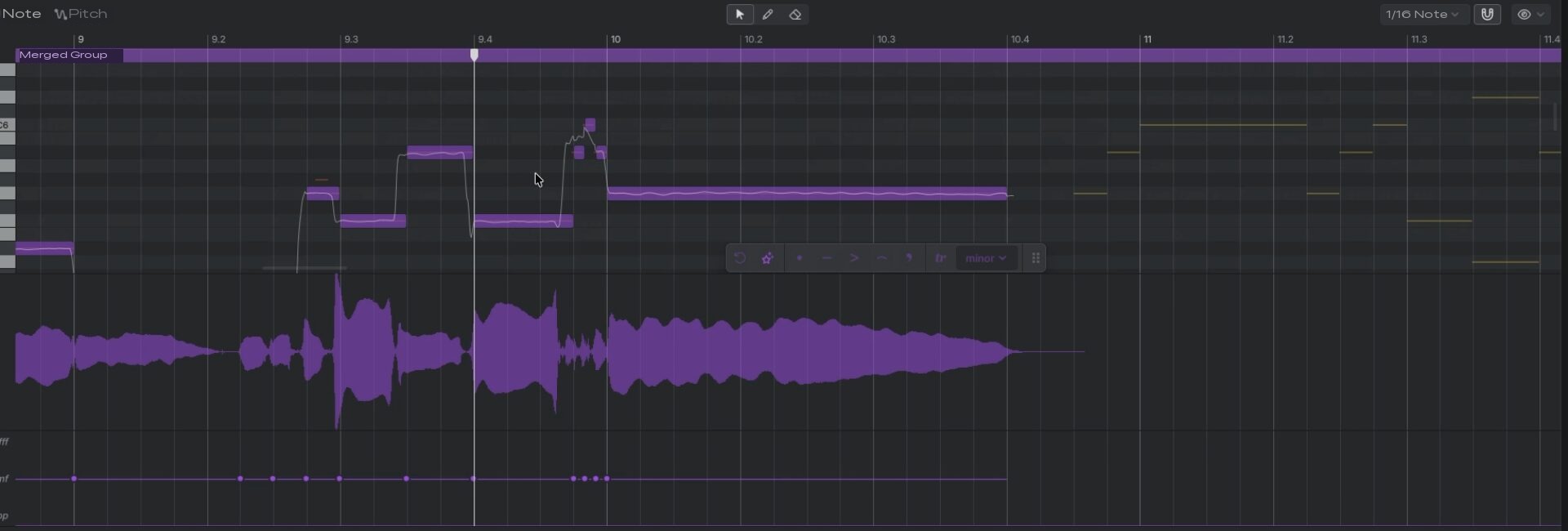
In our hands-on impression, it also had a pleasant looseness, like a human performance.
When you want to change the pitch movement, "AI Retake", familiar from Synthesizer V, is handy.
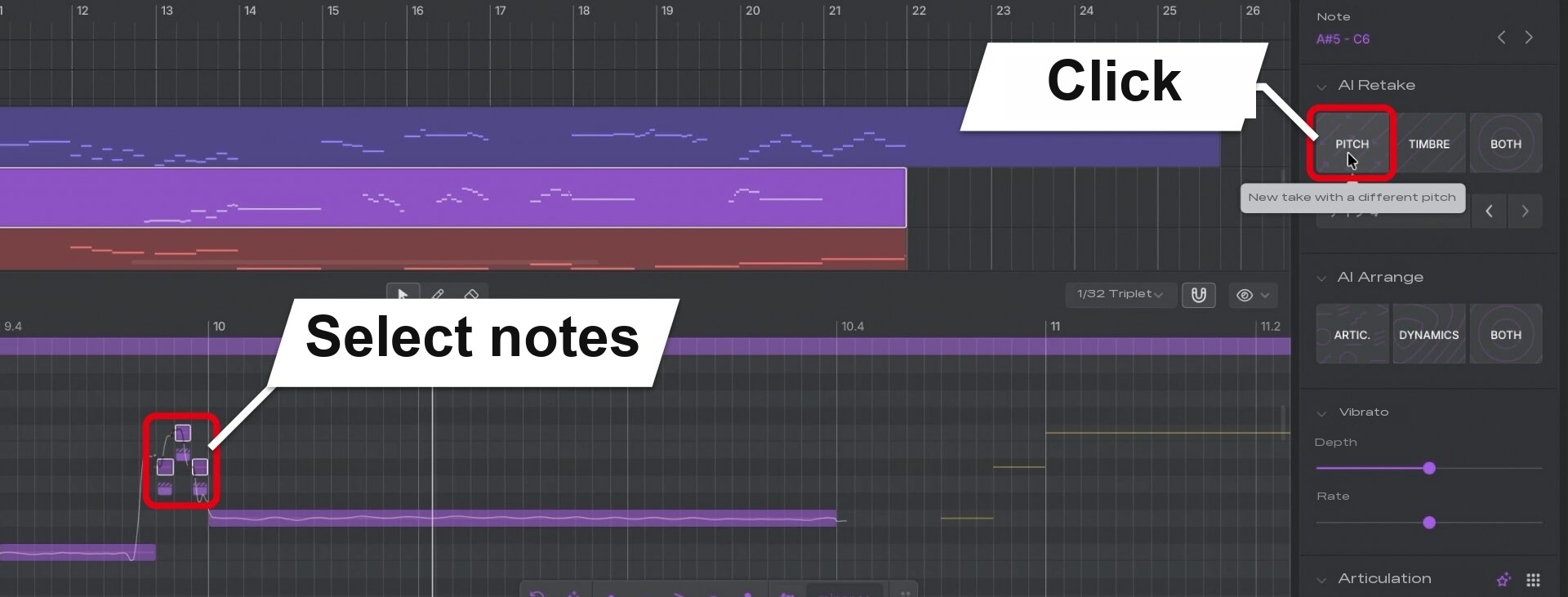
Each click creates a performance with different pitch nuances.
You can generate several takes, compare them by ear and choose the one you like.
Smooth It Out with Smart Articulation
When you're not sure how to apply articulations, use Smart Articulation.
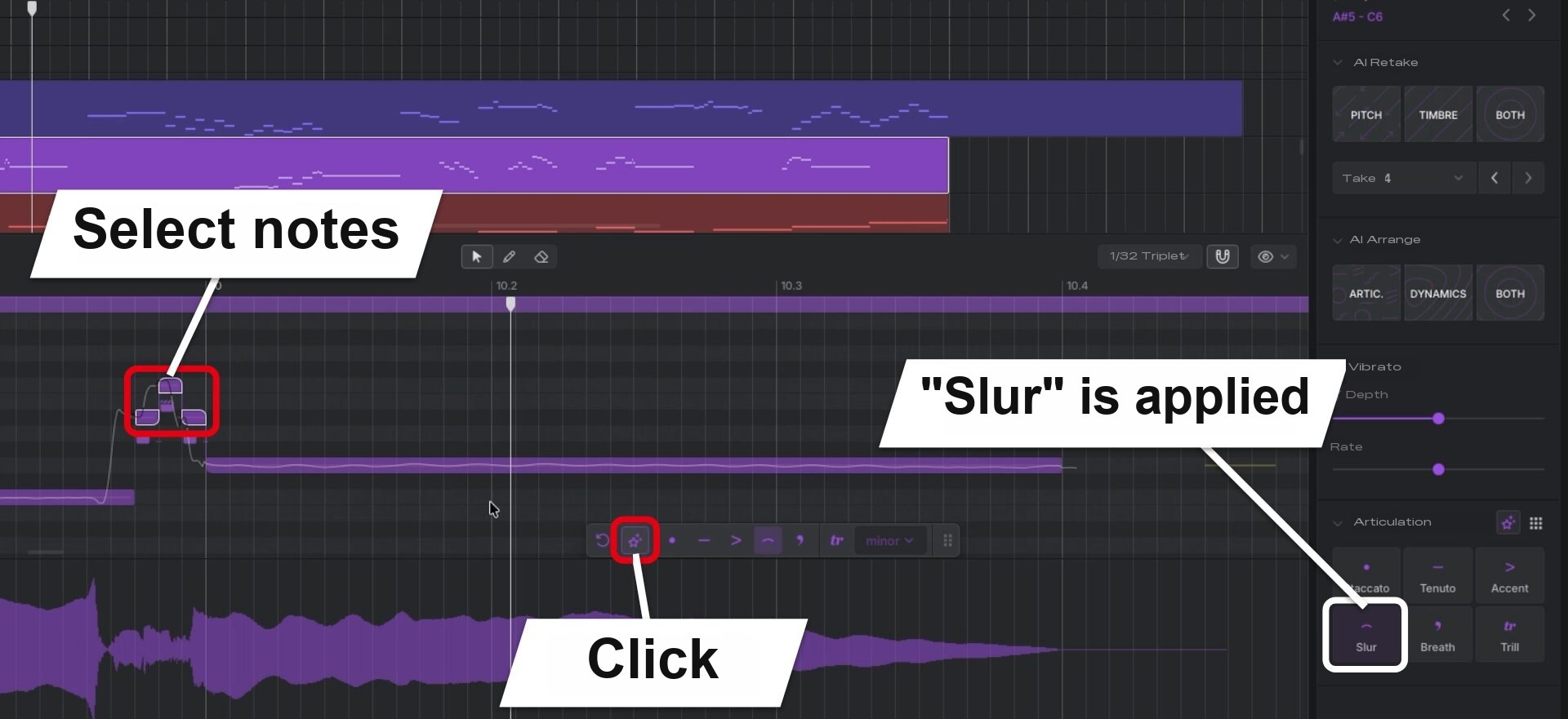
In this phrase, "Slur" was applied and the notes connected smoothly.
It adds playing styles automatically to match the phrase, so even when you're unsure which technique to use, you can start finishing the part from the AI's suggestion, which is a big draw.
Adding Dynamics
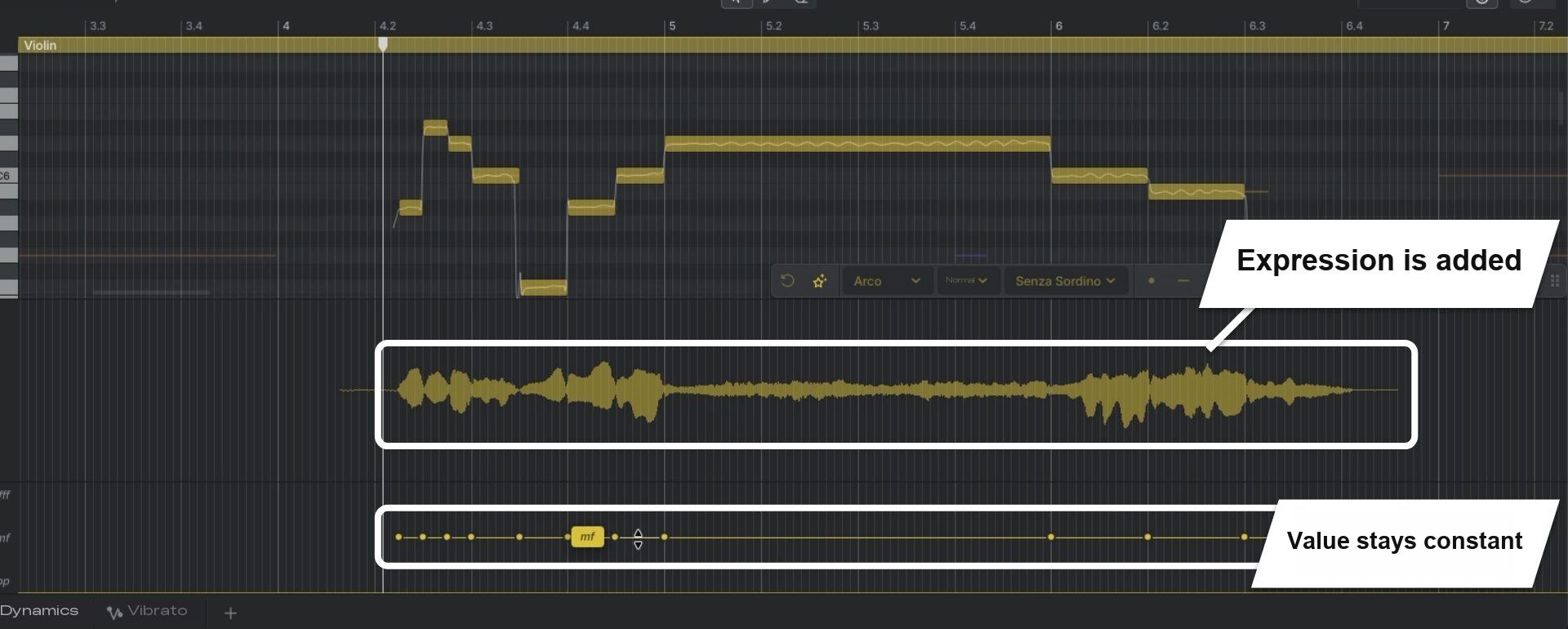
Dynamics (loudness) are also added automatically to match the phrase.
In a violin phrase, even if you leave the dynamics value constant, it plays with a singing, expressive shape.
Drawing Dynamics with a Curve
When you want even more expression, we recommend drawing a dynamics curve.
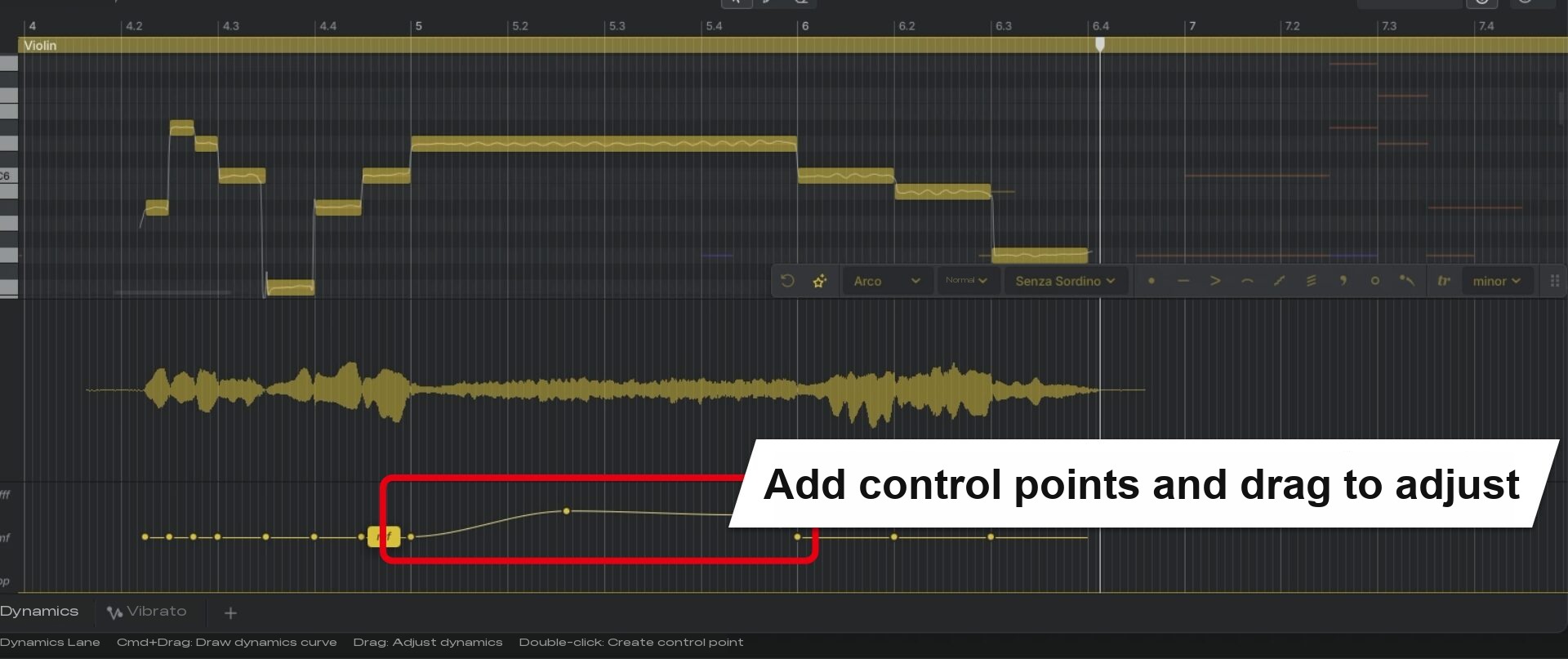
Adjustments such as making a crescendo build faster are done just by changing the curve.
Even if you raise the volume drastically, the sound is regenerated with the surrounding flow in mind, so the connection between notes stays natural.
Check the difference between a constant value and a curve raised sharply.
Adding Accents
For expressions where the start of a note is strong and then fades, specifying an articulation is convenient.
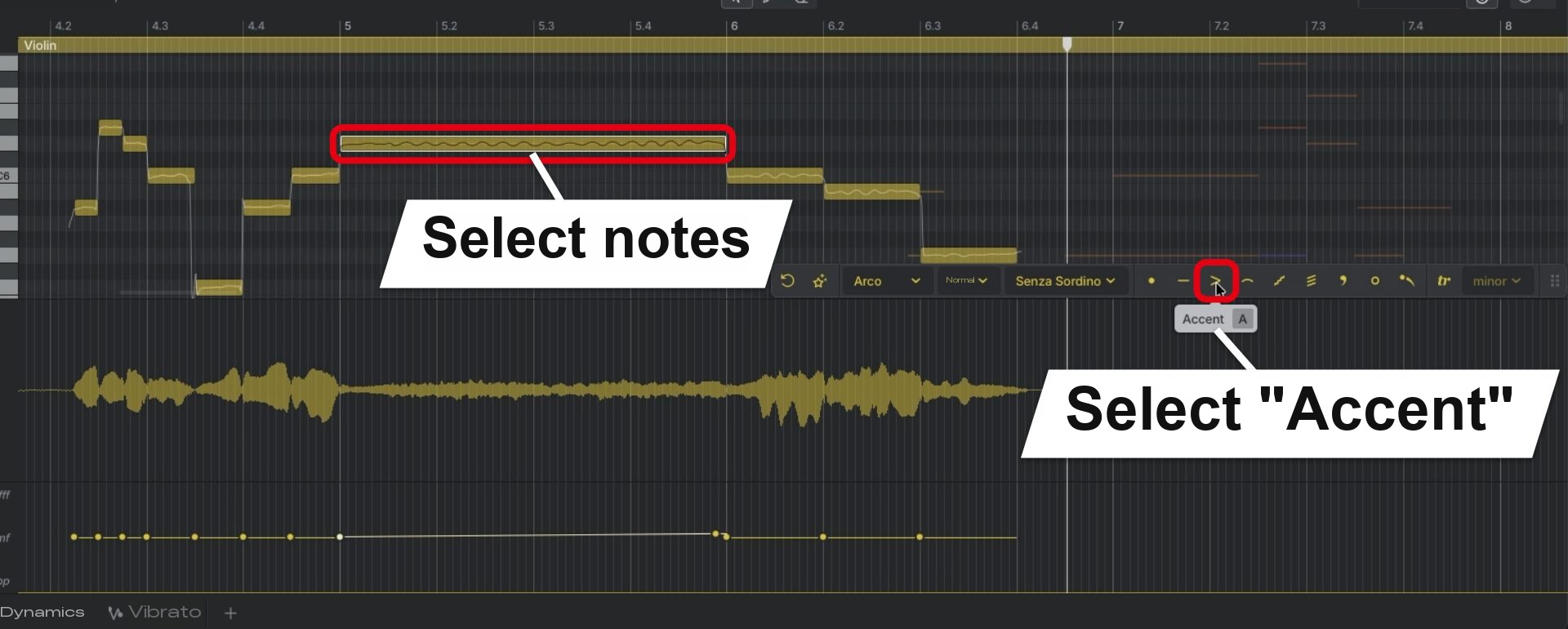
Notes with "Accent" specified get louder at the start.
Check how the start of the note changes with and without "Accent".
Trumpet Mutes
It's nice that brass instruments also come with instrument-specific features.
For example, on the trumpet, you can choose muted tones.
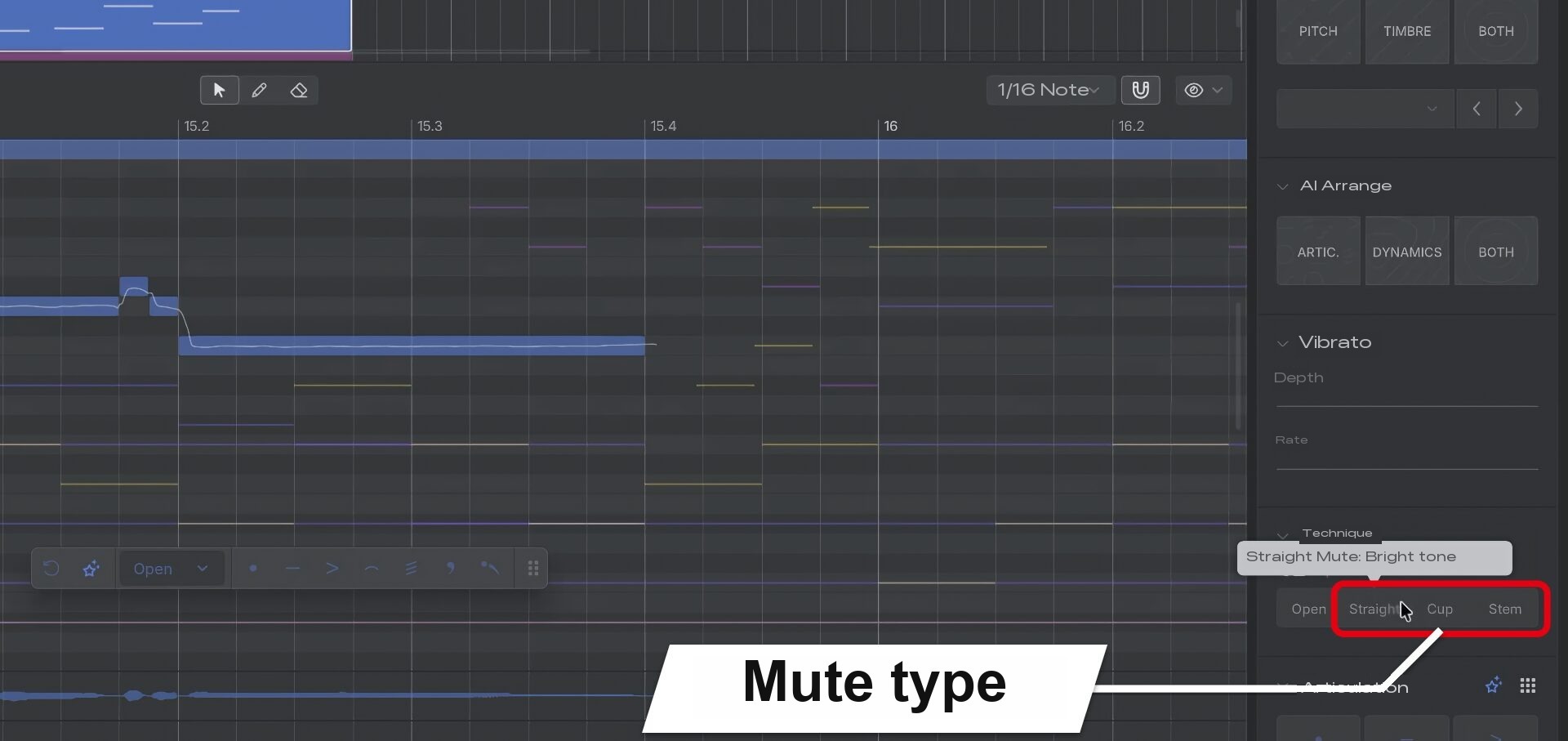
Beyond simply turning the mute on or off, you can switch between three types of mute.
Since this can be set per note, you can also change the tone for just part of a phrase.
Let's compare the same phrase without a mute (Open) and with the "Stem" mute.
Finishing the Ensemble with Smart Articulation
Next, starting from the raw step input so far, we apply Smart Articulation to every track.
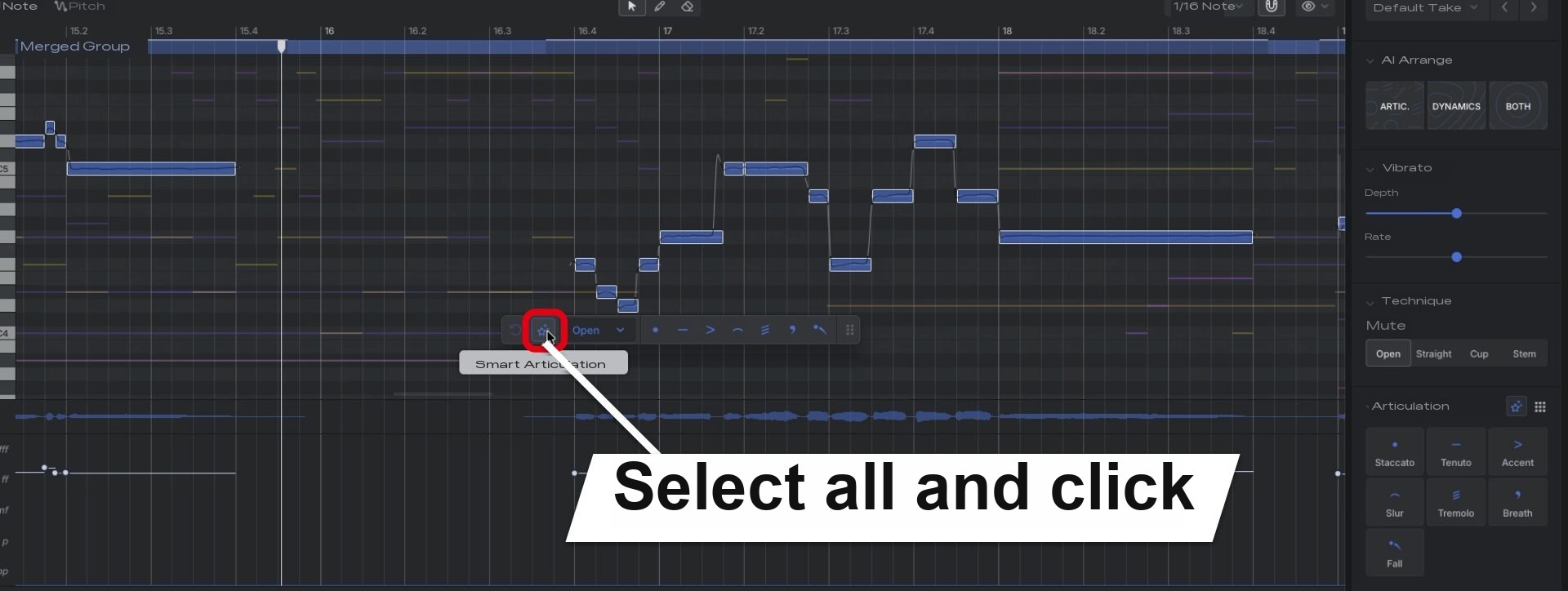
The key point is that just selecting the notes and clicking applies playing styles and dynamics to the whole phrase at once.
Techniques such as accents are also added automatically where needed.
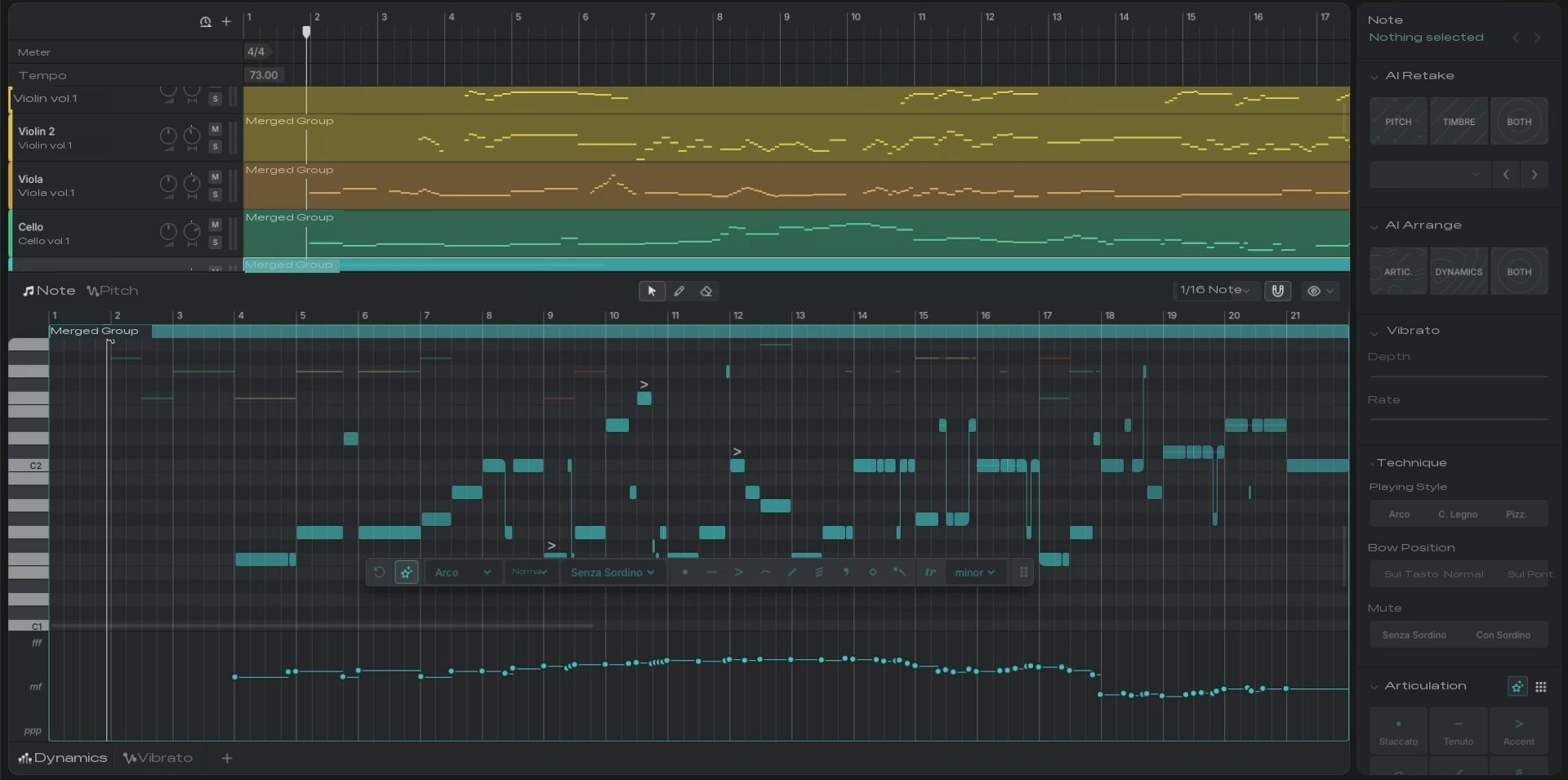
Let's compare the ensemble as raw step input with the ensemble after applying Smart Articulation.
In our hands-on impression, although there were a few spots where we wanted to fix the timing slightly, overall we liked that you can start working from something that already sounds like a finished ensemble.
Adding expression from scratch in MIDI programming takes time.
Since that foundation is ready right away, you can spend your time on fine adjustments and other work.
It also supports adjusting the microphone combination and the room's reverberation, so you can give it a hall-like sound.
The microphone and room settings are covered in the pop edition.
System Requirements

Windows
- OS: Windows 11 or later (64-bit)
Mac
- OS: macOS 11.0 or later
Common
- CPU: Intel Core i3-8100 or higher, AMD Ryzen 5 1600 or higher, or Apple Silicon (M1 or later)
- Memory: 8 GB or more
- Storage: 300 MB or more of free space (when installing the editor and one instrument database; additional space is required depending on the number of instrument databases installed)
- Other: Audio device, internet connection and an email address that can send and receive mail (a Dreamtonics account is required to use the product)
Price
With Instrument X, when you buy an instrument database, the editor for editing performance data comes free.
You can buy just the instruments you want, and there are also collections by instrument family and a set with all 15 instruments.
| Product | Contents | Price (tax included) |
|---|---|---|
| Instrument database | Any one instrument | ¥17,600 |
| Orchestral Strings Collection | Violin, viola, cello, contrabass | ¥47,300 |
| Orchestral Woodwinds Collection | Piccolo, flute, oboe, clarinet, bassoon | ¥52,800 |
| Orchestral Brass Collection | Horn, trumpet, trombone, tuba | ¥47,300 |
| Jazz Combo Collection | Alto sax (jazz), tenor sax (jazz) | ¥26,400 |
| The Complete Collection | All 15 instrument databases | ¥114,400 |
Where to buy: AHS Download
Instrument X lets you play everything down to each instrument's breathing and performance nuances just by placing notes.
You can also buy only woodwinds or only brass, so start with the instruments that interest you.
* Prices are as of November 2026.
Please check the sales site for the latest prices.
NEW ARTICLES
Latest English Articles











