
The biggest feature of KOMPLETE KONTROL Ver 2.0 is the addition of "NKS Effects," which lets you freely incorporate not only Native Instruments' own effects but also other companies' VST plug-in effects. This greatly increases your freedom in sound design, and since the main parameters are automatically assigned to the KOMPLETE KONTROL knobs, you can edit sounds and record automation quickly and intuitively. Host integration has also been improved, now showing mute and solo from the DAW's mixer window, making track management more efficient. Third-party plug-ins such as Waves are also adding NKS support, making the production environment far more convenient.
Even more flexible sound design with NKS Effects
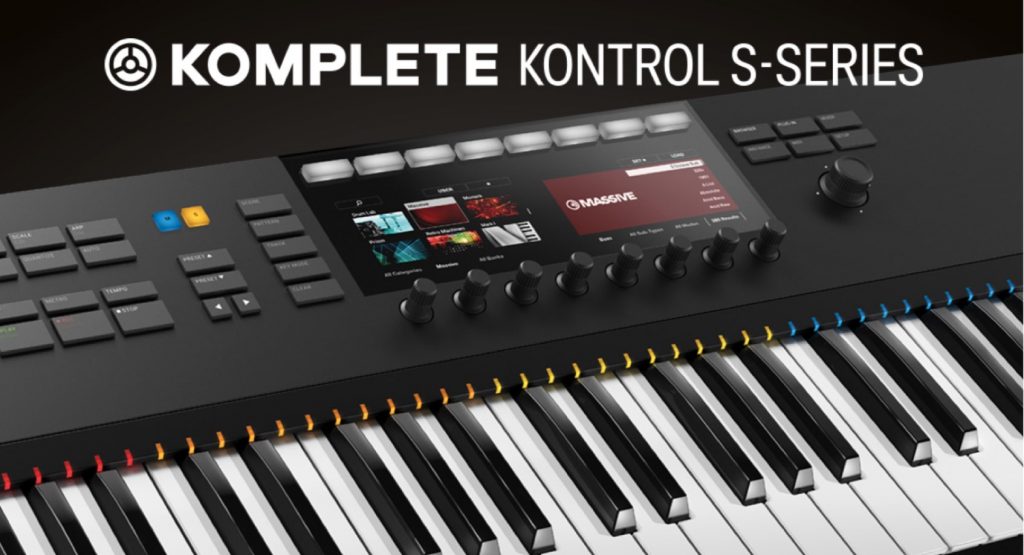
Version 2 of Komplete Kontrol from Native Instruments has been released.
The headline feature this time is "NKS Effects," which lets you apply not only Native Instruments' own effects but also other companies' VST plug-in effects.
Adding this freedom with effects on top of the features before Ver 2.0 will undoubtedly expand the range of sound design even further.
In addition, the host integration explained in the previous article has also been improved.
Let's check out these features right away.
Updating KOMPLETE KONTROL to version 2.0
To use KOMPLETE KONTROL Ver 2.0, you need to update the software using Native Access.
The video below explains how from the 34-second mark.
Selected questions and answers from the YouTube video

Does it support FL Studio too?

There's an official page. It's described at the bottom of the page. KOMPLETE KONTROL MK1: important information on host integration (Native Instruments support) It seems some items are supported and some aren't.
I set everything up exactly like this... but only the MIDI meter and keys respond, and none of the knobs work. What should I do?
Please try updating the software to the latest version using Native Access. https://sleepfreaks-dtm.com/dtm-trouble/native-access/
Thanks for the video upload. I always rely on you. I have a question about host integration. I'm currently considering buying a Komplete Kontrol S49 Mk2, and I'd like to know whether it supports Studio One. Also, if there are limitations, I'd like to know what they are. NI's website explained compatibility for the Mk1 (https://support.native-instruments.com/hc/ja/articles/210280325-KOMPLETE-KONTROL-MK1%E3%83%9B%E3%82%B9%E3%83%88%E3%82%A4%E3%83%B3%E3%83%86%E3%82%B0%E3%83%AC%E3%83%BC%E3%82%B7%E3%83%A7%E3%83%B3%E3%81%AB%E9%96%A2%E3%81%99%E3%82%8B%E9%87%8D%E8%A6%81%E4%BA%8B%E9%A0%85), but the in-page link "Details about the Mk2" had nothing about Studio One, and I couldn't find the answer I was looking for as far as I could research. I know you're busy, but I'd be grateful for an answer. Thank you.
We checked with the manufacturer. Here is their answer: For the second-generation Komplete Kontrol Mk2, when used with host applications other than the DAWs that support host integration (Ableton Live, Logic X, GarageBand, Cubase Artist/Pro, Nuendo), transport control, track selection, undo/redo and automatic track focus will not work. Apart from these functions, it can be used without problems as a controller for the KOMPLETE KONTROL software and as a regular MIDI keyboard. Thank you.
&t=34s
Using NKS Effects
You can apply plug-ins next to the instrument, just like insert effects.
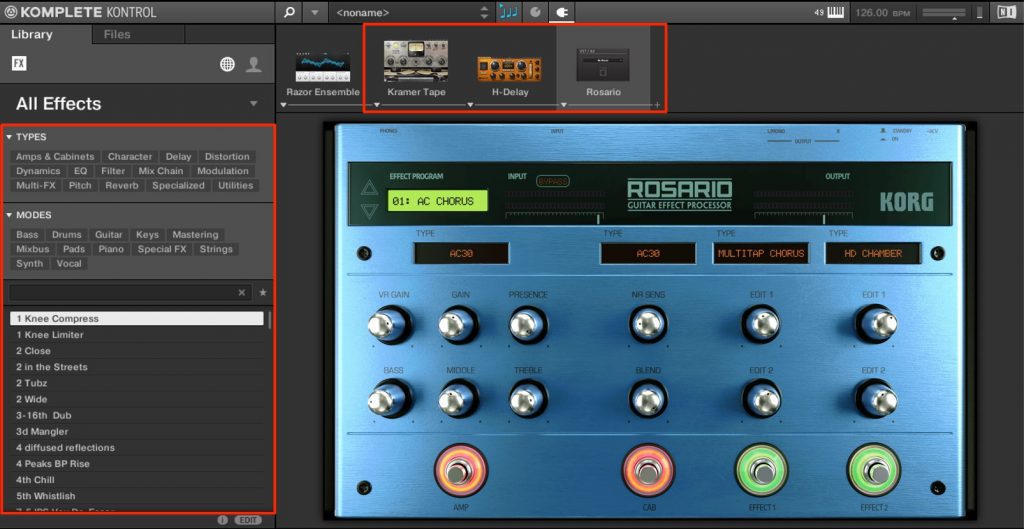
VST plug-ins that support the NKS standard appear in the browser on the left, and you can select their presets.
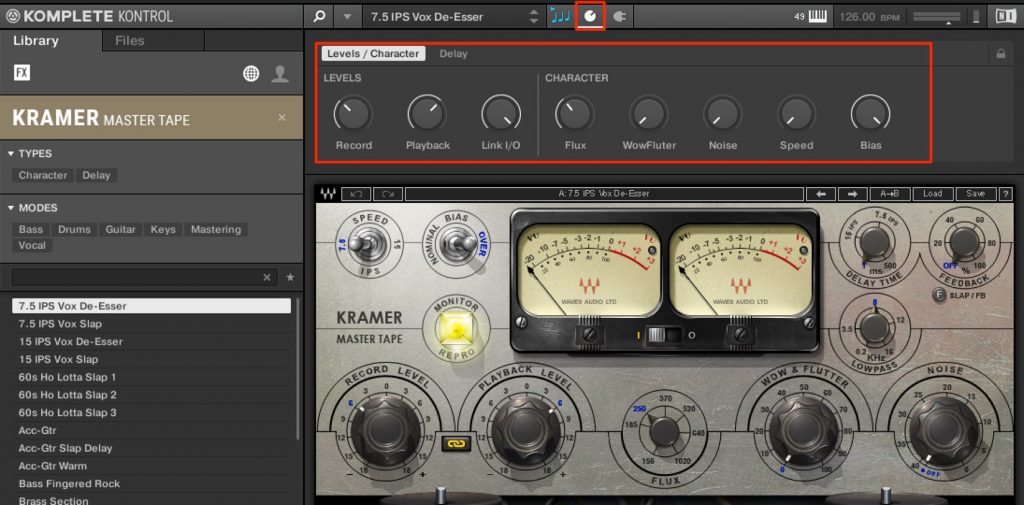
The main parameters are already assigned to the KOMPLETE KONTROL knobs, so you can edit sounds and record automation quickly and intuitively.
Waves now supports NKS too

Improvements to host integration
With host integration, which controls your DAW, mute and solo from the mixer window are now displayed.
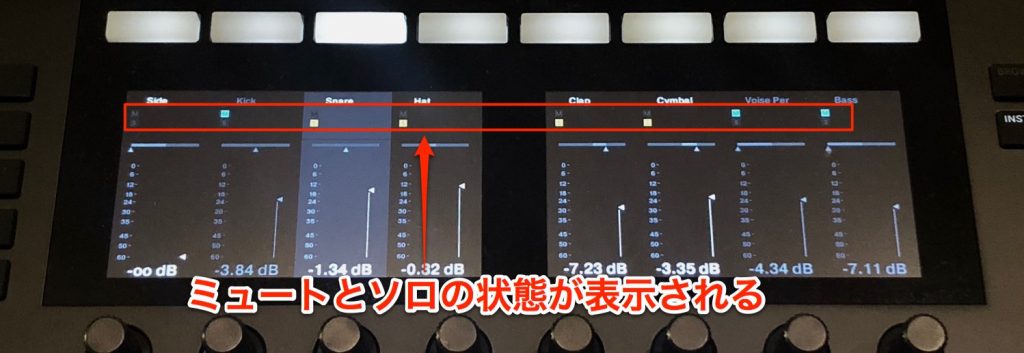
This makes it easier to see the state of your tracks.
Also, if you use host integration with Ableton Live, you'll need to set it up again.
Host integration setup is explained in detail in the article below.
Host integration setup by DAW

- 1Product overview
- 2Browse function
- 3Light Guide and Clear-View display
- 4Scale function
- 5Chord function
- 6Arpeggiator function
- 7Automation and MIDI mode
- 8Komplete Kontrol 1.1 new features
- 9KOMPLETE KONTROL Ver1.5 new features explained
- 10KOMPLETE KONTROL Ver1.6.2 new features explained
- 11KOMPLETE KONTROL Ver.1.9.3: Build a Comfortable Production Environment with "DAW Control"
- 12Komplete Kontrol Ver.1.9.3 "Host Integration": Cubase
- 13KOMPLETE KONTROL Ver 2.0 new feature: NKS FX
- 14Maschine / Komplete Kontrol favorites function
Frequently asked questions
Q1. How do I update KOMPLETE KONTROL to Ver 2.0?
Update using the Native Access software. Download Native Access from the Native Instruments official site and update KOMPLETE KONTROL to Ver 2.0. You can check the detailed steps in the official video manual.
Q2. Are the plug-ins you can use with NKS Effects limited?
Besides Native Instruments' own effects, any VST plug-in that supports the NKS standard can be used. Major manufacturers such as Waves are adding support, and the number of supported plug-ins keeps growing.
Q3. Does host integration work with every DAW?
It supports the major DAWs, but if you use Ableton Live, you need to set it up again in Ver 2.0. Detailed setup for each DAW is explained in the related articles.
NEW ARTICLES
Latest English Articles











