
Soundtoys Little Plate emulates the renowned EMT 140 plate reverb, providing a rich reverb sound for vocals and lead instruments. Its four straightforward controls—Decay, Mix, Low Cut and Mod—make it easy to shape the sound, and it includes a selection of presets. Used on a send/return, it can provide a cohesive ambience across multiple tracks while reducing CPU load.
A rich reverb modeled on the classic EMT 140
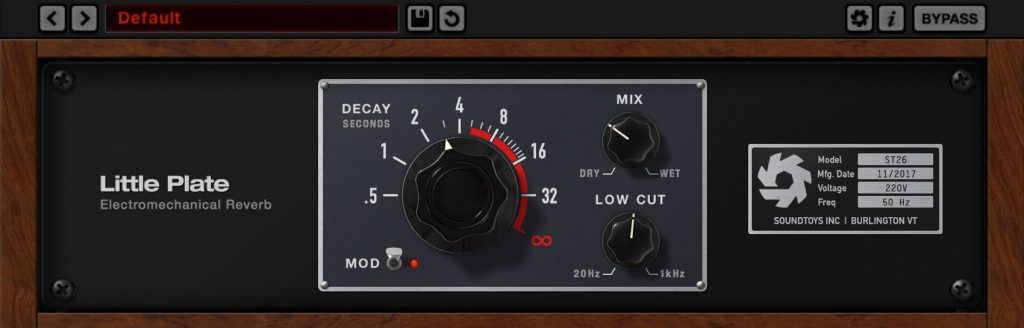
Soundtoys Little Plate emulates the EMT 140, a celebrated reverb unit.
As the name suggests, plate reverb produces its tail through the vibration of a metal plate. Its sound is natural and shimmering.
It is frequently used on lead vocal tracks and can be a valuable addition to a mix.
How to use Soundtoys Little Plate
There is no fixed rule; find the approach that best suits the song.
Purchase the product here

Plugin Boutique is an international music-production store with a wide range of plug-ins, including products that can be difficult to obtain in Japan. This guide covers the process from creating an account to download…
Shape the reverb easily with simple controls
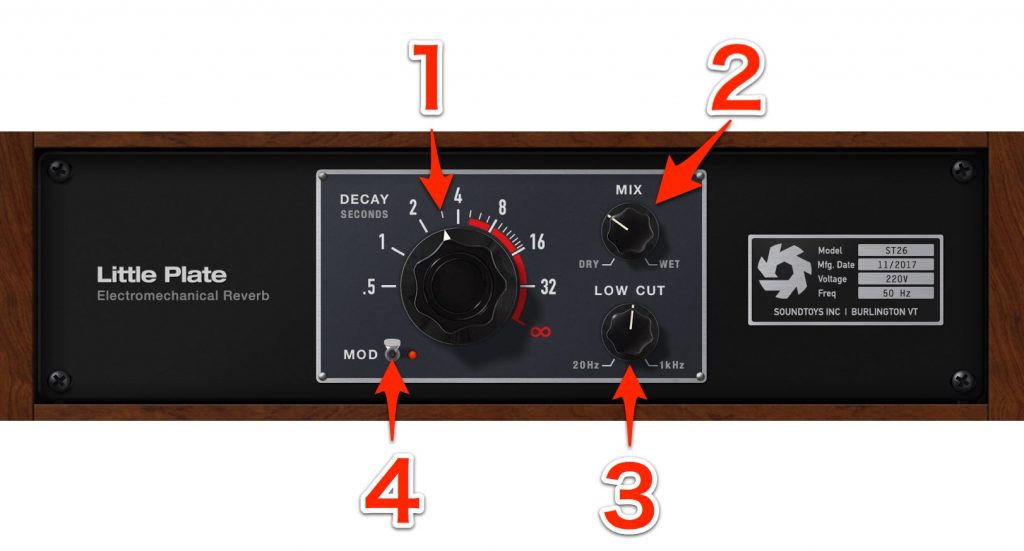
- Little Plate’s controls are straightforward.
1. DECAY
Sets the length of the reverb tail. - The displayed values are in seconds; setting it to ∞ creates a special effect where the tail continues indefinitely.
2. MIX
Adjusts the balance of the original and reverb signals to control the amount of reverb. - Fully DRY outputs only the original without reverb; fully WET outputs only the reverb.
3. LOW CUT
Cuts low frequencies from the reverb signal to make the tail clearer. - Turn clockwise for a stronger cut, up to 1 kHz.
4. MOD
Adds variation to the reverb by changing the pitch character of the tail.
Use these controls to create the reverb you like.
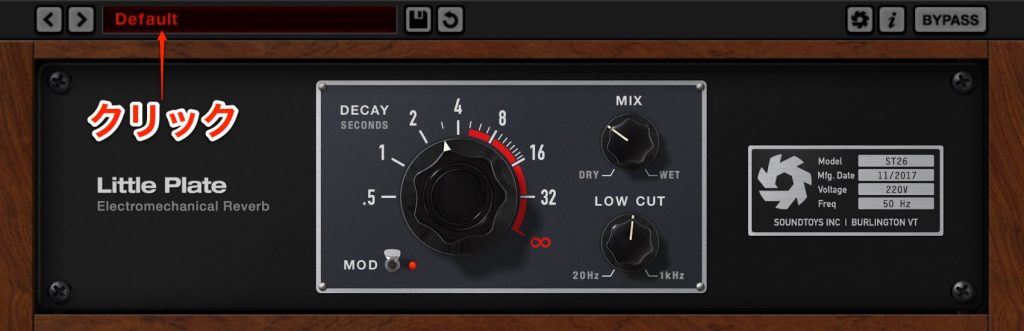
The product also includes ready-to-use presets.
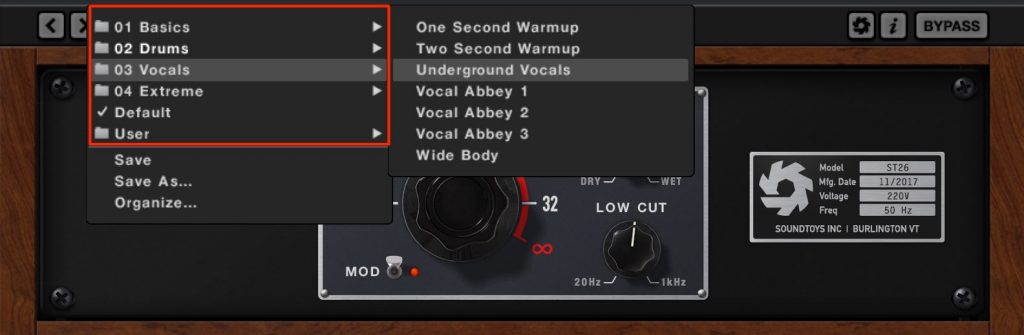
Click the preset window
to choose presets by category.
Explore their settings as you find your preferred values.
Using Little Plate on a send/return
Let’s also look at the classic send/return setup, which separates the track from the reverb signal for independent control of the tail.Create a dedicated reverb track and share it across multiple tracks
.
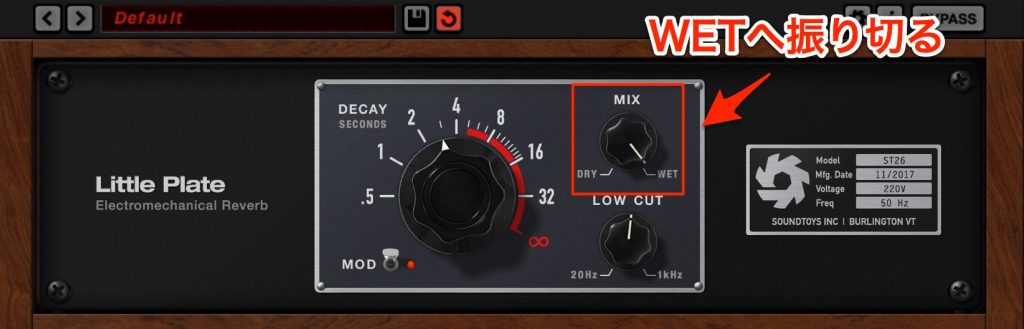
When using a send/return, turn the MIX knob fully to WET.
This makes the channel responsible only for the reverb tail.
- Send/return has the following advantages:
- Sharing one reverb among several tracks can save CPU resources.
- Sharing the same reverb can make the tracks feel as though they are playing in the same space.
You can apply effects only to the reverb signal without affecting the original track.
The setup differs by DAW.

 Pro Tools
 Logic
 Cubase
 Ableton Live
 Studio One
FL Studio
Listen to the reverb’s stereo spread
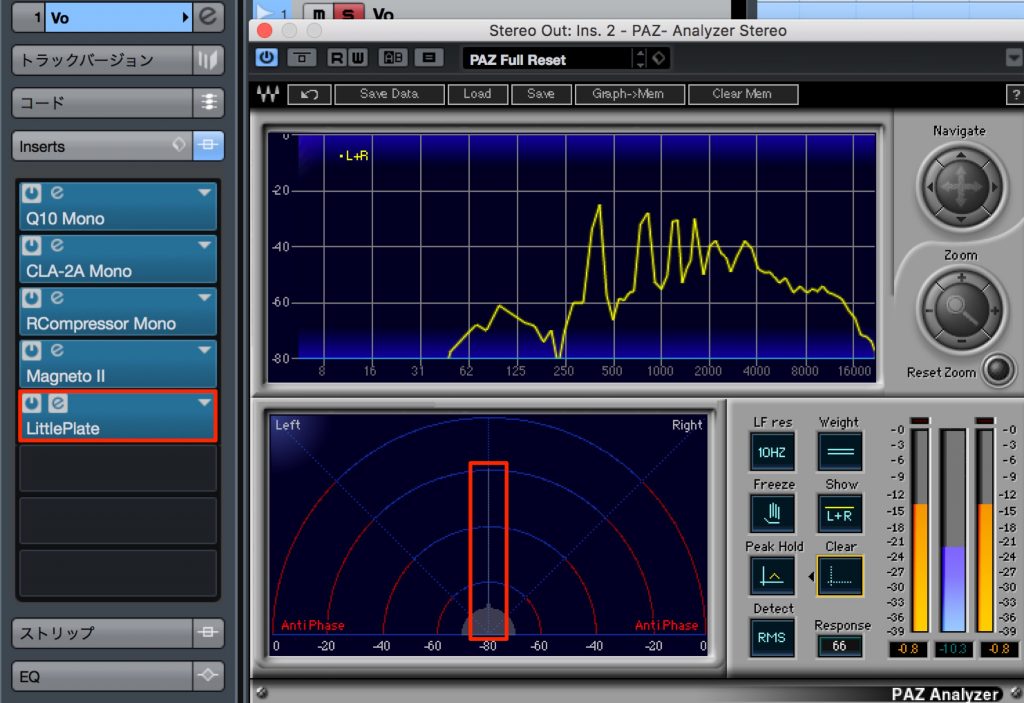
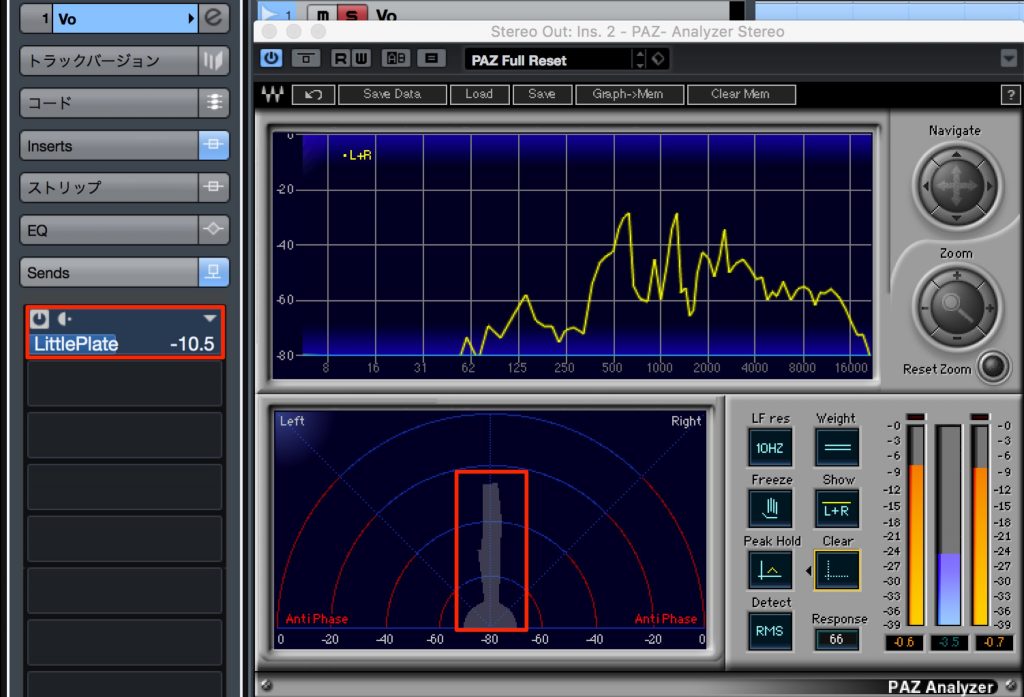
Note the difference in spread between inserting Little Plate directly on a mono track such as a vocal and sending a mono track to Little Plate on a stereo track.
With a direct mono insert, the reverb is also mono and adds depth.
A stereo send/return creates a wider left-to-right spread.
There is no fixed rule; find the approach that best suits the song.
Purchase the product here
How to Create a Plugin Boutique Account and Buy Plug-ins
Plugin Boutique is an international music-production store with a wide range of plug-ins, including products that can be difficult to obtain in Japan. This guide covers the process from creating an account to download…
Frequently asked questions
Q1. What happens when Little Plate’s DECAY is set to ∞?
The reverb tail continues indefinitely, allowing you to create endless ambience or dramatic sound effects.
Q2. Where should MIX be set when using a send/return?
Turn it fully to WET so the return outputs only the reverb tail. This lets multiple tracks share the reverb efficiently.
NEW ARTICLES
Latest English Articles











