
In Native Instruments' MASCHINE Ver 2.7.6, the Re-Pitch function added to the Audio plug-in automatically adjusts pitch as you change tempo or length, making it easy to recreate sampler and tape effects. Loop Recording also gains three new modes, enabling a variety of recording methods by take, sound or pattern. Usability is improved too, with a menu shown when you right-click while editing events, greatly expanding your freedom in sampling and loop production.
Re-Pitch and handy loop recording modes added

Version 2.7.6 of the MASCHINE software from Native Instruments has been released.
This 2.7.6 adds improvements and bug fixes to what was added in Ver 2.7.4.
So we'll explain the features newly added in Ver 2.7.4.
Updating the product to the latest version
To use MASCHINE Ver 2.7.6, you need to update the software to the latest version from "NATIVE ACCESS."

- 1Adding preset sounds
- 2File Type selector
- 3Recording and pattern editing
- 4Step input & adjusting tracks
- 5Exporting audio/MIDI
- 6Effects & mixer window
- 7Automation & using it as a MIDI controller
- 8Full integration with your DAW
- 9Maschine 2.4.6 new features explained
- 10MASCHINE Ver 2.7.4 to 2.7.6 new features
Re-Pitch added to the Audio plug-in
The "Audio plug-in" explained in the previous article now has a Re-Pitch mode.
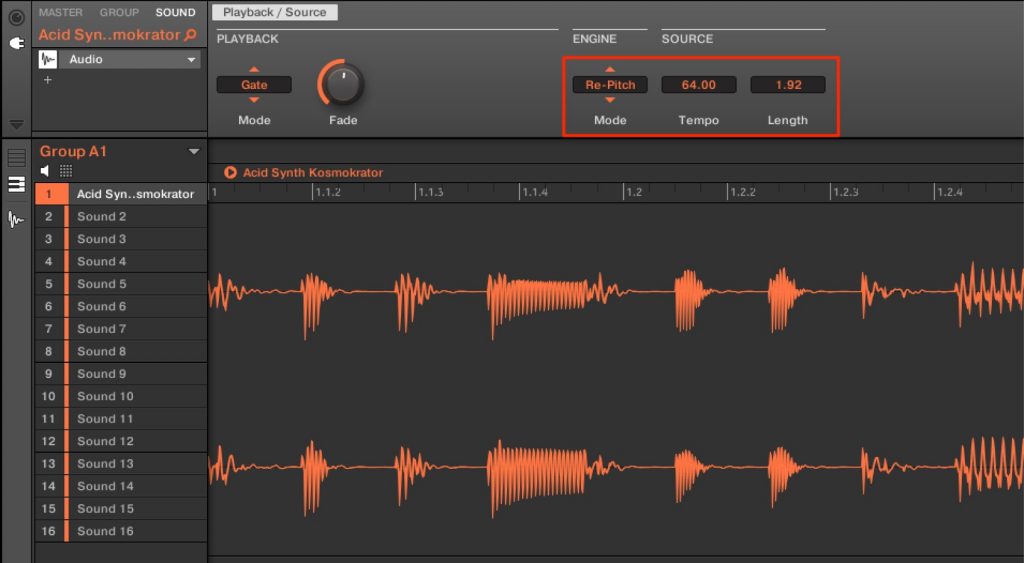
Change "ENGINE" to "Re-Pitch," and when you change Tempo or Length, the pitch changes accordingly.
- Lowering Tempo or Length raises the pitch.
- Raising Tempo or Length lowers the pitch.
This makes it easy to recreate sampler and tape effects, broadening how you can use audio samples.
New modes added to Loop Recording
Loop Recording, used for recording, now has three modes under "TARGET."
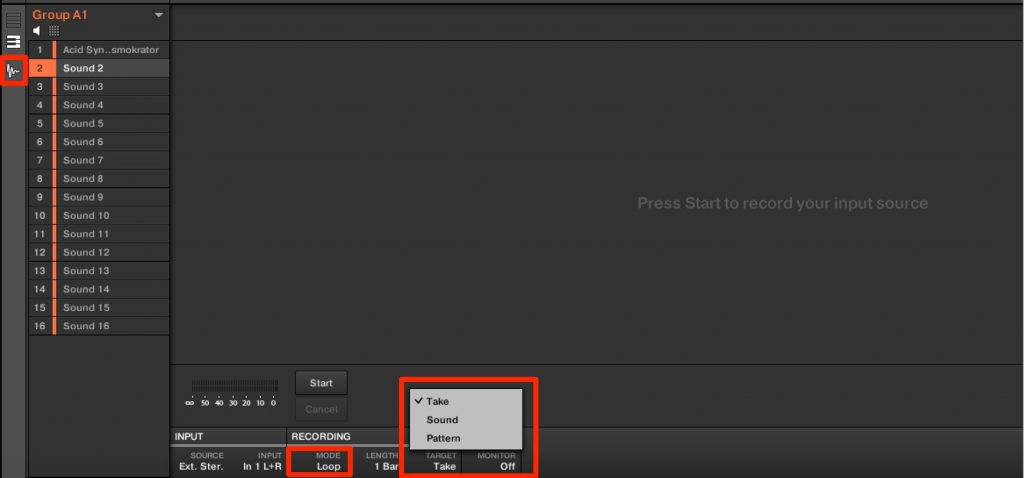
The feature of this loop mode is that what you recorded plays back immediately.
- Take: performances are saved to the take list.
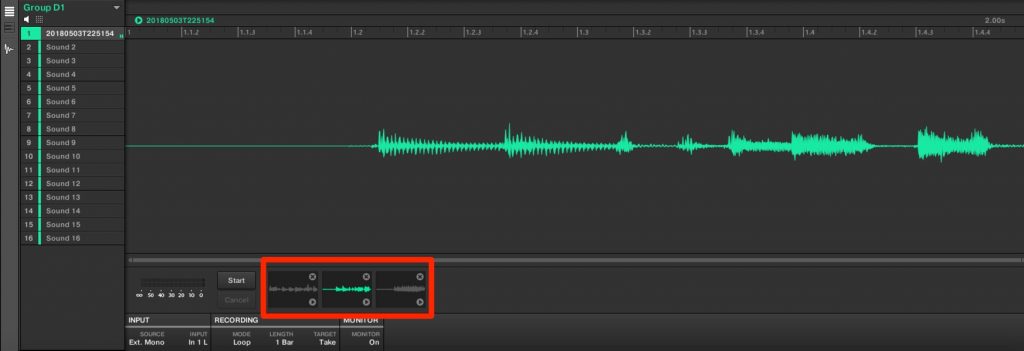
Each performance is recorded as a separate take.
Another difference from recording in "Sync" mode is that the take is previewed the moment recording ends.
- Sound: performances are saved to empty sounds in the group.
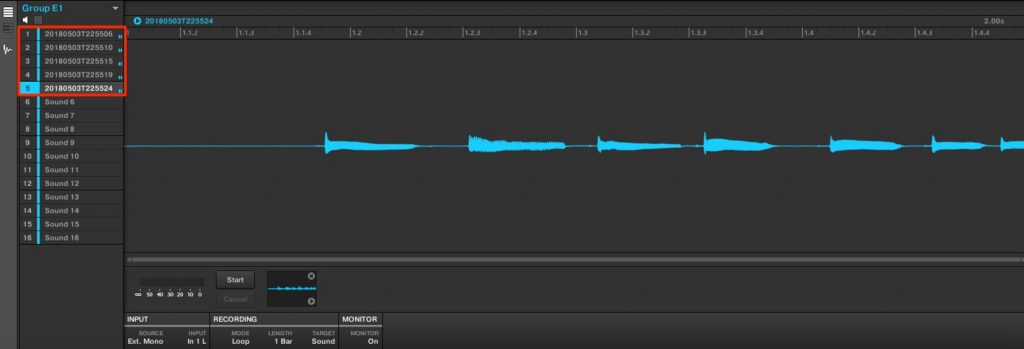
Each recording adds the performance to an empty sound, and all performances play at the same time.
You can use it like a looper, layering takes on top of takes.
It seems well suited to live performance too.
- Pattern: a new pattern is created for each performance.
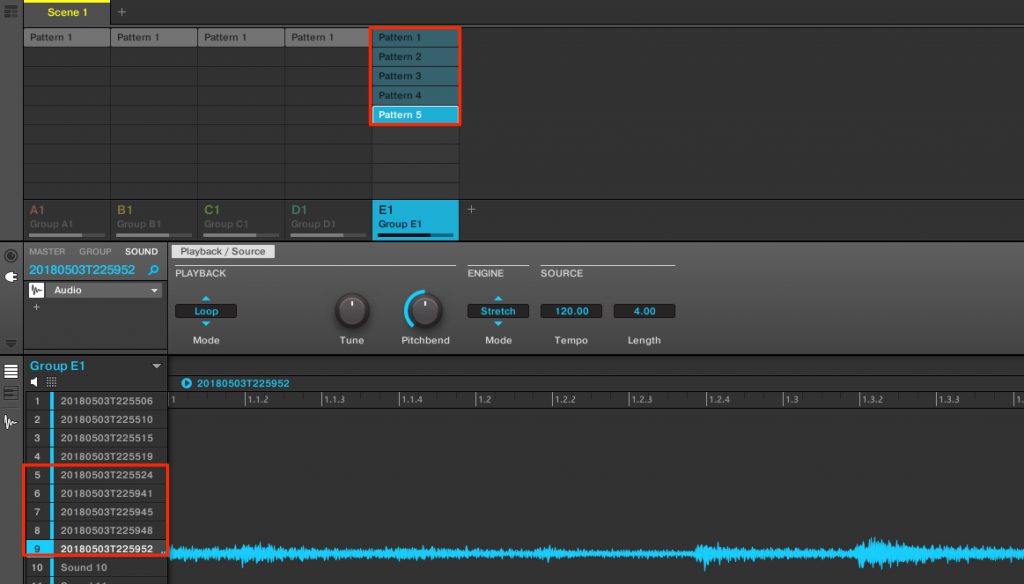
A new pattern is created for each recording.
Also, each take is placed on a different sound, so all takes are kept.
Combining these broadens the range of what you can do with sampling.
A menu appears when you right-click an event
Up to the previous version, right-clicking an event deleted it immediately.
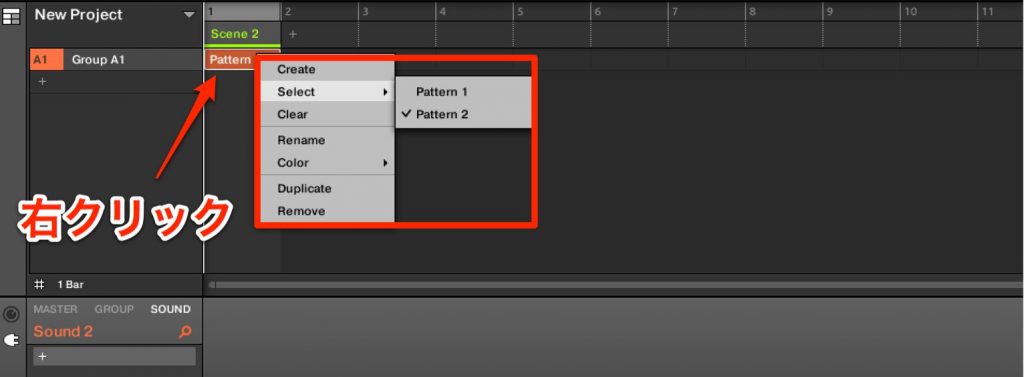
From this version, right-clicking an event displays a menu like this.
You can access the main editing items, so you can work with events more conveniently.
Frequently asked questions
Q1. What is the Re-Pitch function in MASCHINE Ver 2.7.6?
It's a function added to the Audio plug-in that automatically adjusts pitch when you change the tempo or sample length. Lowering the tempo raises the pitch and raising it lowers the pitch, making it easy to recreate sampler and tape effects.
Q2. What is the Loop Recording Target mode "Sound" like?
Performances are saved to empty sounds in the group, and multiple performances play at the same time. You can use it like a looper, layering takes, which suits live performance.
Q3. How do I update to Ver 2.7.6?
You need to update the MASCHINE software to the latest version from Native Instruments' "NATIVE ACCESS."
Q4. What gets recorded in the Loop Recording Target mode "Pattern"?
A new pattern is created automatically for each recording, and each take is placed on a different sound, so every take is saved separately.
NEW ARTICLES
Latest English Articles











