
Logic Pro X's [Flex Pitch] is an innovative feature that makes vocal pitch correction as easy as MIDI editing. It allows a wide range of edits, from semitone corrections to fine adjustments in cents, adding vibrato and changing vocal character. Straightening "Fine Pitch" and "Vibrato" also lets you create special effects such as the robotic Auto-Tune-style voice, making it an essential tool for producers who want to greatly improve the quality of their vocal tracks.
[Flex Pitch]: the pitch correction feature added in Logic Pro X
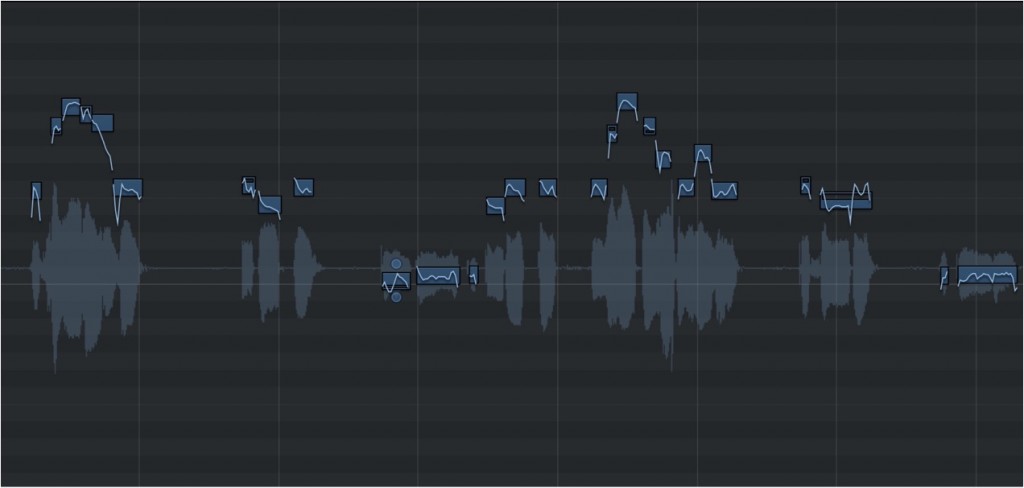
[Flex Pitch], added in Logic Pro X, is a new feature that lets you easily correct vocal pitch,
add vibrato, and even apply effects like the robotic Auto-Tune-style voice.
It allows audio editing as smoothly as if you were working with MIDI.
Logic Pro X new features: article index
0_How to download
1_Overview and settings
2_Drummer
3_Flex Pitch *This article
4_Track Stack
5_Smart Control
6_Arrangement Marker
7_How to download Logic Remote
8_Logic Remote in practice
Selected Questions and Answers from the YouTube Video

Hello! I'm a beginner and I'm planning to record! Which would be easier: recording with GarageBand and Melodyne, or using Logic? Sorry for the confusing question 🙇♂️

The recording process is almost the same, so both are easy. Pitch correction is also quite similar, so if you have the same budget, my personal recommendation would be to buy Logic, which has more effects, instruments and features.
Good evening! The keyboard doesn't appear. Am I doing something wrong?
Please check the items in the image in order from the top. https://app.box.com/s/eg71g02nz53oqvhzrif8xycq0ezoiasm
I get noise or clicks almost 100% of the time. Have you ever had this kind of problem? The only fix I have is to re-record.
Noise can occur when the CPU load is high. Once this happens, it is difficult to restore the sound quality, so before recording we recommend exporting the whole song (backing track) as a 2-mix, putting it into a separate project for recording, and doing the actual recording with a low load. After recording, bring that take back into the original project and continue production.
In Logic I record everything except drums with real-time input. Is there a way to align whole tracks, for example guitar, bass and drums, using something like quantize? Or is getting them in sync down to individual skill after all?
By enabling Flex in this way, you can quantize audio material as well. Please give it a try!
I always watch your videos for reference! I'd be glad if you could answer a question. When I analyzed with Flex Pitch, the notes were displayed and I was working on them, but to work more efficiently on several at once I pressed Shift and click at the same time, and all the notes disappeared. Nothing I do brings them back. How can I get them to display again?
That must be very frustrating. However, there are many things we cannot tell from text alone (for example, what exactly was pressed together with Shift and click, or whether that operation was the cause), so we cannot guarantee a solution, but we have put together an image covering various cases. https://app.box.com/s/4p3qei01tq1519ceigd1rdrgo24nk92r 1_When you double-click the audio region, check whether "Track" is selected 2_Check whether the Flex button (the icon that looks like an hourglass on its side) is on 3_Check whether Flex Pitch is selected 4_If you deleted the analyzed notes, you should be able to restore them with Undo (Command+Z), and you can also re-analyze with "Edit" → "Analyze Audio for Flex Editing". (Notes will also be displayed if you switch Flex Pitch to Flex Time and then select Flex Pitch again.) Please give these a try.
Sorry for the sudden question. Can Logic X reverse audio like Ableton?
Reversing is explained in the article below. https://sleepfreaks-dtm.com/for-advance-logic/revers-3/ Thank you.
Thank you for the video. I'm thinking of using this software on a MacBook Pro laptop. When recording my own voice (singing), is there equipment (a mic and so on) that I need to buy separately? The MacBook doesn't even have a mic input. Sorry for being so clueless...
Recording requires an audio interface and a microphone. They are explained in the two articles below, so please make use of them. Audio interfaces https://sleepfreaks-dtm.com/start-dtm/select-af/ Microphones and cableshttps://sleepfreaks-dtm.com/start-dtm/about-mic/
I'm currently practicing mixing covers using Cubase AI8 and Vocal Shifter, and since Logic is cheaper than Cubase, I'm thinking of buying Logic! I'd like to ask: are the pitch correction software and the included plug-ins easier to use or more detailed than the free Cubase? I know it depends on the user and the situation, but I'd be glad if you could give me a rough idea m(_ _)m
Even the pitch correction features included with DAWs give good enough results. Both Logic and Cubase Pro allow detailed pitch correction.
Is there a way to save the result after adjusting with Flex? When I press the Flex button, it goes back to the original.
After making Flex adjustments, how about right-clicking and choosing "Bounce in Place" to create an audio file that includes the Flex results?
Video point: Analyzing the vocal
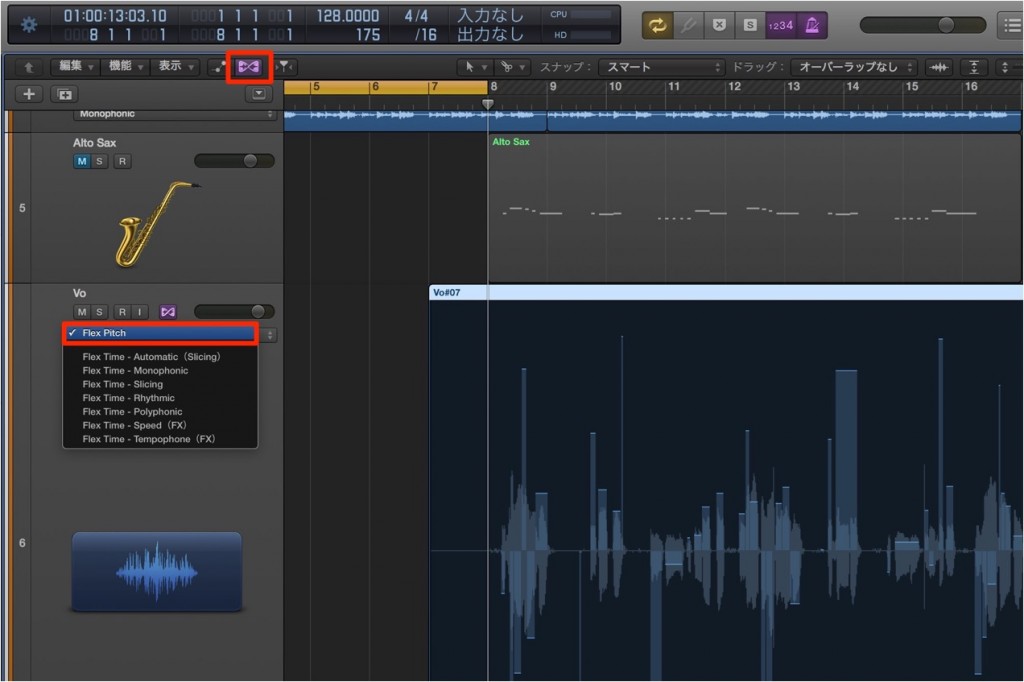
Turn ON the "Flex" button in the menu bar of the track you want to edit.
Then select "Flex Pitch" from the "Flex" pop-up menu.
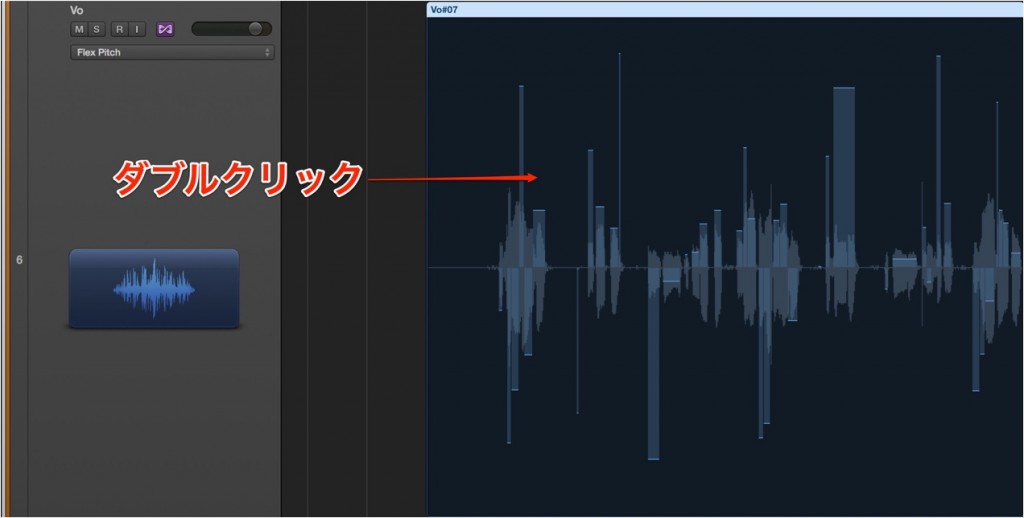
When the analysis is finished, double-click the audio region
to display the "Audio Track Editor" shown in the image below.
Video point: Correcting the pitch
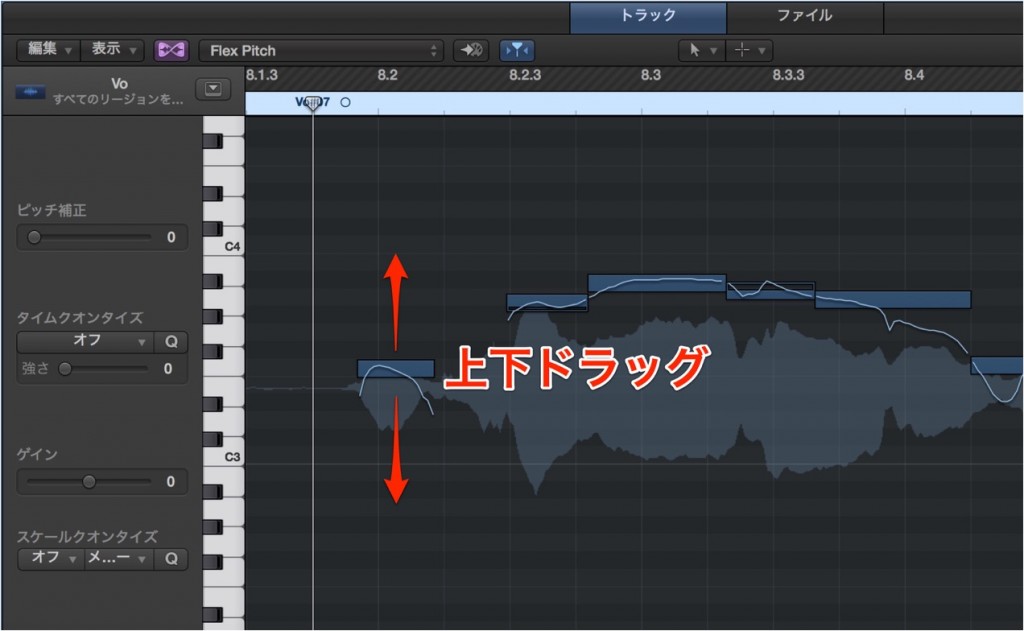
Select the note you want to correct and drag it up or down with the "hand" pointer to correct it in semitone steps.
Video point: Making finer edits
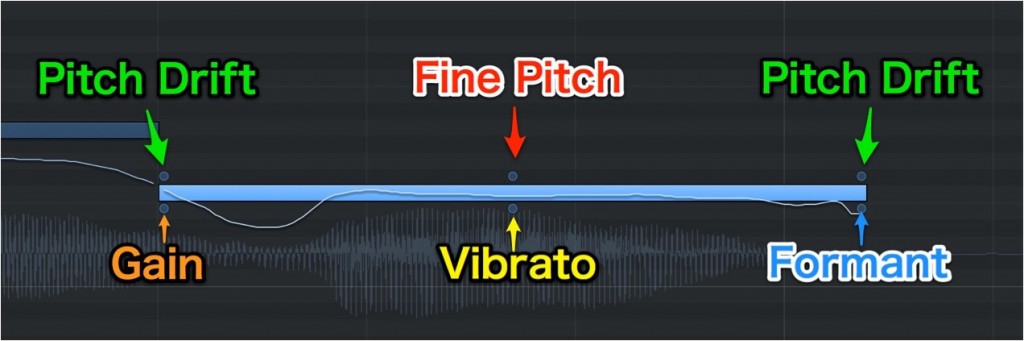
- "Fine Pitch": allows pitch editing in finer units of "cents" (1 cent = 1/100 of a semitone)
- "Pitch Drift": lets you adjust the pitch at the beginning and end of a note
- "Gain": lets you adjust the volume note by note
- "Vibrato": lets you add or reduce the vibrato effect on a note
- "Formant": changes the character of the voice. You can even make it sound like you have inhaled helium
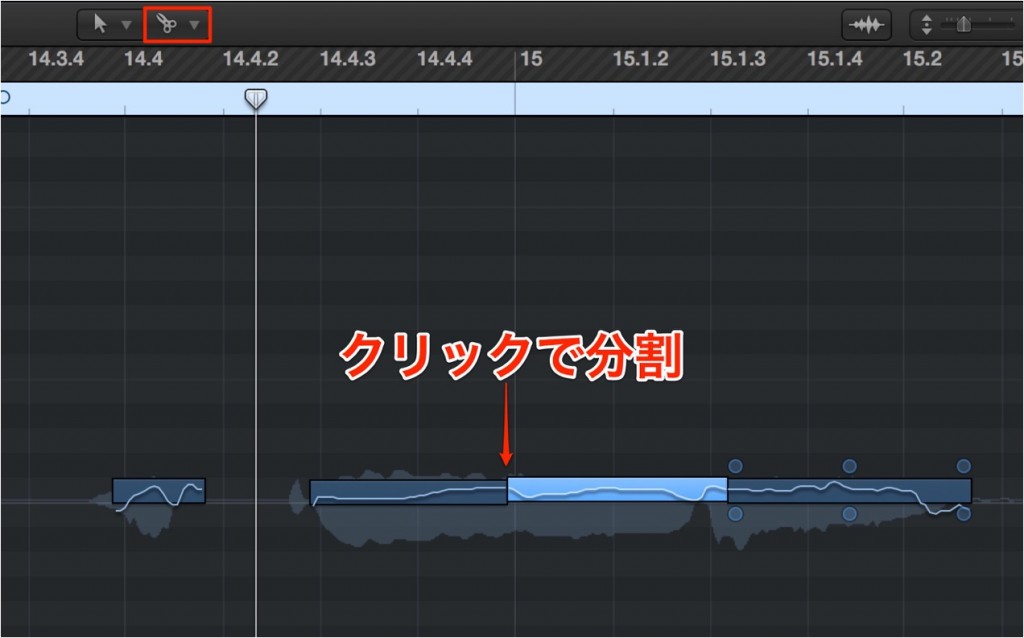
If a note is long, it is a good idea to split it with the "Scissors tool".
Video point: Applying a robotic voice effect
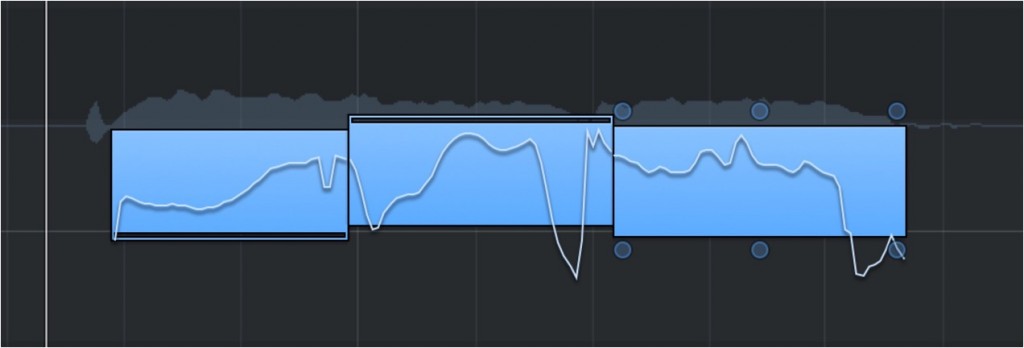
Looking at Flex, you can see the pitch curve is constantly changing.
By forcibly straightening it, you can reproduce the robotic effect.
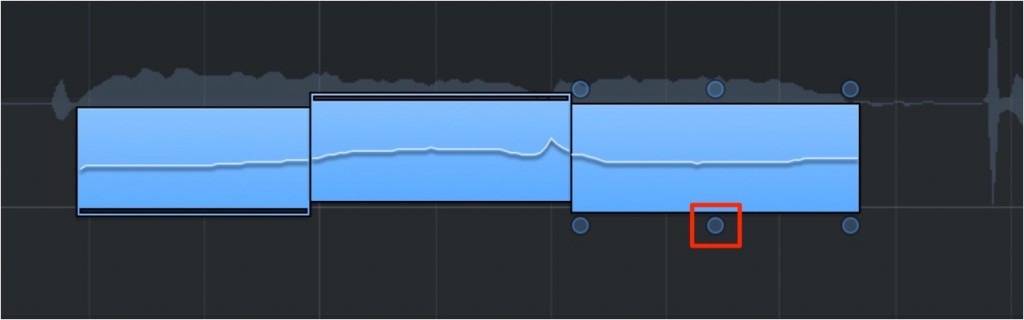
We straightened the waves in the voice with "Vibrato".
This gives an effect like the robotic voices typified by Perfume.

Frequently Asked Questions
Q1. Do I need to set anything up before using Flex Pitch?
Yes. Turn ON the "Flex" button in the menu bar of the track you want to edit, then select "Flex Pitch". The vocal is then analyzed automatically.
Q2. How small a unit can pitch correction be adjusted in?
Normally corrections are made in semitone steps, but by using the "Fine Pitch" function you can make fine adjustments in "cents", units of 1/100 of a semitone.
Q3. How do I create a robotic voice effect?
You can reproduce the robotic effect by straightening the "Vibrato" waveform. This method forcibly flattens the pitch curve, which is constantly changing in Flex.
Q4. Can I also adjust note volume with Flex Pitch?
Yes. Using the "Gain" function, you can adjust volume note by note, adjusting level at the same time as correcting pitch.
NEW ARTICLES
Latest English Articles











