
iZotope Stutter Edit is a unique sound design plug-in built around the concept of gestures. This article explains how to freely control the range, direction, and speed of change. By specifying the cycle with Gesture Length and setting back-and-forth movement with Palindrome Looping, you can create complex, distinctive effects. Through dragging and double-clicking, you can customize stutter effects to your taste without relying on presets, enabling creative sound design for music producers from beginners to advanced users.
Basic concepts for operating Stutter Edit
Last time, we focused on "how to apply presets."
This time, so that you can create those effects yourself,
let's look at an overview of "Stutter Edit."
There are many concepts you won't find in other software,
so we'll explain them step by step.
Stutter Edit tutorial video
- 1Applying and controlling it
- 2The concept of gestures
- 3Pitch control gestures
- 4Controlling each parameter
Purchase the product here
Adjusting the range of change
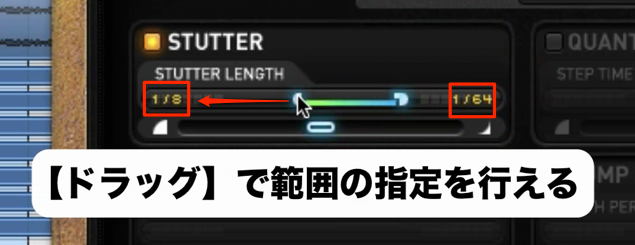
The distinctive sound of "Stutter Edit" is created by
gradually changing values.
This concept is shared by the other parameters in "Stutter Edit."
Specifying the direction of change
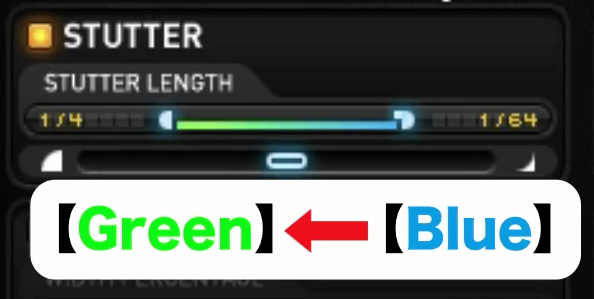
The change moves from "Blue" to "Green."
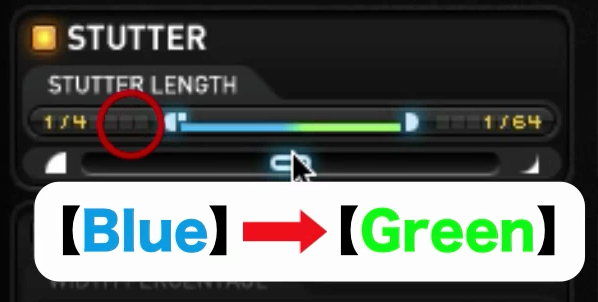
So by swapping the left and right sides with a drag,
you can reverse the direction of change.
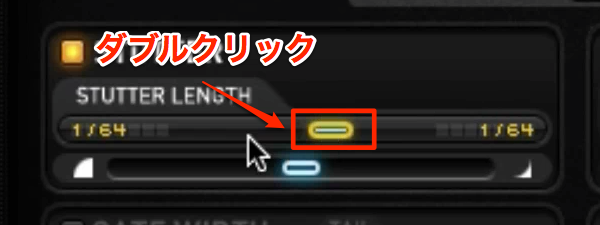
Double-clicking fixes the effect's movement in place.
Double-click again to release it.
Specifying the speed of change
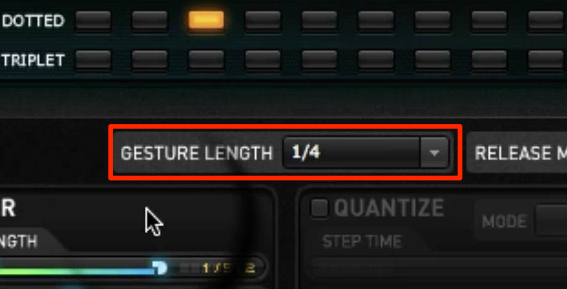
With "Gesture Length," you can specify, as a note value, the period in which the effect completes one cycle.
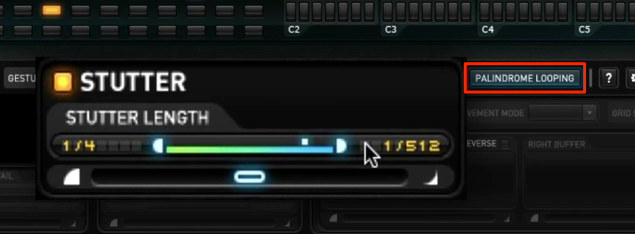
With "Palindrome Looping," you can specify back-and-forth movement of the effect.
- Off: when the effect reaches the end, it returns to the beginning and repeats
- On: when the effect reaches the end, it turns back toward the beginning
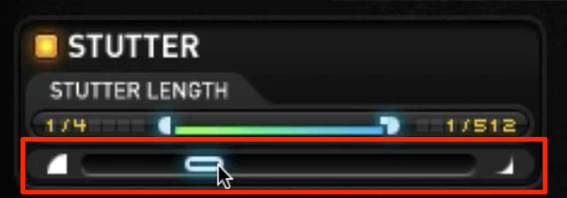
You can set the curve with which the effect changes.
This parameter gives the nuance of changing "gradually or all at once."
Purchase the product here
Frequently asked questions
Q1. What exactly is a gesture in Stutter Edit?
A gesture is the path along which effect parameters change over time. By setting the direction, range, speed, and curve of the change from Blue (start value) to Green (end value), it creates distinctive stutter effects.
Q2. What role does the period specified with Gesture Length play?
Gesture Length is a parameter that specifies, in note values, the time it takes for the effect to complete one cycle. This lets you finely control the period, from 16th notes to whole notes, achieving effects precisely synced to the song's tempo.
Q3. What changes when I turn on Palindrome Looping?
When it's off, the effect returns to the beginning and repeats after reaching the end. When it's on, the effect turns back from the end toward the start, giving smoother, more natural changes.
NEW ARTICLES
Latest English Articles











