
Using the pitch control gesture features in iZotope Stutter Edit, you can create special arpeggio-like expressions with pitch, not just repeated stutter effects. With the Melodic Notes function, you select any pitches from the keyboard and adjust the speed of pitch movement with the QUANTIZE setting, freely controlling glide effects and clearly separated pitches. Combined with Stutter, it greatly expands the variety of gesture expressions and enables professional sound effects, making it an extremely useful plug-in for EDM and dance music producers.
Create special arpeggios with Stutter Edit
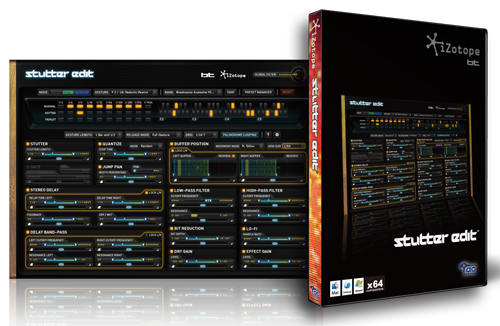
Last time, we focused on controlling "gestures."
This time, we explain "Melodic Notes", which builds on that.
It's a function that lets you add pitch to the effect, not just repeats,
and combined with the other control sections, you can get an effect slightly different from an arpeggio.
Stutter Edit tutorial video
- 1Applying and controlling it
- 2The concept of gestures
- 3Pitch control gestures
- 4Controlling each parameter
Purchase the product here
Applying Melodic Notes
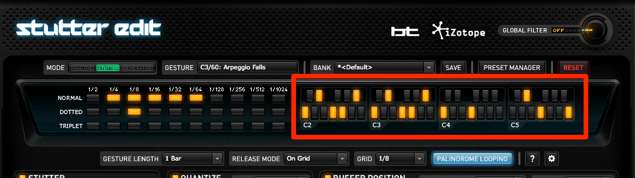
Click the keyboard in the area outlined in red and select the pitches you want to play.
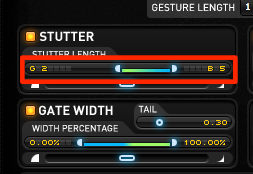
The pitches are added to the "Stutter" section.
Select the range of pitches to actually be played.
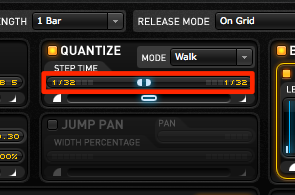
As it is, "glide" is applied between the pitches,
so the pitches aren't clearly separated.
Turn on "QUANTIZE"
and set how fast the pitch moves.
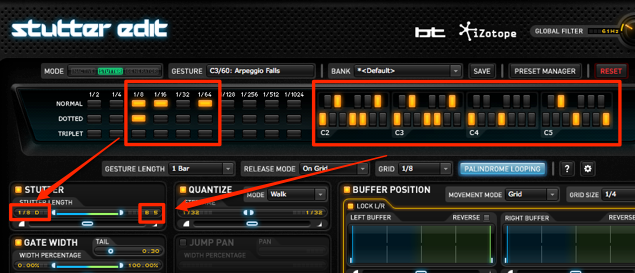
You can also use the "Stutter" repeat effect at the same time,
adding even more variety to your gesture expressions.
Purchase the product here
Frequently asked questions
Q1. What is Stutter Edit's Melodic Notes function?
Melodic Notes lets you add pitch to Stutter Edit's repeat effects. By selecting any notes from the keyboard, you can add scale-based changes to simple rhythmic effects, enabling more complex and musical expressions.
Q2. What is the benefit of turning on QUANTIZE?
Turning on QUANTIZE lets you clearly control the speed of pitch movement. Avoiding the glide effect and separating the pitches clearly gives you more precise, easier-to-hear melodic expressions.
Q3. Can Stutter and Melodic Notes be used at the same time?
Yes, both functions can be used together. Combining the Stutter repeat effect with Melodic Notes increases the variety of gesture expressions, creating richer and more complex sound effects.
NEW ARTICLES
Latest English Articles











