
Waves V12 is a major update reflecting user feedback, greatly improving music production efficiency with a preset browser, resizable windows and high-resolution display support. In addition, three new plug-ins (Smack Attack, Submarine and LoAir) were added free of charge to the Horizon, Diamond and Platinum bundles, expanding your mixing expressiveness. You can upgrade for free within one year of purchase or while on the Waves Update Plan; otherwise, a paid upgrade of up to $240 brings you to the latest version.
User Feedback Incorporated to Make It "Easier to Use"
The recently released "Waves V12"
This update firmly incorporates user feedback, and ease of use in particular has improved greatly.
Let's look at the features newly added in V12.
Preset Browser Added
Many Waves products come with a rich set of plug-in settings (presets).
From this version, a "Preset Browser" has been added, making searching for presets much more convenient.
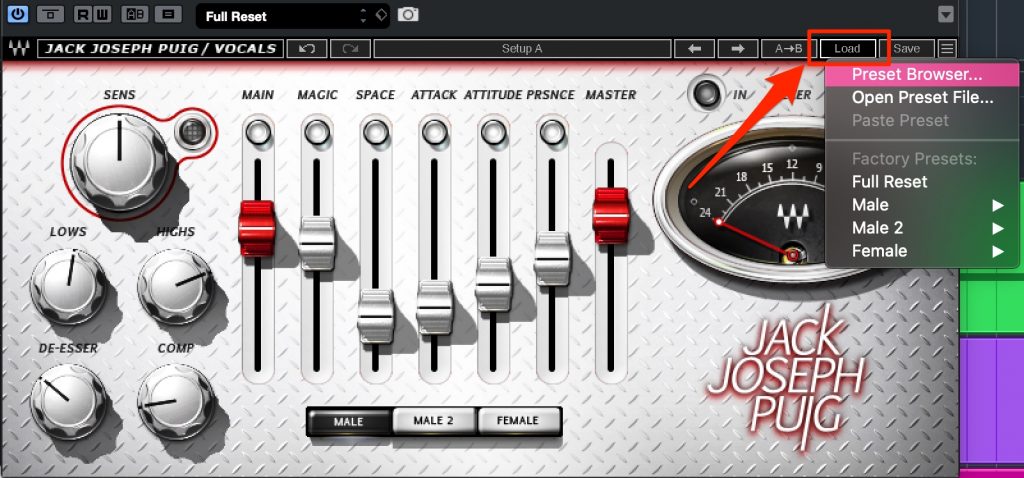
Select "Preset Browser" from "Load."
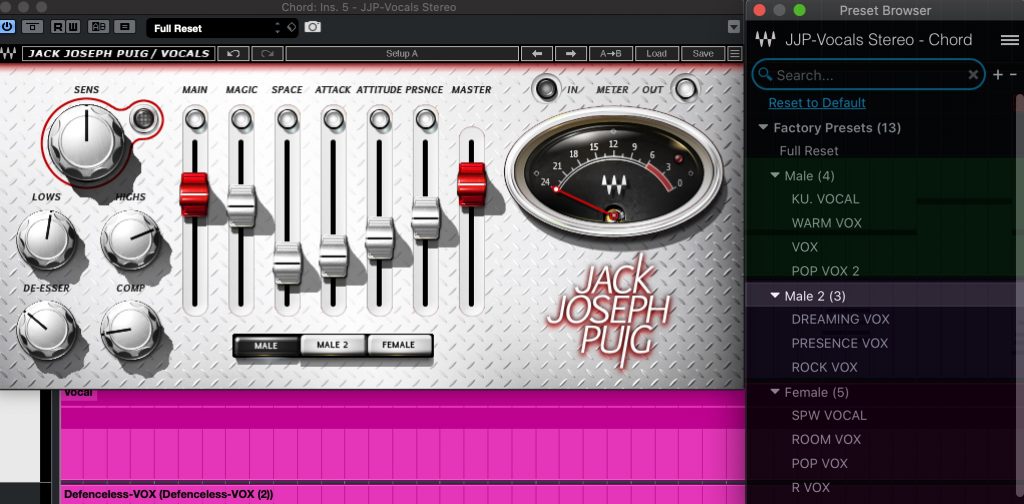
Presets are displayed sorted by list and category like this.
Clicking a preset name applies the setting to the current plug-in.
Window Size Can Now Be Changed

You can now resize the plug-in window to suit your computer's display.
You can choose from 75% / 100% (default) / 125% / 150% / 200%.
It makes fine parameters easier to check and adjust.
Support for High-Resolution Displays Including Mac Retina
There were frequent cases where the display resolution did not match, making parameters hard to set and hard to see.
V12 supports high-resolution displays including Mac Retina, so you can comfortably adjust and check parameters.
Three Products Added to Plug-in Bundles
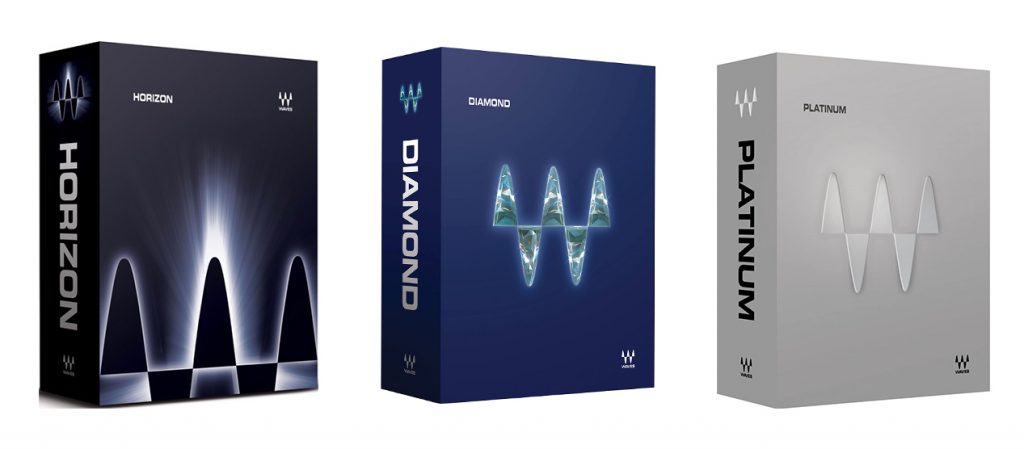
Three products have been added free of charge to the Horizon, Diamond and Platinum bundles.
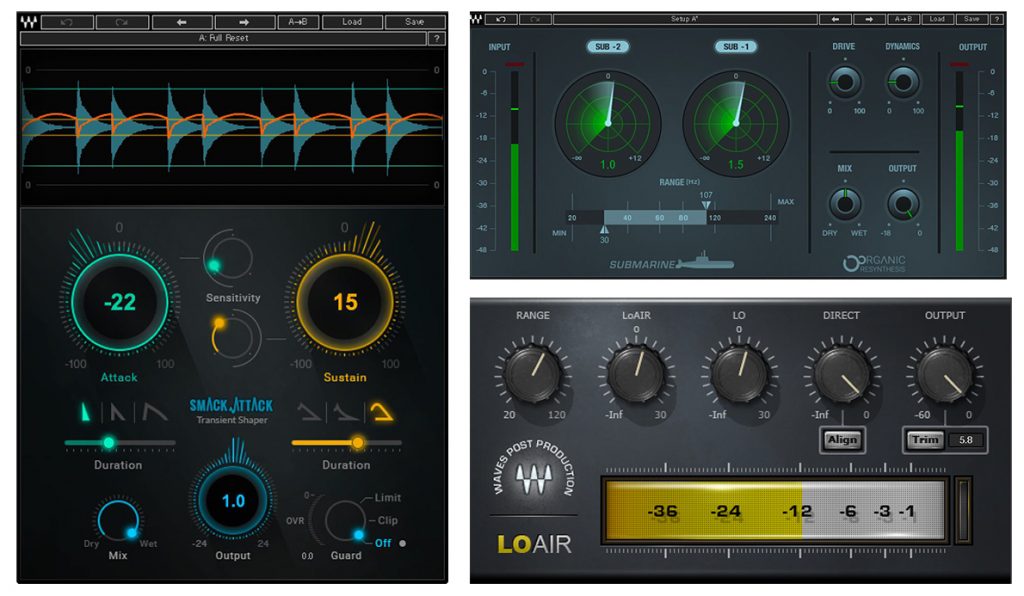
- Smack Attack: controls transients to manipulate the depth and perspective of the mix
- Submarine: adds lows up to two octaves down for power and thickness
- LoAir: adds harmonics one octave below the sound to control air and power
We also explain "Smack Attack" in our video, so be sure to check it out as well.
Tips for Better Mixing: "Waves Smack Attack" Video
Excerpts of Questions and Answers on the YouTube Video

Can it be used on vocals?

Applying it to a whole vocal may be difficult, but it can be applied to parts where the attack is clearly pronounced. When doing so, it is a good idea to find the right Sensitivity position while checking the waveform in the audio graph.

Get Waves V12 at a Good Price
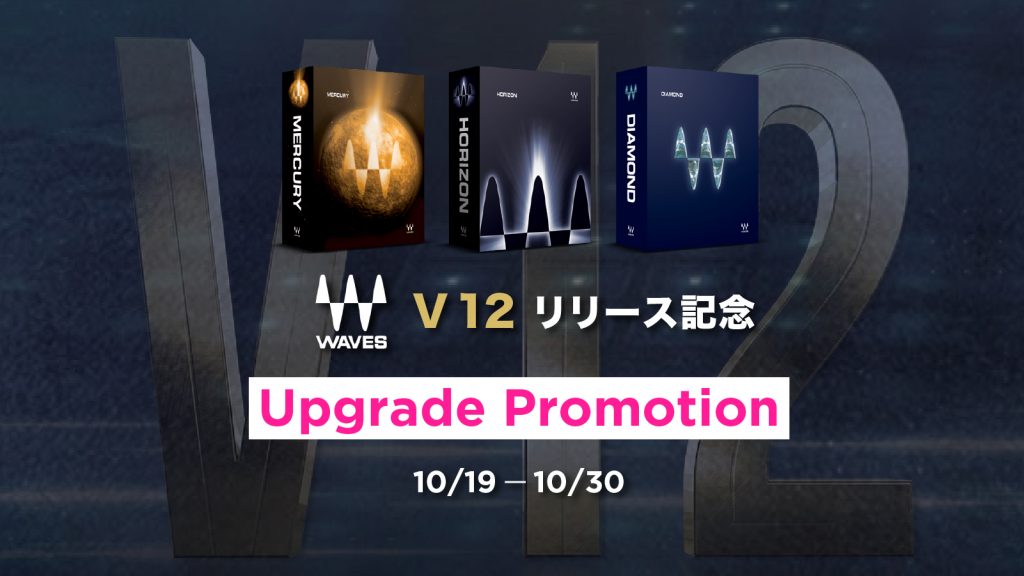
To celebrate the release of Waves V12, upgrades to the three bundles mentioned above (Mercury/Horizon/Diamond) were offered at special prices.
If you already own Waves products, even if your WUP period has expired, upgrading grants a new one-year WUP.

Upgrading and Purchasing
Next, let's look at how to upgrade to Waves V12.
If you are buying products new, the entire process is explained in the article below.

Upgrading V11 or Earlier Products to V12 for Free
If it is within one year of buying the plug-in, or you are on the "Waves Update Plan," which renews annually, you can upgrade to V12 for free.
You can check whether your plug-ins are eligible as follows.
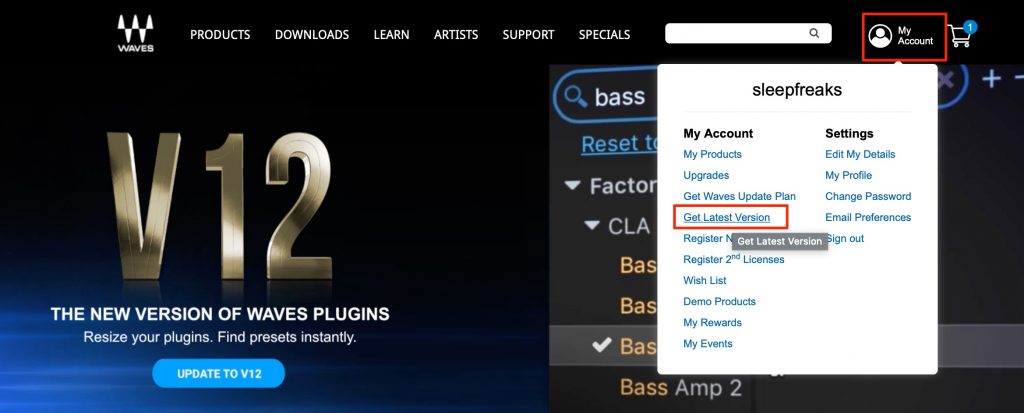
Log in to your Waves account page and select "Get Latest Version."
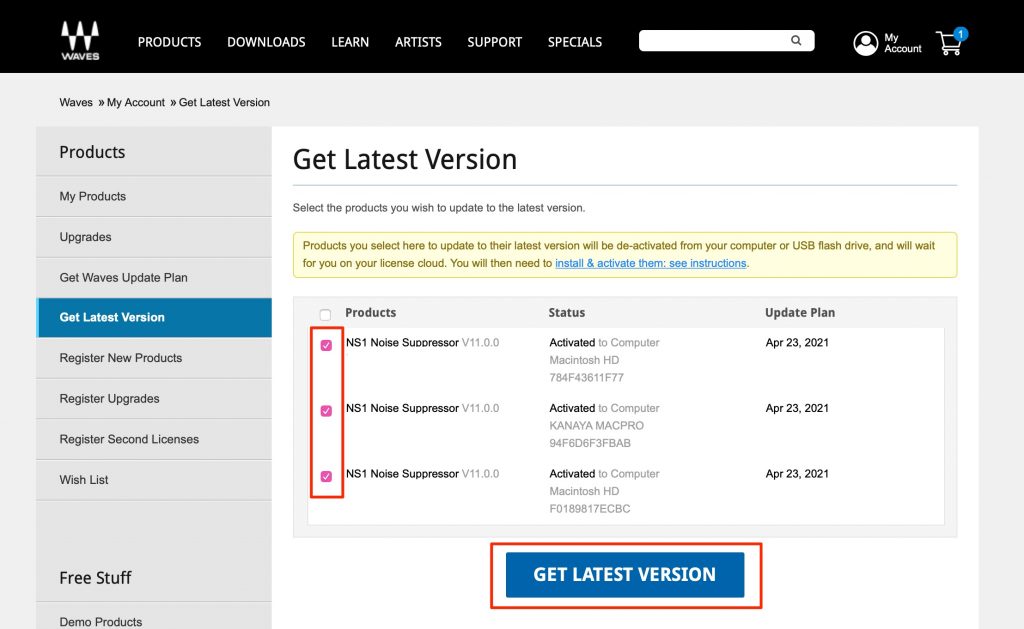
The products eligible for a free upgrade at this point are displayed.
Check them and click "Get Latest Version."
After that, download the latest "Waves Central", launch it and log in.
How to use it is explained in the article below. Check it if you get stuck.

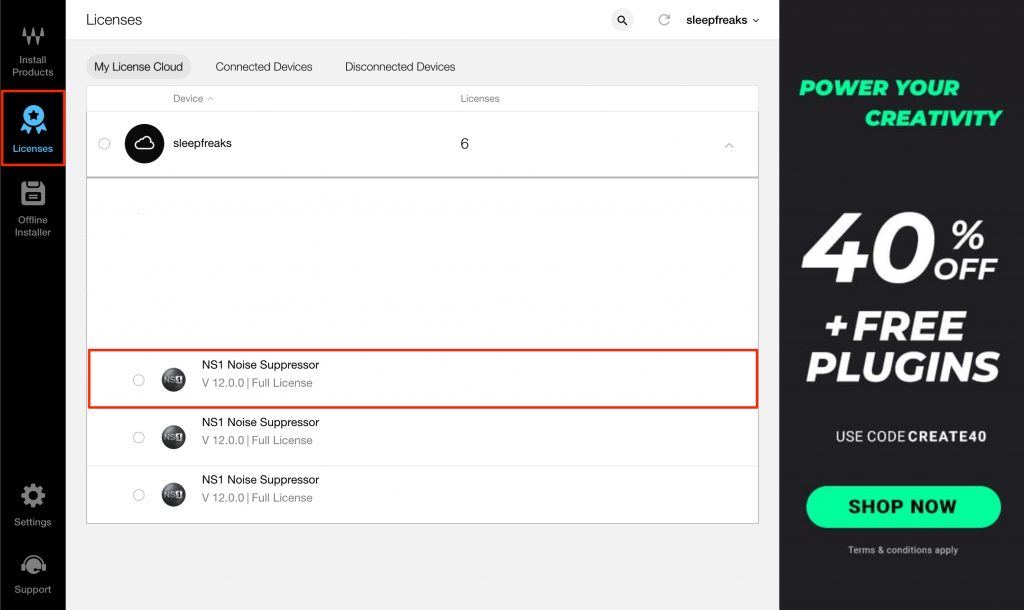
The licenses activated above are displayed, so move them to your computer or a USB flash drive.
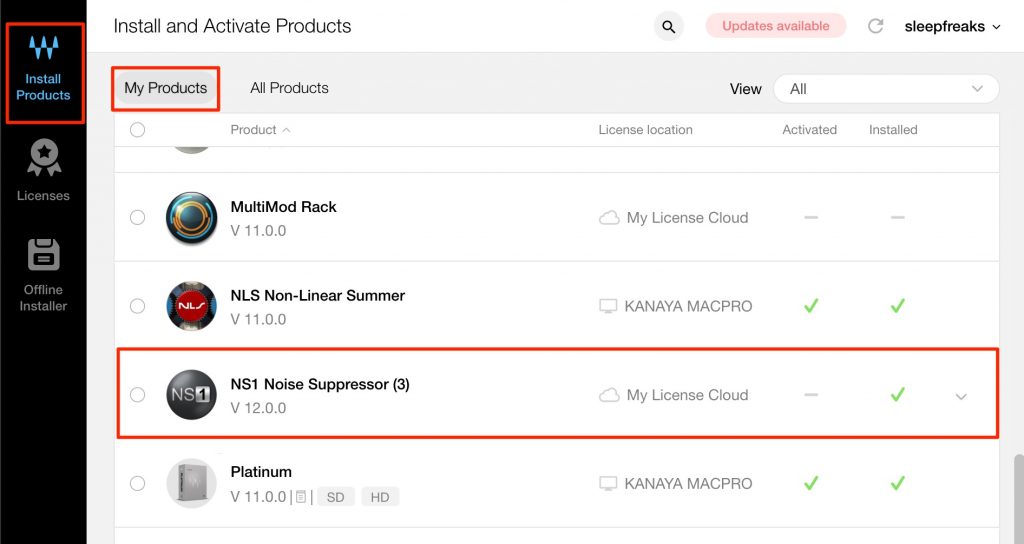
Then install the products from "My Products," and they can be used in your DAW.
Upgrading V11 or Earlier Products to V12 with a Paid Upgrade
If more than a year has passed since buying the plug-in and you are not on the annually renewed "Waves Update Plan," you need to pay to upgrade the products to V12.
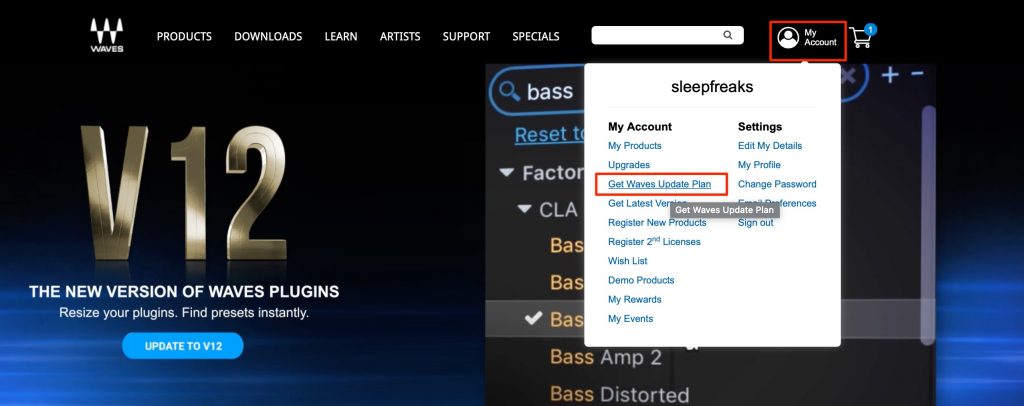
Log in to your Waves account page and select "Get Waves Update Plan."
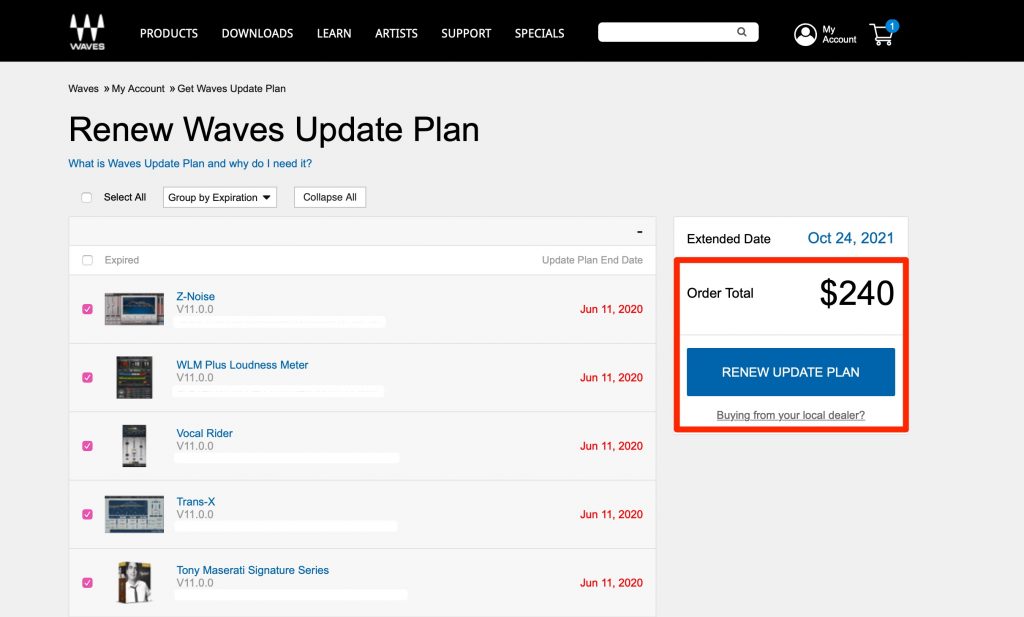
Check the products you want to upgrade to V12, and a quote is displayed.
The upgrade price is at most $240 and will not exceed that (unless duplicate products are included).
If everything looks fine, select "RENEW UPDATE PLAN."
Completing the payment upgrades the selected plug-ins to V12.
Next, log in to your Waves account page and select "Get Latest Version."
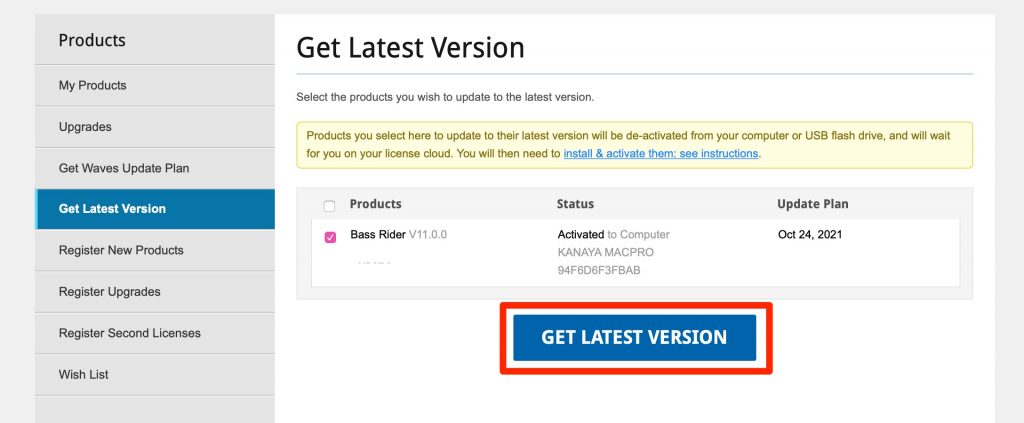
The upgraded products are displayed.
Check them and click "Get Latest Version."
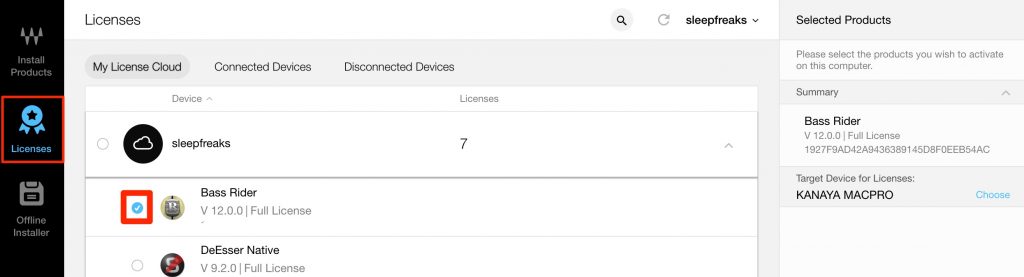
Launch the latest "Waves Central" and log in.
The activated licenses are displayed, so move them to your computer or a USB flash drive.
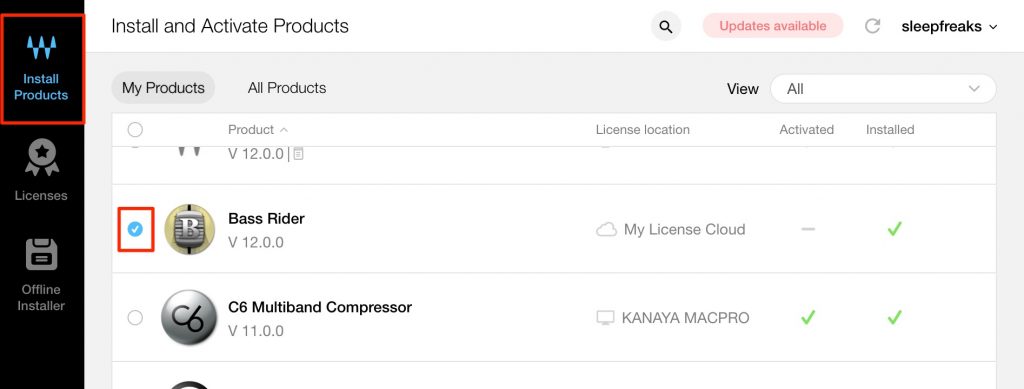
Then install the products, and V12 can be used in your DAW.
Recommended Articles

Frequently Asked Questions
Q1. How do I check eligibility for a free upgrade to Waves V12?
Log in to your official Waves account page and select "Get Latest Version," and the products eligible for a free upgrade are shown automatically. Plug-ins within one year of purchase or covered by the Waves Update Plan are eligible.
Q2. What does the preset browser added in V12 do?
It displays presets sorted by list and category, so you can quickly search and select them just by clicking a preset name. You can efficiently find the preset you want among a huge number of plug-in settings.
Q3. What is the price cap for a paid upgrade?
If no duplicate products are included, the price cap is $240. Even when upgrading multiple products, the price will not exceed this amount.
Q4. What specifically improves with Mac Retina support?
With full support for high-resolution displays, fine parameters become much easier to see, adjust and check accurately.
NEW ARTICLES
Latest English Articles











