
The Waves second license is a free service that lets you use products purchased less than a year ago, or covered by the Waves Update Plan, on two computers at the same time. For users who produce music on multiple computers, it is a highly convenient feature that expands your setup without paying for additional licenses. To set it up, simply select the eligible products on the license registration page of the official Waves website, then install and activate them with Waves Central. However, some products, such as eMotion LV1 and subscription products, are not eligible, so check in advance.
A Must-Know Service for Anyone Using Multiple Computers
Did you know about the "second license" service that lets you use Waves products on two computers?
Products purchased less than a year ago, or covered by the "Waves Update Plan," can use this second license free of charge.
Newly purchased Waves products, and products after a paid version upgrade, are covered by the Waves Update Plan (one year).
If you own multiple computers, please make use of it.
Note that the following products are not eligible for the second license:
eMotion LV1, SuperRack, MultiRack, SoundGrid Rack for Venue, SoundGrid Studio, Waves Subscriptions (including Waves Music Maker Access products)
How to Set Up the Second License
First, go to the license registration page.
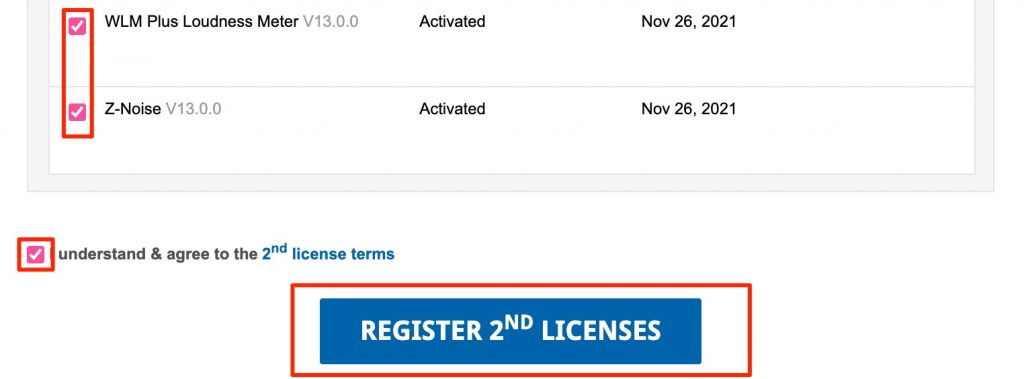
The products for which a second license can be set up are displayed like this.
Check the products you want and click "REGISTER 2ND LICENSES."
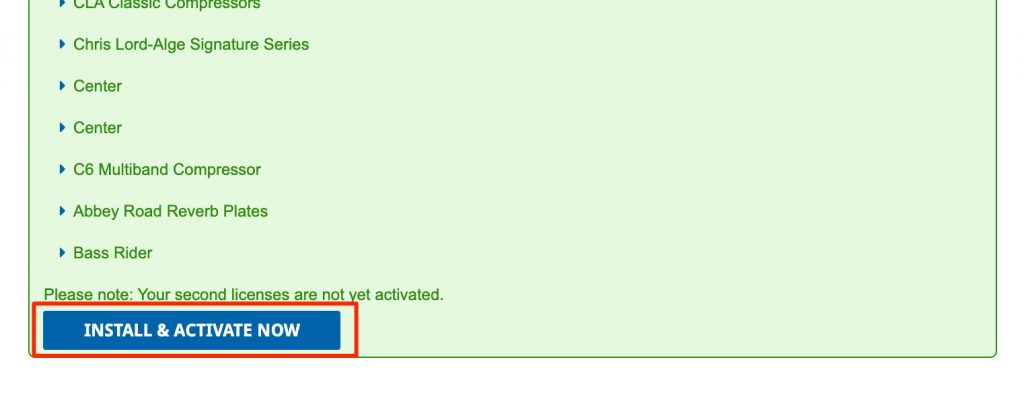
Press "INSTALL & ACTIVATE NOW" shown at the bottom of the page that appears.

Select your OS, then download and install the latest Waves Central.
If you already use Waves Central, it is automatically updated to the latest version when launched.
Waves Central is explained in detail below, so check it if you get stuck.

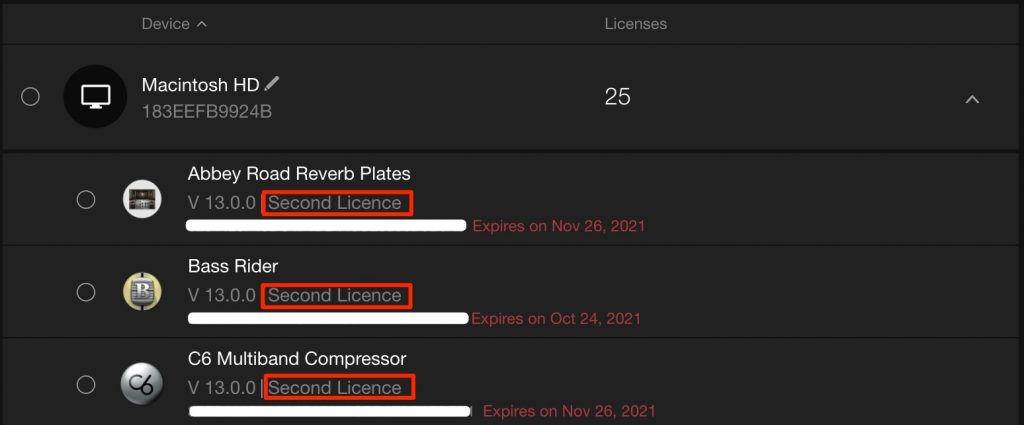
This lets you use the second license on two computers.
There was a problem where Waves V13 stopped appearing in DAWs on Mac OS 11.6.
It is not guaranteed to work in every case, but here is the solution that succeeded after trying various things.

Frequently Asked Questions
Q1. Is the Waves second license really free?
Yes. Products purchased less than a year ago, or covered by the Waves Update Plan, can use the second license free of charge. The eligible period is one year after a new purchase or version upgrade.
Q2. Do all Waves products support the second license?
No. eMotion LV1, SuperRack, MultiRack, SoundGrid-related products and Waves Subscriptions are not eligible. You can check eligible products on the registration page.
Q3. What do I need to prepare to register the second license?
You need to access the official Waves license registration page and install the latest version of Waves Central on the second computer. If it is already installed, it updates automatically.
NEW ARTICLES
Latest English Articles











