
Logic Remote for Logic Pro X is an innovative feature that lets you use an iPad as a wireless controller. With its intuitive, almost magical usability, everyone from beginners to advanced users can enjoy making music. It offers several key features, such as automation recording in the Mixer window, customizable key commands and instrument windows optimized for each instrument, and it can greatly improve your efficiency even without a physical controller. The intuitive, touch-based experience delivers a next-generation DTM environment.
Almost magical ease of use
Following on from the previous article "How to Download Logic Remote",
this time we focus on how to use it.
Its well-thought-out usability and intuitive structure that is fun to use are truly impressive.
Even beginners will be able to express themselves and have a lot of fun.
It made me think this is what music is really about.
We hope you will enjoy Logic Remote, which gives a feel for the next era of DTM.
Logic Pro X new features: article index
0_How to download
1_Overview and settings
2_Drummer
3_Flex Pitch
4_Track Stack
5_Smart Control
6_Arrangement Marker
7_How to download Logic Remote
8_Logic Remote in practice *This article
*Normally the iPad screen is not shown in a Mac window
Video point: The Mixer window
Logic Remote provides several main windows,
and you switch between them here.
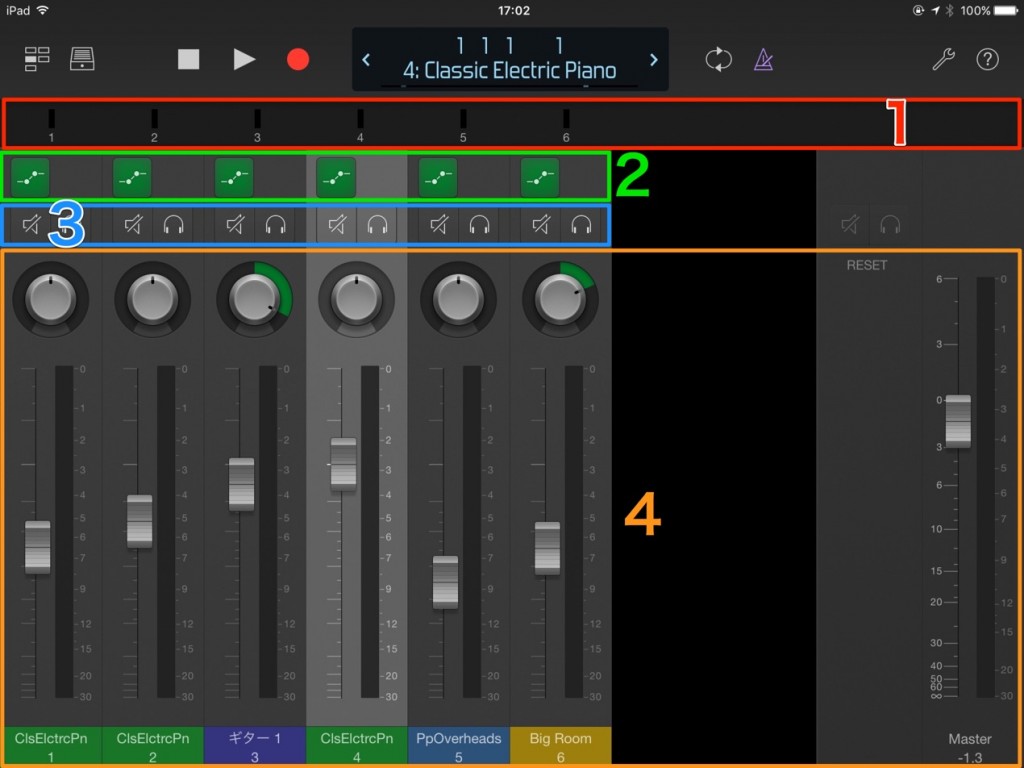
- 1_Scroll left and right to switch the tracks displayed
- 2_Switch the automation mode
- 3_Control mute, solo and automation
- 4_Control pan and volume
Manual automation really is fun.
The Mixer screen is especially powerful for recording automation.
Even without a physical controller, you can record automation intuitively.
Video point: The Key Commands window
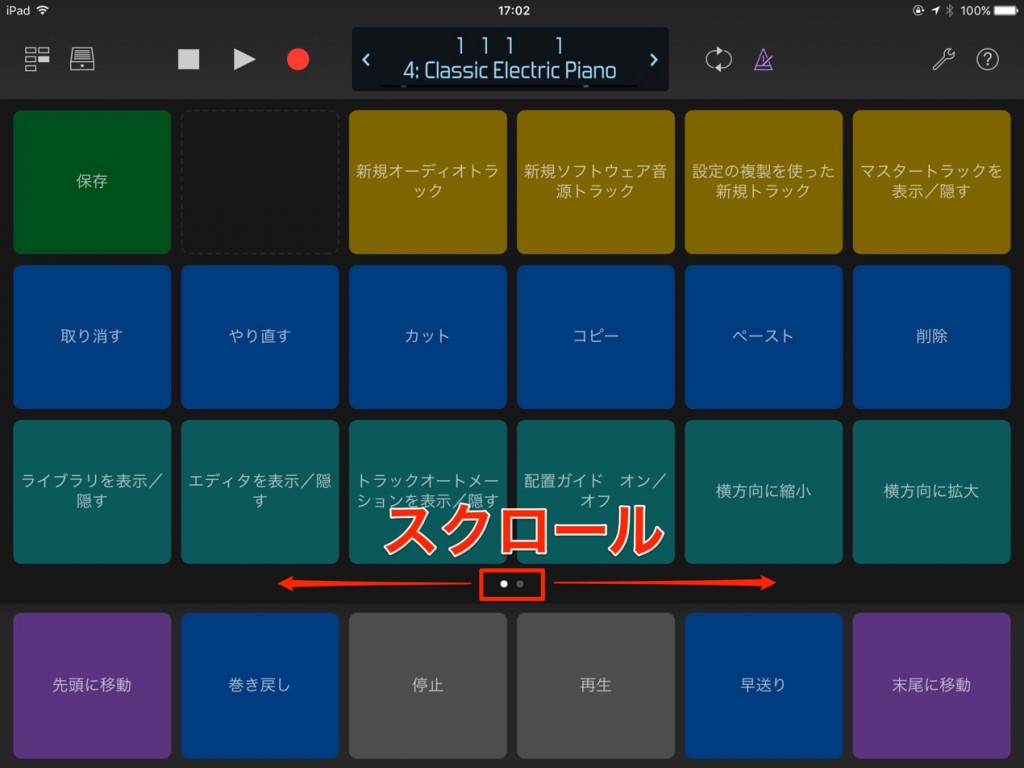
Just tap a listed item, and that operation is applied in Logic.
Keeping this controller at hand is sure to improve your efficiency.
If you scroll the area outlined in red, as shown below,
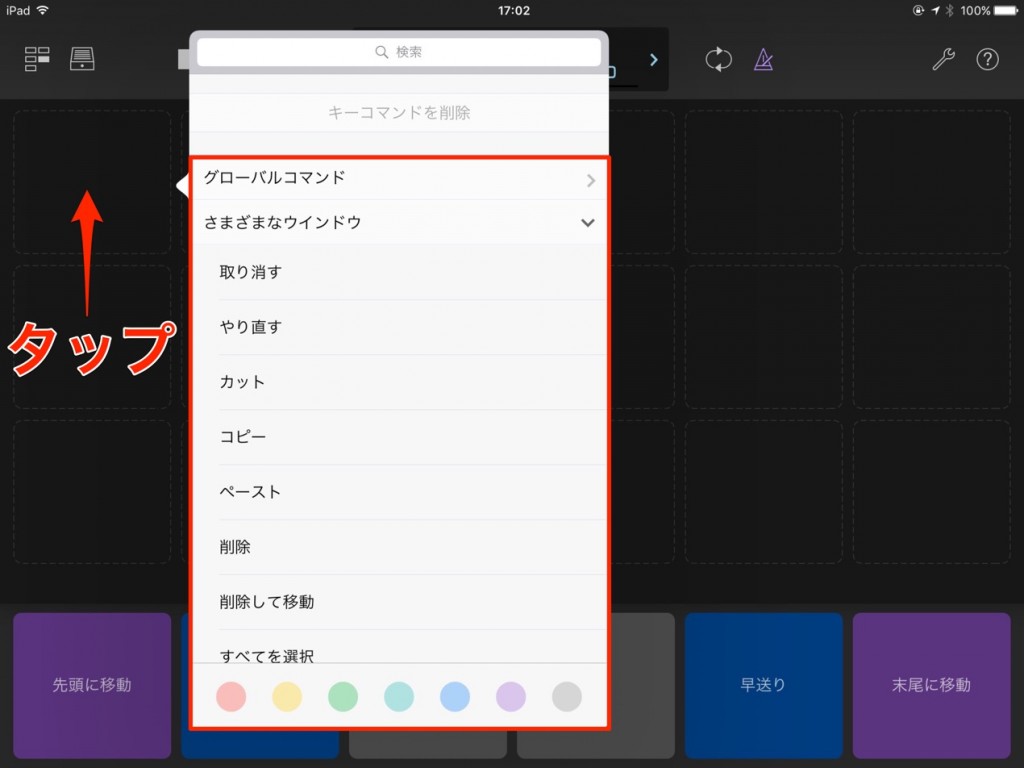
you reach blank key commands.
Tap a blank slot to assign the command you like.
With this, it would be strange if your efficiency did not improve (lol).
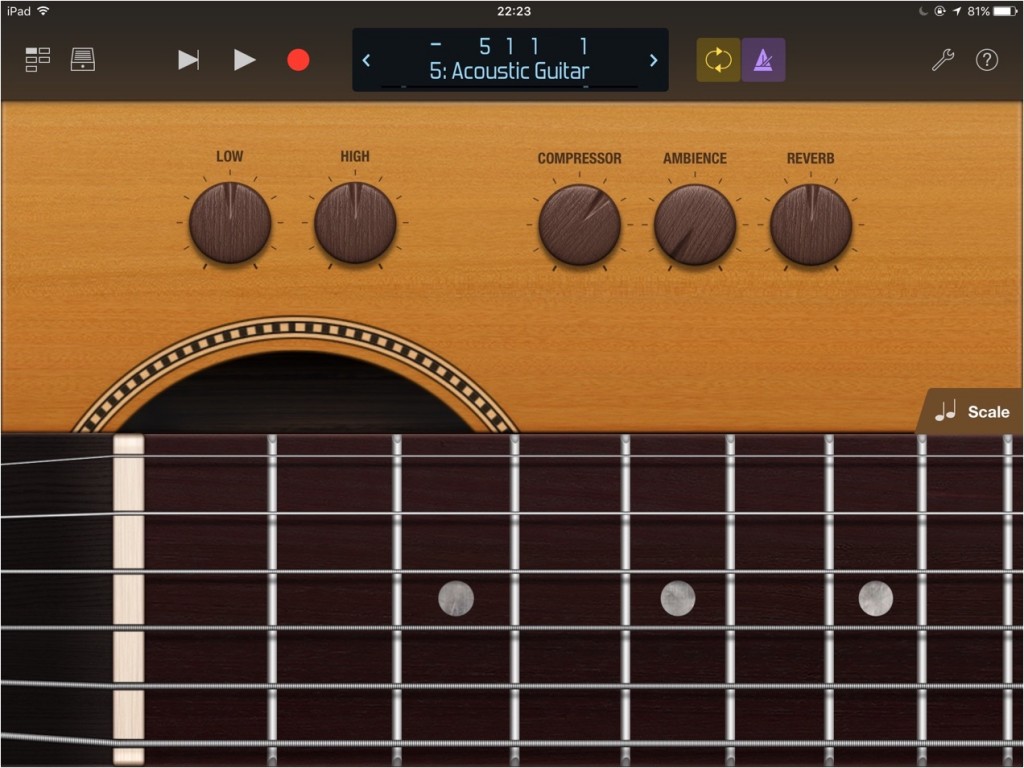
Video point: The instrument window
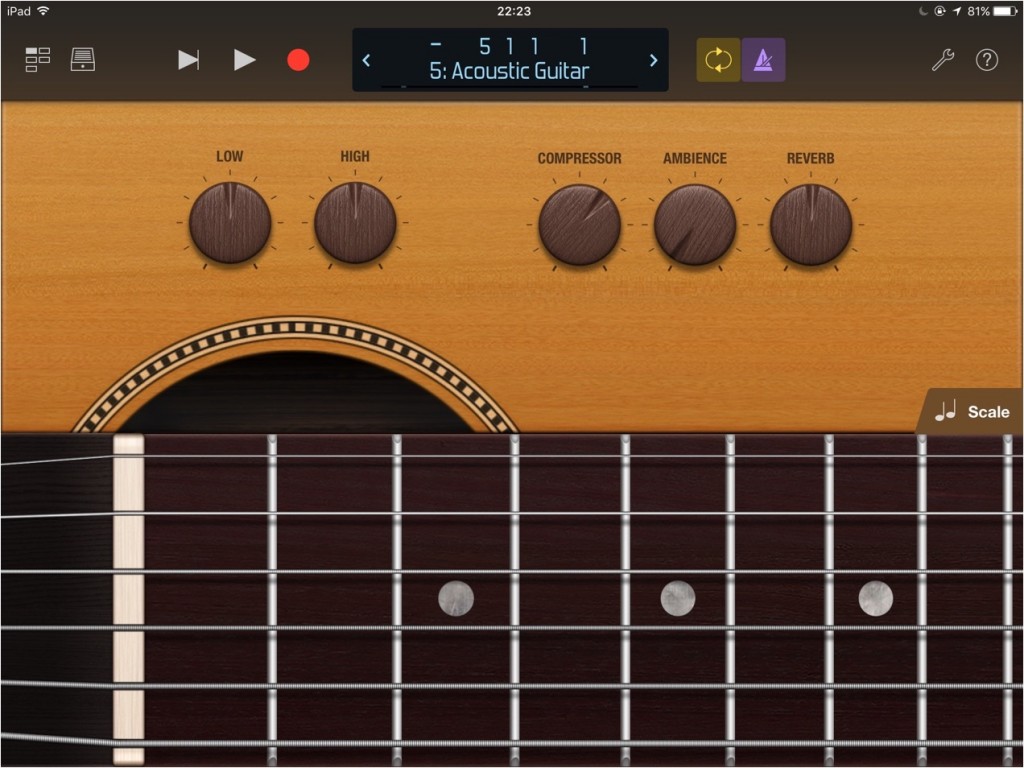
This window is available when an instrument track is loaded.
The best window for the track, such as drums, guitar or piano, opens automatically.
Every instrument is designed to make the most of the touch panel, so playing is a lot of fun.
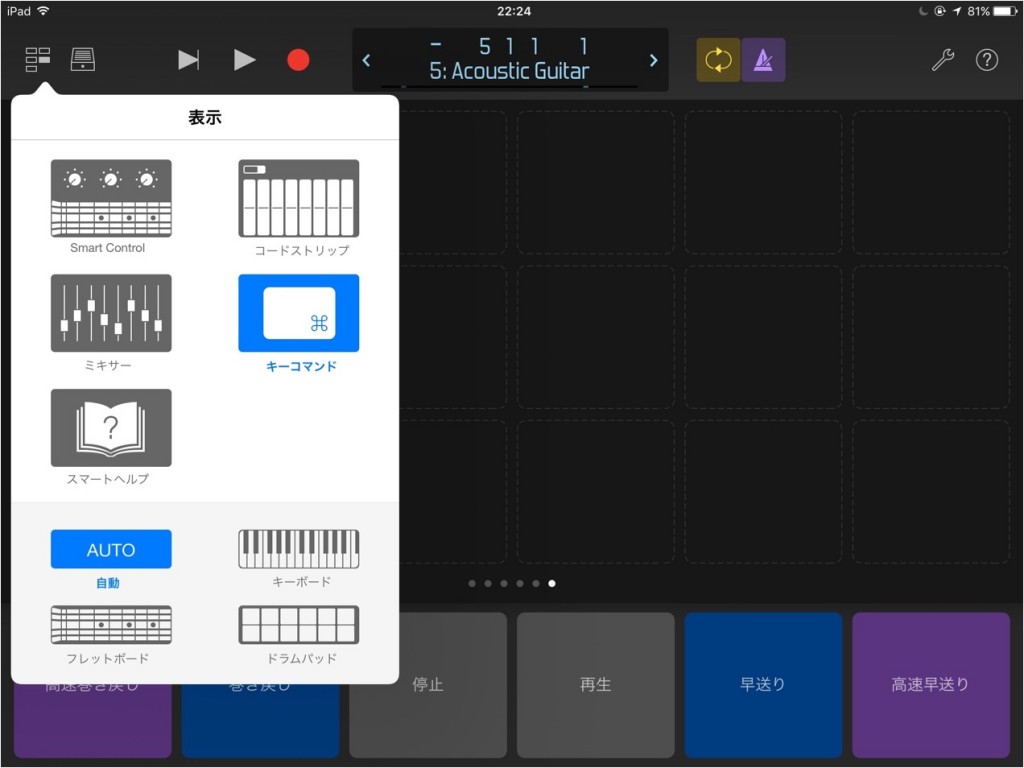
If you want to specify the window, select an item from "Automatic".

Frequently Asked Questions
Q1. Can I use Logic Remote with just an iPad?
Yes. Logic Remote is an app for wirelessly controlling Logic Pro X from an iPad. By connecting it to your Mac over a network, you can control Logic intuitively while switching between several windows. Advanced automation recording is possible even without a physical controller.
Q2. Can I record automation with Logic Remote?
Yes. Using the Mixer window, you can record manual automation intuitively. Pan and volume adjustments are easy, and you can work while switching the displayed tracks by flicking to scroll.
Q3. Can I customize key commands?
Yes. By tapping the blank key command slots introduced in the article, you can assign the operations you like. This greatly improves efficiency.
Q4. Do different windows open for different instruments such as drums and piano?
Yes. The instrument window is automatically optimized for the instrument on the loaded track. Dedicated touch-based interfaces for drums, guitar, piano and so on are displayed automatically.
NEW ARTICLES
Latest English Articles











