
Cubase's drum map feature makes programming drums dramatically more efficient. With a drum map set up, instruments are shown by kit name (kick, snare, hi-hat, and so on) instead of keyboard note numbers, which makes everything much easier to see. You just click the grid with the Drumstick tool to enter notes, so even beginners can work with a drum library intuitively. You can also drag to enter repeated notes such as hi-hats, so you can build complex drum patterns in a short time.
Comfortable Drum Programming with Drum Maps
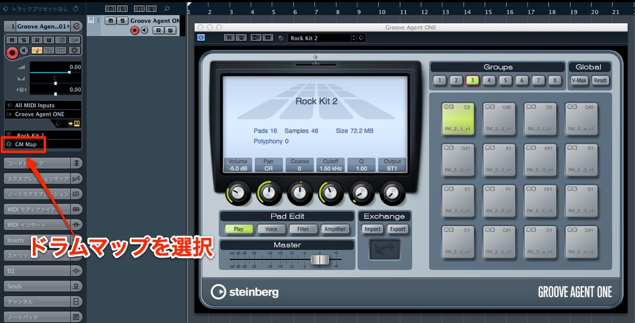
A powerful ally for programming drums: the "Drum Map."
Why didn't it appear anywhere in our beginner or advanced courses until now? (lol)
Change the section outlined in red from "No Drum Map" to an option such as "GM."
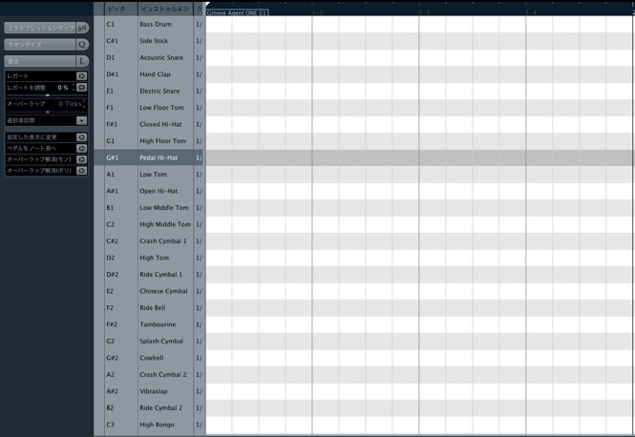
Then, when you open the event, the notes are shown
not by keyboard key but by kit name.
That is very easy to understand, isn't it?
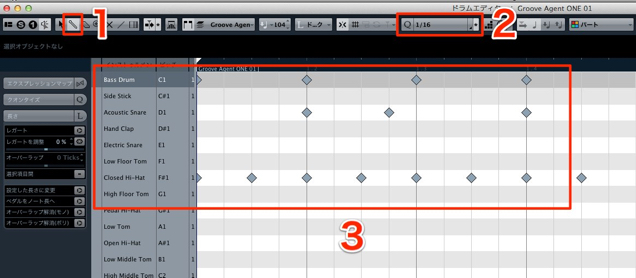
The concept of programming is the same as in the Key Editor.

- 1_Switch the tool to the Drumstick
- 2_Set the grid resolution with a note value
- 3_Click to enter notes while looking at the kit names
How do you delete a note?
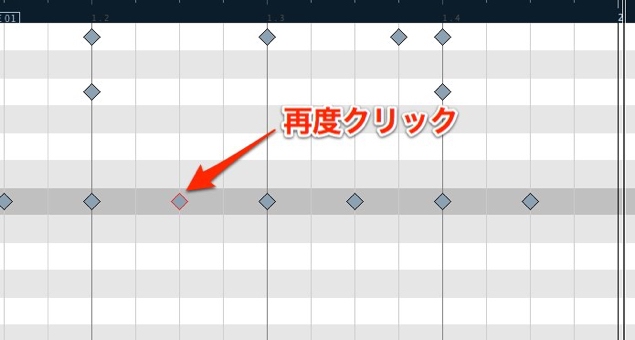
Click the inserted note again with the Drumstick tool.
Entering Repeated Notes
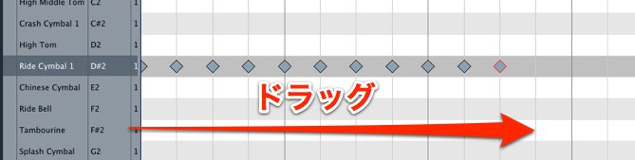
This is well suited to programming repeated notes such as hi-hats.
You can easily enter a series of hits by dragging.
Now the real work begins!
Next time, we will show you how to optimize add-on libraries such as AddictiveDrums and BFD
for this drum map.
Frequently asked questions
Q1. How do I use a drum map in Cubase?
Just change the field that shows "No Drum Map" in the MIDI track settings to an option such as "GM." The display automatically switches to kit names, and the drum map is enabled.
Q2. How do I delete a note with a drum map?
With the Drumstick tool selected, simply click the note you want to delete again and it disappears. It works the same way as normal programming.
Q3. Can I efficiently enter repeated drum hits such as hi-hats?
Yes. With a drum map, you can easily enter repeated notes by dragging, which makes programming fast hi-hat or ride cymbal patterns very efficient.
Q4. Can I use drum maps with external libraries such as AddictiveDrums?
Yes. There is a setup procedure for optimizing an external library for a drum map, which gives you an even more comfortable programming environment.
NEW ARTICLES
Latest English Articles











