
This article explains sound design techniques for controlling pitch with a synthesizer's envelope. You will learn how to make the rising and falling sounds often heard in dance and electronic music, and how to adjust the parameters on a synth such as Retrologue. By working with the envelope's attack speed, sustain value, and positive or negative DEPTH, you can easily create a wide range of effects, such as sirens, electronic kicks, and snares, giving DTM beginners and intermediate users practical knowledge.
Synthesizer Technique _ Pitch Control for Big Impact
As a review of the envelopes we have explained so far,
let's look at sound design that applies them to pitch.
Pitch has a big audible impact and is often used for dramatic sound effects.
Rising Sounds Used for Sound Effects
In electronic music such as dance, club, and trance, you often hear
rising sounds like this.
You can use them as accents at key moments or in the build-ups of a song.

- 1_In Retrologue, the envelopes can only target volume and filter,
so we use "FILTER ENV".
The target is, of course, "PITCH".
"DEPTH" adjusts the range of the pitch change. - 2_The key point here is that "A" (attack) determines how fast the pitch rises.
With "S" (sustain) at MAX, the pitch stays at the top once it has risen,
but the lower you set it, the more it returns toward the starting pitch. - 3_Because we are using FILTER ENV, the filter value also changes, so the tone changes partway through.
To avoid this, set "CUTOFF" to MAX so the value cannot rise any further.
What About Making a Falling Sound?
Creating a falling sound, the opposite of a rising one, is also very easy.

↑ Set "DEPTH" to a negative value. (The center is 0.)
As you can see, envelopes often use "+" and "−" values
to shape the character of a sound.
You Can Apply It Like This
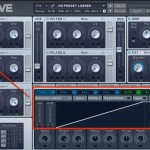
A Siren-Like Rising Sound
By controlling pitch over time, you can easily create a siren.
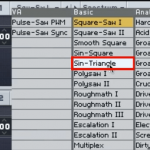
An Electro Kick
We create an electro kick using a sine wave. ADSR control applied to pitch lets you create many variations.
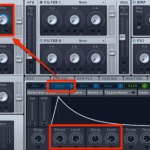
An Electro Snare
We create a snare drum by processing noise. Using ADSR, which affects parameters over time, you can recreate a famous snare sound.
Frequently asked questions
Q1. What function do I use to change pitch over time on a synthesizer?
Set an envelope generator (such as FILTER ENV) to target pitch and adjust the ADSR parameters. Control the rise or fall speed with the attack, the final pitch position with the sustain, and the range of change with DEPTH.
Q2. How do I make rising sounds versus falling sounds?
Setting the DEPTH parameter to a positive value gives a rising sound, and a negative value gives a falling sound. The size of the value also adjusts the range of change.
Q3. What can I do if the filter changes along with the pitch envelope?
When using FILTER ENV, setting CUTOFF to its maximum prevents the filter value from rising, so only the pitch changes.
NEW ARTICLES
Latest English Articles











