
Scarbee MM-Bass is a professional bass instrument that faithfully reproduces electric bass playing techniques. This article explains practical programming techniques for realistic bass sounds, such as slides, ghost notes, hammer-ons, and pull-offs. Because you can freely control complex techniques with simple MIDI operations such as adjusting velocity and sustain, anyone from beginners to experienced users can create pro-quality bass phrases right away.
Freely control real bass playing techniques
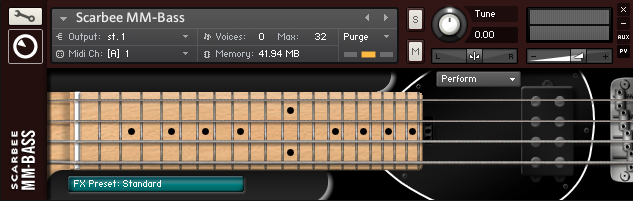
Released by Native Instruments: the "Scarbee Bass series"
With "slides," "hammer-ons / pull-offs," "ghost notes," and more,
it's a ready-to-use bass instrument specialized in the techniques and nuances of real bass playing.
Just simple MIDI programming lets you reproduce these techniques right away.
Here, we explain using "MM-BASS."
Scarbee Bass video
Excerpts of questions and answers from the YouTube video

Can these techniques be done with HALion Sonic SE too? I want to do glissandos and slides... please tell me.

We explain it in this article. https://sleepfreaks-dtm.com/softsynth/halion-sonic-se/
Your videos are always a great help in many situations. Thank you. Which control corresponds to "CC64 (sustain)" in Logic Pro X? The slide didn't sound when I adjusted the sustain pedal. Is that the wrong one?
We tested it, and the slide worked without any problems. Perhaps you "haven't specified the string as explained in the video," or you "have programmed notes too far apart in pitch to be played on the same string." Please check these points.
How can I express slides and glissandos with Scarbee MM-Bass in Ableton Live?
You can specify MIDI CCs in the "envelopes" shown in the clip envelope. In Live, it's labeled "cc64 = Hold Pedal." For how to show clip envelopes, see this article and video. https://sleepfreaks-dtm.com/arrange-view-live/automation-1-2/
Slides
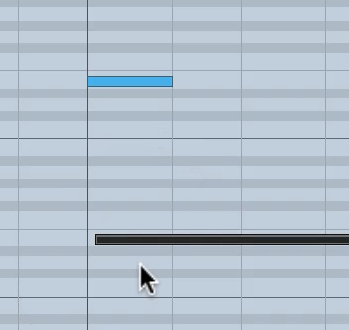
Overlap the notes you want to slide between.
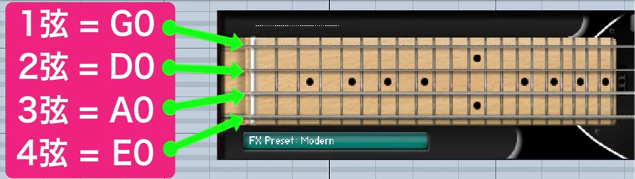
Slides are played on the same string.
In "Scarbee Bass," you can specify the string just by adding the MIDI notes above to the performance.
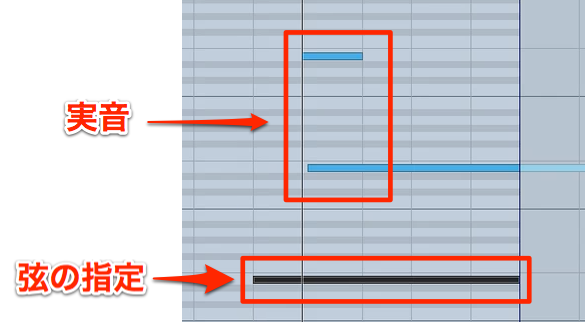
The programming looks like this.
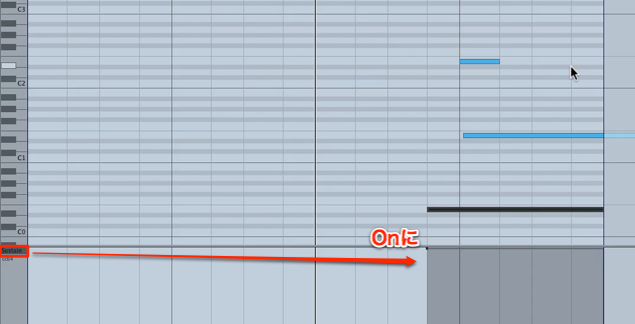
And now the final setting.
Turn "sustain" on where you want the slide.
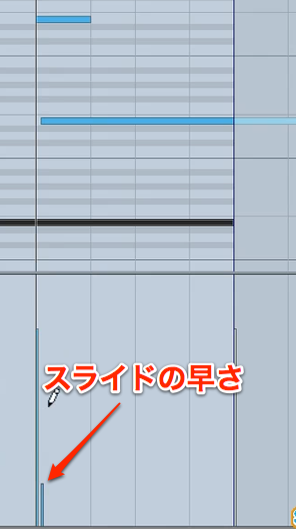
The slide speed is controlled by the velocity of the next note.
- High velocity: faster slide
- Low velocity: slower slide
Ghost notes
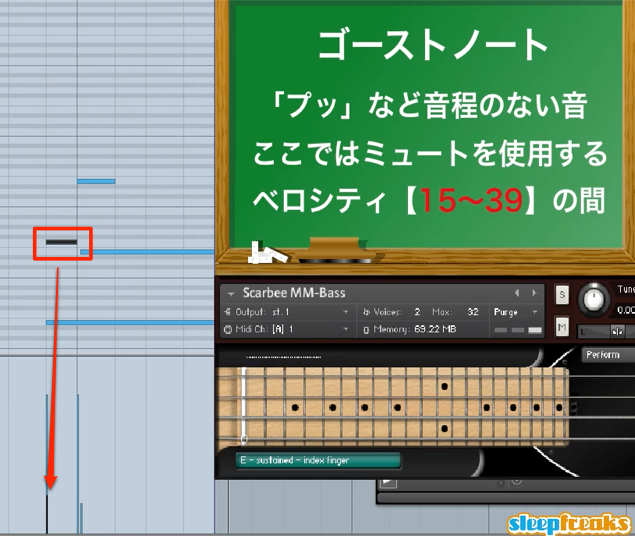
To reproduce ghost notes, simply set the velocity between "15 and 39."
Hammer-ons / pull-offs
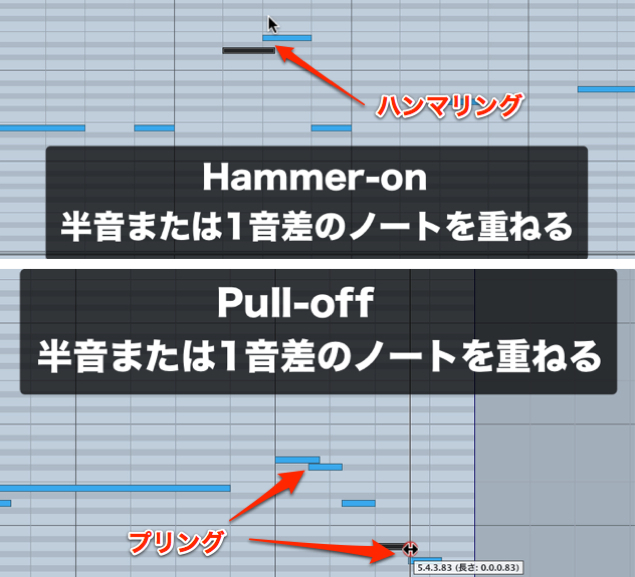
Overlapping notes automatically triggers "hammer-ons / pull-offs."
They smoothly connect to the note a half step or a whole step above.
Grace notes
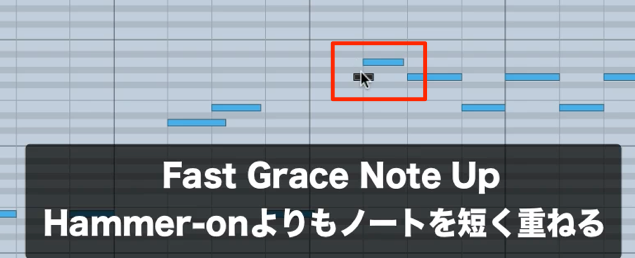
Similar to the "hammer-ons / pull-offs" above.
Overlapping a short note just before the main note gives you the effect.
Frequently asked questions
Q1. How do I create slides with Scarbee MM-Bass?
Overlap the MIDI notes you want to slide between, then turn sustain on at the slide. The speed is adjusted with the velocity of the next note: the higher the velocity, the faster; the lower, the slower.
Q2. What settings are needed to express ghost notes?
Reproducing ghost notes is very simple: just set the velocity in the range of 15 to 39. This creates a natural, lively sense of rhythm.
Q3. What is the difference between hammer-ons and pull-offs?
In Scarbee Bass, both are triggered automatically just by overlapping notes. Overlapping a short note just before the main note works as a smoothly connected grace note, letting you create expressive bass lines.
NEW ARTICLES
Latest English Articles











