
Studio One 3's Scratch Pad is an innovative tool that lets you freely try new ideas without affecting the song you're working on. The editor is split in two, and while the main song structure stays as it is, you can explore song structures, phrase ideas, track combinations, and more in the Scratch Pad on the right. You can use the same instruments while setting the tempo and time signature individually, and you can create multiple Scratch Pads to compare different patterns, greatly improving production efficiency and creativity. Edits you like can be moved to the main editor, so you can find the best arrangement through trial and error.
Try new ideas without touching the original song
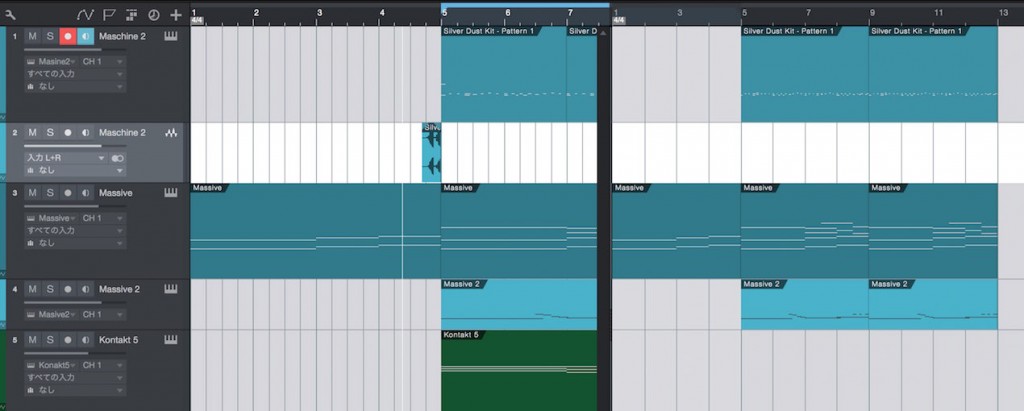
The "Scratch Pad"
, newly added in Studio One 3, lets you build ideas freely without changing the song you're working on at all.
Exploring new song structures, phrase ideas, track combinations, and more:
many production steps become much more convenient.
How to use the Scratch Pad
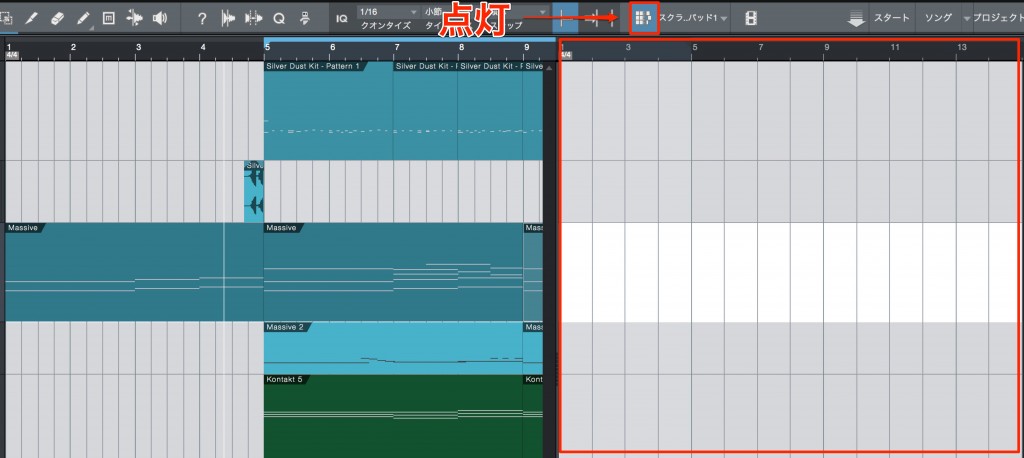
Turn on the "Scratch Pad icon" outlined in red.
The editor is split in two, with the new area shown on the right.
The instruments on each track are shared.
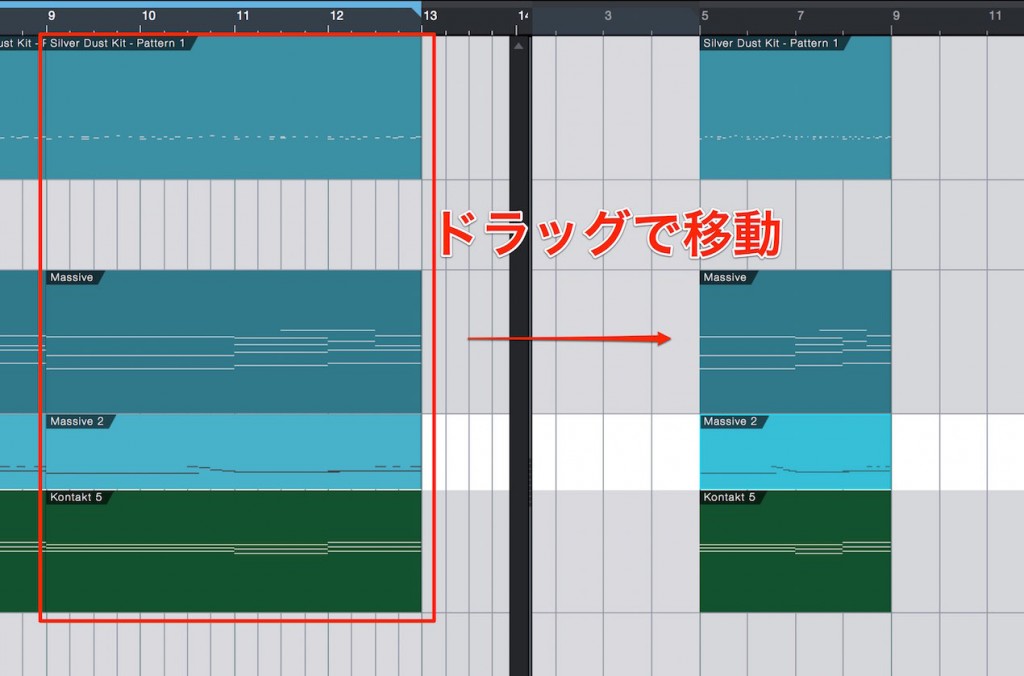
Of course, you can enter new notes in the Scratch Pad,
but you can also move events you want from the main editor and reuse them.
The "tempo and time signature" can also be set individually here.
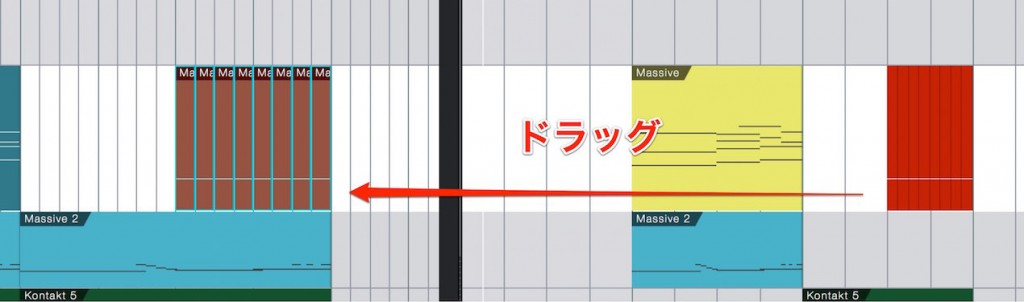
Once you've made an edit you like,
you can also move events from the Scratch Pad to the main editor.
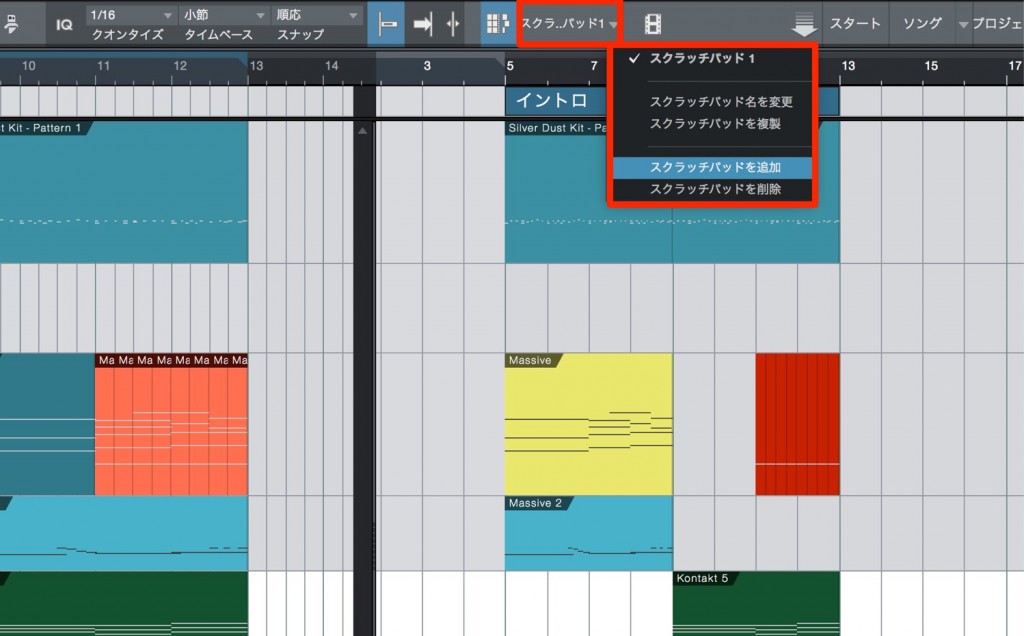
You can create multiple Scratch Pads.
Keep the structures you like and explore new, different patterns.
Other new features
Studio One 3 New Feature: Arranger Track
Studio One 3 New Feature: Extended FX Chains
Studio One 3 New Feature: Macro Controls

Frequently asked questions
Q1. Does the Scratch Pad affect the main song?
No. The biggest advantage of the Scratch Pad is that you can test new ideas without changing the main song at all, so you can experiment with arrangements with peace of mind.
Q2. Do I need to prepare separate instruments for the Scratch Pad?
No. Each track's instruments are shared with the main editor, so you don't need to set up new instruments.
Q3. Can I create multiple Scratch Pads?
Yes. You can keep different arrangement patterns side by side and compare them later.
Q4. How do I bring events edited in the Scratch Pad into the main song?
Simply move the events from the Scratch Pad to the main editor. You can easily bring the edits you like into your song.
NEW ARTICLES
Latest English Articles











