Logic Pro 10.1 is a worthwhile update with several highly practical new features. Note Repeat and spot erase, which streamline MIDI programming, make it easier to create backing parts and tricky repeated hits. Automation has also been enhanced, allowing region-based recording and flexible volume control with Trim mode. In addition, the new plug-in management feature lets you customize soft synths and plug-ins to suit your production style, greatly improving overall efficiency from mixing to beat making.
Packed with highly practical features
Following the previous article, we continue explaining the new features of "Logic 10.1".
It is a very worthwhile update that adds very practical features.
Manufacturer URL: https://itunes.apple.com/jp/app/logic-pro-x/id634148309?mt=12
If you own "Logic 10", the update is free.
It also runs stably, so please try updating.
Logic Pro X new features: article index
1_New features 1
2_New features 2 (this article)
Selected Questions and Answers from the YouTube Video

The GarageBand that comes with the Mac doesn't have a Note Repeat function, right...? How can I do something similar? 😭🙇♂️🙇♂️

To get a note repeat effect in GarageBand, you simply have to enter the MIDI notes finely by hand.
Can this Note Repeat function only be used with a MIDI keyboard connected?
Thank you for your comment. You can display a virtual keyboard from "Window" → "Show Musical Typing" in the top menu. This lets you use the Note Repeat function even without a MIDI keyboard. Thank you for your continued support.
Note Repeat and spot erase
This is a feature for MIDI programming.
As the name suggests, it lets you play a specific note repeatedly.
You can use it to create backing parts or tricky repeated hits.
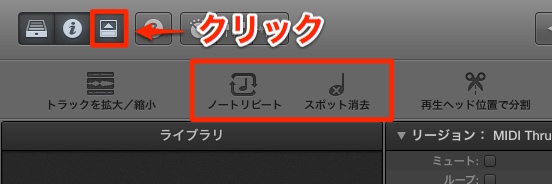
You can access it from the "Toolbar".
Click to light it up, and the effect is activated.

With "Note Repeat", while you hold down a key,
the note is repeated at the specified note value.
- Rate: specifies the repeat unit as a note value
- Velocity: specifies the velocity of the repeated notes.
By default, the strength with which you played the key is used - Gate: specifies the length of the repeated notes.
It is more effective if you tighten it to suit the song
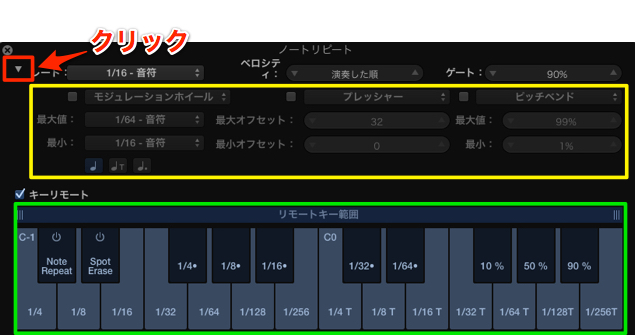
Click the area outlined in red to expand the controls.
The area outlined in yellow lets you change the note value and length using "pitch bend" and "CC".
The area outlined in green lets you change the note value and length from the MIDI keyboard.
Use whichever suits your playing style best.
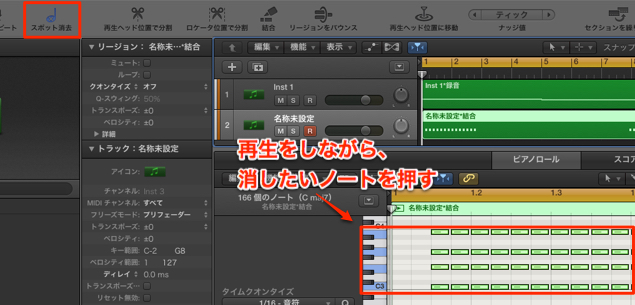
"Spot erase" is used during playback.
By holding down the note you want to delete on your MIDI keyboard,
notes of that pitch are deleted. You can also use it on just part of a region.
Enhanced automation
"Automation" is essential for making songs more expressive,
and this part has been enhanced.
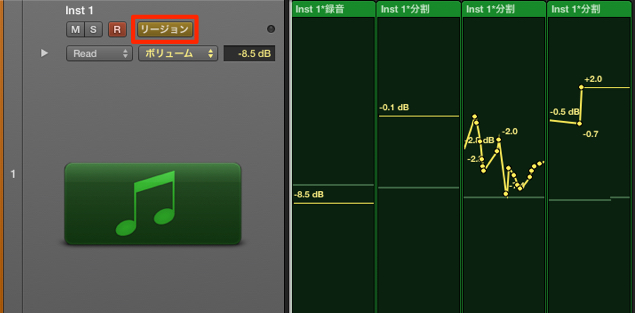
By changing the area outlined in red to "Region",
you can now record automation per region.
Splitting regions allows even finer adjustments.
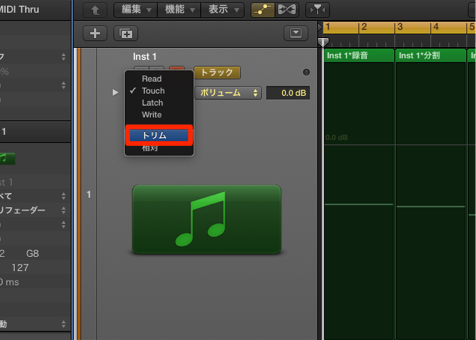
"Trim" has been added to the modes.
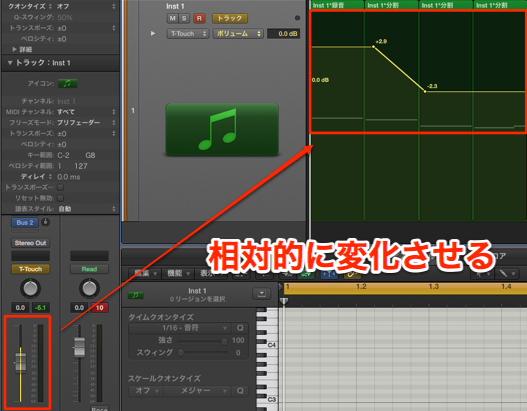
While keeping the shape of the current automation curve,
you can raise or lower the whole curve.
This is very useful for volume control when mixing.
Managing plug-ins
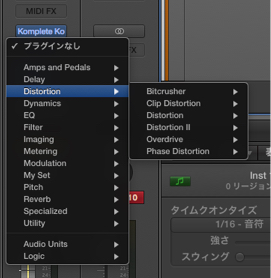
You can now customize the arrangement of soft synths and plug-ins yourself.
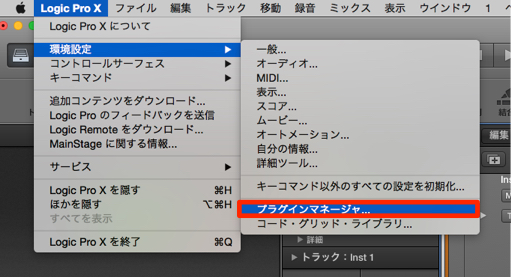
Select "Logic Pro X" → "Preferences" → "Plug-in Manager" from the top menu.
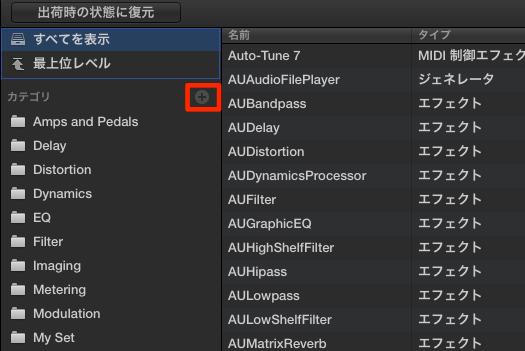
Click "+" and give it a name you like.
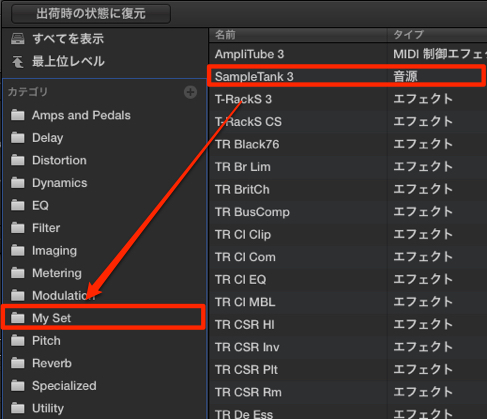
Drag and drop "soft synths" and "plug-ins" into the folder you created.
When finished, click "Done" at the bottom right.
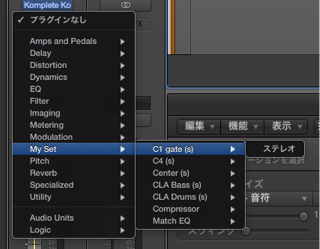
The registered plug-ins appear in the folder you set up.
Frequently Asked Questions
Q1. Is there a charge to update from Logic Pro 10?
No. If you own Logic Pro 10, you can update to Logic Pro 10.1 for free. It also runs stably, so we highly recommend updating.
Q2. In what situations is the Note Repeat function useful?
While you hold down a key, notes are automatically repeated at the specified note value, making it very effective for creating backing patterns and tricky repeated-hit patterns. You can fine-tune it with Rate, Velocity and Gate.
Q3. How do I use the spot erase function?
While the song plays, hold down the note you want to delete on your MIDI keyboard, and notes of that pitch are deleted. It also works for partial corrections and greatly reduces the effort of MIDI editing.
Q4. What are the advantages of the new Trim mode for automation?
You can raise or lower the whole curve while keeping the shape of the existing automation. It is very convenient for adjusting several parameters at once when controlling volume during mixing.
Q5. What can I customize with the Plug-in Manager?
You can organize soft synths and plug-ins into folders by purpose. Access it from Logic Pro X's preferences and freely customize the arrangement by drag and drop.
NEW ARTICLES
Latest English Articles