
Logic Pro's invert function is an important tool for correcting phase inversion in audio recorded with multiple mics and improving sound quality. In particular, when you record a snare with two mics on the top and bottom, the waveforms are inverted and the sound becomes muddy, but the invert function solves this. Just choose Invert in the Sample Editor for a dramatic improvement, such as a clearer snare that comes forward. It can be applied to any multi-mic recording, such as guitar and bass, and is an essential feature for professional sound.
Inverting the Waveform
If you zoom in on a sound,
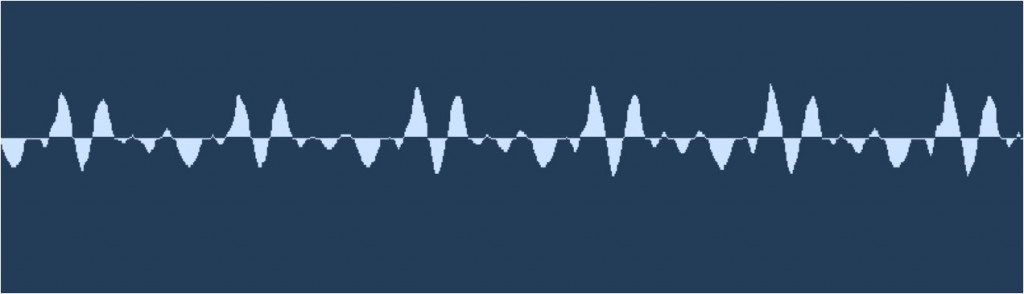
it always looks like a wave like this.
The invert function flips this wave.
This flip is meaningless when the track plays on its own
; it takes effect when the track plays together with other tracks.
Invert Explained
Extracting a Vocal Track Using Phase Inversion

An Example of Inverting
A well-known example is the snare drum.
The snare, the center of the rhythm, is often recorded
with two microphones.
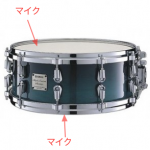
The mics are placed on the top (batter head) and the bottom (snares) of the drum,
but in the recorded result, the waveforms are inverted relative to each other.
As a result, the core of the sound becomes blurred.
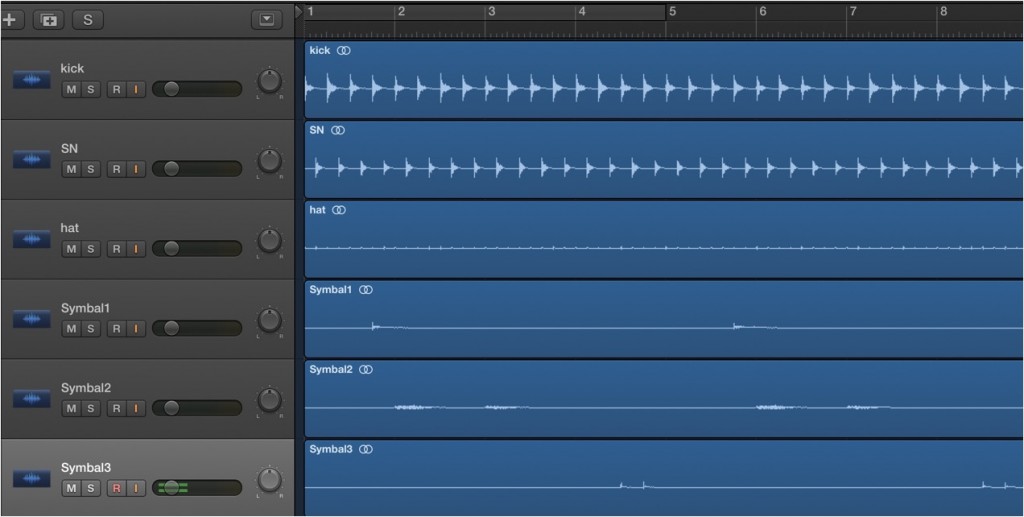
This is the waveform after recording the drums.
Let's look at the snare waveforms in it.
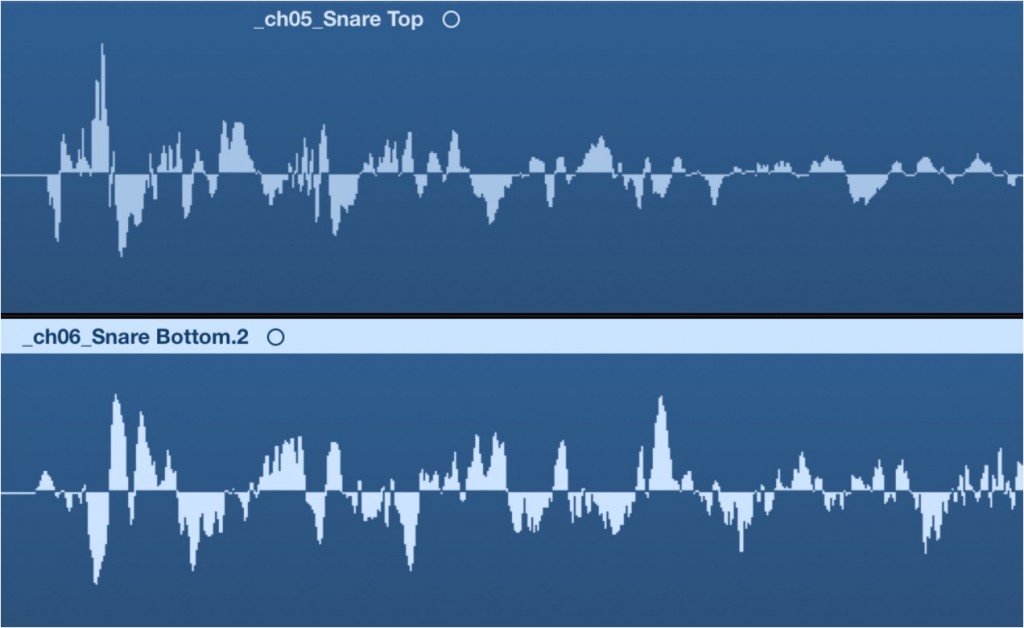
The top is the batter-head waveform and the bottom is the snare-side waveform.
The peaks of the waveforms are completely opposite.
This makes the sound image blurry.
This is where we use invert.
Invert the snare-side waveform to line it up with the batter-head waveform.
- Logic X
- Logic 8/9
How to Apply Invert in Logic X
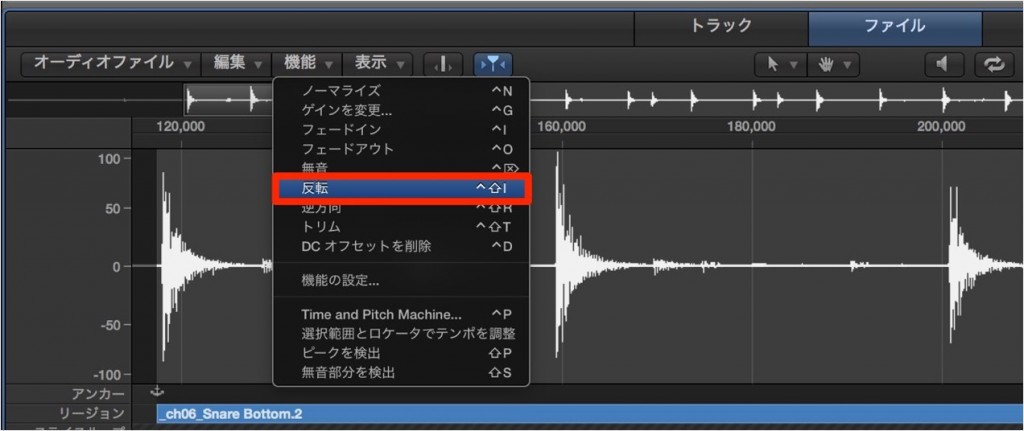
Double-click the region you want to invert
to open the Sample Editor (Audio File Editor).
Select the "File" tab.
Choose "Invert" from "Functions."
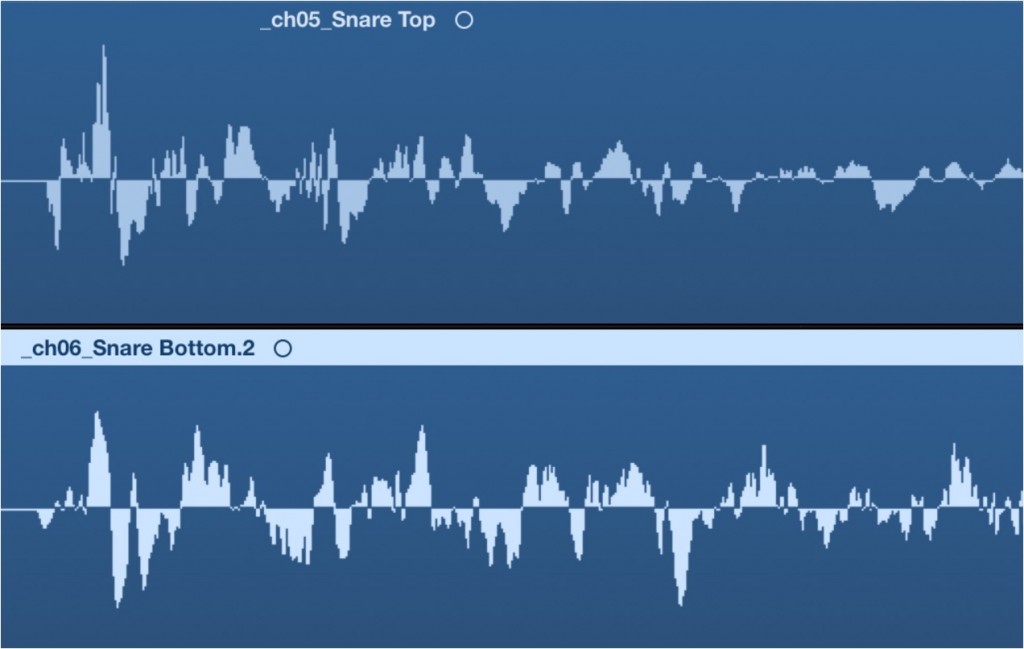
The waveform is inverted, and its peaks now line up with the batter head.
Let's check the sound.
Before inverting
After inverting
You should hear the snare become clearer and come forward.
You can improve the sound this quickly and easily.
There's no reason not to use it.
*If the audio editing tab does not appear, you can solve it with the following.
Beyond this, instruments recorded with multiple mics,
such as guitar, bass, and other drum mics,
can also benefit from the invert function in active sound design.
How to Apply Invert in Logic 8/9

↑ Double-click the region you want to invert
to open the Sample Editor.
Choose "Functions" → "Invert" from the menu.

↑ The waveform is inverted, and its peaks now line up with the batter head.
Let's check the sound.
Before inverting
After inverting
You should hear the snare become clearer and come forward.
You can improve the sound this quickly and easily.
There's no reason not to use it.
It Also Works for Programmed Drums and Other Instruments
For this sample, we used BFD2.
Today's drum software is very well made
and faithfully reproduces real miking, so you can apply the same processing as with real drums.
Beyond this, instruments recorded with multiple mics,
such as guitar, bass, and other drum mics,
can also benefit from the invert function in active sound design.
- Logic X
- Logic 8/9

Frequently asked questions
Q1. What is Logic Pro's invert function?
The invert function flips the waveform, shifting its phase by 180 degrees. It corrects phase misalignment that occurs when recording with multiple mics and clears up the core of the sound. It has no effect on its own and works when the track plays together with other tracks.
Q2. Why is inverting needed when recording a snare drum?
When you put two mics on the top and bottom (snares) of a snare, the waveforms end up inverted and the sound becomes blurry. Inverting one of them lines up the waveforms of both mics, giving a clear snare sound that comes forward.
Q3. Can invert be used on instruments other than drums and guitar?
Yes, it can be applied to any instrument recorded with multiple mics. Phase inversion is also used for bass, other drum mics, and even advanced processing such as extracting vocal tracks.
NEW ARTICLES
Latest English Articles











