
The "Drummer" feature in Logic Pro X is an innovative tool that solves the challenges of drum programming. It comes with drummer characters by genre, chosen from Rock, Alternative, Songwriter and R&B, and you can freely customize the kick, snare, hi-hat, cymbals and more. You can adjust volume and complexity with the XY pad, work efficiently by saving presets, and process each drum sound individually with multiple outputs, so even beginners can achieve professional drum sounds.
[Drummer]: a new feature that dramatically improves drum programming
Good news for anyone struggling with drum programming! "Drummer", added in Logic Pro X.
It is an innovative new feature that is just like bringing a session drummer into your home.
You can choose from the genres Rock/Alternative/Songwriter/R&B!
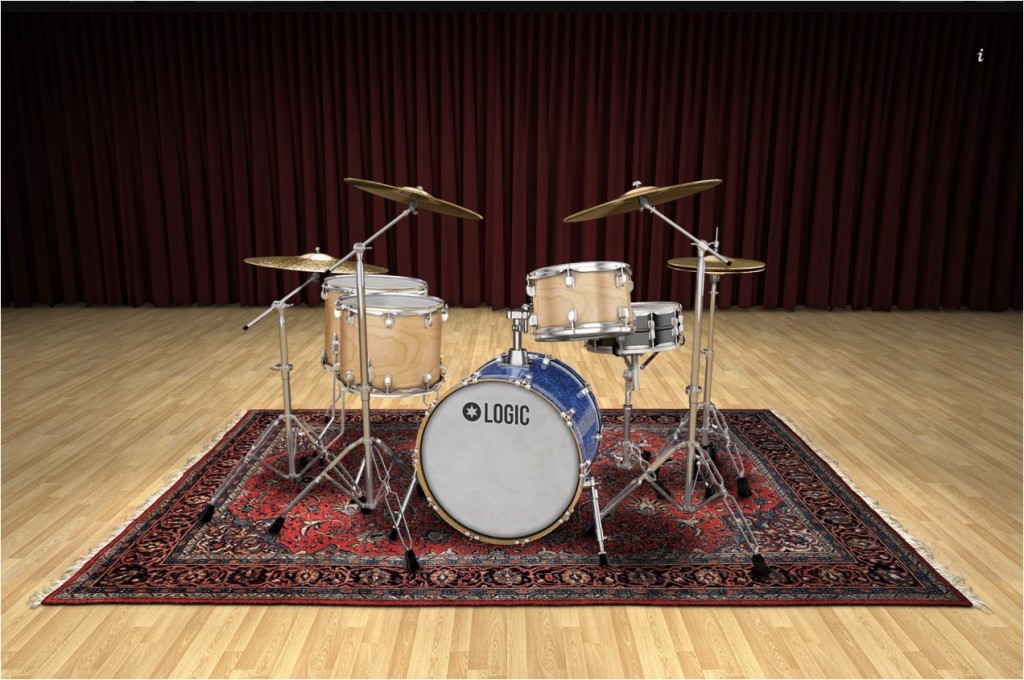
You can freely customize the kick, snare, toms, hi-hat, cymbals and more,
and use them in your original songs.
Logic Pro X new features: article index
0_How to download
1_Overview and settings
2_Drummer *This article
3_Flex Pitch
4_Track Stack
5_Smart Control
6_Arrangement Marker
7_How to download Logic Remote
8_Logic Remote in practice
Selected Questions and Answers from the YouTube Video

One question: is it possible to do something like adding a syncopation at a particular point?

If you shift the start of the region half a beat or so before the start of the bar, it will add a fill and make things fit, but we could not specify syncopation like a band hit. We felt it was best to set the pattern roughly the way you like, then right-click the region, choose "Convert" → "Convert to MIDI Region" to turn it into a normal MIDI pattern, and edit it yourself.
Hello. I recently switched to X and am enjoying it while still getting used to it, and your explanations of the various features are very helpful! About Drummer: after placing it, can I change the individual notes of the pattern itself?
Yes, you can by converting it to a MIDI region. Right-click the Drummer region and select Convert > Convert to MIDI Region. You can also drag and drop it onto another empty track.
I just started using Logic and was completely lost, so this has been very helpful!!! I'd like to ask: when recording vocals with a mic, I want to add more reverb. How should I do that?
For reverb: [click the "i" (Inspector) icon at the top left of Logic] → [select the audio track you want to record] → [the volume meter and so on are shown on the left; click "Audio FX" shown a little above it] → [Reverb], where about four types are available. If the sound is delayed when recording, check the latency settings. https://sleepfreaks-dtm.com/for-beginner-logic/lesson14-3/ There are limits to what we can convey in text alone, but please try out various things first. Thank you for your continued support.
Beginner's guide
Video point: Loading Drummer
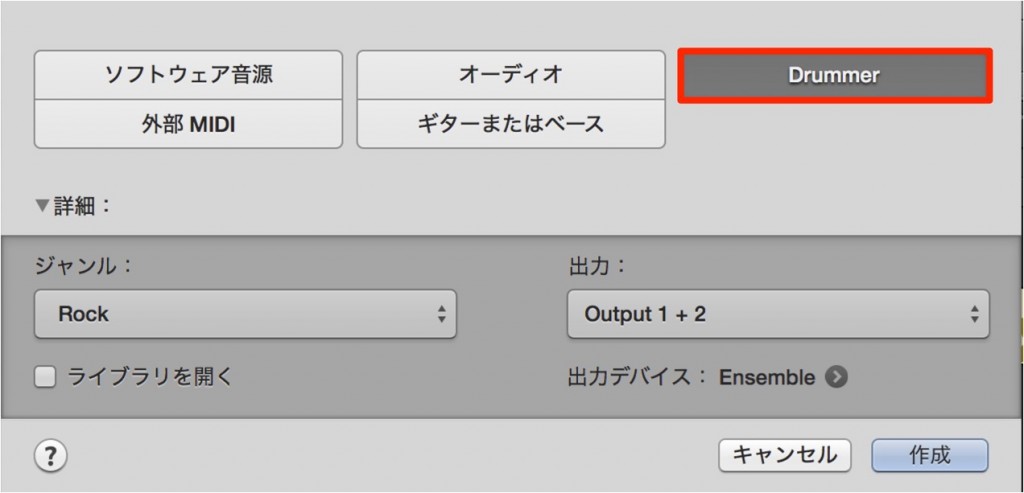
Create a new track → select Drummer → Create
Video point: Choosing a genre and drummer
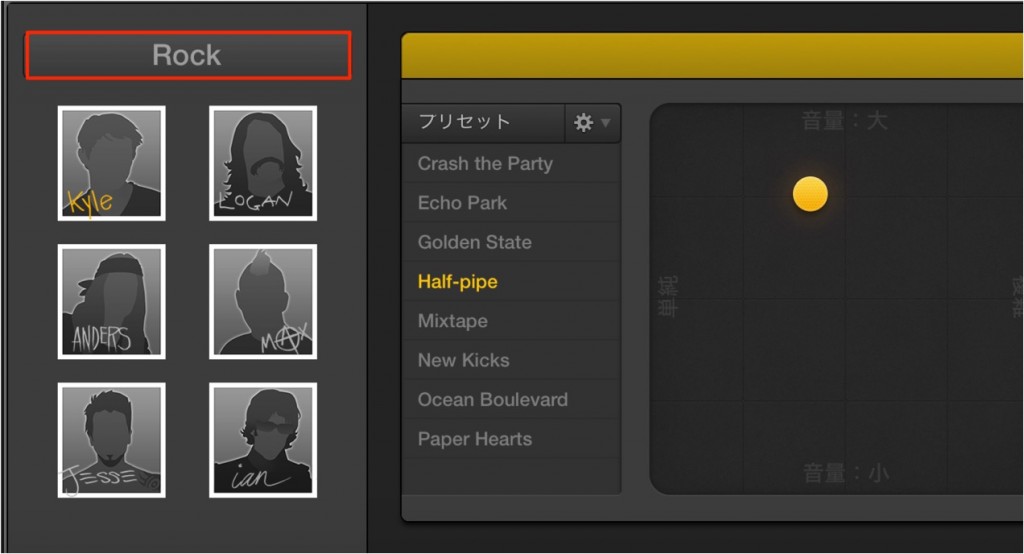
From here, after choosing a genre from Rock/Alternative/Songwriter/R&B,
you can even choose the drummer (lol)
Video point: Changing the pattern
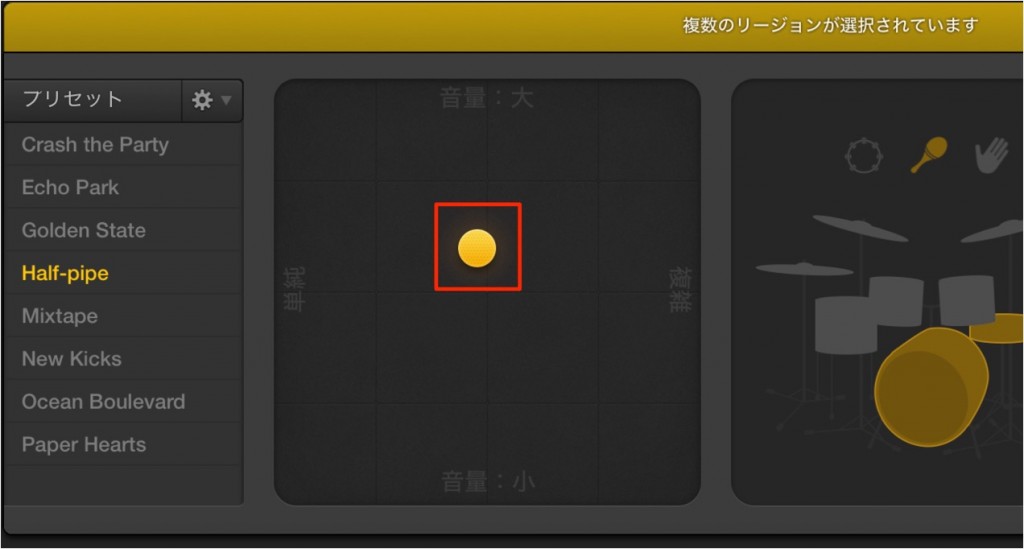
Drag the XY pad with the mouse to freely choose [loud/soft] and [simple/complex].
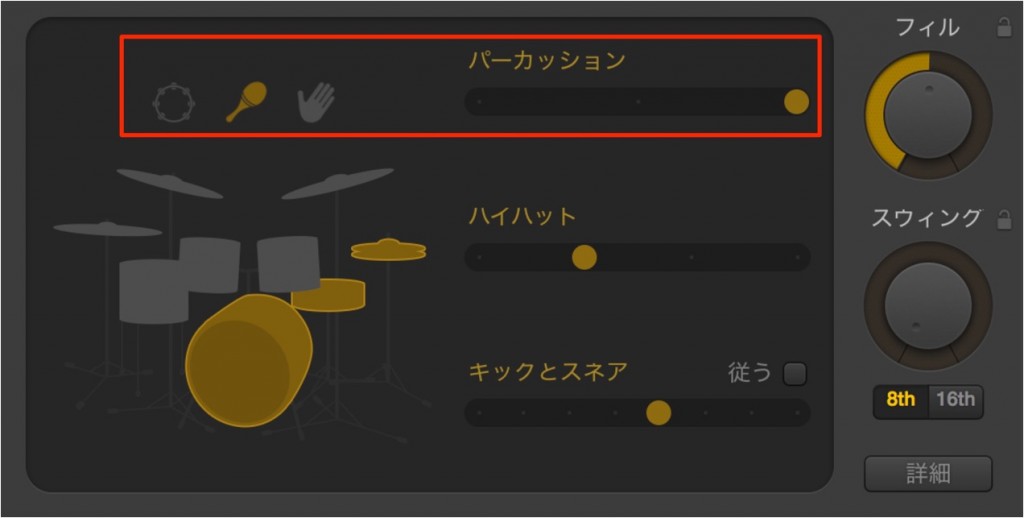
Choose variations of the drum or percussion instrument patterns
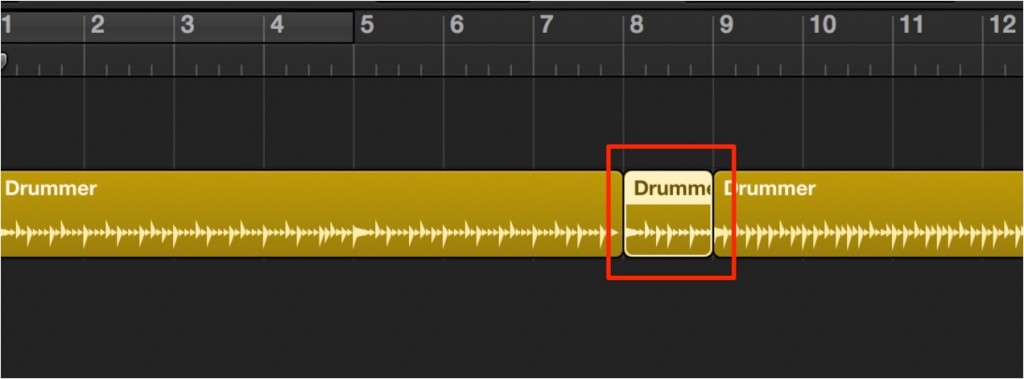
By splitting the region with the "Scissors tool" and adding fills only where you want them, you can get closer to a professional performance.
Video point: Saving patterns
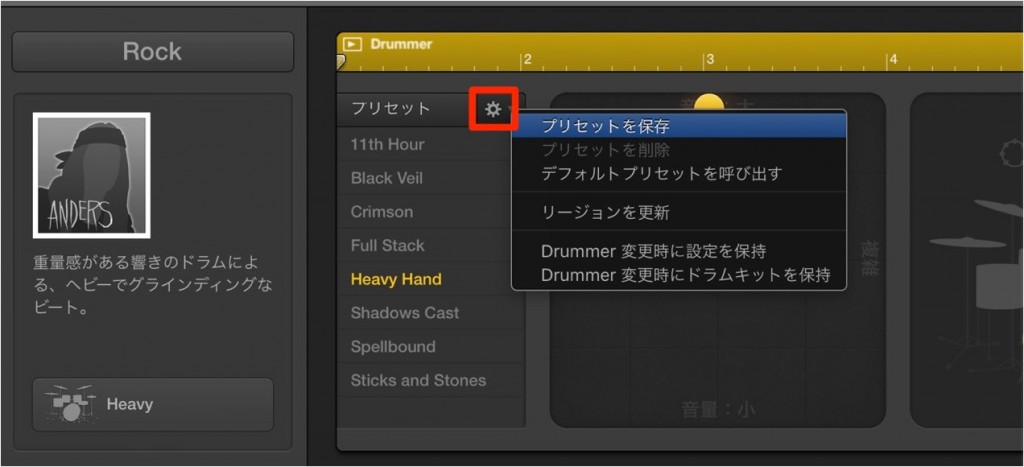
By saving a modified pattern as a preset, you can recall it at any time.
Video point: Shaping the kit's sound
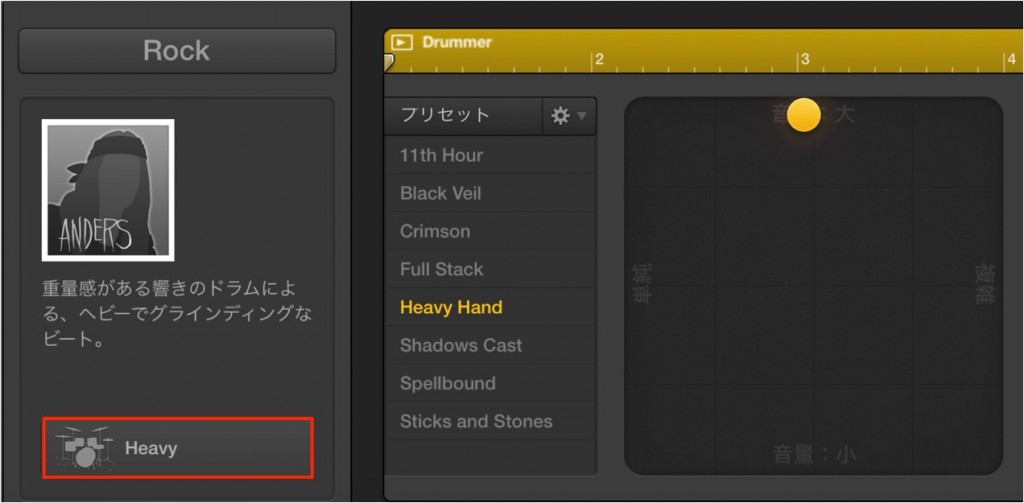
By clicking this area,
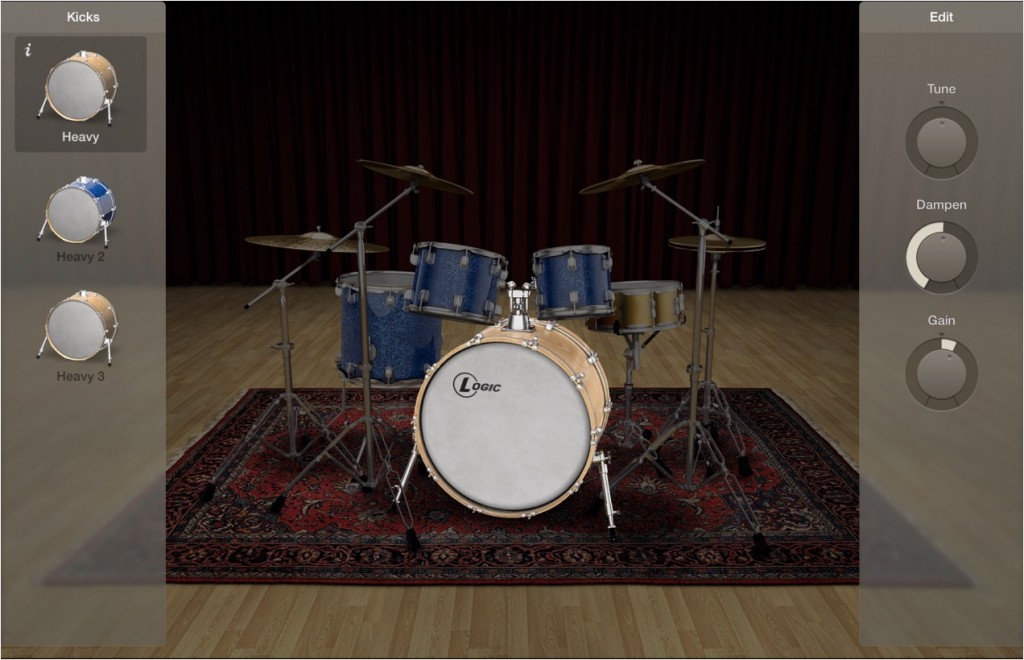
you can change and shape the kick, snare, toms and more.
Video point: Saving the kit
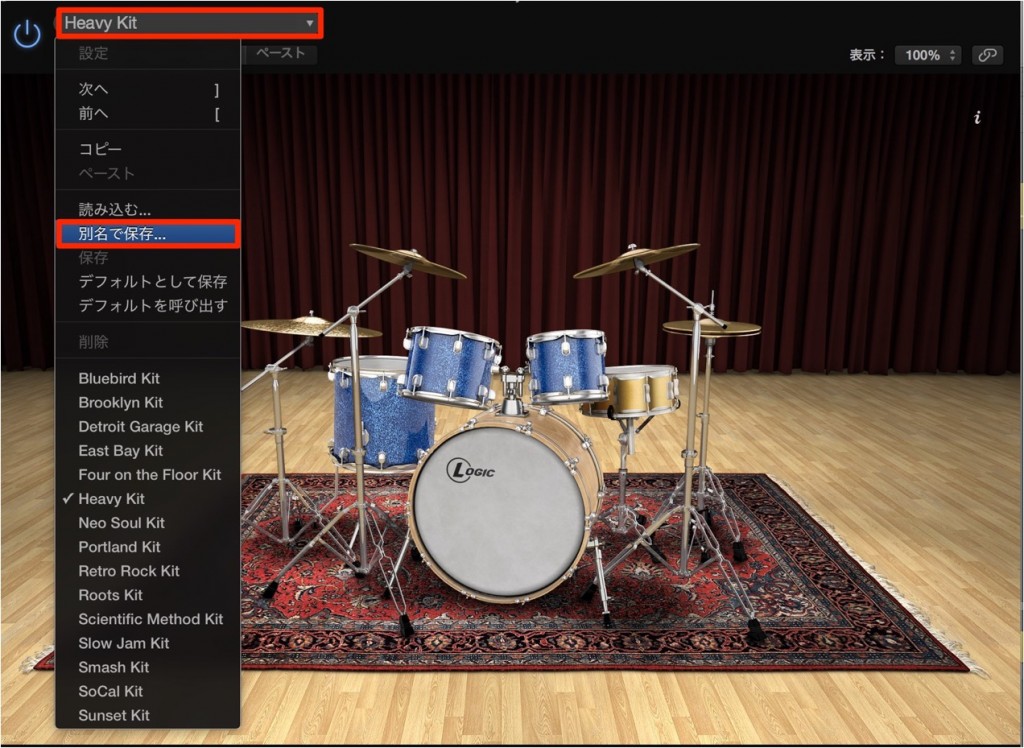
If you have adjusted the kit, save it under a different name and you can use it in other songs.
Video point: Multiple outputs

Change Drum to multi-output from the instrument slot.
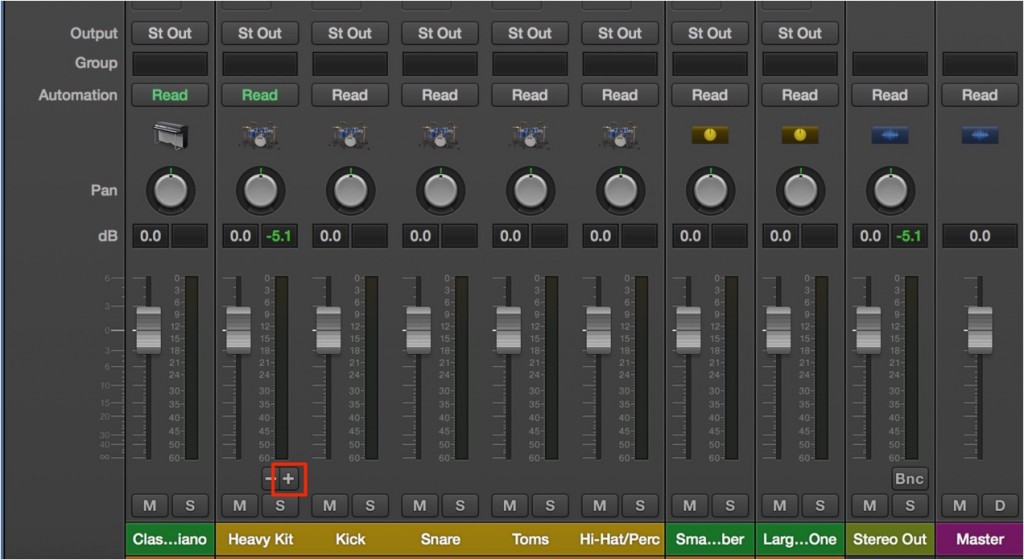
Then go to the Mixer and click the [+] button, and the kit is routed to multiple outputs.
This lets you apply EQ, compression and spatial processing individually to the kick, snare, hi-hat and so on.
Please give it a try!

Frequently Asked Questions
Q1. Which genres of drum patterns does Logic Pro X's Drummer support?
You can choose from four genres: Rock, Alternative, Songwriter and R&B. Because you can also choose different drummer characters for each genre, you can achieve a playing style that suits the concept of your song.
Q2. Can I save and reuse drum patterns created with Drummer?
Yes. Modified patterns and kits can be saved under different names and recalled at any time. This is very convenient when using the same drum settings in several songs.
Q3. Can I process drum sounds individually (EQ, compression and so on)?
Yes. Using multiple outputs, you can separate the kick, snare, hi-hat and so on into individual tracks and apply EQ, compression and spatial processing to each independently.
NEW ARTICLES
Latest English Articles











