
When using BFD3's multi-output function, if the track settings on the DAW side don't match BFD3's internal output formats, you can't assign outputs to each track as expected. This article explains the difference between the stereo and mono outputs inside BFD3 and the importance of matching the same formats on the DAW side. In Logic Pro in particular, stereo tracks are displayed first, making it hard to intuitively match them with BFD3's mixer screen. Understanding this behavior enables efficient mixing.
Can't Assign BFD3's Multi-Outputs Properly
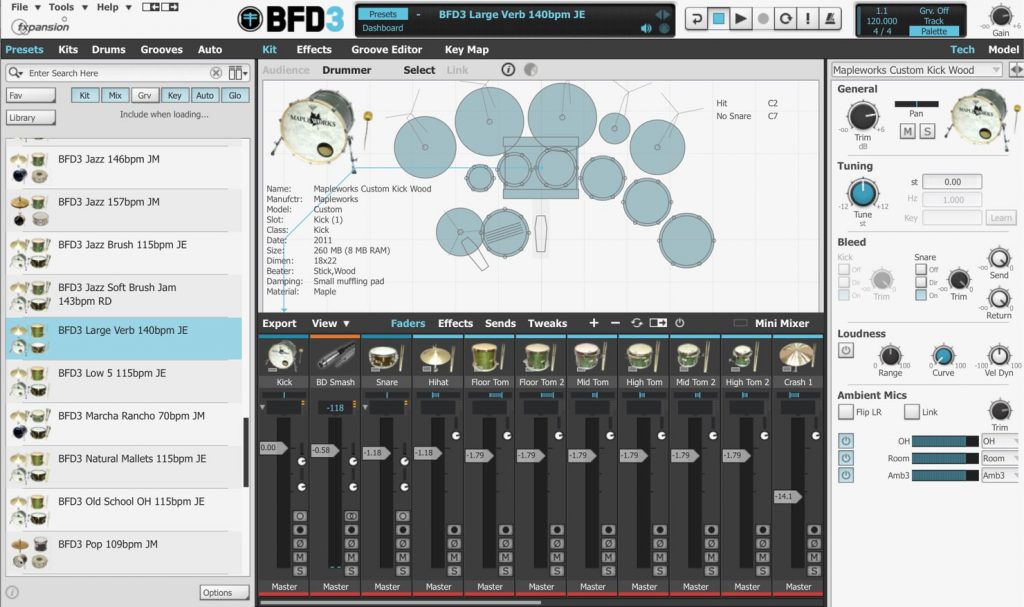
BFD3 is an ultra-high-quality acoustic drum instrument.
It is especially recommended for those who want to edit drum sounds thoroughly,
and lets you craft your sound so carefully that no amount of time ever feels like enough.
And once the sound design and programming are done,
most people want to keep refining the mix until they're satisfied.
That's where the "multi-output function" comes in.
You can assign the output of each kit piece or mic individually to tracks in your DAW.
For details on multi-output, please refer to this article.

Being able to mix in a familiar environment, just like your other tracks, is a huge help.
However, we have recently received questions such as, "When I use multi-output in my DAW, the outputs to each track don't work the way I want..."
That's the kind of question we get.
So this time, we'd like to explain BFD3's unique multi-output routing, which tends to cause confusion.
Understanding Stereo and Mono Outputs
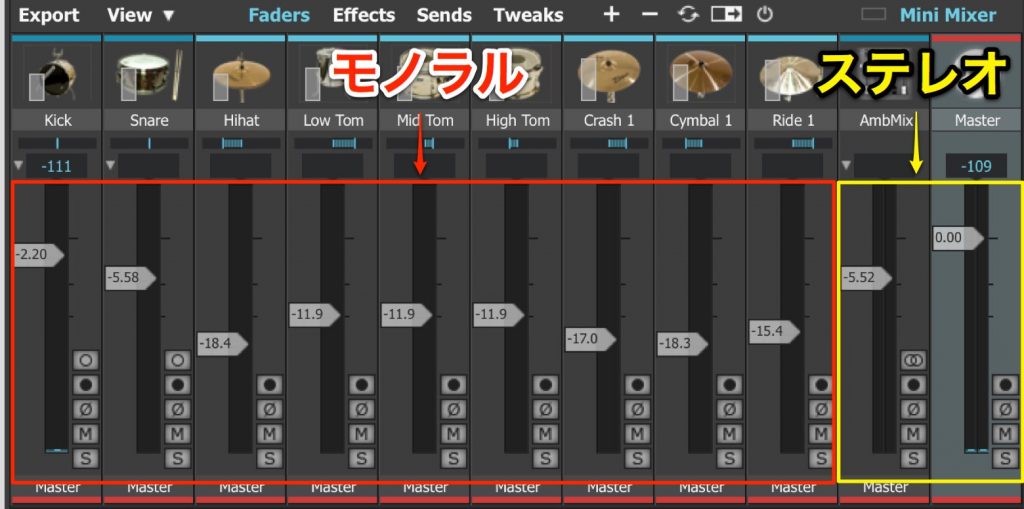
Each track inside BFD3 is either "mono" or "stereo."
Look at the track's volume meter.
A track with one meter is mono, and a track with two meters is stereo.
Alternatively, you can remember that each kit piece (kick, snare, hi-hat, toms, cymbals, etc.) is mono, while "overhead," "ambient" and "AUX" (for example, three toms combined into one track) are stereo.
*Ambient-type tracks that are mono are labeled "mono."
When using multi-output for these, the tracks on the DAW side also need to match mono/stereo.
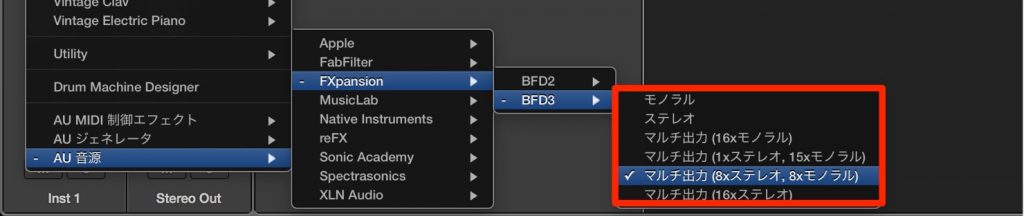
In Logic Pro, for example, you decide the type of output when launching BFD3.
In most cases, you choose "8x Stereo, 8x Mono," which can handle any track.
When you actually use multi-output, it looks like this.
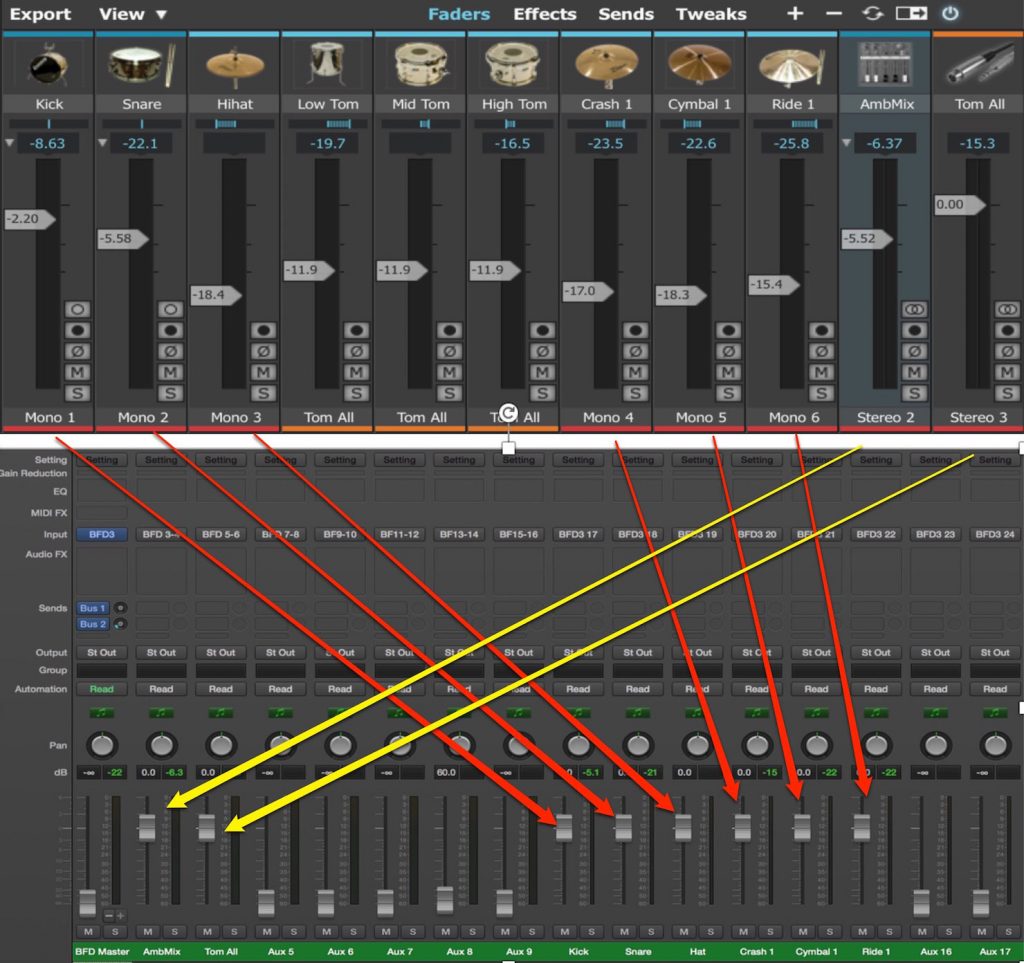
In Logic, stereo tracks come first,
so it is hard to match them up with BFD3's mixer screen.
It seems many people get confused at this point.
In the example above, it looks like this.
Stereo 1 input 1-2 (kit pieces not sent to multi-outputs play here; not used this time)
Stereo 2 input 3-4 (ambient mics)
Stereo 3 input 5-6 (AUX combining the three toms)
Stereo 4 input 7-8 (not used this time)
Stereo 5 input 9-10 (not used this time)
Stereo 6 input 11-12 (not used this time)
Stereo 7 input 13-14 (not used this time)
Stereo 8 input 15-16 (not used this time)
Mono 1 input 17 (kick)
Mono 2 input 18 (snare)
Mono 3 input 19 (hi-hat)
Mono 4 input 20 (crash cymbal)
Mono 5 input 21 (cymbal)
Mono 6 input 22 (ride)
Mono 7 input 23 (not used this time)
Mono 8 input 24 (not used this time)
We used Logic here, but some other DAWs also display stereo tracks first.
If you keep this in mind, you should be able to use multi-output without problems.
Access to BFD3 Articles

- 1Purchase, Download and Installation
- 2Loading and Saving Kits
- 3Groove: Using Rhythm Patterns
- 4Editing Kits
- 5Mutes and Articulations (Model)
- 6Mixer Screen & Multi-Output
- 7BFD3: Optimizing MIDI Performances from Other Software
Frequently Asked Questions
Q1. I used multi-output in BFD3, but the sounds aren't assigned correctly in my DAW. Why?
Check whether the tracks inside BFD3 are stereo or mono. The track settings on the DAW side need to match the same format. One volume meter means mono; two means stereo.
Q2. Why are stereo tracks displayed first when using BFD3 multi-output in Logic Pro?
Due to Logic Pro's design, outputs are listed with all the stereo tracks first. Mono tracks are displayed after them, so it's important to check them against BFD3's mixer screen.
Q3. Is the "8x Stereo, 8x Mono" setting required?
Selecting this setting when launching BFD3 lets you handle both stereo and mono output formats. This setting is recommended for most projects.
Q4. Are the kick, snare and hi-hat mono outputs?
Yes. Each kit piece, such as kick, snare, hi-hat, toms and cymbals, is a mono output. Overhead and ambient mics, on the other hand, are stereo outputs.
NEW ARTICLES
Latest English Articles











