
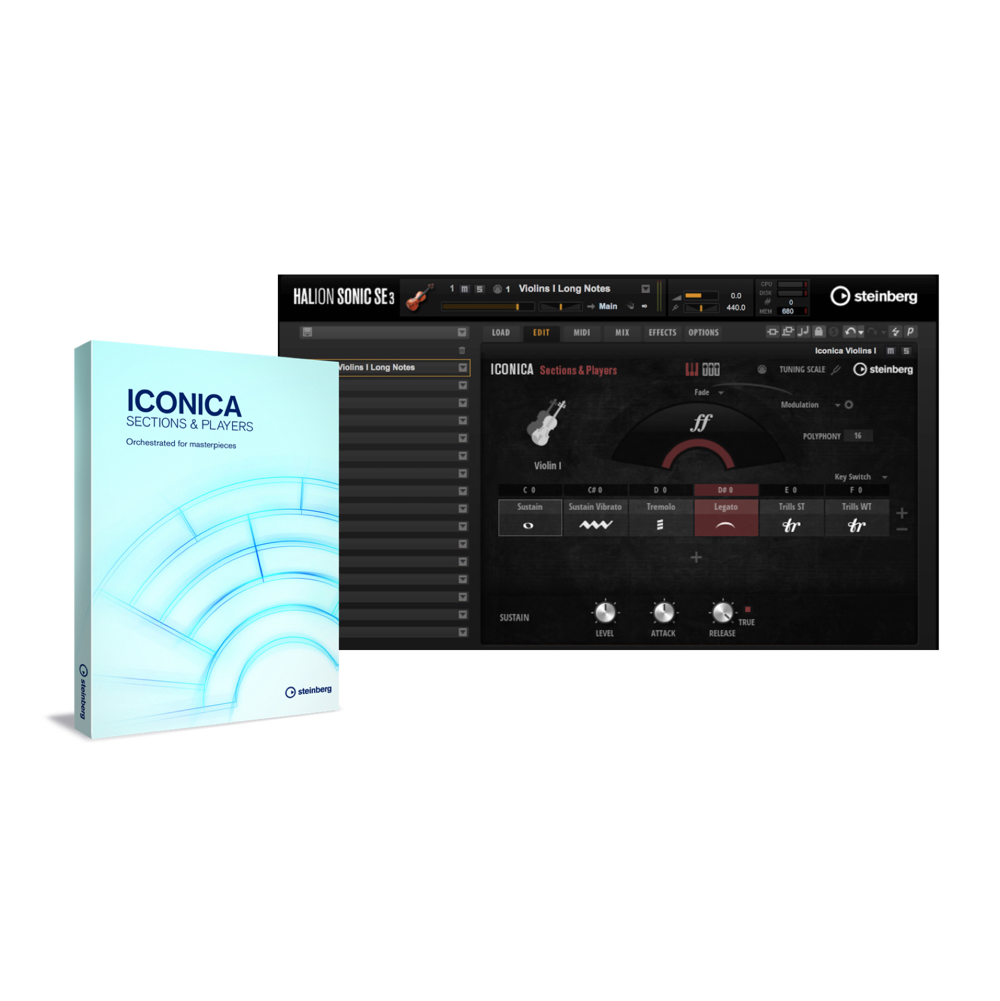
Steinberg's latest orchestral library, "Iconica Sections & Players," is a large-scale library with over 150GB of samples performed by 76 players at a renowned Berlin studio. With realistic legato from Adaptive True Legato technology, the Cell feature for flexibly switching between up to 16 articulations, and natural playing feel from round robin, even beginners can achieve high-quality symphonic sound, while its rich features also meet the needs of professional composers and arrangers. Tuning and mic selection are also available, so it handles a wide range of genres from classical to film and media music.
A first look at the features of Steinberg Iconica
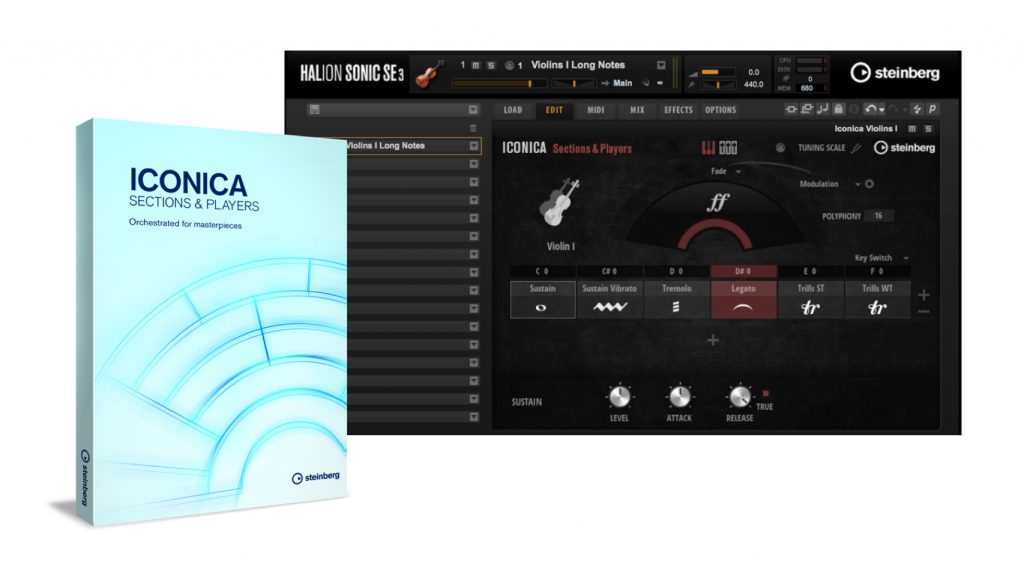
Steinberg has released a high-quality, large orchestral library, "Iconica Sections & Players."
Recorded carefully over more than a month with a total of 76 players at Funkhaus, a renowned Berlin studio, the samples amount to a whopping 150GB or more.
The playing techniques for each instrument are also very comprehensive, so you can achieve high-quality sound right away without needing programming techniques.
It's a comprehensive orchestral library that shines across genres, not just in classical and film music, you could say.
First, have a listen to sounds made with Iconica.
Product site: https://japan.steinberg.net/jp/products/vst/iconica/sections_and_players.html
In this article we'll introduce the product's features and functions.
A wealth of articulations
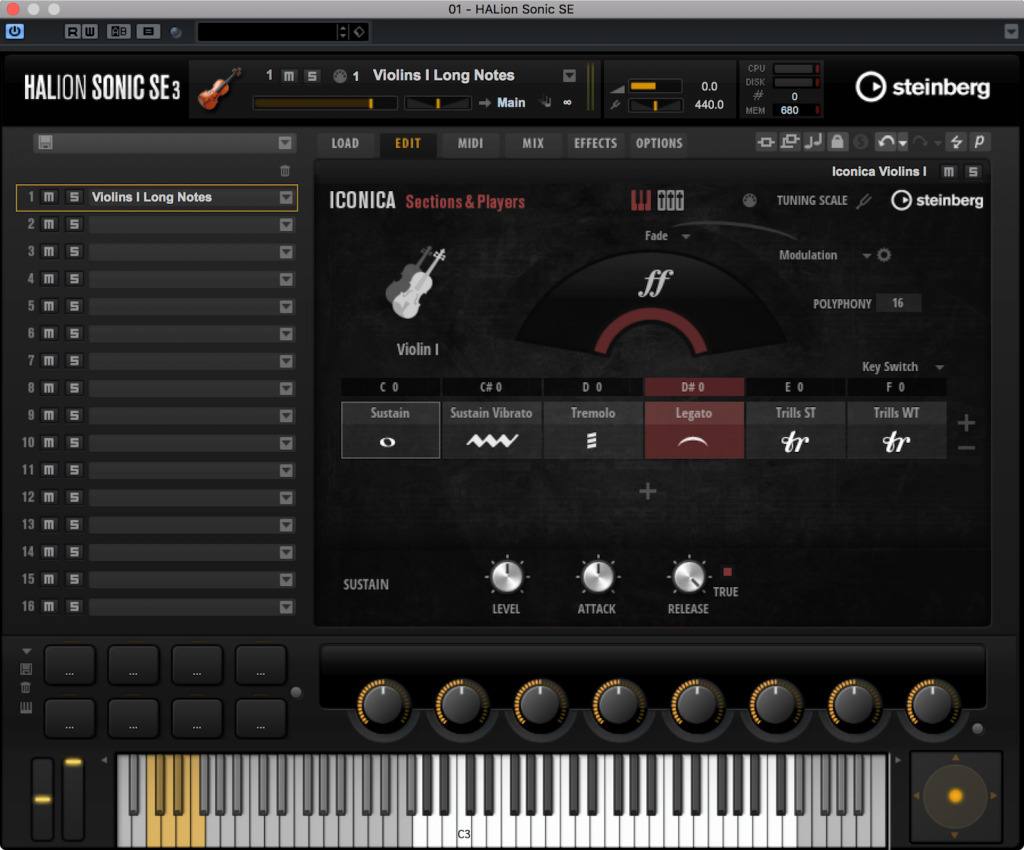
With sampled string instruments and the like, the nuance of legato, playing smoothly between notes, has traditionally been especially hard to reproduce, but Iconica Sections & Players features "Adaptive True Legato technology" to make it sound more realistic.
It automatically adjusts the nuance of the legato according to the tempo, making natural phrasing possible.
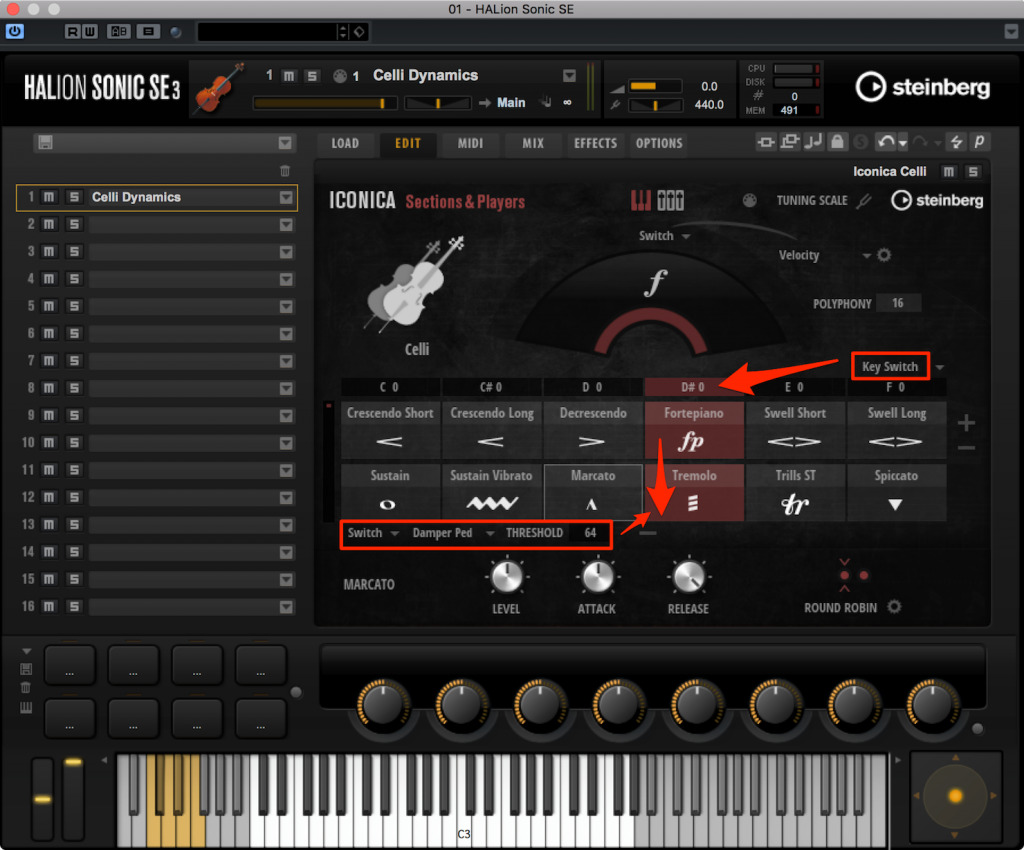
Each instrument comes with a rich range of expressions, including articulations and playing techniques.
These are managed in slots called Cells, and with up to 8 across and 2 rows down, you can switch, change and blend a total of 16 articulations and playing techniques within a phrase.
And the articulations assigned to Cells can be selected with a MIDI controller.
This lets you switch flexibly between multiple playing techniques within a single track, so your tracks don't get cluttered and you can program efficiently while keeping CPU usage down.
Once you're used to the control parameters, you might even be able to play it in real time.
With the settings in the screen above, you can switch the horizontal Cells with Key Switches and the vertical Cells with the Damper Pedal (Sustain Pedal).
For example, to switch to "Tremolo," use MIDI note D#0 to switch to the "Fortepiano" and "Tremolo" column, then press the Damper Pedal (Sustain Pedal) to select "Tremolo."
By the way, the behavior of Cells in the same vertical column can be set to "Fade," "Switch" or "Layer." For example, if you set it to Layer, you can also layer the two articulations set in the same column and play them together.
This high degree of freedom is what leads to the rich sound you heard above.
You can check the articulation list for each instrument here.
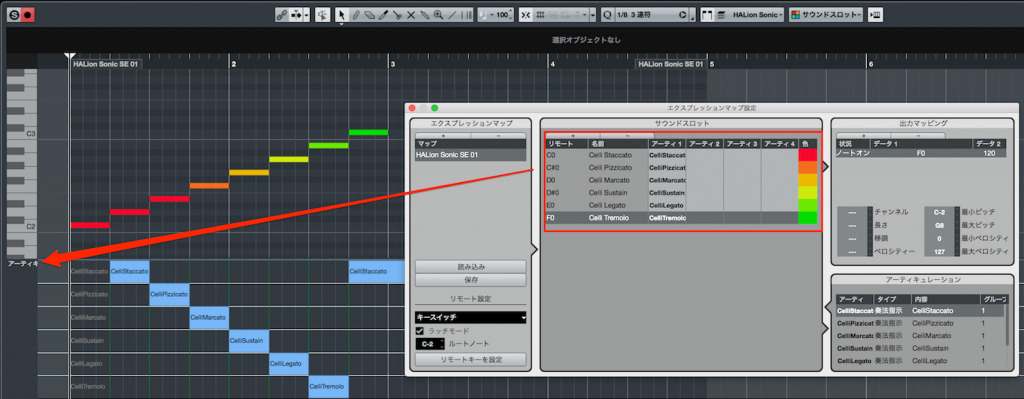
In addition, it supports VST Expression, an indispensable, convenient feature for programming in Cubase, so you can change the assignment of articulations and key switches in the Key Editor's controller lane.
It dramatically improves visibility, such as keeping track of articulations, as well as working efficiency.
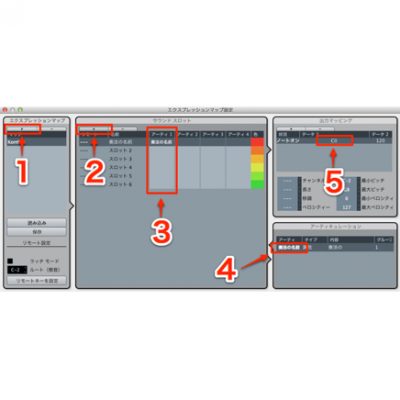
About Cubase Expression Maps
Round robin for natural sound
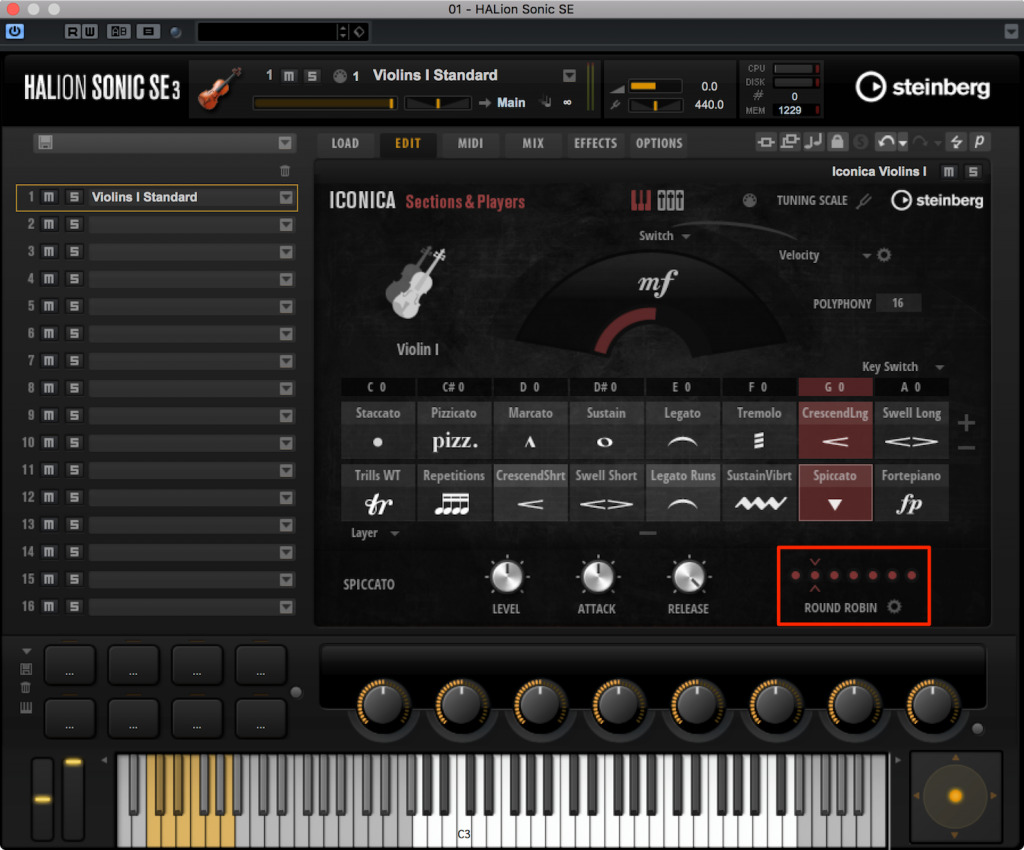
Depending on the articulation, it's designed so that the round robin function kicks in.
Round robin plays multiple samples in alternation. It avoids the mechanical feel typical of programming that you notice when the same sound is played repeatedly, so you can easily get a natural playing feel without special programming techniques.
It's a really welcome feature, since you no longer need the follow-up work of adding variation to consecutive notes, and the actual sound is excellent too.
Characteristics and sound of the instrument samples

As for the sound library provided, the woodwinds come with sounds designed for an orchestra with triple winds. For each instrument, you can choose two individual parts, 1st (first player) and 2nd (second player), plus the doubling instrument (a related instrument) that corresponds to the 3rd (third player).

The brass even includes euphonium samples, which normally don't have a regular seat in an orchestra, a wonderful touch that lets it handle marches and concert band music too.

The harp glissando library is provided for each key of a song. When you load a sound, seven glissando patterns matching the diatonic chords plus a pentatonic scale glissando are assigned to Cells.
It's a very practical setup from a composer's and arranger's point of view, which I really like.
Tuning and miking
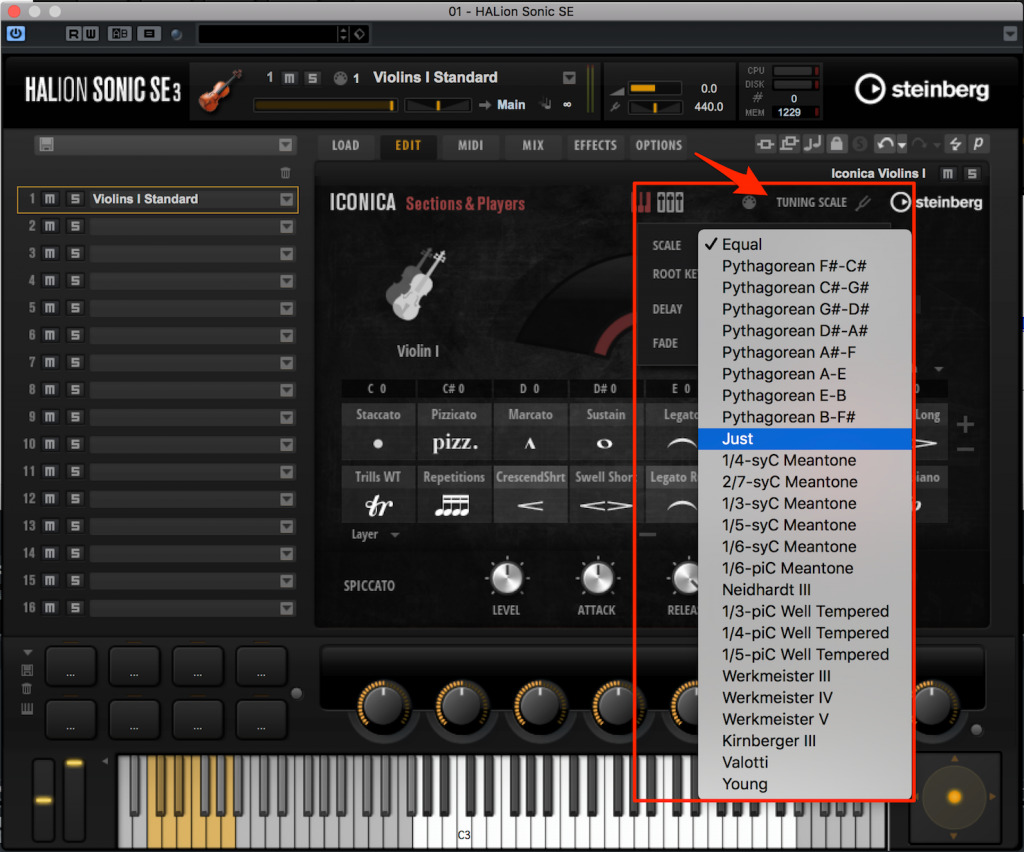
It's a bit niche, but you can also change the temperament. You can stick to just intonation, or recreate music from a particular period, such as pre-Baroque or historical temperaments.
It's also great that you can easily handle it when a job specifies a tuning.
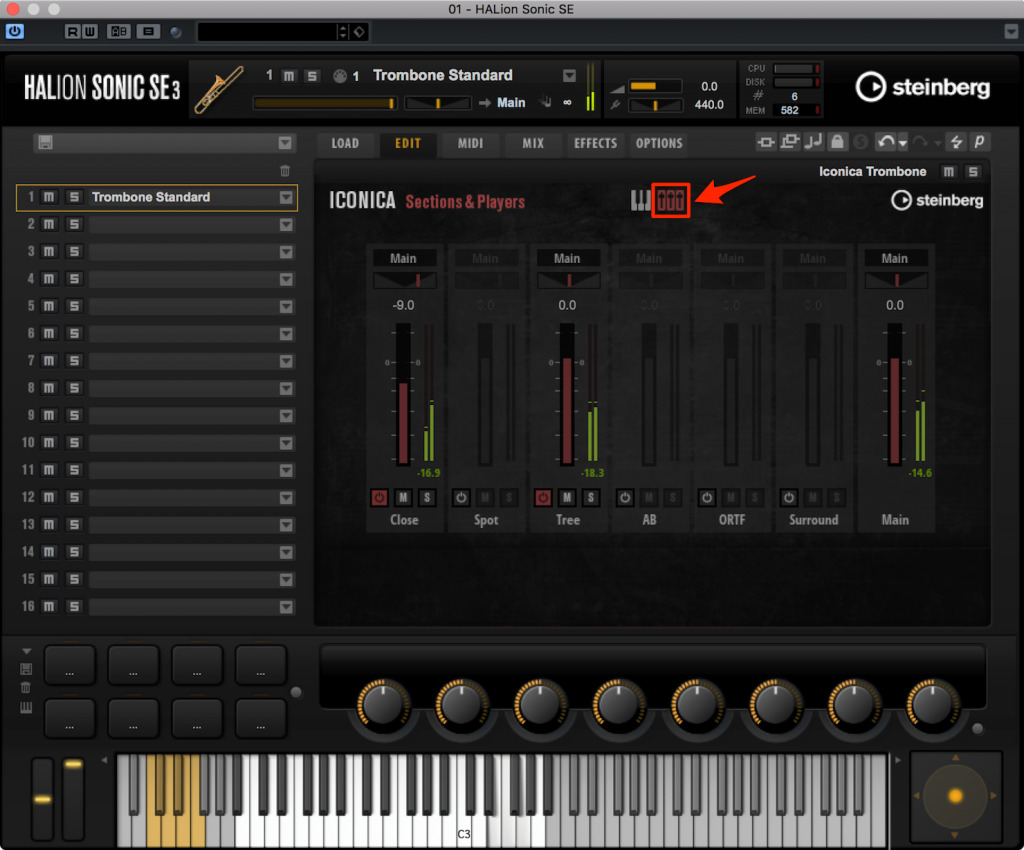
From the mixer window, you can select the miking used to record the samples.
Miking refers to how you set up the microphones used when recording an instrument, and even with the same performance, the character of the sound changes greatly.
With this product, you can easily adjust the sound of each instrument to your taste and balance, including choosing the recording mic positions and the room ambience.
Try shaping the sound to match the sound, genre and world you're after.
Finally
That's our first-impressions review after using Iconica Sections & Players.
I felt that you can quickly get a high-quality symphonic sound, and that by settling in and editing each parameter, it also has the potential to let you adjust the sound as far as you like until you're satisfied.
It's a product I'd really recommend to anyone not satisfied with their current orchestral sound or wanting to aim higher, so why not check it out?
Steinberg products distributor: access content from Yamaha Music Japan Co., Ltd.
- Yamaha Music Japan MPP (YouTube) https://www.youtube.com/user/SteinbergJapan
- MPP (Twitter) https://twitter.com/SteinbergJP
- Music production show Sound Roster (Fresh!) https://freshlive.tv/ymjsoundroster

Buy the product: https://japan.steinberg.net/jp/products/vst/iconica/sections_and_players.html
Frequently asked questions
Q1. Which DAWs does Iconica Sections & Players support?
The article assumes use in Cubase, and it supports VST Expression Maps. It can basically be used in any DAW that supports VST3, but we recommend checking the official site for detailed system requirements.
Q2. Can beginners make full use of it?
Yes. It's designed so you can achieve high-quality sound right away without complex programming techniques. At the same time, it offers the freedom for professional-level sound making by fine-tuning each parameter.
Q3. Does the harp glissando support every key?
A glissando library is provided for each key of a song, with seven patterns matching the diatonic chords and a pentatonic scale glissando preset in advance.
Q4. Can I switch articulations with a MIDI controller?
Yes. With the Cell feature, you can switch between up to 16 articulations in real time with MIDI controllers such as key switches and the damper pedal.
NEW ARTICLES
Latest English Articles











