
Avenger 2 brings a substantial update to the software synthesizer popular with EDM producers. This review demonstrates the Factory2 library with more than 250 new sounds, around 1,500 drum loops, expanded arpeggiator features, the Spectral Granular oscillator and Q4NTUM FX. Using presets as a starting point, the demo builds synth, drum and vocal parts with Avenger 2. The focus is the version-2 features and content described in the original review, rather than a current bundle or version guide.
Polished sounds for contemporary music styles

Avenger, a software synthesizer popular with EDM producers, has been updated to version 2.
Alongside new sounds, it adds a range of creative production features.
Here, we explore the highlights using a demo track.
For the basics of using Avenger, see the article below.

Video: New Features in Avenger 2
Listen to the demo track
First, listen to the demo track made with Avenger 2.
Demo track: Be With You
The synths, drums and vocals— all of the track's parts—use Avenger 2. That is how the demo was built.
The sounds are based mainly on presets, giving a sense of what the instrument can do.
The Factory2 library
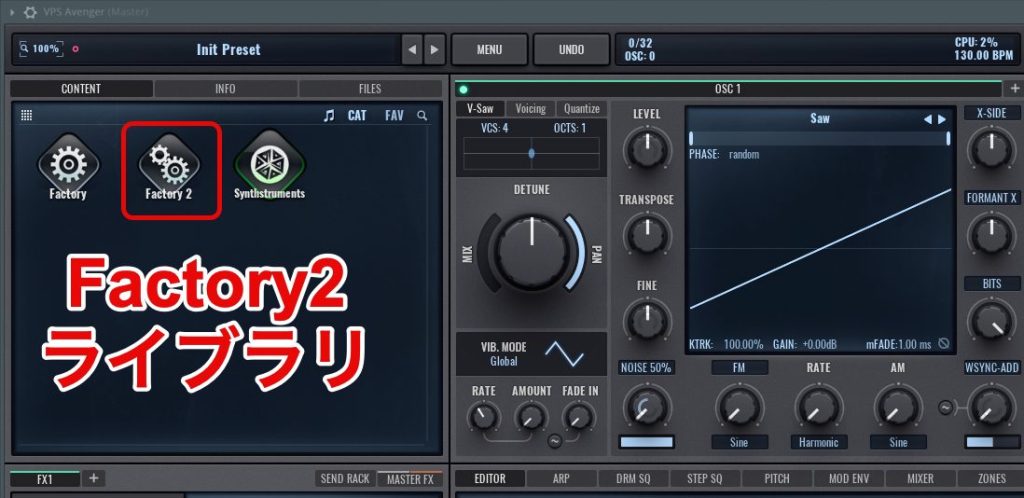
Alongside the existing Factory library, more than 250 new sounds are included in the new Factory2 library described in this review.
The sounds reflect EDM trends at the time of the update. Even without extensive synthesis experience, you can bring polished sounds into a track quickly.
A new preview function also lets you hear sounds quickly while choosing presets.
Expanded drum features
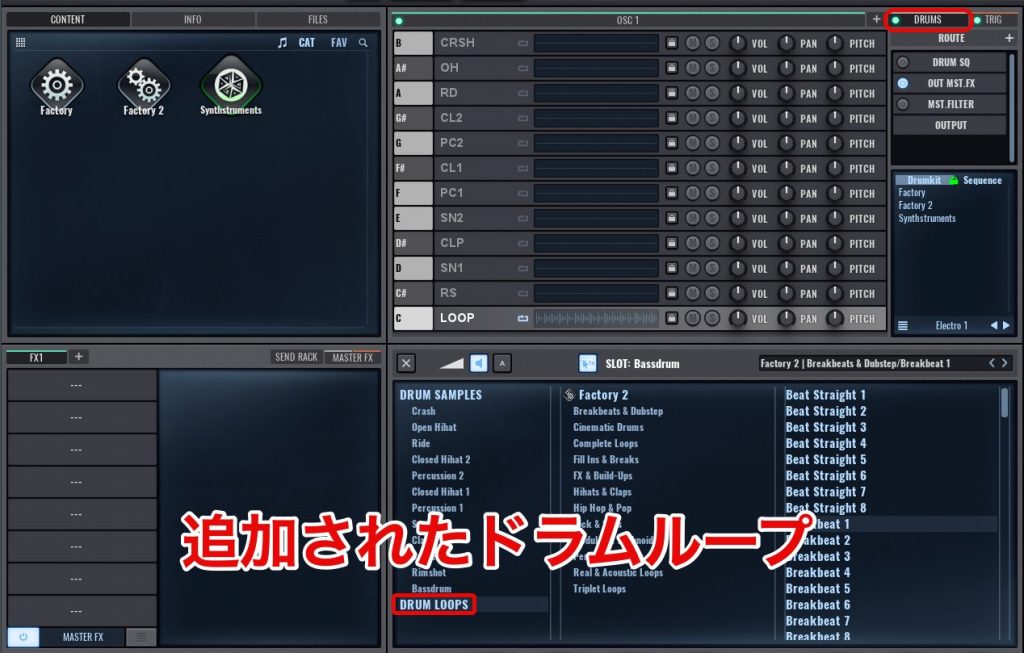
In addition to the existing drum features, you can now use loop samples.
The version reviewed includes around 1,500 drum loops that synchronize to the DAW's tempo.
That can make beat creation much more efficient.
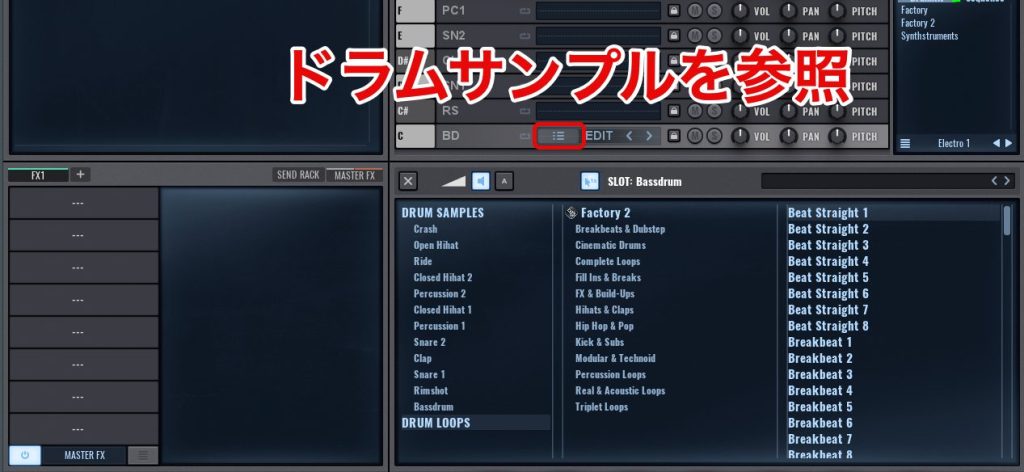
Using them is straightforward.
Drag the desired item from the drum-sample browser at the bottom of the window into a lane.
You can then trigger it with MIDI notes.
These loops automatically synchronize to the DAW tempo, so they can be combined with existing drum patterns.
For example, use loops for tops and background phrases, while keeping the main kick and snare as one-shots for greater control.
That gives you a flexible way to build a beat.
The drum pattern in the demo
The demo's drum track uses these drum features.
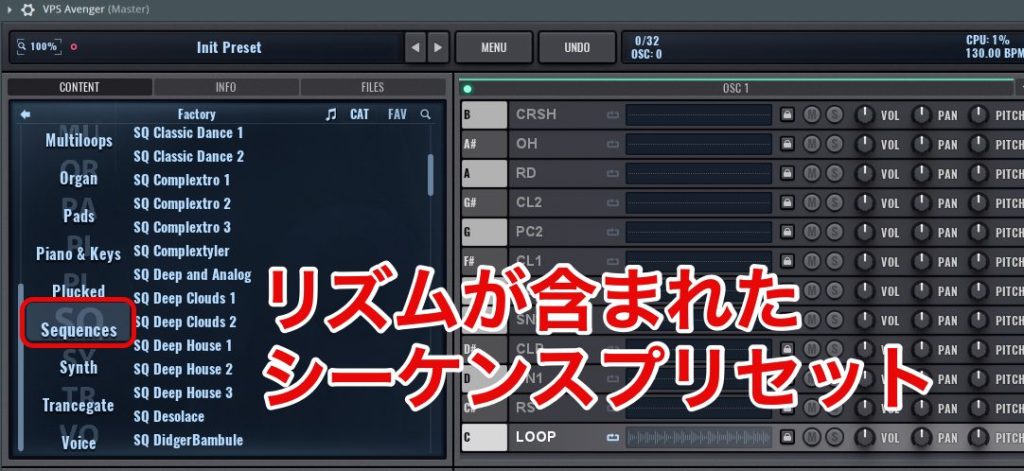
Presets in the SQ (sequence) category can play a developed beat from a single held note.
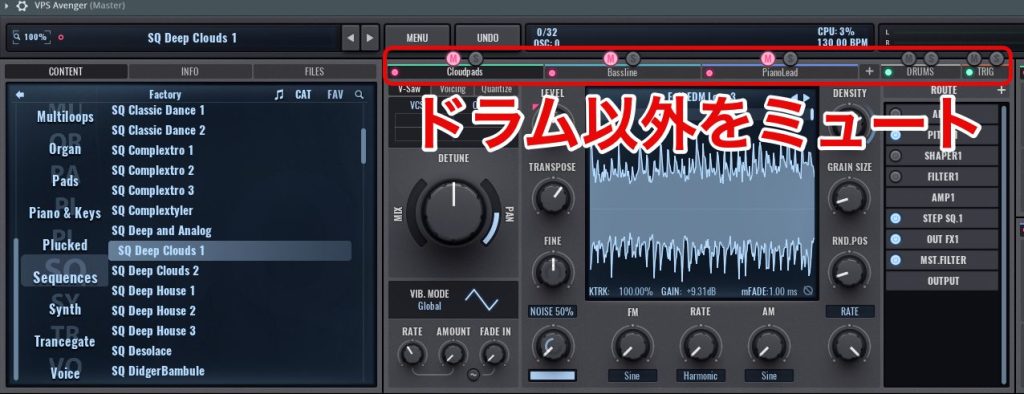
The rhythm parts in those presets use the drum section.
Try muting the non-drum parts to isolate a ready-made drum part for your project.
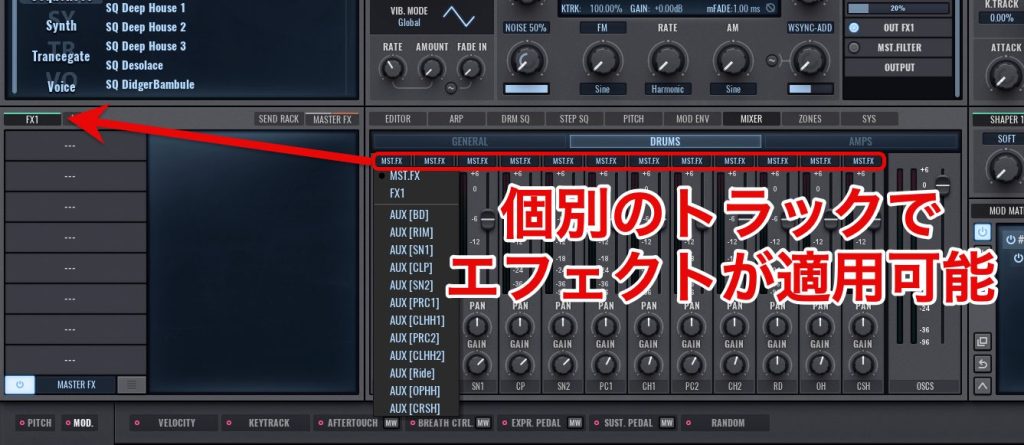
Built-in effects can also be applied to the individual drum sounds.
That allows more detailed sound shaping.
New arpeggiator features

Version 1 already had a versatile arpeggiator. Version 2 expands it for more complex and expressive phrases.
Ratchet
Ratchet lets you change the repeat rate of selected notes within an arpeggiator pattern.
Repeating a note this way can create rhythmic, catchy phrases.

You can load a preset from the lower part of the arpeggiator editor and apply the effect to the selected notes.
For the demo, we used rapid ratcheted repeats of the kind often heard in contemporary EDM.
Bass phrase using Ratchet
Arpeggio randomizer
An arpeggio randomizer has also been added.

Click the dice button to switch the display at the lower left of the window.
The selected pitch or rhythm elements can then be randomized to generate new phrases.
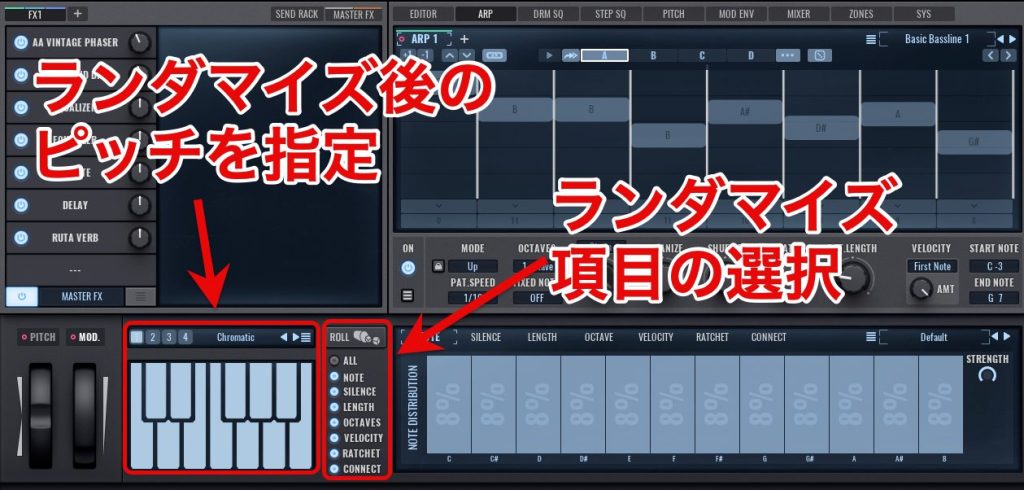
The keyboard display lets you limit the pitches available after randomization.
Enable only the notes in the song's scale, or the pitches you want to use. That keeps the results within your chosen note set.
Other elements can also be selected from a list, allowing targeted variation rather than an entirely uncontrolled result.
Example randomizing pitch only
It is a practical source of ideas.
Spectral Granular module
Another distinctive addition is the Spectral Granular oscillator module. It offers a different approach to sound design.

Analyzing a sound's spectrum and applying granular processing can create distinctive textures.

To build a sound from scratch, select a sample under Spectral in the oscillator-selection screen.
The Spectral controls then appear.

- Threshold controls which spectral components sound; higher values restrict the output to more selected components.
- Spectral Expander emphasizes the components that pass the threshold.
- Mode changes the treatment: the review describes “+” as sounding the extracted components, and “−” as emphasizing them while retaining the original sound.
- The attack and release controls shape the onset and tail of the extracted components. The original text labels them “ATL” and “RLS”; refer to the plug-in's displayed controls when following along.
Moving Spectral Expander in minus mode
Emphasizing selected spectral components in this way produces a distinctive character, different from a conventional oscillator approach.
New effects
Q4NTUM FX
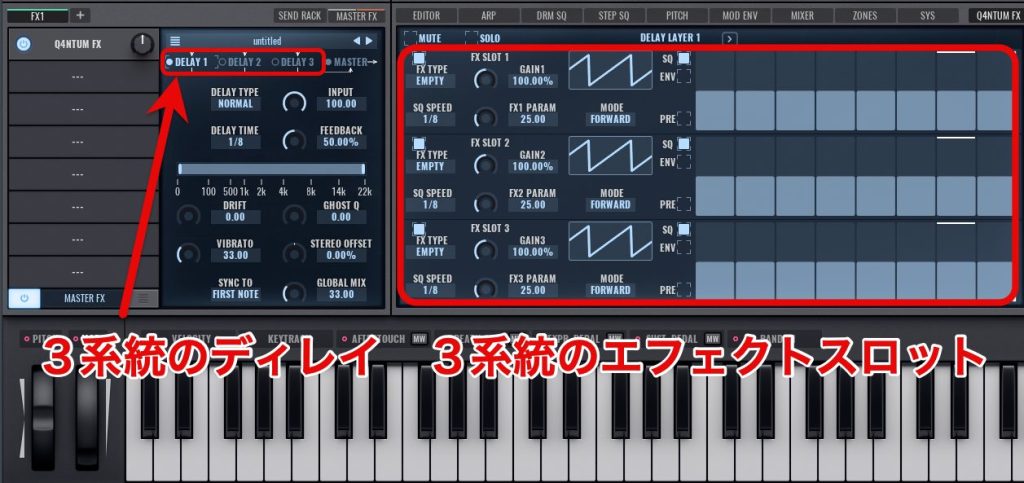
Q4NTUM FX is a complex, powerful multi-effect. The review describes three independent delay paths, each with three effects that can be layered onto it.
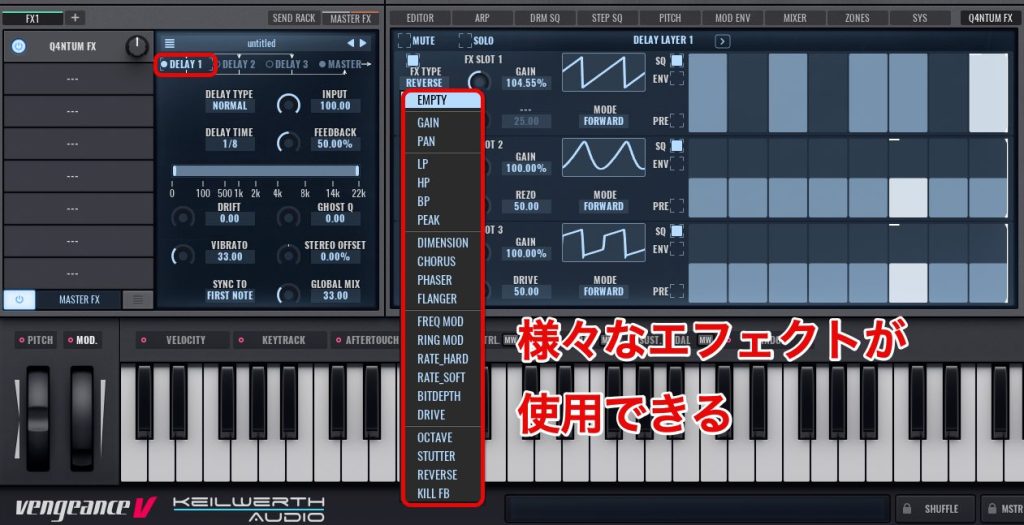
The effect slots offer a variety of processes for shaping the delay signal.
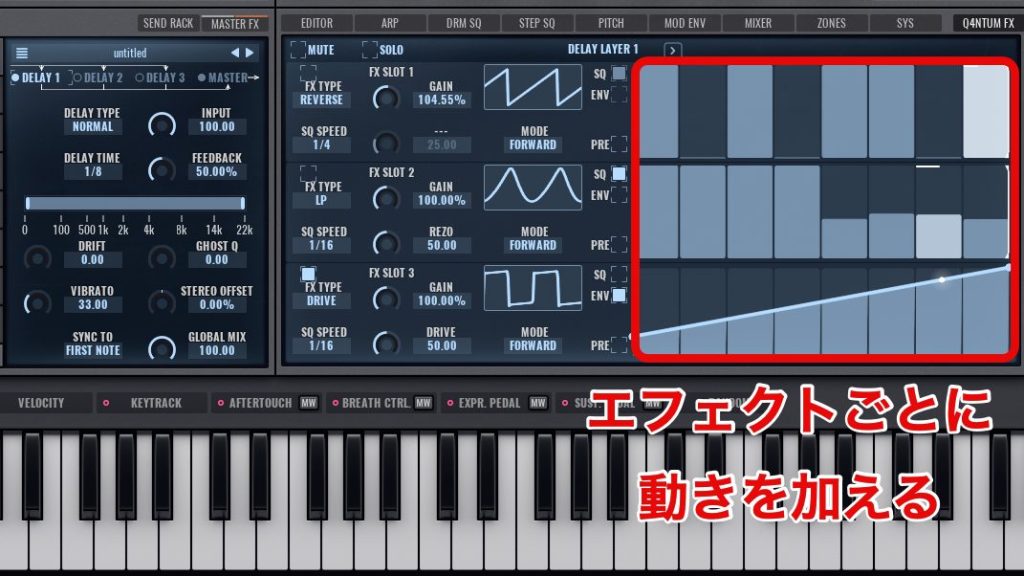
Each slot also has its own envelope or step-sequencer modulation, allowing independent movement.
Listen to a simple pad processed with Q4NTUM FX.
Example using the Modulation Seq preset
The added rhythmic movement can give a simple pad a new role in the arrangement.
Its many options may look demanding, but the version reviewed includes more than 100 presets that can be useful starting points without extensive programming.
What did you think?
From synth sounds and drum programming to phrase creation, version 2 adds useful possibilities across many production tasks.
There are detailed controls for experienced sound designers, while the many ready-to-use presets also make the instrument approachable for beginners.
That breadth is part of Avenger 2's appeal.
If you are looking for a synthesizer, it is worth exploring.
Frequently asked questions
Q1. Can Avenger 2 provide all the parts for a complete track?
The demo uses Avenger 2 for its synth, drum and vocal parts. Its presets, loops and effects can supply the instrument parts across an arrangement within one plug-in. This does not mean the plug-in replaces a DAW or every recording, arrangement and final-delivery task.
Q2. Can beginners use it without extensive sound-design experience?
Yes. The Factory2 library described in the review includes more than 250 ready-to-use sounds reflecting the update's contemporary styles. Selecting presets gives beginners a way to bring polished sounds into a track without programming them from scratch.
Q3. Do the drum loops follow the tempo automatically?
The approximately 1,500 loops described in the version reviewed synchronize to the DAW's tempo, allowing them to follow tempo changes and simplifying beat creation.
NEW ARTICLES
Latest English Articles











