
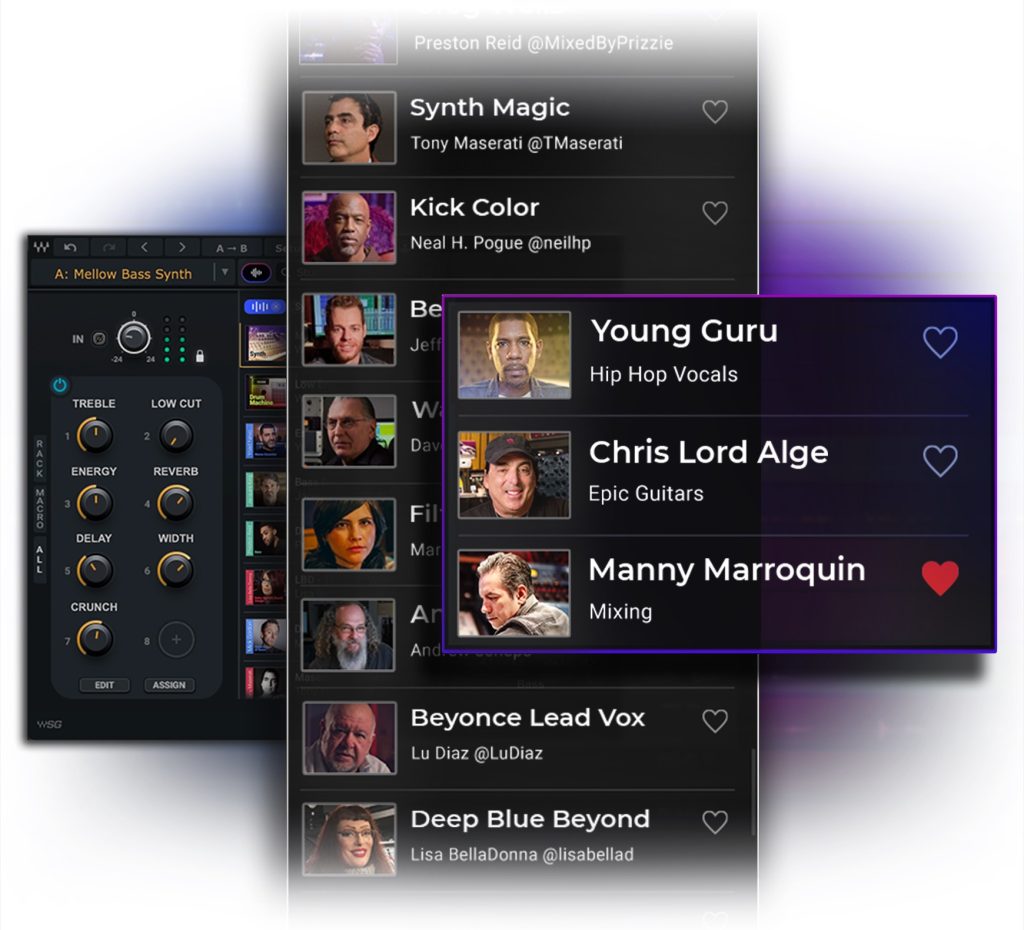
In March 2023, Waves began offering the subscription service "Waves Creative Access." The Essential plan at 2,200 yen per month gives access to about 110 plug-ins, and the Ultimate plan at 3,600 yen per month to about 220. Following requests from existing users, sales of the traditional individual and bundle products will also continue, preserving flexibility in how you buy. In addition, the new "StudioVerse" feature, in which AI analyzes a track's sound and suggests the optimal presets, promises more efficient production and higher quality.
* Important update, March 29 *
Regarding the complete move to subscriptions announced on March 27, 2023:
there were many requests from existing users, and alongside the new subscription, sales of the traditional individual and bundle products will continue.
Also, WUP (Waves Update Plan) will continue to be offered.
Important update from Waves: Perpetual licenses and updates will be back alongside subscriptions – See more here: https://t.co/nDCFfjQ3GM pic.twitter.com/yZr5ezGB3R
— Waves Audio (@WavesAudioLtd) March 29, 2023
Waves Creative Access: Individual and Bundle Sales Continue Alongside It (Corrected March 29)
Waves, famous for its mixing plug-ins, announced that it was moving its products to subscription sales.
The service is called "Waves Creative Access". With this, sales of individual and bundle products would end completely.
* Important update, March 29 *
Individual and bundle products will continue to be sold.
Types of Subscription
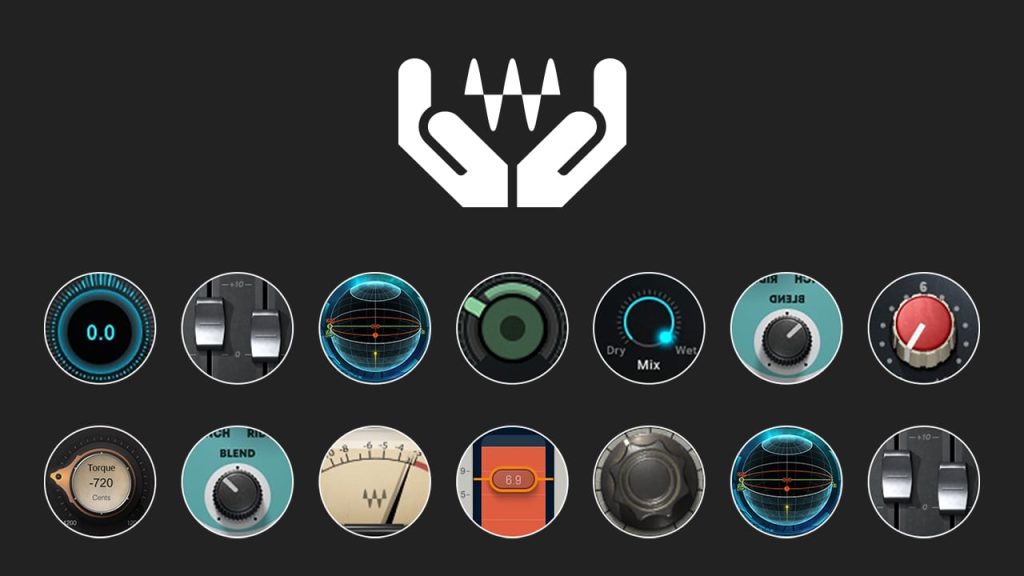
Two subscription plans are available.
- Waves Essential: a lower-priced plan that lets you use a curated selection of about 110 plug-ins
- Waves Ultimate: a plan that lets you use all of Waves' roughly 220 plug-ins
Of course, plug-ins announced in the future will also be added to the subscription.
You can check the plug-ins included in Waves Essential on this page.
Subscription Prices
- Waves Essential: 2,200 yen per month, 22,000 yen for the one-year plan
- Waves Ultimate: 3,600 yen per month, 36,300 yen for the one-year plan
* Three-month and six-month plans are also available.
* The one-year plan saves about two months' worth.
Media Integration's subscription is a style in which you purchase each contract period (no automatic renewal).
This avoids the common subscription risk of forgetting to cancel and being charged indefinitely.
A Japanese manual is provided, which is another point in its favor.
How Do I Install It?

As before, use Waves Central.

The subscription appears under "Install Products."
Select it and click "Install & Activate" to complete installation and authorization.
The details from creating an account to purchasing a subscription are explained in the article below.

What Happens to Products I Have Already Bought?
Of course, products you have already bought will not become unusable.

Existing products come with a one-year "Waves Update Plan."
Until this plan expires, you can update your products to the latest version.
However, once the Waves Update Plan ends, you lose the right to update to the latest version,
so to support new OS versions and so on, you need to join or buy one of the subscription plans above.
* Important update, March 29 *
You can continue to join the "Waves Update Plan" for products you have bought.
Even without a subscription, you can keep your products up to date with the "Waves Update Plan."
StudioVerse, an AI Plug-in and Settings Service
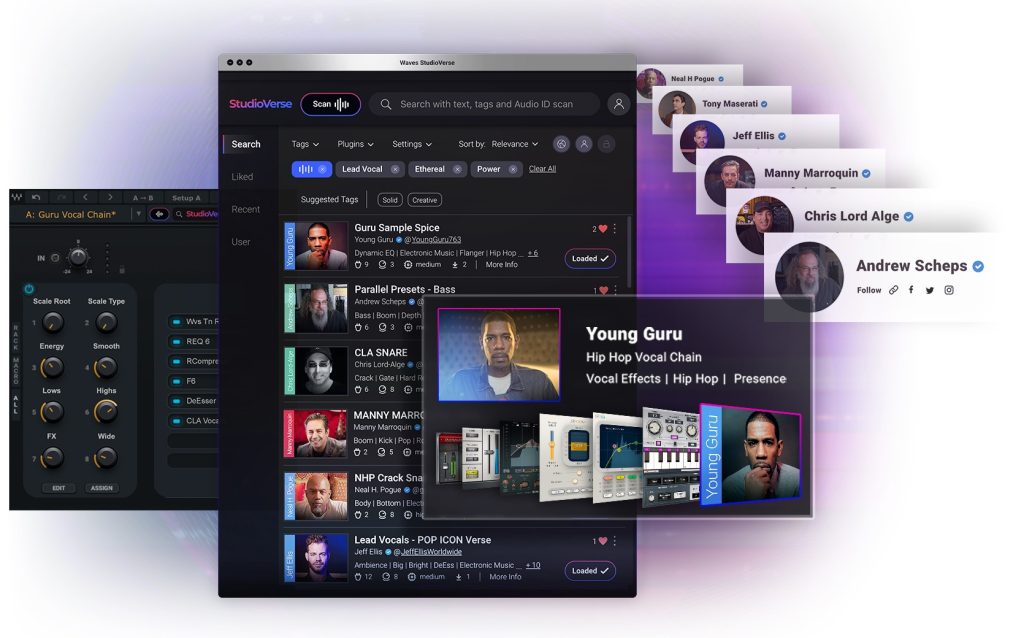
Announced together with the subscription was "StudioVerse," which uses AI to suggest plug-in presets.
"StudioVerse" is a service that analyzes a track's sound and applies or suggests presets that combine Waves plug-ins.
About 2,500 presets are currently available, and you can also create and share your own presets.
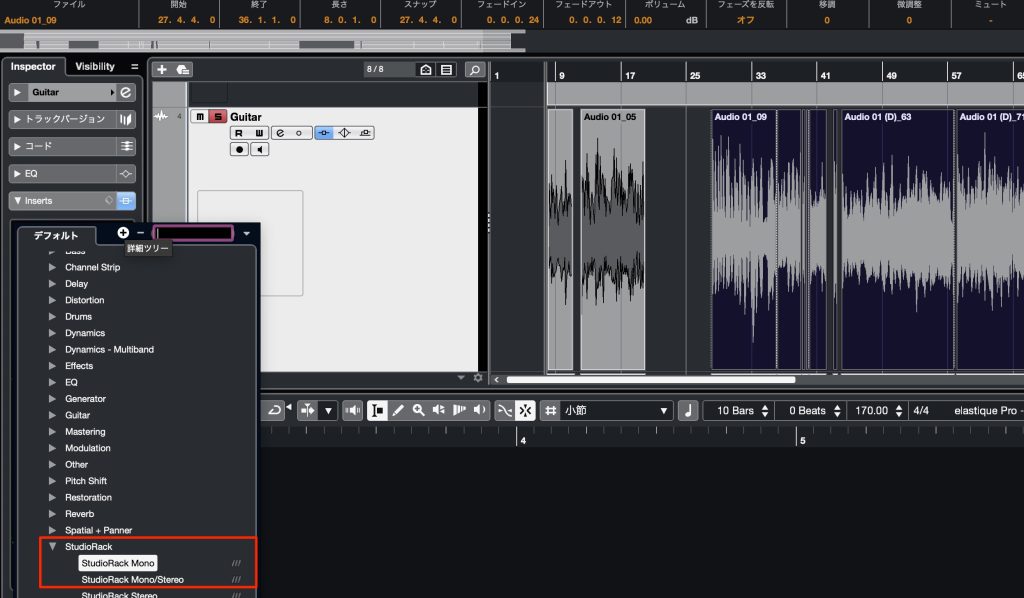
Insert Waves StudioRack on the track.

Log in to your Waves account.

Click this icon.
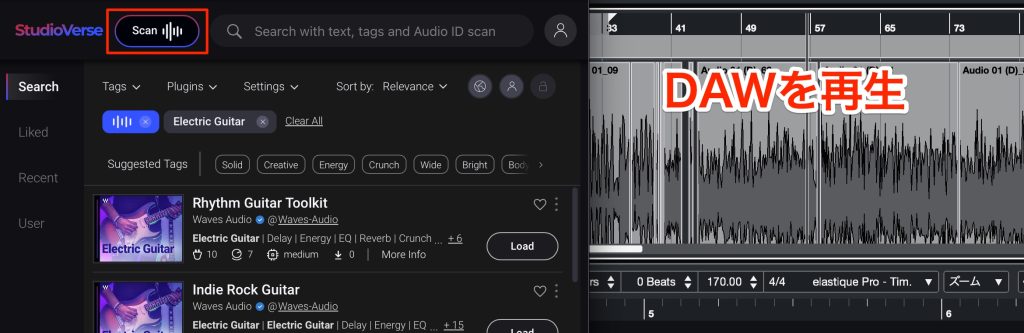
Press "Scan" and play back in the DAW.
This starts the analysis of the sound of the track where StudioRack is inserted.
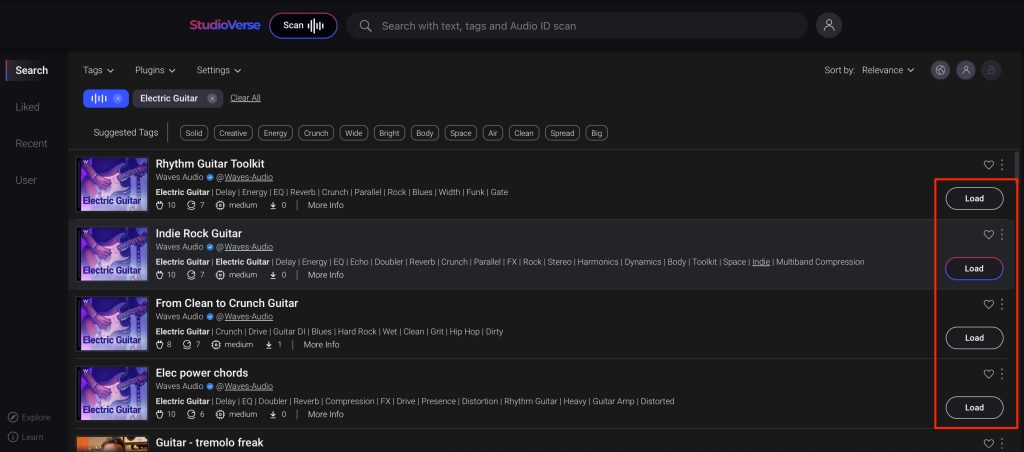
We used a guitar track here, and it properly suggested guitar presets.
"Load" a suggested preset to apply its effect settings.

You can also adjust and customize the content of the loaded preset.
Because you are no longer limited by the plug-ins you own, it pairs well with the subscription above.
The AI also analyzes the user's preferences and tendencies, and the more you use it, the more accurate its suggestions become.
It is also nice that if you log in as the same user, your own AI and tendencies are reflected immediately even in a different environment or on another computer.
A future in which we mix together with AI may be near.
We are looking forward to seeing what kind of experience Waves, having changed direction so greatly, will offer.
Frequently Asked Questions
Q1. What kinds of Waves subscription plans are there?
There are two: "Waves Essential" (2,200 yen per month) and "Waves Ultimate" (3,600 yen per month). Essential gives access to about 110 plug-ins and Ultimate to about 220, and new plug-ins will be added in the future.
Q2. Can I still use Waves plug-ins I bought before after the move to subscription?
Yes, products you bought can continue to be used. By joining the "Waves Update Plan," you can always update to the latest version. Subscribing is not required.
Q3. What kind of feature is StudioVerse?
StudioVerse is a service in which AI analyzes a track's sound and automatically suggests optimal presets for Waves plug-ins. You can choose from about 2,500 presets, and users can also create and share their own presets.
Q4. Does the Waves subscription renew automatically?
No. Media Integration's subscription is purchased per contract period and does not renew automatically. There is no risk of continued charges from forgetting to cancel.
Q5. Has the installation method changed?
The installation method is the same as before, using Waves Central. Just select the subscription shown in "Install Products" and click "Install & Activate."
NEW ARTICLES
Latest English Articles











