
With Waves mixing plug-ins now supporting Native Instruments' NKS format, integration with Komplete Kontrol and Maschine has been greatly strengthened. Parameter mapping, preset display and tag search have been implemented, improving producers' efficiency. The update is free, and right after installing, the Waves plug-ins appear in the library with their main parameters automatically assigned to the knobs, so you can record automation and edit parameters smoothly.
NKS support strengthens integration with Komplete Kontrol and Maschine
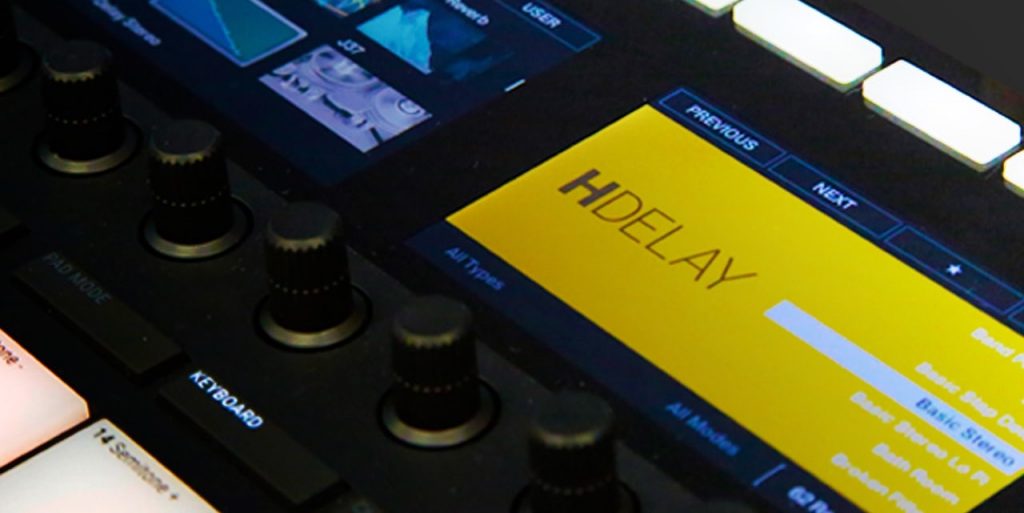
Products from "Waves," the landmark of mixing plug-ins, now support Native Instruments NKS.
Integration with Komplete Kontrol and Maschine has been strengthened, with
- parameter mapping
- preset display
- tag search support
and more, making them far more convenient.
The beautiful graphics shown on the display are also a must-see.
Let's go through the steps to start using it right away.
Updating the products
First, update Komplete Kontrol and Maschine to the latest version.
Selected questions and answers from the YouTube video

I'm trying to do a clean install of my NI products, and I deleted all the data using the method shown on the NI website. (I also reset my Mac.) I want to move the data to a newly purchased SSD, so I launched NATIVE ACCESS and selected the install location, but it shows this and won't proceed. By the way, if I choose to install everything to the internal HD, it works without problems. Is there any solution? https://15.gigafile.nu/0531-79ac609ec830604daaba150fdce559e9 NI currently can't provide support, so I'm contacting you.

If closing all running software and installers other than Native Access doesn't help, install once to a hard drive where the problem doesn't occur, copy the sounds to the SSD, and then change the sound location. https://sleepfreaks-dtm.com/dtm-trouble/resetting-sound-ni/ Alternatively, the installer may have been created in the download destination folder, so you can also launch it from there and install like normal software.
Next, update Waves to the latest version.
Use Waves Central.


That completes the setup.
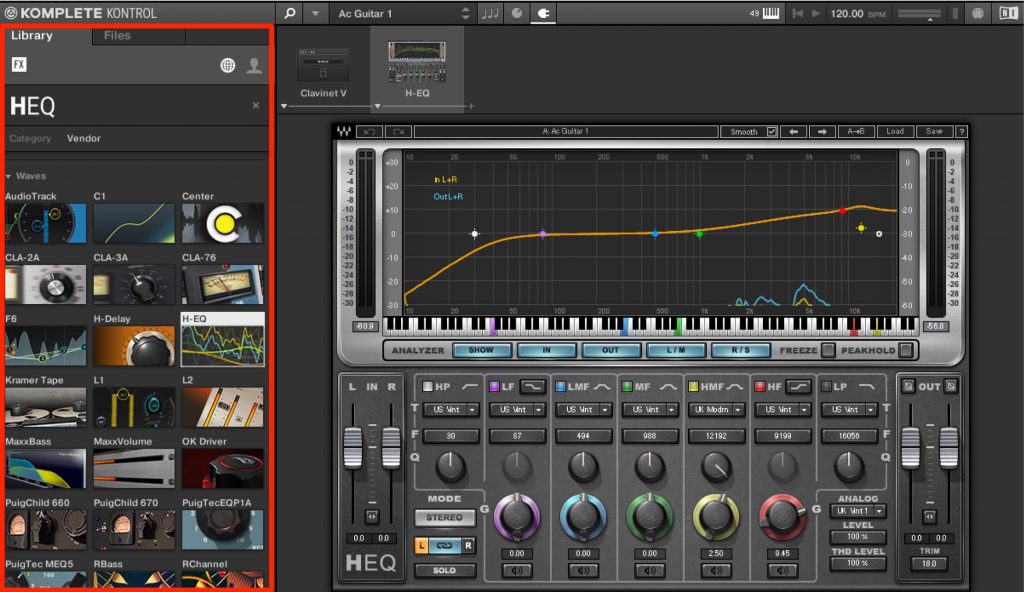
The Waves plug-ins appear in the "Library" of Komplete Kontrol and Maschine.
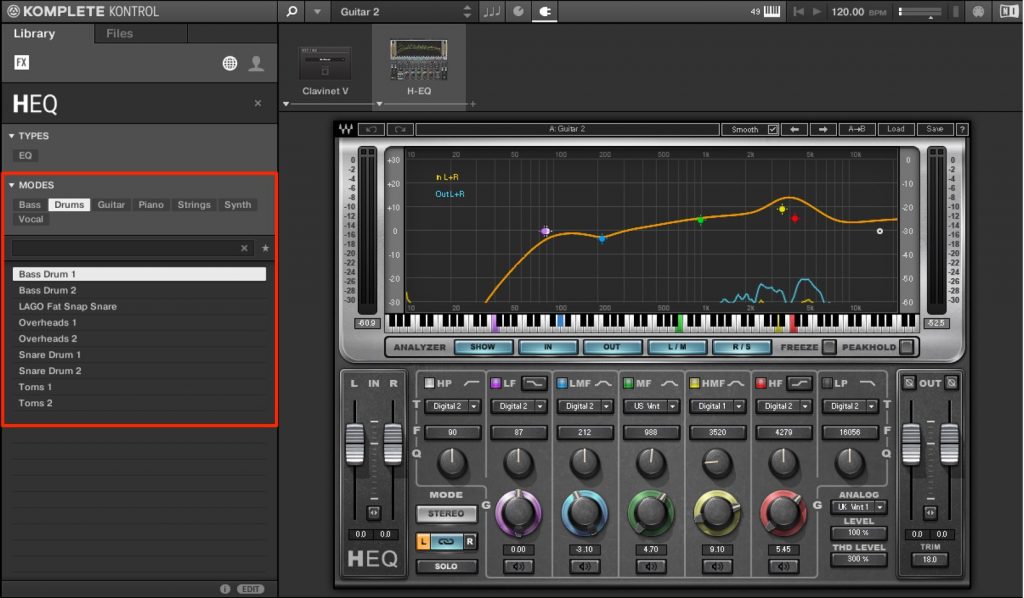
The presets of the selected product are also sorted by tags, which makes it very easy to use.
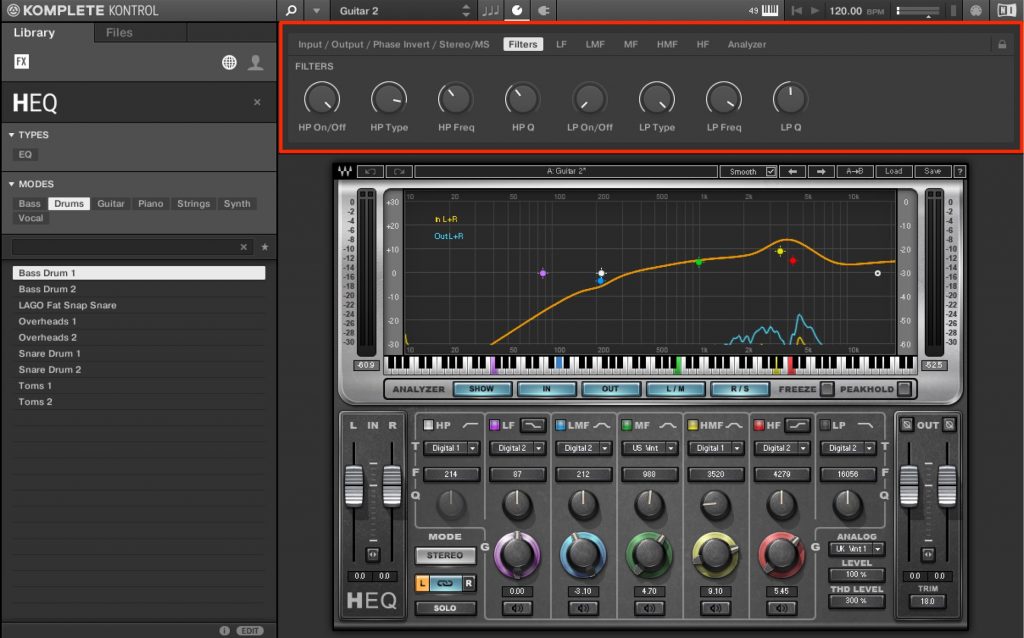
The main parameters are also sorted and already assigned to the knobs, so you can edit parameters and record automation right away.
What if the Waves plug-ins don't appear?
If the Waves plug-ins don't appear, or only a few appear, even after following the steps above,
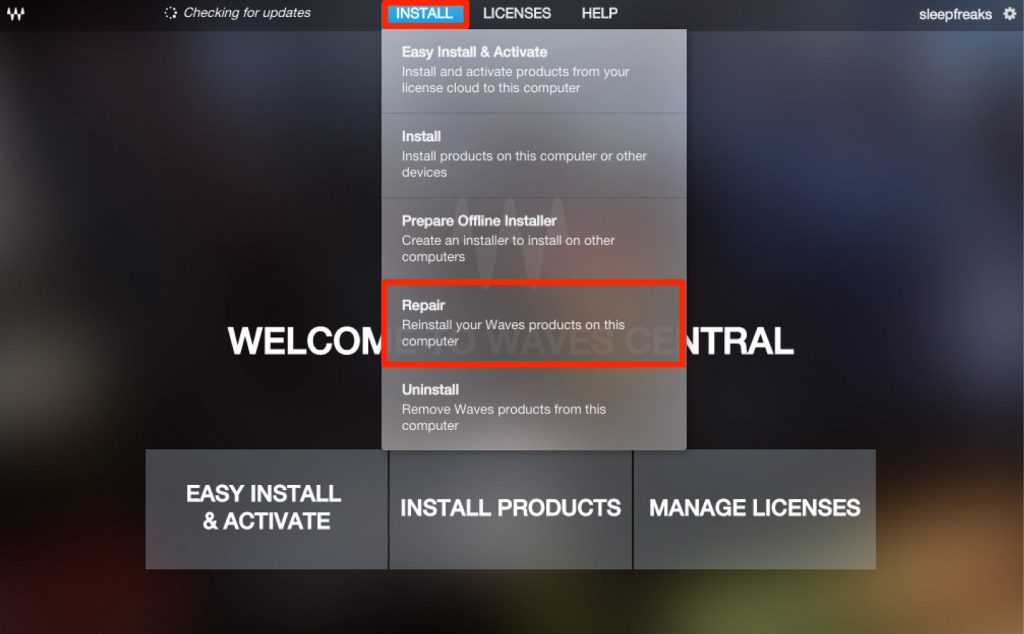
try running "Repair" from "Install" in Waves Central.
NKS is gaining momentum, with lots of software supporting it.
If you own the products, you can update and use it for free, so be sure to bring it into your production!
Frequently asked questions
Q1. What do I need for NKS support in Waves plug-ins?
Just update Komplete Kontrol and Maschine to the latest version, then update your Waves plug-ins to the latest version using Waves Central. No special settings are needed.
Q2. The Waves plug-ins still don't appear after updating. What should I do?
Try running the "Repair" function from the "Install" menu in Waves Central. This tends to fix cases where the plug-ins failed to be detected.
Q3. What are the specific benefits of NKS support?
Parameters are automatically assigned to the controller's knobs, and presets are organized by tags, making them easy to search. This speeds up production and makes recording automation more efficient.
NEW ARTICLES
Latest English Articles











