
Sound libraries for Native Instruments products such as Kontakt stop loading when you change hard drives, rename folders or change where the libraries are stored. This article explains the specific steps for solving the problem by fixing the invalid path in Native Access and specifying the correct library folder with the RELOCATE function in the REPAIR menu. You will learn a fix that is essential when building a music production environment or running libraries from an external HDD.
When Sound Libraries Can No Longer Be Found After Changing or Renaming a Hard Drive
Native Instruments offers a wide range of high-quality instruments.
Many of you probably use the large KOMPLETE instruments among them.

Instruments are installed with "Native Access", and since the sound data of these products is large, many people install them on an external HDD.
Sound libraries can no longer be loaded if you replace your hard drive, rename a folder or change the library location.
Here we explain how to deal with these cases.
How to Fix Sound Errors
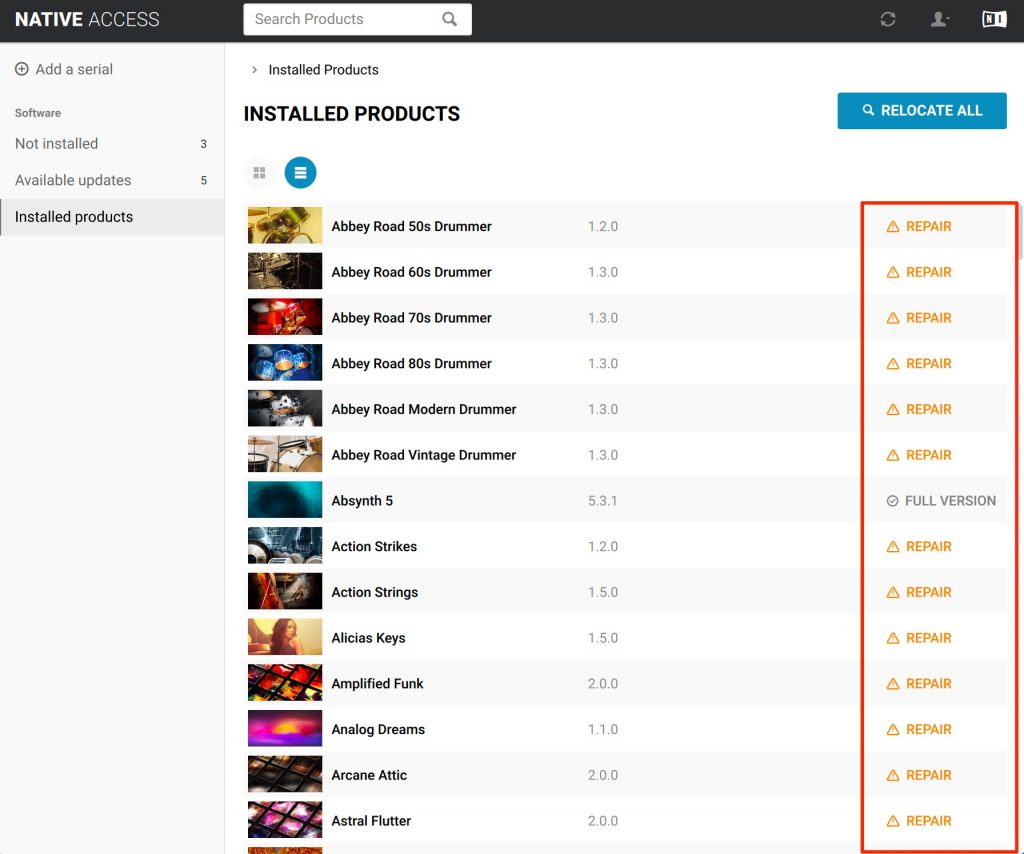
When your instruments can no longer be loaded, launch "Native Access" and check the current status.
An error should be displayed next to the product name like this.
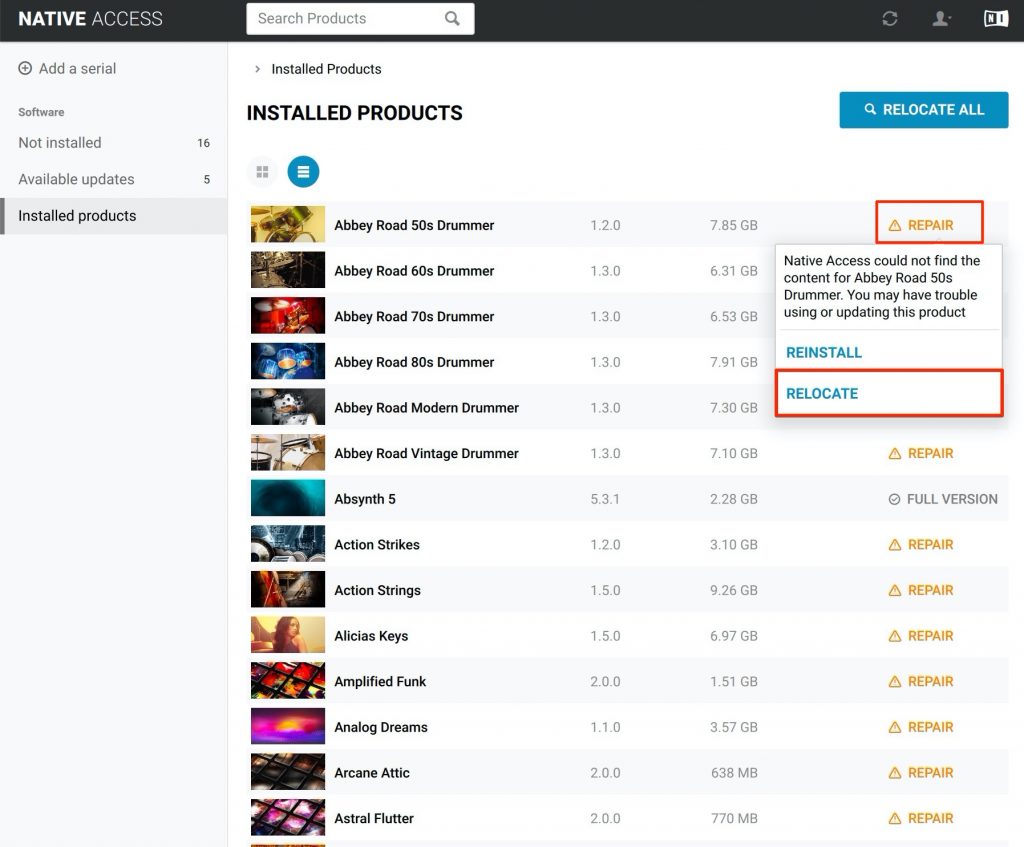
Click "REPAIR" on any product and select "RELOCATE".
(Here we clicked "Abbey Road 50s Drummer")
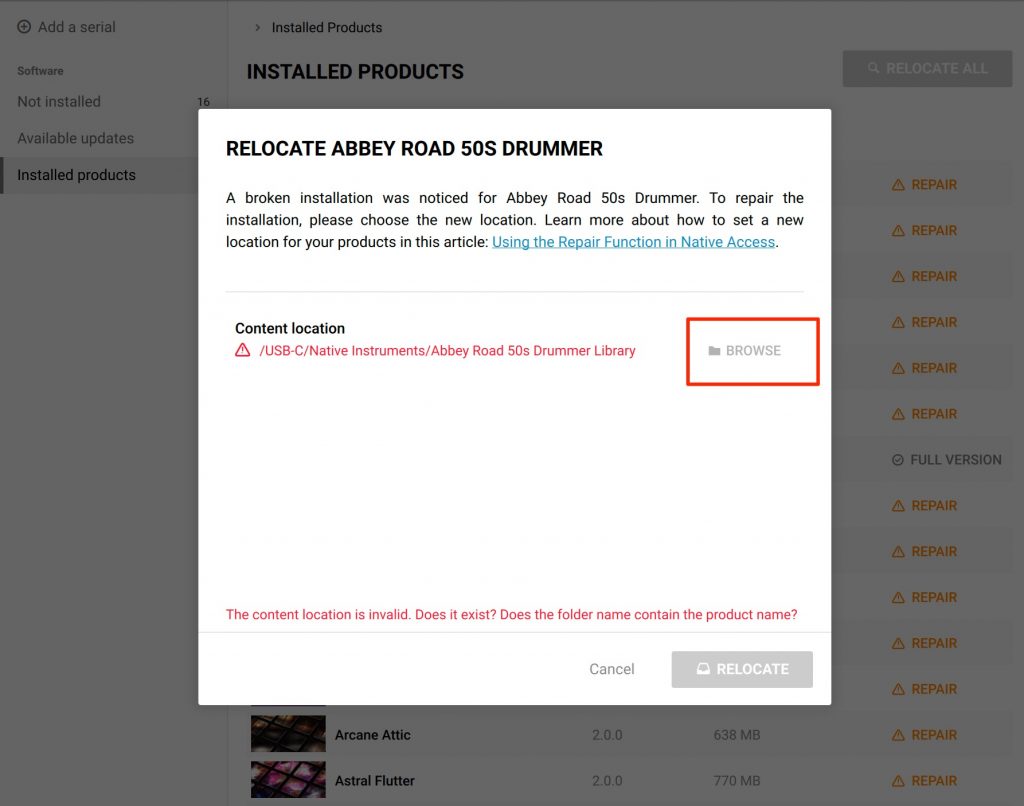
Click "BROWSE".
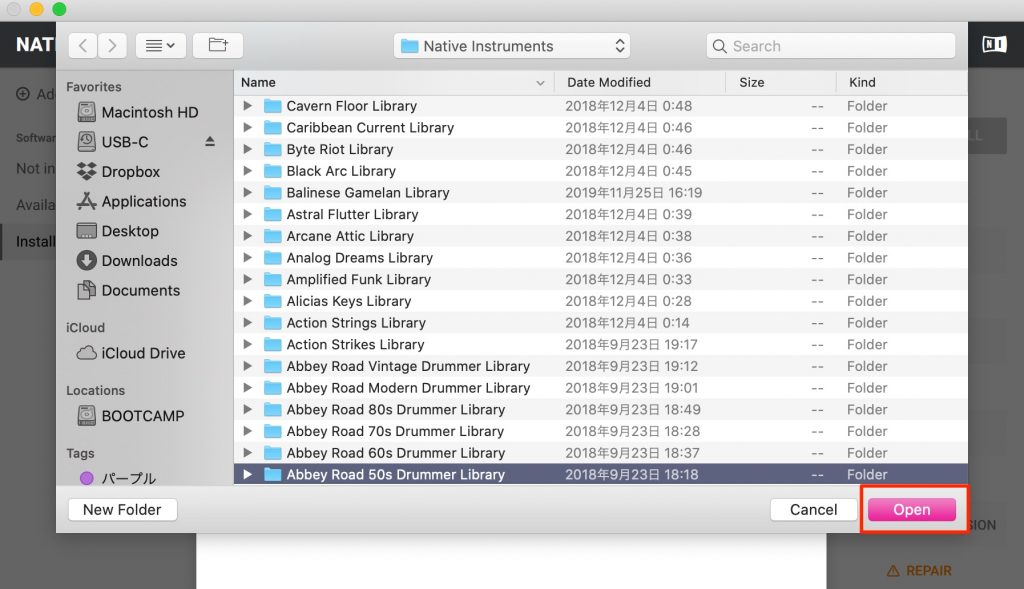 Specify the sound library folder for the product.
Specify the location of the sound library on your hard drive.
(Here, Abbey Road 50s Drummer)
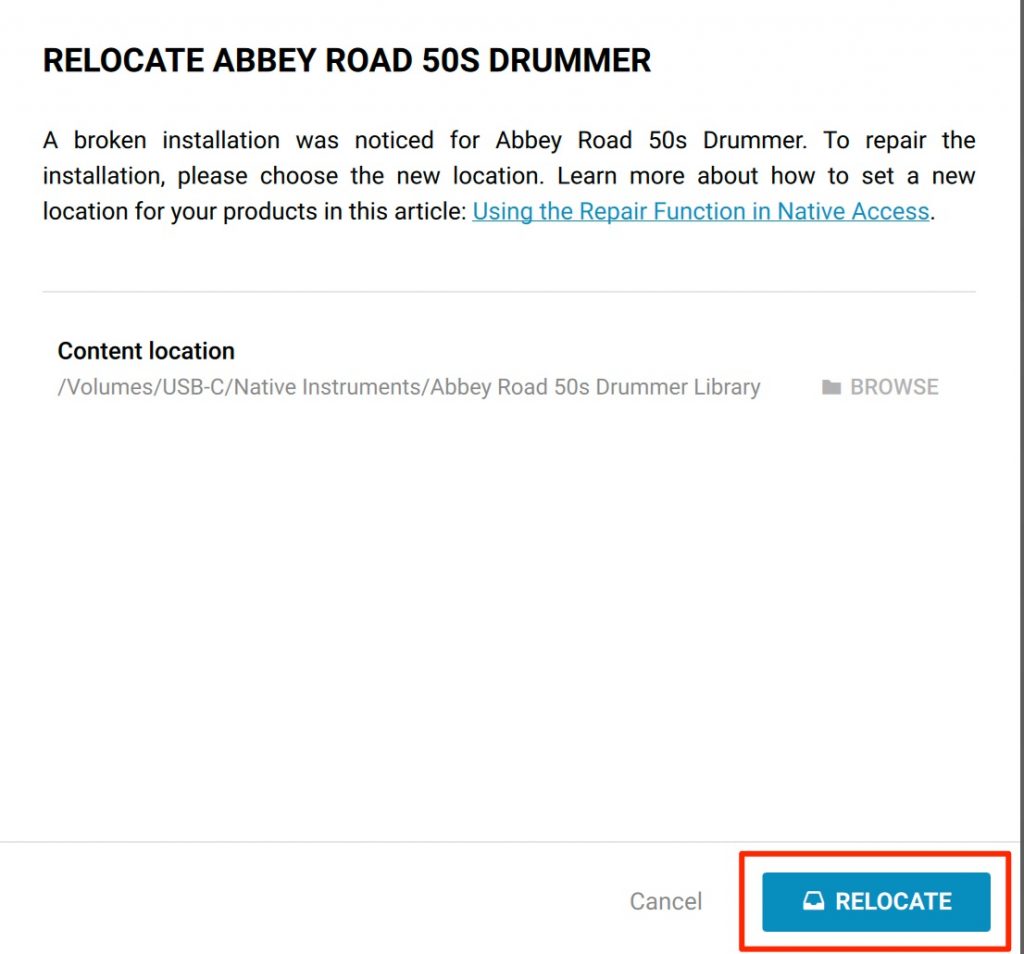
A confirmation appears, so click "RELOCATE".
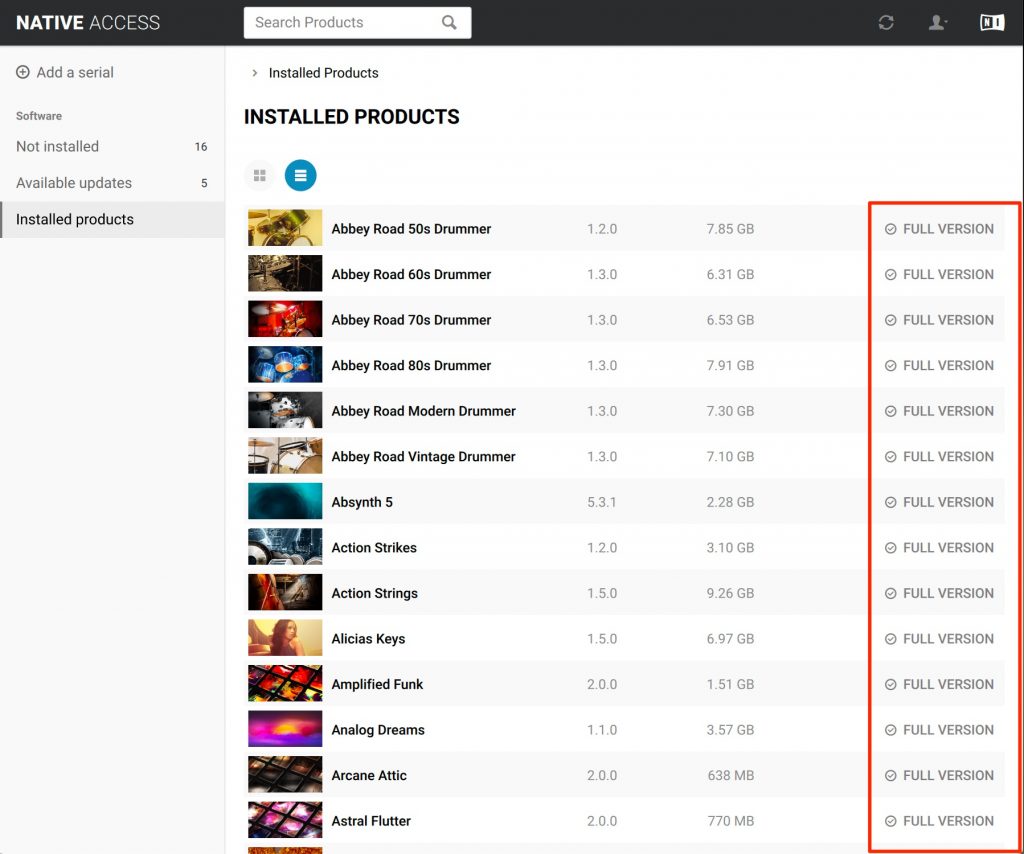
Based on the sound library location you specified, all libraries are now recognized correctly like this.
Frequently Asked Questions
Q1. My Native Instruments sounds suddenly stopped loading. What should I do?
Launch Native Access and check which products show an error. Select REPAIR → RELOCATE and specify the correct location of the sound library with the BROWSE button to restore them.
Q2. The KOMPLETE libraries I moved to an external HDD can no longer be found
Use the RELOCATE function in Native Access to specify the library folder path on the new HDD. This will make all libraries be recognized correctly.
Q3. My instruments stopped loading after I renamed a folder. Can this be fixed?
Yes. Run REPAIR → RELOCATE for the product in Native Access and specify the renamed folder.
NEW ARTICLES
Latest English Articles











