
"VHS Audio Degradation Suite," a free effect for Native Instruments Reaktor 6, is a practical saturation effect that simulates the texture of VHS tape. It lets you control warm distortion, tape compression and pitch changes caused by tape speed, and it is useful for making a track sit more cohesively when it doesn't blend into a song. It also includes noise generation, EQ and chorus, and after downloading it you simply place it in your user folder to use it, making it a valued tool for a wide range of creators, from DTM beginners to advanced users.
A Reaktor Effect That Simulates the Texture of VHS
A very interesting and practical effect, "VHS Audio Degradation Suite," is being distributed free of charge to users of Native Instruments Reaktor 6.
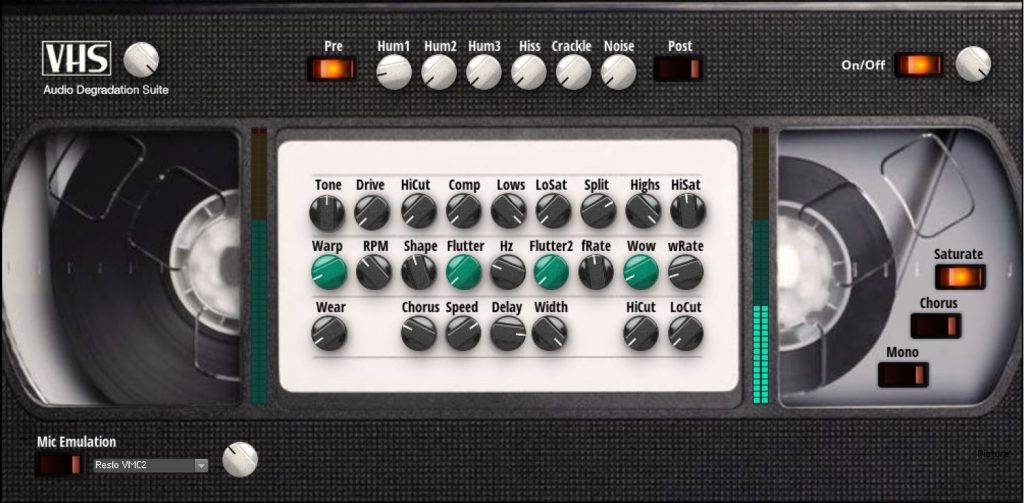
As its look suggests, it gives you the texture of VHS.
Of course, it can add warm distortion and tape compression to a track,
and you can also control pitch changes caused by the tape speed.
It nicely rounds off the edges of the sound, so it should also be useful when a track doesn't blend into the song...
in situations like that.

The saturation effect, which tames the attack and emphasizes the sustain of the sound, also helps increase loudness.
Downloading and Installing
First, download the product.
Go to the page below.
Product download URL: https://www.native-instruments.com/en/reaktor-community/reaktor-user-library/entry/show/11003/
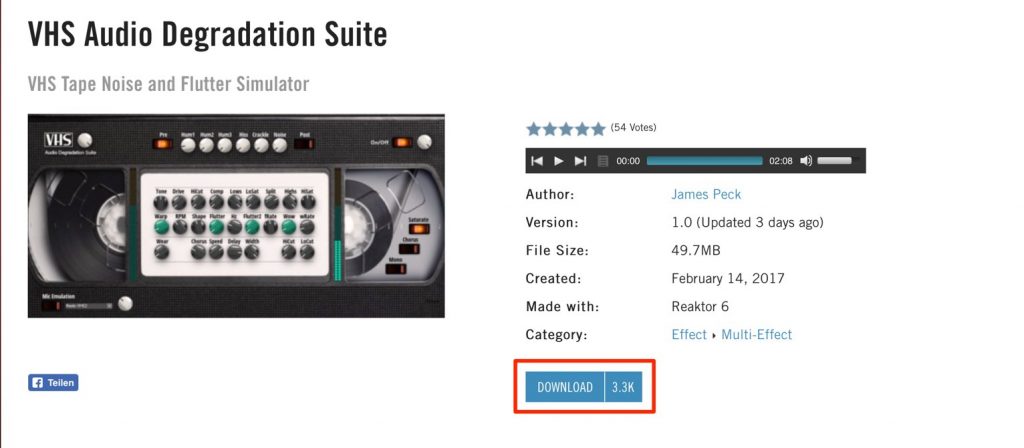
Just click "DOWNLOAD." (Login required)

Load the downloaded file in Reaktor 6.
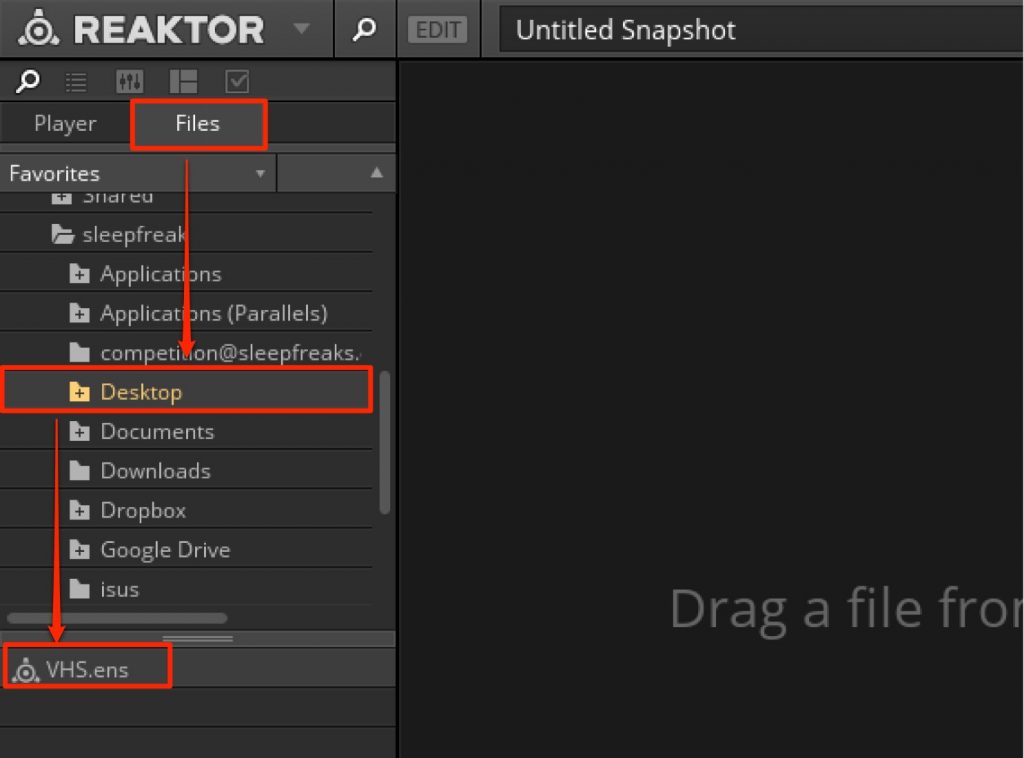
Go to the product's location from "Files" in Reaktor 6 and load it.
Alternatively,
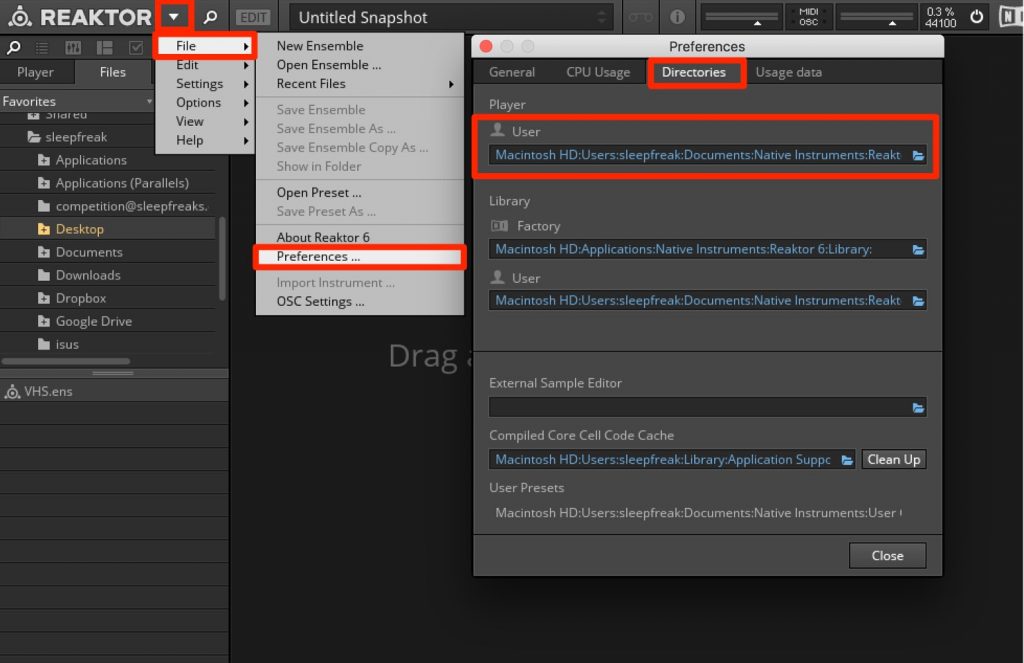
by placing the product (VHS.ens) in the folder listed under "Directories" > "User" in Preferences,
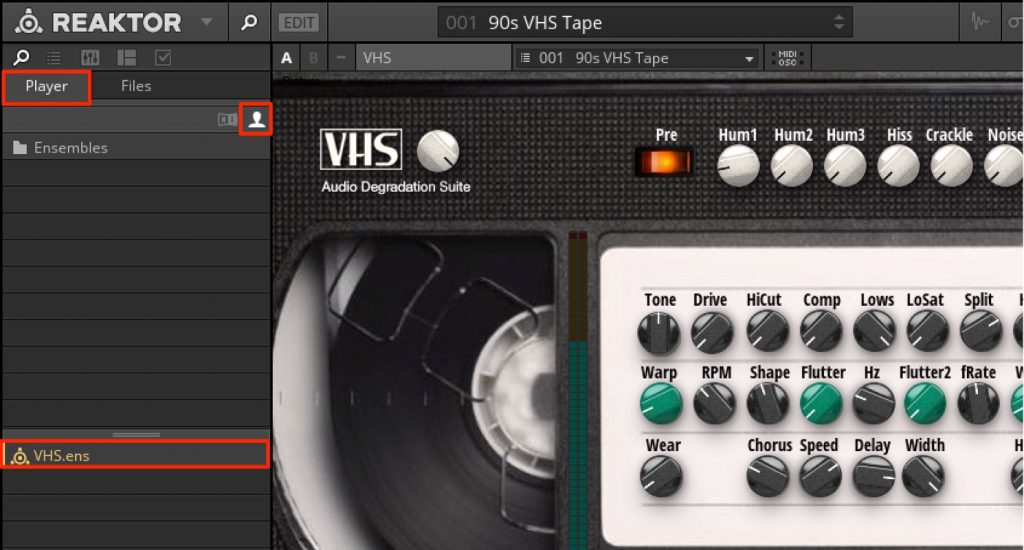
it will appear in the user section of "Player."
Then drag and drop the effect onto the rack on the right to launch it.
How to Use VHS Audio Degradation Suite
Now let's go through each section.
Noise
You can add the noise that occurs when playing a VHS tape.
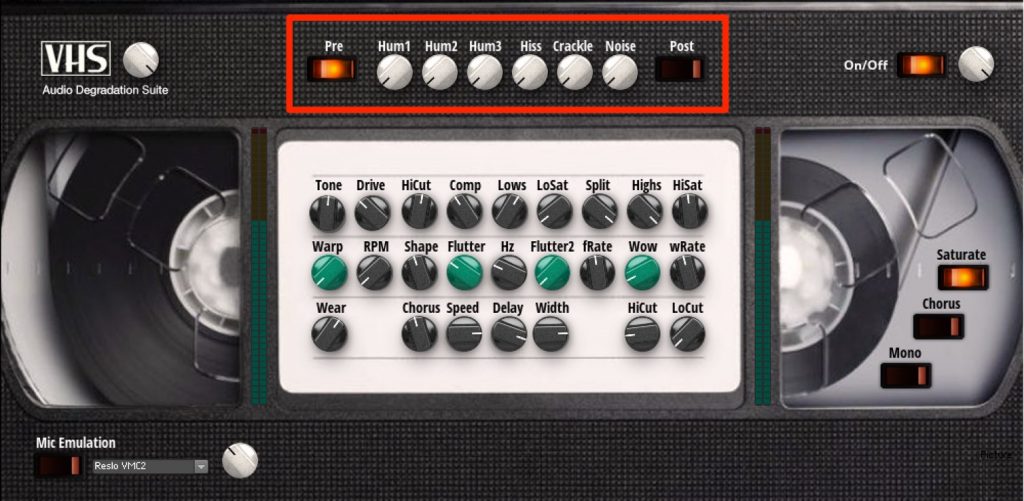
Raise the Hum/Hiss/Crackle/Noise volumes to adjust the noise level.
You can also use it for the technique of mixing noise into a thin, weak-sounding track to strengthen the sound.
By default, the Hum1 noise is turned on, so lower its volume if you don't need it.
Pre/Post refers to the routing for adding noise.
- Pre: The results of the parameters set below are also applied to the noise
- Post: The noise is output without the results of the parameters set below
Pre/Post Explained
Sound Editing
Use this center section to adjust the tone of the tape effect.
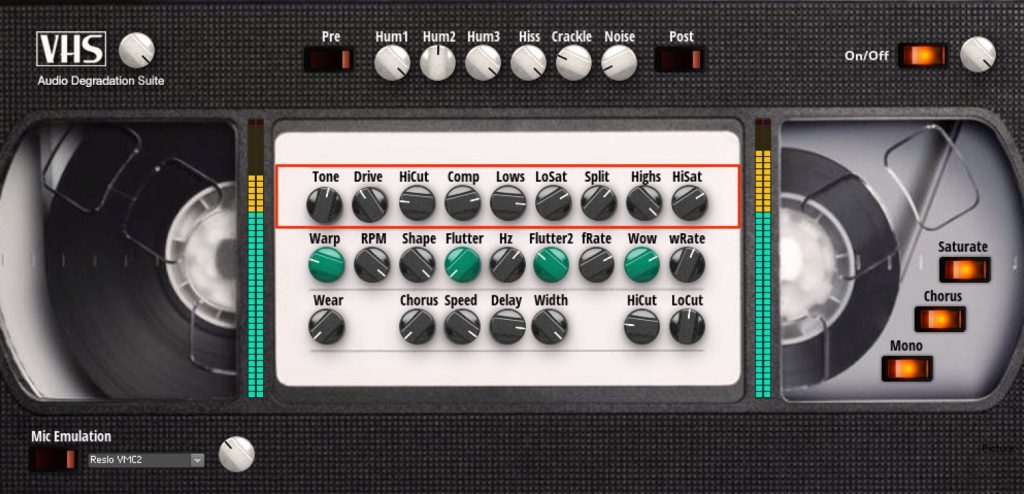
Cut lows/highs and add distortion to the sound.
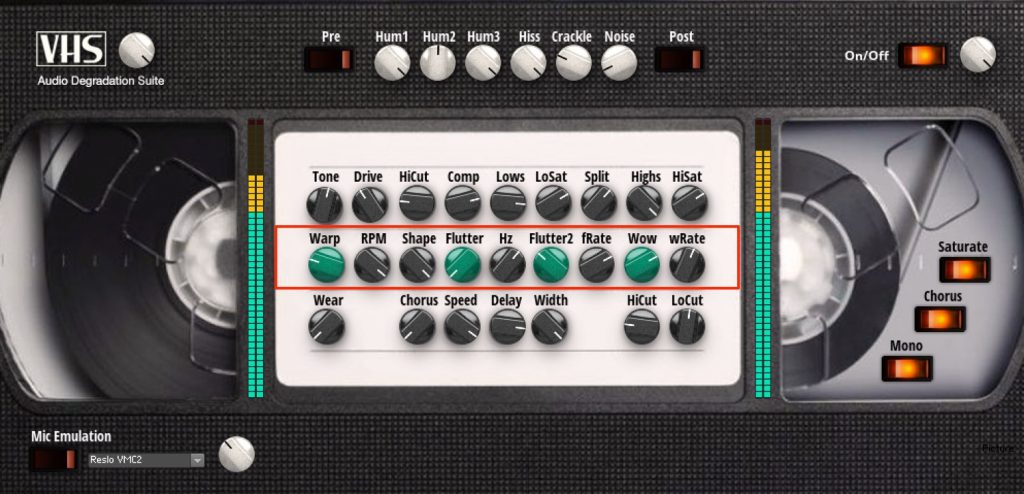
Add fluctuation to the tape playback speed and the pitch changes that come with it.
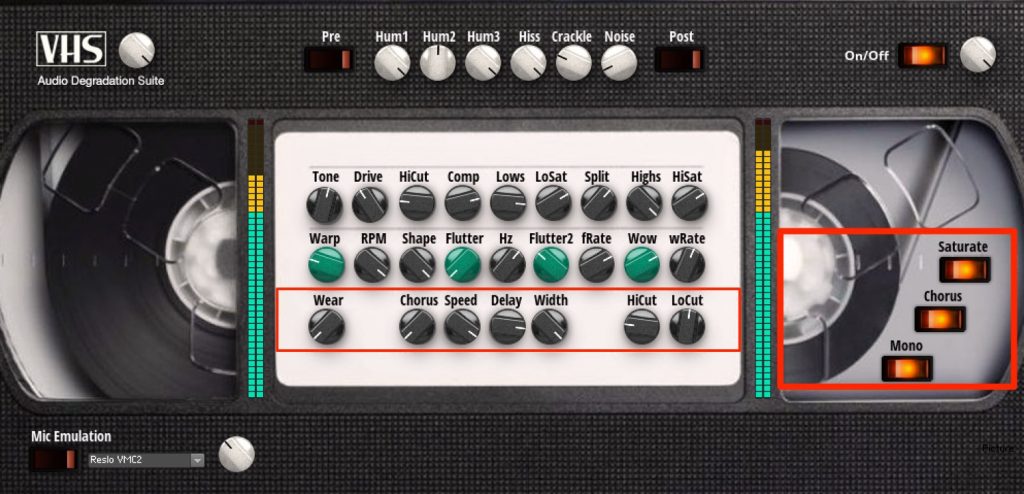
From the right section, you can switch "Distortion," "Chorus On/Off" and "Mono/Stereo."
Adjust the chorus parameters from the edit panel.
Raising the Width value also lets you add spaciousness to the sound.
Frequently Asked Questions
Q1. Can I use VHS Audio Degradation Suite without Reaktor 6?
No, this effect is exclusively for Native Instruments Reaktor 6. You need an environment where Reaktor 6 is installed.
Q2. What is the difference between Pre and Post in the noise section?
With Pre, the results of parameters such as EQ and distortion set below are also applied to the noise. With Post, the noise is added separately to the processed sound without those settings being applied to it.
Q3. How can this effect help when a track sounds like it's sticking out?
The warm VHS distortion rounds off the edges of the sound so it blends naturally into the song. The saturation effect tames the attack, emphasizes the sustain and also helps increase loudness.
Q4. What happens when I raise the Width value of the chorus?
Raising the Width value adds spaciousness to the sound and increases the stereo feel. You can also make fine parameter adjustments from the edit panel.
NEW ARTICLES
Latest English Articles











