
IK Multimedia's excellent optical compressor, "Opto Compressor," is being given away free for a limited time. This article explains the features of this optical compressor, which is easy to handle thanks to its natural action, and walks through the actual installation steps in detail. Just follow the three steps of creating an account, downloading and authorizing, and you can use this high-quality compressor included in T-RackS CS for free. It is an opportunity worth taking for everyone from DTM beginners to advanced users who want an easy way to add an essential dynamics processing tool for mixing. (This giveaway has ended)
An Excellent Optical Compressor Included in T-RackS
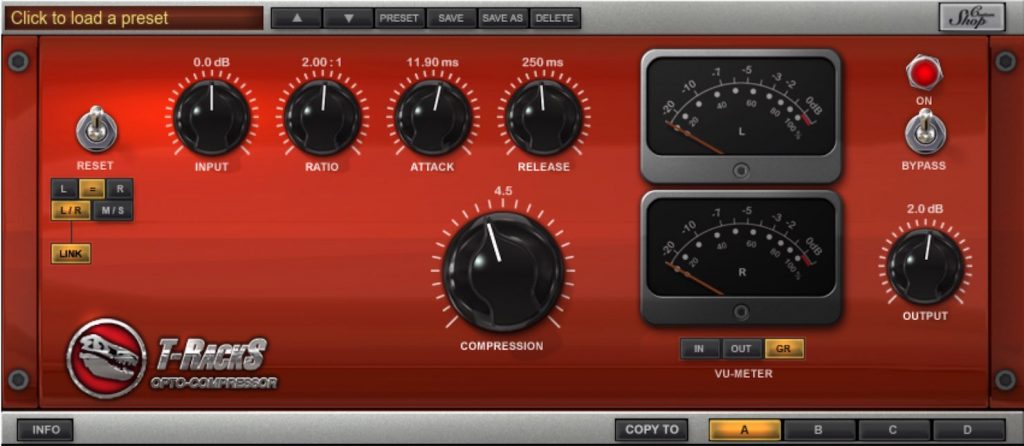
IK Multimedia's "Opto Compressor" is free for a limited time until February 16, 2017. (This giveaway has ended)
We recently explained optical compressors as part of "How to Use Compressors by Type."
It is a compressor with a natural action that is very easy to handle, so be sure to make use of it.
How to Use Compressors by Type: Optical
Selected Questions and Answers from Our YouTube Videos

Which type of compressor are the Compressor, Tube Compressor and Vintage Compressor included with Cubase 10 classified as?

Compressor is a digital type, so it doesn't belong to this classification. Tube Compressor is a vacuum tube type, and Vintage Compressor is a FET type.
What is a VCA-type compressor in Waves?
The SSL corresponds to the VCA type. http://www.waves.com/bundles/ssl-4000-collection
Steps to Start Using the Product
Let's go through the steps to start using IK Multimedia's "Opto Compressor."
1_Create an Account
Go to the URL below and create an account.
https://www.ikmultimedia.com/jp/userarea/newuser/

Enter the required information and create an account.
If you already have an IK account, log in from the area outlined in blue.
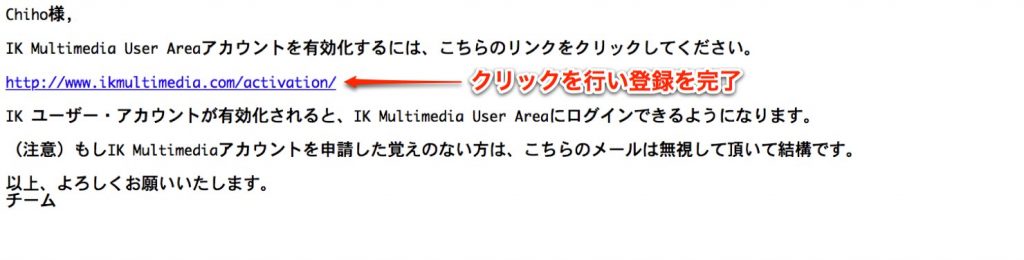
If you created a new account, a verification link will be sent to your email address, so click it to complete registration.
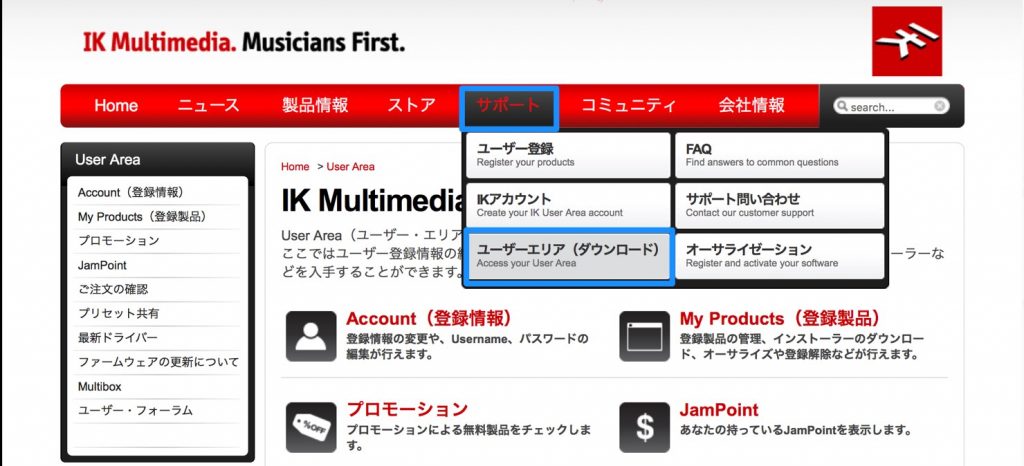
Select User Area (Downloads) under Support.
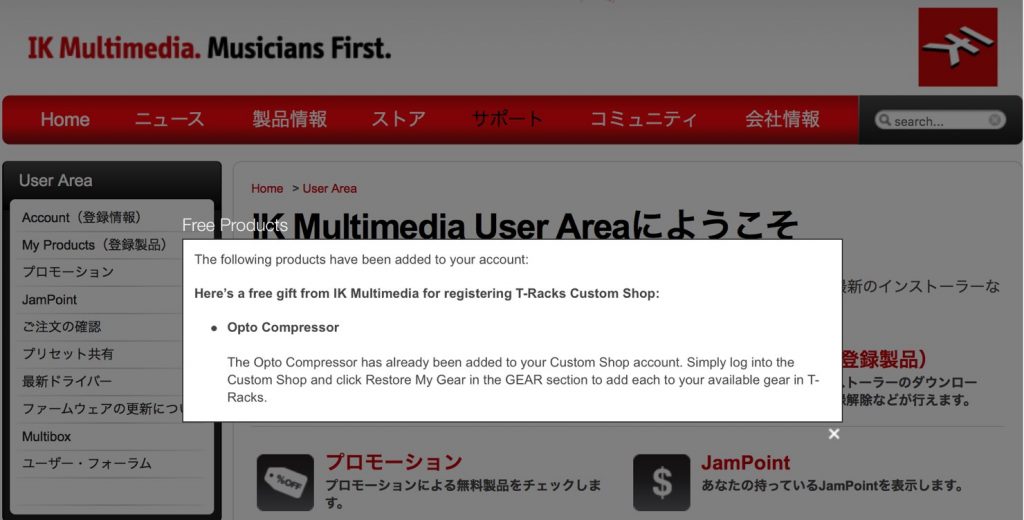
A message that the product has been added appears like this.
2_Download the Product
Next, download the product and make it ready to use.
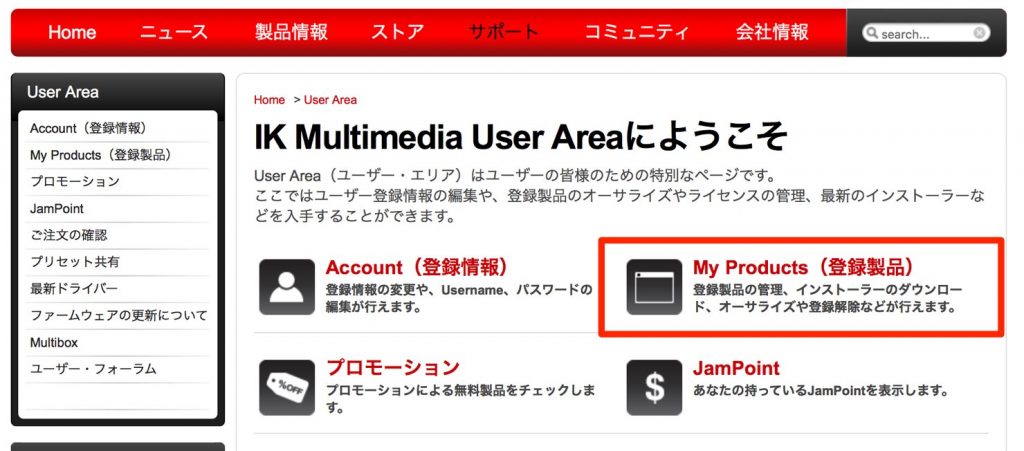
Click "My Products."
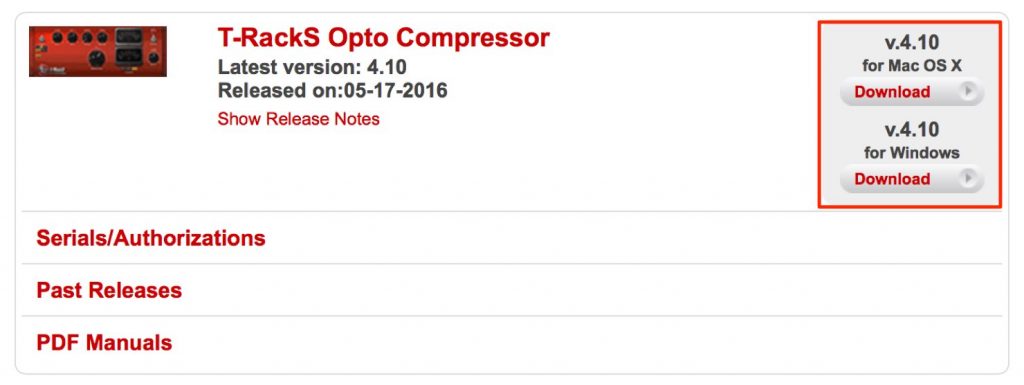
Scroll to the very bottom of the new page and download the product.
The other products shown can also be used for free, so be sure to try them.
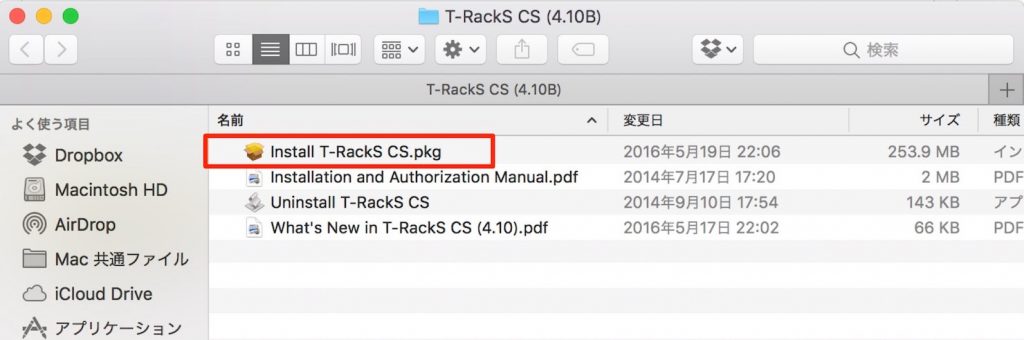
Install the downloaded product.
Preparation is now complete.
3_Authorize the Product
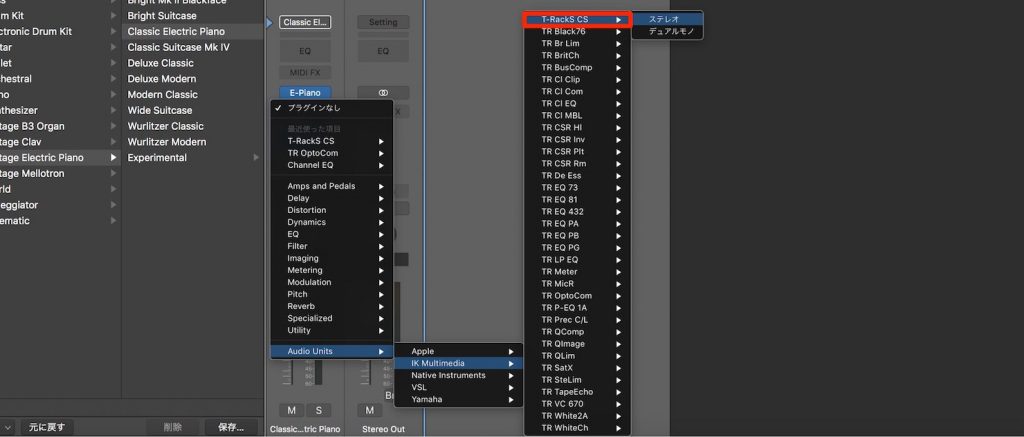
Select "T-RackS CS."
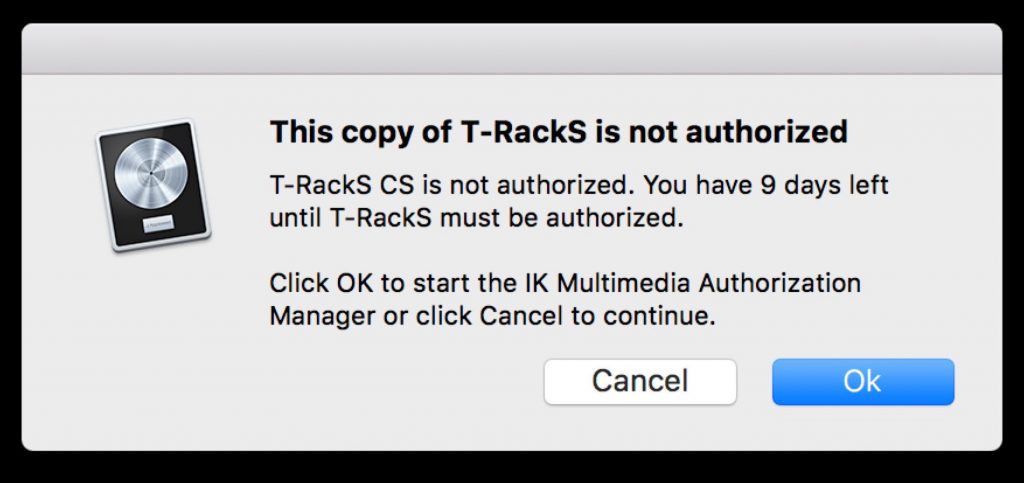
A message like this appears, so select OK.

Select "REGISTERED USER" and enter the ID and password you set above.
You will be asked for the product's serial code,
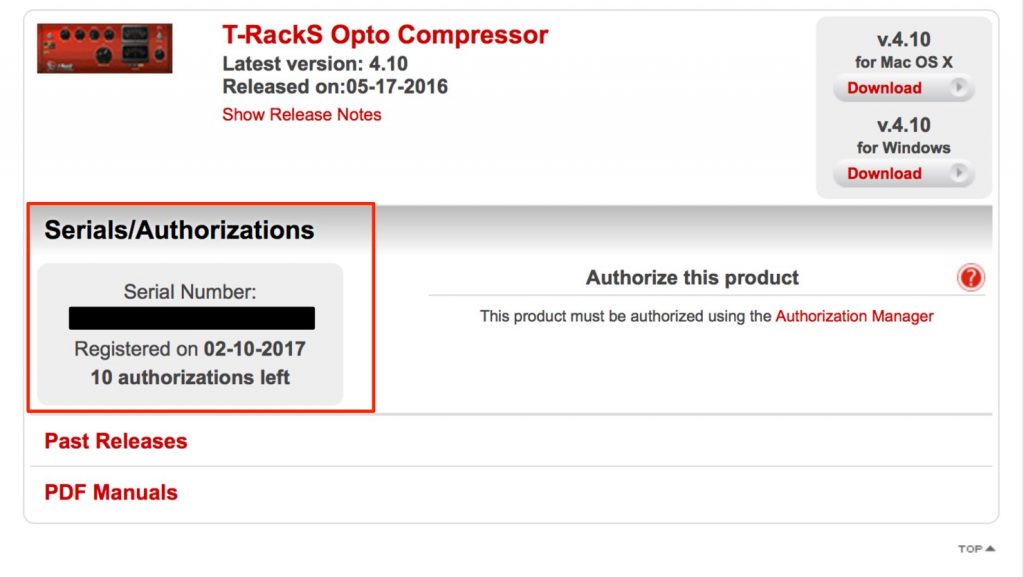
so enter the serial code shown in the product section of the User Area.
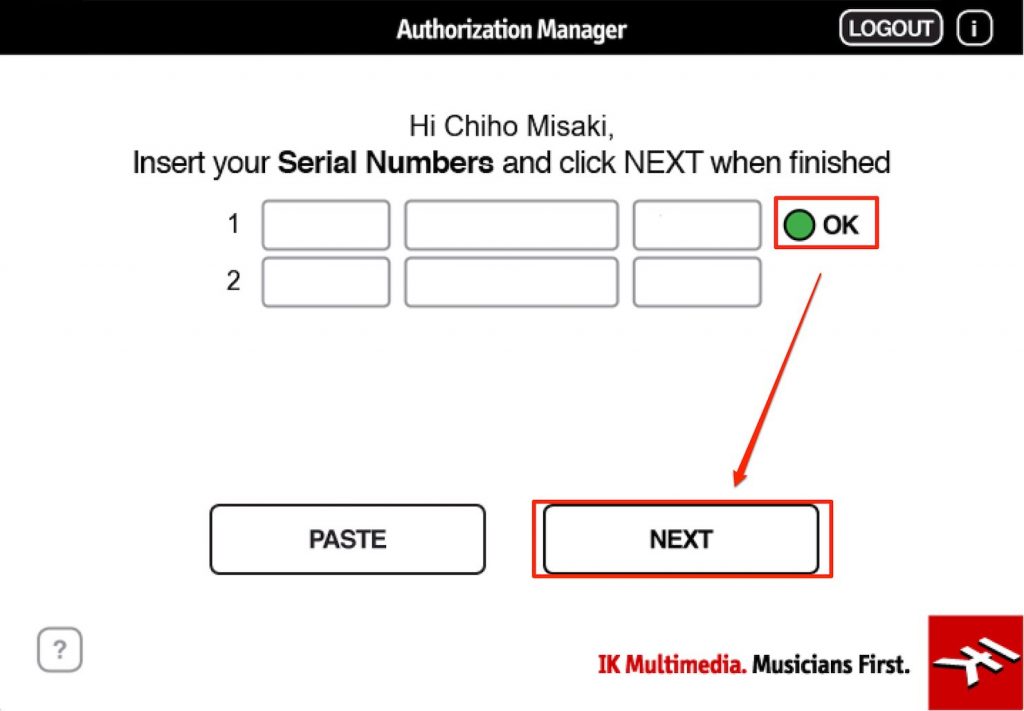
After confirming the "OK" icon, select "NEXT" to complete the authorization.
Various IK products are also installed, but many of them are paid.
You can try demos of products you're interested in, so check out how they sound.
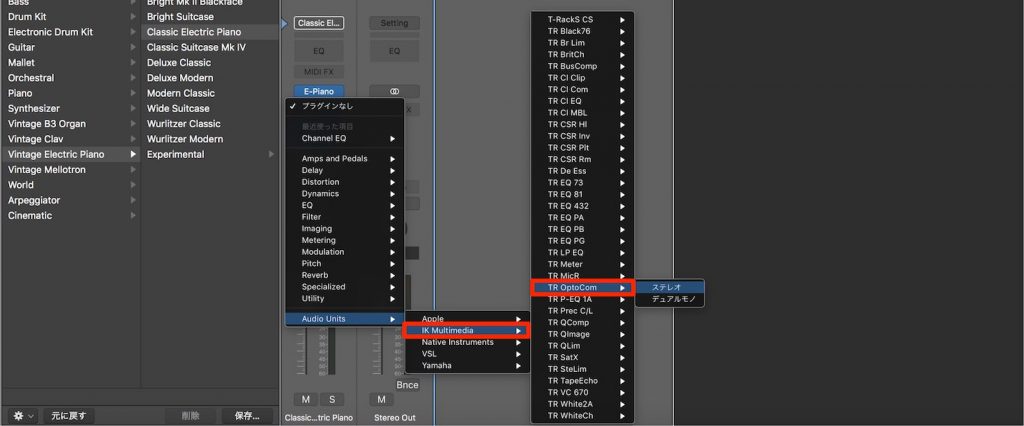
This time, we launch "Opto Compressor."
As you can see, the product is now ready to use.
You can also launch it from "Dynamics" in "T-RackS CS."
Frequently Asked Questions
Q1. Can I really use Opto Compressor for free?
Yes, it was given away free for a limited time through an official IK Multimedia campaign. By downloading it after registering an account, you could use it completely free. However, the campaign had a set period, so we recommended checking the deadline and getting it early. (This giveaway has ended)
Q2. What uses is an optical compressor suited for?
Optical compressors are characterized by their natural action and can be applied to a wide range of sources, such as vocals, bass and group tracks. Because they give smooth, musical compression rather than abrupt squashing, they are ideal for improving the texture of a mix.
Q3. Can I start using it right after installation?
After installation, an authentication process called authorization is required. The product becomes fully usable only after you log in to your IK account and enter the serial code. This procedure is explained in detail in the article.
NEW ARTICLES
Latest English Articles











