
This article explains how to work out the tempo of a song with Studio One. Accurately detecting the tempo of reference tracks, including commercial releases, makes many production tasks go smoothly: layering your own programming, remixing, copying efficiently, and using tempo-synced settings on delays and synths. Because a DAW's automatic detection often falls short in accuracy, this article introduces a manual analysis method. By learning the four-step process, from finding the downbeat and fine-tuning the tempo to restoring the region, you will gain a practical technique that takes just a minute once you are used to it.
Detect the Tempo of Reference Tracks, Including Commercial Songs
In production work, you will very often need to work out the tempo of a song.

Knowing the tempo lets you do everything you want, such as:
- Layering your own programming over the song
- Remixing
- Copying the song efficiently
- Using tempo-synced settings on delays, synths, and so on
All of these become possible.
It is an adjustment you should always make before you start working.
DAWs do have automatic tempo detection, but
because of long analyses such as a whole song, silence before and after the song, or time signature changes,
the tempo is often not detected the way you expect.
Here, we introduce a manual method for analyzing tempo.
Video: Working Out a Song's Tempo

How to Analyze the Tempo
Reading through the article, it may look like there are many steps,
but don't worry. Once you are used to it, it takes just one minute.
*This requires that the song has a constant tempo.
Almost all modern music meets this condition.
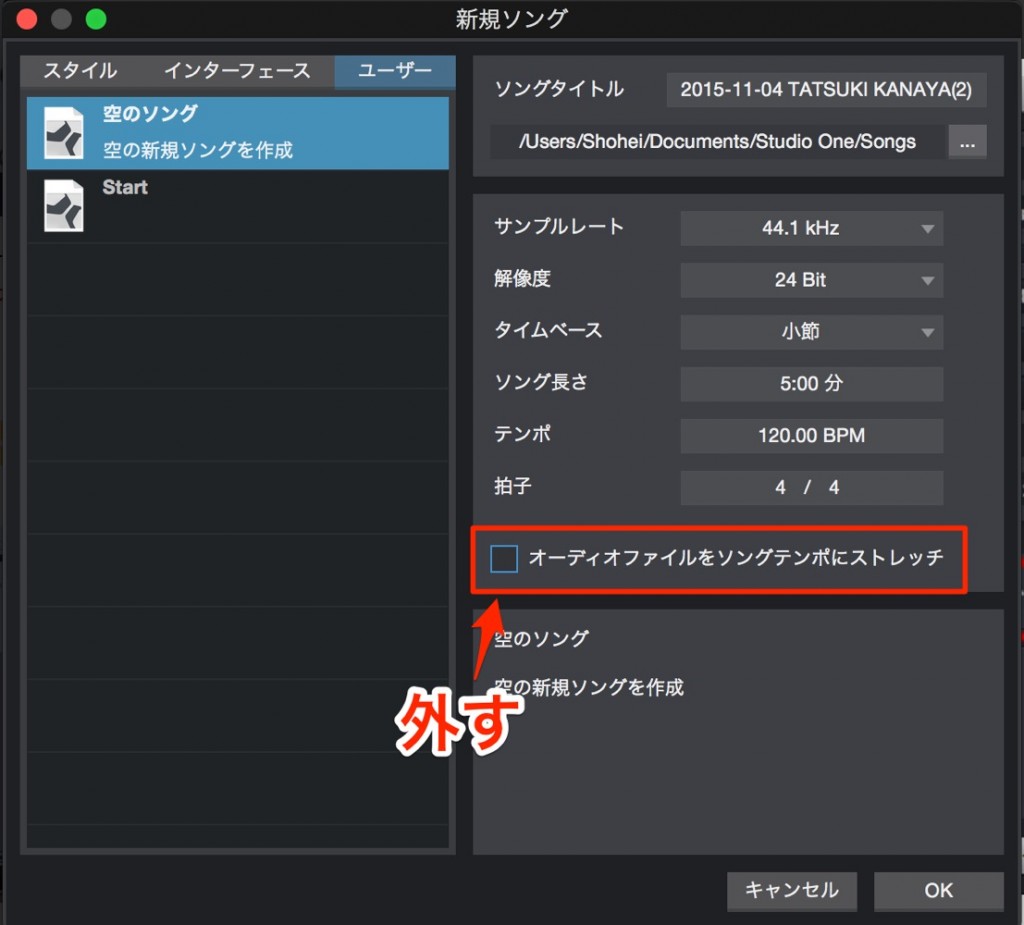
First, in the Song window, you need to
turn off "Stretch audio files to song tempo".
1_Find the Downbeat
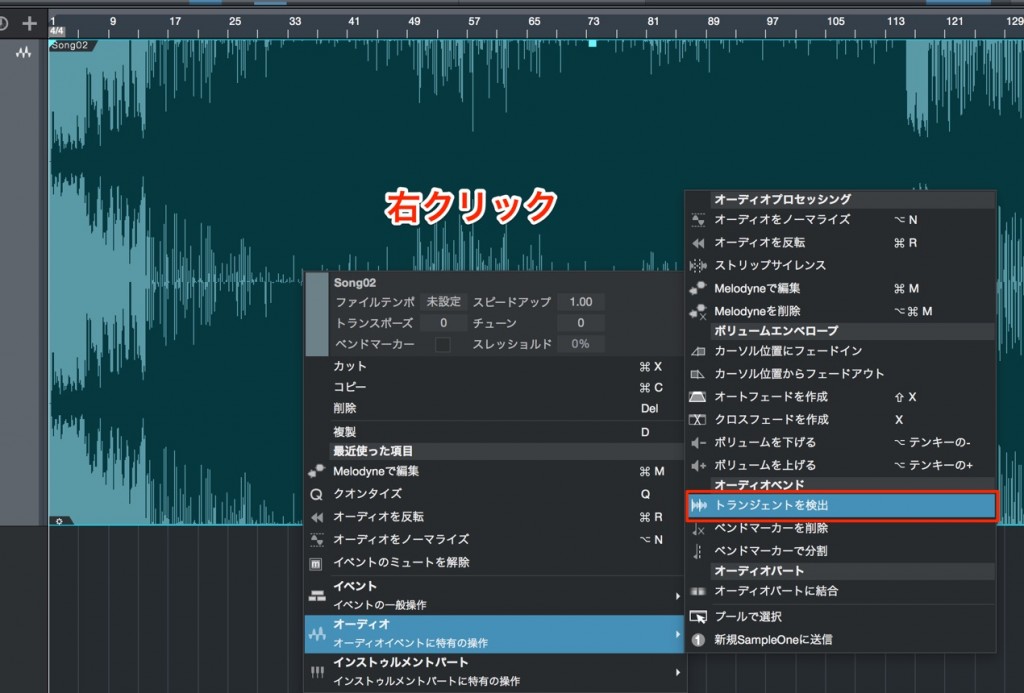
Right-click the event and select "Detect Transients".
Next, find beat 1 in the song.
Any part of the song is fine as long as it is beat 1.
We recommend using the kick as a guide when searching.
In this song,

this is beat 1.
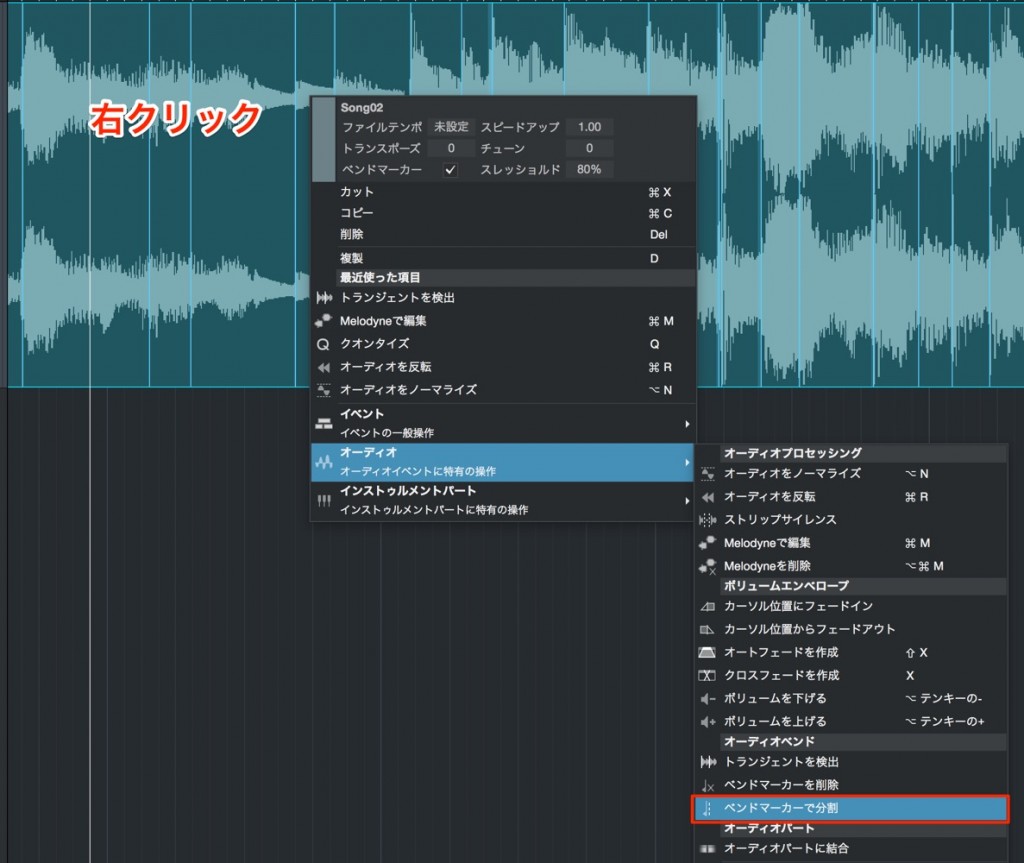
Right-click the event and select "Split at Bend Markers".

The event is split.
Delete every event except the beat 1 event you found earlier.

Move the beat 1 event to the start of the song.
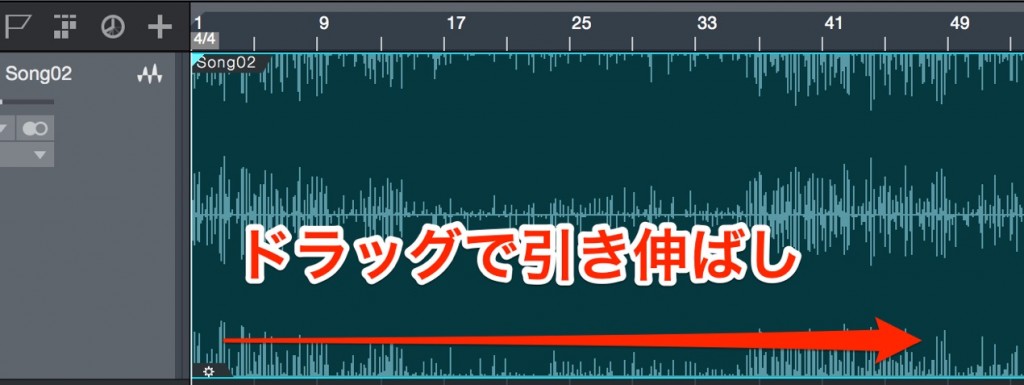
From the beat 1 event, extend the event to the end of the song.
2_Match the Tempo

Check beat 2.
Align the song's beat 2 (red) with beat 2 of the Song timeline (yellow).


Changing the tempo moves beat 2 on the timeline.
Watch it as you align it with beat 2 of the song.
3_Check the Tempo

Check the latter half of the song to make sure it does not drift from the metronome.
At this point, if it does not line up with the metronome,
the tempo is slightly off.
Just like a car traveling at 100 km/h versus 101 km/h,
the gap keeps growing the further you go into the song.
Change the tempo by +1/-1 at a time and fine-tune it until it is exactly in time.
4_Restore the Deleted Region
Restore the region you deleted in Step 1.
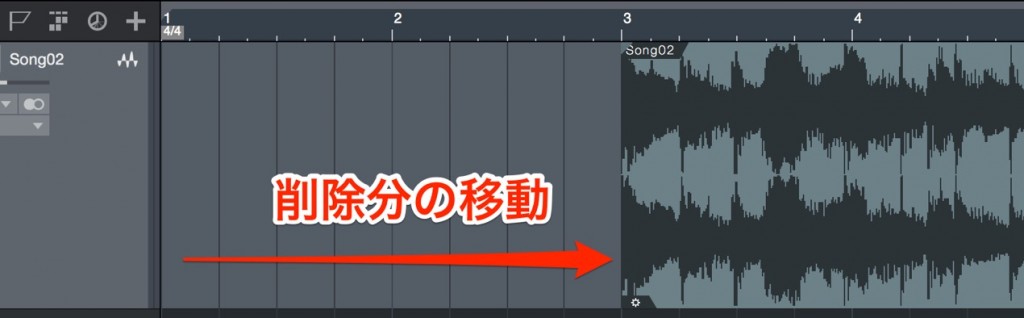
As long as you do not change the position of beat 1, it will not drift from the tempo.
Allowing for the deleted portion, move the region later.

Extend the event to restore the deleted part.
That's it.
The whole song, including the silence, is now in sync with the tempo.

Frequently asked questions
Q1. Why doesn't my DAW's automatic tempo detection work well?
Factors such as long analyses of an entire song, silence before and after the song, and time signature changes often prevent the tempo from being detected as expected. That is why the manual method is more accurate.
Q2. How can I check whether the tempo is slightly off?
Compare the latter half of the song against the metronome. Just as a small difference in speed gradually grows, a tempo mismatch becomes more noticeable later in the song, so fine-tune the tempo by ±1 until it matches perfectly.
Q3. What kinds of songs can this method be used for?
The song must have a constant tempo. Almost all modern music meets this condition, so it works for nearly any typical song you would remix or copy.
NEW ARTICLES
Latest English Articles











