
This article explains practical ways to assign controls when using an external MIDI controller with Studio One. It describes in detail the steps from selecting the MIDI controller and getting it recognized with MIDI Learn to assigning parameters with the chain icon, showing that you can control not only volume but also software synths and plugins in the same way. Another important benefit is that, combined with automation, you can record your MIDI controller moves directly, which can make your music production more efficient and expressive.
Assigning Parameters to a MIDI Controller in Studio One
Once you have finished setting up the MIDI controller in the previous article,
it's finally time to use it in Studio One.
Mapping a parameter to a MIDI controller so you can operate it is called "assigning".
Assigning Parameters to the Controller
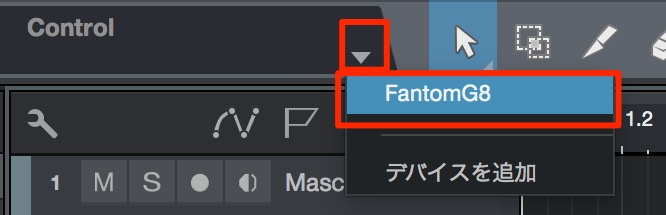
↑ From the inverted triangle, select the MIDI controller you added in the previous article.
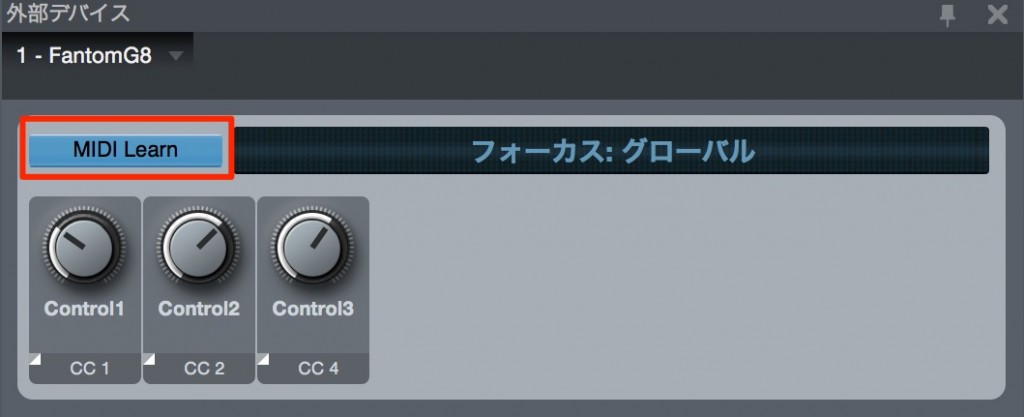
↑ At first, an empty window is displayed.
Click "MIDI Learn" to turn it on,
then move a knob on your MIDI device, and that knob is recognized.
Using the Controller
Now let's make assignments using the MIDI controller.
First, select the parameter you want to control in Studio One.
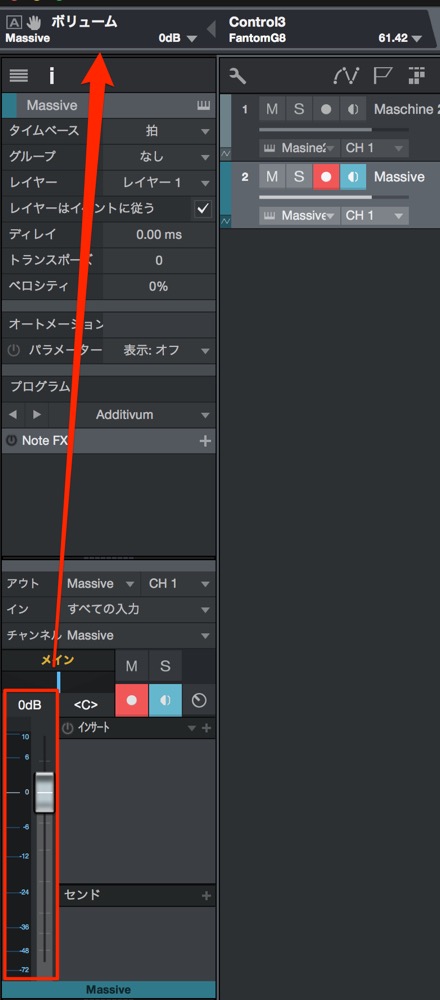
↑ The selected parameter appears in the window at the upper left.

↑ Click the "chain" icon outlined in red to turn it on.
Then move the knob on the MIDI controller.
The volume is now assigned to that knob.
When you move the MIDI controller, the volume in Studio One moves with it.
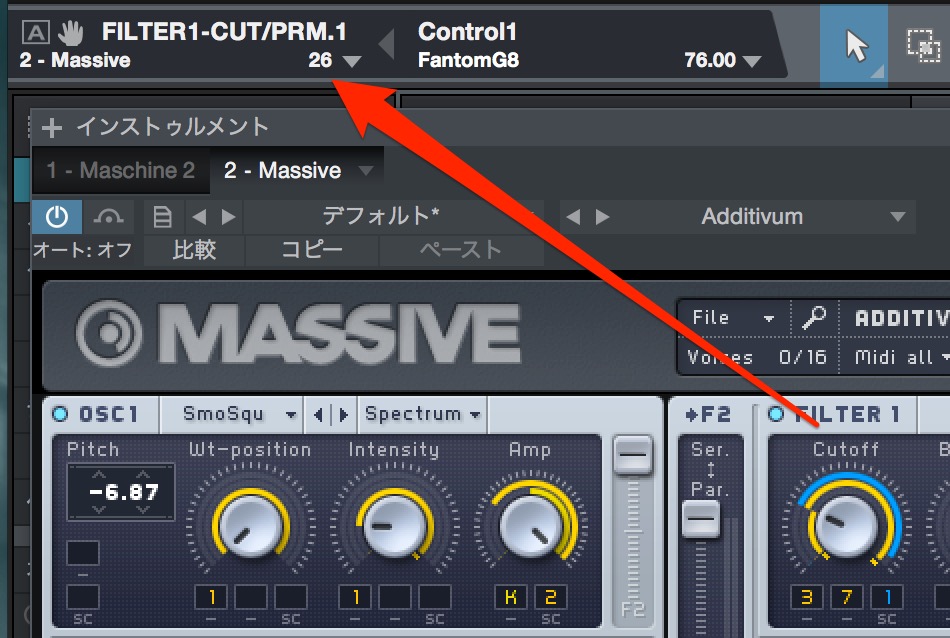
↑ Software synths, of course,
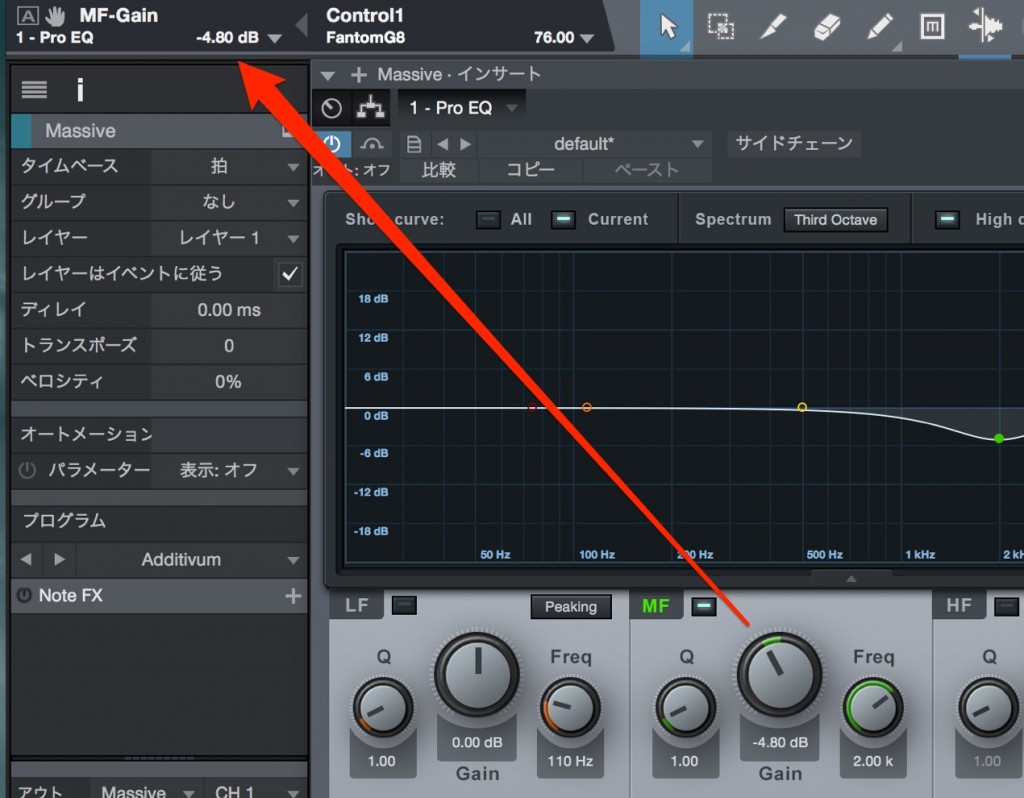
↑ and plugins can be assigned with the same operation.
Used together with automation,
you can also record those movements directly.

Frequently asked questions
Q1. What does assigning a MIDI controller mean in Studio One?
It means mapping parameters in Studio One (volume, filters, and so on) to the physical knobs and buttons of a MIDI controller. Once assigned, moving the controller automatically changes the corresponding parameter in the software.
Q2. When is the MIDI Learn function used?
It is used to get Studio One to recognize the knobs and buttons of a MIDI controller for the first time. When you operate the controller with MIDI Learn turned on, the hardware's movement is detected automatically, making later assignments smooth.
Q3. Can I also control plugin parameters with a MIDI controller?
Yes. Using the same steps as with software synths, you can assign plugin knobs and faders to a MIDI controller. Combined with automation, you can also record those movements directly.
NEW ARTICLES
Latest English Articles











