
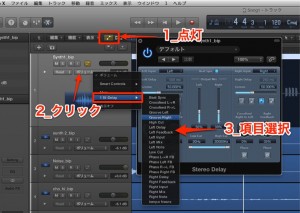
In Logic Pro, you can apply automation not only to basic parameters such as volume and pan but to every knob on plug-ins such as EQ, compressor, and reverb. Automating plug-in parameters greatly expands your range of expression, for example by deepening the reverb or adding distortion only in certain parts of a song. In Logic X, you can set it up easily just by turning on the automation button and choosing the automation parameter, and using Smart Controls makes it even more comfortable.
Every Knob on a Plug-in Can Be Automated
Not only volume and pan,
but plug-ins such as EQ, compressor, and reverb
can also be automated.
Applying automation to plug-in values
opens up many possibilities, such as deepening the reverb or adding distortion
only in part of a track.
These articles will deepen your understanding.
- Logic X
- Logic 8/9
Logic X: How to Set Up Automation
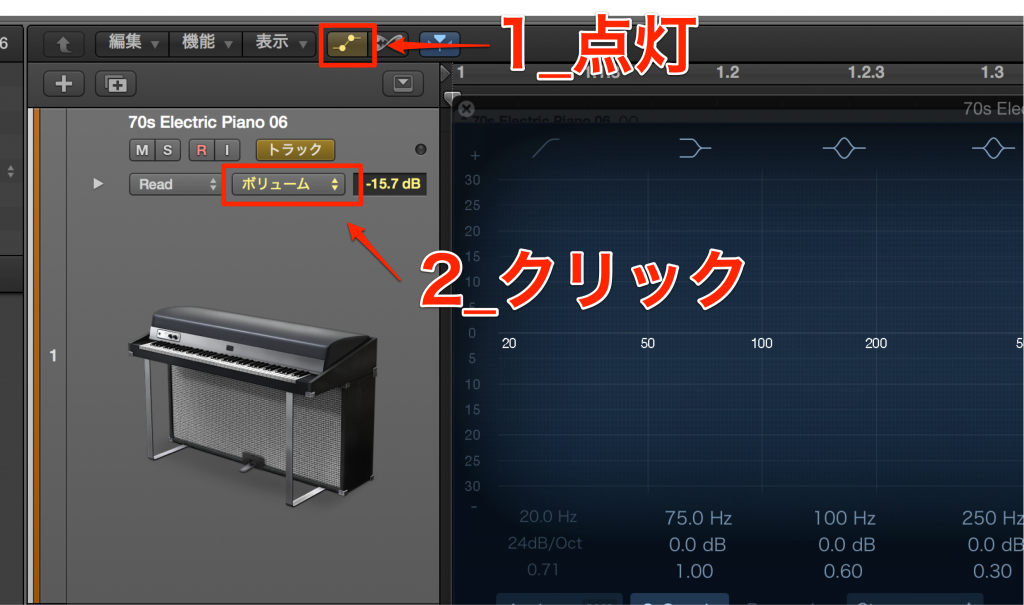
Open the plug-in whose automation you want to record.
- 1_Turn on the automation button
- 2_Click the automation parameter area
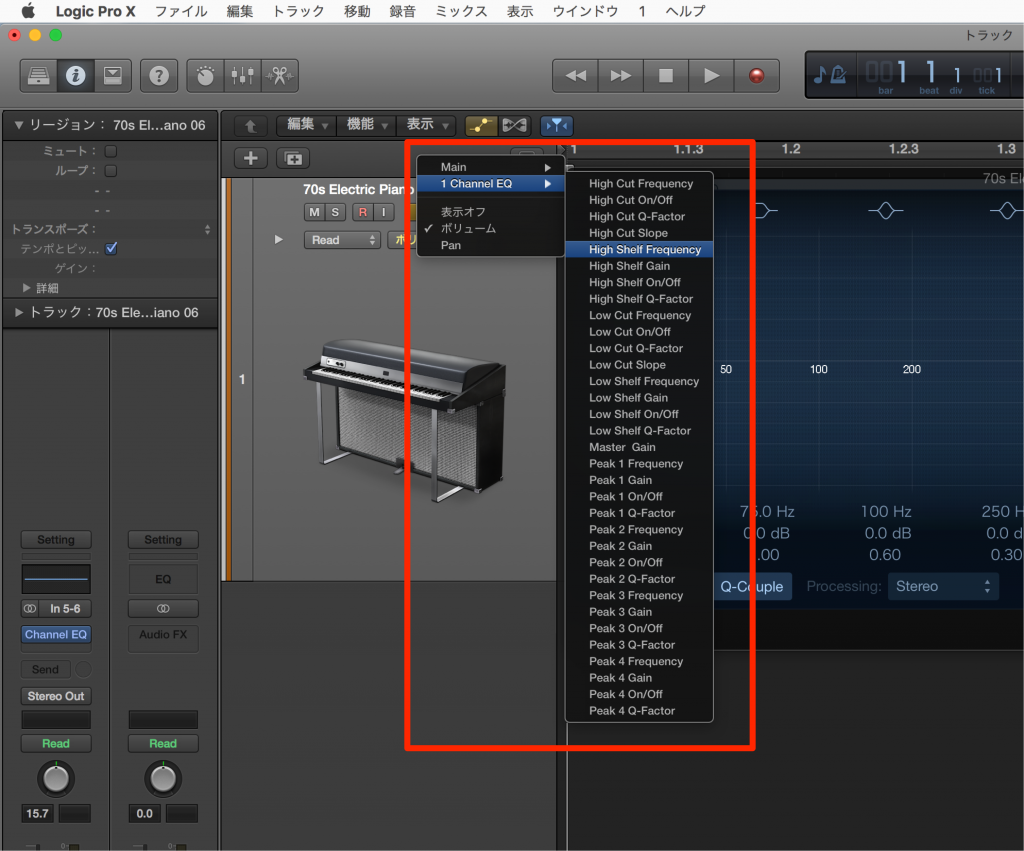
Choose the automation parameter you want.
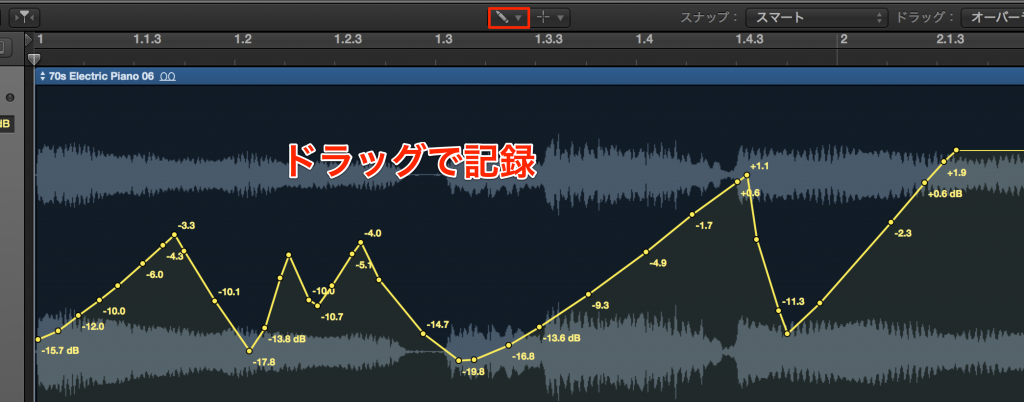
Then record automation as usual.
As you can see, setup is simple, and you can add a variety of effects to your song.
Be sure to try it.
There is also a way to record automation comfortably using Smart Controls.
Logic: How to Set Up Automation
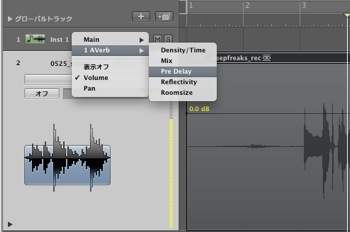
↑ When you open a plug-in and then open automation, parameters are added like this.
As you can see, setup is simple, and you can add a variety of effects to your song.
Be sure to try it.
- Logic X
- Logic 8/9

Frequently asked questions
Q1. What are the basic steps for automating a plug-in in Logic Pro?
Open the plug-in you want to automate and turn on the automation button. Then click the automation parameter area, choose the parameter you want, and record automation as usual. Setup is very simple, and even beginners can do it easily.
Q2. Can I automate the parameters of any plug-in, such as EQ or compressor?
Yes. You can apply automation to almost every knob on plug-ins, including EQ, compressor, and reverb. This lets you dynamically change the depth and intensity of effects in specific sections of a song.
Q3. What are the benefits of using Smart Controls?
With Smart Controls, you no longer need to open plug-in windows individually and can adjust multiple parameters efficiently. They also work with MIDI controllers, making automation recording more intuitive and comfortable.
NEW ARTICLES
Latest English Articles











