
By using Logic Pro's loop recording feature, you can efficiently create a best take by picking only the best parts from multiple takes recorded over and over. It is especially useful when a perfect take is hard to get, for example when the beginning is good but the ending is weak. After comping, consolidating the track into one, joining the parts naturally with fades and committing it to an easily editable state makes subsequent editing smoother and greatly improves overall production efficiency.
Easily choose from multiple takes
With loop recording, all the recorded takes are saved,
and after recording you can pick out and combine only the good parts.
It comes in handy when "the start was good, but..." or "the ending wasn't quite there".
Handy recording features in Logic
Selected Questions and Answers from the YouTube Video

There's no "If recording overlaps" item in my preferences... (tears)

Have you selected the "Recording" tab in the preferences? Please check this.
I use Logic. Audio I recorded with an external mic and audio interface plays back from only one side. What could be the reason? I'd appreciate your advice.
It is very likely that the audio track you created is set to stereo. We have written an article about this, so please have a look. https://sleepfreaks-dtm.com/dtm-trouble/l-r-rec/
Is there a similar function in Cubase?
The following article explains loop recording and comping in Cubase. Please take a look. https://sleepfreaks-dtm.com/for-advance-cubase/besttake-3/
For how to do loop recording, see below.

- Logic X
- Logic 8/9
Creating the best take in Logic X
Do "loop recording" as usual.
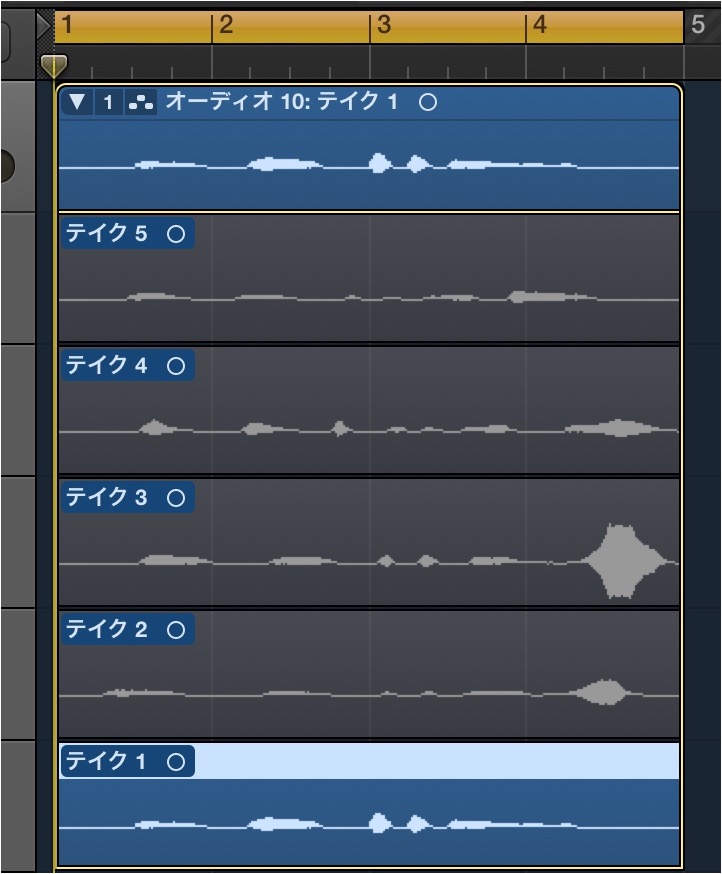
When finished, all the takes created by loop recording are displayed.
Older takes are shown lower down, and the latest take is shown at the top.
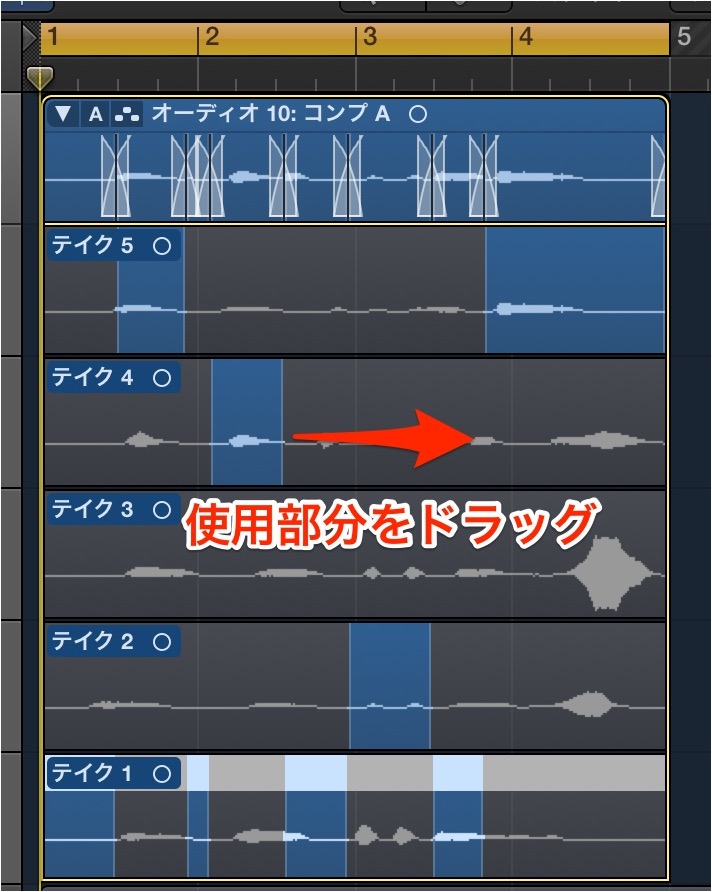
Drag over the part of each take you want to use.
Gray parts are not used; colored parts are selected.
The top track is the take you actually hear, made up of the selected parts.
Consolidating the track
After creating the best take, to make it easier to edit,
consolidate (commit) it into a single track.
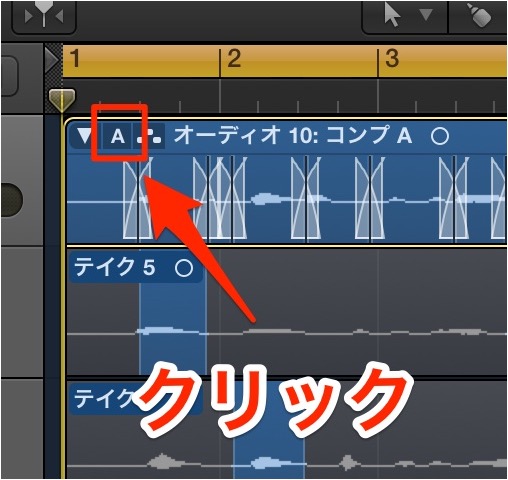
Click the "A" at the top left corner of the region to open the menu.
From it, select "Flatten" or "Flatten and Merge".
- Flatten
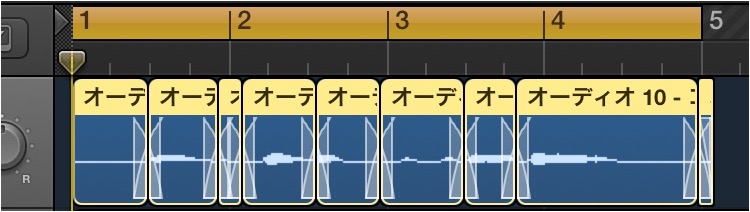
This joins the parts with fades.
- Flatten and Merge
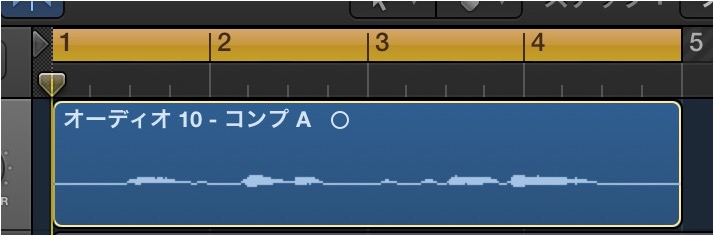
This joins the flattened result above into a single waveform.
Creating the best take in Logic
Do "loop recording" as usual.

↑ When finished, all the takes created by loop recording are displayed.
Older takes are shown lower down, and the latest take is shown at the top.

↑ Drag over the part of each take you want to use.
Gray parts are not used; colored parts are selected.
The top track is the take you actually hear, made up of the selected parts.
Consolidating the track
After creating the best take, to make it easier to edit,
consolidate (commit) it into a single track.

↑ Click the mark at the right corner of the region to open the menu.
From it, select "Flatten" or "Flatten and Merge".
- Flatten

This joins the parts with fades.
- Flatten and Merge

This joins the flattened result above into a single waveform.
- Logic X
- Logic 8/9

Frequently Asked Questions
Q1. How do I pick the best take from multiple takes recorded with loop recording?
In Logic Pro, all takes are displayed automatically after loop recording ends. They are shown from the bottom up in order from oldest, and you select the parts you want from each take by dragging. The selected parts are gathered in the top track, completing the best take you actually hear.
Q2. What is the difference between "Flatten" and "Flatten and Merge"?
Flatten joins the parts you selected by dragging with fades. Flatten and Merge also combines them into a single waveform, making editing even easier.
Q3. Can I use the best take feature in Logic 8/9 too?
Yes. Loop recording and creating a best take are also possible in Logic 8/9. The location of menu operations may differ, but the basic flow is the same.
NEW ARTICLES
Latest English Articles











