

If audio you recorded in Logic can only be heard from one side, the cause is recording a mono instrument onto a stereo track. This problem occurs when two circles are shown in the Input setting at the top of the track. The fix is very simple: click Input to change it to a single circle, which makes the track mono so the sound plays normally from the center. As a preventive measure, you can avoid this trouble by selecting an input with only one number, such as "Input 1," when creating a track.
What to Do When a Recorded Instrument Is Only Heard from the Left or Right
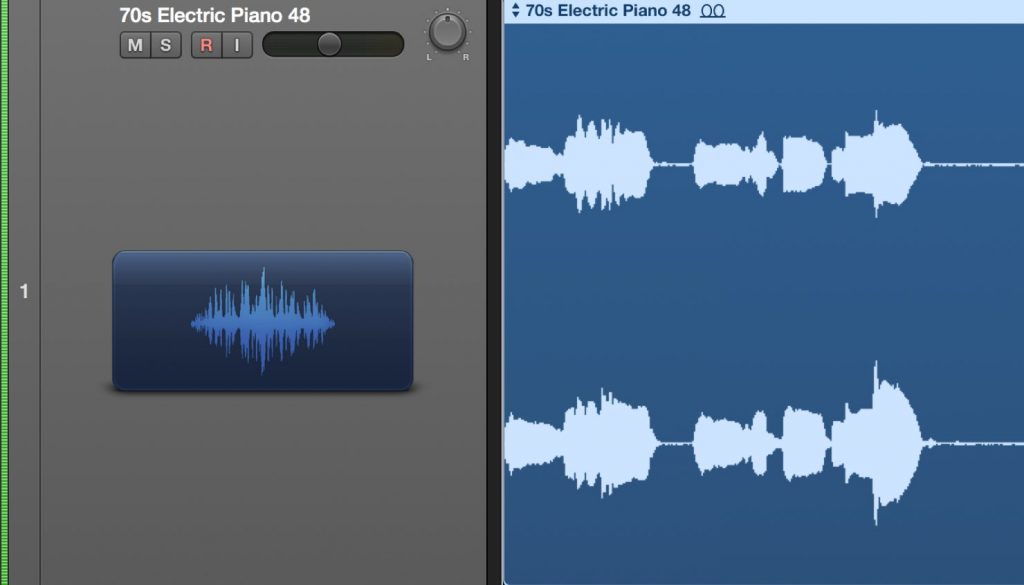
When you preview an instrument or vocal you recorded, it can only be heard from one side...
We will explain how to deal with this kind of trouble.
This problem occurs because a mono instrument was recorded onto a "stereo audio track".
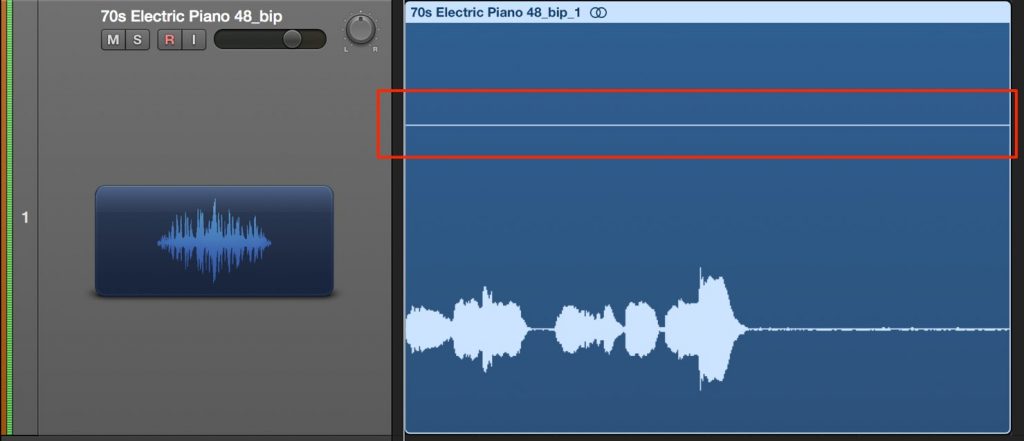
Your track is probably displayed like this.
Sources such as vocals and guitar that connect to the interface with a single cable are "mono."
A stereo track is a track that combines two mono channels (L and R).
So when you record a mono instrument onto a stereo track, the sound is recorded on only one side.
The fix is simple.

Click "Input" at the top of the problem track and change it to a single circle as shown in the image.
The track is now mono, and the recorded sound plays from the center.
Also, to prevent this from happening in the first place,
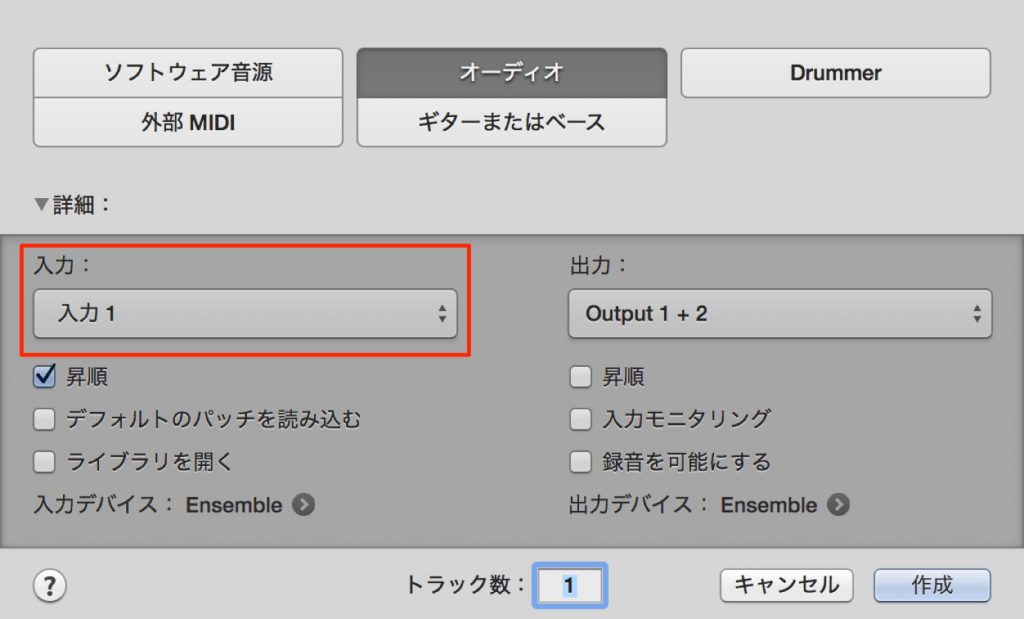
select an input that shows only one number, such as "Input 1" or "Input 2," when creating the track.
Your recorded track will then never end up in stereo.
Frequently Asked Questions
Q1. Sound I recorded in Logic only comes from one speaker. What should I do?
Check the Input setting at the top of the track. If two circles are shown, click Input and change it to a single circle; the track becomes mono and the sound will be heard from the center.
Q2. What is the difference between a mono instrument and a stereo track?
Instruments connected with a single cable, such as guitar and vocals, are mono, while stereo has two channels, left and right (L and R). If you record mono onto a stereo track, the sound is recorded on only one side.
Q3. How can I prevent this trouble in the future?
When creating a track, select an input source with only one number, such as "Input 1" or "Input 2." The track will then be mono from the start, and the problem of hearing sound from only one side won't occur.
NEW ARTICLES
Latest English Articles











