
This article explains how to map an audio loop to MIDI keys using Logic Pro. By using Flex mode to split a region automatically at its attacks and loading the material into the EXS24 sampler by drag and drop, you can turn existing loops and samples into MIDI-playable material. Because you can extract individual elements such as kicks and snares and freely rearrange patterns, your creativity when producing original songs expands greatly, and combining it with tricky MIDI effects becomes easy.
Logic: chop a loop into pieces and map them to keys
You can detect attacks in existing songs or loop material and handle that material as MIDI.
- Extract only the kick and snare
- Rearrange patterns
- Combine with tricky MIDI effects
The possibilities expand greatly.
Mapping procedure
First, prepare the audio loop you want to extract from.
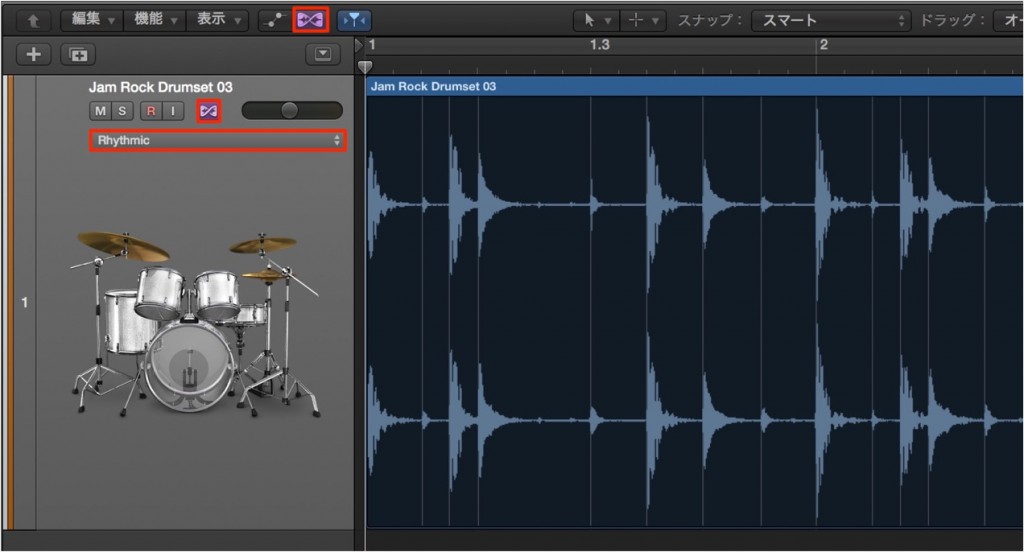
- 1. Light up Flex to turn it on
- 2. Change the mode of the track to analyze to "Rhythmic"
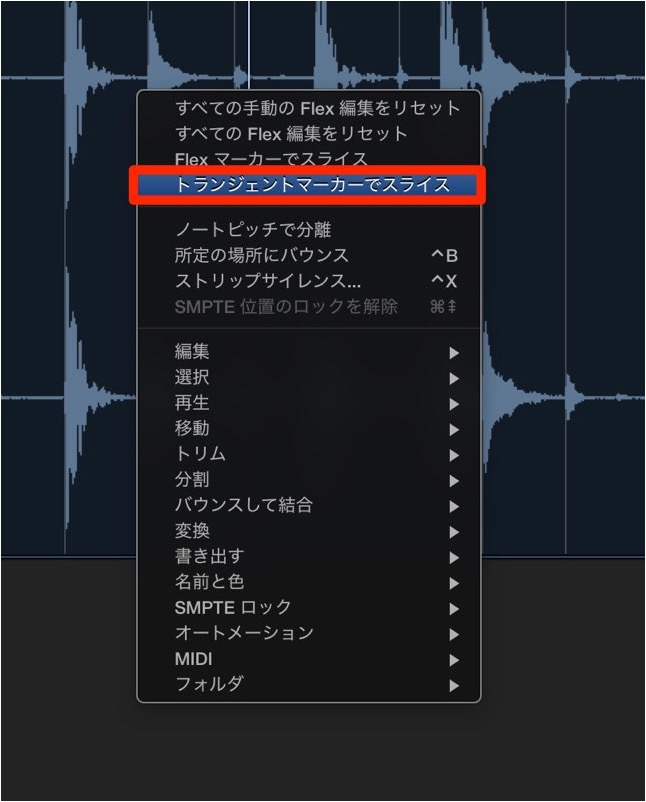
"Right-click" the region
and select "Slice at Transient Markers."
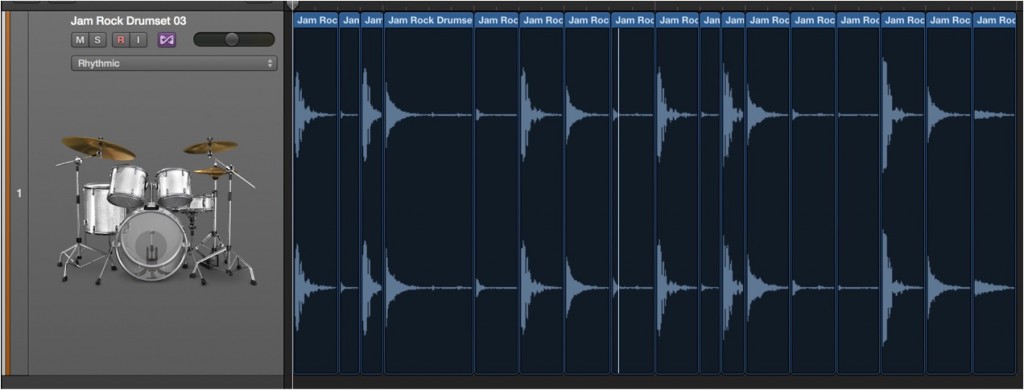
The region is split at its "attacks" like this.
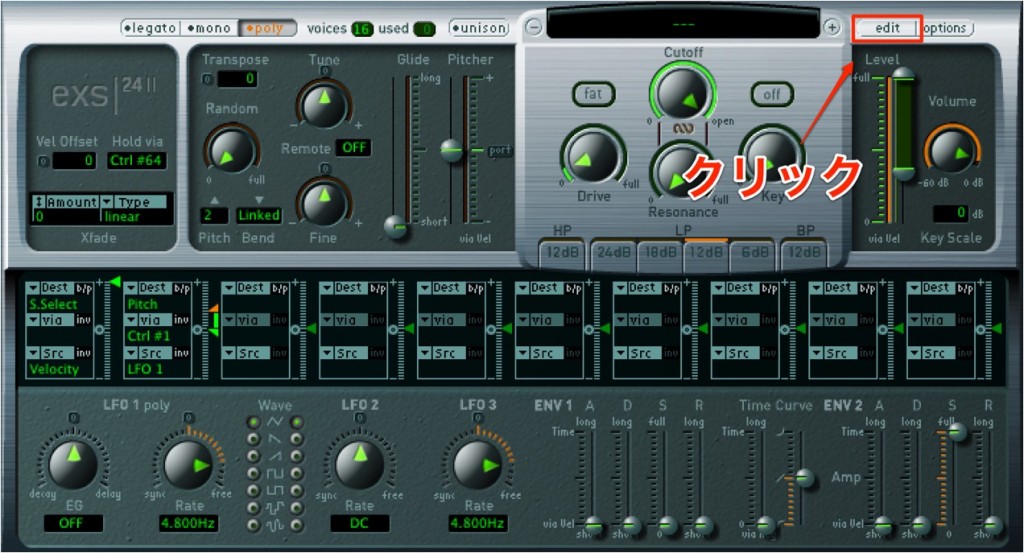
Launch the software sampler "EXS24" and click "Edit."
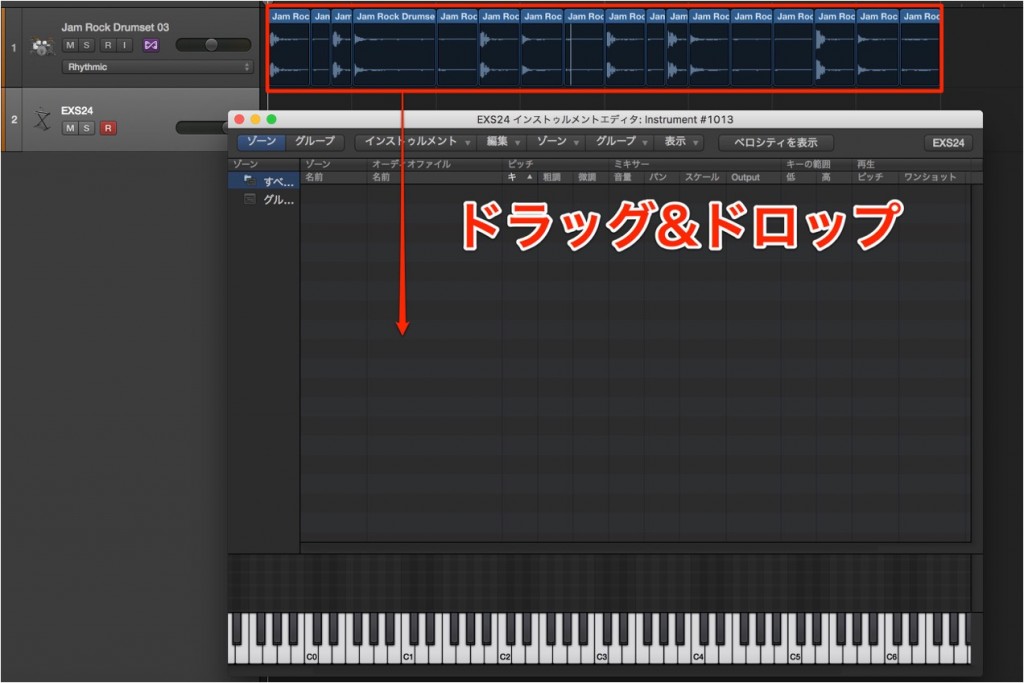
Drag the material you want to load into the area outlined in red.
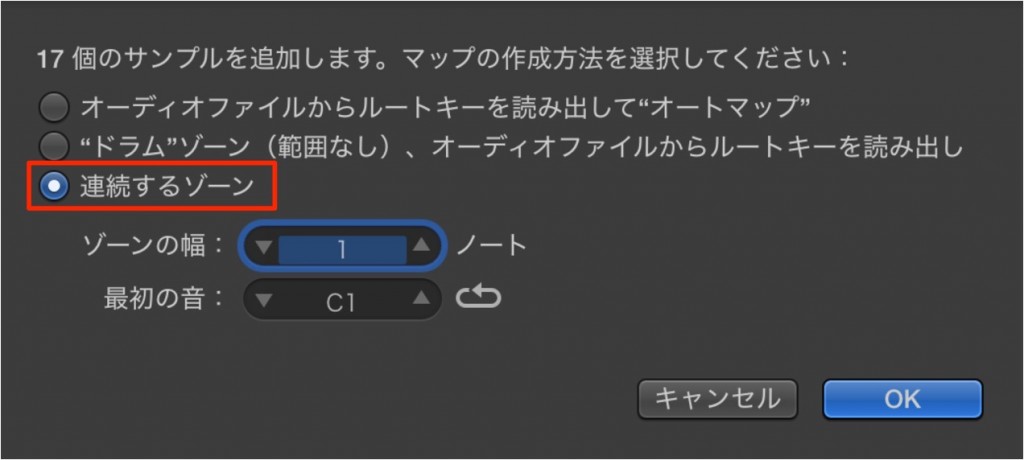
In the dialog, select "Contiguous zones."
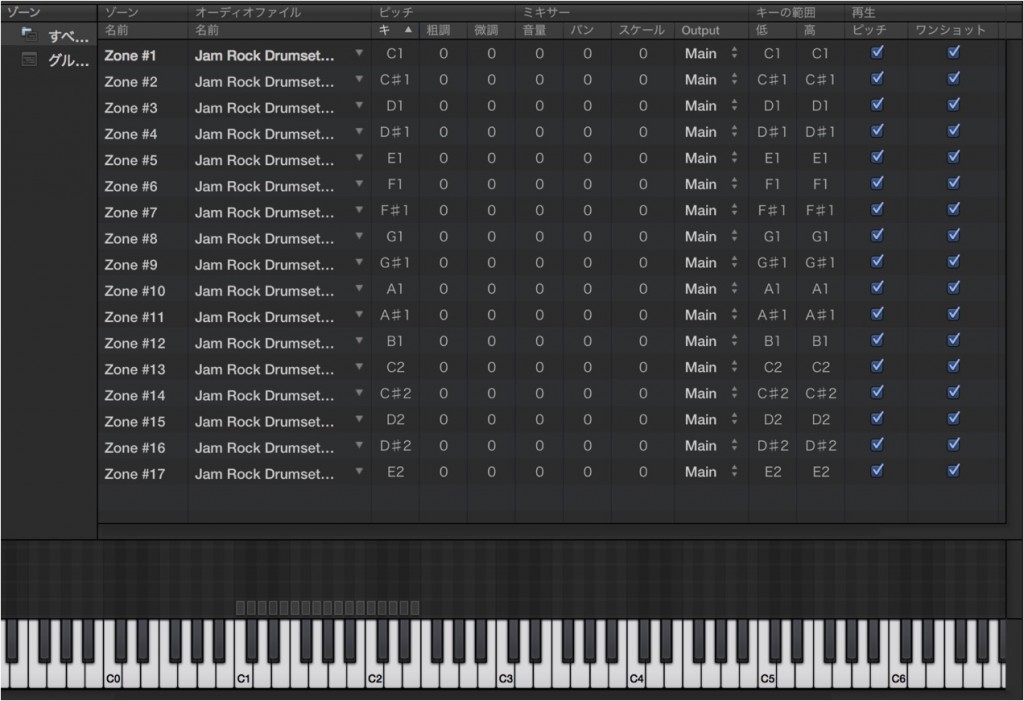
The material has now been mapped like this.
Then just program with "EXS24."
We explain how to use "EXS24" in the article below. Please refer to it as well.
Explanation of slicing

Frequently asked questions
Q1. What is Logic Pro's Flex mode?
Flex mode is a function that enables stretching audio and adjusting its timing. It must be enabled to use "Slice at Transient Markers," and it directly affects the accuracy of attack detection.
Q2. What does "Contiguous zones" mean when mapping sliced samples in EXS24?
It automatically maps multiple split samples to the keyboard keys in order. It saves you the effort of mapping them manually so you can turn them into MIDI-playable material efficiently.
Q3. Can I extract only the kick and snare?
By having transient markers recognize the attack positions of each element, you can separate and extract only the sounds you need. Delete the unnecessary parts to adjust.
Q4. Can this method be used with audio other than loops?
Yes, it works with any rhythmic audio track. The range of applications is wide, including drum loops, vocal percussion, and bass lines.
NEW ARTICLES
Latest English Articles











