
Logic Pro 9 can switch from 32-bit mode to 64-bit mode, which greatly relaxes the limits on memory usage. In 32-bit mode, only up to 4 GB of memory can be recognized, but in 64-bit mode, virtually unlimited memory is available, so you can work comfortably even on complex projects. Switching is simple: just uncheck "Open in 32-bit mode" in Logic's Get Info window in Applications. However, there are some limitations, such as no support for OMF export or ReWire, so you need to switch flexibly depending on what you are doing.
Make Effective Use of Memory in 64-Bit Mode
64-bit is becoming mainstream.
Many programs are now adding 64-bit support.
In 32-bit, no matter how much memory your computer has, you can use only up to 4 GB.
But when you use software in 64-bit, it can recognize virtually unlimited memory, so you can work comfortably.
Logic: How to Switch to 64-Bit Mode
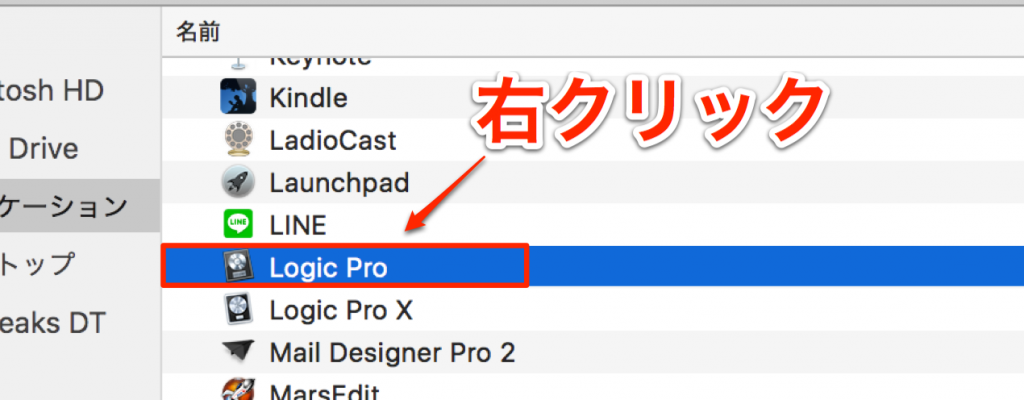
Select Applications → Logic and right-click.
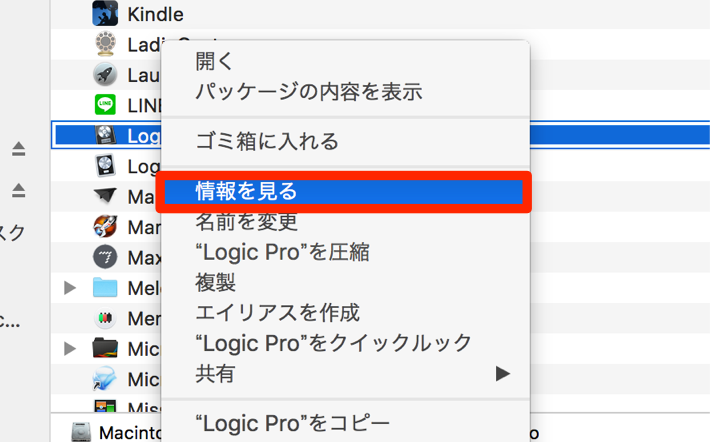
Choose "Get Info" from the right-click menu.
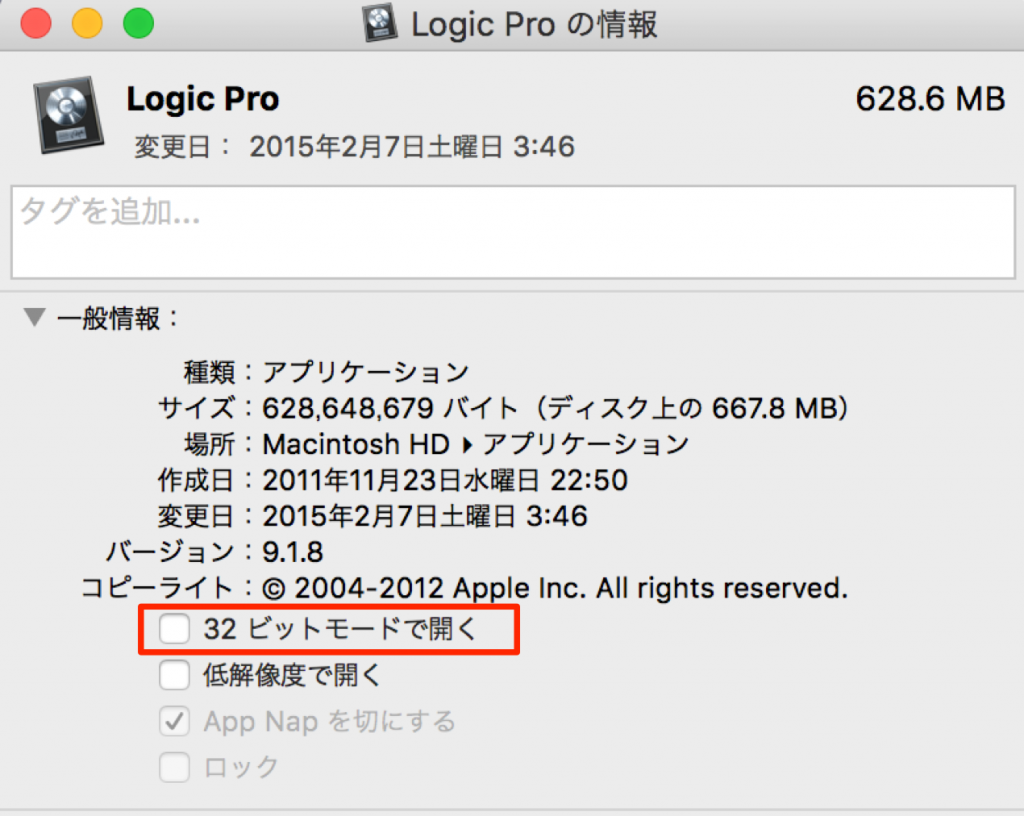
Uncheck "Open in 32-bit mode," outlined in red.
From the next launch, Logic will start in 64-bit.
If you are using plug-ins that support 64-bit mode,
Logic will launch in 64-bit mode automatically.
To return to 32-bit mode, follow the steps above
and check "Open in 32-bit mode."
Notes on 64-Bit Mode
- OMF export is not supported

- ReWire is not supported

- Some video features are limited

Frequently asked questions
Q1. What are the benefits of switching Logic Pro to 64-bit mode?
In 64-bit mode, the memory limit of 4 GB in 32-bit mode is lifted. This lets you work comfortably and smoothly even on complex projects that use many tracks and plug-ins.
Q2. What problems arise from not being able to export OMF in 64-bit mode?
OMF is a file format that reproduces a project's audio files and position information in other DAW software. Since it is not supported in 64-bit mode, you need to consider switching to 32-bit mode when you need to work with other DAWs.
Q3. Can I switch back from 64-bit mode to 32-bit mode?
Yes, easily. Just check "Open in 32-bit mode" again in Logic's Get Info window in Applications, and it will start in 32-bit mode from the next launch. You can switch freely depending on your needs.
NEW ARTICLES
Latest English Articles











