
Using ReWire in Logic Pro lets you seamlessly synchronize external sequencers such as Reason and FL Studio and produce music in a unified environment. This article explains the setup steps for Logic X and Logic 8/9 in detail, walking you through everything from configuring 64-bit launch to creating an AUX track and setting up an External MIDI track. With ReWire, playback and stop are synchronized automatically between multiple programs, greatly improving your production efficiency.
Synchronize Other Software with Logic

With ReWire, you can synchronize a different sequencer with Logic.
Besides following Logic's playback and stop, the other sequencer can be programmed from within Logic, which makes your work easier.
Well-known examples include Reason and FL Studio.
Here we explain using Reason, but the setup is basically the same for any software.
- Logic X
- Logic 8/9
Logic X: How to Set Up ReWire
First, the software you will use with ReWire needs to launch in 64-bit.
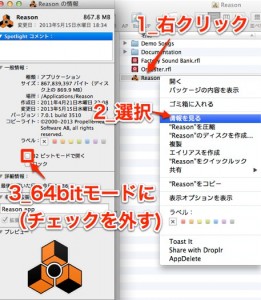
1_Right-click the software you will use with ReWire
2_Choose "Get Info" from the menu
3_Uncheck "Open in 32-bit mode"
From the next launch, the software will start in 64-bit.
Next, the settings on the Logic side.
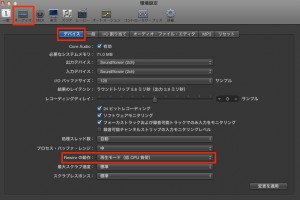
In Logic's Preferences under "Audio" → "Devices,"
change "ReWire Behavior" to "Playback Mode."
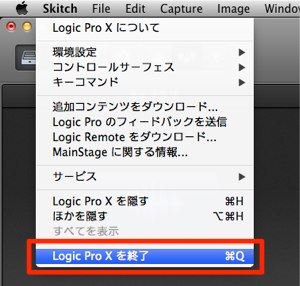
Then quit Logic once and launch it again.
After launching Logic, launch Reason (the ReWire software).
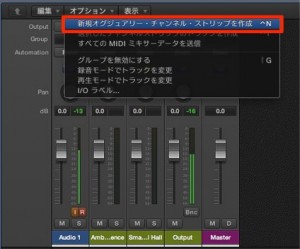
Open the Logic Mixer window
and create an AUX track from "Options" → "Create New Auxiliary Channel Strip."
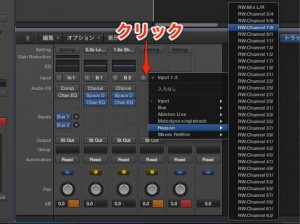
Click the input of the AUX track created above
and choose "Reason" → "RW MIX L/R."
*AUX tracks start with the volume at 0, so be sure to raise the volume.
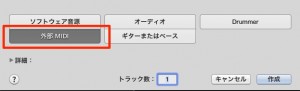
Create an External MIDI track.
For details on how to create tracks, see the link below.
https://sleepfreaks-dtm.com/for-beginner-logic/lesson3/
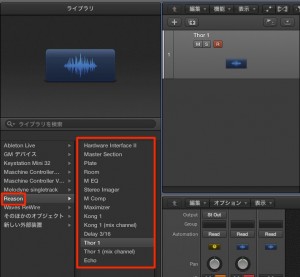
When you create the MIDI track, Reason's instruments appear in the "Library," outlined in red.
Select the instrument you want to use.
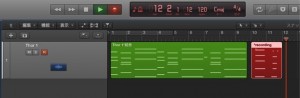
After that, just program in Logic as usual.
Reason automatically follows Logic's playback and stop.
Logic: How to Set Up ReWire
Launch Logic first, then launch Reason.
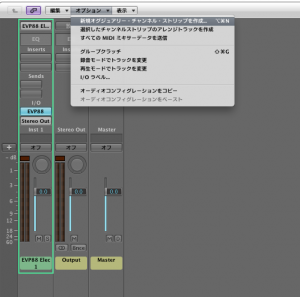
↑ Open the Logic Mixer
and click "Options" → "Create New Auxiliary Channel Strip" to create a track.
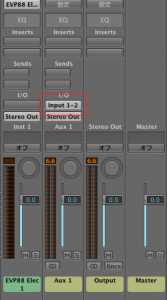
↑ Click the input of the AUX track created above
and choose "Reason."
*AUX tracks start with the volume at 0, so be sure to raise the volume.
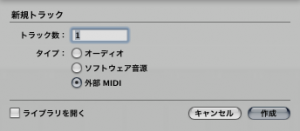
↑ Return to the Arrange window and create a MIDI track.
For details on how to create tracks, see the link below.
https://sleepfreaks-dtm.com/for-beginner-logic/lesson3/
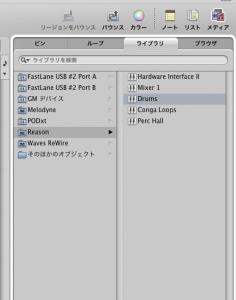
↑ When you create the MIDI track, Reason's instruments appear under "Media" → "Library" on the right side of the screen.
If you add a sound in Reason at this point, it is immediately reflected in Logic's Library.
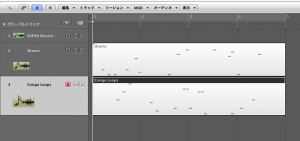
↑ After that, just program in Logic as usual.
Reason automatically follows Logic's playback and stop.
- Logic X
- Logic 8/9
Notes on ReWire
The Logic file does not store ReWire sound or synth information.
When you finish working, you need to save the ReWire state separately.
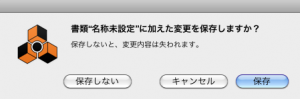
When you try to close Reason, the screen below appears.
Save Reason's state to any location you like.
To Continue Working Later
- 1_Open the Logic session
- 2_Reason also launches, but in its initial state.
Then open the file you saved in the image above
This fully restores the previous state so you can continue working.

Frequently asked questions
Q1. What is ReWire?
ReWire is a technology for synchronizing multiple sequencers. While using Logic Pro as the host, you can link external software such as Reason and FL Studio as clients and control playback and stop in a unified way.
Q2. Why uncheck 32-bit mode when setting up ReWire?
For ReWire to work properly, the software you use must launch in 64-bit, so you uncheck 32-bit mode. From the next launch, it will automatically start in 64-bit mode.
Q3. Are ReWire settings kept after quitting Logic?
No. The Logic file does not store ReWire sound or synth information. To continue working, save Reason's state separately and open that file manually the next time.
Q4. What should I do if there is no sound after creating the AUX track?
AUX tracks start with the volume at 0. Raise the volume fader to get sound.
NEW ARTICLES
Latest English Articles











