
To use an external hardware synthesizer with FL Studio, you need a MIDI interface and audio cables for the connection. This article explains practical setup steps in detail, from connecting MIDI and configuring FL Studio to recording the hardware synth's sound as audio. With these settings, you can bring rich analog sounds that software instruments in the DAW cannot reproduce into your productions, enabling more advanced and distinctive music production.
How to link FL Studio with an external hardware synthesizer
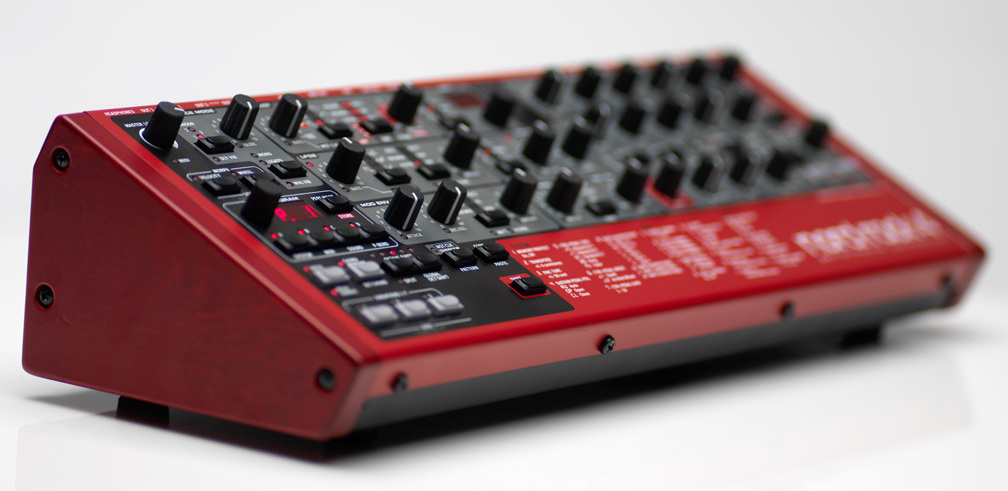
In FL Studio, you can play an external synthesizer with MIDI you have programmed,
and record the external synthesizer's sound as audio.
Here is what you need for this setup.
- 1_A MIDI interface (if the hardware synth has no USB port)
- 2_An audio interface: needed to monitor and record the external synthesizer's sound
- 3_Audio cables to connect the synth and the audio interface
Now let's look at how to set it up.
Connecting MIDI
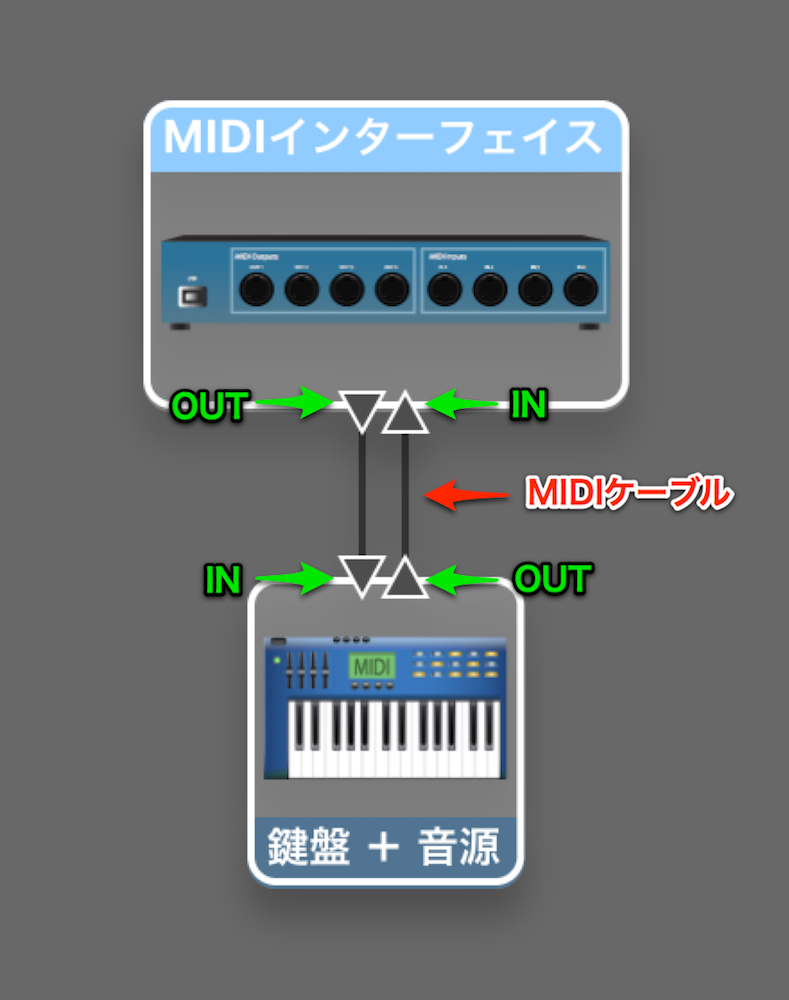
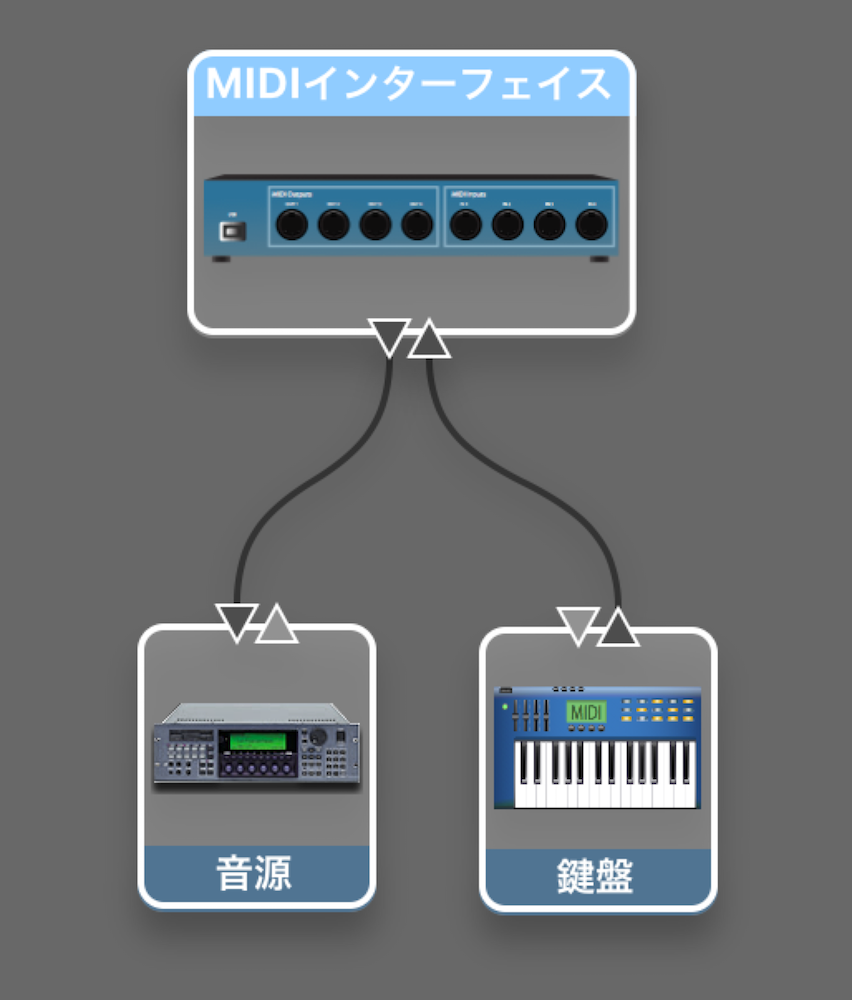
Connect the "MIDI IN" and "MIDI OUT" of the MIDI interface and the external sound module.
If your hardware synthesizer is a model that can connect to a computer via USB,
connect the synthesizer and the computer with a USB cable.
When the sound module and keyboard are in one unit
When the sound module and keyboard are separate
MIDI interface
It is very easy to connect and inexpensive, so you can add one without much hesitation.
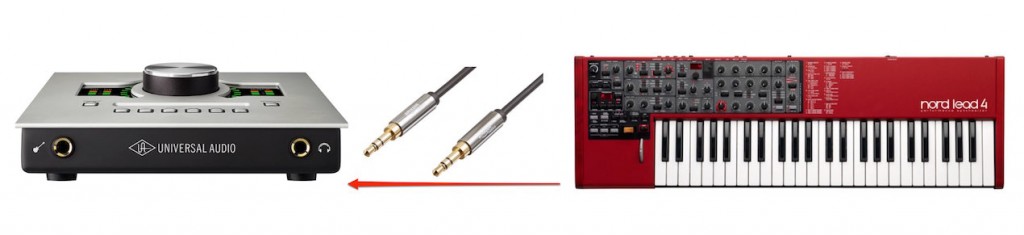
Sending MIDI alone does not bring in the audio (the synth's sound).
So connect the synthesizer's output (Out) to the audio interface's input (In) with audio cables.
Many synthesizers have stereo (L and R) outputs.
In that case, you will need two audio cables.
Setting up MIDI
Next, let's set up MIDI.

Select "MIDI Settings" from "Option".
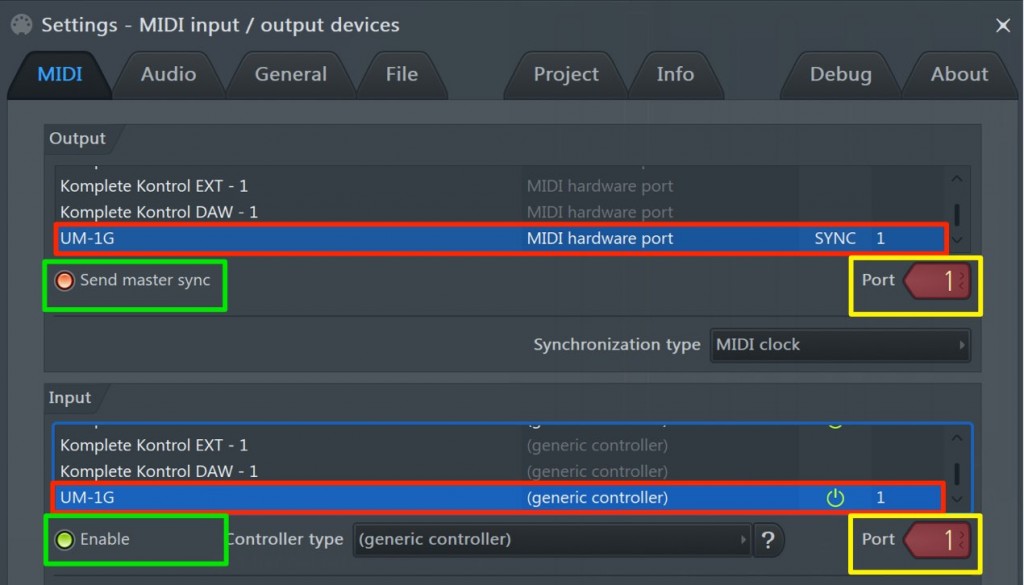
Configure "Output" and "Input".
- Red_Select the product (the MIDI interface here)
- Yellow_Match the port number
- Green_Enable it
That completes the setup.

Loading the MIDI plug-in
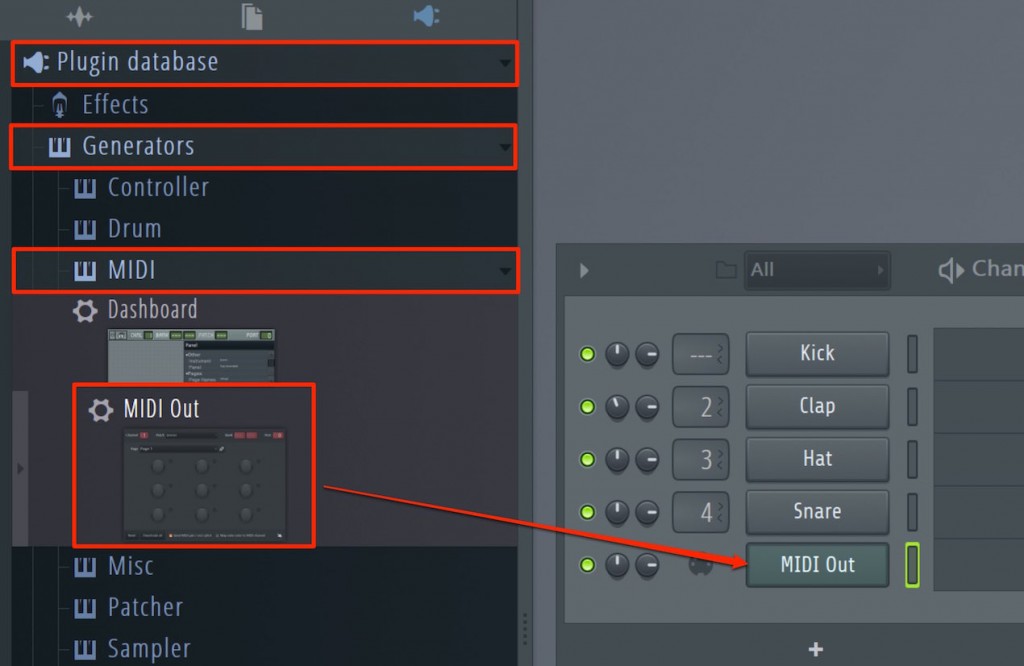
Load "MIDI Out" from the browser.
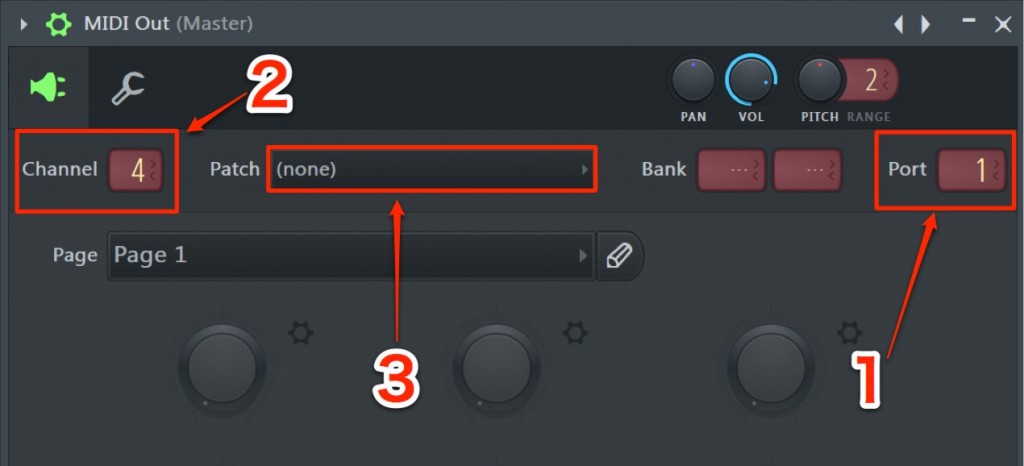
- 1 Select the same port as in the settings above
- 2 Many hardware synthesizers can assign sounds to up to 16 channels.
Here you specify which channel in the hardware synth to play - 3 If you fix the patch number, the hardware's own setting is recalled immediately even when you change songs
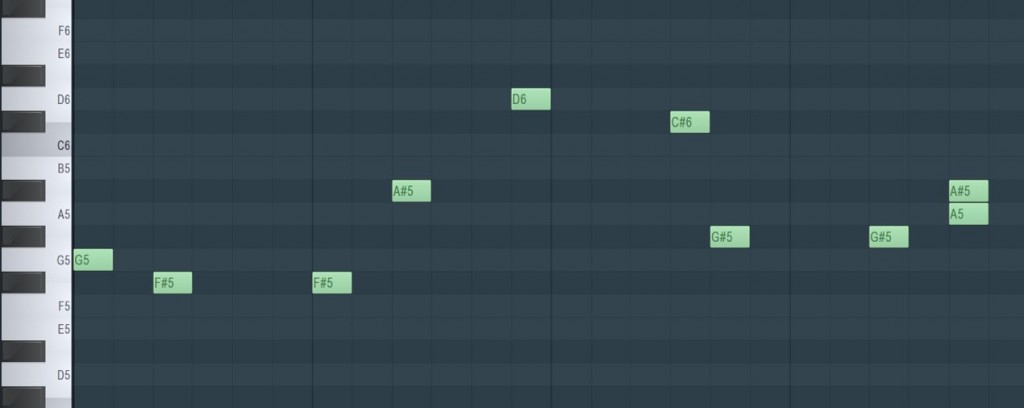
When you program MIDI, the hardware synthesizer's sound plays.
Recording the hardware synthesizer's sound
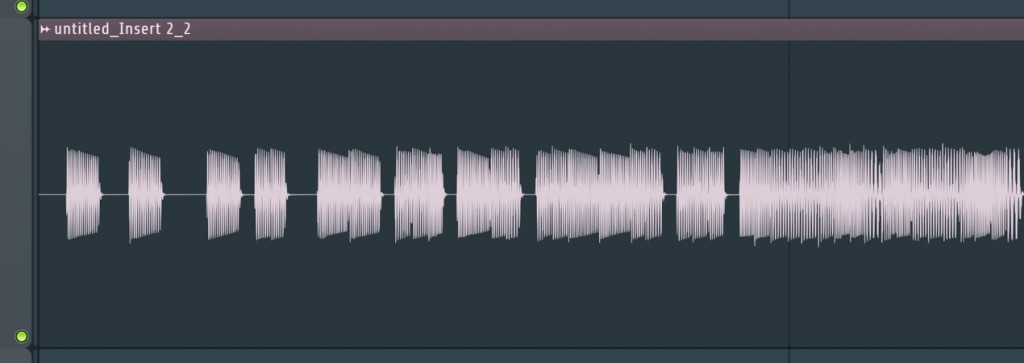
In many cases you will want to capture the hardware synth's sound as audio.
With the settings above, the synth and the audio interface are connected by cables.
All that is left is to record audio while playing back.

Frequently Asked Questions
Q1. What do I need to connect a hardware synthesizer to FL Studio via MIDI?
You need a MIDI interface, an audio interface, audio cables and a USB cable (or MIDI cables). If the hardware synth is a model that supports USB connection, you may not need a MIDI interface.
Q2. What if I cannot connect the hardware synth directly via USB?
Use a MIDI interface to connect the computer and the hardware synth. Connect the MIDI interface's "MIDI OUT" to the synth's "MIDI IN", and the synth's "MIDI OUT" to the MIDI interface's "MIDI IN".
Q3. How do I record the hardware synth's sound in FL Studio?
Connect the synth's output (Out) to the audio interface's input (In) with audio cables, then record audio in FL Studio. For stereo outputs, you need two cables.
NEW ARTICLES
Latest English Articles











