
Cubase's track preset feature is a handy way to save the effects and software synth settings you use often and recall them instantly on other tracks or in other songs. After setting things up in the Inspector, saving a track preset greatly reduces the effort of repeating complex setups every time. Using FX chain presets, which save only the effects, also gives you flexible per-track settings when mixing, dramatically improving your production efficiency.
Instantly Recall Effect Settings and Software Synth Sounds
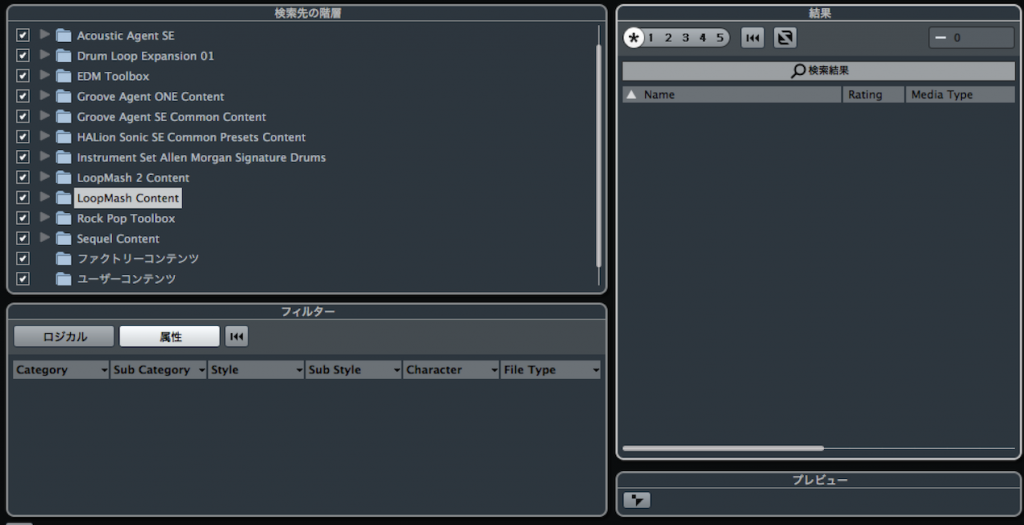
As you produce songs,
the effects, software synths, and settings you use often become fixed.
Setting them up every time is quite a chore.
What eliminates that effort is the track preset feature.
You can save the settings and sounds you use often and use them on other tracks or in other songs.
Also, from Cubase 8 onward, you can organize and display the plugins you use yourself.

Video: Creating Track Presets
*The explanation starts at 3:43.
How to Save a Track Preset in Cubase
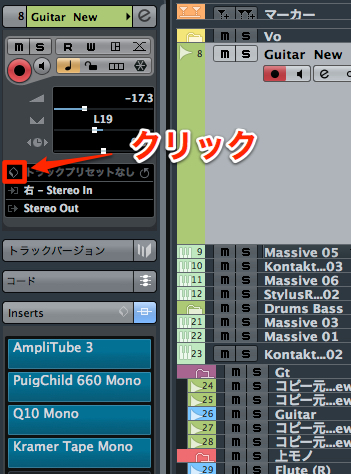
↑ In the Inspector,
load the effects and software synths you use often.
Effect knob positions and software synth sounds are saved too.
After setting things up the way you like, click the area outlined in red.
Select "Save Track Preset" from the menu.
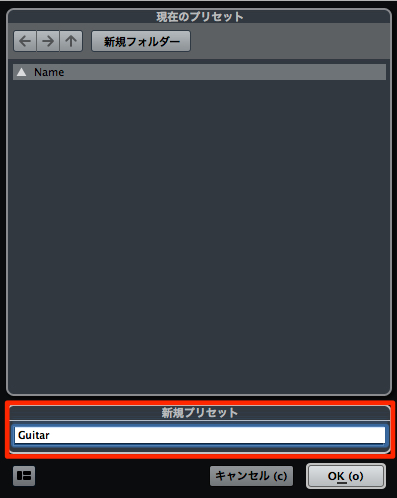
↑ Enter any name and press "OK."
Here, we use the name "Guitar."
That's all it takes to save it.
More About Track Presets
As your track presets grow in number, they can become hard to manage.
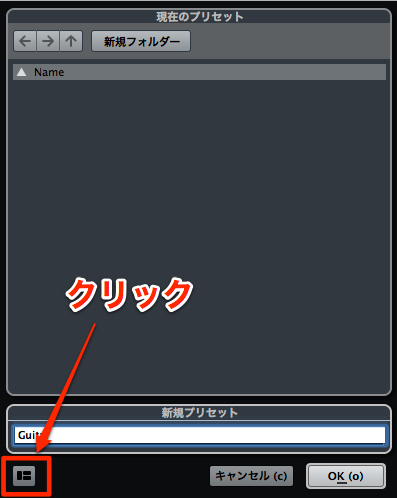
When saving, click the area outlined in red
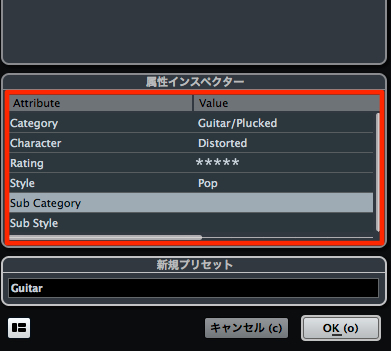
and fill in the detailed data that appears to make searching easier later.
Using Track Presets
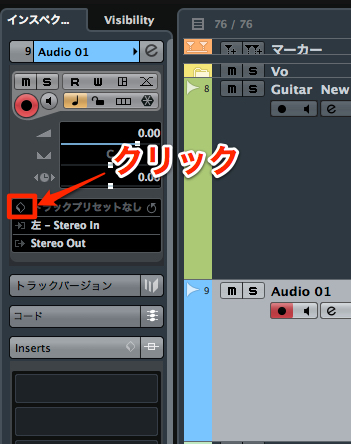
↑ Create a new track and click the area outlined in red in the Inspector.
Click "Load Track Preset" in the menu.
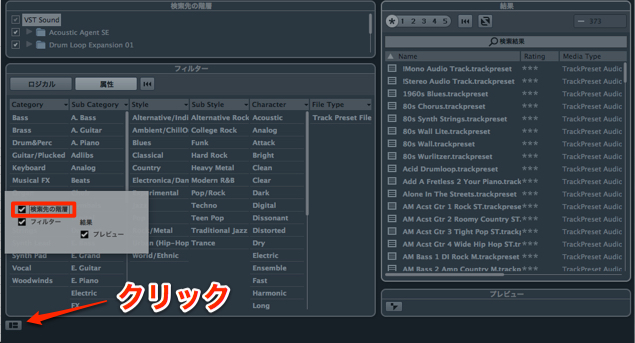
↑ Click the lower left of the dialog
and check "Show Location Path."
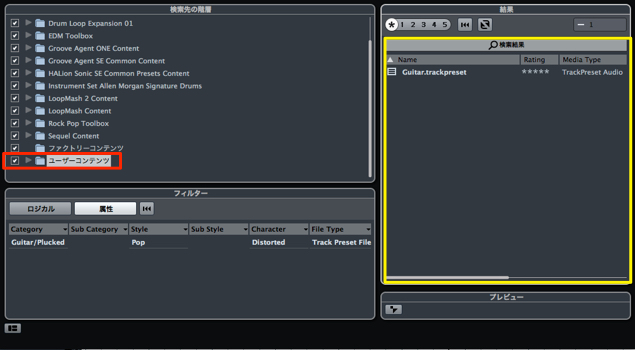
↑ Your presets are saved in "User Content."
Double-click to apply one.
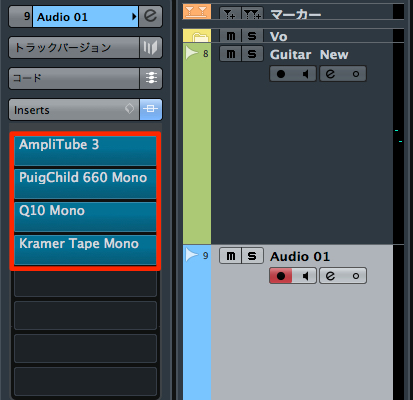
↑ The track is fully recreated like this.
Saving and Loading Effects Only
You can also save effects only,
so you can quickly recall combinations of effects you use often.
If you save them just loaded, without editing (in their initial state),
you can set them flexibly for each track. This is especially recommended for mixing.
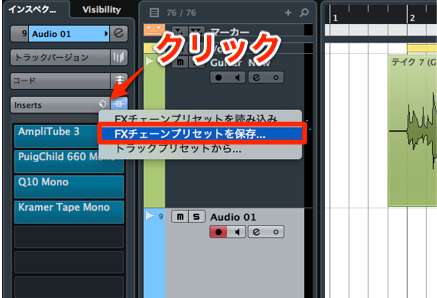
↑ Load the plugins you like and click the area outlined in red.
Select "Save FX Chain Preset" from the menu.
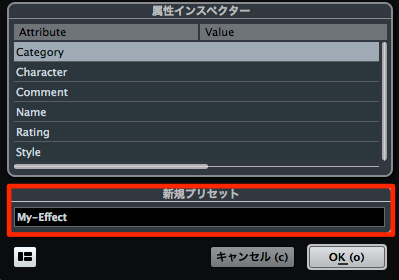
↑ Enter any preset name and press "OK."
Here, we named it "My-Effect."
That's all it takes to save it.
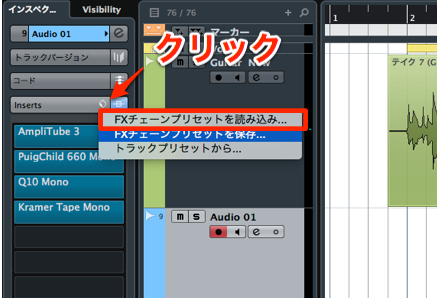
↑ Click the area outlined in red
and select "Load FX Chain Preset" from the menu.
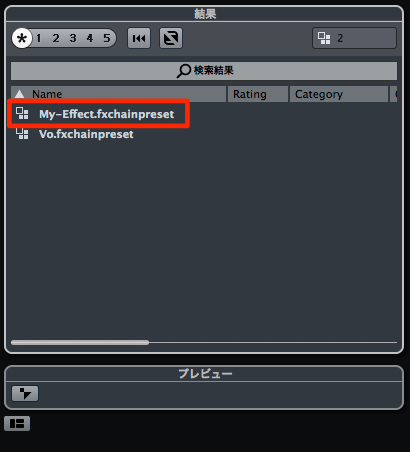
Just double-click the one you saved to recall it.
Frequently asked questions
Q1. What is a track preset in Cubase?
A track preset is a feature that saves effect and software synth settings and sounds for reuse. Once you save the settings you use often, you can apply the same settings instantly on other tracks or in other songs.
Q2. How do I save a track preset?
After setting things up in the Inspector, select "Save Track Preset" from the menu and enter a preset name. We recommend entering the detailed data when saving to make searching easier later.
Q3. Can I save effects only?
Yes. You can save effects only with the FX chain preset feature. Saving them in their initial state lets you adjust them flexibly for each track when mixing.
Q4. Where are saved track presets stored?
Saved presets are stored in User Content. When creating a new track, specify the location path from "Load Track Preset," and you can apply a preset easily by double-clicking.
NEW ARTICLES
Latest English Articles











