
Cubase's OMF function lets you easily share audio files and their position information between different DAWs (digital audio workstations). This feature is very handy for collaboration and song delivery: just export with your chosen tracks, file format, and bit depth, then import into another DAW, and all the audio is reproduced in its original state. Note, however, that Japanese track names may become garbled, and MIDI information must be handled separately as SMF.
Work with Songs Across Different DAWs
OMF lets you reproduce a project's audio files and their positions
in other DAW software.
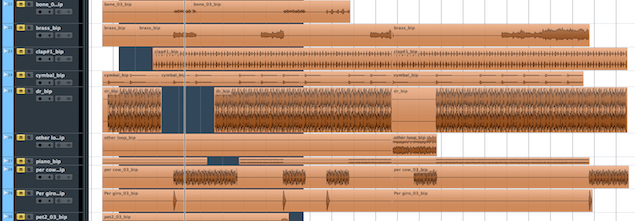
It is very handy for collaboration and for delivering songs.
OMF Explained
Cubase: How to Export OMF
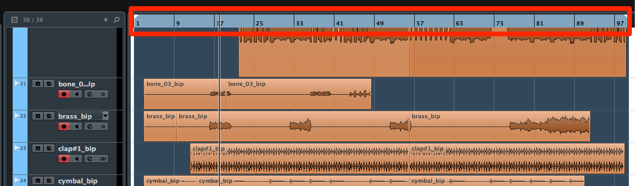
Specify the range you want to export.
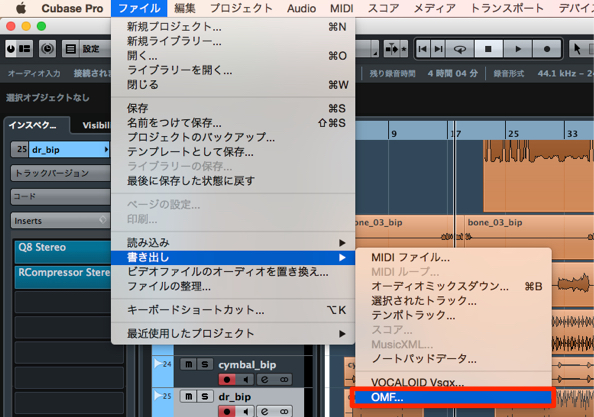
From the top menu, choose "File" → "Export" → "OMF."
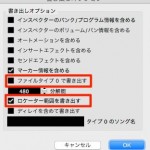
The dialog below appears.
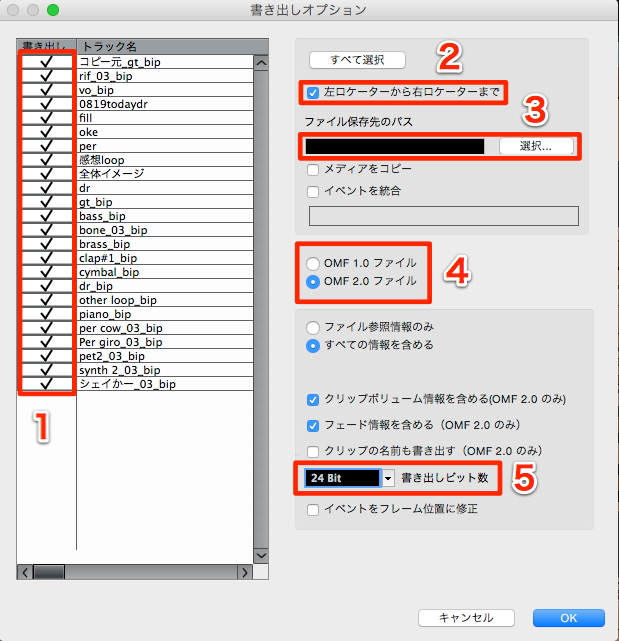
- 1_Check the tracks you want to export.
- 2_You can export only the locator range.
If unchecked, the entire range is exported. - 3_Choose where to save the OMF file.
- 4_Choose the OMF version. Normally, select version 2.
Version 2 can include fade settings, volume, event names, and more. - 5_Specify the bit depth.
After checking the above, press "OK."
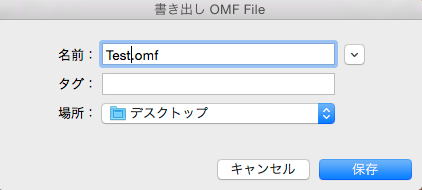
Name the OMF file. Enter any name you like.

The OMF file has been created in the specified location.
Import this file into the other DAW software.
How to Import OMF
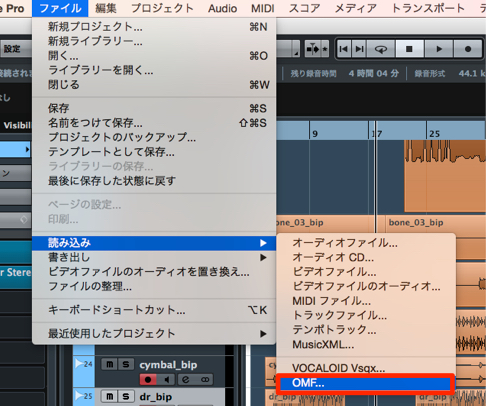
From the top menu, choose File → Import → OMF.
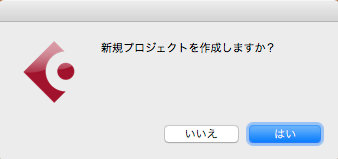
A confirmation dialog appears.
- Yes: A new project opens with the audio files in it
- No: The files are imported into the current project
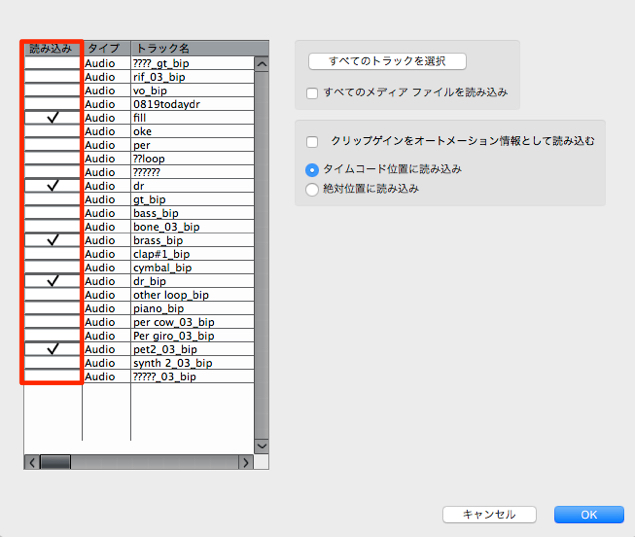
In the dialog that appears, select the tracks you want to import.
All the audio is now reproduced.
Notes on OMF
- As shown above, using Japanese characters (hiragana or katakana) in track names causes them to become garbled.
- OMF handles audio files and cannot export MIDI files.
MIDI can be exported as SMF.
Frequently asked questions
Q1. What is an OMF file?
OMF (Open Media Framework) is a format that packages audio files and their placement information, used to make projects compatible between different DAWs. It can also include fade and volume information.
Q2. Can I export MIDI together with audio data in OMF?
No. OMF supports audio files only. To export MIDI information, use the SMF format.
Q3. How should I handle Japanese track names?
Changing track names to romaji or alphanumeric characters before exporting OMF prevents them from becoming garbled in other DAWs.
Q4. Which OMF version should I choose?
Normally, select version 2. Version 2 can retain detailed information such as fade settings, volume, and event names.
NEW ARTICLES
Latest English Articles











