
M/S processing in Cubase is a mastering technique that separates audio into mid (center) and side (left/right) components to effectively increase loudness and width. This article explains a detailed step-by-step procedure using channel splitting and phase inversion, which lets you apply limiting only to the L/R components without affecting the center. It is a complex process, but done correctly, it keeps the same sound balance as the original while giving a more compressed, wider master. If the procedure is too difficult, dedicated plugins such as Waves Center and Waves MS Matrix are recommended.
How to Do M/S Processing in Cubase
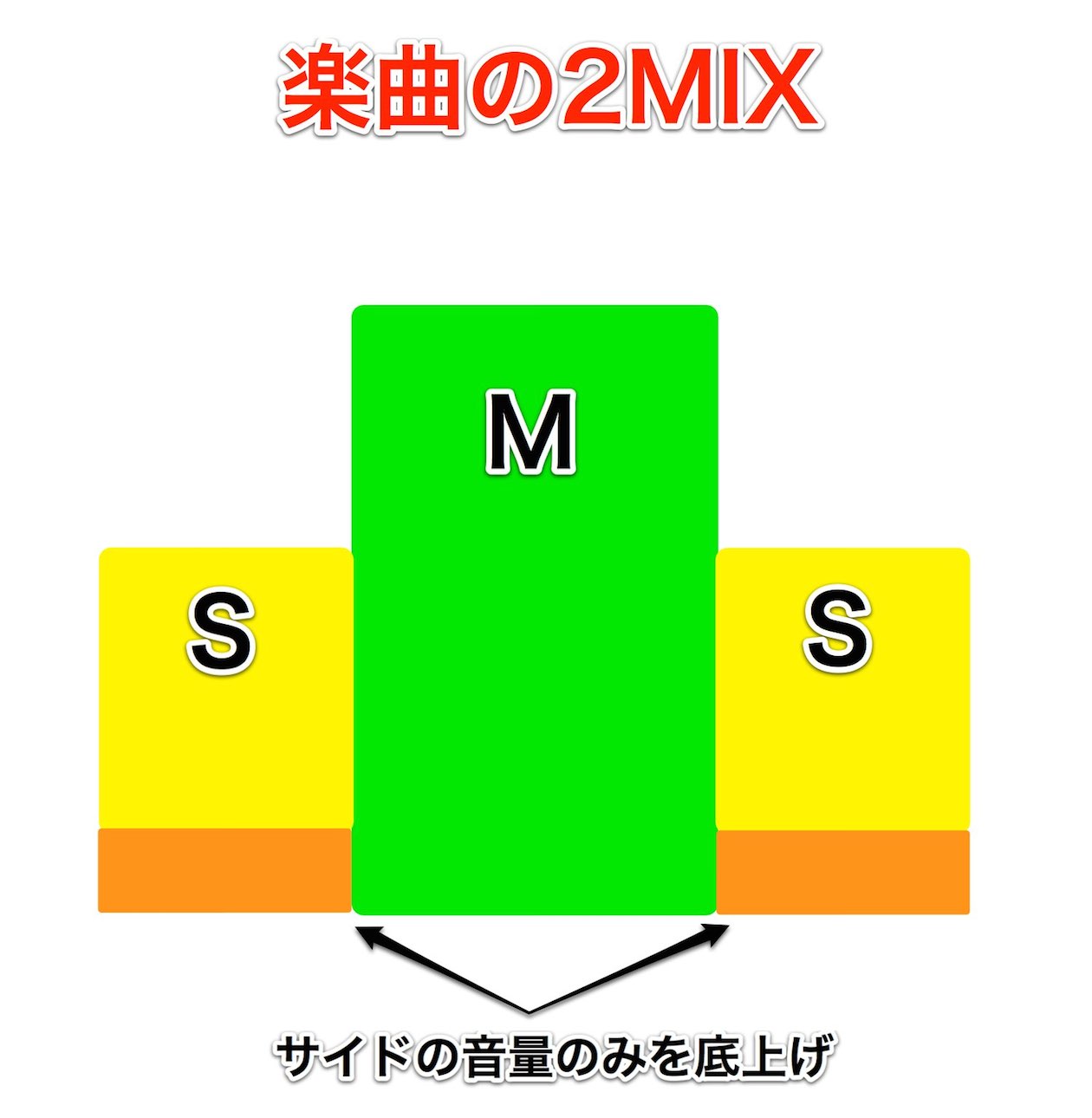
This continues from "Boosting Loudness and Width with M/S Processing" in the Mixing and Mastering category.
The procedure is a little complicated, but we will explain it step by step, so don't worry.
First, listen to the effect.
Before M/S processing
After M/S processing

↑ First, import the piece (2-mix) you want to M/S process into Cubase.
Here, we name it "Original."
Open the export window with "File" → "Export" → "Audio Mixdown" from the menu bar.

↑ In the window that appears, check "Split Channels," as outlined in red, and export.
The L and R of the 2-mix are exported separately.
Name it "Split,"
and after exporting, renaming the files "Split_R" and "Split_L" makes them easier to identify.
After this,

↑ export again with "Mono Downmix."
The 2-mix is exported in mono.
Here, we name it "Mono 2mix."

↑ These are the files exported above.
You end up with three files in total.
Add them to the Cubase project.

↑ It looks like this. The top track is the original 2-mix.
Mute it.

↑ Of the L and R exported with Split Channels above,
select the R track and invert it with "Phase Invert".
It then sounds like this.
*Solo the Split_L and Split_R tracks.
The center is removed.
We will use this later as "L."
In this state, do another Audio Mixdown.
*Solo the L and R tracks.

↑ Export this with "Mono Downmix."
Name this track "L only."

↑ Bring the "L only" track you exported above back into the Cubase project.
The split L and R tracks are no longer needed, so deleting them makes things clearer.

↑ Duplicate the "L only" track you added to create an "R only" track.
Just select the "L only" track and choose "Duplicate Track" from the right-click menu.

↑ Name the duplicated track "R only" and invert its phase.
This completes the extraction of L and R.

↑ Add the "Mono 2mix" you exported first, pan L and R hard left and right, and listen...
It sounds the same as the original 2-mix.
This means L, R, and center have been separated into three tracks.

↑ By applying a limiter or maximizer to L and R,
you can adjust the loudness of the L/R components only, without affecting the center.
*Apply the same plugins to all three tracks.
Otherwise, plugin latency may upset the relationship between them.
How was that?
The procedure is a little complex, but the results are worth it.
Be sure to try it.
Plugins That Make M/S Processing Easy
Does the M/S method above feel a bit daunting?
If so, here is a plugin we recommend that makes M/S processing easy.
Waves Center
Buy the product: https://bit.ly/2XpJWgj
Waves MS Matrix
Buy the product here

Frequently asked questions
Q1. What are the specific steps for M/S processing in Cubase?
First, export the 2-mix with Split Channels to separate left and right. Invert the phase of the right channel to extract the side component with the center removed, and export it with Mono Downmix. Then, by lining up the mono 2-mix with the extracted side components (one for L and one for R), the center, L, and R components are separated into three tracks, each of which can be processed individually.
Q2. What important points should I watch out for in M/S processing?
Always use the same plugins on all three tracks (mono, L, and R). If plugin latency differs, the relationship between the tracks breaks down, causing phase misalignment that can degrade the sound.
Q3. Is there an easier alternative if M/S processing is too difficult?
Using dedicated plugins such as Waves Center or Waves MS Matrix lets you do M/S processing easily without complicated manual work. If you are not aiming for highly detailed mastering, these tools are efficient.
NEW ARTICLES
Latest English Articles











