
In music production, a high sample rate improves sound quality but can place a heavy load on your computer. Problems such as playback stopping frequently or noise occurring may be caused by a sample rate that is set too high. Usually 44,100 Hz or 48,000 Hz is best, and it is important to set it before you start producing a song. In major DAWs such as Pro Tools, Logic, Cubase, Ableton Live, and Studio One, you can change the setting when creating a project, and choosing an appropriate sample rate reduces CPU load and gives you a comfortable production environment.
Specify the optimal sample rate
The "sample rate"
is decided when you create a song. Simply put, it is the unit that represents how faithfully sound is reproduced (sound quality).
The higher this number, the higher the sound quality,
but if it is too high, it places a considerable load on your computer.
If playback often stops or noise occurs,
check this setting.
Usually "44,100" or "48,000" is best.
Be sure to set this before you start producing the song.
- Pro Tools
- Logic
- Cubase
- Ableton Live
- Studio
One
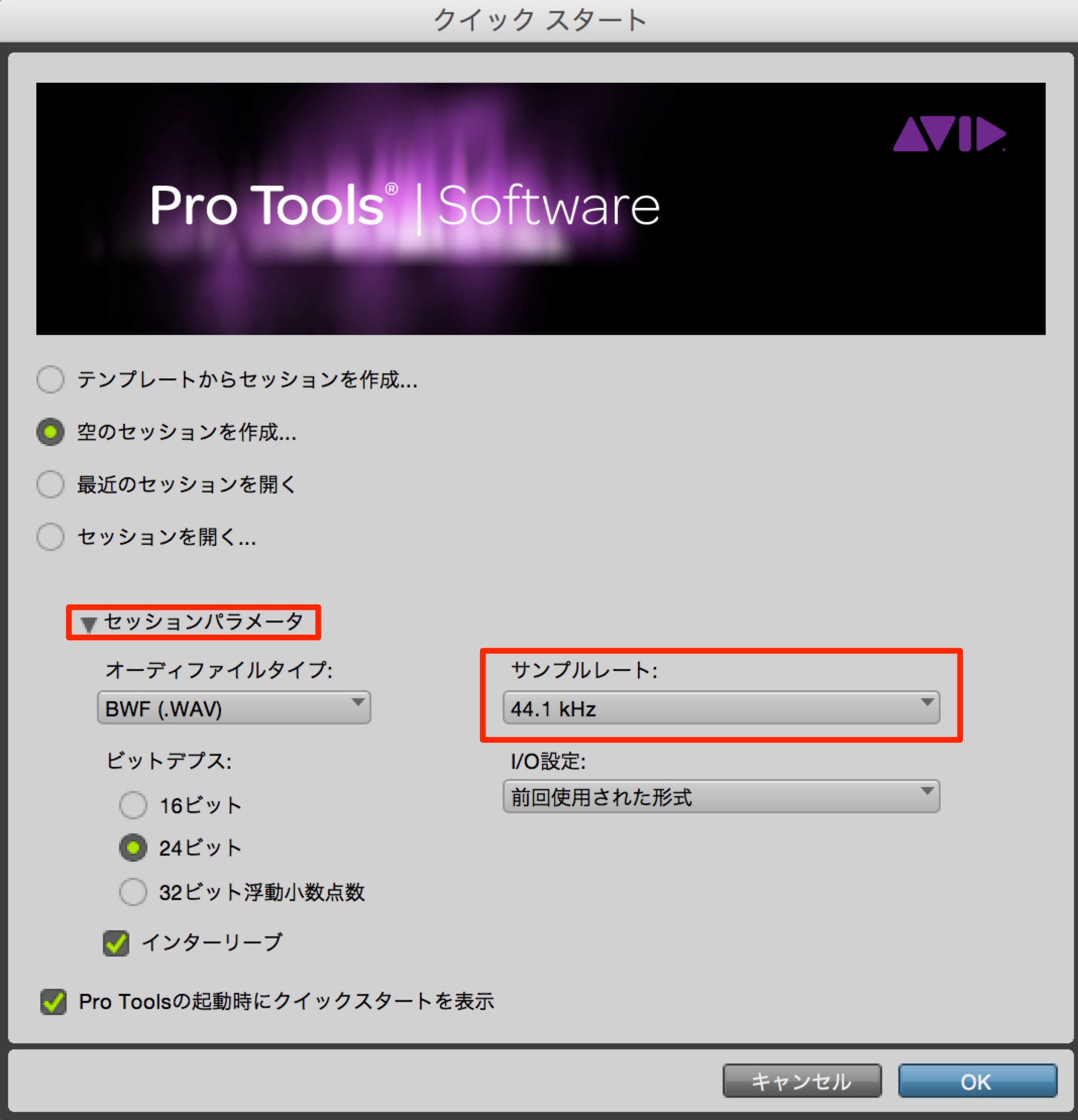
Change it in "Session Parameters" in the project creation dialog.
Another cause: buffer size
Besides the sample rate, the "buffer size" could also be a cause.
https://sleepfreaks-dtm.com/dtm-trouble/noise-stop/
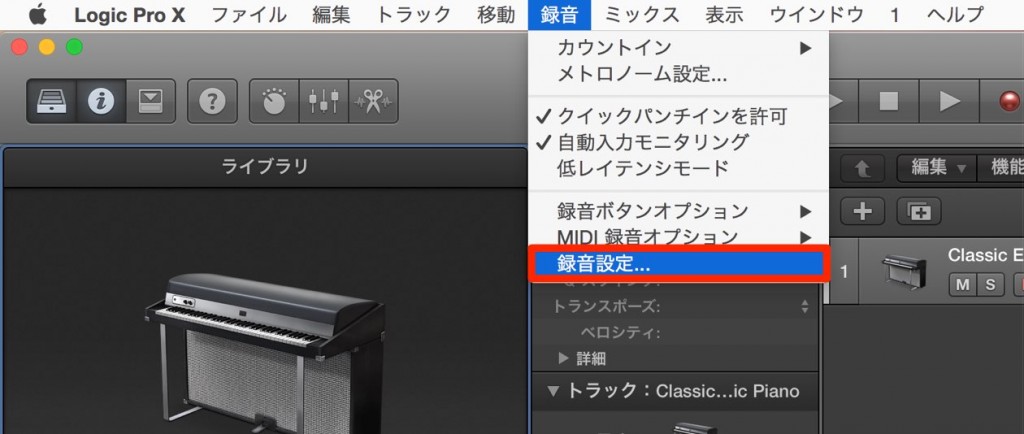
Select "Recording" from the top menu.
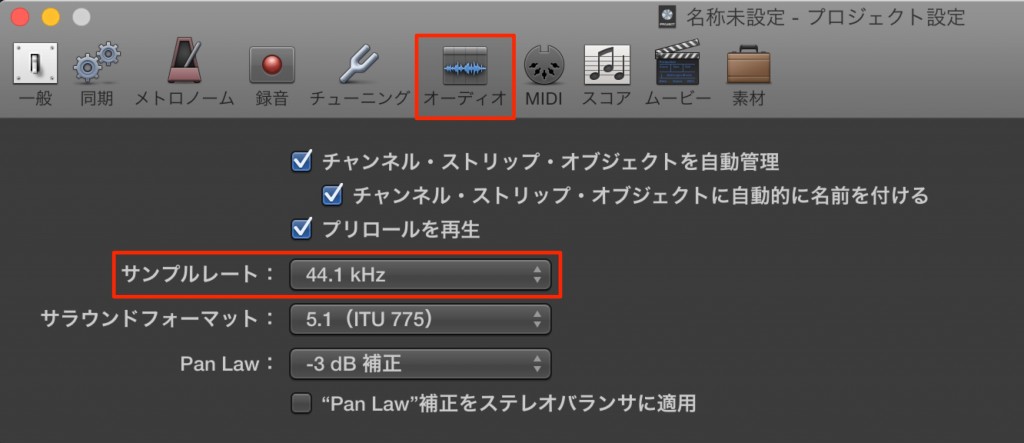
Change the "Sample Rate" on the "Audio tab."
Another cause: buffer size
Besides the sample rate, the "buffer size" could also be a cause.
https://sleepfreaks-dtm.com/dtm-trouble/noise-stop-2/
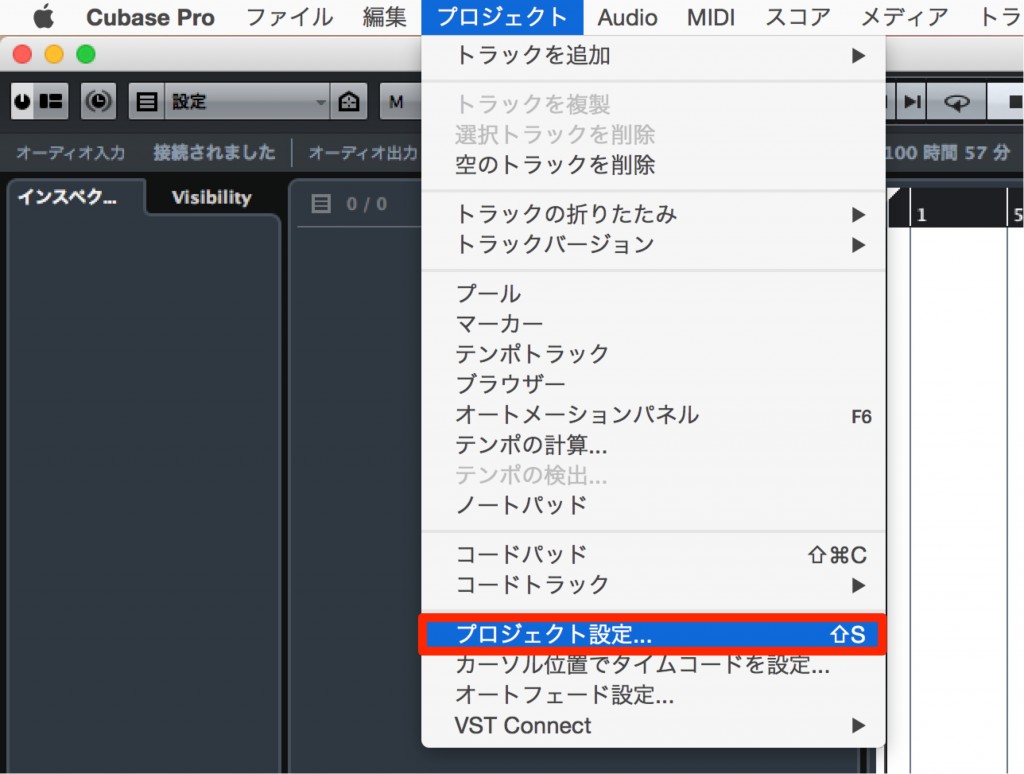
From the top menu, select "Project" → "Project Setup."
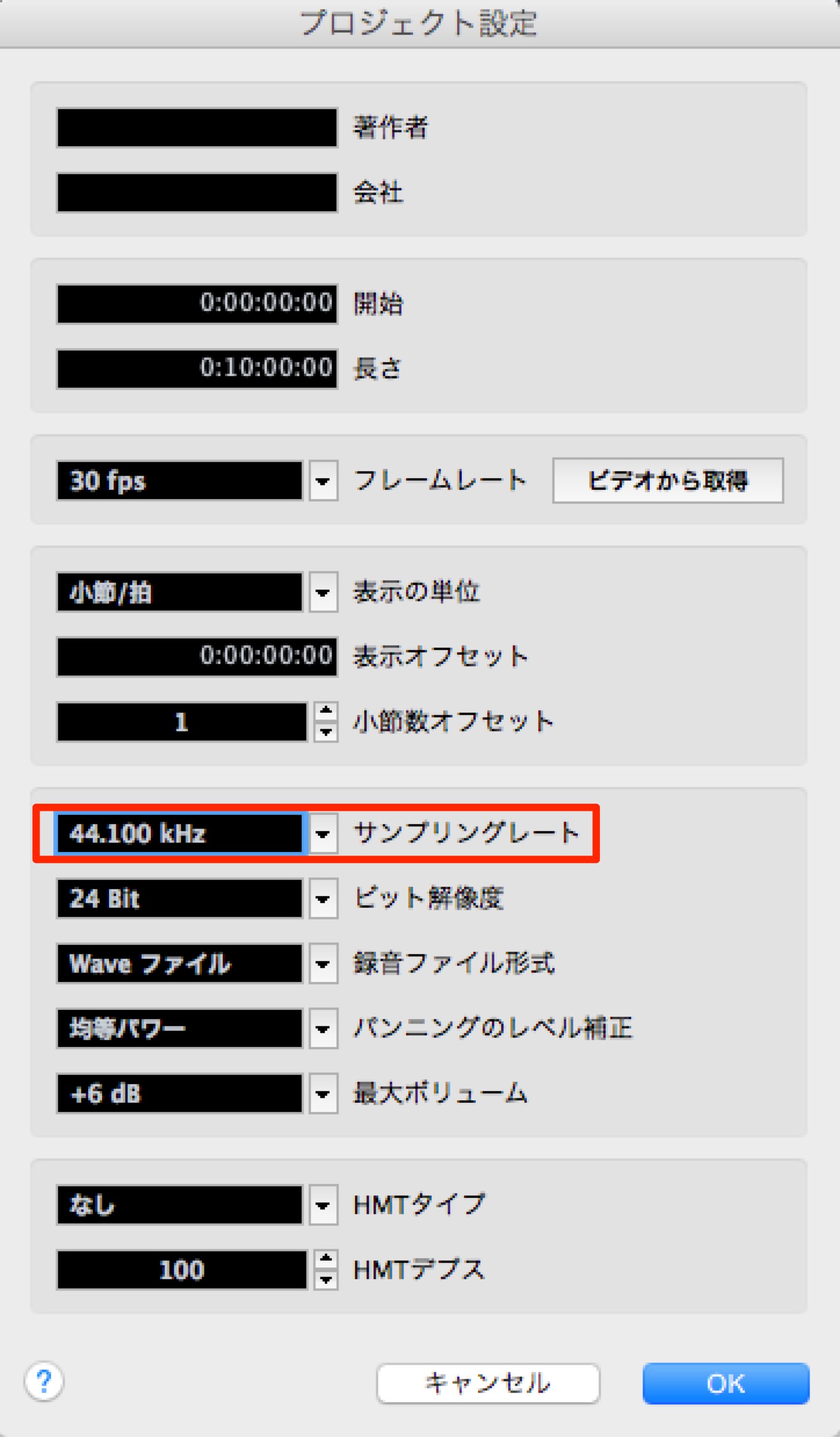
Change the "Sample Rate" here.
Another cause: buffer size
Besides the sample rate, the "buffer size" could also be a cause.
https://sleepfreaks-dtm.com/dtm-trouble/noise-stop-3/
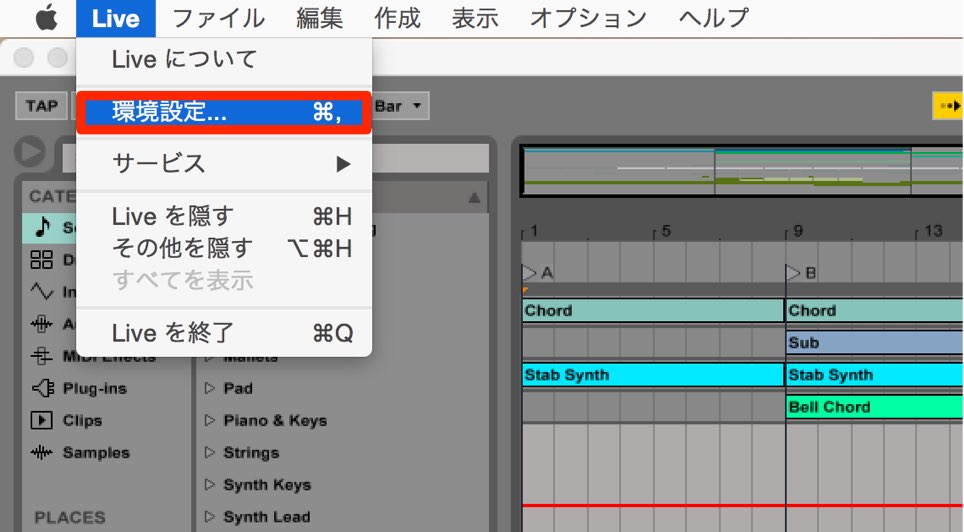
From the top menu, select "Ableton Live" → "Preferences."
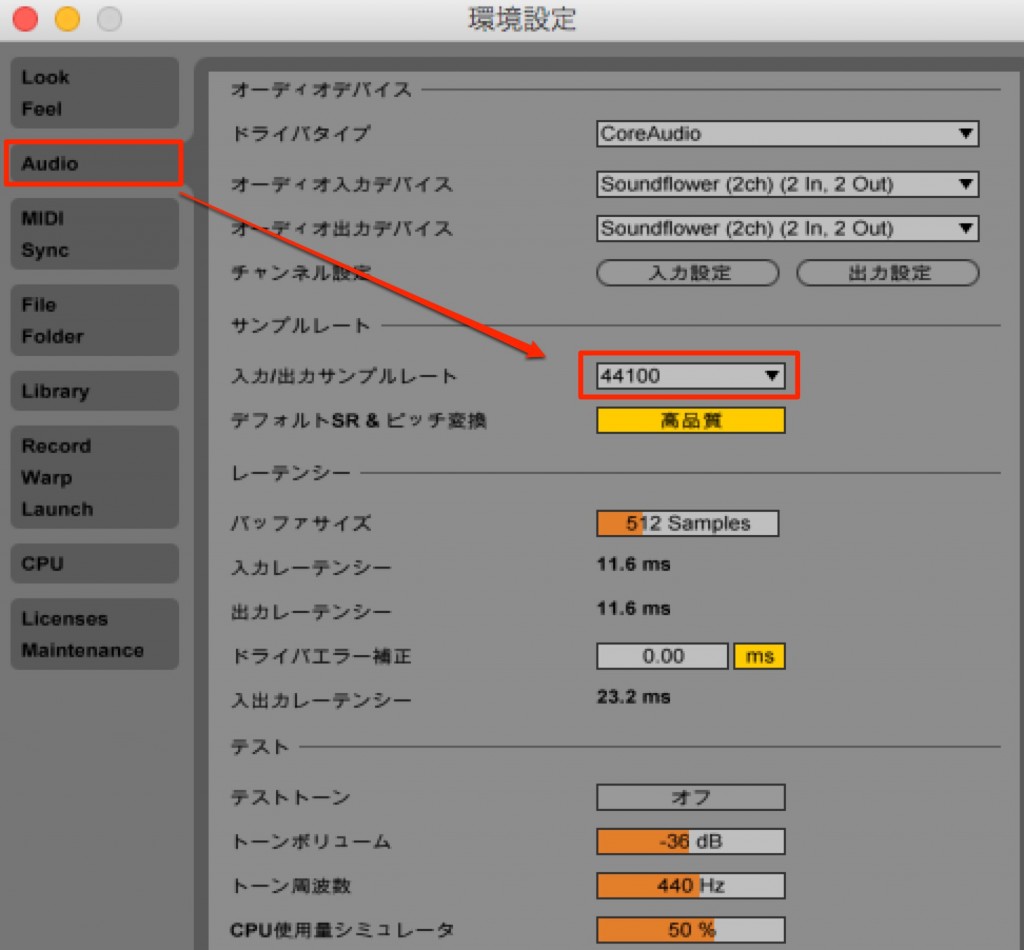
Change the sample rate on the "Audio tab."
Another cause: buffer size
Besides the sample rate, the "buffer size" could also be a cause.
https://sleepfreaks-dtm.com/dtm-trouble/noise-stop-4/
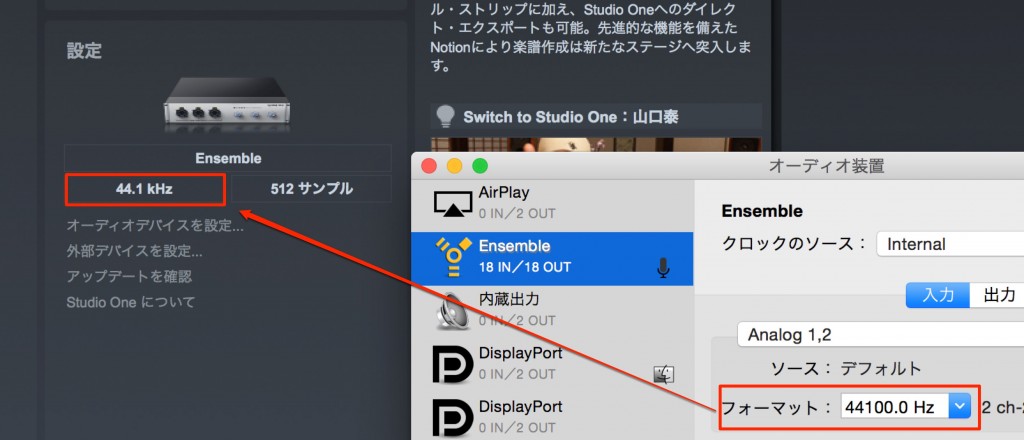
It follows the audio interface's settings completely.
So change the device's sample rate to the value you want.
Another cause: buffer size
Besides the sample rate, the "buffer size" could also be a cause.
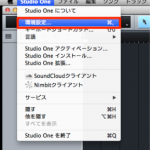
- Pro Tools
- Logic
- Cubase
- Ableton Live
- Studio
One
Frequently asked questions
Q1. What is the best sample rate for music production?
Usually 44,100 Hz or 48,000 Hz is recommended. These settings balance sound quality and processing performance and work without problems in almost any production environment. Be sure to set it before you start producing a song.
Q2. What problems does a high sample rate cause?
The CPU load on your computer increases, causing playback to stop partway or noise to occur. This happens because audio processing can't keep up.
Q3. Can I change the sample rate partway through production?
It can be changed, but it is not recommended. You can change it from each DAW's session or project settings, but setting it before you start production is important for avoiding problems.
NEW ARTICLES
Latest English Articles











