
Problems loading sounds in Kontakt are almost always caused by an outdated version or plug-in settings. This article introduces step-by-step solutions, from updating for free with Service Center to correctly moving the plug-in to the VST plug-in folder on Windows. It also explains in detail where the plug-in folders are for each DAW, such as Cubase and Studio One, making it a practical troubleshooting guide for any OS and DAW environment.
Kontakt: error loading sounds
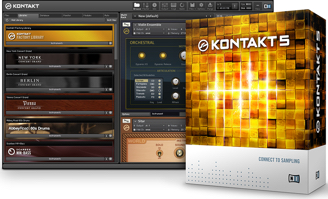
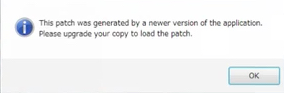
You can no longer load sounds in "Kontakt"...
This error is especially likely when exchanging projects with other people.
It happens when the version of Kontakt you are using is outdated.
How to resolve the error

Open "Service Center."
- Mac: System HDD → Applications → → Service Center
- Win: C drive → Program Files → → Service Center
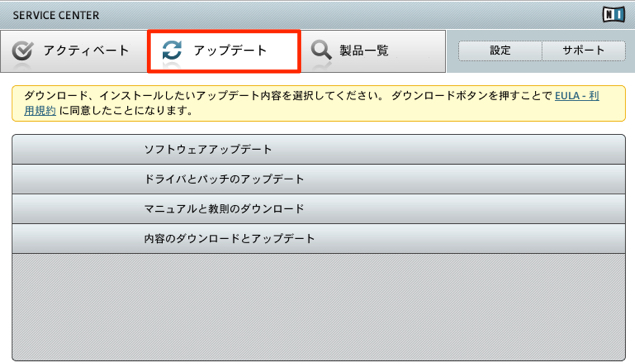
Update Kontakt to the latest version from "Update." (It's free.)
That solves it.
If it still won't open
This symptom occurs on Windows.
Inside C drive → Program Files → ,
there are folders named "32bit" and "64bit."
If your computer is "32-bit," open the "32bit" folder;
if it is "64-bit," open the "64bit" folder.
Move the plug-in file in that folder to the "VST" folder below.
Plug-in locations
Cubase

"Windows" (may vary depending on the location specified during installation)
"C drive" → "Program Files" → "Steinberg" → "Cubase" →
→ "VSTPlugins" or "vst3"
or
"C drive" → "Program Files" → "Steinberg" → "Cubase" → "VSTPlugins"
or
"C drive" → "Program Files" → "VSTPlugIns"
Studio One

"Windows" (may vary depending on the location specified during installation)
"C drive" → "Program Files" → "Steinberg" → "Cubase" →
→ "VSTPlugins" or "vst3"
or
"C drive" → "Program Files" → "Steinberg" → "Cubase" → "VSTPlugins"
or
"C drive" → "Program Files" → "VSTPlugIns"
*Additional plug-ins can't be used in the free version
This solves the problem.
FL Studio

Can be set to any location

Frequently asked questions
Q1. If Kontakt can't open sounds, what should I check first?
First check whether your version of Kontakt is outdated. Simply running the update from Service Center solves many cases. You can update to the latest version for free.
Q2. What should I do if the Kontakt plug-in isn't recognized on Windows?
Move the plug-in file from the "32bit" or "64bit" folder in Program Files (choose according to your computer's system) to the VST folder specified by your DAW.
Q3. Are the plug-in folder locations different in Cubase and Studio One?
They are basically under the same Steinberg folder, but differ as to whether it is "VSTPlugins" or "vst3." The location may differ depending on what you specified during installation, so we recommend checking several locations.
NEW ARTICLES
Latest English Articles











