
Kontakt's multi-output function lets you send multiple instruments to your DAW individually. With drum instruments in particular, you may want to set up multiple individual outputs from a single instrument, such as kick, snare and hi-hat. Using Studio Drummer as an example, this article explains in detail how to configure this in the Mixer tab: select a kit piece in SETTINGS and specify its OUTPUT destination, and you can process each drum sound individually. This setup enables more flexible, advanced sound editing, such as applying different effects to each kit piece, which helps with professional music production.
Some Drum Instruments Require Multi-Output Settings Within the Instrument
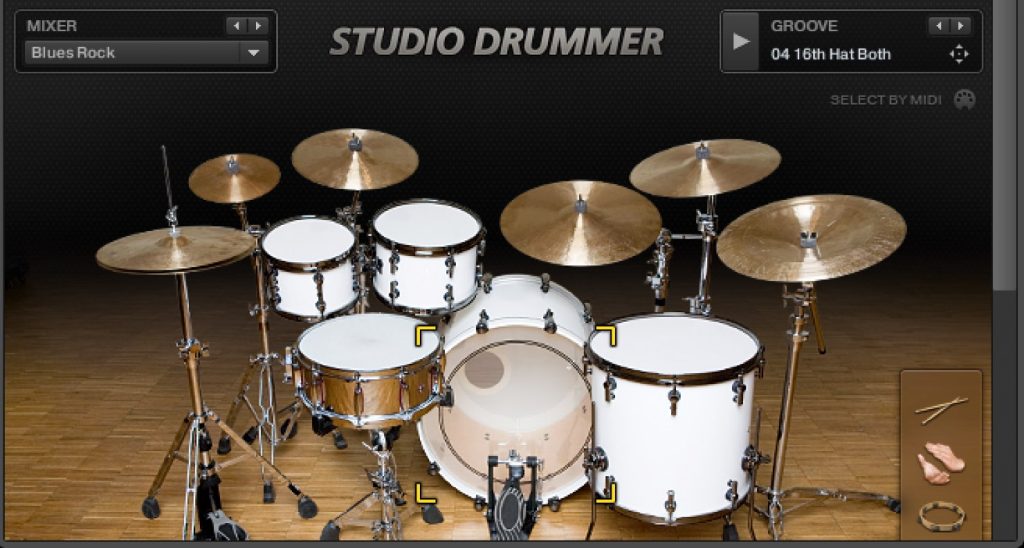
Kontakt supports multi-output,
so you can send the sounds of multiple instruments loaded in one Kontakt instance to your DAW individually.
Kontakt Multi-Output Explained

However, with instruments like drums,
you may want to set up individual outputs from a single instrument, such as "kick, snare and hi-hat."
We will explain how to set this up.
How to Set Up Multi-Output per Kit Piece
Here, we explain using "Studio Drummer" as an example,
but the setup is the same for other drum instruments.
*You need to complete the Kontakt multi-output setup described above beforehand.
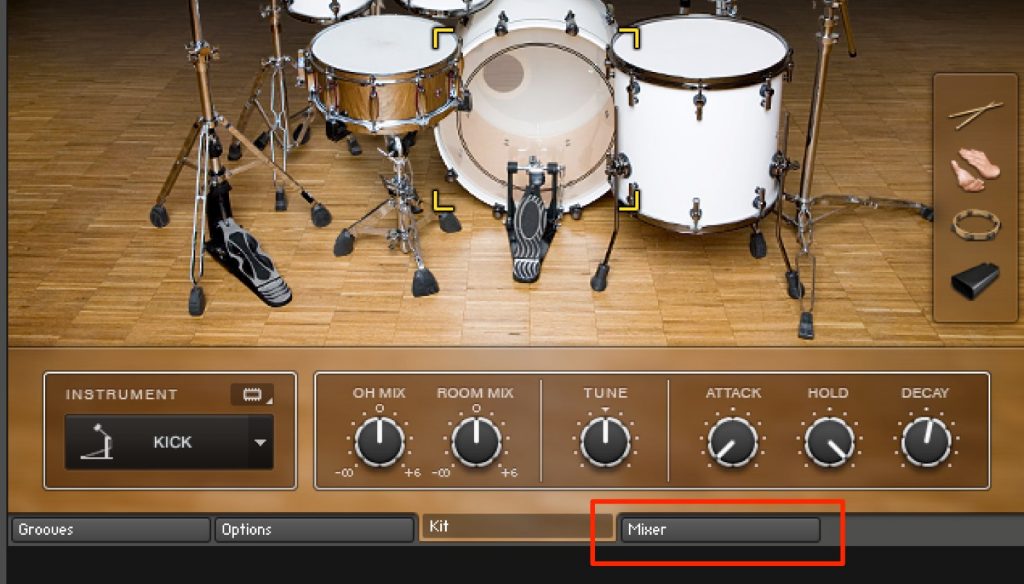
Click the "Mixer" tab located below the instrument.
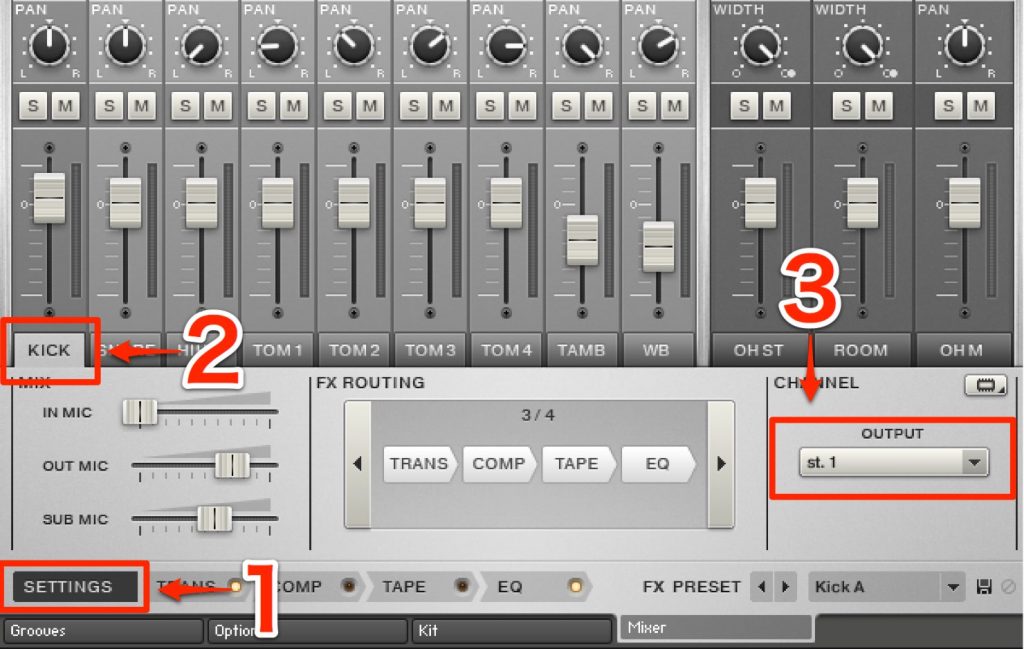
- 1_ Select "SETTINGS"
- 2_ Select the kit piece to send to a separate output
- 3_ Set the destination in "OUTPUT"
Do this for each kit piece,
and by specifying different "OUTPUT" destinations, you can set up multi-output for each kit piece.
Frequently Asked Questions
Q1. What preparation is needed to set up multi-output for drum instruments in Kontakt?
You need to complete the multi-output setup for Kontakt itself beforehand. Then open the Mixer tab below the instrument panel and specify an OUTPUT destination for each kit piece to enable individual outputs.
Q2. Can I use multi-output the same way with drum instruments other than Studio Drummer?
Yes, the basic setup is the same. By selecting kit pieces and setting OUTPUT in the Mixer tab, you can achieve multi-output with other drum instruments as well.
Q3. What are the benefits of using multi-output?
You can apply different effects individually to each drum sound, such as kick, snare and hi-hat, enabling finer sound adjustments. Ultimately, you can create a professional, cohesive sound.
NEW ARTICLES
Latest English Articles











