
This article explains how to burn a CD and deliver your master to a pressing plant after mastering is complete. In addition to the traditional CD-R burning procedure, it introduces how to create a DDP image, which is becoming the standard. Because DDP is a data file format, it prevents problems such as scratches on a CD-R and changes in sound quality, so you can deliver your audio to the pressing company more safely and at higher quality. It also shows the specific steps in Studio One, providing useful information for producers who want to understand the next step after mastering.
Burning to CD
Once mastering is finished,
it is finally time to burn a CD.

↑ The area outlined in red is called an "index,"
and it is used for the CD's track starts (track 1, track 2, and so on).
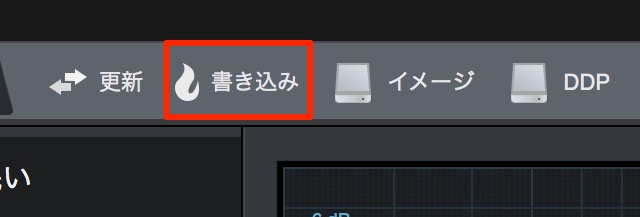
↑ Click "Burn."
Just insert a blank CD into your computer and burn it.
*When making a master disc, use the highest-quality CD-R you can.
It makes a difference in sound quality.
This master disc is what you deliver to the pressing plant.
Creating a DDP in Studio One
What is becoming the standard now is the DDP format.
It prevents the scratch-related problems and changes in sound quality that can occur with a CD.
Because a DDP is a data file, you don't have to worry about those issues.

↑ Click "DDP."
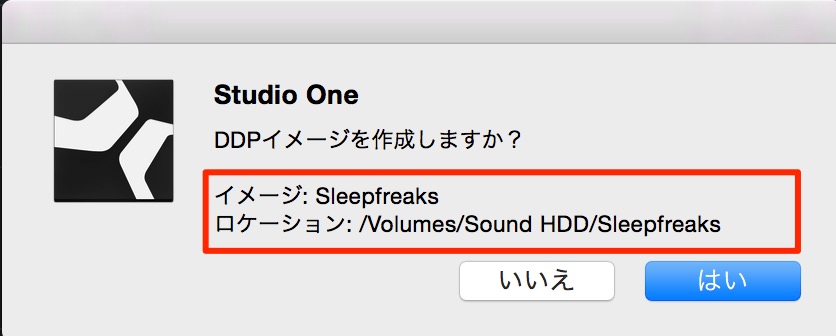
↑ A window appears.
Check the location and click "OK."
The DDP is created in that location,
so deliver this file as is to the pressing company.
Optimizing Your Master for iTunes


Frequently asked questions
Q1. Why should I care about CD-R quality when making a master disc?
The master disc is the source the pressing plant copies from, so using a high-quality CD-R helps prevent loss of sound quality and improves the sound of the final product. It is also important for preventing problems such as scratches and errors.
Q2. In what ways is the DDP format better than a CD-R?
Because DDP is a data file format, it is free of the dropouts caused by scratches and the changes in sound quality from physical deterioration that can happen with CD-Rs. It also has a lower risk of errors when copying and transferring, making it well suited for delivery to pressing companies.
Q3. Is there anything to watch out for when creating a DDP in Studio One?
When creating a DDP, check the save location, click "OK," and deliver the generated file as is to the pressing company. To prevent file corruption, we recommend keeping it on reliable storage.
NEW ARTICLES
Latest English Articles











